Choosing the right workstation for scientific visualization is about more than raw specs. You need stable performance, enough PCIe expansion, strong cooling, and graphics hardware that can keep up with large datasets and complex scenes.
This roundup focuses on practical systems and bundle-ready setups that fit demanding research, rendering, and AI-assisted visualization workflows in 2026.
Best 10 Dual GPU Workstations for Scientific Visualization Picks for 2026
Best Single-GPU Value
NOVATECH AI Workstation Desktop PC

- Core i9-14900K + RTX 5080 for demanding compute tasks
- 64GB DDR5 RAM and 2TB NVMe SSD for large projects
- Liquid cooling, 850W PSU, and US assembly for stability
Best For: Researchers and creators who want high-end workstation performance without a dual-GPU setup.
Best Scalable Dual-Node AI Stack
ASUS Ascent GX10 2-Pack Bundle
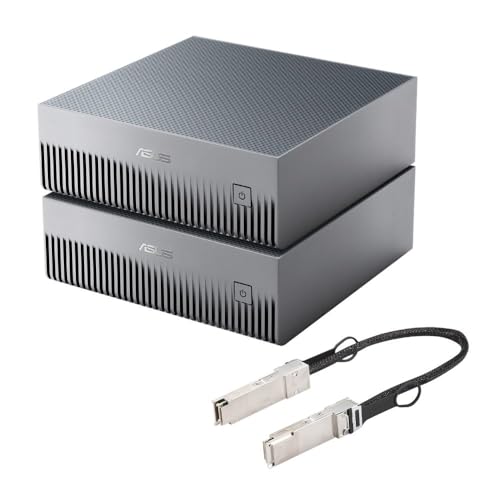
- Dual GX10 bundle with stacking cable for scalable compute.
- NVIDIA GB10 platform with 1 petaFLOP AI performance.
- 128GB memory and advanced cooling for sustained workloads.
Best For: AI-focused teams needing a compact, stackable high-memory compute setup.
Best for CPU-heavy modeling
HP Z2 G9 Workstation with i7-14700K
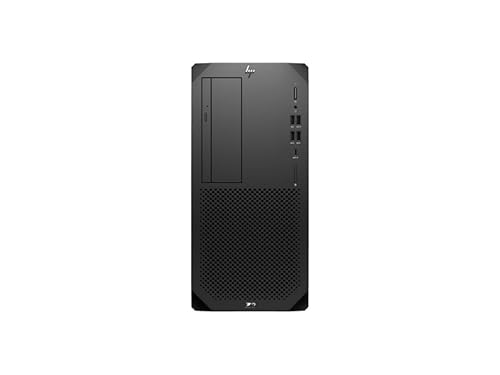
- 20-core Core i7-14700K delivers strong CPU performance
- Intel W680 workstation platform supports pro-grade stability
- Good upgrade base for future dual-GPU scientific visualization
Best For: Users who want a reliable workstation base for CPU-heavy scientific workflows and later GPU expansion.
Best for Desktop AI Scaling
NVIDIA DGX Spark 2-Pack with Cable Bundle
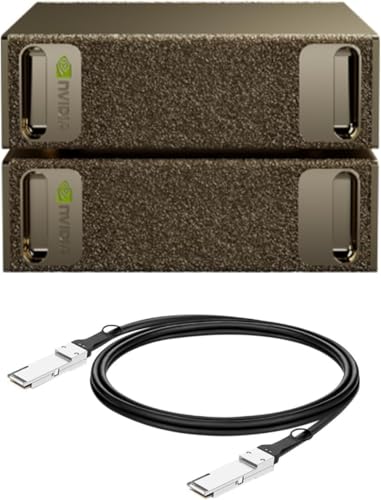
- Compact desktop compute for AI/HPC workflows
- 128GB unified memory per unit for large models
- Includes the full NVIDIA AI software stack
Best For: Researchers and technical teams building local AI and HPC workflows on the desktop.
Best CPU-First Pick

- Fast 24-core Intel Core i9 platform
- Tower chassis is easier to expand
- Good base specs for workstation builds
Best For: Engineers and researchers building a dual-GPU-ready workstation around a strong Intel CPU.
Best for GPU Sag Support

- All-aluminum construction for sturdier support
- Fits single or dual GPU/card layouts
- Magnetic base and tool-less install
Best For: Builders who need a simple anti-sag brace for heavier workstation GPUs.
Best Dual-CPU Value
Dual CPU Workstation Gaming Desktop, RTX 5060, 128GB RAM

- 36 cores / 72 threads for parallel workloads
- 128GB RAM for large datasets and multitasking
- 1TB SSD + 4TB HDD for speed and storage
Best For: Researchers and creators who need a high-core workstation for heavy multitasking and visualization tasks.
Best Compact Workstation

- 20-core Core Ultra 7 processor
- 32 GB DDR5 RAM, up to 256 GB
- 1 TB PCIe 4.0 SSD in a small form factor
Best For: Compact professional visualization and analysis setups where space matters more than dual-GPU capacity.
Best for Compact Workstation Buyers

- 20-core Intel Core Ultra 7 processor
- 32 GB RAM and 1 TB SSD included
- Upgradeable tower form factor with Windows 11 Pro
Best For: Researchers and technical teams who want a solid workstation base they can upgrade for heavier visualization tasks.
Best Single-GPU Workstation
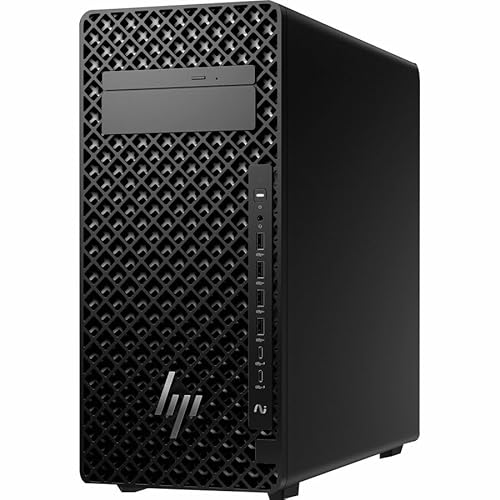
- 20-core Intel Core Ultra 7 processor
- 32 GB DDR5 RAM, expandable to 256 GB
- NVIDIA 8 GB graphics in a professional tower
Best For: Engineers and researchers who want a reliable expandable workstation for demanding everyday visualization tasks.
Best Single-GPU Value – NOVATECH AI Workstation Desktop PC
If you want a fast, ready-to-run tower for AI, rendering, and heavy visualization work, the NOVATECH AI Workstation is a strong single-GPU option to consider. For buyers comparing dual gpu workstations for scientific visualization, it offers plenty of CPU, memory, and storage headroom, but keeps the design focused on one powerful RTX 5080 rather than a dual-card layout.
Best For: Researchers, creators, and technical users who want high-end workstation performance for AI, CAD, rendering, and data analysis without moving to a more complex dual-GPU build.
Pros:
- Intel Core i9-14900K and RTX 5080 deliver strong compute and visualization performance
- 64GB DDR5 RAM and 2TB NVMe SSD support large datasets and fast project loading
- Quiet liquid cooling and 850W Gold PSU help maintain stability under sustained workloads
- Assembled in the USA with lifetime technical support and a 3-year hardware warranty
Cons:
- Single-GPU design may not suit workflows that truly need dual-card scalability
- Premium parts push it out of reach for budget-conscious buyers
- More workstation than general-purpose desktop, so overkill for lighter office use
This NOVATECH tower is best viewed as a high-performance, all-around workstation with serious graphics horsepower, not a replacement for specialized dual gpu workstations for scientific visualization. If your workflow values speed, stability, and convenience over multi-GPU expandability, it makes a lot of sense.
Best Scalable Dual-Node AI Stack – ASUS Ascent GX10 2-Pack Bundle
If you’re comparing dual gpu workstations for scientific visualization, this ASUS Ascent GX10 bundle stands out more as a compact, stackable AI compute platform than a traditional desktop workstation. The included stacking cable and dual-system setup make it appealing for buyers who want fast interconnects, high memory capacity, and a small footprint for demanding visualization-adjacent workloads.
Best For: AI researchers, developers, and technical teams that need a scalable two-node setup for heavy model work, simulation prep, and data-intensive visualization pipelines.
Pros:
- Dual GX10 bundle supports stacked operation for more scalable performance.
- High-end NVIDIA GB10 Grace Blackwell platform with 1 petaFLOP AI performance.
- 128GB memory per system helps with large models and demanding datasets.
- Ultra-compact design with advanced cooling for sustained workloads.
Cons:
- Better suited to AI and compute workflows than classic graphics-focused workstations.
- High price and niche feature set may be overkill for general users.
- Bundle value depends on whether you can use the stacking architecture effectively.
For buyers evaluating dual gpu workstations for scientific visualization, this is a specialized option that prioritizes AI throughput, memory bandwidth, and node stacking over conventional workstation expandability. It makes the most sense when your workflow benefits from compact, high-performance compute rather than a standard multi-GPU tower.
Best for CPU-heavy modeling – HP Z2 G9 Workstation with i7-14700K
If you want a tower that leans into CPU throughput for simulation prep, data cleanup, and scene management, the HP Z2 G9 is a practical pick for dual gpu workstations for scientific visualization. The 20-core Core i7-14700K gives it strong headroom for workloads that benefit from fast single-thread performance plus plenty of multitasking ability, while the Intel W680 platform adds workstation-friendly stability.
Best For: Researchers, engineers, and visualization users who need a dependable workstation base for CPU-intensive scientific workflows and future GPU expansion.
Pros:
- 20-core Intel Core i7-14700K offers strong compute performance for demanding workflows
- Workstation-class Intel W680 platform is a better fit for pro use than a typical consumer tower
- Tower design is easier to service and upgrade for evolving visualization needs
- Includes 32 GB RAM and 512 GB SSD for responsive everyday performance
Cons:
- Only one T1000 8 GB GPU is included, so dual-GPU setups will require upgrades
- 512 GB storage is modest for large datasets and simulation files
- Not the best choice if you need a ready-to-run high-end graphics configuration out of the box
As a foundation, this Z2 G9 makes sense when you care more about a balanced workstation chassis and fast CPU performance than immediate dual-gpu workstations for scientific visualization capability. It is a smarter starting point than a consumer desktop, but buyers planning heavy multi-GPU rendering or large-scale visualization should budget for additional graphics and storage.
Best for Desktop AI Scaling – NVIDIA DGX Spark 2-Pack with Cable Bundle
If you need compact compute that can support serious experimentation, the NVIDIA DGX Spark 2 Pack is an unusual option in dual gpu workstations for scientific visualization. It brings Grace Blackwell-based performance, unified memory, and the full NVIDIA AI software stack to the desktop, making it better suited to AI-driven simulation, model prototyping, and data analysis than a traditional tower workstation.
Best For: Researchers and technical teams who want desktop-accessible AI and HPC horsepower for local fine-tuning, inference, and visualization workflows.
Pros:
- Compact, energy-efficient design with enterprise-style compute performance at the desk
- 128GB unified memory per unit helps with larger models and data-heavy workflows
- Full NVIDIA AI software stack supports local development and deployment
- Two-unit bundle gives more flexibility for distributed experimentation
Cons:
- Not a traditional dual-GPU workstation with discrete graphics cards
- Premium pricing makes it a specialized purchase
- Best suited to AI/HPC tasks rather than general-purpose desktop use
For buyers comparing dual gpu workstations for scientific visualization, this bundle stands out less as a graphics-heavy rendering rig and more as a compact AI/HPC platform for local prototyping, validation, and analysis. If your workflow is centered on NVIDIA tooling and large-model experimentation, it offers a strong path to desktop-scale productivity.
Best CPU-First Pick – HP Z2 G9, i9-13900, 32GB/1TB
The HP Z2 G9 Workstation is a strong compact tower for buyers who need a fast Intel Core i9 platform with room to add a second graphics card later. For dual gpu workstations for scientific visualization, it makes sense as a CPU-heavy base system where you can pair serious compute with your own GPU configuration.
Best For: Engineers, researchers, and visualization teams that want a powerful Intel workstation chassis to build out with dual GPUs.
Pros:
- 13th Gen Core i9-13900 delivers strong CPU performance for preprocessing and simulation tasks
- Tower design is better suited to workstation expansion than small-form-factor systems
- 32 GB DDR5 and 1 TB SSD provide a solid starting point for demanding projects
Cons:
- Base configuration may need more RAM for large datasets and complex scenes
- Dual-GPU scientific visualization workloads may require additional expansion planning
- No included GPU specification in the title, so graphics capability depends on the exact configuration
Overall, this HP Z2 G9 is a practical entry point if you want a workstation-class tower that can be customized for dual gpu workstations for scientific visualization rather than buying a fully loaded system outright.
Best for GPU Sag Support – upHere G205 GPU Brace Holder
If you’re building dual gpu workstations for scientific visualization, a sturdy anti-sag bracket can help keep heavy cards aligned and reduce strain on the motherboard and PCIe slot. The upHere G205 is a simple all-metal support designed to work in a range of cases while adding a clean, low-profile way to stabilize one or two cards.
Best For: Builders who want an affordable, all-aluminum GPU support bracket for single- or dual-card workstation setups.
Pros:
- All-aluminum alloy construction feels sturdier than plastic supports.
- Segmented, slideable design fits a wide range of ATX, MATX, and ITX cases.
- Hidden magnetic base helps the bracket sit securely inside the case.
- Tool-less screws and cushioning pads make installation and protection easier.
Cons:
- It supports the card physically, but does not add any cooling or power features.
- Best suited for cases with enough clearance to position the brace properly.
This is a practical pick if your dual gpu workstations for scientific visualization need extra mechanical support more than flashy extras. It’s a straightforward brace that focuses on preventing sag and keeping heavier GPUs or adjacent components better supported over long-term use.
Best Dual-CPU Value – Dual CPU Workstation Gaming Desktop, RTX 5060, 128GB RAM
This dual-CPU desktop is aimed at buyers who want a lot of compute and memory for the money, making it a practical option for dual gpu workstations for scientific visualization when paired with demanding simulation or rendering workflows. With 36 cores, 72 threads, 128GB of RAM, and a fast SSD plus large HDD, it offers the kind of multitasking headroom that helps keep large datasets and visualization tools moving smoothly.
Best For: Engineers, researchers, and creators who need a high-core workstation platform for heavy multitasking, data processing, and visualization tasks.
Pros:
- Dual Xeon configuration delivers strong core and thread count for parallel workloads.
- 128GB DDR4 RAM is well suited for large projects and memory-hungry applications.
- 1TB SSD plus 4TB HDD gives a useful mix of speed and bulk storage.
- Wi-Fi 6, Bluetooth 5.4, and Windows 11 Pro add modern convenience.
Cons:
- RTX 5060 is capable, but not a top-tier choice for the heaviest GPU-accelerated scenes.
- Dual-CPU older-platform design may not match newer workstation parts in efficiency.
- Large tower build and 800W PSU may be more machine than casual users need.
Overall, this is a strong value-oriented workstation base for dual gpu workstations for scientific visualization if your priority is CPU cores, RAM capacity, and storage over cutting-edge graphics hardware. It makes the most sense for users who need a flexible, high-capacity system and can tune the GPU side to their workflow.
Best Compact Workstation – HP Z2 G1i SFF Core Ultra 7
If you need a space-saving tower for dual gpu workstations for scientific visualization, the HP Z2 G1i Workstation brings a strong mix of modern CPU power, fast DDR5 memory, and workstation-class expandability in a small form factor. It is better suited to compact labs and engineering desks than oversized multi-card rigs, but it still offers the performance foundation needed for demanding visualization workflows.
Best For: Researchers, engineers, and creators who want a compact workstation for heavy visualization, analysis, and multitasking.
Pros:
- Core Ultra 7 265 CPU with 20 cores and 20 threads for parallel workloads
- 32 GB DDR5 RAM and 1 TB PCIe 4.0 SSD for fast everyday performance
- Small form factor design fits labs, offices, and tight workstation setups
- Windows 11 Pro and workstation-oriented hardware for business use
Cons:
- Only one NVIDIA 16 GB graphics card is specified, not a true dual-GPU configuration
- Compact chassis may limit cooling and internal expansion versus full towers
- Not the best pick if your workflow depends on maximum multi-GPU headroom
For buyers comparing dual gpu workstations for scientific visualization, this HP model is most compelling as a smaller, modern workstation that prioritizes CPU efficiency and practicality over brute-force multi-GPU scaling.
Best for Compact Workstation Buyers – HP Z2 G1i Tower Workstation
The HP Z2 G1i Tower is a practical entry point for buyers comparing dual gpu workstations for scientific visualization, especially if you want a modern Intel Core Ultra platform, 32 GB of memory, and a fast 1 TB SSD in a single tower. Its included NVIDIA 4 GB graphics are modest, so it makes more sense as a capable base system than as a fully loaded visualization rig.
Best For: Researchers, engineers, and lab teams who want a compact, Windows 11 Pro workstation they can build out over time.
Pros:
- Intel Core Ultra 7 265 with 20 cores for responsive multitasking
- 32 GB RAM and 1 TB SSD provide a solid out-of-box foundation
- Workstation tower design is easier to expand than most desktops
- Windows 11 Pro and Ethernet suit office and lab deployments
Cons:
- Included 4 GB GPU is not enough for demanding visualization workloads
- Not an immediate dual-GPU solution without additional upgrades
- May need higher-end graphics hardware for serious simulation or rendering
For buyers prioritizing upgrade flexibility, this Z2 tower is appealing because it starts with strong core hardware and leaves room to scale. That makes it a reasonable workstation base, though users chasing dual gpu workstations for scientific visualization will still need to budget for more powerful graphics.
Best Single-GPU Workstation – HP Z2 G1i Tower Workstation
The HP Z2 G1i is a practical mid-range tower for buyers who need a dependable workstation for CAD, content creation, and light-to-moderate scientific visualization. It is not a dual-GPU class system, but its Intel Core Ultra 7 processor, 32 GB of DDR5 memory, and NVIDIA 8 GB graphics make it a solid starting point when comparing dual gpu workstations for scientific visualization against more expensive builds.
Best For: Engineers, researchers, and visualization users who want a fast, expandable tower with professional features without jumping to a full dual-GPU configuration.
Pros:
- 20-core Intel Core Ultra 7 CPU handles heavy multitasking well
- 32 GB DDR5 RAM with room to expand up to 256 GB
- 1 TB PCIe 4.0 SSD for quick load times and responsive workflows
- NVIDIA 8 GB dedicated graphics support professional visualization tasks
Cons:
- Only a single GPU, so it is not ideal for dual-GPU rendering setups
- 8 GB VRAM may feel limited for very large scientific models
- Integrated package is less customizable than a fully built-to-order workstation
Overall, this HP tower makes sense for users who want workstation reliability and strong CPU performance first, then plan to scale later if their workflows grow beyond a single card. If your projects truly need dual gpu workstations for scientific visualization, consider this a capable stepping stone rather than a maximum-performance endpoint.
How We Picked the Best Dual GPU Workstations for Scientific Visualization
We prioritized systems that make sense for demanding visualization work: strong multi-core CPUs, professional or high-memory GPUs, reliable power delivery, and chassis layouts that can support expansion and thermal stability. For Dual GPU Workstations for Scientific Visualization, the key is not just having two cards available, but ensuring the platform can run them without choking on lanes, airflow, or physical clearance.
Quick Comparison
In broad terms, the best options split into three groups. First are true tower workstations with professional expansion potential. Second are compact or specialized AI systems that trade upgrade flexibility for dense compute. Third are accessory or support products that help maintain stability in heavier dual-card builds. The right choice depends on whether your priority is simulation, rendering, AI inference, or balanced general-purpose visualization.
Key Buying Factors for Dual GPU Workstations for Scientific Visualization
CPU and Platform
Scientific visualization often benefits from a fast CPU as much as a strong GPU. Look for enough cores for preprocessing, data loading, and parallel tasks, plus a platform with modern chipset support and sufficient PCIe bandwidth.
GPU Memory and Driver Support
For large models, medical imaging, geospatial workloads, and 3D datasets, GPU memory can matter more than raw throughput. Professional cards and workstation-class drivers are often safer choices when stability and application certification matter.
Cooling, Power, and Chassis Clearance
Two GPUs generate real heat and demand careful airflow. Check PSU headroom, case length, slot spacing, and whether the chassis is designed for sustained load rather than short bursts. A support bracket can also help prevent sag in heavier card setups.
Storage and System Memory
At least 32 GB of RAM is a sensible starting point, while 64 GB or more is better for larger datasets. Fast NVMe storage helps reduce bottlenecks when moving massive files or cache-heavy projects.
Who Should Buy Which Dual GPU Workstations for Scientific Visualization?
Choose a tower workstation if you want the best chance of long-term expansion and sustained performance. Choose a compact AI-focused system if your workflow is compute-heavy but space-constrained. Choose a dual-CPU or high-RAM platform if your work is dominated by preprocessing, batch jobs, and large in-memory datasets. If your current setup already has the right core hardware, a GPU support accessory can improve reliability and protect your investment.
For most buyers, the safest path is the platform that balances cooling, upgrade room, and workstation-class stability rather than simply chasing the highest advertised specs.