Building local LLM workstations with large VRAM is about more than raw CPU speed. For smoother inference, larger context windows, and fewer bottlenecks, you need the right mix of memory, graphics headroom, storage, and cooling.
This roundup highlights eight options for 2026, from compact AI mini PCs to premium desktop systems, so you can choose a workstation that fits your models, workflow, and budget.
Best 8 Local LLM Workstations with Large Vram Picks for 2026
Best Large-VRAM AI Mini Workstation

- Up to 96GB allocated VRAM for local model work
- 128GB LPDDR5X RAM and 2TB SSD included
- Compact 2L chassis with USB4 and Wi-Fi 7
Best For: Developers and AI enthusiasts who want compact local LLM hardware with unusually large usable VRAM.
Best for Desktop-Scale AI Power
NVIDIA DGX Spark 2-Pack GB10 Desktop Supercomputer
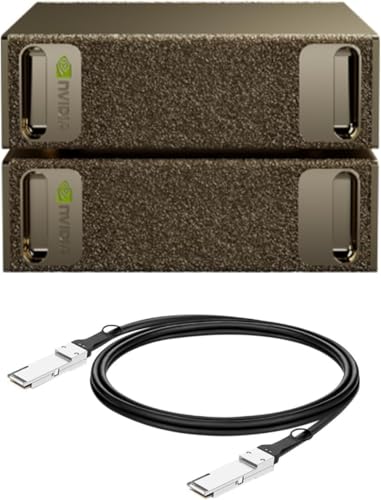
- 128GB unified memory per unit for large local models
- Up to 1 petaFLOP of AI performance
- Compact desktop design with NVIDIA AI software stack
Best For: Researchers and AI teams that need desktop-scale local model experimentation and fast iteration.
Best VRAM Monster
OneXPlayer ONEXStation Mini AI Workstation

- 128GB unified memory with up to 96GB VRAM
- Ryzen AI Max+ 395 and Radeon 8060S graphics
- Dual SSD slots plus Wi‑Fi 7 and 2.5G LAN
Best For: Developers and creators who want a compact local AI workstation with huge memory headroom.
Best for Easy Setup
Compact Local AI Server with RTX 5060 Ti
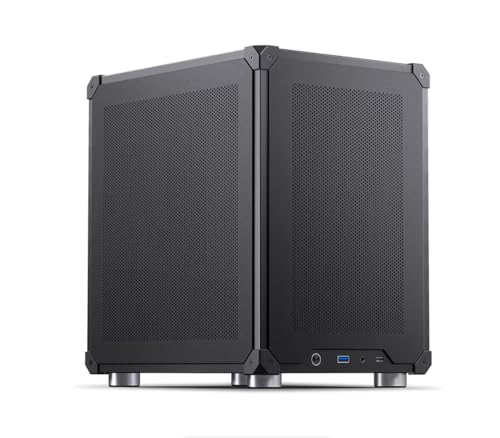
- Ubuntu and browser UI are pre-configured for fast startup
- RTX 5060 Ti 16GB with 32GB RAM and 1TB SSD
- Includes vLLM, TensorRT-LLM, RAG, OCR, and databases
Best For: Small teams and solo builders who want a turnkey local AI server for inference and document workflows.
Best Compact High-VRAM Workstation
Corsair AI Workstation 300 Desktop PC

- 4.4L compact chassis saves desk space
- Up to 48GB variable graphics memory
- Unified LPDDR5X memory for local AI workloads
Best For: Developers and AI creators who want a compact desktop for local LLMs and mixed AI workflows.
Best High-Performance Mixed-Use Pick
NOVATECH Apex AI Workstation & Gaming PC

- Ryzen 9 9950X3D for heavy multitasking and compute
- 64GB RAM for large projects and parallel workflows
- RTX 5080 plus 2TB storage for AI, gaming, and media work
Best For: Users who want a fast all-round desktop for AI experiments, data science, and creative workloads.
Best for Dense Local AI Builds
Thdeukoty Ryzen AI Max+ 395 Mini PC

- 128GB LPDDR5X shared memory suits local AI and multitasking
- Ryzen AI Max+ 395 plus Radeon 8060S target heavy workloads
- 10GbE, USB4, WiFi 7, and quad displays support pro setups
Best For: Developers and power users building compact local AI rigs with large memory headroom.
Best for Large VRAM AI Builds

- 32GB Radeon AI Pro R9700 for larger local models
- Ryzen 5 9600X plus 32GB DDR5 for balanced performance
- Liquid cooling, Gen4 SSD, and long support coverage
Best For: AI developers and power users who need a desktop with 32GB of dedicated VRAM for local LLM work.
Best Large-VRAM AI Mini Workstation – GEEKOM A9 Mega AI Workstation
If you need one of the more unusual local llm workstations with large vram, the GEEKOM A9 Mega is built around AMD’s Ryzen AI Max+ 395 platform and a unified memory setup that can allocate up to 96GB as VRAM. That makes it especially interesting for running larger local models, mixed AI workloads, and creative tasks in a compact desktop that still aims for workstation-level headroom.
Best For: Developers, power users, and AI enthusiasts who want a compact system with unusually high usable VRAM for local model work.
Pros:
- Up to 96GB allocated VRAM is the headline feature for local model experimentation
- 128GB LPDDR5X memory and 2TB SSD give it strong out-of-box capacity
- Dual USB4, dual HDMI 2.1, and Wi-Fi 7 make it versatile for modern desks
- Compact 2L design with 3-year warranty is appealing for long-term use
Cons:
- Premium pricing is likely, especially given the scarce Strix Halo platform
- Shared-memory VRAM is useful, but it is not the same as a discrete high-VRAM GPU
- Best fit is AI and productivity; gamers may find better value elsewhere
For buyers comparing local llm workstations with large vram, this is a standout compact option because it prioritizes memory capacity and AI throughput over tower-sized expandability. If you want a smaller machine that can still handle serious local inference and workstation tasks, it is one of the most compelling choices in this niche.
Best for Desktop-Scale AI Power – NVIDIA DGX Spark 2-Pack GB10 Desktop Supercomputer
If you want one of the most capable local llm workstations with large vram for desktop AI experimentation, the NVIDIA DGX Spark 2 Pack brings serious model capacity into a compact, energy-efficient setup. It is built for fine-tuning, inference, and analytics, with the Grace Blackwell architecture and unified memory designed to handle demanding workflows without leaning entirely on the cloud.
Best For: Researchers, developers, and AI teams who want a high-end local workstation for large-model prototyping, testing, and faster iteration.
Pros:
- 128GB unified memory per unit helps support larger local models and heavier workflows.
- Up to 1 petaFLOP of AI performance for fast local fine-tuning and inference.
- Compact desktop design keeps enterprise-class AI capability on your desk.
- Full NVIDIA AI software stack support simplifies development and deployment.
Cons:
- Very expensive for individual buyers and small teams.
- Not a mainstream desktop PC; it is purpose-built for AI workloads.
- Two-pack bundle may be more capacity than many users need.
As a niche but powerful option among local llm workstations with large vram, this DGX Spark bundle is about maximum AI productivity rather than general-purpose value. If your priority is running larger models locally and iterating quickly in a controlled environment, it stands out as a serious workstation-class choice.
Best VRAM Monster – OneXPlayer ONEXStation Mini AI Workstation
If you want one of the most capable local llm workstations with large vram in a compact desktop form, this OneXPlayer machine is built around a rare mix of 128GB unified memory, up to 96GB of usable VRAM, and an AMD Ryzen AI Max+ 395 platform. It is aimed at running bigger models locally with less waiting, while still offering enough GPU muscle and connectivity for creative work and gaming.
Best For: Developers, AI builders, and creators who want a compact workstation for large local models, fast storage, and some serious gaming headroom.
Pros:
- 128GB unified memory with up to 96GB VRAM is a strong fit for large local models
- Ryzen AI Max+ 395 plus Radeon 8060S gives it real workstation and gaming performance
- Dual M.2 slots, Wi‑Fi 7, 2.5G LAN, and USB4 make it easy to integrate into a fast setup
- Adjustable 55W to 120W cooling modes help balance noise, thermals, and performance
Cons:
- Likely overkill if you only need light AI inference or basic office work
- Compact design is not as upgrade-friendly as a full desktop tower
- High-end specs usually mean a high price tag
For buyers focused on local llm workstations with large vram, this stands out because it prioritizes memory capacity and practical I/O in a footprint that is much smaller than a traditional tower. It is a compelling choice if you want an all-in-one AI box that can also handle demanding creative and gaming workloads.
Best for Easy Setup – Compact Local AI Server with RTX 5060 Ti
If you want local llm workstations with large vram that are ready to use quickly, this compact AI mini PC is built for exactly that. It ships with Ubuntu, pre-installed models, and a browser-based workflow, so you can get a local inference server online without assembling a separate stack from scratch.
Best For: Small teams, developers, and privacy-focused users who want an out-of-box local AI server for inference, RAG, OCR, and model switching.
Pros:
- Pre-installed Ubuntu, models, vLLM, TensorRT-LLM, RAG, OCR, and databases
- RTX 5060 Ti 16GB plus 32GB RAM and 1TB SSD in a compact mini-tower
- Simple setup and browser UI make it approachable for non-experts
- Good fit for local document search, classification, and internal AI apps
Cons:
- 16GB VRAM is useful, but not enough for the biggest models at full scale
- Server-only package means you need your own monitor, keyboard, and mouse
- More expensive than building a barebones DIY mini PC
As a turnkey option among local llm workstations with large vram, this machine stands out more for convenience and software readiness than raw expandability. It makes sense if you value faster deployment, managed tooling, and a compact footprint over rolling your own AI box.
Best Compact High-VRAM Workstation – Corsair AI Workstation 300 Desktop PC
If you want local llm workstations with large vram in a desktop that still fits on a small desk, the Corsair AI Workstation 300 is an easy one to evaluate. Its compact 4.4L chassis, unified LPDDR5X memory, and AMD Ryzen AI Max platform are aimed at users who want serious on-device AI capacity without moving to a full tower.
Best For: Developers, creators, and AI power users who need a compact system for local LLMs, model testing, and mixed AI/creative workflows.
Pros:
- Compact 4.4L design makes it much easier to place than a traditional workstation tower.
- Up to 48GB of variable graphics memory is well suited to local model work.
- Unified LPDDR5X memory and Ryzen AI Max hardware help streamline AI workloads.
- Built-in security features and Corsair AI software add workstation-focused polish.
Cons:
- Integrated graphics means it is not a replacement for a high-end discrete GPU workstation.
- The listed 48GB vRAM configuration is substantial, but not the max-capacity 96GB option.
- 1TB SSD may feel tight if you store many models, datasets, or large project files locally.
For buyers comparing local llm workstations with large vram, this model stands out more for its compact form factor and unified-memory approach than raw expandability. It is a strong fit if you want a tidy, AI-ready desktop that can handle on-device inference and creative work without the bulk of a conventional workstation.
Best High-Performance Mixed-Use Pick – NOVATECH Apex AI Workstation & Gaming PC
If you want one desktop that can handle creative workloads, gaming, and lighter AI development, the NOVATECH Apex is a practical option to consider. Its Ryzen 9 9950X3D processor, 64GB of RAM, and RTX 5080 make it a strong fit for buyers comparing local llm workstations with large vram, especially if they also need a capable everyday powerhouse.
Best For: Builders and professionals who want a fast all-round workstation for data science, 3D work, editing, and local AI experimentation.
Pros:
- Ryzen 9 9950X3D offers top-tier CPU performance for heavy multitasking
- 64GB RAM gives you plenty of headroom for large projects and simultaneous apps
- RTX 5080 is a strong GPU choice for GPU-accelerated workloads and modern gaming
- 2TB storage provides useful space for datasets, assets, and project files
Cons:
- Not a dedicated workstation server, so sustained multi-user loads may be limited
- Large AI models can still be constrained by the GPU’s actual VRAM capacity
- High-end specs likely put it above entry-level budgets
This is a compelling pick if you want a versatile system rather than a narrowly specialized rig. For local llm workstations with large vram, it stands out more as a balanced high-end desktop than a pure VRAM-maximizing machine.
Best for Dense Local AI Builds – Thdeukoty Ryzen AI Max+ 395 Mini PC
This compact AI mini PC is a strong fit for local llm workstations with large vram when you want a lot of unified memory in a small footprint. With a Ryzen AI Max+ 395, Radeon 8060S graphics, and 128GB LPDDR5X, it is aimed at heavy local inference, coding, and multi-tasking without leaning on cloud services.
Best For: Developers and power users building compact local AI rigs, especially those running larger models, multiple tools, and fast storage-heavy workflows.
Pros:
- 128GB LPDDR5X memory gives local AI tools plenty of shared headroom
- Ryzen AI Max+ 395 and Radeon 8060S are built for demanding mixed workloads
- 10GbE, WiFi 7, USB4, and quad-display support make it workstation-friendly
- Multiple M.2 and SATA expansion options help with datasets and model storage
Cons:
- High-end specs likely put it in a premium price tier
- Integrated graphics share system memory rather than offering discrete VRAM
- Small chassis may limit upgrade flexibility compared with a full tower
For buyers comparing local llm workstations with large vram, this machine stands out more for its large unified memory pool and fast connectivity than for traditional desktop expandability. It makes the most sense if you want a compact, self-contained AI workstation that can handle serious local workloads.
Best for Large VRAM AI Builds – AI Workstation Gaming PC
If you want one of the more capable local llm workstations with large vram, this AI-focused desktop stands out for its 32GB Radeon AI Pro R9700 and balanced CPU, memory, and storage mix. It is aimed at developers who need more headroom for larger models, sustained inference, and mixed AI plus productivity workloads without stepping into a server-class rig.
Best For: AI builders, developers, and power users who want a desktop with 32GB of dedicated VRAM for running local LLMs and other demanding workloads.
Pros:
- 32GB Radeon AI Pro R9700 gives it serious headroom for larger local models
- Ryzen 5 9600X and 32GB DDR5 make it a balanced development machine
- 1TB Gen4 SSD and liquid cooling support sustained, responsive performance
- Includes long warranty coverage and US-based technical support
Cons:
- Ryzen 5 CPU is solid, but not as strong for heavy multitasking as higher-core options
- 32GB system RAM may feel limiting for very large data workflows
- Premium AI hardware means it is not a budget purchase
This is a strong fit if your priority is local llm workstations with large vram and you want a practical desktop that can handle serious model work without overcomplicating the setup. The 32GB VRAM card is the headline feature, while the rest of the system keeps the experience fast and stable for everyday development.
How We Picked the Best Local LLM Workstations with Large Vram
We focused on systems that are practical for Local LLM Workstations with Large Vram, prioritizing GPU memory capacity, unified memory or high-bandwidth RAM where applicable, CPU capability, storage expandability, and connectivity for real-world AI use. We also favored configurations that are ready to run locally without immediate upgrades.
Quick Comparison
In broad terms, the lineup splits into three groups: ultra-premium AI desktops for maximum capability, compact high-memory mini workstations for space-conscious setups, and more traditional creator PCs that can still handle AI work alongside gaming, rendering, or productivity.
Key Buying Factors for Local LLM Workstations with Large Vram
VRAM and Memory Architecture
For local LLMs, memory capacity matters as much as speed. Dedicated VRAM is ideal for discrete-GPU systems, while unified memory platforms can be very effective when the software stack is optimized. If you plan to run larger models or bigger context lengths, aim high on memory first and treat everything else as support.
CPU, Bandwidth, and Storage
LLM workloads are often memory-bound, but a strong CPU still helps with preprocessing, retrieval, multitasking, and general responsiveness. Fast LPDDR5X or comparable memory bandwidth can make a real difference. A quick NVMe SSD also matters for model loading, datasets, and swapping large files.
Thermals, Noise, and Connectivity
High-memory AI systems can generate sustained heat under load. Check chassis cooling, power delivery, and long-duration performance claims, especially for compact machines. For local inference workflows, USB4, Wi-Fi 7, and 10GbE can also improve peripheral, storage, and network integration.
Who Should Buy Which Local LLM Workstations with Large Vram?
If you want the most capable all-in-one option, choose a flagship AI desktop with very large memory headroom. If desk space is limited, a compact mini workstation with high-bandwidth RAM and strong integrated graphics is the smarter fit. If your priorities include gaming, content creation, or mixed workloads, a more traditional desktop with a strong CPU and high-VRAM GPU may offer the best balance.
For most buyers, the best choice is the machine that can comfortably run your target model size today while leaving some margin for future tools, larger prompts, and heavier multitasking. That flexibility is what separates a fast PC from a true local AI workstation.