If you need serious office performance without giving up desk space, a compact business desktop PC is the smart middle ground. These small systems can handle email, spreadsheets, video calls, and everyday multitasking while staying quiet and easy to place.
In this roundup, we focused on models that balance speed, expandability, connectivity, and long-term value for business and home-office use.
Best 10 Compact Business Desktop PC Picks for 2026
Best for Quiet Office Use

- Ultra-compact design for space-saving setups
- Quiet, low-profile operation for office environments
- Triple 4K display support for productivity
Best For: Small offices and home users who want a quiet, space-saving desktop for everyday work.
Best for Small Teams
Dell Optiplex 5050 SFF i7/16GB/512GB

- Quad-core i7 performance for office workloads
- 16GB RAM plus 512GB NVMe SSD
- Small form factor with Windows 11 Pro
Best For: Small offices and home users who want a reliable, space-saving productivity PC.
Best for Power Users
HP ProDesk SFF 400 G9 Business Desktop

- Core i7-14700 is well suited to multitasking and heavier office workloads
- Small Form Factor design helps keep desks clean and organized
- Windows 11 Pro, Wi-Fi, HDMI, and DisplayPort support business-ready setups
Best For: Professionals who want a fast, space-saving desktop for demanding everyday work.
Best for Setup Flexibility
Dell Optiplex 3060 i5 Business Desktop

- 32GB RAM and a 1TB SSD for fast multitasking
- Built-in Wi‑Fi and Bluetooth simplify setup
- Windows 11 Pro suits office and home productivity
Best For: Home office and small business users who want a capable renewed desktop with wireless convenience.
Best for Conference Rooms
HP Elite 800 G9 MFF i7 Business Desktop
- 12-core i7-12700T handles everyday business tasks smoothly
- Triple-monitor 4K support suits multi-display workstations
- Wi-Fi 6E, USB-C, and dual DP offer flexible connectivity
Best For: Teams and professionals who need a small business PC for conference rooms and multitasking.
Best for AI-Powered Productivity
- Intel Ultra 7 and 32GB DDR5 for fast multitasking
- Three DisplayPorts for multi-monitor office setups
- Tiny micro chassis with WiFi 6 and Windows 11 Pro
Best For: Professionals who want a powerful, space-saving desktop for modern office workloads.
Best for Tiny Workspaces
Lenovo ThinkCentre neo 50q Gen 5 Mini PC

- Ultra-compact chassis saves desk space or mounts behind a monitor.
- Core i5-13420H with 16GB DDR5 keeps office multitasking responsive.
- Dual-display support plus WiFi 6E suits modern business setups.
Best For: People who want a small, quiet business PC for office work and remote productivity.
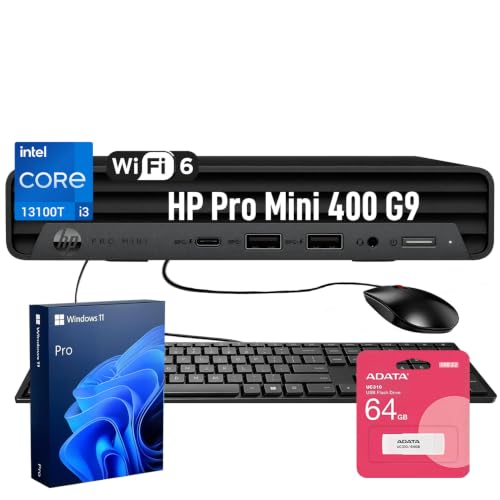
Best for Quiet Office Use – HP Pro 400 G9 Mini PC
If you want a compact business desktop pc that stays out of the way while still covering everyday office tasks, the HP Pro 400 G9 Mini PC is a practical fit. Its small footprint, ultra-quiet design, and Windows 11 Pro setup make it easy to drop into a desk, reception area, or home office without adding noise or clutter.
Best For: Small offices, home workstations, and users who need a low-noise desktop for email, web apps, documents, and light multitasking.
Pros:
- Very compact chassis saves valuable desk space
- Quiet operation is well suited to shared or customer-facing areas
- Triple 4K display support helps multitask across multiple screens
- Includes WiFi 6, Bluetooth 5.2, keyboard, mouse, and Windows 11 Pro
Cons:
- Intel Celeron G6900T is fine for basic work, but not heavy workloads
- 256GB SSD may feel tight for larger files and media libraries
Overall, this compact business desktop pc is best viewed as a tidy, dependable office machine rather than a performance powerhouse. For buyers who value a clean setup, simple connectivity, and dependable everyday productivity, it covers the essentials well.
Best for Small Teams – Dell Optiplex 5050 SFF i7/16GB/512GB
If you need a compact business desktop pc that can handle everyday office work without taking up much room, this renewed Dell Optiplex 5050 Small Form Factor is a strong fit. Its Core i7 processor, 16GB of RAM, and NVMe SSD give it the speed most users need for multitasking, spreadsheets, web apps, and light admin workloads.
Best For: Small offices, home workstations, and buyers who want a space-saving desktop with better-than-basic performance and Windows 11 Pro.
Pros:
- Fast Intel Core i7-7700 CPU with quad-core performance
- 16GB DDR4 memory and 512GB NVMe SSD for responsive daily use
- Small form factor design saves desk space
- Windows 11 Pro and included wired keyboard/mouse add convenience
Cons:
- Renewed unit may show cosmetic wear
- Integrated Intel HD Graphics 630 is fine for office work, not demanding creative tasks
- SFF layout offers less upgrade flexibility than a full tower
Overall, this is a practical compact business desktop pc for buyers who prioritize speed, a small footprint, and business-friendly features over flashy extras. It offers a balanced mix of value and everyday performance for offices that just need dependable productivity hardware.
Best for Secure Small Offices – HP ProDesk 400 G9 SFF Business Desktop
If you need a compact business desktop pc that fits easily on or under a desk without giving up everyday office capability, the HP ProDesk 400 G9 SFF is a practical pick. It combines a space-saving small form factor with Windows 11 Pro, Wi‑Fi, wired peripherals, and enough memory and storage to handle routine productivity work smoothly.
Best For: Small offices, home offices, and teams that want a reliable, secure desktop with a minimal footprint.
Pros:
- Small form factor design saves desk space and is easy to place in tight work areas
- 32GB RAM and a 1TB PCIe SSD support fast multitasking and quick boot times
- Windows 11 Pro with TPM 2.0 and HP Wolf Security adds business-focused protection
- Dual-display support and modern ports make it easy to connect office peripherals
Cons:
- Intel Celeron CPU is fine for office basics, but not ideal for heavy workloads
- Integrated graphics limit it for creative or gaming use
Overall, this HP model is a solid compact business desktop pc for buyers who prioritize footprint, security, and everyday responsiveness over raw processing power. It makes the most sense for straightforward business tasks, especially where clean setup and dependable operation matter more than performance headroom.
Best for Triple-Display Productivity – Dell OptiPlex 7010 Compact Mini Desktop
If you want a compact business desktop pc that can handle everyday office work without taking over your desk, this Dell OptiPlex 7010 is a practical fit. It combines a 12th-gen Intel Core i3, 16GB of DDR5 memory, and fast SSD storage in a small chassis designed for work-from-home setups, small offices, and school use.
Best For: Buyers who need a space-saving Windows 11 Pro desktop with strong multitasking, built-in productivity tools, and support for multiple monitors.
Pros:
- Compact mini desktop design fits easily on a desk, shelf, or behind a monitor.
- Triple 4K display support is great for spreadsheets, communication apps, and multitasking.
- 16GB DDR5 RAM and a PCIe SSD help keep everyday work responsive.
- WiFi 6E, Bluetooth, and Windows 11 Pro make it ready for modern office use.
Cons:
- 256GB storage may feel limited if you keep lots of large files locally.
- The i3 processor is solid for office tasks, but not ideal for heavy creative work or gaming.
Overall, this is a strong compact business desktop pc choice if your priority is desk-friendly size, simple setup, and multi-monitor productivity over raw performance. It makes the most sense for users who value efficiency and connectivity in a small footprint.
Best for Power Users – HP ProDesk SFF 400 G9 Business Desktop
If you want a compact business desktop pc that can handle heavier multitasking without taking over your desk, this HP ProDesk SFF 400 G9 is built for the job. Its Core i7-14700, DDR5 memory, and roomy storage make it a strong fit for office teams, remote work setups, and light creative workloads.
Best For: Professionals who need a small desktop with fast performance, dual-display support, and business-focused features.
Pros:
- Intel Core i7-14700 delivers strong multitasking performance for demanding office use
- Small Form Factor chassis saves desk space while still offering good expansion and connectivity
- 16GB DDR5 RAM and 1.5TB storage support quick boot times and smooth daily workflows
- Windows 11 Pro, Wi-Fi, HDMI, and DisplayPort make it ready for business setups
Cons:
- Not the best choice if you need a dedicated graphics card for demanding creative work
- 16GB of RAM is solid, but power users may eventually want more headroom
Overall, this is a capable compact business desktop pc for buyers who care more about speed, reliability, and space efficiency than flashy extras. It fits well in modern offices where dual monitors, wireless networking, and a clean small-footprint design all matter.
Best for Setup Flexibility – Dell Optiplex 3060 i5 Business Desktop
If you want a compact business desktop pc that feels more like a ready-to-work office machine than a barebones tower, this renewed Dell Optiplex 3060 is an easy fit. It pairs an Intel i5-8500, 32GB of RAM, and a 1TB SSD with built-in Wi‑Fi, Bluetooth, and Windows 11 Pro, making it well suited to everyday productivity without extra upgrades.
Best For: Home offices, small businesses, and users who want strong multitasking performance with wireless convenience.
Pros:
- 32GB RAM and a 1TB SSD give it plenty of speed for office apps and multitasking
- Built-in Wi‑Fi and Bluetooth make setup simpler in flexible workspaces
- Windows 11 Pro and renewed-business refurbishment add convenience and value
- Hexa-core i5-8500 handles browsing, streaming, and light editing smoothly
Cons:
- Renewed hardware won’t appeal to buyers who want a brand-new system
- Not the best choice for gaming or heavy creative workloads
- RGB lighting is a style add-on, not a performance feature
Overall, this is a practical compact business desktop pc for buyers who care more about dependable speed, wireless connectivity, and productivity-friendly specs than flashy design. It offers a strong balance of everyday performance and setup convenience for office use.
Best for Conference Rooms – HP Elite 800 G9 MFF i7 Business Desktop
If you want a compact business desktop pc that can handle day-to-day office work, multitasking, and a clean dual- or triple-monitor setup, the HP Elite 800 G9 MFF is a strong fit. Its Intel Core i7-12700T, DDR5 memory, and fast SSD make it responsive for spreadsheets, video calls, and general productivity.
Best For: Office users, conference room setups, and small workspaces that need a compact system with strong connectivity and multi-monitor support.
Pros:
- 12-core Intel Core i7-12700T delivers solid business-class performance
- Supports up to 3 monitors with HDMI and dual DisplayPort outputs
- Wi-Fi 6E, RJ-45, and plenty of USB ports make it easy to connect peripherals
- Windows 11 Pro adds the security and management features many businesses want
Cons:
- Integrated graphics are fine for office work, but not for heavy creative or 3D workloads
- 16GB RAM is good out of the box, though some users may eventually want more
Overall, this is a practical compact business desktop pc for buyers who value a small footprint, dependable performance, and easy display expansion over flashy extras. The included 64GB flash drive is a nice bonus, but the main appeal is the HP Elite 800 G9’s balanced business-ready hardware.
Best for Triple-Monitor Work – HP ProDesk i5 Business Desktop
If you want a compact business desktop pc that can handle everyday office work without crowding your desk, this HP ProDesk is a practical fit. It pairs a 6-core Intel i5 processor with 16GB RAM and a fast 1TB NVMe SSD, so it feels responsive for spreadsheets, browser tabs, accounting tools, and remote work.
Best For: Home offices, small businesses, and multitaskers who want a space-saving desktop with triple-display support.
Pros:
- Intel Core i5-10400F delivers solid performance for daily productivity tasks
- 16GB DDR4 RAM and 1TB NVMe SSD provide fast multitasking and quick storage access
- HDMI, VGA, and DVI-I outputs support up to three monitors
- Compact, quiet microtower design helps keep workspaces tidy
Cons:
- Not intended for demanding gaming or heavy creative workloads
- Basic included peripherals and WiFi adapter make this more business-focused than premium
Overall, this HP ProDesk makes sense if you need a compact business desktop pc with enough speed for daily work and the flexibility to expand your screen setup. It is especially appealing for users who value a small footprint, wired stability, and a ready-to-use office package.
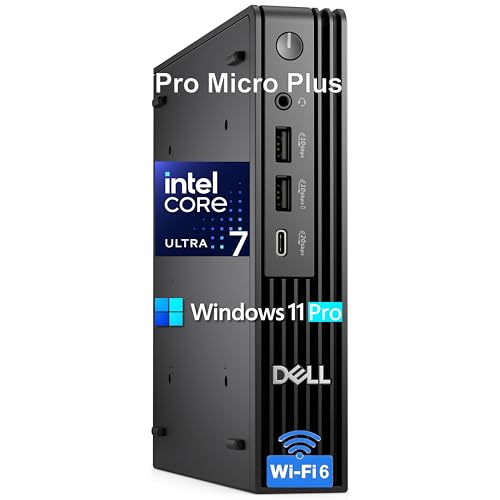
Best for AI-Powered Productivity – Dell Pro Micro Plus Desktop
If you want a compact business desktop pc that can handle demanding office workflows without taking over your desk, the Dell Pro Micro Plus is built for the job. Its Intel Ultra 7 processor, 32GB of DDR5 memory, and 1TB PCIe SSD give it the speed and responsiveness needed for multitasking, virtual meetings, and everyday business apps.
Best For: Professionals who need a small, modern desktop with strong multitasking performance, flexible display support, and business-grade Windows 11 Pro.
Pros:
- Intel Ultra 7 and 32GB RAM deliver strong multitasking performance
- Three DisplayPort outputs make multi-monitor setups easy
- Compact micro form factor saves valuable desk space
- WiFi 6, USB-C, and Windows 11 Pro add modern business convenience
Cons:
- Smaller chassis means limited room for future expansion
- No dedicated graphics for heavy creative or gaming workloads
- May be more power than basic office users need
Overall, this is a strong compact business desktop pc for professionals who value speed, neat cable management, and a tidy workspace. It stands out most when you need a capable mini PC that can anchor a serious office setup with minimal footprint.
Best for Tiny Workspaces – Lenovo ThinkCentre neo 50q Gen 5 Mini PC
If you need a compact business desktop pc that delivers real desktop-class speed without taking over your desk, the Lenovo ThinkCentre neo 50q Gen 5 is a strong fit. Its Core i5 H-series processor, 16GB of DDR5 memory, and fast NVMe SSD make it well suited for everyday office work, multitasking, and remote meetings in a very small footprint.
Best For: Offices, home workstations, and retail setups that need a quiet, space-saving PC with solid productivity performance.
Pros:
- Very small chassis can hide behind a monitor or fit neatly on crowded desks.
- Intel Core i5-13420H, 16GB DDR5, and 512GB SSD handle common business workloads smoothly.
- Dual-display support is useful for spreadsheets, documents, and multitasking.
- WiFi 6E, Bluetooth 5.3, USB-C, and Windows 11 Pro add modern business convenience.
Cons:
- Integrated graphics are fine for office use, but not ideal for creative or gaming tasks.
- Storage is adequate for productivity, though power users may want more space later.
Overall, this ThinkCentre is a practical compact business desktop pc for buyers who care more about reliability, connectivity, and desk space than raw workstation power. It balances a small form factor with enough speed for day-to-day professional use.
How We Picked the Best Compact Business Desktop PCs
We looked for systems that fit real-world office needs first: dependable processors, enough memory for multitasking, fast SSD storage, and business-friendly ports. We also weighed chassis size, noise levels, and display support so these machines make sense in shared workspaces, front desks, and home offices.
Because a Compact Business Desktop PC is often bought for longevity, we favored options with modern wireless standards, USB-C, multiple monitor support, and configurations that leave room for future use rather than immediate replacement.
Quick Comparison: What Matters Most
For lighter admin work, a smaller configuration with 16GB RAM and a 256GB or 512GB SSD is usually enough. For heavier multitasking, large spreadsheets, browser-heavy workflows, or multiple monitors, 32GB RAM and a 1TB SSD provide a more comfortable experience. If your setup depends on several displays, check the number and type of video outputs before buying.
Key Buying Factors for a Compact Business Desktop PC
Processor and Performance
Look for a CPU that matches your workload. Intel Core i5 and equivalent chips are typically fine for general office use, while Core i7, newer 14th Gen parts, and higher-end Intel Ultra systems are better for demanding multitasking or several simultaneous apps.
Memory and Storage
Memory affects how smoothly the system handles multiple programs. For most users, 16GB is the baseline, but 32GB is a safer choice if you keep lots of browser tabs, meetings, and office apps open. SSD capacity matters too: 512GB is practical, while 1TB or more is better for long-term flexibility.
Ports, Networking, and Displays
A strong Compact Business Desktop PC should support the accessories your workflow needs. USB-C, HDMI, DisplayPort, Wi-Fi 6 or 6E, Bluetooth, and Ethernet all matter depending on how your office is set up. If you use dual or triple monitors, confirm display output support before purchase.
Form Factor and Noise
Mini PCs save the most space, while small-form-factor towers often provide easier serviceability and more room for upgrades. If your desk is in a quiet office or reception area, a low-noise design can be just as important as raw performance.
Who Should Buy Which Compact Business Desktop PC?
Choose a mini desktop if desk space is tight and your workload is mostly productivity-based. Choose an SFF model if you want a better balance of compact size, service access, and everyday performance. Go for higher RAM, larger SSDs, and newer processors if you expect heavier multitasking, multiple displays, or longer replacement cycles.
If you want the safest all-around choice, prioritize modern connectivity, 16GB or 32GB memory, and at least a 512GB SSD. That combination covers most office users while keeping the system responsive for years.