If you’re concerned about your privacy while using your MacBook, selecting the right webcam cover is essential. With so many options available, it’s easy to feel overwhelmed. Each cover comes with its own features, from ultra-thin designs to stylish aesthetics. Understanding these differences can help you make an informed choice that balances security and style. Let’s explore the top contenders that can keep your webcam safe and your workspace looking sharp.
CloudValley Webcam Cover Slide (2-Pack)

If you’re looking for a sleek and effective way to protect your privacy while using your MacBook, the CloudValley Webcam Cover Slide (2-Pack) is an excellent choice. This ultra-thin metal cover, measuring just 0.55 x 0.28 inches, fits seamlessly on your device without obstructing the webcam or indicator light. It’s compatible with various MacBook models and other devices, making it versatile. Installation is a breeze—just align, attach, and press for 15 seconds. Users love its discreet design and secure fit, consistently rating it 4.5 out of 5 stars. Enjoy peace of mind with this stylish privacy solution!
Best For: Individuals who prioritize privacy and want a discreet, stylish solution for their webcam across multiple devices.
Pros:
- Easy to install with a secure fit that allows for seamless device use.
- Ultra-thin and minimalist design that complements various device aesthetics.
- Highly rated by users for durability and effectiveness in maintaining privacy.
Cons:
- Limited to specific device compatibility, which may not suit all users.
- Requires precise alignment during installation for optimal adhesion.
- Some users may find the matte black color doesn’t match all device finishes.
Webcam Cover (3 Pack) – Ultra Thin Camera Blocker Slider for Privacy

The Webcam Cover (3 Pack) is the ideal choice for anyone seeking a seamless way to enhance their privacy on devices like MacBook Pro, iPhone, and iPad. At just 0.03 inches thick, these ultra-thin camera blockers slide easily to cover your webcam, preventing unauthorized access when you’re not using it. They fit most devices, including popular brands like HP, Lenovo, and Samsung, but aren’t suitable for newer MacBooks or those with protruding cameras. Installation is a breeze with strong adhesive, ensuring durability without damage. Enjoy peace of mind and a sleek look with this practical privacy solution.
Best For: Individuals seeking enhanced privacy and security for their devices, including laptops and smartphones.
Pros:
- Ultra-thin design allows for seamless use of devices without compromising aesthetics.
- Easy installation with strong adhesive ensures a secure fit without damaging equipment.
- Compatible with a wide range of devices including major brands like Apple, HP, Lenovo, and Samsung.
Cons:
- Not suitable for newer MacBooks released after 2023 or devices with protruding front cameras.
- Limited compatibility with full-screen or notch-style tempered glass screen protectors.
- Requires precise alignment during installation for optimal functionality.
Webcam Cover Slide (6 Pack) Ultra-Thin Laptop Web Camera Cover
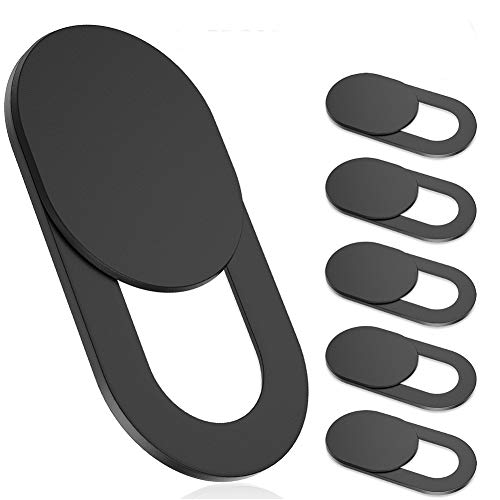
For anyone seeking enhanced privacy and security for their devices, the Webcam Cover Slide (6 Pack) Ultra-Thin Laptop Web Camera Cover is an ideal choice. With a sleek design measuring just 0.022 inches thick, it easily fits on your MacBook, laptop, or tablet without bulk. The easy slide mechanism allows you to cover and uncover your camera swiftly, protecting you from potential hackers. Installation is a breeze—just align it with your camera and press for 10 seconds. Though some users reported adhesive issues, its 4.3-star rating and compatibility with multiple devices make it a must-have for privacy-conscious individuals.
Best For: Privacy-conscious individuals looking to protect their devices from unauthorized access.
Pros:
- Ultra-thin design allows for seamless integration with various devices without adding bulk.
- Easy installation process makes it accessible for anyone to set up in seconds.
- Effective privacy protection with a reliable sliding mechanism to cover the camera.
Cons:
- Some users have reported adhesive strength issues, leading to potential repositioning.
- There are concerns about blocking proximity sensors on certain devices, requiring careful placement.
- Mixed reviews on pricing, with some feeling it may be slightly high for the product.
MESMOS 6pk Laptop Camera Cover Slide

Looking for a stylish way to enhance your privacy? The MESMOS 6pk Laptop Camera Cover Slide offers a cute plant design that blends aesthetics with functionality. It’s compatible with a range of devices, from your MacBook to smartphones and tablets. These ultra-thin sliders guarantee a snug closure, safeguarding your webcam and enhancing privacy across multiple devices. They’re easy to apply and remove without leaving any sticky residue. Plus, by purchasing, you support the Single Parent Project, making it a thoughtful gift that gives back. Keep your privacy intact while also helping a meaningful cause!
Best For: Individuals who value privacy and aesthetics in their tech accessories, especially plant lovers.
Pros:
- Cute design adds a decorative touch while maintaining functionality.
- Easy to apply and remove without leaving sticky residue, making it user-friendly.
- Supports a charitable cause by contributing to the Single Parent Project with each purchase.
Cons:
- Limited to certain devices, may not fit all models perfectly.
- Thin design might not provide additional protection against physical damage.
- The plant design may not appeal to everyone’s personal style.
9 Pack Ultra Thin Webcam Cover Slide Camera Blocker for Privacy Security
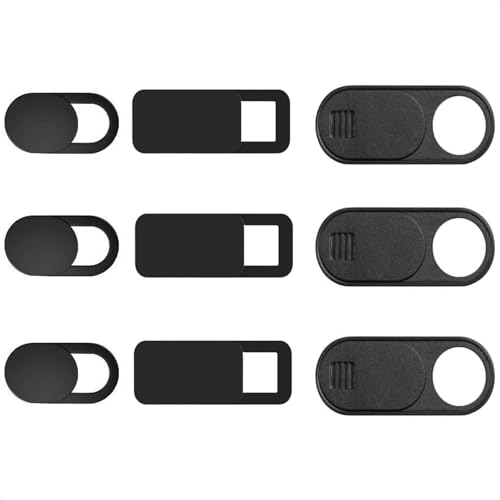
Protecting your privacy has never been easier with the 9 Pack Ultra Thin Webcam Cover Slide Camera Blocker, perfect for anyone using devices like MacBook Airs, laptops, or smartphones. This pack includes three sizes—large, medium, and small—each just 0.03 inches thick, ensuring they won’t interfere with your device’s closure. Installation is a breeze: simply clean the surface, peel the adhesive, align it, and press. The sliding mechanism allows you to open and close it with one finger. Made from durable ABS plastic, these covers provide reliable protection while remaining lightweight and easy to use. Enjoy peace of mind today!
Best For: Anyone looking to enhance their privacy and security while using laptops, smartphones, or tablets.
Pros:
- Easy Installation: The simple step-by-step process makes it quick to apply without any tools.
- Ultra-Thin Design: At just 0.03 inches thick, these covers do not hinder device closure or usability.
- Variety of Sizes: The pack includes three different sizes, ensuring compatibility with a wide range of devices.
Cons:
- Adhesive Concerns: Some users have reported issues with the adhesive strength over time.
- Durability Over Time: A few customers expressed concerns about the long-term durability of the covers.
- Limited Color Options: The product may lack aesthetic variety since it typically comes in a standard color/design.
Webcam Cover Slide (3 Pack) for Laptops, PCs, and Tablets
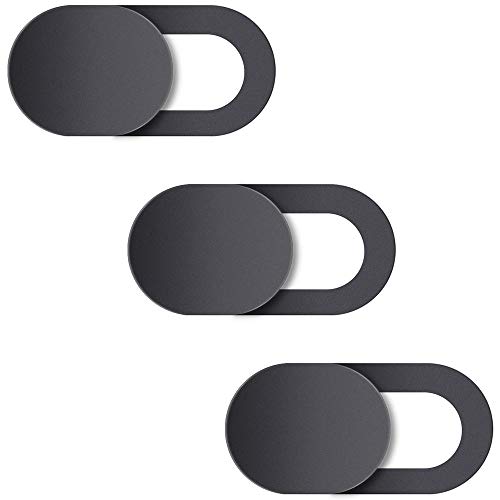
The Natipo Webcam Cover Slide (3 Pack) is an ideal choice for anyone prioritizing privacy across multiple devices, including laptops, tablets, and smartphones. At just 0.027 inches thick, it won’t interfere with your laptop’s closure while effectively blocking unauthorized access to your camera. Installation is straightforward—just clean the surface, adhere the cover, and slide it open or closed. With a solid 4.3-star rating from over 3,500 users, it’s a popular pick. However, some users noted adhesive durability issues, so keep that in mind. Overall, it’s a smart and affordable solution for enhancing your security.
Best For: Individuals seeking an affordable and effective solution for webcam privacy protection across various devices.
Pros:
- Ultra-thin design at 0.027 inches ensures it won’t interfere with device closures.
- Simple installation process with a sliding mechanism for easy access to the camera.
- Durable materials resist dirt and dust, providing long-lasting use.
Cons:
- Some users report adhesive durability issues, with covers falling off after a short period.
- Certain MacBook users experienced screen issues due to pressure from the cover.
- Mixed reviews regarding long-term durability, with varying experiences among users.
imluckies Laptop Camera Cover Slide (2 Pack Black)
![imluckies Laptop Camera Cover Slide, 0.023 inch Ultra-Thin Design, Invisible Design, Camera Cover, Physical Anti-Peeping, for Laptop Computer, MacBook Pro/Air iMac iPad Tablet [2 Pack Black]](https://m.media-amazon.com/images/I/31n1RV3wwUS._SL500_.jpg)
For anyone seeking an unobtrusive way to safeguard their privacy, the imluckies Laptop Camera Cover Slide is an ideal choice. At just 0.023 inches thick, it’s incredibly slim and blends seamlessly with any device. Made from high-quality aluminum alloy, its black metallic finish resists dirt and enhances the look of your laptop. This cover effectively blocks the camera when not in use, ensuring you’re protected from unauthorized access. Installation is a breeze—just align and press for 15 seconds. With a 4.6-star rating from over 8,000 users, it’s a reliable choice for maintaining your privacy.
Best For: Anyone looking for a discreet and effective solution to protect their webcam privacy on various devices.
Pros:
- Ultra-thin design makes it virtually invisible and adds minimal bulk to the device.
- High-quality material ensures durability and a sleek aesthetic that resists dirt.
- Simple installation process allows users of all experience levels to apply it easily.
Cons:
- Requires careful alignment during installation for optimal effectiveness.
- Limited compatibility may not fit all devices, particularly those with unique camera placements.
- Multiple packs needed for households with several devices can increase overall cost.
Laptop Camera Cover Slide (3 Pack)

Looking for a stylish and effective way to safeguard your privacy? The Laptop Camera Cover Slide (3 Pack) is an excellent choice. Designed with cute patterns, these ultrathin covers fit seamlessly on your laptop or desktop PC, including MacBook Pro. Measuring just 2.2 x 0.55 inches, they’re lightweight yet sturdy, blocking out light completely when closed. Easy to install with adhesive strips, they stay in place and require slight pressure to slide open. With a solid 4.4-star rating from nearly 2,000 customers, you’ll find them both effective and aesthetically pleasing. Protect your privacy in style with this reliable pack!
Best For: Those seeking a stylish and effective solution to enhance their privacy while using laptops and desktop PCs.
Pros:
- Easy installation with adhesive strips that grip well.
- Cute design that adds a touch of style to your device.
- Effectively blocks outside light, providing reliable privacy protection.
Cons:
- Some users find the cover too tall, causing it to overlap with screen edges.
- Concerns about durability due to the lightweight nature and potential bending over time.
- May not fit all laptop models perfectly, requiring careful selection.
Webcam Cover Slide for Laptop, Desktop, and Smartphones

Want to safeguard your privacy while using your laptop, desktop, or smartphone? The EYSOFT Webcam Cover Slide is your perfect solution. Compatible with a wide range of devices, it effectively blocks webcam access when not in use. Its movable slider design allows you to easily open and close it with one finger. At just 0.022 inches thick, it won’t interfere with your laptop lid. The strong double-sided tape guarantees a secure fit while being removable without residue. Users appreciate its sleek design and ease of installation, making it a must-have for anyone concerned about privacy during video calls.
Best For: Individuals seeking to enhance their privacy during video calls and protect their webcam when not in use.
Pros:
- Sleek and unobtrusive design that complements various devices.
- Easy one-finger operation with the movable slider for quick access.
- Strong adhesive that holds securely yet removes without leaving residue.
Cons:
- Some users report concerns about long-term durability and adhesive strength.
- Cleaning camera lenses can be challenging with the cover in place.
- Difficult to reposition once adhered to a device, limiting transferability between devices.
CloudValley Ultra-Thin Metal Webcam Cover (2-Pack)

The CloudValley Ultra-Thin Metal Webcam Cover (2-Pack) is an ideal choice for anyone prioritizing privacy and security during online activities. Crafted from 0.4mm aluminum alloy, it offers military-grade protection with a precision fit for MacBook Pro/Air and various tablets. Installation is straightforward—just apply, align, press, and slide—ensuring your webcam functionality remains intact. Plus, the 3M VHB adhesive guarantees durability without leaving residue behind. Weighing just 0.352 ounces, these covers seamlessly blend with your devices. With a lifetime warranty and 24/7 customer support, you can feel confident protecting your privacy effortlessly.
Best For: Individuals seeking enhanced privacy and security for their webcams during online meetings and activities.
Pros:
- Military-grade protection ensures optimal privacy and security.
- Easy installation process that does not interfere with webcam functionality.
- Lightweight and seamless design compatible with multiple devices.
Cons:
- Mixed reviews on adhesive durability, with some users experiencing issues.
- Potential for scratching screens during installation if not done carefully.
- Some users report difficulties in aligning the cover properly during setup.
Factors to Consider When Choosing a Macbook Webcam Cover
When choosing a MacBook webcam cover, you’ll want to take into account several key factors. Think about the level of privacy protection it offers, how easy it is to install, and its adhesive strength. Don’t forget to check its compatibility with your device and how it fits with your design preferences.
Privacy Protection Level
Choosing a webcam cover for your MacBook requires careful consideration of its privacy protection level. You’ll want a cover that completely blocks the camera when closed to prevent unauthorized access and potential hacking attempts. Look for options with strong adhesive properties, ensuring they stay securely attached during use without leaving residue behind. The design matters too; ultra-thin covers typically maintain a sleek profile that won’t interfere with your laptop’s closure. Consider the material as well—high-quality metals or robust plastics offer better durability and security. Some covers come with added features like sliding mechanisms, allowing you to access the camera easily while ensuring it’s securely covered when not in use. Prioritize these factors to enhance your privacy.
Installation Ease
Finding a webcam cover that’s easy to install can save you time and frustration. Look for covers that require just aligning and pressing for about 10 to 15 seconds for a secure fit. It’s also wise to choose options that feature sliding mechanisms, allowing quick access to your camera without hassle. Ultra-thin designs, typically around 0.022 to 0.03 inches thick, guarantee your MacBook closes seamlessly without obstruction. Compatibility matters too; some covers are specifically designed for certain MacBook models or camera placements, making installation even simpler. By considering these factors, you’ll not only protect your privacy but also enjoy a stress-free setup process.
Adhesive Strength
Adhesive strength plays an essential role in ensuring your webcam cover stays securely attached to your MacBook. A strong adhesive prevents the cover from peeling off during use, which is crucial for maintaining your privacy. High-quality adhesives, like 3M industrial VHB tape, offer a reliable hold and can be removed easily without leaving any residue. Some covers even utilize upgraded adhesive technology for enhanced grip, ensuring durability over time as you open and close your laptop. Remember to reflect on how the adhesive interacts with your MacBook’s surface material, as certain finishes can affect adhesion effectiveness. A weak bond could lead to accidental cover removal, exposing your webcam when you least expect it. Choose wisely to keep your privacy intact.
Device Compatibility
When selecting a webcam cover for your MacBook, compatibility is essential to guarantee a seamless fit and ideal functionality. Make sure to choose a cover specifically designed for your model, whether it’s a MacBook Pro or Air from 2020 to 2024. Consider the fit, as devices with protruding cameras or full-screen displays may not work well with standard covers. Look for covers with clear installation instructions tailored for MacBooks, ensuring they don’t obstruct webcam use. Verify that the materials and adhesive won’t damage your MacBook’s finish or leave residue when removed. Finally, checking user reviews can highlight any common compatibility issues, like interference with screen closure or sensor functions, helping you make a well-informed choice.
Design Aesthetics
While choosing a webcam cover, you can’t overlook design aesthetics, as they considerably impact how well the cover complements your MacBook. You’ll find many options featuring a minimalist and sleek appearance that blends seamlessly with your device. An ultra-thin profile, typically around 0.022 to 0.03 inches, guarantees the cover won’t interfere with closing your MacBook. Matte finishes are often preferred for their subtlety, enhancing the premium look without drawing attention. Some covers even offer unique designs or patterns, allowing you to express your personal style while maintaining privacy. Plus, lightweight materials like aluminum alloy or high-grade plastic guarantee durability and an unobtrusive appearance, respecting your MacBook’s overall aesthetic.
Thickness and Weight
Thickness and weight are vital factors to take into account when selecting a webcam cover for your MacBook. Opting for ultra-thin designs, typically around 0.022 to 0.03 inches, guarantees compatibility with your device, preventing any interference with the laptop’s closure. A thinner cover not only maintains a minimalist aesthetic but also blends seamlessly with your MacBook’s design. Additionally, look for lightweight options, usually weighing about 0.02 to 0.023 ounces, to avoid adding bulk that could affect portability. Checking thickness specifications is important, as some covers may be too thick for specific models, potentially causing operational issues. By prioritizing these factors, you can enjoy effective privacy protection without compromising your MacBook’s sleek profile.
Durability and Longevity
Choosing the right webcam cover for your MacBook isn’t just about thickness and weight; durability and longevity are equally important. Start by considering material quality; high-grade options like aluminum alloy or ultra-thin metal enhance durability and resist wear over time. Look for covers with strong adhesive backing, such as 3M industrial tape, to guarantee they stay put without leaving residue. Checking product reviews can also help; covers tested for adhesive strength in real-world usage often last longer. Opt for designs with easy sliding mechanisms, as they’re less prone to damage from frequent use. Finally, pay attention to thickness; ultra-thin designs minimize the risk of obstruction or damage when closing your device.