A screen-based drawing tablet can make digital illustration, photo editing, animation, and design feel more direct by letting you draw where your work appears. The right choice depends on more than pressure sensitivity alone: display size, color coverage, resolution, shortcut controls, and workspace ergonomics all matter.
We’ve selected 10 professional drawing display tablets across compact, mid-size, large-format, and premium categories so you can match your budget and creative workflow to the features that matter most.
Best 10 Professional Drawing Display Tablets Picks for 2026
Reliable Creative Starter
- 15.6-inch Full HD anti-glare display
- Pro Pen 2 with tilt and 8,192 pressure levels
- Includes replacement nibs and connection cables
Best For: Students, hobbyists, and beginner-to-intermediate artists
Portable Precision Pick
- 16,384-level PenTech 4.0 pressure sensitivity
- Factory-calibrated color with broad gamut coverage
- Dual dials, five keys, and lightweight 865g design
Best For: Mobile artists and designers needing color accuracy and shortcuts
Studio-Grade Flagship

- 17-inch 4K display with 120Hz refresh rate
- Customizable Pro Pen 3 and multi-touch support
- Eight ExpressKeys for professional workflow control
Best For: Animation, VFX, game art, and 3D studio professionals
Color-Rich Value Option

- 15.4-inch full-laminated Full HD display
- 143% sRGB gamut with four color modes
- 16,384 pressure levels and eight shortcut keys
Best For: Artists wanting vivid color and tactile controls across platforms
Balanced Color Workhorse

- 15.6-inch full-laminated display with 120% sRGB
- Six shortcut keys plus touch bar
- Battery-free pen with 8192 pressure levels and tilt support
Best For: Artists seeking vivid color and adjustable, computer-connected drawing space
Professional Precision Upgrade
- 21.5-inch 2.5K Calman-verified display
- 99% AdobeRGB and Delta E<1 color accuracy
- 16K stylus plus 40-key wireless keydial
Best For: Color-critical studio work and detailed professional illustration
Compact Shortcut Specialist

- 11.6-inch fully laminated, anti-glare display
- Red Dial and eight customizable shortcut keys
- Battery-free 8192-level pen with 60° tilt
Best For: Space-conscious artists, educators, and digital annotation
Best Beginner-Friendly Pick
- 16K-pressure stylus for controlled, smooth strokes
- Red Dial plus eight customizable shortcut keys
- Full HD laminated display with broad color coverage
Best For: Beginners and junior illustrators wanting straightforward controls
Best Large 4K Display

- 18.4-inch 4K UHD drawing workspace
- Calman-verified color with 1.07 billion colors
- Dual 16K styluses and wireless shortcut keyboard
Best For: Color-sensitive professional work needing a spacious display
Best Ergonomic Mid-Size Option

- 14-inch laminated anti-glare display with 16:10 ratio
- 16K stylus with 60-degree tilt support
- Foldable stand, wrist rest, and wireless remote included
Best For: Creators wanting a comfortable mid-size display for varied digital art
Reliable Creative Starter – Wacom Cintiq 16
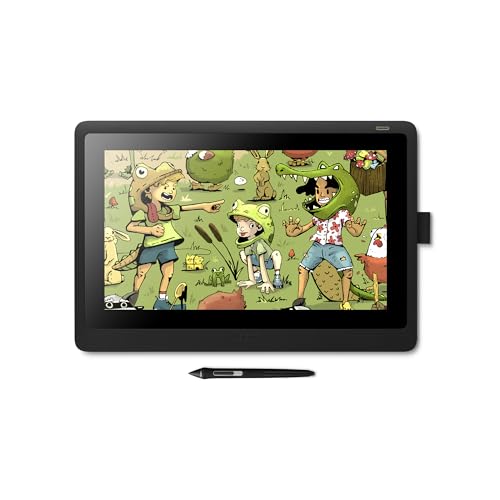
For shoppers comparing professional drawing display tablets, the Wacom Cintiq 16 offers a straightforward pen-display setup with a 15.6-inch Full HD screen, anti-glare glass, and a pressure-sensitive Pro Pen 2. It connects to Mac or PC and is designed for drawing, design, and animation work.
Best For: Students, hobbyists, and creative users who want a natural on-screen drawing experience.
Pros:
- Pro Pen 2 provides tilt recognition, virtually lag-free tracking, and 8,192 pressure levels.
- Full HD display offers uniform brightness and true-to-life color quality.
- Includes replacement nibs, a nib-removal tool, and required connection and power cables.
Cons:
- Requires connection to a Mac or PC rather than operating as a standalone tablet.
- Offers fewer built-in shortcut controls than some newer competing displays.
The Cintiq 16 is a practical choice when dependable pen performance matters more than advanced control panels or ultra-high-resolution features. Its included accessories also make it easy to start creating immediately.
Portable Precision Pick – HUION Kamvas 13 Gen 3
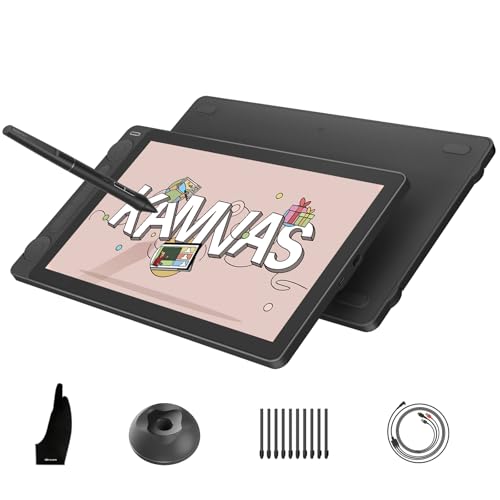
Among professional drawing display tablets, the HUION Kamvas 13 Gen 3 stands out for its portable design, full-laminated Canvas Glass 2.0 surface, and 16,384-level pressure-sensitive pen. It connects to a computer, compatible Android device, or supported Linux system and includes two dials plus five press keys.
Best For: Artists and designers who need accurate color, portable size, and extensive shortcut controls.
Pros:
- Factory-calibrated color accuracy is rated at ΔE<1.5, with 99% sRGB/Rec.709 coverage and 90% Adobe RGB coverage.
- PenTech 4.0 offers 2g initial activation force, tilt auto-alignment, and 16,384 pressure levels.
- At 11.7mm thick and 865g, it is convenient for mobile creative setups.
- Two dials and five silent press keys provide quick access to common adjustments.
Cons:
- It is not a standalone device and must connect to a compatible computer or laptop.
- Compatibility depends on the required operating system, port, and USB-C capabilities.
The Kamvas 13 Gen 3 is a strong fit for creators who want professional-oriented color specifications and tactile controls in a compact display. Verify your computer or Android device supports the listed connection requirements before buying.
Studio-Grade Flagship – Wacom Cintiq Pro 17
For demanding professional drawing display tablets users, the Wacom Cintiq Pro 17 combines a 17-inch 4K display with a 120Hz refresh rate, multi-touch control, and the configurable Pro Pen 3. Its feature set is aimed at animation, VFX, game art, 3D modeling, and other studio workflows.
Best For: Creative professionals and studios working on detailed animation, VFX, game art, or 3D projects.
Pros:
- 4K resolution and a 120Hz refresh rate support detailed visuals and near-zero-latency drawing.
- Pro Pen 3 includes 8,192 pressure levels, three side switches, customizable grips, and adjustable balance.
- Eight ExpressKeys, on-screen menus, and improved multi-touch provide flexible workflow control.
- Includes an Easy Stand, pen tray, replacement nibs, and extra pen components.
Cons:
- Its professional feature set may be more than casual artists need.
- The 17-inch display and stand require a dedicated desktop workspace.
The Cintiq Pro 17 is built for users who can take advantage of 4K detail, high refresh rate, touch gestures, and configurable controls. It is the most studio-focused option here, particularly for complex visual-production work.
Color-Rich Value Option – UGEE UE16 Drawing Tablet
The UGEE UE16 gives shoppers considering professional drawing display tablets a large 15.4-inch Full HD, full-laminated screen with a 143% sRGB color gamut and 16,384 pressure levels. It also adds four color modes, eight shortcut keys, and a scroll wheel for a more hands-on workflow.
Best For: Artists and designers who want broad color options and physical controls across multiple operating systems.
Pros:
- 143% sRGB coverage and four color spaces support vivid, flexible visual work.
- Battery-free stylus provides 16,384 pressure levels, tilt support, two hotkeys, and a pressure-sensitive eraser.
- Eight shortcut keys and a wheel provide tactile access to common functions.
- Supports Windows, macOS, Android, Chrome OS, and Linux systems listed by the manufacturer.
Cons:
- It requires a compatible connected device rather than functioning independently.
- The included 3-in-1 cable is packed separately, so the parcel should be checked carefully.
The UE16 is appealing for creators who prioritize saturated color and physical shortcut controls without moving to a premium 4K display. Its broad operating-system support may also suit mixed-device households, provided the required connections are available.
Balanced Color Workhorse – HUION Kamvas Pro 16
For artists comparing professional drawing display tablets, the HUION Kamvas Pro 16 combines a full-laminated 15.6-inch screen, wide-gamut color, customizable controls, and an adjustable stand. It is a capable computer-connected pen display for illustration, painting, photo editing, and design work.
Best For: Artists who want a mid-size display with vivid color, shortcut controls, and flexible positioning.
Pros:
- 120% sRGB coverage, 92% AdobeRGB, and a 1000:1 contrast ratio support vibrant, detailed visuals.
- Six express keys and a touch bar provide convenient access to shortcuts, zoom, and brush sizing.
- The battery-free pen offers 8192 pressure levels, 60° tilt recognition, and programmable side buttons.
- The included stand adjusts from 20° to 60° for a more comfortable working angle.
Cons:
- It is not standalone and must connect to a compatible computer or laptop.
- The 1920×1080 resolution is lower than the 2.5K display offered by some larger professional models.
The Kamvas Pro 16 is a well-rounded option when color range and workflow controls matter more than maximum resolution. Its included stand and responsive pen make it practical for extended creative sessions.
Professional Precision Upgrade – XPPen Artist Pro 22 Gen 2
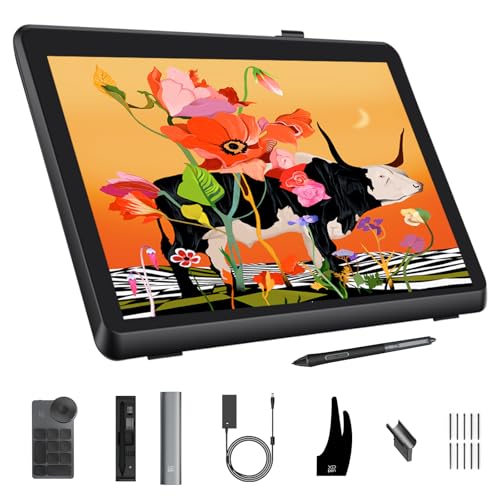
For demanding users shopping for professional drawing display tablets, the XPPen Artist Pro 22 Gen 2 stands out with a 21.5-inch 2.5K display, Calman-verified color, and 16K pen sensitivity. Its large workspace and included wireless keydial suit detailed illustration, graphic design, and photo work.
Best For: Professional artists, photographers, and designers who prioritize color accuracy, screen size, and high-precision input.
Pros:
- Calman verification and Delta E<1 support consistent color, with 99% AdobeRGB and 94% Display P3 coverage.
- The 2560×1440 display provides a spacious, detailed 21.5-inch workspace at 137 PPI.
- The X3 Pro stylus offers 16K pressure sensitivity, 60° tilt, ±0.4mm accuracy, and a digital eraser.
- The included ACK05 wireless keydial has 40 customizable keys and a physical dial for efficient control.
Cons:
- It is a large computer-connected display rather than a standalone tablet.
- The optional ACS15 height-adjustable stand is not included.
The Artist Pro 22 Gen 2 is the strongest choice here for color-critical and detail-heavy work. Its larger 2.5K screen, precise stylus, and extensive keydial controls make it especially suited to a dedicated studio setup.
Compact Shortcut Specialist – XPPen Artist 12 Pro
The XPPen Artist 12 Pro is a compact choice among professional drawing display tablets, pairing an 11.6-inch fully laminated screen with a battery-free stylus and built-in workflow controls. Its smaller footprint is useful for digital drawing, annotation, remote teaching, and portable computer-based creative work.
Best For: Beginners, educators, and artists who want a space-saving pen display with convenient shortcut controls.
Pros:
- Fully laminated construction minimizes parallax, while the anti-glare surface reduces distracting reflections.
- The Red Dial and eight customizable express keys speed up zooming, brush adjustment, and other shortcuts.
- The battery-free pen supports 8192 pressure levels and 60° tilt for natural shading.
- It supports Windows, macOS, ChromeOS, and Linux, along with major creative software such as Photoshop and SAI.
Cons:
- The 11.6-inch screen offers less drawing area than the 15.6-inch and 21.5-inch options.
- Its 72% NTSC color coverage is more modest than the wider-gamut displays in this roundup.
- It must be connected to a desktop or laptop and cannot operate independently.
The Artist 12 Pro makes the most sense when desk space, portability, and hands-on shortcut controls are priorities. It delivers accurate pen input in a compact format, though larger displays are better for expansive or color-critical projects.
Best Beginner-Friendly Pick – XP-Pen Artist 13.3 Pro V2
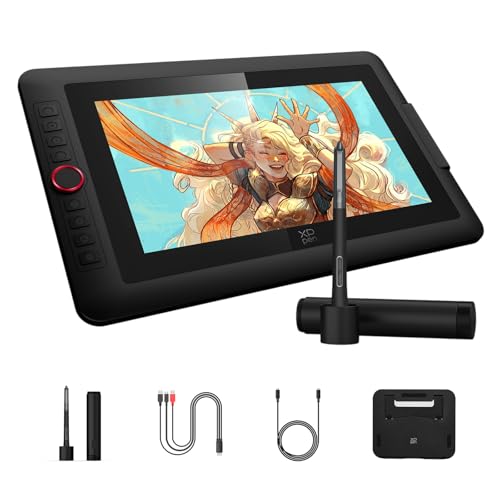
For artists seeking professional drawing display tablets without an overly complicated setup, the XP-Pen Artist 13.3 Pro V2 combines a compact Full HD screen with a practical Red Dial and customizable shortcut keys. Its laminated anti-glare display, pressure-sensitive stylus, and broad software compatibility make it a flexible choice for illustration, design, and other digital art work.
Best For: Beginners, junior illustrators, and artists who want a compact pen display with accessible controls.
Pros:
- 16,384 pressure levels and an X3 Pro battery-free stylus support precise, smooth linework.
- Red Dial and eight customizable keys provide convenient access to brush, zoom, and navigation controls.
- Full-laminated 13.3-inch IPS display offers 125% sRGB coverage, Full HD resolution, and a 178-degree viewing angle.
- Includes an adjustable stand and supports Windows, macOS, Chrome OS, Android, and Linux with compatible setups.
Cons:
- It is not standalone and must be connected to a compatible computer or laptop.
- The 250 cd/m² brightness is more suited to typical indoor work than especially bright environments.
The Artist 13.3 Pro V2 is a well-rounded entry point into professional drawing display tablets, particularly for users who value simple controls and a manageable screen size. Its color coverage and laminated surface also give more experienced hobbyists useful room to grow.
Best Large 4K Display – XP-Pen Artist Pro 19 Gen2
The XP-Pen Artist Pro 19 Gen2 is built for artists who need a spacious, highly detailed workspace. Among professional drawing display tablets, its 18.4-inch 4K UHD screen, Calman-verified color accuracy, dual styluses, and wireless shortcut remote make it particularly suited to detailed illustration, photography, design, and color-sensitive production.
Best For: Professional artists, photographers, designers, and filmmakers who need a large, color-accurate display.
Pros:
- 18.4-inch 4K UHD resolution provides detailed viewing and room for multiple layers.
- Calman verification, ΔE below 1.5, and coverage of 99.8% sRGB, 96% Adobe RGB, and 98% Display P3 support color-focused work.
- Includes X3 Pro Roller and Slim styluses, each with 16,384 pressure levels and 60-degree tilt support.
- Wireless shortcut keyboard offers a physical dial, ten customizable keys, and Bluetooth 5.0.
Cons:
- Its large 18.4-inch format may require more desk space than compact pen displays.
- It is a connected drawing display rather than a standalone tablet.
This model is the strongest fit when screen area and color precision matter more than portability. Dual USB-C connections, HDMI support, and VESA compatibility add useful flexibility for a more permanent professional workstation.
Best Ergonomic Mid-Size Option – XP-Pen Artist Pro 14 Gen2
The XP-Pen Artist Pro 14 Gen2 balances a comfortable working area with professional-oriented features, making it a versatile option among professional drawing display tablets. Its 14-inch laminated anti-glare screen, 16,384-level stylus, foldable stand, wrist rest, and shortcut remote support focused sessions across illustration, animation, and 3D work.
Best For: Artists and students who want a portable mid-size display with ergonomic accessories and accurate color.
Pros:
- X3 Pro battery-free stylus provides 16,384 pressure levels and 60-degree tilt support.
- Full-laminated anti-glare glass helps reduce parallax, while the 16:10 display has a 178-degree viewing angle.
- 99% sRGB coverage, 123% sRGB area ratio, and ΔE below 2.2 support accurate, vivid work.
- Foldable stand, X-Edge wrist rest, and wireless shortcut remote improve long-session usability.
Cons:
- It requires a computer or laptop and is not a standalone drawing tablet.
- The included 3-in-1 cable may be less streamlined than a single-cable USB-C setup.
The Artist Pro 14 Gen2 is a practical middle ground for creators who want strong pen performance and color coverage without moving to a much larger display. Its ability to switch into tablet mode when the screen is off adds another useful working option.
How We Picked These Professional Drawing Display Tablets
We focused on pen displays designed for serious creative work, weighing screen quality, pen performance, size, shortcut controls, connectivity, and overall practicality. The selection includes established Wacom models alongside feature-rich options from Huion, XP-Pen, and UGEE. Rather than treating a high pressure-level count as the deciding factor, we considered how each tablet balances accuracy, viewing area, color reproduction, ergonomics, and price.
Specifications can vary by configuration and region, so check the manufacturer’s current requirements before buying. Confirm operating-system support, included cables, stand availability, and whether your computer has the required video output.
Quick Comparison
- Compact displays: The 11.6- to 14-inch models are easier to carry and suit smaller desks, travel, and secondary workstations.
- Mid-size displays: Around 15.4 to 16 inches, these offer a useful balance between drawing room and desk space.
- Large displays: The 19- to 22-inch options provide a more spacious canvas for detailed illustration, animation, and design.
- Premium performance: Higher-end models add features such as 4K resolution, high refresh rates, advanced touch controls, and improved pen systems.
Key Buying Factors for Professional Drawing Display Tablets
Screen Size, Resolution, and Surface
A larger screen can reduce zooming and panning, but it also needs more desk space and may be less portable. Full HD is generally sufficient on smaller displays, while 2.5K or 4K resolution can make larger screens and fine interface details look sharper. A fully laminated, anti-glare surface can reduce parallax and distracting reflections.
Color and Viewing Quality
Illustrators, photographers, and designers should look for wide color coverage, dependable calibration, and comfortable viewing angles. A wide-gamut display is useful when your software and color-managed workflow support it, but accuracy and consistency are more important than a large percentage alone.
Pen Feel and Controls
Battery-free pens, tilt recognition, responsive pressure control, and low parallax contribute to a natural drawing experience. Express keys, dials, touch bars, or touchscreen controls can speed up repetitive commands, although keyboard shortcuts may still be preferable for some workflows.
Ergonomics and Compatibility
Check the tablet’s stand options, weight, cable arrangement, and required ports before committing. A display that forces you to hunch over can become uncomfortable during long sessions. Also verify compatibility with your operating system and preferred applications, including illustration, 3D, animation, and photo-editing software.
Who Should Buy Which Professional Drawing Display Tablets?
Choose a compact model if you have limited desk space, work between locations, or want an affordable entry into screen-based drawing. Choose a 15- or 16-inch model for the best all-around balance of workspace, portability, and cost. Choose a 19- or 22-inch model if you create detailed artwork at a fixed workstation and want a broader canvas. Choose a premium 4K or high-refresh model when display clarity, smooth cursor movement, touch control, and long-term professional use justify the higher investment.