Multicam editing punishes weak systems. If you switch angles often, stack effects, and work with high-bitrate footage, you need a workstation that stays responsive under pressure.
This roundup highlights the best video editing workstations for multicam editing in 2026, with a focus on CPU performance, GPU support, memory capacity, and fast storage for real-world editing work.
Best 10 Video Editing Workstations for Multicam Editing Picks for 2026
Best High-Performance Multicam Editing Pick
Ryzen 9 9950X 8K Editing Workstation
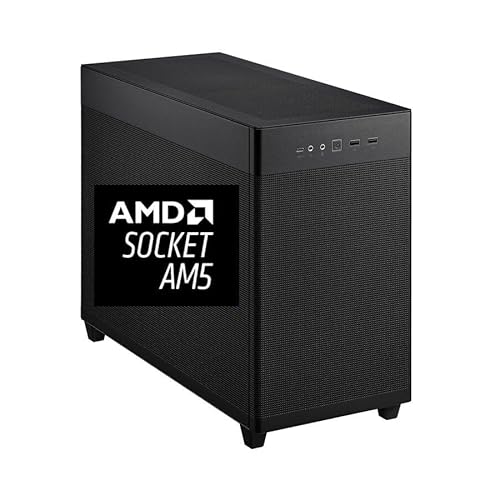
- 16-core Ryzen 9 9950X for strong multicam editing performance
- 64GB DDR5 RAM + 2TB Gen4 SSD for smooth large-project workflows
- RTX Pro 2000 16GB and 4x 8K display support for pro setups
Best For: Editors who need a fast, expandable workstation for 4K/8K multicam timelines and heavy creative workloads.
Best Dual-CPU Value
Dell Precision 7910 Workstation

- Dual Xeon processors for strong multitasking
- 64GB ECC RAM and massive 12.48TB storage
- Good fit for large timelines and media caches
Best For: Editors who want a value-focused dual-CPU tower for multicam timelines and big storage needs.
Best for 8K Multicam Work
CPU Solutions Mini Express Core Ultra 7 8K PC
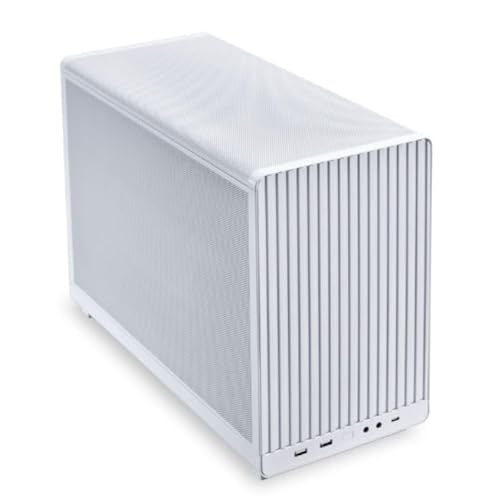
- 20-core Core Ultra 7 CPU with up to 5.3GHz turbo
- 32GB DDR5 RAM plus 2TB NVMe SSD for fast timelines
- RTX 2000 Pro 16GB supports multi-monitor editing
Best For: Editors who want a compact workstation for demanding multicam projects and high-resolution footage.
Best for Multitasking
Dell Precision T5810 Xeon 12-Core 64GB Workstation
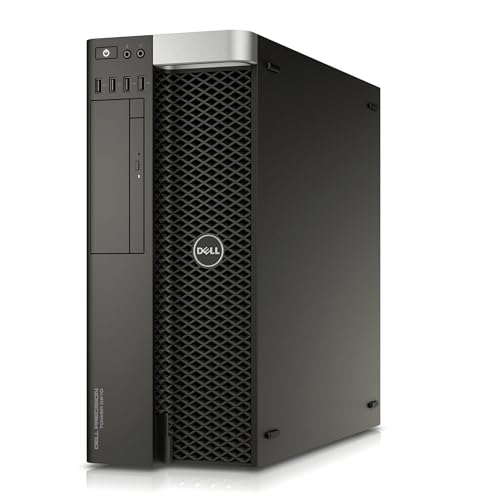
- 12-core Xeon for strong multitasking
- 64GB DDR4 helps with large multicam projects
- SSD speeds up boot and project loading
Best For: Editors who want a workstation-heavy CPU and lots of RAM for multicam timelines and general post-production.
Best for Heavy Multicam Timelines
CPU Solutions VidCore 4K Editing PC

- Core Ultra 9 285K for demanding edit and export workloads
- 64GB DDR5 RAM helps with multicam timelines and multitasking
- 2TB NVMe SSD gives fast, roomy storage for active projects
Best For: Editors who want a fast Windows workstation for multicam 4K editing and creative multitasking.
Best for Compact Multicam Editing
HP Z2 SFF G9 i7 64GB Workstation Bundle

- Core i7, 64GB RAM, and 1TB SSD for smooth editing
- RTX A2000 supports effects, playback, and acceleration
- 45-inch ultrawide monitor boosts multicam timelines
Best For: Editors who need a compact workstation bundle for multicam timelines and wide-screen workflow.
Best for Storage-Heavy Editing
Dell i7 Workstation Desktop with Quadro P620

- 32GB RAM and i7-9700 handle editing multitasking well.
- 1TB SSD + 4TB HDD gives you speed and media capacity.
- Quadro P620 offers dependable creative-app compatibility.
Best For: Editors who need a renewed workstation with strong multitasking and lots of storage.
Best Multicam 4K Workhorse
CPU Solutions Express 4K Video Editing PC
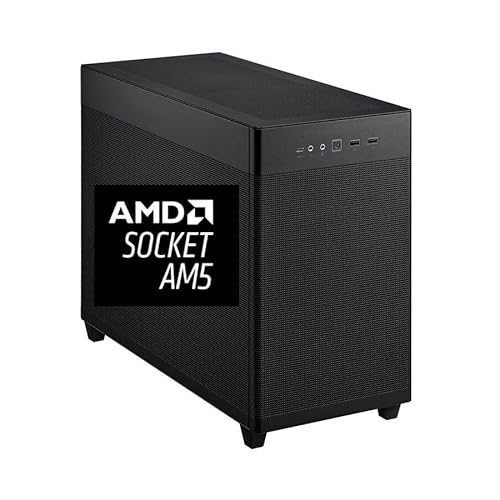
- Ryzen 9 9950X with 16 cores and 32 threads
- 64GB DDR5 RAM plus 2TB NVMe SSD
- Quadro RTX 2000 ADA supports pro multi-monitor setups
Best For: Editors building a fast, stable workstation for 4K multicam timelines and long sessions.
Best Refurbished Workhorse
HP Workstation PC with Quadro K1200

- 32GB RAM handles multitasking and multicam timelines
- 1TB SSD + 4TB HDD balances speed and storage
- Workstation GPU and Windows 11 Pro support editing workflows
Best For: Editors wanting a lower-cost refurbished tower for lighter multicam and general post-production work.
Best for Multicam Timeline Performance
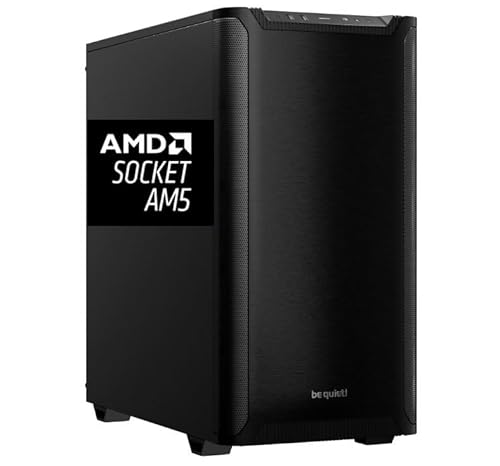
- 16-core Ryzen 9 9950X handles multicam timelines well
- 64GB DDR5 RAM and 2TB NVMe SSD keep projects snappy
- Quadro RTX 2000 Ada adds pro driver support and 4-monitor output
Best For: Editors who need a reliable Windows workstation for multicam projects and heavy editing timelines.
Best High-Performance Multicam Editing Pick – Ryzen 9 9950X 8K Editing Workstation
If you need one of the more powerful video editing workstations for multicam editing, this Ryzen 9 9950X tower is built to keep timelines responsive while juggling heavy effects, large media libraries, and multiple camera angles. The 16-core CPU, 64GB of DDR5 memory, fast Gen4 SSD, and pro-grade RTX Pro graphics make it a strong fit for demanding post-production workflows.
Best For: Editors who need a fast, expandable workstation for 4K/8K multicam timelines, heavy multitasking, and professional creative work.
Pros:
- Ryzen 9 9950X delivers excellent multicore performance for editing and rendering
- 64GB DDR5 RAM and 2TB Gen4 SSD help reduce lag on large projects
- RTX Pro 2000 16GB supports demanding visual workflows and multiple displays
- Compact mini tower design includes strong cooling and a clean Windows 11 Pro setup
Cons:
- Overkill for basic 1080p edits or casual creators
- Premium specs likely put it above entry-level budgets
- Mini tower form factor may limit internal expansion compared with larger towers
This is a smart choice if you want a workstation that can handle serious multicam sessions without feeling sluggish. Among video editing workstations for multicam editing, it stands out for its CPU power, memory headroom, and pro-level graphics support.
Best Dual-CPU Value – Dell Precision 7910 Workstation
If you want one of the more affordable video editing workstations for multicam editing with genuine workstation hardware, this renewed Dell Precision 7910 is a practical pick. The dual Xeon setup, 64GB of ECC memory, and large storage bundle give you plenty of room for timelines, cache files, and source footage, while the Quadro card keeps the system aimed at pro workflows rather than gaming.
Best For: Editors who need a budget-friendly dual-CPU tower for heavy timelines, lots of storage, and steady day-to-day editing work.
Pros:
- Dual Xeon E5-2643 v4 processors provide lots of multitasking headroom
- 64GB DDR4 ECC memory is solid for multicam projects and large media caches
- 12.48TB of combined SSD and SAS storage offers generous space for footage
- 1300W power supply and tower design leave room for workstation expansion
Cons:
- Quadro K2000 2GB is quite dated for modern GPU-accelerated editing
- Renewed hardware may not suit buyers who want the latest platform
- Large tower chassis is less ideal for compact desks or portable setups
This configuration makes sense when you value cores, memory, and storage over modern GPU power. For video editing workstations for multicam editing, it is a sensible legacy workstation option, but serious color work or heavy effects may eventually call for a graphics upgrade.
Best for 8K Multicam Work – CPU Solutions Mini Express Core Ultra 7 8K PC
If you need video editing workstations for multicam editing that can keep timelines responsive while handling 4K and even 8K projects, this CPU Solutions Mini Express build is a strong fit. The Core Ultra 7 processor, 32GB of DDR5 memory, fast 2TB NVMe storage, and professional RTX graphics give it the core hardware needed for smooth editing, previewing, and frequent file swaps.
Best For: Editors who want a compact, ready-to-use workstation for demanding multicam projects, high-resolution footage, and multi-monitor workflows.
Pros:
- 20-core Core Ultra 7 CPU with up to 5.3GHz turbo for heavy editing workloads
- 32GB DDR5 RAM and 2TB NVMe SSD help keep multicam projects fast and responsive
- RTX 2000 Pro 16GB supports up to four displays for broader timeline and preview setups
- Includes Windows 11 Pro, Wi-Fi, keyboard, and mouse for quick setup
Cons:
- 32GB RAM may feel limiting for very large 8K or effects-heavy projects
- Mini tower styling is compact, but not as expandable as full-size workstation cases
- Higher-cost component mix may be overkill for casual editors
As a compact editing box, it makes sense for creators who want strong performance without building from scratch. Among video editing workstations for multicam editing, this one stands out for balancing CPU power, fast storage, and pro-grade GPU support in a small footprint.
Best for Multitasking – Dell Precision T5810 Xeon 12-Core 64GB Workstation
If you want a used tower that can handle heavy timelines without a huge upfront cost, the Dell Precision T5810 is a practical option for video editing workstations for multicam editing. Its 12-core Xeon CPU and 64GB of DDR4 RAM give you the headroom to keep multiple clips, effects, and background apps moving at once, while the SSD helps projects open and load faster.
Best For: Editors who need a budget-friendly workstation with lots of RAM and CPU cores for multicam timelines, proxy workflows, and general post-production.
Pros:
- 12-core Xeon processor supports smoother multitasking and timeline responsiveness
- 64GB DDR4 memory is well suited to larger projects and heavier editing sessions
- 480GB SSD improves boot times and speeds up app and project loading
- Workstation-class build is made for reliable long-session use
Cons:
- Quadro NVS 315 is entry-level and not ideal for demanding GPU effects
- No operating system included, so setup takes extra time
- Renewed hardware may not match the longevity of a new workstation
For editors comparing video editing workstations for multicam editing, this Precision T5810 stands out more for CPU and RAM capacity than graphics power. It is a sensible pick if you value stable performance, upgrade flexibility, and workstation reliability over modern GPU acceleration.
Best for Heavy Multicam Timelines – CPU Solutions VidCore 4K Editing PC
If you need a high-core-count desktop for smooth timeline scrubbing, this is a strong option among video editing workstations for multicam editing. The Core Ultra 9 285K, 64GB of DDR5 memory, and a 2TB NVMe SSD give you the kind of headroom that helps when you’re juggling multiple 4K angles, large project files, and demanding background tasks.
Best For: Editors who want a fast Windows workstation for multicam 4K editing, color work, and light 3D or motion tasks.
Pros:
- Core Ultra 9 285K offers excellent CPU muscle for complex edits and exports
- 64GB DDR5 RAM is well-suited to multicam sessions and heavy creative workloads
- 2TB NVMe SSD provides generous fast storage for active projects and media caches
- Quadro 2000 ADA 16GB can help with GPU-accelerated creative and pro workflows
Cons:
- More workstation-focused than a simple plug-and-play consumer PC
- Not the cheapest choice if you only edit occasional short-form projects
- GPU is capable, but not the kind of high-end gaming-class card some creators expect
Overall, this build makes sense if you want a serious desktop that can handle video editing workstations for multicam editing without immediately running into memory or storage limits. It’s a practical pick for editors who value stability, fast storage, and plenty of multitasking overhead.
Best for Compact Multicam Editing – HP Z2 SFF G9 i7 64GB Workstation Bundle
If you want video editing workstations for multicam editing without giving up desk space, this HP Z2 SFF G9 bundle is a strong all-in-one setup. The Core i7, 64GB RAM, 1TB SSD, and RTX A2000 graphics give you the headroom for timeline playback, render-heavy projects, and multitasking, while the 45-inch curved ultrawide monitor helps keep multiple angles and tools visible at once.
Best For: Editors who need a compact workstation bundle for multicam timelines, fast previewing, and a wide-screen workflow.
Pros:
- Core i7 and 64GB RAM handle multicam editing and background tasks well
- RTX A2000 adds pro-grade GPU support for effects, playback, and acceleration
- 45-inch DQHD curved display is excellent for keeping multiple clips and panels open
- Includes keyboard, mouse, and Wi‑Fi adapter for a ready-to-work bundle
Cons:
- SFF design is compact, but not as upgrade-friendly as a full tower
- The bundled monitor is great for space and multitasking, but may be more than some editors need
As a package, this is one of the more practical video editing workstations for multicam editing if you want pro-level responsiveness in a smaller footprint. The hardware is well matched to editors who value smooth workflow, a large canvas, and minimal setup friction.
Best for Storage-Heavy Editing – Dell i7 Workstation Desktop with Quadro P620
If you need a practical, budget-conscious option for video editing workstations for multicam editing, this Dell workstation brings a solid mix of CPU power, 32GB of RAM, and plenty of storage. The 9th Gen Intel Core i7 and SSD boot drive help keep timelines responsive, while the included 4TB HDD gives you room for large project files and media libraries.
Best For: Editors who want a dependable renewed tower with strong multitasking headroom and lots of storage for growing video projects.
Pros:
- 32GB RAM and an i7-9700 are well-suited to multitasking and editing work.
- 1TB SSD + 4TB HDD offers fast boot times plus generous media storage.
- Quadro P620 adds reliable certified graphics support for creative apps.
- Good port selection, including USB-C and DisplayPort, for workstation setups.
Cons:
- Quadro P620 2GB is entry-level for heavier effects or high-resolution timelines.
- Renewed hardware may not appeal to buyers wanting brand-new components.
Overall, this Dell is a sensible pick if your priority is dependable core performance and storage over high-end GPU muscle. For video editing workstations for multicam editing, it makes the most sense for creators who want smooth day-to-day workflow and room for lots of footage rather than maximum rendering speed.
Best Multicam 4K Workhorse – CPU Solutions Express 4K Video Editing PC
If you’re comparing video editing workstations for multicam editing, this CPU Solutions Express tower is built for fast timeline response, heavy multitasking, and stable day-to-day production work. The Ryzen 9 9950X, 64GB of DDR5 memory, and 2TB NVMe SSD give it the core speed and headroom needed for large projects, while the Quadro RTX 2000 ADA adds pro-focused graphics support for editing apps and multi-monitor setups.
Best For: Editors who want a powerful Windows 11 Pro workstation for 4K multicam projects, color work, and long editing sessions with lots of storage and RAM.
Pros:
- Ryzen 9 9950X delivers strong multicore performance for demanding edits and exports.
- 64GB DDR5 RAM and a 2TB NVMe SSD help keep large project files and caches moving quickly.
- Quadro RTX 2000 ADA supports professional workflows and up to four high-resolution displays.
- Mini tower design includes a 650W PSU, premium cooling, and a bloatware-free Windows 11 Pro install.
Cons:
- More workstation-oriented than a mainstream creator PC, so the price may be higher than consumer builds.
- RTX 2000 ADA is efficient and pro-friendly, but not the fastest option for GPU-heavy effects work.
For editors prioritizing stability, RAM capacity, and pro display support, this is a smart fit among video editing workstations for multicam editing. It looks especially appealing if your workflow leans on frequent timeline switching, large source files, and a reliable Windows Pro environment.
Best Refurbished Workhorse – HP Workstation PC with Quadro K1200
If you want a practical, budget-conscious option for video editing workstations for multicam editing, this renewed HP workstation leans on memory and storage over flashy specs. The 32GB of DDR4 RAM and dual-drive setup help keep timelines, project files, and cache assets moving without constant juggling, while the Quadro K1200 adds basic workstation graphics support for editing and design tasks.
Best For: Editors who need a low-cost workstation for lighter multicam projects, Adobe work, and general post-production.
Pros:
- 32GB RAM is a solid baseline for multitasking and multicam editing
- 1TB SSD + 4TB HDD offers fast boot times plus plenty of storage
- Workstation-class Quadro GPU is suited to stable editing workflows
- Windows 11 Pro, Wi-Fi 5G, and Bluetooth add convenience out of the box
Cons:
- Intel Core i5 and Quadro K1200 are older parts for heavy 4K multicam work
- Renewed hardware may vary slightly in condition and included accessories
- Not ideal if you need the fastest export times or modern GPU acceleration
This HP tower makes sense if you want dependable specs at a lower price and can live with older components. For video editing workstations for multicam editing, it is better suited to modest project sizes than demanding high-resolution timelines.
Best for Multicam Timeline Performance – Ryzen 9 9950X Editing PC
If you want video editing workstations for multicam editing that can keep timelines responsive while juggling heavy effects, this CPU Solutions Express tower is built for the job. The Ryzen 9 9950X, 64GB of DDR5 memory, and fast 2TB NVMe SSD give it the kind of headroom that helps with scrubbing, caching, and switching between multiple camera angles without constant slowdowns.
Best For: Editors who need a high-core-count Windows workstation for multicam projects, large media libraries, and professional Adobe or DaVinci Resolve workflows.
Pros:
- Ryzen 9 9950X 16-core CPU offers excellent multicam and export performance
- 64GB DDR5 RAM and 2TB NVMe SSD support large projects and smooth multitasking
- Quadro RTX 2000 Ada 16GB brings pro-grade driver support and multi-monitor output
- Liquid cooling and a 750W power supply are well suited to long editing sessions
Cons:
- Not the cheapest option for editors on a tight budget
- RTX 2000 Ada is capable, but not a top-tier GPU for the heaviest 3D or GPU-first workloads
This is a strong fit for video editing workstations for multicam editing when stability, fast storage, and pro-oriented graphics matter more than flashy extras. It leans practical and purpose-built, which makes it appealing for creators who want a reliable desktop for long sessions and complex timelines.
How We Picked the Best Video Editing Workstations for Multicam Editing
We prioritized systems that are well suited to Video Editing Workstations for Multicam Editing, with strong multi-core CPUs, enough RAM for large projects, fast NVMe storage, and professional-grade GPU options where available. We also looked for practical configurations that can handle 4K and higher-resolution timelines without constant bottlenecks.
Quick Comparison
The best choice depends on your footage and workflow. Newer Ryzen 9 and Core Ultra builds are better for faster timeline response and exports, while older dual-Xeon or entry-level workstation systems may fit lighter editing, archival projects, or budget-conscious setups. Larger SSDs help with active projects, while extra HDD storage is useful for media libraries and backups.
Key Buying Factors for Multicam Editing
CPU Performance
Multicam playback benefits from high single-core speed for timeline responsiveness and plenty of cores for exports, rendering, and background tasks. For demanding projects, prioritize modern processors with strong boost clocks and efficient multi-threading.
Memory Capacity
32GB is a workable starting point for HD and lighter 4K editing, but 64GB is a safer baseline for multicam sequences, proxy workflows, and heavier effects. More memory helps reduce stutter when several clips and applications are open at once.
Storage Speed
Fast NVMe SSDs make a noticeable difference in scrubbing, caching, and project loading. If you edit regularly, aim for a workstation with enough primary SSD space for active projects and a second drive or external storage for media archives.
GPU and Display Support
A capable GPU improves playback acceleration in supported apps and helps with color work, effects, and multi-monitor setups. Professional cards are common in editing workstations, but the right choice depends on whether your software leans more on CPU or GPU acceleration.
Expandability
Look for room to add RAM, storage, or additional I/O if your projects are likely to grow. For multicam editors, flexibility often matters as much as raw specs.
Who Should Buy Which Video Editing Workstations for Multicam Editing?
Choose a high-end Ryzen 9 or Core Ultra workstation if you need fast exports and smooth multicam playback for regular 4K or 8K work. Pick a more modest workstation if you mainly cut HD footage, manage simpler timelines, or need a cost-effective editing system for occasional use. If you work with large media libraries, favor configurations with bigger SSDs and extra bulk storage. If you run demanding timelines every day, step up to the strongest CPU, 64GB RAM, and the fastest storage you can fit within your budget.