When your projects outgrow 64GB of memory, a 128GB mobile workstation can keep large models, datasets, and applications open without constant swapping to storage. But memory alone does not make every configuration equally capable.
These 10 listings span compact and large-screen designs, different graphics options, and a wide range of SSD capacities. Use the guide below to match the hardware to your workload—and check each seller’s exact configuration before buying.
Best 10 Workstation Laptops with 128gb RAM Picks for 2026
Best for GPU-Heavy Workflows

- 128GB DDR5 RAM and 4TB SSD
- RTX PRO 4000 with 16GB GDDR7
- 16-inch 3.2K OLED touchscreen
Best For: GPU-intensive CAD, rendering, and local AI work
Best Compact Option
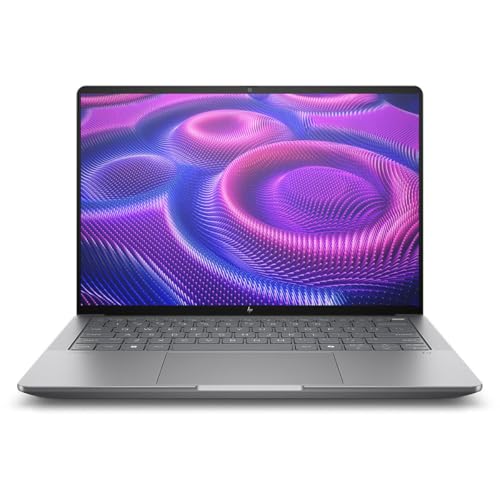
- 128GB LPDDR5X memory
- 14-inch 2880 × 1800 touchscreen
- Ryzen AI Max+ PRO 395
Best For: High-memory work on a 14-inch workstation
Best for Large Project Libraries

- 128GB DDR5 RAM and 8TB SSD
- RTX 2000 Ada with 8GB graphics memory
- 16-inch WUXGA anti-glare screen
Best For: Engineering projects with large local file libraries
Best for CPU-Focused Business Work

- Listed with 128GB DDR5 RAM and 4TB SSD
- 20-core Core i7-13850HX
- Intel vPro and RJ-45 Ethernet
Best For: CPU-heavy business and development tasks without discrete-GPU needs
Best for GPU-Heavy Work
Dell Precision 7780 with 2TB SSD

- 128GB DDR5 RAM and 2TB NVMe SSD
- RTX 3500 Ada with 12GB VRAM
- 17.3-inch FHD anti-glare screen
Best For: Graphics-intensive projects needing ample local storage
Best for Storage and Ports
Lenovo ThinkPad P16 with 4TB SSD

- 128GB DDR5 RAM and 4TB SSD
- RTX 2000 Ada with 8GB VRAM
- 16:10 WUXGA screen and dual Thunderbolt 4
Best For: Large local projects and peripheral-heavy workspaces
Best for 1TB GPU Workflows
Dell Precision 7780 with 1TB SSD
- 128GB DDR5 RAM and 1TB SSD
- RTX 3500 Ada with 12GB VRAM
- 17.3-inch FHD anti-glare screen
Best For: Professional graphics work with moderate local storage needs
Specs-to-Verify Pick

- Advertised 128GB DDR5 memory
- 17.3-inch, 500-nit FHD display
- Conflicting GPU and SSD specifications
Best For: Buyers prepared to verify the exact configuration
Large-Project Pick
Dell Precision 7780 with RTX 4000 Ada

- 128GB DDR5 and 24-core Core i9
- RTX 4000 Ada with 12GB GDDR6
- Verify conflicting SSD capacities
Best For: Large projects needing ample memory and dedicated graphics
Best for GPU-Heavy Workflows – Lenovo ThinkPad P16 Gen 3
Among workstation laptops with 128gb ram, this ThinkPad P16 Gen 3 is a strong fit when graphics performance and display quality matter as much as memory. It pairs a Core Ultra 9 285HX with an NVIDIA RTX PRO 4000 Blackwell laptop GPU and a 16-inch 3.2K OLED touchscreen.
Best For: CAD, rendering, and local AI workflows that benefit from a dedicated professional GPU.
Pros:
- 128GB DDR5 RAM and a 4TB SSD accommodate large projects.
- RTX PRO 4000 GPU has 16GB of dedicated GDDR7 memory.
- 3.2K OLED touch display offers 100% DCI-P3 coverage and up to 600 nits brightness.
Cons:
- Starting weight of 5.6 pounds makes it less convenient for frequent travel.
- Its 4TB SSD offers less listed storage than the P16 Gen 2 configuration in this roundup.
Choose this configuration if your work calls for substantial GPU memory and a high-resolution color display. The listing says the seller opens the factory box to perform the memory and storage upgrades, so check the seller’s configuration and warranty terms before ordering.
Best Compact Option – HP ZBook Ultra G1a 14
The 14-inch HP ZBook Ultra G1a is the compact choice among these workstation laptops with 128gb ram. Its Ryzen AI Max+ PRO 395, Radeon 8060S graphics, and 2TB NVMe SSD put a high-memory configuration in a smaller-screen workstation.
Best For: Professionals who want 128GB of memory without moving to a 16-inch workstation.
Pros:
- 128GB LPDDR5X memory supports demanding multitasking.
- 14-inch, 2880 × 1800 touchscreen provides a high-resolution workspace.
- Includes HDMI 2.1 and four listed USB ports.
Cons:
- Integrated Radeon graphics may not suit buyers who specifically need a dedicated professional GPU.
- The supplied specifications conflict on display technology and list an unusual 6.8-pound weight for a 14-inch model; verify these details before purchase.
This is the one to consider when desk space and screen size matter more than a discrete graphics card. Confirm the exact panel and weight with the seller, as the supplied listing details are inconsistent.
Best for Large Project Libraries – Lenovo ThinkPad P16 Gen 2
If storage capacity is a priority when comparing workstation laptops with 128gb ram, this ThinkPad P16 Gen 2 stands out with its listed 8TB NVMe SSD. It combines a Core i9-13980HX, NVIDIA RTX 2000 Ada graphics, and a 16-inch WUXGA display.
Best For: Engineers and designers who keep large project files locally and need a dedicated GPU.
Pros:
- 128GB DDR5 RAM and 8TB SSD provide room for large working files.
- RTX 2000 Ada GPU includes 8GB of dedicated graphics memory.
- Thunderbolt 4, HDMI 2.1, and SD Express 7.0 cover common workstation connections.
Cons:
- The 1920 × 1200 display has lower resolution than the higher-resolution screens in this roundup.
- At a listed 6.5 pounds, it is a substantial laptop to carry.
The practical trade-off is clear: prioritize its unusually large listed SSD and professional GPU over display resolution or portability. Check the seller’s exact configuration and one-year seller warranty before buying.
Best for CPU-Focused Business Work – HP ZBook Fury 16 G11
For buyers seeking workstation laptops with 128gb ram for programming, data analysis, and heavy business multitasking, this ZBook Fury 16 G11 emphasizes CPU and memory capacity. The listed configuration includes a 20-core Core i7-13850HX, 4TB NVMe SSD, and 16-inch WUXGA display.
Best For: CPU-intensive professional work that does not require a dedicated graphics card.
Pros:
- 128GB DDR5 RAM and 4TB SSD support large datasets and many open applications.
- Intel vPro and Windows 11 Pro suit managed business environments.
- Listed connectivity includes Wi-Fi 7, Thunderbolt 4, HDMI, and RJ-45 Ethernet.
Cons:
- Intel integrated graphics are a poor match for workloads that require a dedicated workstation GPU.
- The 1920 × 1200 display is less detailed than the higher-resolution options here.
Consider this configuration for memory-hungry, CPU-led work rather than GPU rendering. The supplied notes describe it as both equipped with 128GB and available with up to 128GB, so confirm the installed memory on the offer you select.
Best for GPU-Heavy Work – Dell Precision 7780 with 2TB SSD
Among workstation laptops with 128gb ram, this Dell Precision 7780 pairs an Intel Core i9-13950HX with an NVIDIA RTX 3500 Ada GPU and 12GB of dedicated graphics memory. Its 2TB NVMe SSD provides room for large project files.
Best For: Engineers, architects, and content creators who need professional graphics and substantial local storage.
Pros:
- RTX 3500 Ada GPU with 12GB of VRAM for graphics-intensive work.
- 128GB DDR5 RAM and a 2TB NVMe SSD.
- 17.3-inch anti-glare display and Windows 11 Pro.
Cons:
- 1920 × 1080 resolution is modest for a 17.3-inch screen.
- Listed weight of 4.99 kg makes it less convenient to carry.
Choose this configuration over the 1TB Precision 7780 if you expect to keep more large files on the laptop. Check the display resolution against your workspace needs before buying.
Best for Storage and Ports – Lenovo ThinkPad P16 with 4TB SSD
If storage capacity is your priority among workstation laptops with 128gb ram, this ThinkPad P16 includes a 4TB PCIe SSD. It combines a 24-core Intel Core i9-13980HX, NVIDIA RTX 2000 Ada graphics with 8GB of VRAM, and a 16-inch WUXGA display.
Best For: Professionals who keep large projects locally and connect multiple displays or peripherals.
Pros:
- 128GB DDR5 RAM and a 4TB PCIe SSD.
- 16:10 anti-glare display offers more vertical workspace than a 16:9 screen.
- Dual Thunderbolt 4, HDMI 2.1, USB ports, and an SD Express 7.0 card reader.
- Fingerprint reader, discrete TPM 2.0, and Windows 11 Pro.
Cons:
- RTX 2000 Ada has 8GB of VRAM, versus 12GB on the listed Dell configurations.
- 1920 × 1200 resolution may be limiting for detailed visual work.
The 4TB drive and broad port selection distinguish this P16. If GPU memory matters more than built-in storage, compare it with the RTX 3500 Ada-equipped Dell models.
Best for 1TB GPU Workflows – Dell Precision 7780 with 1TB SSD
This Precision 7780 is one of the workstation laptops with 128gb ram suited to graphics-heavy projects that do not require more than a 1TB built-in SSD. It pairs an Intel Core i9-13950HX with an NVIDIA RTX 3500 Ada GPU and 12GB of VRAM.
Best For: Engineering, design, and content-creation work where professional GPU capacity matters more than maximum built-in storage.
Pros:
- RTX 3500 Ada graphics with 12GB of dedicated VRAM.
- 128GB DDR5 RAM for demanding multitasking.
- 17.3-inch anti-glare display, HDMI, USB-C, and Windows 11 Pro.
Cons:
- 1TB SSD offers less local storage than the other configurations in this group.
- 17.3-inch display is limited to 1920 × 1080 resolution.
Its core CPU, GPU, and RAM specifications match the 2TB Precision 7780 listed here; the main buying decision between them is how much built-in storage you need.
Color-Focused Pick – Dell Precision 7780 with RTX 4000 Ada
Among workstation laptops with 128gb ram, this Dell Precision 7780 pairs a 24-core Core i9-13950HX with an NVIDIA RTX 4000 Ada GPU for demanding professional work. Its 17.3-inch FHD display is specified at 500 nits with 99% DCI-P3 coverage.
Best For: Professionals who want a large, color-focused display alongside substantial memory and dedicated graphics.
Pros:
- 128GB DDR5 memory and a 24-core Core i9-13950HX.
- RTX 4000 Ada graphics with 12GB GDDR6.
- Anti-glare display with 500-nit brightness and 99% DCI-P3 coverage.
Cons:
- The 512GB SSD may feel small for large project files.
- FHD resolution limits on-screen detail for a 17.3-inch workstation.
This is a strong fit if memory, GPU capacity, and display color matter more to you than a high-resolution panel; budget for external storage if your projects are large.
Specs-to-Verify Pick – Dell Precision 7780 Listing
If you are comparing workstation laptops with 128gb ram, this Precision 7780 listing advertises a Core i9-13950HX, a 17.3-inch 500-nit FHD display, and 128GB DDR5 memory. Its graphics specifications conflict, however: the title and bullets say RTX 4000 Ada, while one details field says RTX 2000 Ada.
Best For: Buyers willing to confirm the exact GPU and storage configuration before ordering a large-screen workstation.
Pros:
- Advertised 128GB DDR5 memory for memory-intensive workloads.
- 17.3-inch anti-glare display specified at 500 nits and 99% DCI-P3.
- Core i9-13950HX and Windows 11 Pro are listed.
Cons:
- GPU details conflict between the listing title and specifications.
- Storage is listed as both 512GB and 1TB.
The advertised hardware is appealing, but the contradictory fields make configuration verification essential. Confirm the GPU, SSD capacity, and memory with the seller before committing.
Large-Project Pick – Dell Precision 7780 with RTX 4000 Ada
This Precision 7780 is another option among workstation laptops with 128gb ram, combining a 24-core Core i9-13950HX, RTX 4000 Ada graphics with 12GB GDDR6, and a 17.3-inch FHD display. It is listed with Windows 11 Pro and a 93Wh battery.
Best For: Professionals seeking 128GB of memory and dedicated graphics for large, demanding projects.
Pros:
- 128GB DDR5 memory and a 24-core Core i9-13950HX.
- RTX 4000 Ada GPU with 12GB GDDR6.
- 500-nit, anti-glare FHD display with specified 99% DCI-P3 coverage.
Cons:
- FHD resolution is modest for a 17.3-inch screen.
- Storage fields conflict: the title says 512GB, while a details field says 4TB.
The core memory and graphics specifications make this a compelling large-screen configuration. Verify the installed SSD capacity before buying, since the listing gives two different figures.
How We Picked the Best Workstation Laptops with 128gb RAM
We focused on the supplied listings that advertise 128GB of RAM, then compared their stated processors, graphics, displays, storage, and form factors. We did not treat a larger SSD or a newer-sounding model name as proof of better performance. Several entries are Dell Precision 7780 configurations with different listed storage—or duplicate descriptions—so they should be compared as purchase options, not assumed to be distinct designs. Specifications, upgrade paths, and warranty terms need confirmation with the seller.
Quick Comparison: Match the Hardware to the Job
For graphics-intensive CAD, 3D modeling, or GPU rendering, start with a clearly specified discrete GPU: the ThinkPad P16 Gen 3 listing names an RTX PRO 4000 with 16GB of graphics memory, while certain Precision 7780 listings specify an RTX 3500 Ada with 12GB. The ThinkPad P16 listings with RTX 2000-class graphics are alternatives when that level of GPU capability fits your software.
For a smaller machine, the 14-inch ZBook Ultra G1a stands apart from the 16- and 17.3-inch options; verify its graphics capabilities and software compatibility against your applications. The listed ZBook Fury 16 G11 configuration names Intel UHD graphics, so do not assume it includes a discrete GPU. If you store large projects locally, compare the advertised 1TB, 2TB, 4TB, and 8TB configurations rather than choosing on RAM alone.
Key Buying Factors for Workstation Laptops with 128gb RAM
Memory Configuration and Support
Confirm that 128GB is installed in the unit being sold, not merely a supported maximum. Ask whether the memory is replaceable, how the slots are populated, and whether the manufacturer supports that configuration. This matters especially if you expect to service or expand the laptop later.
CPU, GPU, and Software Requirements
Prioritize CPU performance for compilation, simulation, and heavily threaded analysis; prioritize a suitable GPU and enough graphics memory for GPU-accelerated visualization. Check your professional software’s requirements, driver support, and any certification needs before choosing between NVIDIA discrete graphics, Intel UHD, and AMD integrated graphics. A 128GB system with the wrong GPU can still be a poor fit.
Display, Storage, and Ownership Costs
A 17.3-inch FHD display offers more physical screen area but is less portable; a compact, higher-resolution screen may be preferable for travel, though scaling and battery life deserve attention. Check display resolution and brightness on the exact listing. Also compare SSD capacity, available expansion, ports, weight, power adapter, return policy, and warranty coverage. Seller-upgraded memory or storage may have different support terms from factory-installed components.
Who Should Buy Which Workstation Laptops with 128gb RAM?
Choose a clearly specified discrete-GPU configuration if your projects depend on professional graphics acceleration. Consider the 14-inch ZBook Ultra G1a if portability is the priority and your applications suit its hardware. Favor a 16- or 17.3-inch model if you want a larger built-in workspace and can accept the bulk. For memory-heavy, less GPU-dependent tasks, compare CPU, storage, and price—but verify the exact graphics specification first. Where listings repeat the same Precision 7780 description, buy based on confirmed configuration, seller terms, and total cost, not its position in the roundup.