Choosing the right pc for 4k video editing comes down to more than raw speed. You need enough CPU power for exports, plenty of RAM for heavy timelines, fast NVMe storage, and a graphics setup that can handle modern editing apps.
This roundup focuses on practical prebuilt options for creators, from full-size workstations to compact mini PCs, so you can match performance, space, and budget without overbuying.
Best 10 PC for 4K Video Editing Picks for 2026
Best for Heavy 4K Editing
Ryzen 9 9950X 64GB Editing Workstation
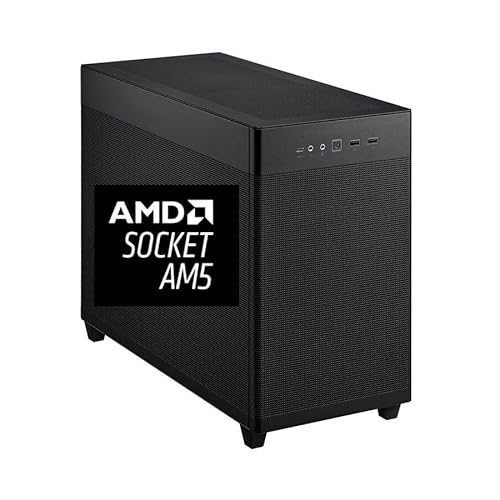
- 16-core Ryzen 9 9950X boosts demanding 4K timelines
- 64GB DDR5 RAM plus 2TB NVMe keeps projects responsive
- Quadro RTX 2000 ADA adds 16GB VRAM for pro apps
Best For: Editors who need a powerful, ready-made workstation for serious 4K workloads.
Best for Heavy-Duty Editing Workloads
VidCore Core Ultra 9 4K Editing PC
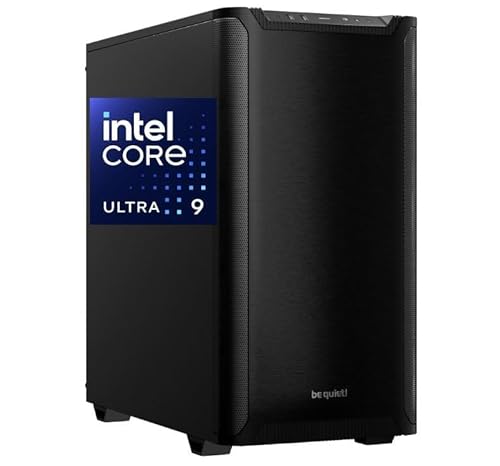
- 24-core Core Ultra 9 285K processor
- 64GB RAM and 2TB NVMe SSD
- Quadro RTX 2000 ADA with 4-display support
Best For: Creators who need a fast workstation for 4K/8K editing, multitasking, and pro app stability.
Best for Quad-Display Editing
Getorli Ryzen 7 PRO 8845HS Mini PC

- Ryzen 7 PRO 8845HS with Radeon 780M for capable creator performance
- 32GB DDR5 and 1TB PCIe 4.0 SSD for fast editing workflows
- Quad 4K display support plus USB4 and dual 2.5G LAN
Best For: Editors who want a compact multi-monitor PC with strong everyday 4K workflow support.
Workhorse Multitasking Pick
HP OmniDesk M03 Core Ultra 7 Desktop

- Core Ultra 7 CPU with 64GB DDR5 RAM for heavy multitasking
- 2TB NVMe SSD gives you fast load times and plenty of project space
- Supports up to 4 monitors for editing and productivity setups
Best For: Editors who want a reliable, memory-rich desktop for 4K workflows and everyday business use.
Best for Triple-4K Multitasking
HP Mini PC i7-12700T, 64GB/2TB

- Triple 4K display support for editing and multitasking
- 64GB RAM and 2TB SSD for fast project handling
- Tiny, quiet mini-PC design with Windows 11 Pro
Best For: Editors and power users who want a compact desktop with room for three 4K screens.
Best Value RTX 4060 Starter
Ryzen 7 8700F RTX 4060 Gaming PC

- Ryzen 7 8700F handles editing and multitasking well
- 32GB DDR5 RAM supports smoother creative workflows
- RTX 4060 helps with accelerated effects and playback
Best For: Creators and gamers who want a ready-to-run desktop for editing, streaming, and everyday use.
Best Value Gaming Tower
Suevery Ryzen 7 RTX 3050 Prebuilt PC

- Ryzen 7 5700X supports demanding editing and multitasking
- RTX 3050 6GB adds basic GPU acceleration and streaming support
- 16GB RAM and 512GB NVMe SSD keep it ready to use
Best For: Budget-minded creators who want a ready-to-run desktop for 4K editing and streaming.
Best for Raw CPU Power
Core i9 RTX 5060 Ti Prebuilt Tower

- Fast Core i9-14900HX for editing and rendering
- RTX 5060 Ti adds useful GPU acceleration
- 1TB NVMe SSD and DDR5 keep projects moving quickly
Best For: Editors and streamers who want a strong prebuilt tower for 4K workflows and multitasking.
Best for Heavy 4K Editing – Ryzen 9 9950X 64GB Editing Workstation
If you want a pc for 4k video editing that can keep up with demanding timelines, this CPU Solutions Express workstation is built around serious workstation parts. The Ryzen 9 9950X, 64GB of DDR5 RAM, 2TB NVMe storage, and Quadro RTX 2000 ADA graphics make it a strong fit for smooth editing, fast scrubbing, and reliable multitasking in professional apps.
Best For: Editors working with large 4K projects who want a ready-to-use Windows 11 Pro workstation with workstation-class graphics and plenty of memory headroom.
Pros:
- Ryzen 9 9950X 16-core CPU delivers excellent multi-threaded editing performance
- 64GB DDR5 RAM and 2TB NVMe SSD help with large files, caches, and fast project loading
- Quadro RTX 2000 ADA offers 16GB VRAM and pro-grade driver support for creative workloads
- Mini tower design includes solid cooling and a clean Windows 11 Pro setup
Cons:
- Not the cheapest option for creators who only need light editing performance
- Quadro-focused GPU is better for stability than raw gaming-style value
- Mini tower form factor may limit upgrade flexibility compared with larger cases
Overall, this is a practical pc for 4k video editing if your priority is dependable performance over bargain pricing. It combines fast CPU horsepower, generous RAM, and pro graphics in a turnkey system that should handle long editing sessions with less fuss.
Best for Multi-Tasking – KAMRUI Hyper H2 Mini PC
If you want a compact pc for 4k video editing that can also handle everyday office work, the KAMRUI Hyper H2 is built around an Intel Core i5-14450HX, 32GB of RAM, and a fast 1TB PCIe 4.0 SSD. It aims for desktop-style responsiveness in a tiny footprint, with enough connectivity and display support to keep a serious multitasking setup running smoothly.
Best For: Creators and power users who want a small, well-equipped mini PC for editing, multitasking, and triple-monitor productivity.
Pros:
- HX-class i5-14450HX offers strong multi-core performance for editing and heavy multitasking.
- 32GB dual-channel RAM and 1TB PCIe 4.0 SSD provide a solid start for large projects and fast load times.
- Triple 4K display support makes it practical for a broader editing and productivity workspace.
- Good port selection, including USB-C, HDMI, DP, and Ethernet, helps connect modern peripherals easily.
Cons:
- No dedicated GPU, so export times and effects performance may trail true creator desktops.
- Compact cooling is impressive for the size, but long rendering sessions will still be more limited than a full tower.
Overall, this is a compelling value-oriented pc for 4k video editing if you prioritize fast CPU performance, lots of RAM, and a space-saving design over high-end graphics acceleration.
Best for Heavy-Duty Editing Workloads – VidCore Core Ultra 9 4K Editing PC
If you want a pc for 4k video editing that can also handle 8K timelines, 3D work, and multi-monitor setups, this VidCore tower is built around high-end workstation parts rather than entry-level specs. The Intel Core Ultra 9 285K, 64GB of RAM, 2TB NVMe storage, and Quadro RTX 2000 ADA make it a strong fit for demanding creative projects.
Best For: Editors, motion designers, and creators who need a fast Windows 11 Pro workstation for large projects and long render sessions.
Pros:
- Core Ultra 9 285K processor with 24 cores and high turbo speed
- 64GB RAM plus 2TB NVMe SSD for smoother multitasking and fast project loading
- Quadro RTX 2000 ADA with pro-focused drivers and 4-display support
- Liquid cooling and a 650W power supply help sustain heavy workloads
Cons:
- Priced like a serious workstation, not a mainstream desktop
- Graphics card is professional-oriented rather than a top-tier gaming GPU
- May be more machine than casual editors need
For buyers comparing a pc for 4k video editing, this model stands out for its workstation balance of CPU power, memory, fast SSD storage, and pro graphics support. It makes the most sense when stability, multitasking, and long-session performance matter more than simply chasing the lowest price.
Best for Quad-Display Editing – Getorli Ryzen 7 PRO 8845HS Mini PC
If you want a compact pc for 4k video editing, this Getorli mini PC is built around the Ryzen 7 PRO 8845HS, fast DDR5 memory, and a PCIe 4.0 SSD for smooth timeline work and responsive project loading. Its USB4, HDMI 2.1, and DisplayPort outputs also make it easy to run multiple monitors while keeping a clean desk setup.
Best For: Editors who want a small desktop with strong multitasking, quad-display support, and plenty of upgrade room for projects and assets.
Pros:
- Ryzen 7 PRO 8845HS and Radeon 780M deliver solid performance for editing, rendering, and multitasking.
- 32GB DDR5 and a 1TB PCIe 4.0 SSD give you a fast starting point for large media files.
- Supports up to four 4K displays, which is useful for editing, previewing, and color management.
- Dual 2.5G LAN plus WiFi 6 add flexible connectivity for studio and office workflows.
Cons:
- Integrated graphics are capable, but not a replacement for a dedicated GPU in heavy effects work.
- Mini PC cooling is good, but sustained rendering loads may still be louder than a larger tower.
- The included storage and RAM are solid, though serious professionals may still want to expand later.
Overall, this is a strong value pick if you need a pc for 4k video editing in a compact footprint and want enough ports and memory headroom for everyday creator work.
Workhorse Multitasking Pick – HP OmniDesk M03 Core Ultra 7 Desktop
If you want a pc for 4k video editing that leans more toward fast multitasking and storage capacity than a flashy creator chassis, the HP OmniDesk M03 is a strong business-class option. Its Core Ultra 7 processor, 64GB of DDR5 RAM, and 2TB NVMe SSD give it the headroom to handle large project files, background apps, and quick scrubbing without feeling under-specced.
Best For: Editors and power users who want a reliable desktop with lots of memory, fast storage, and room for multiple displays.
Pros:
- Core Ultra 7 and 64GB DDR5 RAM are well suited to heavy multitasking and editing workflows.
- 2TB NVMe SSD provides fast boot times and ample space for 4K project files.
- 4-monitor support makes it easier to spread out timelines, previews, and media bins.
- Windows 11 Pro and Wi-Fi 6 add business-friendly features and modern connectivity.
Cons:
- No discrete GPU is listed, so demanding effects work may be limited versus a creator-focused tower.
- The included keyboard and mouse are basic bundle extras, not premium peripherals.
Overall, this HP desktop is a practical pc for 4k video editing if your workflow prioritizes memory, storage, and smooth day-to-day responsiveness over specialized graphics hardware. It is especially appealing for editors who also need a dependable office machine.
Best for Multitasking – Getorli Mini PC Ryzen 7 6800H, 32GB/1TB
If you want a compact pc for 4k video editing without giving up everyday multitasking speed, the Getorli Mini PC is worth a look. Its Ryzen 7 6800H chip, 32GB LPDDR5 memory, and 1TB NVMe SSD give it a strong foundation for editing timelines, moving between apps, and handling large project files in a small desktop footprint.
Best For: Creators, home-office users, and power buyers who need a compact system for light-to-moderate 4K editing and general productivity.
Pros:
- Ryzen 7 6800H with 8 cores and 16 threads offers solid editing and multitasking performance
- 32GB LPDDR5 RAM and 1TB NVMe SSD help keep apps, cache, and media projects responsive
- Triple 4K display support is useful for editing, monitoring, and productivity workflows
- Dual LAN, WiFi 6, and Bluetooth 5.3 add flexible connectivity for a modern setup
Cons:
- Integrated Radeon 680M graphics are capable, but not ideal for heavy effects or advanced 3D work
- Mini PC cooling can be a factor during long, sustained export sessions
- Best suited to compact editing setups rather than a full high-end workstation replacement
Overall, this is a practical pc for 4k video editing if you value size, speed, and multi-monitor support over workstation-class graphics. It should handle a streamlined creator setup well, especially for editing, organizing footage, and everyday content work.
Best for Triple-4K Multitasking – HP Mini PC i7-12700T, 64GB/2TB
If you want a compact pc for 4k video editing that can also handle heavy multitasking, this HP Mini Desktop is built around a 12th Gen Core i7, 64GB of RAM, and a fast 2TB NVMe SSD. Its standout feature is support for three 4K displays at once, which gives editors plenty of room for timelines, previews, and reference windows without taking up much desk space.
Best For: Editors, analysts, and power users who need a small Windows 11 Pro desktop with serious multitasking headroom and triple-monitor support.
Pros:
- Core i7-12700T, 64GB RAM, and 2TB SSD provide strong responsiveness for demanding workloads
- Supports up to three 4K monitors through DisplayPort 1.4 and HDMI 2.1
- Includes Windows 11 Pro, wired keyboard and mouse, plus stand for a ready-to-use setup
- Very small footprint makes it easy to fit behind a monitor or on a crowded desk
Cons:
- Integrated graphics are fine for editing, but not ideal for GPU-heavy effects or 3D work
- Wi‑Fi 5 is functional, but not as current as newer Wi‑Fi 6/6E systems
- The mini form factor limits future upgrade flexibility compared with larger towers
For buyers who care more about compact size, clean desk setup, and lots of screen space than about adding a discrete GPU later, this is a very practical pc for 4k video editing. It balances workstation-style specs with an office-friendly footprint.
Best Value RTX 4060 Starter – Ryzen 7 8700F RTX 4060 Gaming PC
If you want a practical pc for 4k video editing without jumping to a workstation price, this Ryzen 7 8700F and RTX 4060 build offers a strong mix of speed, memory, and storage. The 32GB DDR5 RAM helps with multitasking, while the 1TB NVMe SSD keeps project files and apps loading quickly.
Best For: Creators, gamers, and streamers who need a ready-to-run desktop for editing, everyday productivity, and solid 1080p to light 4K workflows.
Pros:
- Ryzen 7 8700F provides plenty of CPU muscle for editing and multitasking
- 32GB DDR5 RAM is a strong fit for creative apps and heavier timelines
- RTX 4060 adds GPU acceleration for supported editing tools and effects
- Prebuilt and preconfigured, so setup is quick out of the box
Cons:
- 1TB storage may fill up fast with large 4K footage libraries
- RTX 4060 is capable, but not ideal for the heaviest 4K color-grading workloads
- Keyboard, mouse, and monitor are not included
Overall, this is a balanced choice if you need a pc for 4k video editing that can also handle gaming and streaming. It’s more of a fast, versatile starter system than a high-end creator rig, but the specs make it easy to recommend for users who want strong everyday performance.
Best Value Gaming Tower – Suevery Ryzen 7 RTX 3050 Prebuilt PC
If you want a straightforward pc for 4k video editing without building it yourself, this Suevery prebuilt offers a solid starting point: a Ryzen 7 5700X, 16GB of RAM, and a fast NVMe SSD for smooth timeline work and everyday multitasking. The RTX 3050 6GB adds useful GPU support for streaming, light creative acceleration, and general media work, though it is still a value-oriented card rather than a top-tier editing GPU.
Best For: Budget-conscious creators who want a ready-to-use desktop for 4K editing, streaming, and general productivity.
Pros:
- Ryzen 7 5700X gives you 8 cores and 16 threads for editing workloads
- 512GB NVMe SSD helps keep boot times and project loading snappy
- WiFi 6 included for easy wireless setup out of the box
- Prebuilt design saves time compared with assembling your own PC
Cons:
- RTX 3050 6GB is modest for heavy GPU-accelerated 4K effects
- 16GB RAM and 512GB storage may feel tight for larger video projects
Overall, this is a practical pc for 4k video editing if you value convenience and CPU strength over high-end graphics power. It makes the most sense for creators who need a usable workstation now and can upgrade memory or storage later.
Best for Raw CPU Power – Core i9 RTX 5060 Ti Prebuilt Tower
If you want a pc for 4k video editing that prioritizes strong CPU performance and modern GPU acceleration, this prebuilt tower is a compelling option. The Core i9-14900HX, RTX 5060 Ti, and 1TB NVMe SSD are aimed at fast timelines, quicker exports, and smooth multitasking without needing an immediate upgrade.
Best For: Creators who need a fast, ready-to-use desktop for 4K editing, streaming, and heavy multitasking.
Pros:
- Core i9-14900HX gives you plenty of processing headroom for editing and rendering
- RTX 5060 Ti supports GPU-accelerated effects, playback, and modern creative apps
- 1TB NVMe SSD and DDR5 memory help keep loads and project swaps snappy
- Prebuilt setup with WiFi 6 and multiple display outputs makes it easy to get started
Cons:
- 16GB RAM is workable, but serious 4K workflows may benefit from an upgrade
- 8GB VRAM can be limiting for heavier effects, large assets, or advanced color work
- More of a balanced creator/gaming build than a specialized workstation tower
For buyers comparing a pc for 4k video editing, this model stands out for its strong processor-first design and convenient all-in-one package. It’s a practical pick if you want speed now, with the option to expand memory later.
How We Picked the Best PC for 4K Video Editing
We prioritized systems with strong multicore processors, at least 32GB of memory in most picks, NVMe SSD storage, and modern connectivity. For a PC for 4K Video Editing, those are the specs that most directly affect smooth playback, faster rendering, and a better overall workflow.
Quick Comparison
As a general rule, full-size towers are the best choice for sustained editing loads and future upgrades. Mini PCs make sense for lighter editing, space-saving setups, or multi-monitor office workflows. If you regularly work with effects, color grading, or long-form projects, prioritize higher-core CPUs and 64GB RAM where possible.
Key Buying Factors for PC for 4K Video Editing
CPU Performance
Look for a modern high-core-count processor. Video editing benefits from both strong single-core speed and multicore performance, especially during exports, transcoding, and background tasks.
RAM Capacity
32GB is a good starting point, but 64GB is safer for heavier 4K workflows, large projects, and multitasking with asset management, playback, and effects tools open at once.
Storage Speed and Capacity
A fast NVMe SSD helps with project loading, cache files, and preview generation. For serious editing, 1TB is a minimum practical capacity; 2TB is more comfortable if you store source footage locally.
Graphics Support
Dedicated GPUs can improve timeline responsiveness and accelerate supported effects in many editors. If your work includes GPU-heavy effects or color work, choose a system with stronger graphics hardware.
Form Factor and Upgradability
Towers usually offer better cooling and easier upgrades. Mini PCs are compact and efficient, but they may offer less room for future expansion. Choose based on your desk space and how long you plan to keep the machine.
Who Should Buy Which PC for 4K Video Editing?
If you want the most capable workstation-style setup, choose a high-end tower with a top-tier CPU, 64GB RAM, and a large NVMe drive. If you need a smaller desk footprint, a mini PC with 32GB RAM can still handle lighter 4K work and client review tasks. For users who also game or create motion graphics, a gaming-oriented desktop with a stronger GPU may be the best all-around value.
For most buyers, the best PC for 4K Video Editing is the one that matches project size, software demands, and upgrade needs—not just the highest spec sheet on paper.