Choosing a pc for video editing and streaming means balancing CPU power, graphics performance, memory, storage, and reliability. The right system should cut render times, handle live streaming smoothly, and keep your timeline responsive.
Below, we focus on prebuilt desktops that make sense for creators, from budget-friendly setups to higher-end workstations built for 4K and heavier multitasking.
Best 9 PC for Video Editing and Streaming Picks for 2026
Best for High-End Multitasking
Dell Tower Plus EBT2250 Workstation Desktop

- RTX 5060 graphics help with editing, streaming, and GPU-accelerated tasks.
- 32GB DDR5 memory supports smooth multitasking and timeline work.
- WiFi 7, Thunderbolt 4, and multiple display outputs add flexibility.
Best For: Streamers and editors who want a ready-to-run desktop with strong multitasking performance.
Best for 8K Workflows
VidCore Core Ultra 9 Editing PC
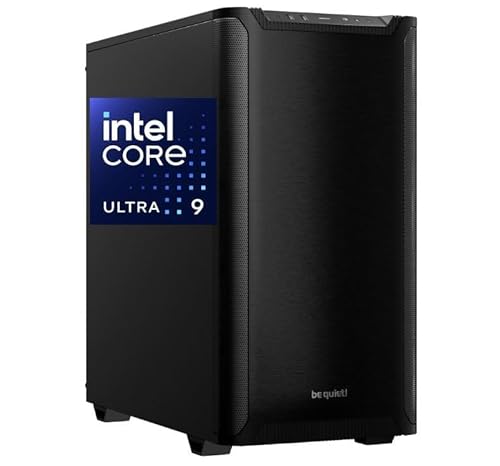
- 24-core Core Ultra 9 285K for demanding editing and multitasking
- 64GB RAM plus 2TB NVMe SSD for fast, responsive workflows
- Quadro RTX 2000 ADA with support for up to four 4K/8K displays
Best For: Editors and streamers who need a ready-to-run workstation for heavy 4K/8K projects and multi-monitor use.
Best Budget Starter
YAWYORE Ryzen 5 5600GT Gaming PC

- 6-core/12-thread Ryzen 5 handles everyday multitasking well
- 16GB RAM and 1TB NVMe SSD keep apps and files responsive
- WiFi, Bluetooth, and included cooling make setup easy
Best For: Budget-minded beginners who want a capable starter tower for light editing and streaming.
Best for 8K Editing
VidCore Core Ultra 9 285K 64GB RTX 5070 Ti

- Core Ultra 9 285K and RTX 5070 Ti are built for heavy creative workloads
- 64GB DDR5 RAM and 2TB NVMe SSD keep large projects moving smoothly
- Liquid cooling, Wi‑Fi, and Windows 11 Pro make it ready for creator use
Best For: Editors and streamers handling 4K/8K footage, effects-heavy timelines, and 3D work.
Best for Heavy Multitasking
HP ProDesk 600G4 Tower i7, 32GB RAM, 1TB SSD

- Strong 8th-gen i7 and 32GB RAM for multitasking
- 1TB SSD speeds up booting, loading, and file access
- Good starter tower for streaming and lighter editing
Best For: Creators and office users who need a reliable renewed tower for editing, streaming, and multitasking.
Best for Everyday Use
Core i9 RTX 5060 Ti Prebuilt PC

- Core i9-14900HX targets demanding editing and streaming workloads.
- RTX 5060 Ti adds modern gaming and creator graphics support.
- 1TB SSD and DDR5 memory keep the system responsive.
Best For: Streamers and editors who need a fast prebuilt desktop for multitasking, gaming, and content creation.
Best for Balanced 1080p Editing
YAWYORE Ryzen 7 5700X RTX 5060 PC

- 8-core Ryzen 7 5700X handles editing and streaming tasks
- 32GB RAM and 1TB NVMe SSD keep projects moving smoothly
- RTX 5060 adds modern acceleration for creative workloads
Best For: Streamers and editors who want a balanced, ready-to-use desktop for 1080p content creation.
Best for Multitasking
Suevery Ryzen 7 5700X RTX 3050 Desktop

- 8-core Ryzen 7 handles editing, streaming, and multitasking well
- RTX 3050 adds useful creative and broadcast support
- WiFi 6, 16GB RAM, and NVMe SSD keep setup and use simple
Best For: Creators and streamers who want a ready-to-use desktop for editing, broadcasting, and everyday multitasking.
Best for High-End Multitasking – Dell Tower Plus EBT2250 Workstation Desktop
If you want a pc for video editing and streaming that can handle heavy multitasking, the Dell Tower Plus EBT2250 brings a strong mix of CPU power, RTX 5060 graphics, and fast DDR5 memory. It’s a practical pick for creators who need smooth timeline playback, reliable encoding, and enough ports to support multiple displays and accessories.
Best For: Streamers, editors, and multitaskers who want a ready-to-use Windows 11 Pro desktop with strong upgrade-friendly hardware.
Pros:
- Intel Ultra 7-265 and GeForce RTX 5060 deliver strong performance for editing and live streaming.
- 32GB DDR5 RAM and a 1TB PCIe NVMe SSD help with fast loading and smoother multitasking.
- Plenty of connectivity, including WiFi 7, Bluetooth 5.4, Ethernet, Thunderbolt 4, and multiple display outputs.
Cons:
- The 460W power supply may limit major future GPU upgrades.
- Storage is solid at 1TB, but serious creators may want additional drives later.
Overall, this is a well-rounded pc for video editing and streaming if you want strong everyday creator performance without building a system yourself. It stands out most for users who value a fast setup, modern connectivity, and a capable NVIDIA GPU for creative workloads.
Best for 8K Workflows – VidCore Core Ultra 9 Editing PC
If you want a pc for video editing and streaming that leans more toward serious workstation performance than a general-purpose desktop, this VidCore build is aimed at heavy timelines, multi-monitor setups, and demanding creative apps. The Core Ultra 9 CPU, 64GB of RAM, and 2TB NVMe SSD give it the kind of responsiveness that helps when you’re cutting large footage libraries or keeping several apps open at once.
Best For: Editors, streamers, and creators who need a ready-to-use workstation for 4K/8K projects, 3D work, and multi-display productivity.
Pros:
- Intel Core Ultra 9 285K with 24 cores and up to 5.7 GHz turbo for strong multi-tasking
- 64GB RAM and a 2TB NVMe SSD for smooth large-project editing and fast storage access
- Quadro RTX 2000 ADA with pro drivers and support for up to four high-resolution displays
- Liquid cooling and a 650W PSU help it handle long editing sessions reliably
Cons:
- More workstation-focused than a value pick, so it may be overkill for casual users
- 650W power supply leaves less room for major future GPU upgrades
- Price will likely be higher than mainstream pcs for video editing and streaming
Overall, this is a strong choice if your pc for video editing and streaming needs to prioritize stability, fast storage, and pro-level graphics support over budget-friendly basics. It’s especially appealing for creators who want a prebuilt system that’s ready for demanding workflows right out of the box.
Best Budget Starter – YAWYORE Ryzen 5 5600GT Gaming PC
If you want a no-fuss pc for video editing and streaming without jumping into a pricey custom build, this YAWYORE desktop is a practical entry point. The Ryzen 5 5600GT gives you six cores and 12 threads for everyday multitasking, while the 16GB RAM and 1TB NVMe SSD help keep projects, apps, and files moving quickly.
Best For: Beginners, students, and budget-minded creators who need a capable all-in-one tower for light-to-moderate editing, streaming, and general productivity.
Pros:
- Ryzen 5 5600GT offers solid 6-core/12-thread performance for multitasking
- 16GB DDR4 RAM plus 1TB NVMe SSD supports fast load times and responsive workflow
- Built-in WiFi, Bluetooth, and included ARGB cooling make setup convenient
- Integrated Radeon Vega graphics can handle basic 1080p gaming and creative work
Cons:
- Integrated graphics are limited for demanding editing timelines or GPU-accelerated effects
- Not ideal for heavy 4K video editing or advanced streaming overlays
Overall, this is a sensible value pick if your pc for video editing and streaming needs are modest and you care more about smooth everyday performance than top-tier rendering power. It offers a strong starting spec for the price, but serious creators may eventually want a dedicated graphics card.
Best for 8K Editing – VidCore Core Ultra 9 285K 64GB RTX 5070 Ti
If you need a pc for video editing and streaming that can also handle demanding 3D workloads, this VidCore build leans hard into high-end performance. The Core Ultra 9 285K, RTX 5070 Ti 16GB, and 64GB of DDR5 RAM make it a strong fit for smooth timeline playback, fast exports, and multitasking while streaming.
Best For: Editors, streamers, and creators working with 4K/8K footage, heavy effects, and complex projects who want a powerful turnkey workstation.
Pros:
- Core Ultra 9 285K and RTX 5070 Ti deliver serious headroom for editing and live streaming
- 64GB RAM plus a 2TB NVMe SSD support large projects and fast file access
- Windows 11 Pro, Wi‑Fi, USB-C, and multi-monitor support add creator-friendly flexibility
- Liquid cooling and an 850W PSU help sustain performance under long sessions
Cons:
- Likely more power than casual editors or basic streamers need
- High-end specs usually come with a premium price
For buyers who want a ready-to-run pc for video editing and streaming, this system stands out for its balance of CPU muscle, strong GPU support, and ample memory. It is especially appealing if your workflow regularly crosses into 8K editing or GPU-accelerated creative work.
Best for Heavy Multitasking – HP ProDesk 600G4 Tower i7, 32GB RAM, 1TB SSD
If you want a practical pc for video editing and streaming without jumping to a full workstation, the HP ProDesk 600G4 Tower is built around a solid Intel i7-8700, 32GB of DDR4 RAM, and a fast 1TB SSD. That combination makes it a strong fit for everyday content creation, smooth multitasking, and quick app launches in a renewed business-class desktop.
Best For: Creators, streamers, and home-office users who need dependable performance for editing, browsing, and running multiple apps at once.
Pros:
- 8th Gen Core i7 and 32GB RAM handle multitasking and lighter editing well
- 1TB SSD provides fast boot times and plenty of local storage
- Windows 11 and built-in Wi-Fi/Bluetooth make setup simple
- Business-class tower design offers useful expansion and port options
Cons:
- Intel HD 630 graphics are fine for basic editing, not heavy effects work
- Renewed condition may not appeal to buyers wanting brand-new hardware
Overall, this is a sensible pc for video editing and streaming if you value memory, storage, and stable everyday performance more than dedicated graphics power. It is a strong budget-conscious tower for creators who want room to work without paying for a high-end gaming PC.
Best for Everyday Use – Core i9 RTX 5060 Ti Prebuilt PC
If you want a pc for video editing and streaming that can handle demanding timelines, live broadcasts, and multitasking without constant slowdowns, this prebuilt tower brings serious CPU and GPU muscle. The Core i9-14900HX and RTX 5060 Ti combo is aimed at creators who need fast responsiveness, smooth preview playback, and strong everyday gaming performance too.
Best For: Streamers, editors, and content creators who need a fast all-in-one desktop for editing, encoding, and gaming in one system.
Pros:
- Intel Core i9-14900HX offers strong multi-core performance for editing and streaming workloads.
- RTX 5060 Ti supports modern graphics features like ray tracing and DLSS 4.0.
- 1TB NVMe SSD and DDR5 memory help keep loads and exports moving quickly.
- WiFi 6 and multiple display outputs make multi-monitor setups easier.
Cons:
- 16GB RAM may feel limiting for larger 4K projects or heavier creative workflows.
- RTX 5060 Ti 8GB is capable, but not ideal for the most demanding pro-level workloads.
Overall, this is a strong pc for video editing and streaming if you want high-end responsiveness in a prebuilt format without assembling parts yourself. It leans more toward powerful mainstream creation and gaming than specialized workstation use, but it covers most streamer-editor needs well.
Best Entry-Level Starter – STGAubron i7 RX 580 Gaming PC
If you want an affordable pc for video editing and streaming, this STGAubron desktop gives you a usable mix of an Intel Core i7 processor, 16GB of RAM, and a 512GB SSD. It’s aimed at creators and casual streamers who need a ready-to-go Windows 11 system that can also handle everyday gaming and multitasking.
Best For: Beginners and budget-minded users who want a simple desktop for light-to-moderate editing, streaming, and gaming.
Pros:
- 16GB RAM and a 512GB SSD help with faster loading and smoother multitasking
- Radeon RX 580 8GB can support older and mainstream games while you stream
- WiFi 6, Bluetooth 5.0, and plenty of USB ports make setup easy
- Includes Windows 11 Home plus RGB keyboard, mouse, and fan lighting
Cons:
- Older RX 580 graphics card is not ideal for demanding modern editing workloads
- 512GB storage may fill up quickly with large video projects
- Not the best choice if you need heavy 4K editing or high-end streaming performance
As a pc for video editing and streaming, this model makes the most sense for light creative work, casual broadcasts, and users who want a low-friction desktop without building one themselves. It’s more practical than powerful, but the specs are balanced for entry-level content creation.
Best for Balanced 1080p Editing – YAWYORE Ryzen 7 5700X RTX 5060 PC
If you want a pc for video editing and streaming that stays responsive without jumping to a much pricier build, this YAWYORE desktop is a practical middle ground. The Ryzen 7 5700X gives you 8 cores and 16 threads for multitasking, while the RTX 5060 adds modern GPU support for effects, encoding, and smoother playback in common creative apps.
Best For: Streamers and editors who need a capable all-around tower for 1080p work, light 1440p editing, and everyday gaming on the side.
Pros:
- Ryzen 7 5700X and 32GB RAM handle editing timelines, browser tabs, and streaming tools well
- RTX 5060 supports DLSS 4, ray tracing, and modern NVENC-style GPU acceleration for creators
- 1TB NVMe SSD provides fast boot times and decent space for projects and apps
- Built-in WiFi and Bluetooth make setup easier for wireless peripherals and networking
Cons:
- AM4 platform is capable, but it is not as future-proof as newer CPU platforms
- 8GB VRAM may feel tight for heavier 4K editing or more demanding effects work
- Brand of the graphics card may vary, which can matter to some buyers
Overall, this is a sensible pc for video editing and streaming if you care more about smooth multitasking and modern GPU features than chasing top-end workstation power. It’s well suited to creators who want a ready-to-use desktop that can also double as a solid gaming machine.
Best for Multitasking – Suevery Ryzen 7 5700X RTX 3050 Desktop
If you want a practical pc for video editing and streaming without stepping into a full DIY build, this Suevery prebuilt offers a solid mix of CPU power, GPU support, and everyday convenience. The Ryzen 7 5700X gives you strong multicore performance for editing timelines and running multiple apps, while the RTX 3050 adds helpful encoding and creative-driver support for lighter content workflows.
Best For: Creators, casual streamers, and gamers who need an all-in-one desktop that can handle editing, broadcasting, and daily multitasking.
Pros:
- Ryzen 7 5700X provides 8-core/16-thread performance for multitasking and content creation
- RTX 3050 supports creative apps, streaming tools, and smooth 1080p-style workflows
- 16GB RAM and 512GB NVMe SSD help with fast boot times and responsive app switching
- WiFi 6 and Bluetooth make setup and connectivity simple out of the box
Cons:
- RTX 3050 is better for moderate editing and streaming than heavy 4K production
- 512GB storage may feel limited if you keep large video projects locally
- 16GB RAM is workable, but serious creators may want to upgrade later
This is a balanced pc for video editing and streaming if you value a strong CPU, easy setup, and broad day-to-day usefulness over top-tier creator hardware. It’s a sensible pick for users who want one desktop that can cover work, light-to-moderate editing, and streaming without much fuss.
How We Picked the Best PC for Video Editing and Streaming
We focused on desktops that offer the strongest mix of processing power, graphics capability, fast NVMe storage, and enough RAM for editing software, browser tabs, and streaming tools running at once. For a PC for Video Editing and Streaming, stability matters as much as speed, so we favored systems with modern CPUs, capable GPUs, and upgrade-friendly configurations.
Quick Comparison
In simple terms, the best value systems handle 1080p and light 4K work well, while higher-tier builds with Core Ultra 9 or Ryzen 7/9-class performance are better for heavier timelines, effects, and live encoding. If you work with large footage libraries, prioritize 64GB RAM and 1TB to 2TB SSD storage over flashy extras.
Key Buying Factors for a PC for Video Editing and Streaming
CPU Performance
Editing apps benefit from strong multi-core performance, especially when exporting, transcoding, or working with multiple media layers. A newer Intel Core Ultra or modern Ryzen 7/9 chip is usually the best starting point.
GPU and Encoder Support
A dedicated GPU helps with timeline acceleration, effects, and streaming. NVIDIA cards are especially attractive for creators because hardware encoding can improve stream quality and reduce CPU load.
Memory and Storage
16GB RAM is workable for lighter projects, but 32GB is a better baseline for serious editing, and 64GB is ideal for 4K, motion graphics, or 8K workflows. Fast NVMe SSDs improve boot times, project loading, and cache performance.
Power Supply and Expandability
Make sure the system has enough PSU headroom for the GPU and future upgrades. If you plan to grow your setup, check for spare RAM slots, extra storage bays, and easy access for expansion.
Who Should Buy Which PC for Video Editing and Streaming?
Budget buyers and beginners should look for the more affordable towers that still include a modern SSD and a dedicated GPU, especially if they edit mostly 1080p content. Intermediate creators should target 32GB RAM systems with stronger CPUs and NVIDIA graphics for smoother streaming and faster exports.
Power users, professionals, and creators working in 4K or beyond should prioritize the higher-end workstation-style options with Core Ultra 9-class processors, 64GB RAM, and larger SSD capacity. Those builds are the safest choice if you want a PC for Video Editing and Streaming that can keep up as projects get bigger and software demands rise.