Choosing the right workstation can make or break your post-production workflow. For busy teams, the best systems balance CPU speed, GPU power, memory capacity, and dependable storage.
This roundup of video editing workstations for content studios focuses on practical performance for editing, motion graphics, color work, and export-heavy projects in 2026.
Best 10 Video Editing Workstations for Content Studios Picks for 2026
Best for 8K Timelines
Ryzen 9 9950X 64GB RTX Pro 2000 Workstation
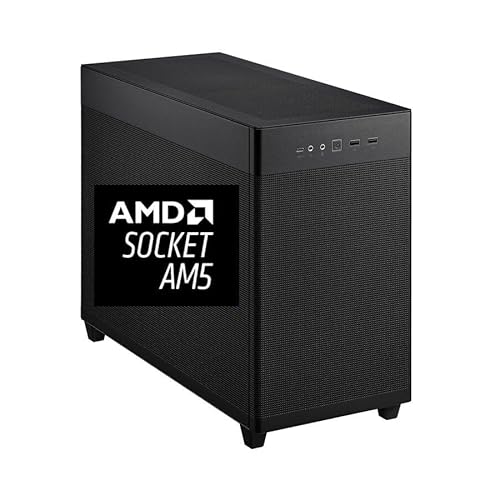
- 16-core Ryzen 9 9950X for demanding edits and renders
- 64GB DDR5 RAM plus 2TB Gen4 SSD for smooth large-project workflow
- RTX Pro 2000 16GB supports four 8K displays and pro visuals
Best For: Studio editors handling 4K-to-8K projects who want a compact, high-performance tower.
Best for Secure 24/7 Editing

- Xeon W-1250 workstation CPU for sustained workloads
- RTX A2000 6GB pro graphics for creative apps
- 32GB RAM with SSD + HDD storage for balanced editing
Best For: Small studios and creators who want a secure, reliable editing tower for routine production work.
Best for Heavy After Effects Renders
Cloud Ninjas Iron Bull AI Workstation

- 24-core Threadripper for demanding renders
- RTX 5090 32GB accelerates effects-heavy work
- 256GB ECC RAM and 10GbE for studio stability
Best For: Content studios and VFX teams needing a high-end Adobe After Effects workstation.
Best for AI-Assisted Multitasking
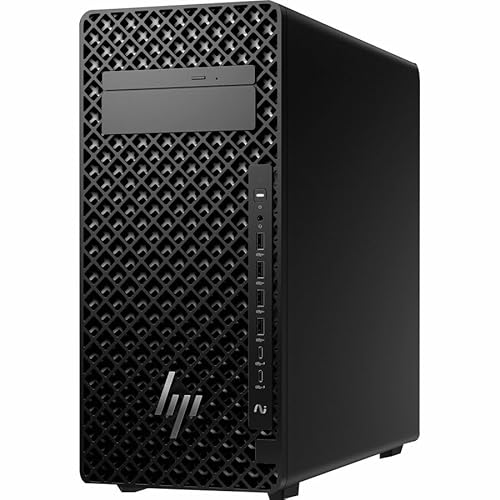
- 20-core Core Ultra 7 processor
- 32 GB DDR5 RAM, up to 256 GB expandable
- 1 TB PCIe 4.0 SSD with NVIDIA 8 GB graphics
Best For: Small to midsize content studios needing a flexible editing and production tower.
Best for Heavy Multi-Tasking
PCSP P920 Dual Xeon RTX 3080 Workstation

- 48 cores / 96 threads for demanding editing and renders
- RTX 3080 accelerates effects and GPU-assisted workflows
- 2x 2TB NVMe SSDs and 192GB RAM suit large studio projects
Best For: Content studios that need a powerful renewed workstation for 4K editing, rendering, and multitasking.
Best for Quiet Studio Editing

- 32 GB RAM and 1 TB SSD for smooth project handling
- Core Ultra 7 for reliable day-to-day studio performance
- Windows 11 Pro and Ethernet suit office production setups
Best For: Content studios that need a dependable workstation for editing, review, and general creative work.
Best Multi-Core Value
PCSP Z6 G4 Pro 2x Gold 6134 Workstation

- Dual Xeon Gold CPUs for multi-core workloads
- 96GB RAM helps with large edits and multitasking
- P5000 16GB GPU and NVMe + HDD storage combo
Best For: Studios needing a renewed, high-memory workstation for demanding editing and creative workloads.
Best for Balanced 4K Editing
HP OmniDesk Core Ultra 7 RTX 5060
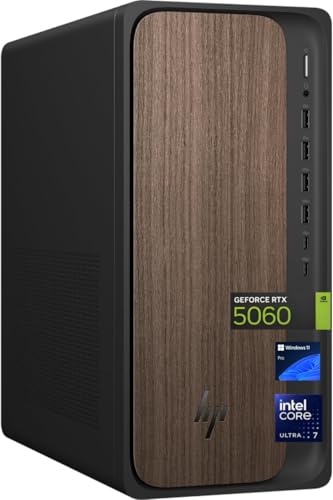
- 20-core Intel Core Ultra 7 265 processor
- NVIDIA GeForce RTX 5060 for GPU-accelerated editing
- 32GB DDR5 RAM plus 2TB SSD storage
Best For: Small studios and solo creators editing 4K content, motion graphics, and general production work.
Best for Heavy Multitrack Projects
PCSP Z6 G4 96GB Video Editing Workstation
- Dual Xeon workstation built for sustained editing loads
- 96GB RAM and 1TB NVMe boost responsiveness
- P5000 16GB VRAM supports GPU-accelerated creative apps
Best For: Studio editors handling layered timelines, effects, and multitasking-heavy post-production.
Best for Compact Pro Editing
HP Z2 G1i SFF Core Ultra 7 Workstation

- Small footprint for crowded edit bays
- Core Ultra 7 plus 32 GB RAM for smooth multitasking
- NVIDIA 8 GB graphics and 1 TB SSD for responsive creative work
Best For: Content teams that need a compact, professional editing PC for day-to-day production.
Best for 8K Timelines – Ryzen 9 9950X 64GB RTX Pro 2000 Workstation
If you need one of the more capable video editing workstations for content studios, this mini tower is built around a Ryzen 9 9950X, 64GB of DDR5, and a 2TB Gen4 SSD for fast scrubbing, exports, and project loading. The RTX Pro 2000 adds 16GB of graphics memory and multi-display support, making it a strong fit for editors who juggle high-resolution footage and multiple apps at once.
Best For: Studio teams and solo editors working on 4K-to-8K timelines who want a fast, compact desktop with pro-class GPU support.
Pros:
- 16-core Ryzen 9 9950X boosts heavy editing, rendering, and multitasking performance.
- 64GB DDR5 RAM and a 2TB NVMe SSD help keep large media libraries responsive.
- RTX Pro 2000 graphics support four 8K displays for expanded timeline and preview workflows.
- Mini tower design includes solid cooling, 650W power, and Windows 11 Pro.
Cons:
- Not as portable or space-saving as an all-in-one or laptop-based setup.
- Likely more machine than casual creators need for simple social clips.
For studios that want a compact desktop with serious headroom, this system stands out among video editing workstations for content studios that prioritize speed, expansion, and pro display output over a bare-bones price.
Best for Secure 24/7 Editing – HP Z2 Tower G5 Xeon RTX A2000
If you need a dependable desktop for video editing workstations for content studios, the HP Z2 Tower G5 is built around workstation-class parts that favor stability over flash. The Xeon W-1250, RTX A2000, and 32GB of RAM make it a practical fit for editors who want a steady machine for everyday timelines, mixed media, and long production days.
Best For: Small studios and creators who want a secure, reliable editing tower with pro-grade hardware for routine production work.
Pros:
- Xeon W-1250 CPU is designed for sustained workloads and workstation reliability
- RTX A2000 6GB adds NVIDIA pro graphics support for editing and creative apps
- 32GB DDR4 RAM helps with multitasking, previewing, and light-to-moderate editing projects
- 512GB SSD plus 1TB HDD offers a balanced mix of fast boot speed and media storage
Cons:
- 6GB of VRAM may feel limited for heavier 4K effects work or GPU-intensive effects stacks
- Storage is useful but may still require expansion for larger studio libraries
- Not the most powerful choice if your workflow depends on top-tier rendering speed
Overall, this HP tower makes sense if your video editing workstations for content studios need a dependable, security-focused desktop rather than a maxed-out creator rig. It’s a sensible option for editors who value consistency, expandability, and workstation-class components at a more grounded level.
Best for Heavy After Effects Renders – Cloud Ninjas Iron Bull AI Workstation
If your studio needs serious headroom for motion graphics, compositing, and 3D-heavy timelines, this Cloud Ninjas system is built to handle demanding video editing workstations for content studios without feeling overmatched. The Threadripper CPU, RTX 5090 graphics, and large ECC memory pool make it a strong fit for teams that want fast previews, stable multitasking, and room to grow.
Best For: Content studios, VFX teams, and editors working in Adobe After Effects or similarly demanding post-production pipelines.
Pros:
- 24-core Ryzen Threadripper with high turbo clocks for demanding render and export jobs
- RTX 5090 32GB GPU delivers excellent acceleration for effects-heavy workflows
- 256GB ECC DDR5 memory is ideal for large projects and studio multitasking
- Fast NVMe storage and 10GbE networking support shared media and quick transfers
Cons:
- Expensive for smaller teams that only need basic 4K editing
- Overkill if your workflow is mostly cuts, trims, and light color correction
For studios that prioritize render speed, memory capacity, and long-term workflow stability, this is one of the most capable video editing workstations for content studios in a high-end post-production environment. It makes the most sense when your projects regularly push beyond ordinary creator PCs.
Best for AI-Assisted Multitasking – HP Z2 G1i Workstation Tower
The HP Z2 G1i is a practical pick for video editing workstations for content studios that want a balanced mix of CPU power, dedicated graphics, and fast storage. Its Core Ultra 7 processor, 32 GB of DDR5 RAM, and 1 TB PCIe 4.0 SSD give editors a responsive base for timelines, assets, and exports without jumping straight to a top-tier tower.
Best For: Small to midsize content studios that need a capable Windows 11 Pro tower for editing, motion graphics, and everyday production work.
Pros:
- 20-core Core Ultra 7 chip handles editing, encoding, and background tasks well
- 32 GB DDR5 RAM and 1 TB SSD offer a strong out-of-the-box workflow foundation
- NVIDIA 8 GB dedicated graphics helps with accelerated effects and rendering
- Expandable memory up to 256 GB gives room to grow with heavier projects
Cons:
- Not a specialized creator tower with workstation-grade GPU options for very heavy 4K/8K pipelines
- Uses a basic tower configuration, so upgrades may be needed for larger studio workloads
- English keyboard and Ethernet-first setup may not suit every deployment
This HP tower makes sense if you want a dependable, modern workstation that can support video editing workstations for content studios without overcomplicating the purchase. It is especially attractive for teams that value expandability and AI-assisted productivity over flashy creator branding.
Best for Heavy Multi-Tasking – PCSP P920 Dual Xeon RTX 3080 Workstation
If your studio needs a machine that can juggle editing timelines, effects, renders, and background exports at the same time, this PCSP P920 is built for that kind of load. Among video editing workstations for content studios, it stands out for its dual Xeon platform, RTX 3080 graphics, and very large NVMe storage capacity.
Best For: Content studios that want a high-core-count workstation for demanding 4K editing, rendering, and heavy multitasking.
Pros:
- 48 cores / 96 threads for smooth multitasking and fast render throughput
- RTX 3080 helps accelerate effects, playback, and GPU-assisted editing
- 2x 2TB NVMe SSDs provide fast storage for projects and media caches
- Up to 192GB DDR4 RAM in this configuration supports bigger projects and apps
Cons:
- Large dual-CPU workstation is more than many casual editors need
- Renewed listing means condition can vary from unit to unit
- Not the newest CPU generation compared with modern creator towers
This is a strong pick for studios that care more about sustained workstation performance than compact size or low power draw. For teams comparing video editing workstations for content studios, it makes the most sense when timelines are complex, exports run often, and multi-app workflows are the norm.
Best for Quiet Studio Editing – HP Z2 G1i Tower Workstation
If you need dependable video editing workstations for content studios, the HP Z2 G1i Tower is a practical midrange desktop built around modern Intel Core Ultra performance, 32 GB of RAM, and a 1 TB SSD. It’s a solid fit for teams that want a stable Windows 11 Pro machine for editing, asset management, and everyday production workflows without jumping to a full high-end render rig.
Best For: Content studios that want a reliable, easy-to-manage workstation for editing, review, and mixed creative tasks.
Pros:
- 32 GB RAM and a 1 TB SSD provide a responsive base for editing projects and media libraries.
- Core Ultra 7 processor offers strong everyday productivity performance for studio workflows.
- Tower design with Windows 11 Pro and Ethernet suits office-based production setups.
- Dedicated NVIDIA graphics add useful acceleration for lighter creative work and multi-monitor use.
Cons:
- 4 GB graphics memory may be limiting for heavier effects, color grading, or 4K timelines.
- Not the best choice if your studio needs top-tier GPU power for advanced rendering.
As one of the more balanced video editing workstations for content studios, this HP tower makes sense when stability, memory, and storage matter more than extreme GPU muscle. It’s a good fit for teams that need a dependable daily driver for editing and production support work.
Best Multi-Core Value – PCSP Z6 G4 Pro 2x Gold 6134 Workstation
Built for heavier timelines and layered projects, this PCSP Z6 G4 Pro is a strong fit for video editing workstations for content studios that need more cores, ample memory, and workstation-class graphics without moving into brand-new enterprise pricing. The dual Xeon Gold setup, 96GB of RAM, and fast NVMe storage give it the kind of breathing room that helps with editing, rendering, and multitasking.
Best For: Studios and creators who want a renewed workstation with strong multitasking headroom for editing, motion graphics, and large media libraries.
Pros:
- Dual Xeon Gold 6134 processors deliver strong multi-core performance
- 96GB DDR4 RAM is well suited to large projects and heavy multitasking
- 1TB NVMe SSD plus 4TB HDD balances speed and bulk storage
- P5000 16GB GPU adds workstation-grade graphics support
Cons:
- Renewed unit may not appeal to buyers wanting brand-new hardware
- Older platform is less efficient than newer workstation builds
- Storage is solid, but serious teams may still want additional scratch space
For buyers comparing video editing workstations for content studios, this is a practical high-memory option that prioritizes real-world productivity over flashy specs. It makes the most sense for teams that value stability, expandability, and workstation GPU support on a tighter budget.
Best for Balanced 4K Editing – HP OmniDesk Core Ultra 7 RTX 5060
The HP OmniDesk (M03-0060) is a practical pick for video editing workstations for content studios that need strong CPU performance, modern RTX graphics, and plenty of fast storage without moving into a bulky workstation tower. Its Intel Core Ultra 7 265, 32GB of DDR5 memory, and 2TB SSD make it well-suited for timelines, media caching, and multitasking in everyday production workflows.
Best For: Small studios and solo creators who want a capable all-around editing desktop for 4K projects, motion graphics, and general content production.
Pros:
- Intel Core Ultra 7 265 delivers strong 20-core processing for editing and background tasks
- RTX 5060 adds helpful GPU acceleration for creative apps and effects
- 32GB RAM and a 2TB SSD provide a comfortable starting point for media-heavy workflows
- 80 Plus Platinum 400W power supply adds efficiency to the build
Cons:
- Not as expandable as a full tower workstation
- 400W power supply may limit future high-end GPU upgrades
- Included keyboard and mouse are basic extras, not studio-grade peripherals
For teams comparing video editing workstations for content studios, this HP strikes a good balance of speed, storage, and GPU support for the price class. It looks especially appealing if your workflow centers on Adobe or similar creative suites and you want a ready-to-run desktop rather than a custom build.
Best for Heavy Multitrack Projects – PCSP Z6 G4 96GB Video Editing Workstation
If you need video editing workstations for content studios that can handle bigger timelines, layered effects, and fast file access, this renewed PCSP Z6 G4 is built around workstation-class parts rather than consumer hardware. The dual Xeon setup, 96GB of RAM, and 1TB NVMe SSD make it a practical fit for editors who want strong multitasking headroom without moving into a brand-new tower price range.
Best For: Studio teams and solo editors working on multi-track video projects, motion graphics, and demanding post-production workloads.
Pros:
- Dual Xeon Gold 6134 processors for serious multi-threaded editing and rendering
- 96GB DDR4 RAM helps keep large projects responsive under load
- Quadro P5000 with 16GB VRAM is well suited to GPU-accelerated creative apps
- 1TB NVMe SSD supports fast boot times and quicker project loading
Cons:
- Renewed workstation, so condition and accessory bundle can vary
- Older platform may not match newer CPUs in per-core speed
- Storage may need expansion for larger media libraries
For content teams that value RAM capacity, professional graphics support, and dependable throughput, this is a strong workstation-style option. It makes sense for video editing workstations for content studios that prioritize multitasking and sustained performance over the latest consumer aesthetics.
Best for Compact Pro Editing – HP Z2 G1i SFF Core Ultra 7 Workstation
If you need video editing workstations for content studios that can fit on a tight desk without skimping on pro-level hardware, the HP Z2 G1i Small Form Factor is a strong fit. Its Core Ultra 7 CPU, 32 GB of DDR5 memory, 1 TB SSD, and NVIDIA 8 GB graphics are aimed at smooth timeline editing, multitasking, and fast project loading in a compact chassis.
Best For: Content teams and solo editors who want a space-saving workstation for everyday 4K editing, motion graphics, and general creative production.
Pros:
- Compact small-form-factor design saves valuable studio space.
- Core Ultra 7 processor and 32 GB RAM handle demanding editing workflows well.
- NVIDIA 8 GB graphics add useful headroom for creative apps and GPU acceleration.
- 1 TB PCIe 4.0 SSD supports quick boot times and responsive project access.
Cons:
- Small form factor limits internal expansion compared with larger towers.
- 32 GB RAM is good for many editors, but heavy effects work may justify an upgrade.
- Not the best choice if you need maximum GPU room or multi-drive storage flexibility.
For video editing workstations for content studios that prioritize a smaller footprint and strong everyday performance, this HP Z2 G1i strikes a practical balance. It is especially appealing if your team wants professional reliability in a desktop that won’t take over the workspace.
How We Picked the Best Video Editing Workstations for Content Studios
We prioritized hardware that matters most for editing work: strong multi-core CPUs for rendering and background tasks, capable GPUs for effects and acceleration, enough RAM for large projects, and fast SSD storage for media caches and active projects. We also considered workstation reliability, expansion potential, and whether each system fits solo creators, small studios, or larger production teams.
Quick Comparison: What Matters Most
Not every workstation needs maximum core count or flagship graphics. For most Video Editing Workstations for Content Studios, the best fit depends on your workload. Heavy 4K and 8K timelines benefit from more CPU threads, higher VRAM, and larger memory pools. Faster SSDs help with cache and project loading, while integrated business features matter if the machine will run all day in a shared environment.
Key Buying Factors for Video Editing Workstations for Content Studios
CPU Performance
Choose a processor that matches your editing style. Premiere Pro, After Effects, DaVinci Resolve, and similar apps all benefit differently from core count and clock speed. If your team handles exports, compositing, or simultaneous multitasking, favor higher-core CPUs.
GPU and VRAM
GPU acceleration is crucial for effects, playback, noise reduction, and color grading. More VRAM can help with higher-resolution footage, complex timelines, and AI-assisted tools. For content studios, a stronger GPU often pays off faster than extra storage alone.
Memory and Storage
32GB RAM is a sensible baseline, but 64GB or more is a better fit for serious editorial work. Look for NVMe SSDs for the OS, apps, and cache, plus additional fast storage for project files and media. Large footage libraries and multi-user studios should plan for expansion.
Reliability and Workflow Fit
Workstations should stay stable under long sessions, repeated exports, and shared studio use. Consider cooling, serviceability, professional graphics support, and operating system compatibility before choosing a system.
Who Should Buy Which Video Editing Workstations for Content Studios?
Solo editors and smaller teams usually do best with a balanced tower that offers modern CPU and GPU performance without overspending. Studios handling heavy motion graphics, 8K timelines, or AI-assisted editing should lean toward higher-memory, higher-core workstations with professional-grade graphics. If space is tight, a compact model can still work well for lighter editing, proxy-based workflows, or office-adjacent production tasks.
In short, the best Video Editing Workstations for Content Studios are the ones that match your footage, software, and delivery schedule—not just the biggest specs on paper.