If your team handles contracts, invoices, forms, or shared paperwork every day, a printer with fast two-sided scanning can save real time. The best options cut down manual page flipping, reduce bottlenecks, and keep office workflows moving.
Below, we focus on business laser printers with duplex scanning that are built for dependable performance, practical connectivity, and everyday office use.
Best 10 Business Laser Printers with Duplex Scanning Picks for 2026
Best for Fast Duplex Workflows
Brother MFC-L2900DW Wireless Monochrome All-in-One

- Single-pass duplex scanning for faster two-sided workflows
- 36 ppm monochrome printing for busy offices
- Wireless, Ethernet, USB, and mobile app connectivity
Best For: Small businesses that need quick black-and-white printing and efficient two-sided scanning.
Best for Secure Workgroups
Brother MFC-L8930CDW Color Laser All-in-One

- Duplex scanning up to 104 ipm with 80-page ADF
- Fast 33 ppm print and copy performance
- Triple Layer Security with NFC badge authentication
Best For: Teams that need fast duplex scanning, reliable color printing, and stronger security.
Best for Mobile Printing
P1 Pro Portable Inkless Printer

- Inkless thermal printing cuts consumable costs
- Lightweight 1.61 lb body is easy to travel with
- Supports iPhone, Android, Windows, and Mac
Best For: Mobile professionals who need lightweight, ink-free printing from phones or laptops.
Best for High-Volume Duplex Scanning
Brother MFC-L5710DW Business Laser All-in-One

- Single-pass duplex scanning up to 60 ipm
- Fast print and copy speeds up to 48 ppm
- Gigabit Ethernet, dual-band Wi‑Fi, and mobile support
Best For: Busy offices that scan double-sided documents often and need fast monochrome printing.
Best for Portable Archiving
Fan-Fold Thermal Printer Paper for CamScanner P1 Pro
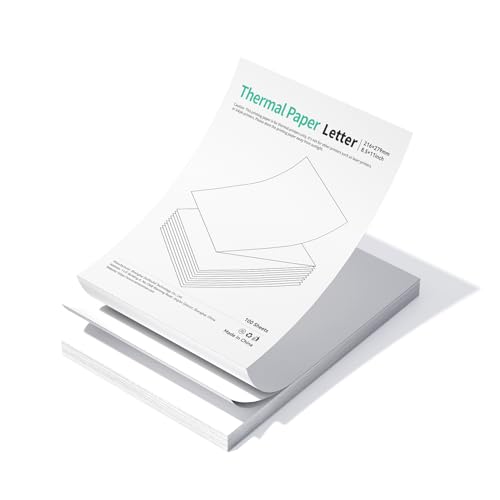
- 300 DPI high-resolution thermal prints
- BPA-free and fade-resistant for long-term storage
- Fan-fold, pre-perforated sheets feed smoothly
Best For: Mobile professionals who need durable, portable printouts for the CamScanner P1 Pro.
Best for Small Offices
Brother DCP-L2640DW Compact Monochrome Laser MFP

- Compact footprint for tight office setups
- Automatic duplex printing for paper savings
- Wireless and mobile-friendly everyday use
Best For: Small offices and home offices that need a compact monochrome multifunction printer.
Best for Small Teams
HP LaserJet Pro MFP 3101sdw B&W All-in-One

- 35 ppm monochrome printing for quick office output
- Auto 2-sided printing and 50-sheet ADF for efficient scanning
- 250-sheet tray and Wi-Fi make it easy to share
Best For: Small offices that need a dependable monochrome laser multifunction printer for everyday documents.
Best Heavy-Duty Pick
Lexmark MS431dw Black and White Laser Printer

- Compact design fits tight office spaces
- Wireless, Ethernet, and USB connectivity
- Standard automatic two-sided printing
Best For: Small offices that need a durable, space-saving monochrome laser printer.
Best for Portable Thermal Printing
CamScanner P1 Pro 2-Pack Thermal Rolls
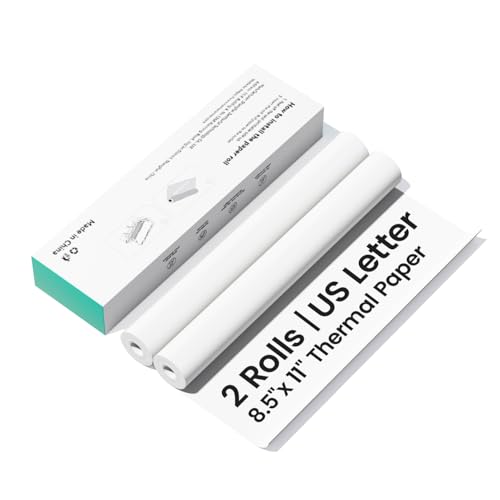
- 300 dpi output for sharp text and codes
- BPA-free and fade-resistant for safer records
- Compact 2-roll pack for travel and storage
Best For: CamScanner P1 Pro users who want portable, reliable thermal paper for business documents.
Best for Fast Duplex Workflows – Brother MFC-L2900DW Wireless Monochrome All-in-One
If you want business laser printers with duplex scanning that can keep up with everyday office work, the Brother MFC-L2900DW is built for speed and efficiency. It combines 36 ppm monochrome printing, automatic duplex printing, and single-pass two-sided scanning in a compact all-in-one design that fits small teams well.
Best For: Small businesses that need quick, reliable black-and-white printing and fast two-sided document scanning with minimal manual handling.
Pros:
- Single-pass duplex scanning speeds up two-sided document processing.
- 36 ppm output is strong for busy small-office workloads.
- Dual-band Wi-Fi, Ethernet, USB, and mobile app support add flexible connectivity.
- 3.5-inch touchscreen makes scan, print, and cloud tasks easier to manage.
Cons:
- Monochrome only, so it is not suitable for color printing needs.
- The 50-page ADF is useful, but larger offices may want a higher-capacity feeder.
Overall, this Brother model stands out among business laser printers with duplex scanning because it focuses on fast document handling rather than extra features you may not need. If your priority is efficient two-sided scanning, dependable duplex printing, and solid wireless connectivity, it is an easy fit for a small office.
Best for Secure Small Offices – Lexmark MX431adw Monochrome MFP
If you need business laser printers with duplex scanning for a compact office, the Lexmark MX431adw is a practical monochrome all-in-one built around speed, security, and two-sided workflows. It prints, copies, scans, and faxes, while automatic two-sided printing and duplex scanning help cut paper use and speed up routine document handling.
Best For: Small businesses that want a sturdy, security-focused mono laser MFP with automatic duplex scanning and wireless connectivity.
Pros:
- Automatic two-sided scanning and standard duplex printing for efficient document handling
- Built-in security features designed to protect data on-device and across the network
- Compact steel-frame design made for small business durability
- Wireless, USB, and Ethernet connectivity for flexible office setup
Cons:
- Monochrome only, so it is not suitable for color printing needs
- Best suited to text-heavy offices rather than graphics-heavy work
- Fax support may be unnecessary for modern paperless workflows
Overall, the MX431adw stands out among business laser printers with duplex scanning if your priority is a compact, secure, no-frills workhorse for everyday document tasks.
Best for Secure Workgroups – Brother MFC-L8930CDW Color Laser All-in-One
If you need one of the most capable business laser printers with duplex scanning for a busy office, the Brother MFC-L8930CDW is built for speed, security, and low running costs. It combines fast color output, two-sided scanning, and flexible networking in a compact all-in-one design that fits well in shared workgroups.
Best For: Small to midsize teams that want fast duplex scanning, solid color output, and stronger device security.
Pros:
- Duplex scanning up to 104 ipm with an 80-page ADF for heavy document workflows
- Fast print and copy speeds up to 33 ppm with sharp color and black text
- Included toner and high-yield replacements help keep printing costs down
- Triple Layer Security plus NFC badge authentication for office environments
Cons:
- Color laser hardware is larger and pricier than basic monochrome models
- Best features assume regular office use rather than occasional home printing
- Some cloud and searchable-document features require internet access
For teams comparing business laser printers with duplex scanning, this Brother stands out for balancing speed, two-sided scanning, and security without sacrificing everyday usability. It’s a strong fit when document handling and controlled access matter as much as print quality.
Best for Mobile Printing – P1 Pro Portable Inkless Printer
If you want a truly portable way to print contracts, receipts, and forms on the go, the P1 Pro is a practical alternative to bulky business laser printers with duplex scanning. Its inkless thermal design keeps upkeep simple, and the CamScanner integration helps make text look cleaner for quick field use, travel, or remote work.
Best For: Mobile professionals, remote workers, and anyone who needs lightweight, ink-free document printing from a phone or laptop.
Pros:
- Inkless thermal printing eliminates toner and cartridge costs
- Compact 1.61 lb design with included carrying bag for travel
- Works with iPhone, Android, Windows, and Mac
- 300 DPI output is sharper than many basic portable thermal printers
Cons:
- Uses thermal paper only, not standard office paper
- No true duplex scanning or copying features
- Not a full replacement for a laser MFP in a busy office
For buyers comparing business laser printers with duplex scanning, the P1 Pro stands out more for portability and low-maintenance printing than for office multifunction features. It makes the most sense when mobility matters more than scan-and-copy versatility.
Best for High-Volume Duplex Scanning – Brother MFC-L5710DW Business Laser All-in-One
If you need one of the more capable business laser printers with duplex scanning for a busy office, the Brother MFC-L5710DW is built to move paperwork quickly. It combines fast monochrome printing, a 50-page automatic document feeder, and single-pass two-sided scanning to keep multi-page jobs flowing.
Best For: Offices that scan stacks of double-sided documents, need fast monochrome output, and want dependable wireless/network sharing.
Pros:
- Single-pass duplex scanning up to 60 ipm for efficient two-sided document capture
- Fast print and copy speeds up to 48 ppm for busy workgroups
- Flexible connectivity with Gigabit Ethernet, dual-band Wi‑Fi, and mobile printing support
- High-yield toner option helps lower running costs over time
Cons:
- Monochrome only, so it is not suitable for color printing needs
- Bulkier than compact home-office printers
- High-speed features are best suited to offices that regularly process larger document volumes
Overall, this Brother is a strong fit for teams that value speed, network sharing, and duplex workflow in a straightforward office MFP. Among business laser printers with duplex scanning, it stands out for delivering fast two-sided scanning without sacrificing print throughput.
Best for Portable Archiving – Fan-Fold Thermal Printer Paper for CamScanner P1 Pro
If you need a compact paper option that keeps mobile documents sharp and readable, this fan-fold thermal pack is a practical match for workflows that pair with business laser printers with duplex scanning-style document handling. It’s built for clean output, easy feeding, and long-term legibility, making it useful for contracts, receipts, labels, and archived records.
Best For: Mobile professionals and office users who want a portable, fade-resistant paper solution for the CamScanner P1 Pro.
Pros:
- 300 DPI output supports crisp text, charts, QR codes, and barcodes.
- BPA-free, fade-resistant coating helps preserve documents over time.
- Thick, light-blocking paper creates a more professional-looking print.
- Fan-fold, pre-perforated sheets are easy to feed and tear cleanly.
Cons:
- Only compatible with the CamScanner P1 Pro, not most other printers.
- Thermal paper is less versatile than standard laser printer paper.
This is a niche consumable rather than a general office staple, but it does a strong job where portability and reliable archival output matter. If your setup is centered on business laser printers with duplex scanning workflows and you need a compact print medium for mobile capture, this pack is a focused fit.
Best for Small Offices – Brother DCP-L2640DW Compact Monochrome Laser MFP
If you want a practical, no-fuss option among business laser printers with duplex scanning, the Brother DCP-L2640DW is built for everyday black-and-white printing, copying, and scanning in a compact footprint. It focuses on the essentials that matter in a busy workspace: automatic duplexing, wireless connectivity, and simple mobile printing.
Best For: Small offices or home offices that need a compact monochrome multifunction printer with automatic duplex capabilities.
Pros:
- Compact design saves desk space without giving up core office functions
- Automatic duplex printing helps cut paper use on routine jobs
- Wireless and mobile printing support makes shared use easier
- Monochrome laser output is a solid fit for text-heavy business documents
Cons:
- Black-and-white only, so it is not suited for color documents
- Duplex scanning support is not as advanced as higher-end office models
- Best for light to moderate workloads rather than high-volume teams
For buyers comparing business laser printers with duplex scanning, this Brother model stands out as a compact, efficient choice for basic office workflows. It is especially compelling if you value space-saving design and dependable document handling over advanced finishing or color output.
Best for Small Teams – HP LaserJet Pro MFP 3101sdw B&W All-in-One
If you want business laser printers with duplex scanning support for a compact office, the HP LaserJet Pro MFP 3101sdw is a practical black-and-white all-in-one that emphasizes speed, reliability, and everyday document handling. It’s built for teams that need fast output, automatic two-sided printing, and simple wireless connectivity without extra color-printing overhead.
Best For: Small teams that print reports, scan paperwork, and want a dependable monochrome laser MFP for daily office use.
Pros:
- Up to 35 ppm black-and-white printing keeps document queues moving
- Auto 2-sided printing plus a 50-sheet ADF supports efficient scan/copy workflows
- 250-sheet input tray is a solid fit for shared office use
- Wireless connectivity helps keep setup and sharing straightforward
Cons:
- No color printing, so it’s only suited to monochrome documents
- HP chip-based cartridge requirement can limit toner flexibility
- Best for basic office tasks, not heavy-duty high-volume departments
For teams shopping business laser printers with duplex scanning, this HP stands out as a balanced everyday choice: fast enough for busy desks, simple enough to manage, and focused on the print, scan, and copy tasks most small offices use every day.
Best Heavy-Duty Pick – Lexmark MS431dw Black and White Laser Printer
If you want one of the more compact business laser printers with duplex scanning-friendly office features, the Lexmark MS431dw is a practical black-and-white option for teams that need fast everyday printing without taking up much desk space. It keeps setup simple, supports wireless, Ethernet, and USB connections, and includes standard two-sided printing for paper savings.
Best For: Small offices that need a durable, space-saving monochrome laser printer with easy connectivity and automatic duplex printing.
Pros:
- Compact footprint fits easily into tight office setups
- Standard Wi-Fi, Ethernet, and USB make it easy to connect
- Automatic two-sided printing helps reduce paper use
- Built for durability with steel-frame construction
Cons:
- Monochrome only, so it won’t handle color jobs
- No built-in scan-to-duplex features since it’s print-focused
- Best suited to moderate print volumes, not heavy enterprise workloads
For buyers comparing business laser printers with duplex scanning, this model is worth considering if printing efficiency and small-space fit matter more than advanced all-in-one functions. It’s a straightforward workhorse for offices that mainly need reliable duplex output and easy network access.
Best for Portable Thermal Printing – CamScanner P1 Pro 2-Pack Thermal Rolls
If you need crisp, scan-ready output for mobile paperwork, these thermal rolls are a practical match for business laser printers with duplex scanning workflows that rely on clean document capture. The thick, light-blocking paper helps keep text readable, while the 300 dpi coating supports sharp QR codes, barcodes, and fine details.
Best For: Users of the CamScanner P1 Pro who want BPA-free, travel-friendly thermal paper for contracts, receipts, and archived prints.
Pros:
- 300 dpi output delivers sharp text, charts, and codes
- BPA-free, fade-resistant coating for safer long-term use
- Two-roll pack is compact, portable, and easy to tear cleanly
- Optimized feed helps reduce jams in the CamScanner P1 Pro
Cons:
- Only compatible with the CamScanner P1 Pro
- Thermal paper is not a substitute for standard laser printer sheets
- Best suited to mobile printing, not high-volume office use
This is a niche consumable, but it earns a spot for buyers who care about portability and reliable output quality in business laser printers with duplex scanning-style document workflows. If you already use the right device, it offers a clean, durable, and convenient paper option.
How We Picked These Business Laser Printers with Duplex Scanning
We looked for models that are a strong fit for office and small-business use, prioritizing automatic duplex scanning, print speed, reliability, and sensible running costs. We also weighed paper handling, wireless connectivity, mobile support, and whether each model fits a compact team or a busier workgroup.
Quick Comparison
For black-and-white document-heavy offices, monochrome multifunction models usually offer the best value and simplest ownership. Color laser all-in-ones make sense when presentations, internal materials, or branded documents matter. Portable thermal devices and accessories are useful in a broader office ecosystem, but they are not substitutes for a full-featured laser MFP.
Key Buying Factors for Business Laser Printers with Duplex Scanning
Automatic Two-Sided Scanning
Make sure the scanner can capture both sides of a page automatically, not just duplex print. A true duplex ADF saves the most time when digitizing multi-page contracts, employee packets, and client paperwork.
Print Volume and Speed
Match monthly duty cycle and pages-per-minute ratings to your workload. A small office may be fine with a compact MFP, while larger teams should look for higher throughput and sturdier paper handling.
Connectivity and Workflow
Wireless printing is convenient, but Ethernet can be a better choice for shared office reliability. Mobile printing, cloud integration, and touchscreen controls also reduce friction for busy teams.
Cost of Ownership
Look beyond the purchase price. Toner yield, drum life, and serviceability affect long-term cost far more than the initial discount. For document-heavy environments, low-cost printing can be a major deciding factor.
Security and Business Features
Features like secure print, user controls, and admin management matter when sensitive documents move through the office. Fax support is still useful for some industries, but it should not outweigh core scanning and print performance.
Who Should Buy Which Business Laser Printers with Duplex Scanning?
Choose a compact monochrome all-in-one if you want affordable, everyday office output and dependable scanning in a smaller footprint. Step up to a higher-capacity business MFP if your team prints and scans constantly and needs stronger paper handling.
If color output is part of your daily workflow, select a business color laser model with duplex scanning. If your needs are light, specialized, or travel-oriented, portable thermal options can fill gaps, but they are better viewed as complements to a real office printer rather than replacements.