A Mini-LED monitor can make HDR highlights and shadows easier to judge while giving 4K photos and video room to breathe. But an impressive HDR claim does not automatically mean accurate color or a smooth editing workflow.
These 10 selections span 27- and 32-inch displays, including several gaming-focused models. Use the guide below to separate useful creative features from specifications that matter mainly for play.
Best 10 Mini LED Monitors for 4K Content Creation Picks for 2026
Best White Desk Setup
KTC M27U6 27-Inch 4K QD-Mini LED

- 1,152 local dimming zones and HDR1000
- 4K 72Hz or 1080p 144Hz
- Fully adjustable white stand
Best For: White creative setups with occasional gaming
Best Laptop-Friendly Dual Mode
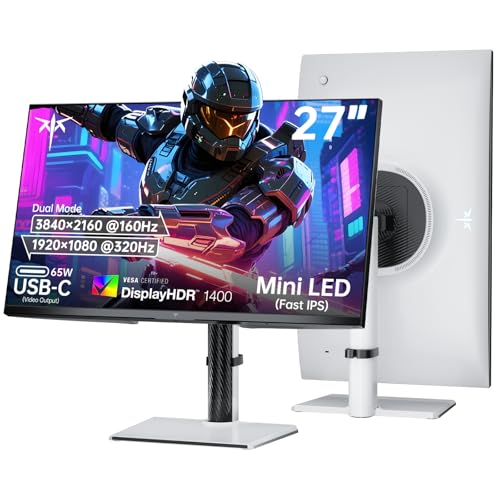
- 4K 160Hz or 1080p 320Hz
- 1,152 zones with HDR1400
- USB-C video and 65W power delivery
Best For: Laptop creators who also play fast-paced games
Best Wide-Gamut Workflow
KOORUI S2741LM 27-Inch 4K QD-Mini LED

- Stated 98% DCI-P3 and 99% Adobe RGB
- Factory-calibrated ΔE=0.55 claim
- 90W USB-C plus USB hub
Best For: Wide-gamut creative work and high-refresh gaming
Best High-Zone HDR Pick
KTC M27P6S 27-Inch 4K Mini LED

- 2,304 local dimming zones
- HDR1400 and stated 1,400-nit peak
- Wide-gamut coverage with ΔE<2 claim
Best For: HDR-focused creators who also game
Best 27-Inch IPS Pick
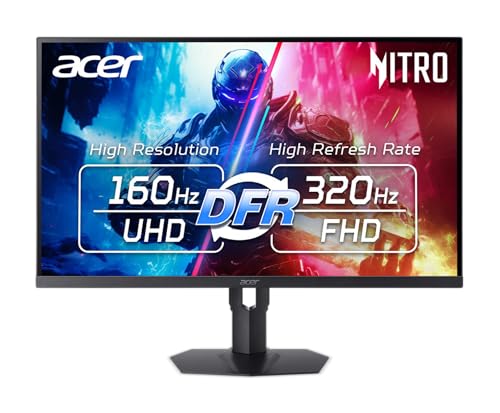
- 27-inch 4K IPS panel
- 1,152 dimming zones; DisplayHDR 1000
- Up to 160Hz at 4K
Best For: Creators who also want high-refresh gaming
Best Halo-Control Option

- 27-inch 4K QD-Mini LED
- Halo Control dimming features
- UHD 160Hz or FHD 320Hz
Best For: Compact HDR viewing and dual-mode gaming
Best Large-Screen Gaming Crossover
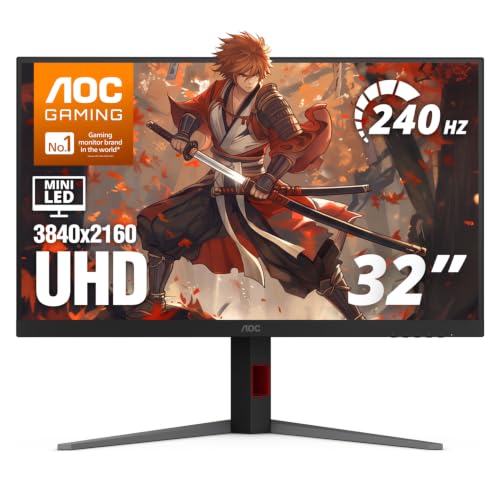
- 31.5-inch 4K VA panel
- 1,152 dimming zones; HDR1000
- 240Hz with G-SYNC compatibility
Best For: Larger-screen HDR work and fast gaming
Bright HDR Pick

- 27-inch 4K matte display
- LD2304 dimming and claimed HDR2000
- 4K 160Hz or Full HD 320Hz
Best For: Bright HDR work and high-refresh gaming
Ergonomic Desk Pick

- 27-inch 4K Fast IPS panel
- 1,152 zones; DisplayHDR 1000
- Adjustable stand and USB 3.2 hub
Best For: Adjustable editing and gaming setups
USB-C Hybrid Pick
- 27-inch 4K Fast IPS; 1,152 zones
- 65W full-function USB-C
- Renewed; 90-day limited warranty
Best For: USB-C laptop editing and gaming
Best White Desk Setup – KTC M27U6 27-Inch 4K QD-Mini LED
For shoppers comparing mini led monitors for 4k content creation, the white KTC M27U6 pairs a 27-inch 4K Fast IPS panel with quantum dots and 1,152 local dimming zones. Its 4K 72Hz mode suits detailed editing work, while a separate 1080p 144Hz mode gives you a faster option for gaming.
Best For: Creators who want a white 4K HDR display and occasional high-refresh 1080p gaming.
Pros:
- 1,152 dimming zones, HDR1000, and a stated 1,000-nit peak brightness support strong HDR contrast.
- Quantum-dot color and a stated 148% sRGB gamut offer vivid visuals for photo and video work.
- Height, pivot, swivel, and tilt adjustments make the workspace easier to tailor.
Cons:
- 4K mode tops out at 72Hz; the advertised 144Hz requires switching to 1080p.
- Listed video inputs are HDMI 2.0 and DisplayPort 1.4; no USB-C video or laptop charging is specified.
This is a practical pick if 4K detail and an adjustable white setup matter more than high-refresh 4K. For a single-cable laptop workflow, consider one of the USB-C-equipped options instead.
Best Laptop-Friendly Dual Mode – KTC M27P6 27-Inch 4K Mini LED
The KTC M27P6 is a flexible choice among mini led monitors for 4k content creation if your desk also serves as a gaming setup. Its 27-inch Fast IPS panel offers 4K at 160Hz or 1080p at 320Hz, backed by 1,152 Mini LED dimming zones and HDR1400.
Best For: Laptop-based creators who want USB-C connectivity alongside fast 4K and 1080p gaming modes.
Pros:
- 4K 160Hz mode keeps full-resolution work and high-refresh gaming on the same display.
- Full-function USB-C provides video connectivity and up to 65W power delivery for a compatible laptop.
- HDR1400, 1,152 dimming zones, and a stated 145% sRGB gamut support vivid HDR viewing.
- Includes HDMI 2.1, DisplayPort 1.4, and height, tilt, swivel, and pivot adjustment.
Cons:
- The 320Hz setting uses 1080p rather than 4K.
- The supplied specifications do not state factory calibration or Adobe RGB/DCI-P3 coverage, so color-critical buyers should verify their workflow needs.
Its main advantage is convenience: one monitor can handle a USB-C laptop, detailed 4K work, and fast gaming. If published calibration figures are a priority, the KOORUI and KTC M27P6S provide more specific color-accuracy claims.
Best Wide-Gamut Workflow – KOORUI S2741LM 27-Inch 4K QD-Mini LED
For color-focused shoppers researching mini led monitors for 4k content creation, the KOORUI S2741LM stands out for its stated factory calibration and wide-gamut coverage. The 27-inch 4K QD-Mini LED display combines 1,152 dimming zones with 4K 160Hz and 1080p 320Hz modes.
Best For: Creators working across sRGB, DCI-P3, and Adobe RGB who also want high-refresh gaming.
Pros:
- Claims factory-calibrated ΔE=0.55 accuracy, 98% DCI-P3, 99% Adobe RGB, and 100% sRGB coverage.
- 1,152 local dimming zones and DisplayHDR 1400 certification suit HDR-focused viewing.
- USB-C supports video, data, and up to 90W laptop charging; USB-A and USB-B ports add hub connectivity.
- Offers 4K 160Hz or 1080p 320Hz, plus an adjustable stand.
Cons:
- The 320Hz mode drops resolution to 1080p.
- The listed warranty covers the display screen for one year, while other accessories have three years of coverage.
Its published gamut and calibration figures make it especially relevant to mixed photo, design, and video workflows. As with any color-sensitive purchase, verify performance against your own calibration requirements.
Best High-Zone HDR Pick – KTC M27P6S 27-Inch 4K Mini LED
The KTC M27P6S is worth a look among mini led monitors for 4k content creation when HDR light control is a priority. It specifies 2,304 local dimming zones, DisplayHDR 1400 certification, and a 1,400-nit peak brightness, while its dual modes provide 4K at 160Hz or 1080p at 320Hz.
Best For: HDR-minded creators who want detailed 4K editing space and a separate fast-gaming mode.
Pros:
- 2,304 dimming zones provide more granular backlight control than the other listed models.
- Claims 99% sRGB, 99% DCI-P3, 97% Adobe RGB, and ΔE<2 accuracy.
- DisplayHDR 1400 certification and a stated 1,400-nit peak brightness support bright HDR highlights.
- Two HDMI 2.1 ports, DisplayPort 1.4, 65W USB-C, and a fully adjustable stand suit mixed setups.
Cons:
- 320Hz is available at 1080p, not 4K.
- USB-C power delivery is rated at 65W, which may not cover every laptop’s charging needs.
If you value finely controlled HDR alongside published wide-gamut and accuracy figures, this is the most zone-dense option in this group. Its gaming-first dual-mode design is a bonus rather than a requirement for creative work.
Best 27-Inch IPS Pick – Acer Nitro XV275K
Among mini led monitors for 4k content creation, the Acer Nitro XV275K is a practical choice if you also game. Its 27-inch 4K IPS panel pairs 1,152 local dimming zones with VESA DisplayHDR 1000 certification, while dual-format refresh technology lets you prioritize resolution or speed.
Best For: Creators who want a 27-inch 4K IPS screen for HDR viewing and high-refresh gaming.
Pros:
- 1,152 local dimming zones and DisplayHDR 1000 support.
- 4K at up to 160Hz, with a 320Hz dual-format refresh option.
- Height, pivot, swivel, and tilt adjustments.
Cons:
- The 320Hz option prioritizes refresh rate rather than 4K resolution.
- The listed connectivity is HDMI and DisplayPort; no USB-C is specified.
This is a flexible display for a desk shared between creative work and gaming. Its HDR specifications are promising, but the notes do not provide measured color accuracy for color-critical workflows.
Best Halo-Control Option – TCL 27C2A
The TCL 27C2A brings a 27-inch 4K QD-Mini LED option to shoppers comparing mini led monitors for 4k content creation. Its Halo Control System and LD1196 Precise Dimming Series target better control around bright objects, while dual mode offers UHD at 160Hz or FHD at 320Hz.
Best For: Creators and gamers who want a compact 4K HDR screen with a faster FHD gaming mode.
Pros:
- 4K UHD resolution on a 27-inch QD-Mini LED display.
- Halo Control System and LD1196 Precise Dimming Series.
- UHD 160Hz and FHD 320Hz modes.
Cons:
- The 320Hz mode runs at FHD, not 4K.
- The supplied notes do not specify color-gamut coverage or factory calibration.
Its dimming features make it worth considering for HDR-heavy viewing, but check independent color measurements if your work requires dependable color accuracy.
Best Large-Screen Gaming Crossover – AOC U32G4ZMN
If you want more screen space among mini led monitors for 4k content creation, the AOC U32G4ZMN offers a 31.5-inch 4K VA panel. Its mini-LED backlight has 1,152 local dimming zones, and the listed 240Hz refresh rate makes it especially appealing for a gaming-and-creation setup.
Best For: Users who want a larger 4K HDR display that also supports 240Hz gaming.
Pros:
- 31.5-inch 4K screen with 1,152 local dimming zones.
- HDR1000 support and a listed peak brightness of up to 1,200 nits.
- 240Hz refresh rate, G-SYNC compatibility, and a fully adjustable stand.
Cons:
- The supplied notes do not specify color-gamut coverage or calibration results.
- The larger 31.5-inch screen needs more desk space than a 27-inch model.
Choose this one for screen size, HDR contrast features, and gaming speed. For color-critical editing, seek measured accuracy data before making it your primary reference display.
Bright HDR Pick – TCL 27C2A Pro QD-Mini LED
Among mini led monitors for 4k content creation, the 27-inch TCL 27C2A Pro stands out for its 3840 × 2160 resolution, LD2304 local dimming and claimed HDR2000 brightness. Its matte screen and USB-C power delivery also make it worth considering for a mixed editing and gaming desk.
Best For: Creators who want a bright HDR-capable 4K display that doubles as a fast gaming monitor.
Pros:
- LD2304 local dimming and TCL’s Halo Control System are designed for stronger contrast and reduced haloing.
- Switches between 4K at 160Hz and Full HD at 320Hz.
- Matte finish and USB-C power delivery suit a versatile desktop setup.
Cons:
- The supplied specifications do not state a color-gamut coverage figure or calibration accuracy.
- Its 1-year manufacturer warranty is shorter than the AOC model’s stated 3-year warranty.
The HDR and gaming specifications are compelling, but color-critical buyers should verify color performance independently before relying on it for final grading.
Ergonomic Desk Pick – AOC U27G4XM 4K Mini-LED
For shoppers comparing mini led monitors for 4k content creation, the AOC U27G4XM pairs a 27-inch 3840 × 2160 Fast IPS display with 1,152 local dimming zones and VESA DisplayHDR 1000 certification. Its adjustable stand and USB hub are useful for an editing desk that also handles gaming.
Best For: Creators who want flexible positioning, a USB hub and HDR-capable 4K viewing alongside high-refresh gaming.
Pros:
- 1,152 dimming zones and DisplayHDR 1000 certification support detailed HDR viewing.
- Height, swivel, pivot and tilt adjustments help position the screen for different tasks.
- HDMI 2.1, DisplayPort 1.4 and a USB 3.2 hub provide multiple connection options.
Cons:
- The glossy screen may be less convenient in a workspace with reflections.
- The supplied specifications do not list color-gamut coverage or factory calibration accuracy.
It is a practical dual-purpose choice if ergonomics and connectivity matter, though color-critical work calls for independently verified color performance.
USB-C Hybrid Pick – KTC M27P6 Mini LED (Renewed)
The renewed KTC M27P6 is one of the mini led monitors for 4k content creation worth considering if your workflow uses a USB-C laptop. It combines a 27-inch 3840 × 2160 Fast IPS panel, 1,152 dimming zones, stated 145% sRGB gamut coverage and a full-function 65W USB-C port.
Best For: Laptop-based creators who also want a high-refresh display for gaming.
Pros:
- 1,152 local dimming zones and stated DisplayHDR 1400 support HDR-focused viewing.
- Full-function 65W USB-C, two HDMI 2.1 ports and DisplayPort 1.4 offer flexible connections.
- Height, tilt, swivel and pivot adjustments help adapt the setup for editing.
Cons:
- This is a renewed unit with a stated 90-day limited warranty.
- The supplied specifications give a gamut claim but no color-accuracy or calibration figures.
Its USB-C connection and positioning options make it a versatile work-and-play option; weigh those benefits against the renewed condition and shorter warranty.
How We Picked the Best Mini LED Monitors for 4K Content Creation
We prioritized the specifications that matter to 4K creators: native 3840 × 2160 resolution, Mini-LED local dimming, screen size, HDR capability, connectivity, and practical desktop use. The selected lineup leans heavily toward gaming monitors, so high refresh rates are a bonus rather than proof of color accuracy. We did not treat advertised peak brightness, HDR labels, or dimming-zone counts as substitutes for independent measurements.
Quick Comparison
Most options here are 27-inch 4K displays, a compact choice for sharp text and detailed timelines. The 32-inch AOC U32G4ZMN offers more physical workspace if you sit farther back or keep multiple panels open. Several KTC, KOORUI, Acer, TCL, and AOC models advertise dual-mode operation: 4K for editing and a lower-resolution, higher-refresh setting for gaming. Check each listing carefully before buying; the supplied selection includes the same KTC 27-inch 160Hz/320Hz, 65W USB-C model twice, not two distinct monitors.
Key Buying Factors for Mini-LED Monitors for 4K Content Creation
Color and Calibration
Look for independently measured color-gamut coverage, factory calibration results, and controls for white point and gamma. Wide gamut is useful only when your software and workflow manage color correctly. For color-critical delivery, budget for a calibrator and confirm that the monitor supports the color-space and SDR modes you need.
HDR and Local Dimming
More dimming zones can help limit halos around bright objects, but zone algorithms and panel behavior matter too. Compare measured sustained brightness, black levels, blooming, and tone mapping where reviews are available. HDR editing also requires a compatible computer, application, and output settings. If you work mostly in SDR, check that the display remains consistent with local dimming disabled or set appropriately.
Size, Ports, and Ergonomics
At 27 inches, 4K looks crisp but interface scaling may be necessary. A 32-inch panel makes fine details and side-by-side windows easier to view. For laptop setups, verify USB-C video support and charging wattage rather than assuming every Type-C port is a one-cable solution. Also check stand adjustment, VESA mounting, and the video connection needed for your preferred 4K refresh rate.
Who Should Buy Which Mini LED Monitors for 4K Content Creation?
Choose a 27-inch model if desk space is limited and you want a sharp editing display that can double as a fast gaming screen. Consider the 32-inch AOC if a larger canvas is more valuable than a compact footprint. The KTC models advertising 65W USB-C are worth a closer look for compatible laptop workflows, while models emphasizing higher dimming-zone counts may appeal to HDR-focused buyers—provided independent testing supports their claims. If your work requires dependable grading, pick the display with the best verified accuracy and HDR behavior, not simply the highest advertised refresh rate.