If you want a cleaner RGB fan setup without giving up PWM control, the AsiaHorse Nyota Pro 120mm fan set is a compelling option.
This AsiaHorse Nyota Pro 120mm PC Fans review focuses on whether the modular design and lighting features actually make it easier to build with.
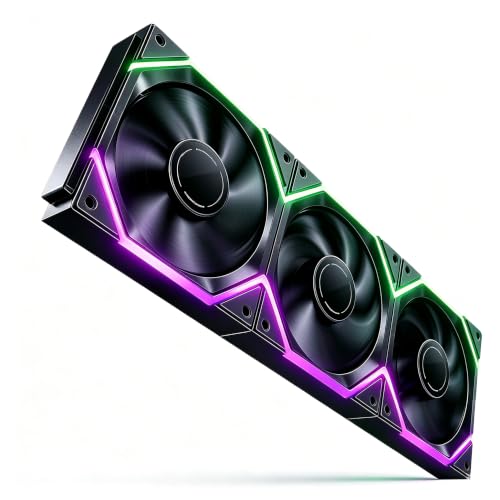
Nyota Pro Review Summary
The AsiaHorse Nyota Pro is best for builders who care about cable management, coordinated lighting, and simple expansion across multiple fans.
Its modular daisy-chain approach is the main reason to consider it: one cable can power the chain, which is a real advantage in a case that already has a pump, front-panel leads, and storage cabling competing for space.
The other draw is the lighting system.
AsiaHorse positions this model around dual-zone asynchronous ARGB with 18 addressable LEDs total, which gives it more visual flexibility than a plain single-ring fan.
If you are building a display-focused system, or you want a cleaner-looking radiator or front intake array, that combination matters.
This is not the fan to buy if you want the simplest possible no-frills cooling part.
The feature set is more specialized, and the lighting ecosystem matters.
But for users who want a tidy build and are already planning ARGB, the value proposition is straightforward: fewer visible cables, more control, and a design that is clearly aimed at multi-fan setups.
Review Scorecard
| Category | Score | Assessment |
|---|---|---|
| Cable Management | 9/10 | Modular daisy-chain design should dramatically reduce visible wiring in multi-fan builds. |
| Lighting Flexibility | 9/10 | Dual-zone asynchronous ARGB with 18 LEDs offers more visual variety than basic RGB fans. |
| Cooling Capability | 8/10 | 2000 RPM, 61.5 CFM, and 2.16 mmH2O make it a plausible fit for airflow and radiator use. |
| Noise Potential | 8/10 | The 29 dB claim and anti-vibration pads suggest a quieter profile than aggressive high-speed fans. |
| Installation Ease | 9/10 | Standard 120 mm sizing and chainable wiring should make multi-fan installation easier. |
| Build Versatility | 8/10 | Reversible blades and radiator screw support broaden where it can be used. |
| Overall Buyer Fit | 8/10 | Strong choice for RGB-focused builders who value neatness and control over minimalism. |
Key Features and Specifications of Nyota Pro
The Nyota Pro is a 120 x 120 x 25 mm fan with 4-pin PWM speed control, so speed changes should track system demand rather than running at one fixed speed.
AsiaHorse lists a working range of 800 to 2000 RPM, a maximum airflow figure of 61.5 CFM, and up to 2.16 mmH2O of static pressure.
That combination suggests a fan intended to handle both case airflow and radiator placement.
Its most distinctive feature is the modular daisy-chain connection.
Instead of treating every fan as a separate wiring job, the design uses interlocking buckles so multiple fans can be connected in a chain.
For builders who have fought with splitters and hidden cable runs, that is not cosmetic fluff; it changes the assembly process.
The lighting setup is equally specific.
AsiaHorse says the fan uses 18 addressable LEDs, split across two zones, with support for separate control through its UMBRA Hub and software.
That means the lighting story is not just “RGB on the outer ring,” but a more layered effect aimed at custom visual builds.
Other listed details matter too:
- Braided flame-retardant cables
- High-density HDB bearings
- Thick anti-vibration rubber pads
- Reversible blade design for intake or exhaust
- Support for 5V 3-pin ARGB motherboards
- Included screws for water cooling or radiator mounting
Taken together, the product is positioned as a tidy, flexible fan for users who want more than basic airflow.
It is built for the builder who notices cable clutter and wants the inside of the case to look intentional.
Pros and Cons of Nyota Pro
Pros
- Modular daisy-chain design can reduce cable clutter in multi-fan setups.
- Dual-zone asynchronous ARGB offers more interesting lighting than standard single-zone fans.
- 2000 RPM ceiling gives it room to perform in either airflow or radiator roles.
- Reversible blades add installation flexibility.
- Anti-vibration pads and HDB bearings suggest a more refined everyday experience.
Cons
- The feature set is more complex than a basic fan, so it is not the easiest choice for minimal builds.
- Dual-zone lighting and hub/software features may matter less if you do not care about RGB control.
- The strongest selling point is system organization, which is less valuable in a case that already has excellent cable routing space.
Who Should Buy Nyota Pro?
Buy the Nyota Pro if you are building a case where presentation matters and you want the fan wiring to disappear as much as possible.
It makes the most sense for glass-panel desktops, RGB-heavy gaming PCs, and radiator arrays where a clean look is part of the goal.
It also fits builders who want a fan that can serve multiple roles.
The listed PWM control, airflow figure, static pressure claim, and radiator screw support all point to a product that is not locked into one narrow use case.
Skip it if you are building a budget machine, a hidden-office tower, or a system where you care more about plain airflow than lighting effects.
In those cases, the modular and ARGB features may be wasted.
How the Nyota Pro Handles Real Build Priorities
Cable Clutter and Multi-Fan Layouts
The daisy-chain approach is the core idea here.
For a front intake stack or top exhaust row, reducing the number of separate fan leads can make installation cleaner and future maintenance less annoying.
That is especially useful when the case already has enough wiring complexity.
Lighting Without Looking Busy
Dual-zone asynchronous ARGB is more interesting than a standard single-light effect because it gives you more ways to coordinate the front and back of the fan.
That matters most in showcase cases, where repetitive lighting can look flat if every fan behaves the same way.
Cooling Fit for Case or Radiator Use
AsiaHorse’s airflow and pressure claims put the Nyota Pro in the class of fans that can plausibly handle both enclosure airflow and radiator duty.
That does not make it a specialist radiator fan, but it does mean the design is not just chasing looks.
Noise and Daily Usability
The anti-vibration pads, HDB bearings, and 29 dB claim all point toward a fan meant to stay composed rather than harsh.
If accurate in practice, that makes it more suitable for a daily-use gaming or work PC than a flashy fan that only looks good in marketing images.
Alternatives to Nyota Pro
If you want similar options on Amazon, look at the Lian Li UNI FAN line for premium chainable fan ecosystems, the Thermalright TL-C12C series for value-oriented cooling, and the Corsair iCUE AR120 family for software-driven RGB setups.
For builders who care more about airflow than lighting, the Noctua NF-P12 redux is a sensible plain-fan benchmark.
If you want another RGB-heavy direction, DeepCool FC120 is worth comparing because it also targets neat-looking multi-fan builds.
Is Nyota Pro Worth It?
Yes, if your build benefits from cleaner wiring, coordinated ARGB, and a fan that is designed to look organized in a multi-fan layout.
The AsiaHorse Nyota Pro is most convincing when you value presentation and installation simplicity as much as raw airflow.
If you do not care about RGB or you want the cheapest functional fan possible, it is probably more fan than you need.
But for a modern gaming case, a radiator stack, or any build where cable clutter is the enemy, the Nyota Pro looks like a well-aimed choice.