The best budget ultrawide gaming monitors make racing games, open-world adventures, and multitasking more immersive without the cost of a premium display. This roundup compares 10 models ranging from 29.5-inch 2560×1080 screens to 34-inch 3440×1440 monitors with refresh rates up to 200Hz.
Use the specifications and buying advice below to match your graphics card, desk, and gaming priorities with the right ultrawide display.
Best 10 Budget Ultrawide Gaming Monitors Picks for 2026
Best Value High-Refresh Pick
KOORUI 34-Inch 200Hz Ultrawide

- 3440×1440 VA display with a deep 1000R curve
- Up to 200Hz via DisplayPort with adaptive sync
- PIP/PBP, Black Equalizer, and adjustable stand
Best For: PC gamers wanting immersive, high-refresh ultrawide performance
Best IPS Multitasking Option

- 3440×1440 IPS panel with wide viewing angles
- 165Hz refresh and AMD FreeSync for smoother gaming
- PIP/PBP, four video inputs, and built-in speakers
Best For: Mixed gaming, streaming, and productivity setups
Best Entry-Level Wide Screen
Sceptre 34-Inch 100Hz Ultrawide
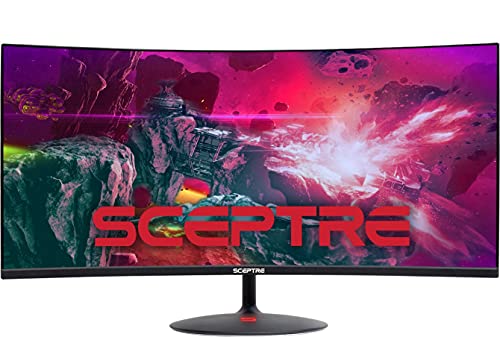
- 34-inch 21:9 curved display at 2560×1080
- Up to 100Hz with Adaptive Sync
- Three HDMI ports, DisplayPort, and built-in speakers
Best For: Casual gaming and affordable everyday ultrawide use
Best Competitive Gaming Features

- 3440×1440 curved VA panel with 1500R curvature
- Up to 200Hz via DisplayPort and 0.3ms MPRT
- Adaptive-Sync, HDR Ready, and adjustable stand
Best For: Fast-paced PC gaming on a high-refresh ultrawide
Best WQHD Value
Sceptre 34-Inch Curved 165Hz Ultrawide

- 3440 × 1440 WQHD resolution
- 165Hz refresh rate with 1ms MPRT
- 34-inch curved screen with FreeSync Premium
Best For: High-resolution ultrawide gaming and multitasking
Best IPS Budget Pick
Gawfolk 34-Inch 120Hz Ultrawide
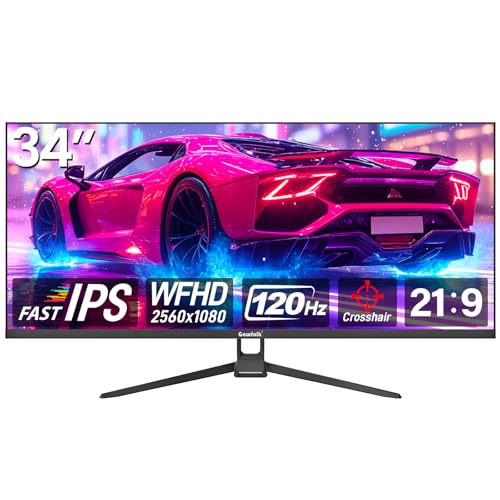
- 34-inch IPS panel with 178-degree viewing angles
- 120Hz refresh rate with FreeSync
- 2560 × 1080 resolution and 128% sRGB coverage
Best For: Mixed gaming, office work, and wide-angle viewing
Best High-Refresh Budget Pick
Acer Nitro 29.5-Inch 200Hz Curved

- 200Hz refresh rate for smooth motion
- 1ms response time with FreeSync Premium
- Curved 2560 × 1080 21:9 display
Best For: Fast-paced gaming and refresh-rate-focused buyers
Immersive Value Pick
34-Inch 180Hz WQHD Curved Monitor

- 3440x1440 resolution with a 1500R curve
- 180Hz DisplayPort refresh rate with AMD FreeSync
- HDR10 and 127% sRGB color coverage
Best For: Gamers seeking an immersive, high-refresh ultrawide
High-Refresh Feature Pick
SANSUI 34-Inch 200Hz UWQHD Monitor

- 200Hz refresh rate with 1ms overdrive response time
- HDMI 2.1 and DisplayPort 1.4 connectivity
- AI gaming tools, VRR, and PIP/PBP support
Best For: Gamers prioritizing refresh rate and gaming features
Contrast-Focused Budget Pick
Gawfolk 34-Inch 200Hz Curved Monitor

- 3440x1440 VA display with 4000:1 contrast
- 200Hz refresh rate via DisplayPort
- FreeSync and G-Sync adaptive-sync support
Best For: Gamers wanting deep contrast and flexible sync support
Best Value High-Refresh Pick – KOORUI 34-Inch 200Hz Ultrawide
For shoppers seeking budget ultrawide gaming monitors, the KOORUI 34E6UC combines a 3440×1440 resolution, 1000R curve, and up to a 200Hz refresh rate over DisplayPort. Its VA panel also adds strong contrast, wide color coverage, and gaming-focused adaptive sync support.
Best For: PC gamers who want high-refresh 1440p ultrawide performance and an immersive curved display.
Pros:
- 3440×1440 resolution with an immersive 1000R curve
- Up to 200Hz refresh rate through DisplayPort 1.4
- FreeSync and G-Sync support, plus 1ms MPRT response time
- Adjustable stand, VESA compatibility, PIP/PBP, and Black Equalizer
Cons:
- HDMI 2.0 supports lower refresh rates than DisplayPort
- VA viewing characteristics may not suit shoppers who specifically prefer IPS
The KOORUI stands out when smooth PC gaming and deep, vivid visuals matter more than keeping the monitor especially compact. Its generous adjustment range and multitasking features also make it useful beyond gaming.
Best IPS Multitasking Option – CRUA 34-Inch 165Hz Ultrawide
The CRUA is a practical choice among budget ultrawide gaming monitors for users who split time between games and productivity. Its 34-inch UWQHD IPS panel provides broad workspace, while 165Hz refresh, FreeSync, and PIP/PBP support add gaming and multitasking flexibility.
Best For: Gamers, streamers, and home-office users who need an ultrawide monitor for both entertainment and multitasking.
Pros:
- 3440×1440 IPS display with 178° viewing angles
- 165Hz refresh rate with AMD FreeSync
- PIP/PBP allows two input sources on one screen
- Two HDMI 2.0 ports, two DisplayPort 1.4 inputs, and built-in speakers
Cons:
- Its 1000:1 contrast ratio is more modest than many VA alternatives
- The supplied notes do not specify HDR support
Choose the CRUA if workspace versatility is a priority. The IPS panel, multiple inputs, and dual-source viewing make it particularly well suited to a combined gaming, streaming, and productivity setup.
Best Entry-Level Wide Screen – Sceptre 34-Inch 100Hz Ultrawide
For buyers prioritizing a lower-cost entry into ultrawide gaming monitors, the Sceptre C345W-2560UN offers a 34-inch 21:9 curved screen and up to a 100Hz refresh rate. Its 2560×1080 resolution, Adaptive Sync, and built-in gaming presets keep the feature set straightforward.
Best For: Casual gamers and general users who want an affordable, spacious curved display for gaming, movies, and office work.
Pros:
- Large 34-inch 21:9 curved display
- Up to 100Hz refresh rate with Adaptive Sync
- Three HDMI ports, DisplayPort, and built-in speakers
- Frameless design, blue-light shift, and tilt adjustment
Cons:
- 2560×1080 is less sharp than the 3440×1440 alternatives here
- 5ms response time and 100Hz refresh are less suited to competitive gaming
- Stand adjustment is limited to tilt
The Sceptre makes the most sense when screen width and affordability outweigh resolution and esports-oriented speed. It is a capable everyday ultrawide, but demanding PC gamers may prefer a faster 1440p model.
Best Competitive Gaming Features – AOC 34-Inch 200Hz Ultrawide
The AOC CU34G4H is aimed at shoppers comparing budget ultrawide gaming monitors for fast-paced play. It pairs a 3440×1440 curved VA panel with up to 200Hz over DisplayPort, a stated 0.3ms MPRT response time, Adaptive-Sync, and HDR Ready support.
Best For: PC gamers who want a high-refresh ultrawide with rapid motion handling and an adjustable stand.
Pros:
- Sharp 3440×1440 resolution on a 1500R curved panel
- Up to 200Hz refresh rate through DisplayPort 1.4
- 0.3ms MPRT response time and Adaptive-Sync
- Height, tilt, and swivel adjustments plus HDR Ready support
Cons:
- HDMI 2.0 is limited to 100Hz according to the supplied notes
- The listed 0.3ms figure is an MPRT measurement rather than a general pixel-response specification
The AOC is a strong fit when refresh rate and motion responsiveness are central to the buying decision. Its ergonomic stand and 1440p ultrawide format also keep it practical for longer gaming and multitasking sessions.
Best WQHD Value – Sceptre 34-Inch Curved 165Hz Ultrawide
For shoppers comparing budget ultrawide gaming monitors, the Sceptre C345B-QUT168 stands out with a 34-inch curved display, sharp 3440 × 1440 WQHD resolution, and a 165Hz refresh rate. Its VA panel, 1ms MPRT response time, and AMD FreeSync Premium support target smooth, detailed gaming without stepping up to a premium-priced display.
Best For: Gamers who want high-resolution ultrawide gaming, a fast refresh rate, and extra screen space for productivity.
Pros:
- 3440 × 1440 WQHD resolution provides notably more detail than 1080p.
- 165Hz refresh rate, 1ms MPRT, and FreeSync Premium support fluid gameplay.
- 34-inch 21:9 curved screen offers approximately 30% more horizontal workspace.
- Includes two HDMI ports, two DisplayPort connections, built-in speakers, and a backcover light.
Cons:
- 280 cd/m² brightness may be less suitable for very bright rooms.
- Its larger 3440 × 1440 resolution can require more graphics performance than 1080p ultrawide monitors.
The Sceptre is a strong all-around pick when resolution matters as much as speed. It offers a well-balanced combination of WQHD clarity, a high refresh rate, curved immersion, and flexible connectivity for gaming and everyday multitasking.
Best IPS Budget Pick – Gawfolk 34-Inch 120Hz Ultrawide
The Gawfolk GF340H is a practical option among budget ultrawide gaming monitors for buyers who prioritize IPS viewing angles and color coverage. Its 34-inch flat 21:9 panel runs at 120Hz, supports AMD FreeSync, and provides a broad 2560 × 1080 workspace for gaming, office work, and general desktop use.
Best For: Budget-conscious gamers and home-office users who prefer an IPS panel with wide viewing angles.
Pros:
- IPS technology provides 178-degree viewing angles and color-focused image quality.
- 120Hz refresh rate and FreeSync support smoother motion during gaming.
- 34-inch 21:9 design expands workspace by about 30% over a conventional monitor.
- Includes HDMI and DisplayPort inputs, tilt adjustment, and 75 × 75mm wall-mount support.
Cons:
- 2560 × 1080 resolution is less detailed than 3440 × 1440 ultrawide displays.
- It has only one HDMI port.
- The flat panel may feel less immersive than a curved alternative.
Choose the Gawfolk when broad screen space, IPS viewing angles, and a moderate 120Hz refresh rate matter more than maximum resolution or refresh speed. It is versatile enough for a mixed gaming-and-productivity setup.
Best High-Refresh Budget Pick – Acer Nitro 29.5-Inch 200Hz Curved
For fast-paced play, the Acer Nitro ED300C X1 is one of the more speed-focused budget ultrawide gaming monitors in this group. Its 29.5-inch curved 21:9 display combines 2560 × 1080 resolution with a 200Hz refresh rate, 1ms response time, and AMD FreeSync Premium for responsive motion and reduced tearing.
Best For: Competitive and action-game players who value a very high refresh rate and fast response time.
Pros:
- 200Hz refresh rate is the highest among these monitors for especially smooth motion.
- 1ms response time helps minimize smearing during fast gameplay.
- AMD FreeSync Premium helps reduce stuttering and screen tearing.
- 1800R curved screen, built-in speakers, and a three-year parts-and-labor warranty add practical value.
Cons:
- 2560 × 1080 resolution is less sharp than WQHD ultrawide models.
- The 29.5-inch screen is smaller than the 34-inch alternatives.
- Its 21:9 format may require game or application support for the best experience.
The Acer Nitro makes the most sense when refresh rate takes priority over pixel density and screen size. It is a focused choice for smooth, responsive gaming, while still providing the wider field of view associated with an ultrawide display.
Immersive Value Pick – 34-Inch 180Hz WQHD Curved Monitor
For shoppers comparing budget ultrawide gaming monitors, this DJiEX model combines a 34-inch 3440×1440 display with a 1500R curve and a 180Hz refresh rate. Its VA panel, HDR10 support, and 127% sRGB coverage also make it suitable for general entertainment and productivity.
Best For: Gamers wanting an immersive 34-inch UWQHD screen with strong color coverage and a high refresh rate.
Pros:
- UWQHD 3440×1440 resolution and 21:9 ultrawide format
- 180Hz refresh rate through DisplayPort with AMD FreeSync
- 1500R curve, 3000:1 contrast ratio, HDR10, and 127% sRGB coverage
- Two HDMI 2.0 ports, two DisplayPort 1.4 ports, and 100x100mm wall-mount compatibility
Cons:
- The full 180Hz refresh rate is specified for the DisplayPort connection
- No built-in speakers are listed in the supplied specifications
This is a well-rounded value option if you want ultrawide resolution, a fast refresh rate, and broad connectivity without moving to a smaller display. The one-year manufacturer warranty adds useful coverage for a budget-oriented purchase.
High-Refresh Feature Pick – SANSUI 34-Inch 200Hz UWQHD Monitor
This SANSUI model stands out among budget ultrawide gaming monitors with a 200Hz refresh rate, 3440×1440 resolution, and HDMI 2.1 connectivity. Its fast VA panel adds gaming-focused features such as VRR support, AI crosshair, sniper scope, and picture-quality options.
Best For: Competitive-minded gamers who want a 200Hz 34-inch ultrawide with extensive gaming features.
Pros:
- 200Hz refresh rate with a stated 1ms overdrive response time
- UWQHD 3440×1440 resolution on a 1500R curved 21:9 display
- HDMI 2.1 ports and DisplayPort 1.4 support up to 200Hz
- Includes VRR support, AI blue-light reduction, PIP/PBP, and VESA compatibility
Cons:
- The supplied notes specify no built-in speakers
- The stand is described as tilt-adjustable rather than height-adjustable
- Brightness is listed at 300 cd/m²
Choose this SANSUI when refresh rate and gaming tools matter more than extras such as integrated audio or a fully ergonomic stand. Its HDMI 2.1 and DisplayPort inputs provide useful flexibility for compatible gaming setups.
Contrast-Focused Budget Pick – Gawfolk 34-Inch 200Hz Curved Monitor
The Gawfolk GFTY989 is a practical contender in the budget ultrawide gaming monitors category, pairing a 34-inch 3440×1440 VA panel with a 200Hz refresh rate. Its 4000:1 contrast ratio, 120% sRGB coverage, adaptive sync, and eye-comfort modes support both gaming and extended desktop use.
Best For: Users who want strong panel contrast, a 200Hz refresh rate, and compatibility with both FreeSync and G-Sync.
Pros:
- 3440×1440 UWQHD resolution with a 21:9 curved design
- 200Hz refresh rate and 1ms listed response time
- 4000:1 contrast ratio, 120% sRGB coverage, and 310-nit brightness
- Adaptive sync support listed for both FreeSync and G-Sync, plus flicker-free operation
Cons:
- HDMI supports up to 100Hz according to the supplied notes; DisplayPort is needed for up to 200Hz
- The monitor’s viewing-angle field is inconsistently listed in the supplied specifications
- No built-in speakers are mentioned
This model is especially appealing if deep VA-panel contrast and broad adaptive-sync compatibility are priorities. Before buying, plan to use DisplayPort for the highest refresh rate and confirm that your graphics hardware can drive UWQHD at those speeds.
How We Picked These Budget Ultrawide Gaming Monitors
We focused on models that offer strong gaming value at accessible prices, then compared the specifications that have the greatest effect on everyday use. The selection includes 29.5- and 34-inch displays, 2560×1080 and 3440×1440 resolutions, curved and IPS options, and refresh rates from 100Hz to 200Hz.
We also considered practical features such as DisplayPort and HDMI connectivity, built-in speakers, HDR claims, adaptive-sync support where listed, picture-in-picture or picture-by-picture modes, color coverage, response-time ratings, and stand adjustability. Because advertised response times and HDR performance can vary by mode, treat them as useful indicators rather than guarantees of identical real-world results.
Quick Comparison
| What to Compare | Best Fit |
|---|---|
| 2560×1080 resolution | Lower-cost systems and easier GPU demands |
| 3440×1440 resolution | Sharper text, more workspace, and higher-end immersion |
| 100–120Hz | Casual gaming, productivity, and general use |
| 165–200Hz | Fast shooters, racing games, and competitive play |
| VA panel | Strong contrast and deep-looking blacks |
| IPS panel | Wider viewing angles and typically more consistent color |
Key Buying Factors for Budget Ultrawide Gaming Monitors
Resolution and Graphics-Card Load
A 3440×1440 monitor provides a noticeably sharper image and more desktop space than 2560×1080, but it also requires substantially more GPU performance. Choose 2560×1080 if your graphics card is modest or you prioritize high frame rates. Choose 3440×1440 when your system can maintain the games’ target frame rate and you value detail.
Refresh Rate, Response Time, and Sync
Higher refresh rates make motion look smoother and reduce the visible delay between frames. A 165Hz, 180Hz, or 200Hz model is appealing for competitive games, but only if your PC can produce appropriately high frame rates. Look for adaptive-sync compatibility, and remember that quoted 1ms or 0.3ms figures usually depend on a specific overdrive setting and may introduce ghosting or inverse ghosting.
Panel, Curve, and Ergonomics
VA panels generally offer better contrast, while IPS panels often provide more consistent viewing angles and color. A 1000R curve feels more enveloping at close range; a gentler curve may be easier to share or use for productivity. Check the stand’s height, tilt, and VESA support, since many value monitors limit adjustment.
Ports and Desk Setup
Confirm that the monitor has the right DisplayPort and HDMI versions for your computer or console, and check whether audio, speakers, or PIP/PBP features matter to you. Measure desk width and depth before buying: a 34-inch ultrawide is broad, and the stand can add significant depth.
Who Should Buy Which Budget Ultrawide Gaming Monitors?
Choose a 2560×1080 model for the lowest GPU demand and lower entry price. Choose a 3440×1440 VA monitor for immersive single-player gaming, strong contrast, and a sharper workspace. Pick an IPS option if viewing angles and color consistency matter more than maximum contrast. Competitive players should prioritize the highest practical refresh rate, while mixed-use buyers should give equal attention to text clarity, connectivity, and stand flexibility.