If you’re looking to enhance your workstation’s performance in 2026, 8TB NVMe SSDs are a game changer. These drives offer remarkable speed and reliability, essential for demanding tasks like video editing and gaming. Among the top contenders are the Samsung SSD 9100 PRO and WD_Black SN850X, each boasting impressive specs. But what sets them apart, and how do they meet your specific needs? Let’s explore the best options available.
Samsung SSD 9100 PRO 8TB, PCIe 5.0×4 M.2 2280
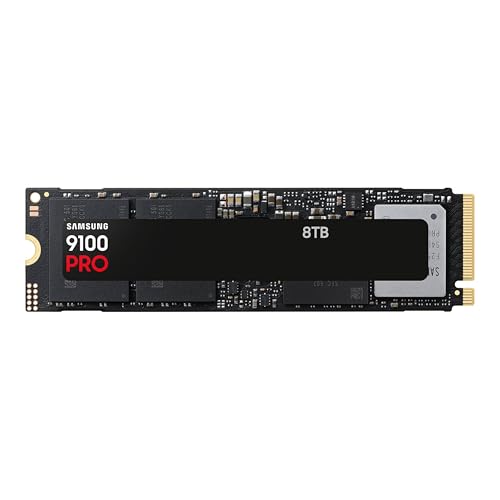
If you’re looking for an NVMe SSD that can handle demanding tasks like AI computing and video editing, the Samsung SSD 9100 PRO 8TB is a top choice. With blazing sequential read speeds up to 14,800MB/s and write speeds reaching 13,400MB/s, it’s designed for heavy-duty workstations. You’ll appreciate the 8TB storage capacity, perfect for expanding your gaming library or managing large video files. Plus, its advanced thermal management guarantees smooth performance during intense workloads. Compatible with both laptops and desktops, this SSD is a reliable investment backed by Samsung’s trusted brand and robust Magician Software for easy maintenance.
Best For: Professionals and gamers who require high-speed data access and large storage capacity for demanding applications.
Pros:
- Blazing fast sequential read speeds up to 14,800MB/s and write speeds up to 13,400MB/s enhance productivity.
- Large 8TB storage capacity accommodates extensive game libraries and large video files.
- Advanced thermal management ensures reliable performance even during intense workloads.
Cons:
- Requires PCIe 5.0 support for optimal performance, limiting compatibility with older systems.
- Higher price point compared to standard SSDs, which may not fit all budgets.
- M.2 2280 form factor may not be suitable for all laptop models or desktop configurations.
WD_Black SN850X 8TB NVMe SSD
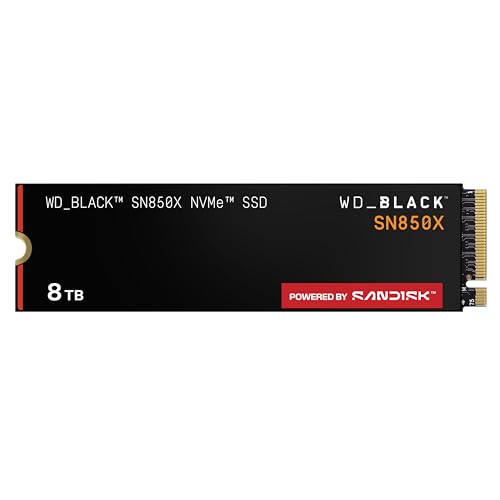
The WD_Black SN850X 8TB NVMe SSD stands out as an exceptional choice for gamers and content creators seeking lightning-fast performance. With read speeds up to 7,300 MB/s and write speeds reaching 6,300 MB/s, it minimizes load times and eliminates lag. Weighing just 5 grams, this M.2 2280 internal SSD supports multiple gaming consoles, enhancing your gaming experience with features like Predictive Loading and Adaptive Thermal Management. The downloadable WD_BLACK Dashboard allows you to monitor drive health and customize RGB lighting. Plus, backed by a 5-year limited warranty, it’s a reliable investment for your workstation.
Best For: Gamers and content creators seeking high-performance storage solutions with minimal load times and enhanced usability features.
Pros:
- Exceptional read speeds up to 7,300 MB/s and write speeds of 6,300 MB/s for quick data access.
- Supports multiple gaming consoles and includes features like Predictive Loading and Adaptive Thermal Management.
- Comes with a 5-year limited warranty and a highly rated customer satisfaction score of 4.8 out of 5 stars.
Cons:
- The optional heatsink version is only available for the 1TB and 2TB models, not the 8TB.
- The downloadable WD_BLACK Dashboard is only compatible with Windows, limiting usability for other operating systems.
- Higher price point compared to standard SSDs, which may not suit budget-conscious consumers.
WD_Black SN8100 8TB NVMe SSD
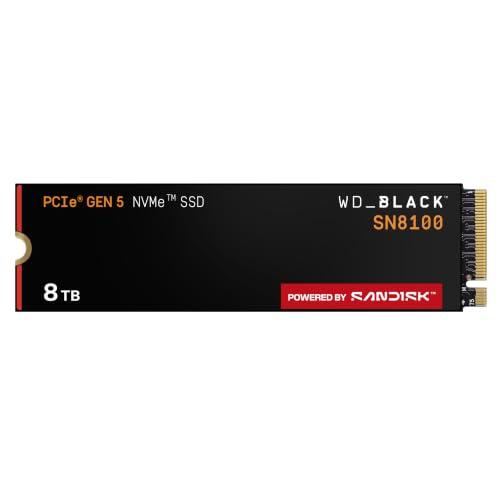
Engineered for high-performance needs, the WD_Black SN8100 8TB NVMe SSD stands out as an exceptional choice for gamers and creative professionals alike. With blazing read speeds up to 14,900MB/s and write speeds reaching 11,000MB/s, it effortlessly handles demanding tasks. Its PCIe Gen 5.0 interface and advanced TLC 3D NAND technology guarantee top-tier performance and power efficiency. Plus, the optimized thermal management keeps your system cool during intense workloads. Supporting large projects and game libraries, this SSD is perfect for anyone looking to enhance their workstation. Enjoy peace of mind with a 5-year limited warranty and stellar customer ratings.
Best For: Gamers and creative professionals seeking high-performance storage solutions for demanding applications.
Pros:
- Ultra-fast read and write speeds of up to 14,900MB/s and 11,000MB/s, respectively, enhance productivity.
- Advanced thermal management ensures optimal cooling during intensive workloads.
- 5-year limited warranty provides peace of mind for long-term use.
Cons:
- Higher price point compared to standard SSDs may not suit all budgets.
- Requires compatible hardware to fully utilize PCIe Gen 5.0 performance.
- May generate more heat than lower-capacity SSDs under heavy usage conditions.
KingSpec XG7000 8TB NVMe SSD

For professionals requiring exceptional performance, the KingSpec XG7000 8TB NVMe SSD stands out as a powerhouse choice. With read speeds of 7400MB/s and write speeds of 6600MB/s, it delivers 40% faster app launches and 50% quicker random writes compared to NVMe Gen3 SSDs. Its innovative graphene cooling technology keeps temperatures 25% lower during intensive tasks, ensuring sustained performance for 3K streaming and AAA gaming. Utilizing Industrial-Grade TLC 3D NAND, it boasts a lifespan 10x longer than QLC and an endurance rating of 2400TBW. Plus, it’s compatible with various devices, making upgrades a breeze.
Best For: Professionals in need of high-performance storage solutions for tasks such as 4K video editing, 3D modeling, and gaming.
Pros:
- Ultra-fast speeds: Read speeds of 7400MB/s and write speeds of 6600MB/s enhance productivity and efficiency.
- Advanced cooling technology: Graphene cooling maintains lower temperatures, preventing thermal throttling during intensive operations.
- High endurance: With an endurance rating of 2400TBW, it is designed to withstand heavy workloads, making it ideal for demanding applications.
Cons:
- Price point: High-performance SSDs like this may come with a premium price that could be a barrier for some users.
- Limited compatibility: While it supports PCIe 3.0/4.0, users with older systems may encounter compatibility issues.
- Overkill for casual users: The features and performance may be excessive for everyday users who do not require such high speeds or capacities.
Samsung 9100 PRO M.2 8TB Internal Solid State Drive (SSD)

Boasting an impressive 8TB capacity, the Samsung 9100 PRO M.2 Internal Solid State Drive (SSD) is perfect for professionals who demand top-tier performance in their workstations. With a lightning-fast PCIe 5.0 interface, you’ll experience data transfer rates of up to 14,800 Megabits per second. Its random read/write speeds of 2,200K IOPS and 2,600K IOPS make it ideal for AI applications, gaming, and other high-performance tasks. Designed for easy installation in laptops and desktop PCs, this drive also features innovative power and thermal management, ensuring peak performance and reduced heat generation. Enjoy reliability backed by a manufacturer’s warranty.
Best For: Professionals and gamers who require high-performance storage solutions for demanding applications.
Pros:
- Impressive 8TB storage capacity allows for extensive data storage and management.
- Lightning-fast PCIe 5.0 interface provides data transfer rates of up to 14,800 Megabits per second.
- Innovative power and thermal management ensures optimal performance with reduced heat generation.
Cons:
- Internal installation only may limit compatibility with some devices.
- Higher price point compared to traditional hard drives or smaller SSDs.
- Potential overkill for casual users who do not require such high performance or capacity.
SABRENT 8TB Rocket 4 Plus NVMe Internal SSD

The SABRENT 8TB Rocket 4 Plus NVMe Internal SSD stands out for professionals who demand high-speed data transfer and vast storage capacity. With a remarkable read speed of 7100 MB/s and write speed of 6600 MB/s, you’ll experience lightning-fast performance. This M.2 2280 SSD is compatible with PS5, laptops, and PCs, making it versatile for your needs. It also supports advanced features like TRIM and error correction, ensuring data integrity. Plus, you get free cloning software for easy setup. Backed by a 1-year limited warranty, it’s a smart investment for any workstation aiming for peak efficiency.
Best For: Professionals and gamers who require high-speed data transfer and extensive storage capacity.
Pros:
- Exceptional read speed of 7100 MB/s and write speed of 6600 MB/s for fast performance.
- Versatile compatibility with PS5, laptops, and PCs, making it suitable for various setups.
- Includes free cloning software for easy installation and data migration.
Cons:
- Higher price point compared to lower-capacity SSDs.
- Limited to a 1-year warranty, which may not be sufficient for long-term users.
- May require specific hardware compatibility to maximize performance in certain systems.
Lexar 8TB NM790 SSD PCIe Gen4 NVMe M.2 Internal Solid State Drive

High-speed performance makes the Lexar 8TB NM790 SSD a standout choice for gamers, professionals, and creators alike. With read speeds up to 7000 MB/s and write speeds up to 6200 MB/s, this PCIe Gen4 NVMe M.2 drive delivers exceptional efficiency. Weighing just 0.01 pounds, it fits seamlessly into desktops, laptops, and even PlayStation 5. The 6000TBW endurance guarantees reliability, while the dynamic SLC cache and Host Memory Buffer 3.0 provide smoother transfer speeds with 40% less power consumption. Backed by a five-year warranty and a solid 4.8-star rating, it’s a fantastic investment for your storage needs.
Best For: Hardcore gamers, professionals, and creators looking for high-capacity and high-speed storage solutions.
Pros:
- Exceptional read speeds of up to 7000 MB/s and write speeds of up to 6200 MB/s for efficient performance.
- 6000TBW endurance ensures reliability for intensive workloads and large file transfers.
- Compatible with a variety of devices, including desktop computers, laptops, and PlayStation 5.
Cons:
- As an internal SSD, installation may require technical knowledge or professional assistance.
- Limited to M.2 2280 form factor, which may not fit all systems.
- Higher price point compared to lower-capacity SSDs on the market.
WD_Black SN8100 8TB NVMe SSD with Heatsink
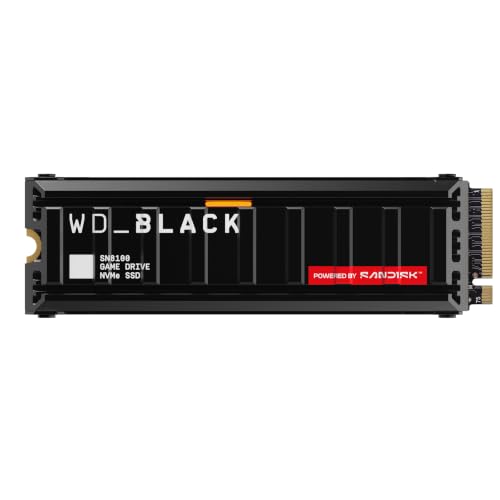
For professionals who demand top-tier performance, the WD_Black SN8100 8TB NVMe SSD with Heatsink stands out as an exceptional choice. With a blazing read speed of up to 14,900 MB/s and write speeds reaching 14,000 MB/s, it’s designed for high-intensity tasks like gaming and content creation. The custom heatsink guarantees peak cooling, maintaining performance even under heavy loads. Weighing only 31.2 grams, its low-profile design fits seamlessly into any workstation setup. Plus, with a 5-year warranty and an endurance of up to 4,800 TBW, you can trust its reliability for all your demanding applications.
Best For: Professionals and gamers seeking high-performance storage solutions for demanding applications like gaming, content creation, and AI.
Pros:
- Exceptional read speeds of up to 14,900 MB/s and write speeds of 14,000 MB/s for rapid data access and transfer.
- Custom heatsink with passive cooling technology ensures sustained performance during heavy workloads.
- High endurance rating of up to 4,800 TBW, providing reliability for intensive usage over time.
Cons:
- Higher price point compared to lower-capacity SSDs may not be suitable for budget-conscious users.
- Requires a compatible M.2 2280 slot, limiting installation options in some systems.
- RGB lighting may not appeal to all users, particularly those preferring a more understated aesthetic.
INLAND 8TB Performance Plus NVMe Internal Gaming SSD
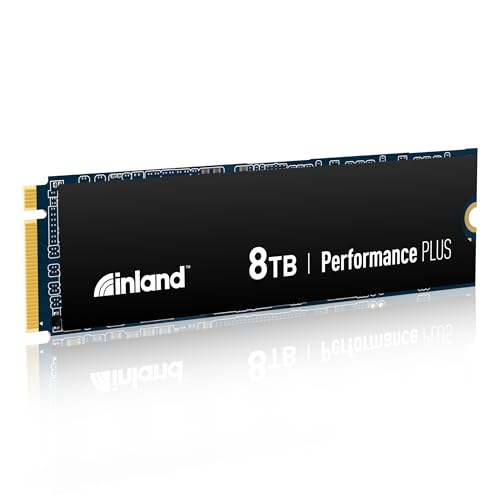
If you’re seeking an SSD that blends exceptional speed with ample storage, the INLAND 8TB Performance Plus NVMe Internal Gaming SSD stands out as a top contender for gamers and content creators alike. With blistering read speeds up to 7,100 MB/s and write speeds reaching 6,700 MB/s, it’s powered by a Gen4 PCIe interface and the reliable E18 controller. Its robust 176-layer TLC 3D NAND guarantees durability while the 8 GB DRAM cache enhances performance. Compatible with desktops, laptops, and mini PCs, it’s backed by a 6-year warranty and boasts a 4.6-star rating from users.
Best For: Gamers and content creators seeking high-speed storage with substantial capacity for intense applications.
Pros:
- Blazing fast read speeds of up to 7,100 MB/s and write speeds of 6,700 MB/s for quick data access and transfer.
- Large 8TB storage capacity allows for extensive game libraries and large media files without the need for additional drives.
- Durable design with shock and vibration resistance, ensuring reliability during intense gaming sessions or on-the-go use.
Cons:
- Higher price point compared to lower-capacity SSDs, which may not be suitable for budget-conscious consumers.
- Requires a compatible motherboard with Gen4 PCIe slots to fully utilize its performance capabilities.
- Performance may vary based on system configuration and workload, possibly leading to lower speeds in non-optimized setups.
WD_Black 8TB SN850P NVMe M.2 SSD for PS5 Consoles

The WD_Black 8TB SN850P NVMe M.2 SSD stands out as an ideal choice for gamers seeking to expand their PS5 storage without compromising performance. With lightning-fast read speeds up to 7,200MB/s, this officially licensed SSD utilizes PCIe Gen4 technology for peak gameplay. Installation is a breeze, thanks to its optimized heatsink designed specifically for PS5 consoles. You can directly play games from the drive, eliminating the hassle of transferring data. Just remember to check the WD_BLACK Product Page for firmware compatibility. Enjoy seamless gaming experiences and ample storage with this powerful SSD upgrade for your console.
Best For: Gamers looking to significantly expand their PS5 storage capacity while maintaining high performance.
Pros:
- High-speed performance: Delivers read speeds up to 7,200MB/s for seamless gameplay.
- Optimized for PS5: Includes a specialized heatsink for easy installation and efficient cooling.
- Direct gameplay: Allows you to play games directly from the SSD without data transfer delays.
Cons:
- Pricey: Higher cost compared to standard SSDs may not fit every budget.
- User capacity may vary: Actual storage space available can be less than advertised due to system requirements.
- Firmware checks needed: Users must ensure firmware compatibility through the WD_BLACK Product Page.
Factors to Consider When Choosing 8TB NVMe SSDs for Workstations
When you’re choosing an 8TB NVMe SSD for your workstation, you’ll want to focus on key factors that impact performance and longevity. Consider aspects like thermal management, compatibility with your devices, and how easy it is to install. These elements will guarantee you get the most out of your investment.
Performance Metrics Importance
Choosing the right 8TB NVMe SSD for your workstation hinges on understanding key performance metrics. Sequential read and write speeds, measured in MB/s, are vital as they determine how swiftly your data can be accessed and written, greatly affecting your productivity. You should also consider random IOPS rates, which indicate how well an SSD manages multiple small read/write operations, essential for quick data retrieval in demanding applications. Don’t overlook power efficiency; SSDs with better power management can reduce energy costs and enhance system stability. Finally, check the endurance ratings, expressed in TBW (Terabytes Written), to verify the SSD can handle heavy usage, guaranteeing longevity for your workstation’s needs.
Thermal Management Solutions
Effective thermal management solutions are essential for ensuring your 8TB NVMe SSD performs at its best, especially during demanding tasks like video editing or gaming. Excessive heat can lead to thermal throttling, hindering performance. To combat this, consider SSDs featuring advanced cooling technologies, like graphene cooling or custom heatsinks, which can greatly lower operating temperatures. Power efficiency is also vital; SSDs designed for enhanced power efficiency generate less heat, promoting system stability. Implementing thermal control mechanisms, such as adaptive thermal management, allows your SSD to adjust performance based on temperature, helping prevent overheating. Regularly monitoring drive temperatures and utilizing features like thermal throttling can prolong your SSD’s lifespan, reducing the risk of failure and data loss due to overheating.
Compatibility With Devices
Maintaining ideal performance in demanding environments requires not only effective thermal management but also guaranteeing compatibility with your devices. First, check that the NVMe SSD matches your device’s interface, like PCIe 3.0, 4.0, or 5.0, as this notably impacts performance. Next, confirm the form factor, typically M.2 2280, to make certain it fits within your workstation’s motherboard constraints. Don’t forget to verify that your motherboard supports the necessary NVMe protocol, since older systems may only accommodate SATA or earlier standards. Additionally, consider the SSD’s thermal management features, as proper cooling is essential for sustaining performance under load. Finally, verify your operating system is equipped to leverage the speed and efficiency of NVMe technology for ideal results.
Endurance and Lifespan
When you’re selecting an 8TB NVMe SSD for your workstation, endurance and lifespan are essential factors that can greatly impact your workflow. Look for SSDs with a high terabytes written (TBW) rating, as this indicates how much data you can write over time. For instance, an endurance rating of 4,800 TBW is ideal for demanding tasks like video editing and AI computations. The type of NAND technology also matters; TLC (Triple-Level Cell) strikes a good balance between performance and endurance, while QLC (Quad-Level Cell) may wear out faster. Additionally, consider products with warranties between 3 to 5 years, reflecting durability, and guarantee consistent thermal management to maximize your SSD’s lifespan.
Installation Ease Factors
Choosing the right 8TB NVMe SSD for your workstation involves more than just performance specs; installation ease is crucial too. First, verify compatibility with your motherboard, focusing on the M.2 2280 form factor and PCIe version to maximize performance. Look for SSDs with plug-and-play installation capabilities, as these simplify upgrading or replacing your storage without extra tools. Detailed installation guides or software support for firmware updates and drive health monitoring can make the process smoother. Additionally, consider models designed for thermal management; effective cooling prevents thermal throttling during operation. Finally, an SSD with a heatsink option enhances installation ease by offering better cooling performance right out of the box, guaranteeing your system runs efficiently.
Warranty and Support Options
While evaluating 8TB NVMe SSDs for your workstation, warranty and support options play a vital role in guaranteeing your investment is protected. Look for models that offer a 5-year limited warranty, which reflects the manufacturer’s confidence in durability and performance. It’s also beneficial to choose SSDs with customer support for warranty claims, offering peace of mind if issues arise. Check for return policies, typically around 30 days, to verify your purchase meets expectations. Additionally, consider endurance ratings like terabytes written (TBW), as they indicate the SSD’s lifespan under heavy workloads. Some warranties may include extra services like data migration software or performance monitoring tools, enhancing your overall ownership experience and optimizing your storage solution.