If you want a compact, low-power box for virtualization, the right NUC alternative for Proxmox can make a huge difference in stability and performance. The best picks balance strong CPU support, dual network ports, fast storage, and enough RAM for real homelab use.
Below, we focus on mini PCs that are practical for Proxmox, whether you need a quiet fanless node, a budget lab machine, or a faster host for multiple VMs and containers.
Best 10 Nuc Alternative for Proxmox Picks for 2026
Best Dual-NIC Proxmox Pick
MINISFORUM NAB6 Lite i5-12600H

- 12-core i5-12600H for virtualization and multitasking
- Dual 2.5GbE ports for Proxmox, routing, and lab use
- Upgradeable RAM and PCIe 4.0 storage for easier scaling
Best For: Home lab users and Proxmox builders who want dual 2.5GbE plus strong CPU performance.
Best for Proxmox Networking
ASUS NUC 16 Pro Barebone Mini PC

- Dual 2.5G LAN for Proxmox and redundancy
- Core Ultra platform suits efficient virtualization
- Dual M.2 slots support flexible storage builds
Best For: Proxmox users who want a compact, network-rich mini PC for a homelab or edge node.
Best Budget
GMKtec G11 Ryzen Embedded R2514 Mini PC

- Dual 2.5GbE for Proxmox, firewall, and NAS setups
- Ryzen Embedded R2514 is built for 24/7 operation
- 16GB DDR4 dual-channel supports light virtualization
Best For: Home lab users building a compact Proxmox host or network appliance.
Best for 2.5G Networking
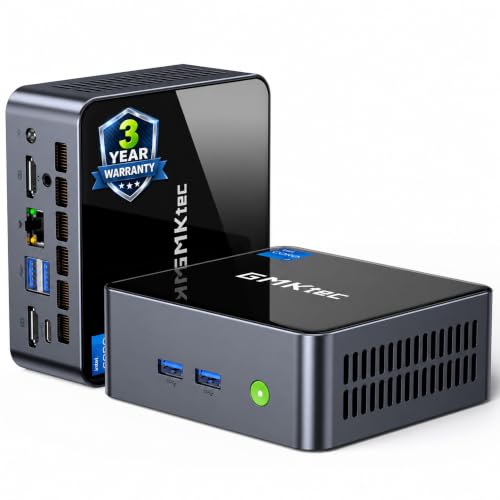
- 2.5G Ethernet and USB4 for flexible homelab networking
- Low-power 11th-gen i7 is fine for light Proxmox use
- Upgradeable RAM and storage help stretch its lifespan
Best For: Home lab users who want a compact, low-power Proxmox box with fast wired networking.
Best for Triple Displays
MINIX NEO J51-C8 Max Mini Computer

- Dual 2.5GbE ports for fast lab networking
- 8GB RAM and 512GB NVMe included
- Triple 4K display support in a compact chassis
Best For: Home lab users who want a compact mini PC with fast dual Ethernet and enough storage to get started quickly.
Best Value Proxmox Starter
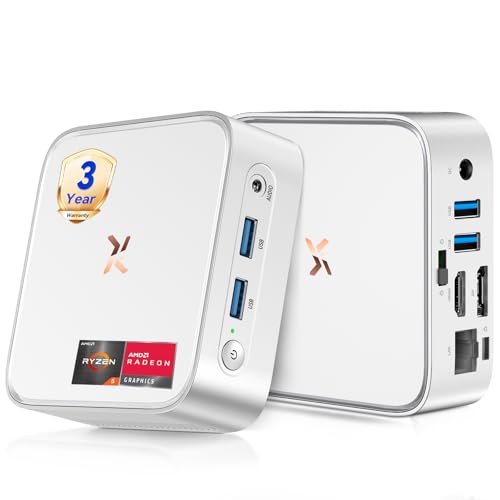
- Ryzen 5 3500U with 4 cores/8 threads
- 16GB RAM and 512GB SSD included
- Compact, quiet, and dual-monitor ready
Best For: Home lab users starting with Proxmox on a compact, affordable mini PC.
Best Fanless Option
MINIX Z150-0dB Fanless Mini PC

- Fanless design for silent, low-maintenance 24/7 use
- 16GB RAM + 512GB SSD suits light Proxmox setups
- 2.5G LAN adds useful network headroom for a home lab
Best For: Quiet home labs and basic Proxmox deployments where low noise and low power matter.
Best 2.5GbE Proxmox Pick

- 2.5GbE networking suits Proxmox and firewall use
- 16GB dual-channel RAM and 512GB SSD included
- Compact, ready-to-run starter node for home labs
Best For: Home lab users needing an affordable mini PC for Proxmox and light virtualization.
Best Dual-NIC Proxmox Pick – MINISFORUM NAB6 Lite i5-12600H
If you want a capable nuc alternative for proxmox with built-in network flexibility, the MINISFORUM NAB6 Lite is worth a close look. Its 12-core Intel Core i5-12600H, dual 2.5GbE ports, and upgradeable storage make it a practical fit for home labs, small servers, and virtualization setups that need more than a basic mini PC.
Best For: Home lab users, firewall/router builds, and Proxmox installs that benefit from dual 2.5GbE and strong CPU headroom.
Pros:
- 12-core / 16-thread i5-12600H gives solid performance for VM and container workloads
- Dual 2.5GbE LAN is ideal for Proxmox, routing, and network-heavy tasks
- 1TB PCIe 4.0 SSD and expandable memory/storage support easier upgrades
- Two HDMI ports plus USB-C output make multi-monitor use simple
Cons:
- 16GB RAM may be limiting for heavier virtualization setups out of the box
- Not as small or purpose-built as some fanless mini server options
- Integrated graphics are fine for utility use, but not meant for GPU-heavy work
For buyers comparing a nuc alternative for proxmox, this model stands out because it combines enough CPU muscle with dual 2.5GbE in a compact chassis. It is a strong middle-ground choice if you want a mini PC that can handle lab duties without jumping to a full tower.
Best for Proxmox Networking – ASUS NUC 16 Pro Barebone Mini PC
If you want a compact nuc alternative for proxmox with stronger networking than a typical mini PC, the ASUS NUC 16 Pro stands out. Its dual 2.5G LAN, modern Intel Core Ultra platform, and dual M.2 expansion make it a practical base for a small virtualization node, homelab gateway, or edge server.
Best For: Proxmox users who want a compact, network-rich mini PC for a homelab, lab server, or edge deployment.
Pros:
- Dual 2.5G LAN is ideal for Proxmox networking, VLANs, and redundancy
- Core Ultra platform offers solid efficiency for always-on virtualized workloads
- Dual M.2 support gives you flexibility for fast storage and mirrored setups
- Compact chassis with tool-less access makes upgrades easier
Cons:
- Barebone system means you still need to buy RAM and storage separately
- Not the cheapest option if you only need a basic home server
- Integrated graphics and small size prioritize efficiency over heavy compute
As a nuc alternative for proxmox, this model makes the most sense when networking and expansion matter more than raw workstation power. It is a strong fit for users who want a modern, dependable mini PC foundation for virtualization without moving to a larger box.
Best Budget – GMKtec G11 Ryzen Embedded R2514 Mini PC
If you want a compact box that can pull double duty as a lab node and network appliance, the GMKtec G11 is a practical nuc alternative for proxmox. Its dual 2.5GbE ports, 16GB dual-channel memory, and Ryzen Embedded R2514 chip make it a better fit than basic N100-class systems when you need reliable 24/7 operation, light virtualization, and faster networking.
Best For: Home lab users who want a small Proxmox host, router, or NAS box with dual 2.5GbE.
Pros:
- Dual 2.5GbE is ideal for Proxmox, firewall, and NAS tasks
- Ryzen Embedded R2514 is tuned for continuous 24/7 use
- 16GB DDR4 dual-channel helps smooth multitasking and light VMs
- Triple-display output adds flexibility for desk or lab use
Cons:
- Only 256GB SSD included, so storage may need an upgrade
- Not as powerful as larger Ryzen-based mini PCs for heavy VM loads
- Performance mode raises power draw and cooling demands
Overall, the G11 stands out as a sensible nuc alternative for proxmox if your priority is networking features and dependable always-on operation rather than raw CPU horsepower. It is especially appealing for small home labs that need a compact, affordable, and serviceable platform.
Best for 2.5G Networking – GMKtec M2 Pro S i7 Mini PC
If you want a compact box that can serve as a practical nuc alternative for proxmox, the GMKtec M2 Pro S is worth a close look. Its Intel Core i7-1185G7, 16GB RAM, NVMe SSD, USB4, and 2.5G Ethernet make it a capable starting point for light homelab virtualization, container workloads, and a small always-on server.
Best For: Home lab users who want a low-power mini PC for Proxmox, especially when fast wired networking and compact size matter more than raw CPU core count.
Pros:
- 11th-gen i7 with Iris Xe graphics for solid everyday and light virtualization performance
- 2.5G RJ45 plus USB4, WiFi 6, and multiple display outputs for flexible networking and I/O
- Upgradeable memory and storage, with room for larger NVMe and added SATA expansion
- Compact 35W design that suits always-on homelab use
Cons:
- Only 4 CPU cores, so heavier Proxmox workloads will outgrow it quickly
- Ships with 16GB RAM, which may be limiting for multiple VMs without an upgrade
- Not a server-grade platform, so expect consumer mini PC tradeoffs
As a nuc alternative for proxmox, this GMKtec model makes the most sense for small labs, a lightweight NAS-like setup, or a media and services host where efficient networking and a tiny footprint matter more than scaling to many virtual machines.
Best for Triple Displays – MINIX NEO J51-C8 Max Mini Computer
If you want a compact, ready-to-run nuc alternative for proxmox, the MINIX NEO J51-C8 Max is worth a look thanks to its dual 2.5GbE ports, 8GB RAM, and 512GB NVMe SSD. It ships with Windows 11 Pro, but the hardware is the real appeal for home labs that need a small system with solid networking and flexible display support.
Best For: Home lab users who want a compact mini PC with fast dual Ethernet and enough storage to get started quickly.
Pros:
- Dual 2.5Gb LAN makes it a strong networking-focused pick for Proxmox or routing tasks.
- Includes 8GB RAM and a 512GB PCIe NVMe SSD, so it’s usable out of the box.
- Triple 4K display support adds flexibility if you also use it as a desktop or test box.
- Supports expansion up to 16GB RAM and additional storage.
Cons:
- Intel N5105 is efficient, but it’s not ideal for heavier virtualization workloads.
- USB-C video-only behavior may limit monitor and accessory setups.
- Windows is pre-installed, so Proxmox buyers will likely reinstall the OS.
As a nuc alternative for proxmox, this MINIX stands out more for its dual 2.5GbE ports and compact, turnkey design than for raw CPU power. It’s a practical choice if you want a small always-on box for light VM, networking, or lab duties.
Best Value Proxmox Starter – Huidun H80 Ryzen 5 Mini PC
If you want a budget-conscious nuc alternative for proxmox that still gives you real desktop-class responsiveness, the Huidun H80 is a practical option. Its Ryzen 5 3500U, 16GB of RAM, and 512GB SSD make it a decent fit for light virtualization, homelab testing, office work, and dual-monitor setups without taking up much space.
Best For: Home lab users and Proxmox beginners who want an affordable, compact mini PC with enough CPU headroom for light VMs and everyday tasks.
Pros:
- Ryzen 5 3500U with 4 cores and 8 threads offers solid entry-level virtualization performance
- 16GB RAM and 512GB SSD are a useful starting point for a Proxmox host
- HDMI + DisplayPort support makes dual-monitor use easy
- Very compact, quiet, and VESA-mount friendly for tight spaces
Cons:
- Not as strong as newer high-efficiency chips for heavier VM workloads
- Integrated graphics and older platform may limit long-term upgrade appeal
- Best suited to light-to-moderate virtualization rather than dense clusters
As a nuc alternative for proxmox, the H80 makes the most sense if you care more about value and compact size than chasing top-tier throughput. It’s a sensible entry point for a small lab, but power users will want something newer or more expandable.
Best Budget Proxmox Starter – Beelink MINI S12 PRO N100 Mini PC
If you want a low-cost nuc alternative for proxmox, the Beelink MINI S12 PRO is a practical place to start. Its Intel N100 chip, 12GB LPDDR5 memory, 512GB SSD, and 2.5G LAN make it a sensible compact host for light virtualization, home lab basics, and everyday desktop use.
Best For: Home lab users who want an affordable, quiet mini PC for Proxmox, light VMs, containers, and dual-monitor desktop duties.
Pros:
- Intel N100 is efficient and capable for entry-level Proxmox setups
- 12GB LPDDR5 and 512GB SSD give it a strong out-of-box starting point
- 2.5G LAN, WiFi 6, and dual HDMI add useful networking and display flexibility
- Compact, low-power design suits 24/7 running in small spaces
Cons:
- Not ideal for heavy VM counts or demanding production workloads
- Memory is not as flexible as on larger upgrade-focused mini PCs
- Windows Home is preinstalled, so Proxmox requires a fresh install
For buyers comparing a nuc alternative for proxmox, this model stands out more for value and efficiency than raw expansion headroom. It makes sense if you want a compact, quiet system that can handle basic virtualization without stretching the budget.
Best Fanless Option – MINIX Z150-0dB Fanless Mini PC
If you want a quiet, low-power nuc alternative for proxmox, the MINIX Z150-0dB is a practical entry-level pick. The Intel N150 chip, 16GB of RAM, 512GB SSD, and 2.5G LAN make it a compact fit for light virtualization, home lab services, or always-on office duties where silence matters.
Best For: Quiet home labs, basic Proxmox deployments, and always-on workloads that benefit from fanless operation and low power draw.
Pros:
- Fanless design keeps noise, dust, and maintenance to a minimum.
- 16GB RAM and 512GB PCIe Gen3 SSD give it a usable starting point for small Proxmox tasks.
- 2.5G LAN and USB-C add flexibility for networking and peripherals.
- Compact, low-power hardware is well suited to 24/7 operation.
Cons:
- N150 is fine for light workloads, but not ideal for heavy VM or container counts.
- Single-drive capacity may feel limiting if you plan to expand storage aggressively.
- Fanless cooling favors silence over sustained high-performance headroom.
As a nuc alternative for proxmox, this MINIX model makes the most sense when quiet operation and efficiency matter more than raw CPU power. It’s a sensible budget-conscious choice for small lab servers, but power users will want something stronger for larger clusters or demanding workloads.
Best for Light Proxmox Labs – Mini PC 8GB RAM 256GB SSD
If you need a budget-friendly nuc alternative for proxmox for light virtualization, this compact mini PC is a practical starting point. The Intel Celeron N3150, 8GB RAM, and 256GB SSD make it better suited to small homelab projects, web browsing, and simple always-on tasks than heavy multi-VM workloads.
Best For: Beginners or homelab users who want a low-cost Proxmox box for testing, small services, or low-power 24/7 tasks.
Pros:
- Comes ready to use with 8GB RAM and a 256GB SSD, so there’s no barebone setup hassle.
- Dual HDMI 4K output is handy for a local console or dual-monitor admin setup.
- Low-power, compact design makes it easy to tuck into a small desk or network shelf.
- Ethernet, WiFi 5, and Bluetooth 4.2 provide flexible connectivity for a basic lab.
Cons:
- The Intel N3150 is quite old and will limit VM performance under heavier Proxmox use.
- 8GB RAM is restrictive if you plan to run multiple containers or memory-hungry services.
- Not the best choice for storage-intensive or upgrade-heavy virtualization builds.
As a nuc alternative for proxmox, this mini PC makes sense when the goal is affordability and low power rather than raw speed. It’s a sensible pick for light virtualization, but power users will likely want a newer CPU and more memory headroom.
Best 2.5GbE Proxmox Pick – GMKtec G3 Pro i3 Mini PC
If you want a compact nuc alternative for proxmox with wired networking and enough memory to get started right away, the GMKtec G3 Pro is a practical entry-level choice. Its Core i3-10110U, 16GB of dual-channel RAM, and 2.5GbE port make it a solid fit for light virtualization, home lab services, and small always-on workloads.
Best For: Home lab users who want an affordable mini PC for Proxmox, networking tasks, and light VM or container workloads.
Pros:
- 2.5GbE Ethernet is a big plus for Proxmox, firewall, and NAS-adjacent setups.
- 16GB dual-channel RAM and 512GB SSD come ready to use out of the box.
- Dual HDMI, Wi-Fi 6, and Bluetooth 5.2 add flexible desktop and lab connectivity.
- Core i3-10110U offers strong single-core performance for lightweight virtualization tasks.
Cons:
- Older 2-core/4-thread CPU limits heavier VM density and demanding workloads.
- Not ideal if you need lots of upgrade headroom beyond light home lab use.
- Integrated graphics are fine for display output, but not meant for media-heavy server duties.
For buyers comparing a nuc alternative for proxmox, this GMKtec model stands out for its ready-to-go memory, fast Ethernet, and sensible port selection rather than raw compute power. It makes more sense as a compact, reliable starter node than a high-consolidation virtualization box.
How We Picked the Best Nuc Alternative for Proxmox
We prioritized mini PCs that make sense as a Nuc Alternative for Proxmox rather than just general-use desktops. That means looking at CPU capability, memory support, SSD expandability, network options, and cooling design. For Proxmox, these details matter more than flashy specs.
We also favored models with at least one strong Ethernet connection, with dual 2.5GbE being especially useful for bridges, VLANs, and lab segmentation. A good virtualization box should also offer BIOS options, stable thermals, and enough headroom to run the host plus a few VMs without feeling strained.
Quick Comparison: What Matters Most
If your goal is a dependable Proxmox node, compare the mini PCs by three practical metrics: CPU class, RAM ceiling, and network flexibility. Faster chips help with higher VM density, but even midrange processors can work well if your workloads are light. More RAM usually improves the Proxmox experience faster than a modest CPU upgrade.
Dual LAN is a major advantage for homelab networking, while fanless systems can be appealing for silence if your workloads are modest. Barebone systems are useful when you want to install your own RAM and storage for better value or matching hardware standards.
Key Buying Factors for a Nuc Alternative for Proxmox
Processor and Core Count
For virtualization, prioritize modern CPUs with multiple cores and solid single-thread performance. Intel Core i5/i7 and newer Ultra chips, as well as capable AMD Ryzen options, are better suited to running several services at once. Entry-level chips can still work for lightweight containers, routers, or test labs.
Memory Support
RAM is often the first bottleneck in Proxmox. Look for at least 16GB, with 32GB or more preferred if you plan to run several VMs, ZFS, or memory-hungry services. If a system ships with fixed memory, make sure the included amount is enough for your current and near-future needs.
Storage and Expansion
An NVMe SSD is the minimum recommendation for a responsive host. Extra M.2 slots, room for a second drive, or easy access for upgrades are valuable if you want to separate the OS, VM disks, and backups. Faster PCIe support is a plus, but capacity and reliability matter just as much.
Networking and I/O
Ethernet is essential, and dual 2.5GbE is one of the best features to look for in a Proxmox host. USB4, additional USB ports, and video outputs are nice to have for initial setup and occasional maintenance, though they are less important than stable networking and storage.
Cooling and Noise
Choose active cooling for higher-performance CPUs and denser VM workloads. Fanless designs can be ideal for silent, always-on roles, but they suit lighter duty better. Sustained performance is more important than short benchmark bursts in a 24/7 virtualization box.
Who Should Buy Which Nuc Alternative for Proxmox?
Choose a high-core-count mini PC if you want one Proxmox node to host multiple services, labs, or nested testing. Pick a dual-2.5GbE model if you care about network segmentation, routing experiments, or fast file transfers. Go with a fanless or low-power system if you mainly run a few containers, monitoring tools, or a quiet always-on home server.
If you are building your first Proxmox host, a well-balanced Nuc Alternative for Proxmox with 16GB to 32GB RAM, an NVMe SSD, and at least one solid Ethernet port is usually the safest starting point. That combination delivers the best mix of cost, simplicity, and upgrade potential.