If you’re looking to enhance your PC’s cooling performance, upgrading your fans is a smart move. With the right choices, you can drastically improve airflow and reduce noise levels. From budget-friendly options to high-performance models, there’s a fan upgrade for every setup. Let’s explore some of the best options available and what features you should consider to guarantee peak airflow and efficiency for your system.
Noctua NF-P12 redux-1700 PWM Cooling Fan (120mm, Grey)

If you’re looking to enhance your PC’s cooling performance without sacrificing noise levels, the Noctua NF-P12 redux-1700 PWM Cooling Fan is an excellent choice. Measuring 120x120x25 mm, it operates at a maximum speed of 1700 RPM while maintaining a noise level of just 25.1 dB(A). Its pressure-optimised blade design guarantees strong airflow and high static pressure, making it perfect for CPU coolers and water cooling radiators. With a mean time to failure exceeding 150,000 hours, this fan offers reliability. Plus, its 4-pin PWM connector allows for smart speed control, balancing performance and quiet operation seamlessly.
Best For: Users seeking a high-performance cooling solution that operates quietly and reliably for their PC builds.
Pros:
- Excellent balance of airflow and static pressure, ideal for CPU coolers and water cooling radiators.
- Low noise level of 25.1 dB(A) ensures a quiet operation, even at maximum speed.
- Long lifespan with a mean time to failure of over 150,000 hours, providing peace of mind for long-term use.
Cons:
- Maximum speed of 1700 RPM may not be sufficient for extreme overclocking scenarios.
- The grey color design may not match all aesthetic preferences for custom builds.
- Additional accessories like anti-vibration mounts and y-splitters are sold separately, which may increase overall cost.
CORSAIR RS120 ARGB 120mm PWM Fans (Triple Pack)

The CORSAIR RS120 ARGB 120mm PWM Fans (Triple Pack) are perfect for gamers and PC enthusiasts seeking exceptional airflow and striking aesthetics. With a fan speed of up to 2,100 RPM and an impressive airflow capacity of 72.8 CFM, these fans keep your system cool under pressure. You can easily daisy-chain multiple fans using one 4-pin PWM and one +5V ARGB connector, making installation a breeze. Plus, with eight customizable LEDs per fan, you can enhance your build’s look. Thanks to CORSAIR AirGuide Technology and high static pressure, these fans effectively direct airflow to hot components, optimizing your cooling.
Best For: Gamers and PC enthusiasts looking for high-performance cooling solutions with customizable lighting.
Pros:
- High airflow capacity of 72.8 CFM and speeds up to 2,100 RPM for efficient cooling.
- Customizable ARGB lighting with eight LEDs per fan to enhance the aesthetic of your build.
- Daisy-chain capability simplifies installation and cable management by allowing multiple fans to connect with a single set of connectors.
Cons:
- Limited compatibility with motherboards that do not support ARGB control.
- Potential noise at maximum RPM, which may be noticeable in quiet environments.
- Static pressure rating may not be sufficient for very dense radiators compared to specialized radiator fans.
Thermalright TL-M12Q X3 120mm PC Case Fans (3-Pack)

For gamers and PC enthusiasts seeking enhanced cooling performance and stunning aesthetics, the Thermalright TL-M12Q X3 120mm PC Case Fans (3-Pack) deliver exceptional features. With a high airflow of 2000 RPM and unique dual-sided infinity-mirror lighting, these fans elevate your system’s look while keeping temperatures in check. The simplified cable management reduces clutter, and the high-quality S-FDB bearings guarantee minimal noise and vibration. Plus, the PWM control allows automatic speed adjustments based on your motherboard’s temperature, optimizing performance. Compatible with various PC setups, they come with essential connectors, making installation straightforward and hassle-free.
Best For: Gamers and PC enthusiasts looking for high-performance cooling solutions with stunning RGB aesthetics.
Pros:
- High airflow of 2000 RPM ensures efficient heat dissipation for optimal system performance.
- Dynamic RGB effects with dual-sided infinity-mirror lighting enhance the visual appeal of your build.
- Simplified cable management reduces clutter, making installation and organization easier.
Cons:
- Requires motherboard support for full RGB functionality, which may limit compatibility with some setups.
- May be noisier at maximum RPM, potentially impacting quiet system environments.
- Limited to 120mm size, which may not suit all PC cases or cooling configurations.
DARKROCK 3-Pack 120mm Black Computer Case Fans

Looking for a cooling solution that combines performance and quiet operation? The DARKROCK 3-Pack 120mm Black Computer Case Fans deliver just that. With nine blades spinning at a maximum speed of 1200 RPM, these fans guarantee maximum airflow without the noise—only 32.1 dBA, thanks to the four soft silicone cushions that reduce vibrations. Their hydraulic bearing design promotes durability, boasting an impressive lifespan of 30,000 hours. Plus, the 120mm size fits all case types, making installation a breeze for anyone, regardless of experience. Made from high-quality PBT material, these fans provide heat resistance and long-lasting performance.
Best For: Those seeking an efficient and quiet cooling solution for their computer builds.
Pros:
- High-performance cooling with nine blades and a maximum speed of 1200 RPM ensures optimal airflow.
- Low noise level of only 32.1 dBA, making it suitable for quiet environments.
- Durable construction with a hydraulic bearing design and a lifespan of 30,000 hours provides long-term reliability.
Cons:
- Limited to 120mm size, which may not fit all custom builds requiring different fan sizes.
- 3 PIN interface might not be compatible with all modern motherboards that utilize more advanced fan connectors.
- PBT material may not appeal to users looking for RGB or visually distinct fan designs.
Thermalright TL-M12QR 120mm Reverse Blade PC Case Fan

Featuring innovative ARGB infinity-mirror lighting, the Thermalright TL-M12QR 120mm Reverse Blade PC Case Fan stands out for gamers and PC enthusiasts seeking both style and performance. With a powerful airflow of 1500RPM, it effectively cools your system while maintaining low noise thanks to quality S-FDB bearings. The fan’s automatic speed control adjusts based on your motherboard’s temperature, ensuring peak cooling efficiency. Plus, its simplified cable management reduces clutter, making installation a breeze. Ideal for cases, CPU water coolers, and air coolers, this fan not only enhances cooling but also adds stunning visual effects to your setup.
Best For: Gamers and PC enthusiasts looking for a stylish, high-performance cooling solution with customizable lighting effects.
Pros:
- Powerful airflow of 1500RPM enhances cooling performance while maintaining low noise levels.
- ARGB infinity-mirror lighting adds stunning visual effects to any PC setup.
- Simplified cable management reduces clutter, making installation easy and efficient.
Cons:
- Package includes only one fan; additional fans require separate purchases.
- Compatibility may be limited to certain cases and coolers, which could restrict options.
- Some users may prefer traditional fan designs over the reverse blade configuration.
F120Q – 120mm Quiet Airflow Fans – Single – Black

The F120Q – 120mm Quiet Airflow Fan stands out as an ideal choice for gamers and PC builders seeking a balance between high performance and whisper-quiet operation. With nine sickle-style blades optimized for high airflow, you’ll enjoy efficient cooling without turbulence. Its chamfered frame design guarantees air flows directly to essential components, keeping them cool. Plus, the fluid dynamic bearings assure low-noise operation, making it perfect for quiet builds. With a lifespan of 60,000 hours and PWM control that adjusts speed based on temperature, the F120Q not only boosts your cooling game but also enhances system longevity.
Best For: Gamers and PC builders seeking a balance of high airflow performance and quiet operation in their cooling solutions.
Pros:
- Optimized nine sickle-style blades provide high airflow with minimal turbulence.
- Fluid dynamic bearings ensure low-noise operation for silent performance.
- PWM control dynamically adjusts fan speed based on system temperatures, enhancing efficiency.
Cons:
- Limited to a single fan, which may not suffice for larger systems without additional units.
- Black color may not match all aesthetic preferences in custom builds.
- The lifespan of 60,000 hours, while impressive, could still be a concern for users looking for even longer-lasting components.
be quiet! Pure Wings 3 120mm PWM Case Fan

If you’re in search of a quiet yet powerful cooling solution for your PC, the be quiet! Pure Wings 3 120mm PWM Case Fan is an excellent choice. Designed for peak performance, its 7 airflow-optimized blades keep noise to a minimum at just 25.5 decibels. With a maximum speed of 1600 RPM and an airflow capacity of 49.9 cubic feet per minute, it efficiently cools without the racket. Plus, its durable rifle bearing lasts up to 80,000 hours. This fan’s German engineering guarantees quality and performance, making it a top contender in the market for ideal airflow upgrades.
Best For: PC builders and enthusiasts seeking a quiet and efficient cooling solution for their systems.
Pros:
- Optimized for quiet operation with a noise level of only 25.5 decibels.
- High airflow capacity of 49.9 cubic feet per minute, ensuring effective cooling performance.
- Durable design with a long life rifle bearing rated for 80,000 hours of use.
Cons:
- Limited maximum RPM of 1600 might not be sufficient for high-performance setups requiring extreme cooling.
- Single size option (120mm) may not fit all case designs or cooling needs.
- Material choice of copper may not be suitable for all users, especially those preferring lighter materials.
Wathai 120mm PWM Computer Case Fan
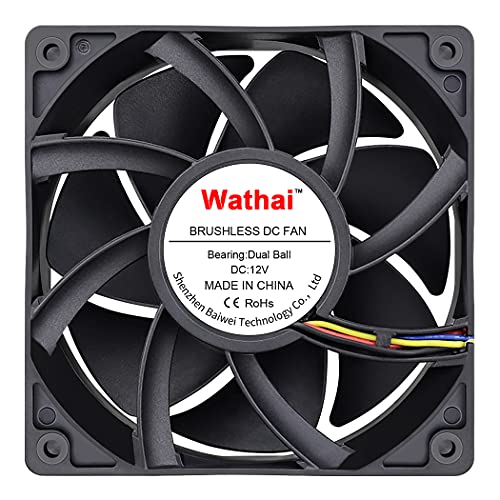
For gamers and miners seeking powerful cooling solutions, the Wathai 120mm PWM Computer Case Fan stands out with its impressive airflow capability of 230 CFM. This fan features a high static pressure design, making it perfect for cooling demanding setups. With a maximum speed of 5300 RPM and a noise level of 60 dBA, it balances performance and sound. The dual-ball bearing lifespan of 67,000 hours guarantees durability. Plus, its PWM support allows for intelligent speed regulation based on temperature, enhancing efficiency. Compatible with various systems, this fan is a solid choice for anyone looking to boost their cooling game.
Best For: Gamers and miners looking for high-performance cooling solutions for their demanding setups.
Pros:
- High airflow capacity of 230 CFM, ideal for cooling intensive systems.
- Durable dual-ball bearing design with a lifespan of 67,000 hours.
- PWM support allows for efficient speed regulation based on temperature, enhancing performance.
Cons:
- Relatively high noise level of 60 dBA at maximum speed, which may be disruptive in quiet environments.
- Requires a 4-pin connector, which may not be compatible with all systems out-of-the-box.
- Higher power consumption at 22.8W compared to standard fans, potentially impacting energy efficiency.
Apevia 120mm Silent PC Case Fan 3-Pack (AF312S-BK)
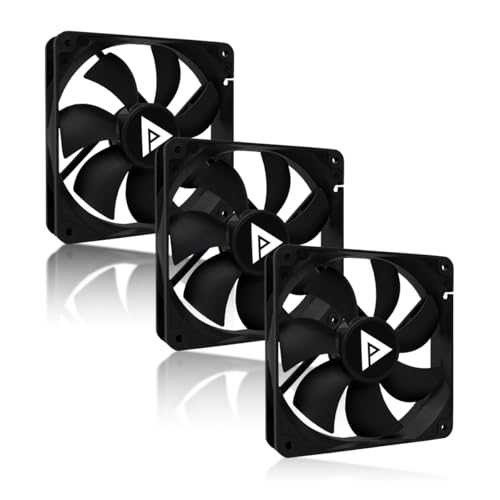
Looking to enhance your PC’s cooling without the noise? The Apevia 120mm Silent PC Case Fan 3-Pack (AF312S-BK) is an excellent choice. With universal compatibility, it’ll fit most mid-tower and full-tower cases. You’ll enjoy high airflow, delivering up to 57.67 CFM while operating at a reliable 1350 RPM. Plus, its ultra-silent design guarantees a low noise level of just 24.7 dBA, perfect for gaming or streaming. Installation’s a breeze with versatile dual connectors, and the fans are rated for 30,000 hours of use, promising durability for your setup. Elevate your cooling game with this fantastic upgrade!
Best For: Those seeking an efficient cooling solution for their PC without compromising on noise levels, making it ideal for gamers and streamers.
Pros:
- High airflow of up to 57.67 CFM improves case ventilation effectively.
- Ultra-silent operation at just 24.7 dBA ensures a quiet environment during use.
- Versatile installation options with both 4-pin Molex and 3-pin connectors for compatibility with various systems.
Cons:
- Limited to a maximum RPM of 1350, which may not suffice for extreme cooling needs.
- The lifespan of 30,000 hours may be shorter compared to more premium fan options.
- Aesthetic options may be limited, as fans do not feature RGB lighting or customizable designs.
Wathai Dual Ball Brushless Blower Fan 120mm for Electronics Cooling
The Wathai Dual Ball Brushless Blower Fan 120mm stands out as an exceptional choice for enthusiasts and DIYers seeking effective cooling solutions for their electronics. With a high airflow capacity of 36 CFM and a speed of 3000 RPM, it’s perfect for cooling components that struggle with airflow, like motherboards and hard drives. The dual ball bearing design guarantees durability, boasting a lifespan of up to 50,000 hours. Plus, its 4Pin PWM control allows you to easily manage fan speed. Whether for gaming PCs or amplifiers, this blower fan is a reliable upgrade for peak performance.
Best For: Enthusiasts and DIYers looking for an effective cooling solution for electronics such as gaming PCs, amplifiers, and components lacking airflow.
Pros:
- High airflow capacity of 36 CFM for efficient cooling.
- Durable dual ball bearing design ensuring a lifespan of up to 50,000 hours.
- PWM speed control for customizable fan performance.
Cons:
- Operates at a fixed voltage of 12V, limiting compatibility with lower voltage systems.
- Requires a 4Pin connector, which may not be available on all setups.
- Slightly larger size (120 x 120 x 32 mm) may not fit in compact spaces.
Factors to Consider When Choosing a PC Fan Upgrade for Airflow
When you’re choosing a PC fan upgrade, you’ve got to take into account several key factors. Fan size compatibility, airflow performance metrics, and noise levels can all impact your system’s efficiency. Don’t forget to check static pressure ratings and power consumption, as these will affect both cooling effectiveness and energy use.
Fan Size Compatibility
Choosing the right fan size for your PC can greatly impact airflow and cooling efficiency. First, verify the fan size matches your case’s existing mounts—common sizes are 120mm and 140mm. Larger fans, like 140mm, typically deliver better airflow at lower RPMs, which leads to quieter operation. Keep in mind the fan’s thickness; most are 25mm, but high-performance models can be 38mm, potentially affecting your installation space. Also, confirm the fan connector type—like 3-pin or 4-pin PWM—so it’s compatible with your motherboard or fan controller for effective speed control. Finally, check the airflow direction, as some fans are designed for intake while others are for exhaust, impacting your overall cooling efficiency.
Airflow Performance Metrics
While upgrading your PC fans, understanding airflow performance metrics is essential for making informed choices. Start by looking at the cubic feet per minute (CFM), which indicates how much air the fan can move; higher CFM values mean better airflow. Don’t overlook static pressure, measured in mm-H2O, as it determines how effectively a fan can push air through obstacles like radiators. Additionally, check the fan’s RPM (revolutions per minute); higher RPM usually means increased airflow and cooling efficiency. Finally, consider the design of the fan blades—more optimized shapes and numbers can enhance both airflow and static pressure performance. By focusing on these metrics, you’ll guarantee your PC fans deliver the cooling you need.
Noise Level Considerations
Although high airflow is essential for ideal cooling, noise levels shouldn’t be overlooked when upgrading your PC fans. Noise levels, measured in decibels (dBA), can vary widely—from around 24.7 dBA to over 60 dBA—based on design and RPM. You’ll want to take into account fans with optimized blade designs that minimize turbulence and vibration, keeping noise down while maintaining airflow efficiency. Remember, as fan speed increases, so does noise; some fans might operate quietly at low RPMs but get noticeably louder at peak speeds. Look for modern fans featuring fluid dynamic bearings or anti-vibration mounts to further reduce noise. Balance your need for airflow with your tolerance for sound to guarantee a comfortable computing environment.
Static Pressure Ratings
When upgrading your PC fans, understanding static pressure ratings is vital for effective cooling, especially in setups with components that generate significant heat. Static pressure measures a fan’s ability to push air through obstacles like heatsinks or radiators. A higher rating, typically around 2.8mm-H2O for radiator fans, means better airflow against resistance. Fans designed for high static pressure often have specialized blade designs that focus airflow, important for cooling high-output components. When choosing fans, consider static pressure alongside airflow capacity (CFM) to achieve ideal performance. Lower static pressure fans work well for unrestricted airflow, while higher-rated fans excel in environments requiring directed airflow through obstructions. Choose wisely to enhance your cooling efficiency!
Power Consumption Efficiency
To guarantee ideal airflow in your PC, it’s essential to take into account power consumption efficiency alongside performance. When selecting a fan upgrade, look for models that consume less power, typically around 2.4 watts, as these can lower your energy costs and heat output. Fans using PWM technology are particularly beneficial since they adjust their speeds based on temperature, reducing power use during low-load times. High airflow fans, offering around 57.67 CFM, can cool your components effectively without always running at maximum speed, enhancing efficiency. Don’t forget to evaluate noise levels; quiet fans at lower RPMs tend to be more energy-efficient while still providing sufficient airflow, making them a smart choice for your system.
PWM Control Features
Choosing the right fan upgrade involves more than just power consumption and airflow; PWM control features play a significant role in enhancing your system’s cooling efficiency. With PWM (Pulse Width Modulation) control, fans can dynamically adjust their speed based on system temperatures, providing effective cooling while keeping noise levels low. Look for a 4-pin PWM connector, as this standard allows your fan to receive signals from the motherboard for peak performance. PWM fans can operate silently during idle periods, ramping up only when cooling demands increase. This technology not only enhances airflow stability but also extends the lifespan of your fans by reducing wear and tear through smooth, variable speed adjustments. Consider these factors to maximize your cooling setup.
Build Quality and Durability
While upgrading your PC fans, it’s crucial to prioritize build quality and durability to guarantee long-lasting performance. Look for fans boasting a high mean time to failure (MTTF), ideally over 150,000 hours. Opt for durable bearing types like S-FDB or dual ball bearings, which enhance longevity and minimize noise. Materials also matter; fans made from PBT or copper provide better heat resistance and durability. Don’t overlook noise levels—quieter fans often incorporate design features that reduce vibration, contributing to a longer lifespan. Additionally, evaluate design elements such as anti-vibration mounts or silicone cushions, which help absorb shocks and further extend your fan’s life. Investing in quality now will pay off in the long run with improved cooling efficiency.
Lighting and Aesthetics Options
As you consider your PC fan upgrades, don’t underestimate the impact of lighting and aesthetics on your overall build. Many fans now feature customizable RGB lighting, letting you create dynamic visual effects that elevate your setup. Look for models with daisy-chaining capabilities for ARGB connections; this allows multiple fans to be controlled via a single connector, streamlining your lighting. The design of fan blades and frames can also enhance visual appeal, with options like infinity-mirror lighting adding a modern touch. You’ll find a variety of color options and lighting modes, enabling synchronization with other components for a cohesive theme. Plus, fans made from durable materials like PBT not only last longer but also contribute to the overall style of your rig.