Finding the right rackmount workstation PC with an RTX GPU is about more than raw speed. You need the right balance of CPU power, graphics performance, thermals, storage, and rack compatibility for your workflow.
This roundup highlights 10 options for creators, engineers, and IT teams who want workstation-class performance in a rack-friendly form factor.
Best 10 Rackmount Workstation PCs with Rtx GPU Picks for 2026
Best for Quiet Rack Work

- 8-core Ryzen 7 5700X for smooth multitasking
- RTX 5060 8GB for multi-monitor and GPU-accelerated apps
- 2U rackmount case fits cleanly in office or server setups
Best For: Small businesses and home offices that need a compact rackmount workstation with modern RTX graphics.
Best Barebones RTX-Ready Build
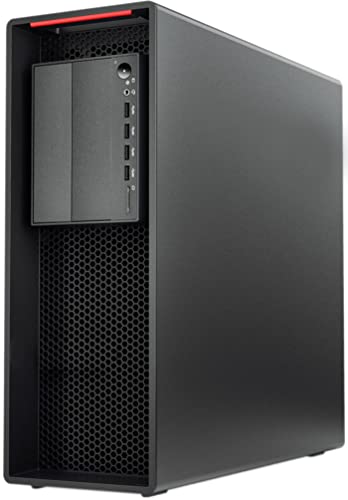
- Xeon W-2135 CPU with 64GB ECC RAM
- 900W Platinum PSU supports high-end RTX GPUs
- No GPU, storage, or OS included
Best For: Builders who want a refurbished workstation base for a custom RTX setup.
Best for RTX Workstations
ASUS ExpertCenter Pro ER100A B6 1U Barebone

- Official support for NVIDIA RTX A1000/A400 GPUs
- DDR5 ECC and EPYC 4000/4005 platform support
- IPMI/BMC remote management with dual 2.5Gb LAN
Best For: IT teams and studios needing a compact, managed 1U rack workstation with RTX support.
Best for Heavy Multitasking
Dual-CPU RTX 5060 Workstation Desktop

- 36 cores / 72 threads for parallel workloads
- RTX 5060 for modern graphics and acceleration
- 128GB RAM with 1TB SSD + 4TB HDD storage
Best For: Creators and power users who need high-core-count multitasking with RTX graphics.
Best for Compact AI Power
Lenovo ThinkStation P3 Ultra SFF Gen 2 RTX 4000

- RTX 4000 SFF Ada graphics for pro rendering and AI
- 128GB DDR5-6400 RAM plus 2TB Gen 5 SSD
- Compact, MIL-STD-810H workstation with WiFi 7
Best For: Engineers, creators, and AI users who need compact workstation-class performance with serious graphics headroom.
Best All-Around RTX Workstation

- RTX 5060 for GPU-accelerated work and multi-display support
- 32GB DDR5 plus 1TB PCIe SSD for fast everyday productivity
- WiFi 7, Bluetooth 5.4, RJ-45, and multiple display outputs
Best For: Teams and creators who want a well-rounded RTX workstation for productivity and content work.
Best High-End Rackmount Creator Rig
Quiet Rackmount Computer RTX 5080

- Core i9-14900KF + RTX 5080 for top-tier performance
- 64GB DDR5 RAM and 2TB Gen4 SSD
- 4U rackmount chassis with Windows 11 Pro
Best For: Creators and power users who need a quiet, rack-friendly workstation with flagship GPU muscle.
Best for Heavy AI Workloads
Dell Tower Plus EBT2250 RTX 5070 Desktop
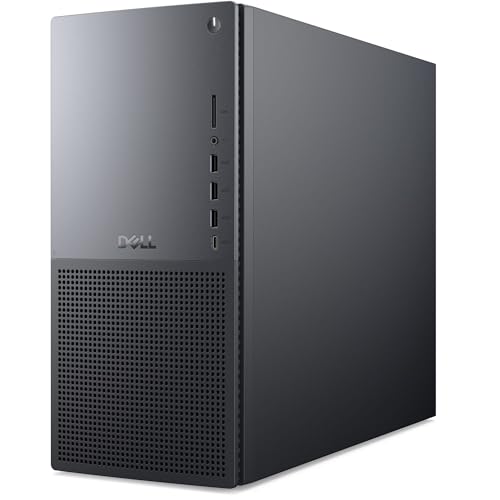
- 24-core Core Ultra 9 CPU for demanding multitasking
- RTX 5070 12GB with DLSS 4 and ray tracing support
- 64GB DDR5 RAM plus 2TB NVMe SSD for big projects
Best For: Creators and professionals who want workstation-class performance in a tower with RTX graphics.
Best RTX 5070 Ti Workhorse
Quiet Rackmount Computer with Ultra 9
- Ultra 9 285K + RTX 5070 Ti for demanding workloads
- 2TB SSD and 32GB DDR5 for fast, smooth performance
- 4U rackmount design with Windows 11 Pro
Best For: Creators, power users, and businesses needing a quiet rackmount workstation with strong RTX graphics.
Best for Quiet Rack Work – Quiet 2U Ryzen 7 RTX 5060 PC
If you want rackmount workstation pcs with rtx gpu power in a space-saving chassis, this 2U system is built for business multitasking, light 3D work, and multi-display productivity. The Ryzen 7 5700X, 32GB of RAM, and 1TB Gen4 NVMe SSD give it a responsive feel for everyday professional workloads, while the RTX 5060 8GB adds the graphics headroom many small offices and home labs need.
Best For: Small businesses, home offices, and rack setups that need a quiet, compact workstation with modern RTX graphics.
Pros:
- 8-core Ryzen 7 5700X delivers strong all-around CPU performance for multitasking
- RTX 5060 8GB supports multi-monitor use and GPU-accelerated creative or AI apps
- 2U rackmount design saves desk space and fits cleanly into server-room setups
- 32GB RAM and 1TB Gen4 SSD provide a solid baseline for professional workflows
Cons:
- 2U rackmount form factor is less flexible than a standard tower case
- RTX 5060 8GB may be limiting for heavier 3D or large-scale AI workloads
- Included wireless peripherals are useful, but not essential for rack deployment
Overall, this is a practical pick if you need rackmount workstation pcs with rtx gpu performance without giving up a compact footprint. It leans more toward reliable productivity and quiet deployment than extreme workstation power, which makes it a good fit for offices that value simplicity, speed, and tidy integration.
Best Barebones RTX-Ready Build – PCSP P520 Xeon Workstation
If you want a configurable workstation base for rackmount workstation pcs with rtx gpu needs, the PCSP P520 is a strong starting point: it brings a Xeon W-2135 CPU, 64GB of ECC memory, and a 900W Platinum PSU, but leaves the GPU, storage, and OS up to you. That makes it a practical choice for builders who want workstation-class reliability and enough power headroom for a high-end RTX card.
Best For: Builders who want a refurbished, high-power workstation platform they can equip with their own RTX GPU, storage, and operating system.
Pros:
- Xeon W-2135 and 64GB ECC RAM offer solid performance for CAD, rendering, and multitasking.
- 900W 80+ Platinum PSU provides strong headroom for RTX upgrades.
- Flexible expansion with dual M.2 slots, 3.5″ bays, and RAID support.
- Certified renewed tower build is aimed at dependable 24/7 workstation use.
Cons:
- No GPU, storage, or operating system included, so it is not ready to use out of the box.
- As a tower workstation, it is not a true rackmount chassis.
For buyers comparing rackmount workstation pcs with rtx gpu options, this model stands out more as a powerful DIY base than a turnkey system. It is a smart fit if you value upgrade flexibility and want to choose your own RTX card and storage layout.
Best for RTX Workstations – ASUS ExpertCenter Pro ER100A B6 1U Barebone
If you need a compact, server-style platform for rackmount workstation pcs with rtx gpu, the ASUS ExpertCenter Pro ER100A B6 is built around serious uptime and expandability. It combines EPYC 4000-series support, DDR5 ECC memory, PCIe 5.0 x16, and official RTX A1000/A400 support in a 1U chassis designed for pro workflows, remote management, and dense rack deployments.
Best For: IT teams, studios, and small businesses that want a 1U barebone rack workstation with RTX support, ECC memory, and remote admin features.
Pros:
- Supports one NVIDIA RTX A1000/A400 GPU for pro graphics and AI workloads
- DDR5 ECC memory and AMD EPYC 4000/4005 support for reliability
- Flexible storage with hot-swap SATA bays plus internal SATA/NVMe U.2 options
- Dual 2.5Gb LAN and BMC/IPMI remote management for rack use
Cons:
- Barebone only, so you must add CPU, RAM, storage, GPU, and cooling
- RTX support is limited to the listed workstation-class GPUs
- 1U builds can be tighter on noise and thermal headroom than larger chassis
This is a strong fit if you want a compact, managed platform rather than a prebuilt desktop replacement. For buyers comparing rackmount workstation pcs with rtx gpu, it stands out for its rack-first design, ECC memory support, and admin-friendly feature set.
Best for Heavy Multitasking – Dual-CPU RTX 5060 Workstation Desktop
If you want rackmount workstation pcs with rtx gpu-level performance in a desktop-style tower, this dual-CPU system is built for demanding multitasking, editing, streaming, and mixed productivity workloads. With 36 total cores, an RTX 5060, and 128GB of RAM, it’s aimed at users who care more about throughput and responsiveness than compact size.
Best For: Creators, power users, and small studios that need strong CPU parallelism, lots of memory, and modern GPU acceleration for work and play.
Pros:
- Dual E5-2697v4 CPUs deliver 36 cores / 72 threads for heavy multitasking
- RTX 5060 adds ray tracing and AI-enhanced graphics for gaming and creative apps
- 128GB DDR4 RAM is ideal for large projects, VM use, and demanding workflows
- 1TB SSD plus 4TB HDD balances fast boot times with ample storage capacity
Cons:
- Older Xeon platform won’t match newer CPUs in single-thread performance
- Large, high-power build is not a compact or portable solution
- Gaming-focused buyers may find the dual-CPU setup more than they need
For buyers comparing rackmount workstation pcs with rtx gpu support, this model stands out more for raw multitasking capacity than streamlined size or modern platform efficiency. It makes the most sense when you need lots of cores, lots of RAM, and a capable RTX card in one ready-to-run machine.
Best for Compact AI Power – Lenovo ThinkStation P3 Ultra SFF Gen 2 RTX 4000
If you want rackmount workstation pcs with rtx gpu performance in a very small footprint, this ThinkStation P3 Ultra is built for demanding creative and AI workloads without taking over the desk or rack space. It pairs a Core Ultra 9 CPU, RTX 4000 SFF Ada graphics, and huge memory capacity for professional users who need speed, reliability, and enterprise-grade features.
Best For: Engineers, creators, and AI users who need compact workstation-class performance with serious graphics headroom.
Pros:
- RTX 4000 SFF Ada GPU and Intel NPU deliver strong AI, 3D, and content-creation performance.
- 128GB DDR5-6400 memory and 2TB PCIe Gen 5 SSD make it ready for heavy multitasking.
- Small-form-factor chassis with WiFi 7 and business-grade security is easy to deploy.
- MIL-STD-810H build and Windows 11 Pro suit professional environments.
Cons:
- Not the best fit if you need a full-size tower with maximum upgrade room.
- Premium specs mean a high price compared with entry-level workstation PCs.
For buyers comparing rackmount workstation pcs with rtx gpu options, this Lenovo stands out for packing high-end compute and professional graphics into an unusually compact, deployment-friendly design.
Best for Extreme RTX Workloads – Quiet Rackmount PC with RTX 5090
If you want one of the most powerful rackmount workstation pcs with rtx gpu support, this 4U system is built for heavy creative work, demanding gaming, and multi-monitor productivity. The Ryzen 9 9950X, 96GB of DDR5 RAM, and 4TB Gen4 SSD make it a strong fit for users who need fast response times and plenty of headroom.
Best For: Creators, engineers, and power users who need a rack-mounted workstation with flagship-class RTX performance and lots of memory.
Pros:
- RTX 5090 32GB delivers top-tier graphics performance for rendering, AI, and high-end gaming
- Ryzen 9 9950X plus 96GB RAM handles demanding multitasking and content creation workflows
- 4TB PCIe Gen4 SSD offers fast boot, app loading, and large project storage
- 4U rackmount chassis is suitable for home labs, studios, and business deployments
Cons:
- Premium specs make it a high-cost choice
- Large 4U form factor is not ideal for compact desks or portable use
- May be more power-hungry than simpler workstation builds
This is a very strong pick if you need rackmount workstation pcs with rtx gpu muscle and want a ready-to-run tower-style alternative for studio or server rack setups. The balance of CPU power, GPU headroom, and storage capacity makes it especially appealing for creators who value performance over price.
Best All-Around RTX Workstation – Dell Tower Plus EBT2250
If you want one of the more balanced rackmount workstation pcs with rtx gpu support in a tower-friendly package, the Dell Tower Plus EBT2250 is built for mixed creative and pro workloads. It pairs an Intel Ultra 7-265, 32GB of DDR5 memory, a 1TB PCIe SSD, and a GeForce RTX 5060, giving you a solid mix of CPU, GPU, and storage for editing, design, and light 3D work.
Best For: Buyers who want a capable RTX workstation for productivity, content creation, and multi-display setups without stepping into a huge custom build.
Pros:
- RTX 5060 handles GPU-accelerated workloads and multi-monitor output well
- 32GB DDR5 and 1TB SSD provide a strong baseline for professional use
- Plenty of connectivity, including WiFi 7, Bluetooth 5.4, RJ-45, and multiple video ports
- Windows 11 Pro makes it easier to deploy in business environments
Cons:
- 460W power supply limits future GPU upgrade headroom
- Not a true rackmount chassis, so it may not fit rack-based deployments
As a practical choice among rackmount workstation pcs with rtx gpu ambitions, this Dell model stands out more for its balanced spec sheet than for extreme expandability. It makes sense if you want a ready-to-use workstation that can manage demanding daily work and multiple displays without a lot of setup fuss.
Best High-End Rackmount Creator Rig – Quiet Rackmount Computer RTX 5080
If you want one of the most powerful rackmount workstation pcs with rtx gpu support, this 4U system is built for serious editing, streaming, and gaming. The Core i9-14900KF, RTX 5080, 64GB of DDR5 memory, and 2TB NVMe SSD make it a strong fit for users who need workstation-class speed in a rack-friendly chassis.
Best For: Content creators, streamers, and power users who want a quiet 4U rackmount PC with top-tier CPU and RTX performance.
Pros:
- Intel Core i9-14900KF and RTX 5080 deliver elite performance for demanding workloads
- 64GB DDR5 RAM and 2TB Gen4 NVMe SSD support fast multitasking and quick load times
- 4U rackmount design is suitable for home labs, studios, and business setups
- Includes Windows 11 Pro, keyboard/mouse, and no bloatware
Cons:
- Premium hardware puts it well above entry-level workstation budgets
- 4U chassis takes up more rack space than smaller mountable PCs
This is a compelling choice if you need rackmount workstation pcs with rtx gpu power and want a balanced mix of speed, storage, and creator-focused practicality. It leans heavily toward users who value performance first and rack compatibility second, which is exactly what many high-end workstation buyers are after.
Best for Heavy AI Workloads – Dell Tower Plus EBT2250 RTX 5070 Desktop
If you want one of the fastest tower options to consider for rackmount workstation pcs with rtx gpu, this Dell Tower Plus is built around a 24-core Intel Core Ultra 9, 64GB of DDR5 memory, and a 2TB NVMe SSD. It is a strong fit for demanding creative work, AI-assisted tasks, and other multi-threaded jobs where CPU and GPU balance matters.
Best For: Creators, power users, and professionals who need high CPU throughput plus RTX 5070 graphics for rendering, editing, and accelerated workflows.
Pros:
- 24-core Intel Core Ultra 9 processor with up to 5.7 GHz boost for heavy multitasking
- RTX 5070 12GB adds fast ray tracing, DLSS 4, and Blackwell-based GPU acceleration
- 64GB DDR5 RAM and 2TB NVMe SSD provide lots of headroom for large projects
- Windows 11 Pro and Wi-Fi 7 make it ready for professional office use
Cons:
- Not a true rackmount chassis, so it may not suit standard rack installations
- High-end specs likely push it above entry-level workstation budgets
As a tower rather than a rackmount unit, it is not the most literal match for rackmount workstation pcs with rtx gpu, but its performance profile makes it a compelling alternative when you need workstation-class speed in a desktop form factor.
Best RTX 5070 Ti Workhorse – Quiet Rackmount Computer with Ultra 9
If you want rackmount workstation pcs with rtx gpu performance in a 4U chassis, this build stands out for packing an Intel Core Ultra 9 285K, RTX 5070 Ti, and 32GB of DDR5 into a home, business, or creator-friendly setup. It’s aimed at buyers who need fast rendering, smooth multitasking, and a clean rack-ready form factor without adding extra noise or bloatware.
Best For: Content creators, power users, and businesses that want a quiet 4U rackmount system with strong RTX graphics and modern CPU speed.
Pros:
- Intel Core Ultra 9 285K and RTX 5070 Ti deliver strong CPU/GPU headroom for demanding workloads.
- 2TB NVMe SSD and 32GB DDR5 memory support fast boot times and smooth multitasking.
- 4U rackmount case with Windows 11 Pro fits workstation, studio, or server-style setups.
- Includes wired keyboard and mouse, plus lifetime technical support and 3-year limited warranty.
Cons:
- 4U rack size is not ideal if you need a compact desktop footprint.
- Likely more machine than casual users need for basic office tasks.
For buyers comparing rackmount workstation pcs with rtx gpu options, this model lands in the high-performance sweet spot: strong enough for editing, 3D work, and gaming, while still being practical for rack-based environments.
How We Picked the Best Rackmount Workstation PCs with Rtx GPU
We focused on Rackmount Workstation PCs with Rtx GPU hardware that make sense for demanding production use, not just benchmark bragging rights. Priority went to systems with strong CPU/GPU pairings, usable memory capacity, fast NVMe storage, and configurations suited to real workstation tasks like 3D rendering, simulation, video editing, AI inference, and multi-app productivity.
We also considered rack form factor, cooling approach, power headroom, upgrade potential, and whether the system is a finished workstation or a barebone that needs additional parts.
Quick Comparison
In broad terms, the group splits into three buckets: high-end performance rigs for GPU-heavy workloads, balanced creator workstations for mixed use, and rack-ready barebones or value-oriented systems for buyers who want to customize. A stronger GPU helps most with render acceleration, AI, and effects work, while a stronger CPU matters more for compiling, simulation, and heavily threaded multitasking.
Key Buying Factors for Rackmount Workstation PCs with Rtx GPU
CPU and Thread Count
Choose a CPU based on your dominant workload. CAD, editing, and general creative work usually benefit from strong single-core performance, while rendering, virtualization, and encoding can use more cores and threads. For Rackmount Workstation PCs with Rtx GPU, the best system is often the one with balanced CPU and GPU performance rather than the highest spec in one area.
GPU Class and VRAM
Match the GPU to your applications. Midrange RTX cards are often enough for 1080p or 1440p editing, light 3D work, and general creator tasks. Higher-end RTX models are better for large scenes, AI models, complex timelines, and faster ray tracing. More VRAM can matter as much as raw GPU speed when projects get bigger.
Memory and Storage
Workstation-class systems should start with at least 32GB of RAM, with 64GB or 128GB preferred for heavier multitasking, virtual machines, and large creative files. Fast SSD storage is essential, and a second drive can help separate project files from applications and scratch data.
Rack Fit, Cooling, and Power
Check whether the chassis is 1U, 2U, or 4U, because that affects noise, expansion, and thermal limits. Higher-power RTX cards usually pair better with larger 4U designs and stronger cooling. Also confirm power supply capacity and connector support so the system can handle peak load reliably.
Barebone Vs. Ready-To-Use
Some Rackmount Workstation PCs with Rtx GPU are complete systems, while others are barebones or no-GPU builds. Ready-to-use systems are easier for immediate deployment, but barebones options can be better if you need a specific CPU, memory, storage, or graphics configuration.
Who Should Buy Which Rackmount Workstation PCs with Rtx GPU?
Buy a high-end RTX workstation if you do GPU rendering, AI development, or heavy 4K-plus editing and need the fastest practical turnaround. Choose a balanced midrange model if you want one machine for design, content creation, and everyday production work. Pick a barebone or value-oriented rack system if you already have parts, need a custom configuration, or want to standardize hardware across a team.
If your priority is professional performance in a rack-friendly chassis, the best Rackmount Workstation PCs with Rtx GPU are the ones that match your workload, rack depth, noise tolerance, and upgrade plan.