If you’re building a capable 3D setup without paying new-workstation prices, refurbished hardware can deliver outstanding value. The right machine can handle modeling, sculpting, viewport work, and moderate rendering with room to grow.
This roundup focuses on refurbished workstation PCs for 3D modeling that balance CPU power, memory capacity, professional graphics support, and upgrade potential.
Best 10 Refurbished Workstation PCs for 3d Modeling Picks for 2026
Best Barebones RTX Build
PCSP P520 Xeon W-2135 64GB Workstation
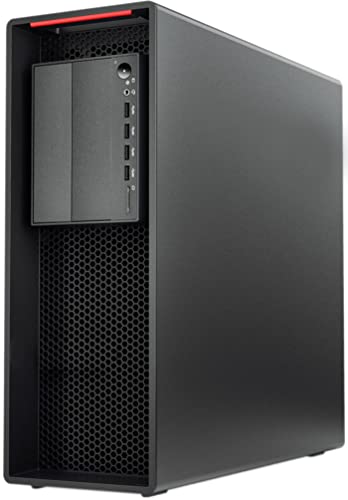
- Xeon W-2135 with 64GB ECC RAM
- 900W Platinum PSU supports high-end GPUs
- No GPU, storage, or OS included
Best For: 3D modelers who want a customizable refurbished tower and already plan to add their own GPU and drives.
Best for Multicolor Prototypes

- Up to 16 colors with expandable CFS support
- 600 mm/s speed with stable, high-precision output
- Auto leveling, quiet mode, and AI monitoring for easier use
Best For: Makers and small studios needing multicolor, high-speed prototype printing.
Best for CPU-Heavy 3D Work
Dell Precision T5810 12-Core 64GB Workstation
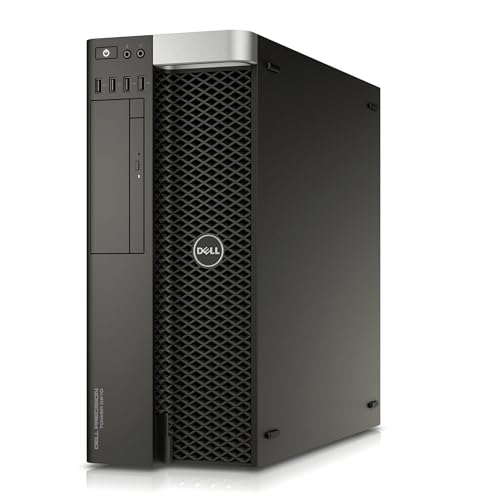
- 12-core Xeon for multi-threaded workloads
- 64GB DDR4 for large scenes and multitasking
- SSD storage for quicker boot and load times
Best For: Users who want a refurbished tower with strong CPU and memory for 3D modeling on a budget.
Best for Budget-Friendly 3D Workloads
PCSP Z2 G4 Xeon Tower Workstation
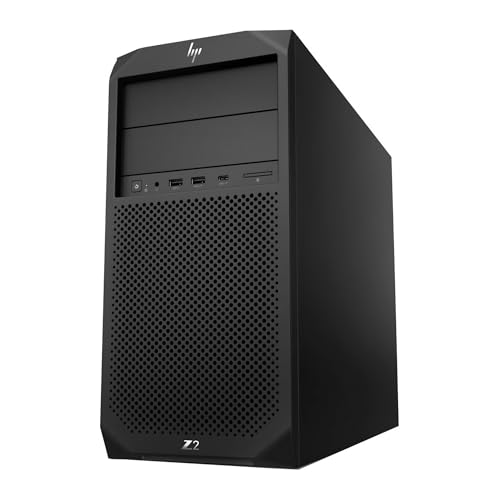
- Xeon E-2124G and 16GB DDR4 handle light-to-moderate modeling tasks.
- 512GB NVMe SSD keeps project loads and boot times snappy.
- Windows 11 Pro and 500W PSU make it easy to deploy in a studio.
Best For: Students, hobbyists, and small studios needing an affordable refurb tower for entry-level 3D work.
Best for Heavy 3D Workloads
HP Z420 8-Core Workstation with 64GB RAM

- 64GB ECC RAM for large 3D projects
- 1TB SSD + 4TB HDD for speed and storage
- Quadro 4000 and Xeon CPU suit workstation tasks
Best For: Designers and freelancers who need a ready-to-use refurbished tower for modeling and lighter rendering.
Best for Multi-Monitor CAD
PCSP ThinkStation P520 Xeon Workstation

- Xeon W-2123 with 32GB RAM for steady workstation use
- Quadro M2000 supports up to four 4K displays
- 900W Platinum PSU and expandable tower for upgrades
Best For: Designers and small teams needing a reliable refurbished tower for CAD, drafting, and multi-monitor work.
Best for Heavy Multi-Core Value
Dell Precision T7810 Dual Xeon Workstation

- Dual Xeon CPU setup for threaded workloads
- 128GB RAM for large 3D scenes and multitasking
- 480GB SSD and workstation-grade tower design
Best For: Creators who want maximum CPU and memory capacity in a refurbished workstation tower.
Best for CAD & Entry-Level 3D
Dell Precision 3431 Quadro P620

- Quadro P620 is solid for CAD and lighter 3D work
- 1TB SSD and 16GB RAM support smooth daily multitasking
- Windows 11 Pro with WiFi 6 and Bluetooth simplifies setup
Best For: Students and professionals who need a dependable refurbished workstation for CAD and entry-level 3D modeling.
Best for Large-Format Multi-Material Prints
Creality K2 Plus Combo 3D Printer

- Up to 16-color printing with the CFS system
- Large 350 × 350 × 350mm build volume
- Fast, automated printing with AI monitoring
Best For: Creators who need a big, fast 3D printer with multi-color output and advanced automation.
Best Simple Pick
Creality K2 Pro Combo 3D Printer

- Multi-color printing with CFS support
- Huge 300 × 300 × 300 mm build volume
- Fast 600 mm/s max speed with AI cameras
Best For: Pro makers and hobbyists who need large, automated multicolor 3D printing.
Best Barebones RTX Build – PCSP P520 Xeon W-2135 64GB Workstation
If you want one of the more flexible refurbished workstation pcs for 3d modeling, this PCSP P520 tower gives you a strong base to build around. The Xeon W-2135 and 64GB of ECC DDR4 memory are well-suited to CAD work, modeling, and multitasking, while the empty GPU, storage, and OS slots let you tailor the machine to your workflow and budget.
Best For: 3D artists and CAD users who want a powerful refurbished tower they can customize with their own graphics card and storage.
Pros:
- Xeon W-2135 CPU and 64GB ECC RAM provide a solid foundation for modeling and multitasking
- 900W Platinum PSU leaves room for high-end RTX or Quadro graphics cards
- Flexible storage support with dual M.2 NVMe slots and RAID-capable SATA bays
- Refurbished pro workstation hardware is geared for reliability and expansion
Cons:
- No GPU, storage, or operating system included, so it is not ready to use out of the box
- Requires more setup than a preconfigured desktop
- Single-socket Xeon platform is capable, but not the fastest option for heavy CPU rendering
This is a smart pick for buyers comparing refurbished workstation pcs for 3d modeling who value upgrade headroom over convenience. If you already plan to add your own graphics card and drives, the P520 offers a strong workstation-grade starting point.
Best for Multicolor Prototypes – Creality K2 Combo 3D Printer
If you’re comparing options for refurbished workstation pcs for 3d modeling, the Creality K2 Combo stands out as a fast, feature-rich 3D printer for turning complex concepts into physical prototypes. Its multicolor CFS system, high-temp nozzle, and auto-leveling make it a practical choice for designers who want more creative output with less setup friction.
Best For: Makers, designers, and small studios that want multicolor, high-speed printing for prototypes, visual models, and functional parts.
Pros:
- Supports up to 16 colors with expandable CFS-based multicolor printing
- Fast 600 mm/s printing with strong frame stability for detailed output
- Auto leveling, guided calibration, and quiet operation simplify setup
- Handles PLA, ABS, PETG, and higher-temp engineering filaments
Cons:
- Single included CFS unit may limit larger multicolor workflows unless expanded
- More advanced than a basic starter printer, so some features may go unused
- Not a workstation PC itself, so it only fits the roundup as a companion tool
For buyers building a creative pipeline around refurbished workstation pcs for 3d modeling, this printer is a strong add-on when presentation quality and rapid iteration matter. It’s especially compelling if you want a machine that can keep up with detailed CAD work and deliver polished physical mockups.
Best for CPU-Heavy 3D Work – Dell Precision T5810 12-Core 64GB Workstation
If you want a capable entry point into refurbished workstation pcs for 3d modeling, the Dell Precision T5810 stands out for its 12-core Xeon processor, generous 64GB DDR4 memory, and SSD storage that helps keep projects responsive. It is a practical pick for model prep, scene management, and multitasking, especially if you plan to add your own operating system and possibly a stronger graphics card later.
Best For: Buyers who need lots of CPU threads and memory for budget-conscious 3D modeling, CAD, and general workstation use.
Pros:
- 12-core Xeon CPU is well suited to multi-threaded modeling and rendering workloads
- 64GB DDR4 RAM supports large scenes and heavy multitasking
- 480GB SSD provides faster boots and quicker app loading than a hard drive
- Refurbished workstation pricing makes it a value-focused upgrade path
Cons:
- Quadro NVS 315 is very basic for demanding 3D viewport work
- No operating system included, so setup takes extra time
- Older platform means less efficiency than newer workstation towers
For shoppers comparing refurbished workstation pcs for 3d modeling, this T5810 is strongest as a CPU-and-RAM-heavy base system rather than a turn-key graphics powerhouse. If your workflow can tolerate a modest GPU, it offers a solid foundation at a sensible renewed price.
Best for Budget-Friendly 3D Workloads – PCSP Z2 G4 Xeon Tower Workstation
If you want one of the more approachable refurbished workstation pcs for 3d modeling, the PCSP Z2 G4 is a practical entry point. It pairs a Xeon E-2124G, 16GB of DDR4, and a fast 512GB NVMe SSD, so it can handle lighter modeling, CAD, and scene prep without the cost of a brand-new workstation.
Best For: Students, hobbyists, and small studios that need a dependable refurb tower for entry-level 3D work and general creative tasks.
Pros:
- Xeon processor and 16GB RAM provide a solid base for everyday modeling tasks.
- 512GB NVMe SSD helps with fast boot times and quicker project loading.
- Windows 11 Pro and 500W PSU make it ready for office or studio deployment.
- UHD Graphics P630 offers dual DisplayPort output for basic multi-monitor setups.
Cons:
- Integrated graphics limit performance for heavy rendering or GPU-accelerated workloads.
- 16GB memory is fine for light use, but larger scenes may benefit from an upgrade.
- Not the best choice if you need a workstation for advanced 3D animation or simulations.
For buyers comparing refurbished workstation pcs for 3d modeling, this Z2 G4 stands out as a value-first tower that covers the essentials well. It is better suited to smaller projects and upgrade-friendly workflows than to demanding production rendering.
Best for Heavy 3D Workloads – HP Z420 8-Core Workstation with 64GB RAM
If you want one of the more capable refurbished workstation pcs for 3d modeling, the HP Z420 is built around an 8-core Intel Xeon E5-2670, 64GB of ECC memory, and a dedicated Nvidia Quadro 4000 GPU. That combination makes it a practical pick for modeling, scene work, and general rendering on a budget, while the included 1TB SSD and 4TB hard drive give you both speed and storage.
Best For: Designers, students, and freelancers who need a ready-to-use refurbished tower for CAD, 3D modeling, and lighter rendering tasks.
Pros:
- 64GB ECC RAM helps handle large projects and multitasking
- 1TB SSD plus 4TB HDD offers fast boot times and ample storage
- Quadro 4000 graphics are tuned for workstation-style 3D applications
- Windows 10 Pro, keyboard, and mouse are included for an easy setup
Cons:
- Older Xeon and Quadro hardware is not ideal for very demanding modern rendering
- Bulky tower design takes up more desk space than compact systems
Overall, this Z420 stands out among refurbished workstation pcs for 3d modeling because it prioritizes memory, storage, and workstation stability over flashy specs. If your workflow values reliability and multi-tasking more than cutting-edge GPU speed, it offers solid value.
Best for Multi-Monitor CAD – PCSP ThinkStation P520 Xeon Workstation
If you want refurbished workstation pcs for 3d modeling that feel more like a true office-grade build than a consumer tower, the PCSP ThinkStation P520 is worth a look. It pairs a Xeon W-2123 CPU with 32GB of RAM, a 512GB NVMe SSD, and Quadro graphics, so it’s aimed at steady CAD, BIM, and light-to-moderate 3D workflows rather than flashy gaming specs.
Best For: Designers, drafters, and small studios that need a dependable refurbished tower for multi-monitor productivity and professional apps.
Pros:
- Xeon W-2123 and 32GB DDR4 provide stable performance for workstation tasks
- Quadro M2000 with 4x DisplayPort supports up to four 4K displays
- 900W Platinum PSU and expandable tower leave room for future upgrades
- 512GB NVMe SSD helps keep boot times and project loading snappy
Cons:
- Quadro M2000 is fine for CAD but limited for heavier 3D rendering
- Older 4-core CPU may not suit demanding simulation or large scene work
Overall, this is a practical choice if you need refurbished workstation pcs for 3d modeling with certified graphics support, strong expandability, and a dependable chassis. It’s especially appealing when multi-display compatibility and long-term serviceability matter more than top-end rendering speed.
Best for Heavy Multi-Core Value – Dell Precision T7810 Dual Xeon Workstation
If you want a tower that prioritizes CPU and RAM over flashy extras, this Dell Precision T7810 is a strong fit for refurbished workstation pcs for 3d modeling. Its dual Xeon setup, 128GB of DDR4 memory, and SSD storage give it the kind of capacity that helps with large scene files, multitasking, and rendering-focused workflows.
Best For: 3D artists, CAD users, and creators who need lots of cores and memory for demanding projects on a refurbished budget.
Pros:
- Dual Intel Xeon E5-2670 v3 processors deliver plenty of threaded performance.
- 128GB of DDR4 memory is excellent for heavy multitasking and large project files.
- 480GB SSD improves boot times and general responsiveness.
- Workstation-class build is designed for reliability and expansion.
Cons:
- Quadro NVS 315 is a very basic graphics card for 3D work.
- No operating system is included, so setup takes extra effort.
- Older platform may not be ideal for the newest GPU-heavy modeling tools.
This is a smart pick if you care more about core count, memory headroom, and workstation stability than modern GPU power. For buyers comparing refurbished workstation pcs for 3d modeling, it stands out as a value-focused tower for CPU-bound tasks and serious multitasking.
Best for CAD & Entry-Level 3D – Dell Precision 3431 Quadro P620
If you want refurbished workstation pcs for 3d modeling without spending on a brand-new tower, this Dell Precision 3431 is a practical pick. The Core i5-9500, 16GB RAM, 1TB SSD, and Quadro P620 give it the kind of balanced, business-class setup that works well for CAD, lighter 3D projects, and everyday productivity.
Best For: Students, home offices, and professionals who need a dependable refurbished workstation for CAD, multi-monitor work, and entry-level 3D modeling.
Pros:
- Quadro P620 graphics are better suited to professional visual apps than basic consumer GPUs
- 16GB RAM and a 1TB SSD provide smooth multitasking and fast storage access
- Windows 11 Pro, WiFi 6, and Bluetooth make it ready for office or home use
- Includes keyboard and mouse for a simpler plug-and-play setup
Cons:
- 2GB VRAM limits heavier 3D scenes and demanding rendering workloads
- i5-9500 is capable, but not ideal for advanced simulation or fast render times
- Refurbished hardware may show cosmetic wear compared with new systems
For buyers comparing refurbished workstation pcs for 3d modeling, this Dell stands out more for reliability and value than raw graphics power. It makes sense if your workflow is focused on CAD, design, and moderate modeling rather than complex production rendering.
Best for Large-Format Multi-Material Prints – Creality K2 Plus Combo 3D Printer
If you need a fast, high-capacity printer for complex prototypes, the Creality K2 Plus Combo is a strong fit for makers comparing refurbished workstation pcs for 3d modeling and other demanding desktop workflows. Its large 350 × 350 × 350mm build volume, multi-color CFS system, and high-speed motion design make it a practical option for bigger, more detailed print jobs.
Best For: Users who want a large-format 3D printer with multi-color capability, high-speed output, and strong automation for ambitious models.
Pros:
- Prints in up to 16 colors with multiple CFS units, reducing post-processing.
- Very fast for a large machine, with up to 600mm/s printing and 30,000mm/s² acceleration.
- Auto leveling, dual Z axes, and AI cameras help keep long prints on track.
- Supports a wide range of materials, including high-temp and reinforced filaments.
Cons:
- More advanced than entry-level printers, so it may be overkill for casual users.
- Multi-material setup adds complexity and cost beyond the base printer.
- Large footprint may be difficult to fit in smaller workspaces.
For buyers comparing refurbished workstation pcs for 3d modeling, this is the kind of machine that makes sense when print speed, build size, and material flexibility matter more than budget simplicity. It is aimed at serious creators who want fewer limitations and more automation in everyday production.
Best Simple Pick – Creality K2 Pro Combo 3D Printer
If you’re comparing workflow, speed, and material flexibility rather than just raw specs, the Creality K2 Pro Combo stands out as a serious maker machine. It’s a better fit for users who need fast, high-volume, multi-color printing than for shoppers who are primarily looking at refurbished workstation pcs for 3d modeling as their main budget option.
Best For: Pro users, ambitious hobbyists, and small studios that want a large, automated 3D printer for multi-color parts and engineering materials.
Pros:
- Supports multi-material and multicolor printing with Creality CFS integration
- Large 300 × 300 × 300 mm build volume is ideal for big parts and batch runs
- Fast 600 mm/s max speed with AI cameras and auto leveling for easier printing
- High-temp nozzle and chamber heating help with ABS, ASA, and CF-filled filaments
Cons:
- Much more specialized than a standard workstation-focused 3D workflow
- Additional CFS units are sold separately for expanded color capacity
- Large, feature-rich design is overkill for casual users or very small workspaces
For makers who want a capable production printer, this is a strong pick; for buyers whose priority is value-driven computing for CAD, rendering, or modeling, refurbished workstation pcs for 3d modeling may still be the more practical spend.
How We Picked the Best Refurbished Workstation PCs for 3d Modeling
We prioritized workstation-class systems with strong multi-core CPUs, at least 32GB of RAM in most picks, and reliable expansion options. For Refurbished Workstation PCs for 3d Modeling, we also looked at professional GPU support, fast SSD storage, and power supplies that leave room for future upgrades.
Quick Comparison
The best choice depends on your workflow. CPU-heavy modeling and simulation benefit from more cores and higher boost clocks, while viewport performance and GPU-accelerated tools depend more on the graphics card. If you use Blender, Maya, 3ds Max, Cinema 4D, or similar software, aim for a balanced system rather than chasing CPU specs alone.
Key Buying Factors for Refurbished Workstation PCs for 3d Modeling
Processor
Look for Intel Xeon or high-end Core processors with enough cores for multitasking and background rendering. Single-thread speed still matters for modeling and navigation, so avoid systems that are powerful only on paper.
Memory
32GB is a practical starting point for many artists, while 64GB or more is better for complex scenes, large textures, and multitasking. ECC memory can be a plus in workstation systems, especially for long sessions and stability-focused workflows.
Graphics
A professional GPU such as Quadro or similar workstation graphics is useful for certified drivers, stable viewports, and CAD-adjacent work. For heavier rendering or modern real-time visualization, a stronger GPU matters more than a basic display adapter.
Storage and Upgrades
Prefer NVMe SSDs for fast project loading and cache performance. Check for open drive bays, free RAM slots, and standard power connectors so the system can grow with your needs.
Who Should Buy Which Refurbished Workstation PCs for 3d Modeling?
Choose a higher-core workstation if you render often, simulate heavily, or keep many applications open at once. Pick a more balanced tower with a better GPU if your work is viewport-sensitive or includes GPU-accelerated effects. Entry-level Refurbished Workstation PCs for 3d Modeling can work well for students and hobbyists, while professionals should lean toward systems with more RAM, faster storage, and upgrade headroom.
In short, the best value comes from matching the machine to your workflow instead of overspending on one component. A well-chosen refurbished workstation can be a smart, long-lasting foundation for 3D production.