Choosing the right workstation PC for civil engineers can make a real difference in CAD, BIM, GIS, and project coordination workflows. The best systems balance CPU speed, memory capacity, professional graphics, and storage responsiveness.
Below, we focused on practical buying priorities so you can compare reliable desktops for drafting, modeling, and heavy multitasking without overspending on specs you will not use.
Best 10 Workstation PC for Civil Engineers Picks for 2026
Best for Heavy Multitasking
Lenovo ThinkStation P2 Tower Desktop AI PC

- 64GB DDR5 + 2TB SSD for smooth multitasking
- Supports three 4K displays for productive setups
- Wi-Fi 7 and Windows 11 Pro suit business use
Best For: Civil engineers who need a responsive tower for multitasking, documentation, and multi-monitor office work.
Best for Heavy CAD & Multitasking
Dell Precision 7920 Dual Xeon Workstation

- 32-core dual Xeon setup for demanding engineering workflows
- 192GB ECC RAM for large CAD files and heavy multitasking
- Quadro P2000 provides stable, certified CAD performance
Best For: Civil engineers and CAD professionals who need a powerful refurbished tower for complex projects and multitasking.
Best for Heavy CAD
Threadripper PRO 7965WX Workstation PC

- 24-core Threadripper PRO CPU for demanding multitasking
- 64GB ECC DDR5 RAM for stability on large projects
- 2TB Gen5 SSD + 3TB HDD for speed and storage
Best For: Civil engineers and CAD professionals who need a fast, stable desktop for complex models and heavy multitasking.
Best for Multitasking

- Core Ultra 7 CPU handles everyday engineering workflows well
- Supports multiple monitors for CAD, spreadsheets, and review work
- Tool-less case and Windows 11 Pro make it easy to live with
Best For: Civil engineers who want a dependable office tower with room to expand.
Best for Heavy CAD Multitasking

- 64GB RAM for large CAD and BIM files
- SSD + HDD combo for speed and storage
- Xeon + Quadro platform for workstation stability
Best For: Civil engineers who need a stable tower for CAD, BIM, and simulation workflows.
Best for Heavy CAD Loads
Dell Tower Plus EBT2250 Workstation Desktop
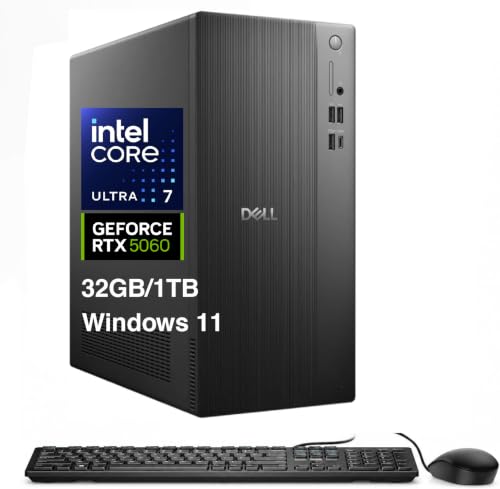
- Intel Ultra 7-265 and RTX 5060 handle CAD and 3D workflows well
- 32GB DDR5 RAM and 1TB SSD keep multitasking and loading fast
- Multiple display outputs fit a serious multi-monitor desk setup
Best For: Civil engineers needing a fast, modern desktop for CAD, modeling, and productivity.
Best for Comfort
High End Z4 G4 Xeon Workstation

- 8-core Xeon W-2145 with 4.5GHz turbo
- Quadro P4000 8GB with 4 DisplayPorts
- 1TB NVMe SSD plus 3TB HDD storage
Best For: Civil engineers who need a dependable Renewed tower for CAD, BIM, and multi-monitor workflows.
Best with Extra Features
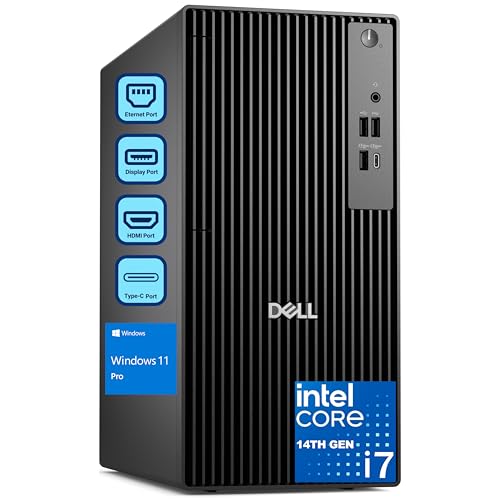
- 20-core i7-14700 for CAD, analysis, and heavy multitasking
- 64GB RAM plus 2TB SSD for fast project loading
- Dual 4K display support for efficient engineering workflows
Best For: Civil engineers and office professionals who need a fast, reliable tower PC for CAD and multitasking.
Best Heavy-Duty Pick
PCSP High-End Precision 7920 Workstation

- 48-core / 96-thread dual Xeon performance
- 384GB RAM for large engineering files
- Quadro P2000 and dual-drive storage mix
Best For: Civil engineers who need a high-core-count workstation for CAD, simulations, and multitasking.
Best Refurbished Workhorse
PCSP Z4 G4 Xeon Workstation Tower

- 64GB RAM for large CAD and BIM projects
- Quadro M4000 8GB for professional design apps
- 512GB NVMe SSD plus 2TB HDD for speed and storage
Best For: Civil engineers and CAD professionals who want a refurbished tower with workstation-class reliability.
Best for Heavy Multitasking – Lenovo ThinkStation P2 Tower Desktop AI PC
If you need a workstation pc for civil engineers that can keep CAD, spreadsheets, PDFs, and browser tabs open at once, this Lenovo ThinkStation P2 Tower is built for that kind of day-to-day workload. The Core Ultra 5 processor, 64GB of DDR5 memory, and 2TB SSD make it a strong fit for office-heavy engineering tasks, documentation, and moderate design work with plenty of storage headroom.
Best For: Civil engineers who want a responsive Windows 11 Pro tower for multitasking, document-heavy workflows, and dual- or triple-monitor productivity.
Pros:
- 64GB DDR5 and a 2TB SSD help keep large projects, files, and apps moving smoothly.
- Supports up to three 4K displays through HDMI and dual DisplayPort outputs.
- Wi-Fi 7, Bluetooth, and a wide port selection make it easy to connect office gear.
- Windows 11 Pro is a plus for business and team-based workflows.
Cons:
- Intel graphics are fine for productivity, but not ideal for demanding 3D rendering or GPU-heavy simulation.
- The tower form factor takes more desk space than a compact desktop.
- The bundle adds value, but some buyers may prefer a simpler base configuration.
As a workstation pc for civil engineers, this ThinkStation P2 stands out more for fast multitasking and display flexibility than for high-end graphics performance. If your work is mostly design review, estimating, coordination, and running multiple business apps, it offers a practical mix of speed, capacity, and professional features.
Best for Heavy CAD & Multitasking – Dell Precision 7920 Dual Xeon Workstation
If you need a workstation pc for civil engineers that can keep up with large CAD files, multitasking, and long project sessions, the Dell Precision 7920 is built for serious workloads. Its dual Xeon processors, 192GB of ECC memory, and professional Quadro graphics make it a strong fit for engineering offices, BIM work, and simulation-heavy tasks.
Best For: Civil engineers, CAD users, and technical teams that need high-core-count performance and lots of memory for demanding design workflows.
Pros:
- Dual Xeon Gold 6130 CPUs deliver 32 cores for heavy modeling and rendering
- 192GB ECC RAM supports large projects and smooth multitasking
- Quadro P2000 graphics offers stable, CAD-certified performance
- Fast SSD + large HDD mix balances speed, storage, and reliability
Cons:
- Refurbished unit may not appeal to buyers wanting brand-new hardware
- Large tower design takes up more desk or floor space
- Graphics card is solid for CAD, but not ideal for high-end 3D gaming
For a workstation pc for civil engineers who value memory, CPU throughput, and dependable CAD performance over compact size, this Precision tower is a practical high-end option. It’s especially compelling if your workflow involves multiple applications, large models, or storage-heavy project files.
Best for Heavy CAD – Threadripper PRO 7965WX Workstation PC
If you need a workstation pc for civil engineers that can handle large CAD files, multitasking, and simulation-heavy workflows, this Sentinel build is aimed at high-end productivity rather than gaming value. The 24-core Threadripper PRO CPU, ECC memory, fast Gen5 SSD, and professional-minded expandability make it a strong fit for demanding office or project environments.
Best For: Civil engineers, CAD users, and technical teams who need a fast, stable desktop for modeling, drafting, and running multiple applications at once.
Pros:
- 24-core Threadripper PRO processor offers strong multithreaded performance for CAD and compute workloads
- 64GB ECC DDR5 RAM improves reliability and headroom for large projects and multitasking
- 2TB PCIe Gen5 SSD plus 3TB HDD provides fast loading and ample storage for job files
- RTX 5070 GPU supports 3D modeling, visualization, and multiple monitors
Cons:
- Overkill for light drafting or basic office use
- Premium workstation parts put it in a higher price tier
- Gaming-oriented GPU memory may not match true pro graphics cards for every workflow
For a workstation pc for civil engineers who value speed, stability, and room to grow, this configuration is a serious productivity machine. It makes the most sense when your work regularly involves complex models, big datasets, or many apps open at once.
Best for Multitasking – Dell Tower Desktop ECT1250
If you need a practical workstation pc for civil engineers, the Dell Tower Desktop ECT1250 is built for dependable day-to-day modeling, document work, and multi-display setups. Its Intel Core Ultra 7 processor, 16GB of memory, and 1TB SSD give you a responsive base for CAD files, spreadsheets, plan reviews, and office productivity.
Best For: Civil engineers who want a business-ready tower with strong multitasking, easy expansion, and support for multiple monitors.
Pros:
- Intel Core Ultra 7 chip brings solid performance with built-in AI features
- Supports up to four FHD monitors or two 4K displays for wider workflows
- Tool-less access makes future upgrades and maintenance easier
- Includes Windows 11 Pro plus wired keyboard and mouse
Cons:
- 16GB RAM is workable, but heavier CAD or simulation users may want more
- UHD Graphics are fine for office and light design tasks, not advanced 3D rendering
- Business tower design is more practical than compact or stylish
Overall, this is a smart workstation pc for civil engineers who care more about reliability, monitor support, and upgrade flexibility than flashy specs. It is a strong fit for office-based engineering work, especially if your workflow stays centered on design review, coordination, and productivity apps.
Best for Heavy CAD Multitasking – HP Z4 G4 Workstation
If you want a dependable workstation pc for civil engineers, the HP Z4 G4 stands out for its Xeon processor, 64GB of RAM, and dual-drive setup that balances fast boot times with lots of project storage. It is built for demanding CAD, structural analysis, and multi-application workflows where stability matters more than flashy graphics.
Best For: Civil engineers who need a reliable tower for CAD, BIM, and simulation-heavy work without moving into an ultra-expensive pro rig.
Pros:
- 64GB DDR4 memory helps with large drawings, assemblies, and multitasking.
- 512GB NVMe SSD + 2TB HDD gives quick startup plus roomy file storage.
- Xeon W-2133 and Quadro P400 deliver workstation-class stability for professional apps.
- 750W PSU and Z4 platform leave room for future expansion.
Cons:
- Quadro P400 is entry-level for graphics-heavy 3D visualization.
- Renewed unit may show minor cosmetic wear.
- Not the best choice if you need cutting-edge GPU performance for rendering.
This is a practical pick if your workstation pc for civil engineers needs strong RAM, dependable storage, and a professional-grade platform for everyday engineering software. It is better suited to productivity and stability than to high-end rendering.
Best for Heavy CAD Loads – Dell Tower Plus EBT2250 Workstation Desktop
If you need a workstation pc for civil engineers that can handle CAD, 3D site models, and multitasking without slowing down, this Dell Tower Plus is built around strong core specs. The Intel Ultra 7-265, 32GB of DDR5, and RTX 5060 give it enough headroom for design work, while the mix of DisplayPort, HDMI, Thunderbolt 4, and Wi-Fi 7 makes it easy to connect a full office setup.
Best For: Civil engineers who want a fast Windows 11 Pro tower for CAD, modeling, and multi-monitor productivity.
Pros:
- 20-core Intel Ultra 7 and RTX 5060 are a strong match for CAD and visualization
- 32GB DDR5 and 1TB PCIe SSD support smooth multitasking and quick file access
- Plenty of display outputs for dual- or triple-monitor engineering setups
- Includes Windows 11 Pro plus keyboard and mouse for faster deployment
Cons:
- 460W power supply may limit major future GPU or component upgrades
- Not a portable option if you need a mobile engineering workstation
For civil engineers who want a capable desktop instead of an entry-level office PC, this tower offers a balanced mix of CPU speed, graphics support, and connectivity. It is a sensible workstation pc for civil engineers if your day includes large drawings, multiple applications, and external displays.
Best for Comfort – High End Z4 G4 Xeon Workstation
If you need a workstation pc for civil engineers that can handle large CAD models, point-cloud workflows, and multiple design tools at once, this Z4 G4 build is a strong fit. The Xeon W-2145 CPU, Quadro P4000 graphics, and generous storage make it well suited to day-to-day engineering production work rather than general office use.
Best For: Civil engineers who want a reliable Renewed workstation for CAD, BIM, drafting, and multi-monitor productivity.
Pros:
- 8-core Xeon processor with up to 4.5GHz turbo for demanding engineering tasks
- Quadro P4000 8GB with 4 DisplayPort outputs for multi-monitor setups
- 1TB NVMe SSD plus 3TB HDD gives fast boot times and plenty of project storage
- Windows 11 Pro and 750W PSU make it ready for professional use
Cons:
- Renewed system may not appeal to buyers who want a brand-new tower
- Older Xeon platform is solid, but not as future-proof as newer workstation CPUs
This is a practical workstation pc for civil engineers who value stability, certified-style graphics support, and lots of room for active project files. If your workflow centers on CAD performance, dual-or triple-display productivity, and dependable day-long operation, this tower covers the essentials well.
Best with Extra Features – Dell Pro Tower i7 Desktop
If you need a workstation pc for civil engineers that can keep up with CAD files, multitasking, and large project datasets, this Dell Pro Tower is built for serious productivity. The 20-core Intel Core i7-14700, 64GB of DDR5 memory, and 2TB PCIe SSD give it the headroom to handle demanding design and analysis work without feeling slow.
Best For: Civil engineers, designers, and office teams that want a fast tower PC for CAD, multitasking, and dual-monitor workflows.
Pros:
- 20-core i7-14700 delivers strong multitasking for CAD, analysis, and business apps.
- 64GB RAM and a 2TB SSD help large files open quickly and stay responsive.
- Dual 4K display support is useful for drawings, specs, and reference windows side by side.
- Windows 11 Pro adds business-focused security and remote desktop features.
Cons:
- No built-in Wi-Fi, so wireless connectivity requires an added adapter or Ethernet.
- Not a dedicated graphics workstation, so heavy 3D visualization users may want a GPU-focused build.
For buyers comparing a workstation pc for civil engineers, this Dell stands out for raw CPU power, memory capacity, and office-friendly reliability rather than flashy extras. It is a practical choice when your priority is keeping engineering software, spreadsheets, and multiple displays running smoothly.
Best Heavy-Duty Pick – PCSP High-End Precision 7920 Workstation
If you need a workstation pc for civil engineers that can handle big CAD files, multitasking, and simulation-heavy workflows, this dual-Xeon tower is built for raw throughput. With 48 cores, 96 threads, 384GB of RAM, and fast NVMe storage, it’s aimed at demanding office or lab setups rather than casual desktop use.
Best For: Civil engineers, CAD users, and technical teams that need high core counts and huge memory for modeling, drafting, and analysis.
Pros:
- Dual Intel Xeon Platinum CPUs deliver 48 cores and 96 threads for heavy parallel workloads
- 384GB DDR4 memory helps with large project files, simulations, and virtualization
- 1TB NVMe SSD plus 4TB HDD balances fast boot speeds with roomy storage
- Quadro P2000 graphics support professional software and multi-monitor productivity
Cons:
- Renewed system may not appeal to buyers wanting brand-new hardware
- Older Xeon platform is powerful, but not as efficient as newer workstation CPUs
- Graphics card is solid for CAD, but not ideal for advanced GPU rendering
This is a strong fit if your workstation pc for civil engineers needs to prioritize CPU cores and memory over flashy gaming specs. It makes the most sense for users working in CAD, infrastructure planning, and analysis workflows that benefit from stable, high-capacity workstation hardware.
Best Refurbished Workhorse – PCSP Z4 G4 Xeon Workstation Tower
This HP Z4 G4 is a practical workstation pc for civil engineers who need dependable CAD performance, plenty of memory, and a mix of fast boot storage plus larger project storage. The Xeon W-2133, 64GB of RAM, and Quadro M4000 make it a solid fit for drafting, BIM, and moderate 3D workflows without paying new-workstation prices.
Best For: Civil engineers, CAD users, and buyers who want a certified refurbished tower with workstation-class hardware for day-to-day design work.
Pros:
- 64GB DDR4 RAM helps with large project files and multitasking
- Quadro M4000 8GB is tuned for professional design and modeling apps
- 512GB NVMe SSD + 2TB HDD balances speed and storage capacity
- Windows 11 Pro and dual 1GbE LAN add business-ready features
Cons:
- Older Xeon and GPU hardware are not ideal for heavy modern rendering
- Refurbished condition may not appeal to buyers wanting brand-new parts
- No optical drive included
For buyers comparing a workstation pc for civil engineers, this model stands out more for reliability and memory headroom than raw speed. It is a smart value pick if your workflow centers on AutoCAD, Civil 3D, Revit, and similar professional tools rather than demanding GPU rendering.
How We Picked the Best Workstation PC for Civil Engineers
For a Workstation PC for Civil Engineers, we prioritized components that matter in day-to-day design work: strong multi-core performance, enough RAM for large files, fast SSD storage, and graphics hardware that supports stable multi-monitor workflows. We also favored towers with upgrade room, because engineering software demands tend to grow over time.
Quick Comparison: What Matters Most
Some buyers need maximum CPU throughput for rendering, simulation, and large assemblies. Others need a balanced desktop for AutoCAD, Revit, Civil 3D, and office multitasking. In general, 32GB RAM is a sensible minimum, 64GB is better for complex projects, and 128GB+ is ideal for advanced coordination or heavier analysis. A dedicated GPU is important if your workflow includes 3D visualization or multiple high-resolution displays.
Key Buying Factors for a Workstation PC for Civil Engineers
Processor
Look for a modern Intel Core Ultra, Intel Core i7/i9, Xeon, or Threadripper-class processor depending on workload. Higher core counts help with rendering and simulation, while strong single-core speed still matters for design responsiveness.
Memory
RAM capacity affects how smoothly large drawings, point clouds, and multi-app workflows run. For most civil engineering users, 64GB is an excellent target. Choose more if you routinely open large BIM models or run analysis software alongside CAD.
Graphics
Professional GPUs such as Nvidia Quadro or workstation-oriented RTX cards are useful for stable driver support and multi-display output. If your work is mostly 2D drafting, integrated graphics may be enough, but 3D and visualization benefit from a dedicated GPU.
Storage
A fast NVMe SSD improves boot times, file loading, and project responsiveness. Larger secondary HDDs can be useful for archives, backups, and current project storage. A 2TB SSD is especially convenient if you manage large project libraries.
Expandability and Ports
Civil engineering offices often rely on multiple monitors, peripherals, and external drives. Check for enough USB, HDMI, and DisplayPort connections, plus room to upgrade RAM and storage later.
Who Should Buy Which Workstation PC for Civil Engineers?
If you mainly use 2D drafting and standard office tools, a balanced tower with 16GB to 32GB of RAM and a modern Core Ultra or i7 processor is often enough. If you work in BIM, 3D modeling, or visualization, step up to 64GB RAM and a dedicated GPU. For large-scale simulation, heavy multitasking, or demanding office environments, high-core-count Xeon or Threadripper systems are the safest long-term choice.
In short, the best Workstation PC for Civil Engineers is not always the most expensive one; it is the one that matches your software load, monitor setup, and upgrade needs with enough headroom to stay useful for years.