The right 3D workstation depends on what slows you down: navigating dense scenes, rendering, running simulations, or keeping several creative apps open. A high core count alone will not make every workflow faster.
These 10 systems range from entry-level design PCs to dual-Xeon towers. The buying guide below helps you weigh their listed hardware—and spot older components that may limit demanding projects.
Best 10 Workstation PCs for 3d Modeling Picks for 2026
Modern All-Rounder
CPU Solutions VidCore Core Ultra 9
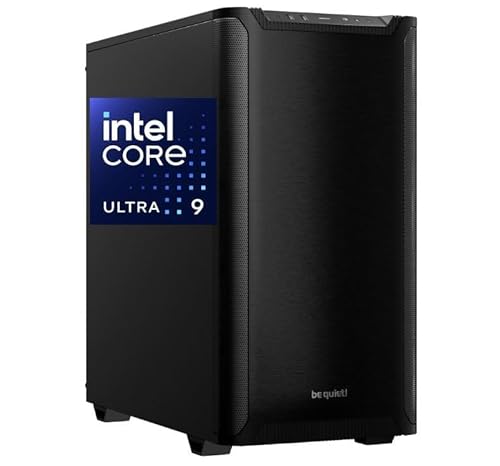
- 24-core Core Ultra 9 285K
- RTX 2000 Ada with 16GB VRAM
- 64GB DDR5 and 2TB NVMe SSD
Best For: Mixed 3D modeling and video-editing workflows
Memory-Heavy Pick
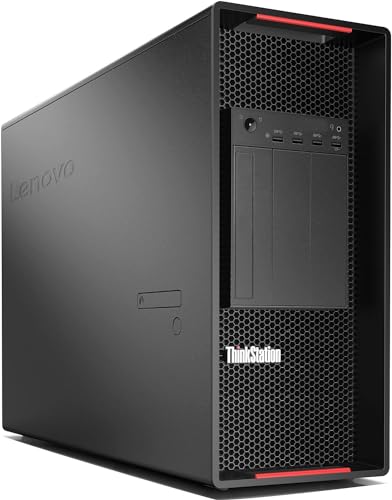
- 48 cores across two Xeon CPUs
- 256GB installed DDR4 RAM
- Quadro P4000 with four DisplayPorts
Best For: Memory-intensive projects and CPU-heavy multitasking
CAD-Focused Starter

- Six-core Xeon W-2135
- 128GB ECC DDR4 RAM
- Quadro P1000 with 4GB VRAM
Best For: CAD work needing ample ECC memory
Storage-Rich Workhorse

- 32 cores across dual Xeon CPUs
- 192GB ECC DDR4 RAM
- Two 1TB SSDs plus two 4TB HDDs
Best For: Large local project libraries and memory-heavy work
Expandable CAD Tower

- Six-core Xeon with 32GB ECC RAM
- 1TB NVMe SSD plus 2TB SATA drive
- Quadro P400 2GB; expandable tower
Best For: CAD users prioritizing storage and upgrades
Compact Office Workstation
Dell Precision 3431 with Quadro P620

- Six-core i5-9500 and Quadro P620 2GB
- 16GB RAM and 1TB SSD
- Wi-Fi 6, Bluetooth, keyboard, and mouse
Best For: Office CAD and design setups
Memory-Heavy Z4
HP Z4 G4 Xeon W-2133 with 64GB RAM
- 64GB DDR4 RAM installed
- Six-core Xeon W-2133
- 512GB NVMe SSD plus 2TB HDD
Best For: Memory-focused modeling workflows
Rendering-Focused Tower
ThinkStation P920 with 48 Xeon Cores

- 48 cores and 96 threads
- 128GB RAM and 1TB NVMe SSD
- Quadro P2000 with 5GB VRAM
Best For: CPU-heavy rendering and expandable project storage
Balanced CAD Storage
Z4 G4 with 64GB RAM and Dual Drives

- Six-core Xeon W-2133
- 64GB RAM plus SSD and HDD
- Quadro M4000 with 8GB VRAM
Best For: CAD projects needing memory and bulk storage
Large-Project Memory Pick

- 48 cores and 96 threads
- 384GB installed DDR4 RAM
- 1TB NVMe SSD plus 4TB HDD
Best For: Memory-intensive scenes and CPU-based rendering
Modern All-Rounder – CPU Solutions VidCore Core Ultra 9
Among workstation pcs for 3d modeling, the VidCore combines a 24-core Intel Core Ultra 9 285K, 64GB of DDR5 RAM, and an RTX 2000 Ada professional graphics card. Its 2TB NVMe SSD and liquid cooler make it a practical choice for mixed modeling, rendering, and video-editing workflows.
Best For: Creators who want a newer CPU platform, professional graphics, and substantial fast storage in one tower.
Pros:
- RTX 2000 Ada has 16GB of dedicated graphics memory and four Mini DisplayPort outputs.
- 64GB DDR5 RAM and a 2TB NVMe SSD support sizable projects.
- Includes Windows 11 Pro, a liquid cooler, and a one-year parts-and-labor warranty.
Cons:
- At 45 pounds, the tower is not especially portable.
- Its listed wireless connectivity uses included adapters rather than a stated built-in Wi-Fi card.
The VidCore is the most contemporary CPU-and-GPU pairing here, particularly appealing if your work spans interactive 3D and high-resolution editing. Check that your displays can connect to its Mini DisplayPort outputs.
For buyers comparing workstation pcs for 3d modeling with demanding multitasking needs, this renewed ThinkStation P920 offers two Xeon Platinum 8160 processors, 48 cores total, and 256GB of DDR4 RAM. A Quadro P4000 and 1TB NVMe SSD round out the configuration.
Best For: Large, memory-intensive projects and CPU-heavy workloads where 256GB of installed RAM matters more than a newer graphics card.
Pros:
- Dual 24-core Xeons provide 48 cores total.
- 256GB of installed DDR4 RAM leaves room for memory-intensive work.
- Quadro P4000 offers four DisplayPort outputs; two 3.5-inch bays are available for added storage.
Cons:
- Renewed unit carries a listed 90-day warranty.
- Keyboard and mouse are not included.
- The Quadro P4000 is an older 8GB graphics option than the RTX 2000 Ada in this roundup.
Choose this P920 primarily for its substantial RAM and core count. If your modeling work is especially graphics- or viewport-intensive, weigh the older P4000 against a newer GPU configuration.
HP Z4 G4 W-2135 6C 3.7Ghz 128GB RAM 1TB NVMe Quadro P1000 Windows 11 (Renewed)
Check Price On AmazonFor workstation pcs for 3d modeling that prioritize ample system memory in a single-CPU setup, this renewed HP Z4 G4 pairs a six-core Xeon W-2135 with 128GB of ECC DDR4 RAM. Its Quadro P1000 graphics card and 1TB NVMe SSD make it a straightforward option for CAD and professional visualization.
Best For: CAD users and modelers who need 128GB of ECC RAM but do not require a high-VRAM graphics card.
Pros:
- 128GB ECC DDR4 RAM is generous for the listed configuration.
- Six-core Xeon W-2135 runs at a listed 3.7GHz.
- Includes a 1TB NVMe SSD, Windows 11 Pro, and a DVD writer.
Cons:
- Quadro P1000 has only 4GB of graphics memory.
- Six CPU cores offer less parallel capacity than the dual-Xeon systems listed here.
- It is a renewed workstation rather than a new build.
The Z4 G4 is a sensible fit when memory capacity and an established workstation platform take priority. For complex GPU-heavy scenes, its 4GB P1000 is the specification to scrutinize first.
Among workstation pcs for 3d modeling, this refurbished Dell Precision 7920 stands out for its combination of dual Xeon Gold 6130 processors, 192GB of ECC DDR4 RAM, and multiple installed drives. Two 1TB SSDs and two 4TB hard drives provide separate options for active files and large project archives.
Best For: Modelers who need substantial local storage and RAM alongside a 32-core dual-CPU workstation.
Pros:
- Dual Xeon Gold 6130 CPUs provide 32 cores total.
- 192GB ECC DDR4 RAM supports memory-intensive projects.
- Includes two 1TB SSDs, two 4TB HDDs, and a Quadro P2000 with four DisplayPorts.
Cons:
- Quadro P2000 has 5GB of graphics memory, which may constrain larger GPU-heavy scenes.
- Hard drives offer capacity but are less suitable than SSDs for frequently accessed working files.
- This is a refurbished, older-generation workstation.
The 7920 makes the strongest case when your workflow benefits from both high RAM capacity and abundant onboard storage. Its older P2000 deserves a closer look if fast, graphics-intensive viewport work is your main priority.
Expandable CAD Tower – HP Z4 G4 Xeon W-2135
HP Z4 G4 W-2135 6C 3.7Ghz 32GB RAM 1TB NVMe 2TB Quadro P400 Windows 11 (Renewed)
Check Price On AmazonAmong workstation pcs for 3d modeling, this renewed HP Z4 G4 offers a practical starting point for CAD work: a six-core Xeon W-2135, 32GB ECC DDR4 memory, and a Quadro P400 2GB graphics card. Its 1TB NVMe SSD and 2TB SATA drive give you separate space for active projects and stored files.
Best For: CAD users who want ECC memory, generous storage, and room to upgrade.
Pros:
- Six-core Xeon W-2135 and 32GB ECC DDR4 memory.
- 1TB NVMe SSD plus 2TB SATA drive.
- Tool-less access and expansion bays for future upgrades.
Cons:
- Quadro P400 has 2GB of graphics memory, which may limit more demanding GPU workloads.
- Renewed unit rather than a new PC.
Choose this configuration if storage and upgrade options matter more to you than a high-memory GPU. Check your modeling software’s graphics requirements before buying.
For buyers comparing workstation pcs for 3d modeling in a smaller office setup, this renewed Dell Precision 3431 pairs a six-core Core i5-9500 with a Quadro P620 2GB card. It also includes 16GB DDR4 RAM, a 1TB SSD, Wi-Fi 6, Bluetooth, and Windows 11 Pro.
Best For: Office users handling CAD or 3D design alongside everyday productivity work.
Pros:
- Quadro P620 graphics with DisplayPort and Mini DisplayPort outputs.
- 1TB SSD and 16GB DDR4 RAM for project files and multitasking.
- Wi-Fi 6, Bluetooth, keyboard, and mouse included.
Cons:
- 2GB of GPU memory may constrain graphics-heavy scenes.
- Listed warranty is 30 days.
This is the office-friendly pick when connectivity and a ready-to-use setup are priorities. Check the memory and GPU needs of your specific modeling projects before choosing it.
If large project files make memory a priority when shopping for workstation pcs for 3d modeling, this renewed HP Z4 G4 supplies 64GB DDR4 RAM. Its six-core Xeon W-2133, Quadro P400 2GB graphics card, 512GB NVMe boot SSD, and 2TB HDD make it a RAM-focused alternative to the other Z4 configuration here.
Best For: Modelers who prioritize 64GB of installed memory and separate boot and storage drives.
Pros:
- 64GB DDR4 RAM installed.
- Six-core Xeon W-2133 with up to 3.9GHz turbo speed.
- 512GB NVMe SSD plus 2TB HDD.
Cons:
- Quadro P400 has only 2GB of graphics memory.
- 512GB boot SSD is smaller than the 1TB SSD in the other HP Z4 configuration.
Pick this Z4 when installed RAM is your deciding factor, but compare the P400 against your software’s GPU recommendations. The supplied listing details are inconsistent about included peripherals and wireless connectivity, so confirm those with the seller if needed.
Rendering-Focused Tower – ThinkStation P920 with 48 Xeon Cores
Among workstation pcs for 3d modeling, this renewed ThinkStation P920 is a practical choice when CPU-heavy rendering and large projects matter most. Its dual Xeon Platinum 8160 processors provide 48 cores and 96 threads, paired with 128GB of DDR4 memory.
Best For: Artists and engineers who prioritize multicore rendering, multitasking, and room to expand storage.
Pros:
- Dual 24-core Xeons suit heavily threaded workloads.
- 128GB RAM and a 1TB NVMe SSD accommodate substantial projects.
- Two available 3.5-inch drive bays and onboard RAID support storage expansion.
Cons:
- Quadro P2000 has 5GB of graphics memory, which may limit GPU-heavy scenes.
- Renewed unit has a listed 90-day warranty; keyboard and mouse are not included.
The P920 makes the most sense when its CPU capacity and expansion options outweigh the need for a more capable graphics card.
Balanced CAD Storage – Z4 G4 with 64GB RAM and Dual Drives
If you are comparing workstation pcs for 3d modeling and want separate fast boot and bulk-storage drives, this renewed Z4 G4 offers a 512GB NVMe SSD plus a 2TB HDD. Its six-core Xeon W-2133, 64GB RAM, and Quadro M4000 provide a straightforward setup for design work.
Best For: CAD and 3D designers who want generous memory and built-in space for project files.
Pros:
- 64GB DDR4 RAM supports working with sizable design files.
- 512GB NVMe SSD and 2TB HDD separate active software from bulk storage.
- Quadro M4000 includes 8GB of graphics memory and four DisplayPort outputs.
Cons:
- Six CPU cores offer less parallel capacity than the dual-Xeon towers here.
- Renewed unit has a listed 90-day warranty; no optical drive is included.
Choose the Z4 G4 for its ready-to-use storage mix and 8GB GPU memory, rather than for maximum CPU render throughput.
Large-Project Memory Pick – Precision 7920 with 384GB RAM
For buyers weighing workstation pcs for 3d modeling against very large scenes or multiple simultaneous workloads, this renewed Precision 7920 stands out for its listed 384GB RAM configuration. It combines dual Xeon Platinum 8160 processors with a 1TB NVMe SSD and 4TB HDD.
Best For: Memory-intensive modeling, simulation, and CPU-based rendering workflows that also need substantial local storage.
Pros:
- 48 cores and 96 threads provide ample capacity for parallel workloads.
- 384GB DDR4 RAM suits projects that need considerable system memory.
- 1TB NVMe SSD plus 4TB HDD provides fast working storage and file capacity.
Cons:
- Quadro P2000 has 5GB VRAM, so GPU-heavy workflows may need a different graphics configuration.
- Renewed unit carries a listed 90-day warranty.
The 7920’s strongest case is its combination of unusually high installed RAM, many CPU cores, and substantial storage—not its GPU specification.
How We Picked the Best Workstation PCs for 3d Modeling
We compared the listed CPUs, GPUs, RAM, storage, and upgrade potential against common 3D modeling tasks. We gave particular attention to whether a system appears better suited to interactive modeling, large scenes, or CPU rendering. These are specification-based comparisons, not hands-on benchmarks; confirm the exact configuration, condition, and included components before buying.
Quick Comparison: Match the Hardware to Your Work
For interactive modeling, prioritize strong per-core CPU performance and a capable GPU over the highest advertised core count. The VidCore Core Ultra 9 configuration is the most contemporary CPU option listed, but its GPU is not specified here—check that detail before considering it for GPU-heavy work. For CPU-based rendering or heavily multitasked workflows, the dual-Xeon P920 and Precision 7920 configurations offer many cores, though their older processors may feel less responsive in lightly threaded tasks.
Memory and graphics vary substantially among otherwise similar towers. The 128GB HP Z4 G4 pairs ample RAM with a Quadro P1000; the 192GB Precision 7920 pairs more RAM with a P2000. At the entry end, the i5-9500 Precision and the Z4 G4 configurations with P400 graphics make more sense for learning or lighter projects than for complex real-time scenes.
Key Buying Factors for Workstation PCs for 3d Modeling
CPU and Rendering Method
Modeling and many viewport operations benefit from fast individual cores; CPU render engines can make better use of additional cores. Before paying extra for a 32- or 48-core tower, check whether your renderer uses the CPU, GPU, or both. Older dual-socket systems also warrant a look at power use, cooling, and software compatibility.
GPU and Video Memory
GPU capability affects viewport performance and may determine whether GPU rendering is practical. The listed Quadro P400, P620, P1000, P2000, P4000, and M4000 are not interchangeable: compare each card’s VRAM, driver support, and compatibility with your specific applications and render engine. Do not assume an older professional GPU will outperform a newer graphics option simply because it carries the Quadro name.
RAM, Storage, and Upgrade Room
For smaller projects, 16GB may suffice, but 32GB or more offers more breathing room; large assemblies, textures, and simulations can justify 64GB to 192GB. An NVMe SSD helps projects and applications load quickly, while a secondary drive provides inexpensive archive space. Check free memory slots, drive bays, power connections, and GPU clearance if you expect to upgrade.
Who Should Buy Which Workstation PCs for 3d Modeling?
Students and light-duty users: Consider the i5-9500 Precision or a lower-cost Z4 G4, provided its GPU and RAM meet your software’s requirements. General-purpose modelers: Look toward a 64GB Z4 G4 or a P920 with a P2000 or P4000, balancing viewport needs against price. CPU-rendering and large-project users: Compare the dual-Xeon towers by RAM, storage, GPU, and total cost—not core count alone. Buyers considering the VidCore: Verify the installed graphics card before purchase. For any renewed system, confirm the seller’s warranty, return policy, and exact parts.