As a creative professional, you know the importance of having the right tools for 8K video editing. The best systems of 2025 offer powerful processors, ample RAM, and fast storage to meet your demanding needs. But with so many options available, how do you choose the right one? Let’s explore the top contenders that can elevate your editing experience and help you make an informed decision.
CPU Solutions 4K/8K Video Editing PC

If you’re a professional video editor or content creator looking to tackle 4K and 8K projects with ease, the CPU Solutions 4K/8K Video Editing PC is an excellent choice. With a powerful 15th Gen Intel Core Ultra 7 processor and up to 128GB RAM, it guarantees seamless multitasking. The Quadro RTX 2000 ADA graphics card enhances performance with 16GB GDDR6 ECC, enabling stunning visuals across multiple monitors. Plus, the 2TB NVMe SSD delivers lightning-fast read and write speeds for large video files. Designed for superior cooling, this system keeps you productive during long editing sessions, all while being optimized for Windows 11 Pro.
Best For: Professional video editors and content creators who require high-performance hardware for 4K and 8K video projects.
Pros:
- High-performance hardware with a powerful 15th Gen Intel Core Ultra 7 processor and up to 128GB RAM for seamless multitasking.
- Robust graphics capabilities with the Quadro RTX 2000 ADA, featuring 16GB GDDR6 ECC and support for multiple monitors.
- Fast storage solutions with a 2TB NVMe M.2 SSD, providing quick read/write speeds ideal for handling large video files.
Cons:
- Higher price point compared to entry-level video editing PCs, which may not fit all budgets.
- Size and weight of the tower may be cumbersome for those with limited workspace.
- Limited upgrade options for certain components, as the motherboard may restrict future enhancements beyond 192GB of RAM.
CPU Solutions VidCore Editing PC
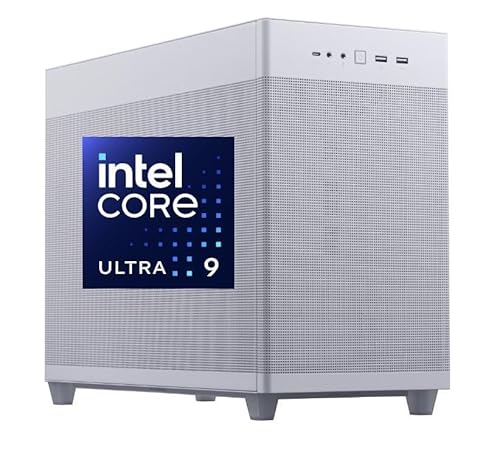
The CPU Solutions VidCore Editing PC stands out as the ideal choice for professional content creators who demand uncompromising performance in 8K video editing and 3D modeling. With its powerful 15th Gen Intel Core Ultra 9 processor, boasting 24 cores and a turbo speed of 5.7 GHz, you’ll experience lightning-fast processing. The 128GB RAM allows seamless multitasking, while the 2TB NVMe SSD guarantees instant file access. Equipped with a Quadro RTX 4000 ADA graphics card, you can easily handle multiple displays and high resolutions. Plus, the all-in-one liquid cooling keeps everything running smoothly, making it a top choice for serious creators.
Best For: Professional content creators who require high-performance computing for 8K video editing and 3D modeling.
Pros:
- Exceptional performance with a 15th Gen Intel Core Ultra 9 processor and 24 cores for efficient multitasking.
- High-quality graphics provided by the Quadro RTX 4000 ADA, supporting multiple high-resolution displays.
- Robust cooling system with all-in-one liquid cooling for optimal thermal management during intensive tasks.
Cons:
- Higher price point may not be suitable for casual users or hobbyists.
- Limited upgradeability due to the specific components and design tailored for professional use.
- Potential overkill for users who only need basic editing capabilities without the need for 8K or 3D features.
CPU Solutions Express 4K to 8K Video Editing PC Desktop Workstation
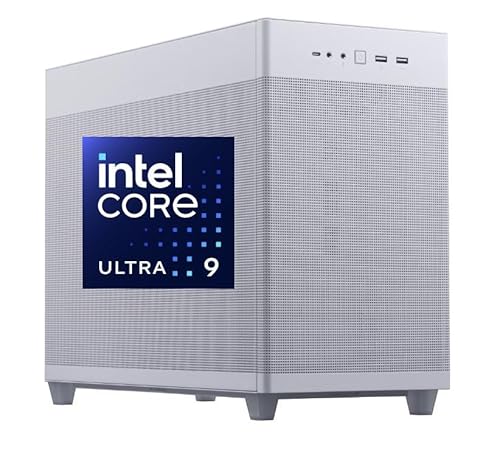
For professional video editors and content creators, the CPU Solutions Express 4K to 8K Video Editing PC Desktop Workstation stands out with its powerful 15th Core Ultra 9 processor, boasting 24 cores and speeds of up to 5.7 GHz. With 64GB of DDR5 RAM and a 2000GB NVMe SSD, you’ll experience lightning-fast performance and ample storage. The NVIDIA Quadro RTX 2000 graphics card guarantees stunning visuals, supporting up to four displays at 7680 x 4320 resolution. Its efficient cooling system and extensive connectivity options make it perfect for demanding editing workflows, backed by a 3-year warranty for peace of mind.
Best For: Professional video editors and content creators seeking high-performance computing for 4K to 8K video editing.
Pros:
- Powerful Performance: Equipped with a 15th Core Ultra 9 processor and 64GB of RAM for seamless multitasking.
- Stunning Graphics: NVIDIA Quadro RTX 2000 graphics card supports high-resolution displays for detailed visuals.
- Extensive Connectivity: Multiple USB ports and dual Mini DisplayPort outputs allow for versatile connections and multi-display setups.
Cons:
- Weight: At 45 pounds, it may be cumbersome to move or relocate.
- Price Point: High-performance specifications may come at a premium price compared to entry-level systems.
- Size: The dimensions may require a larger workspace or dedicated area in your setup.
CPU Solutions Mini Express Core Ultra 7 8K Editing PC
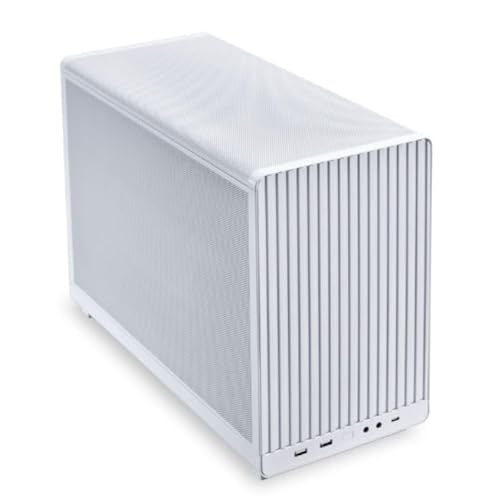
Designed for professional video editors and content creators, the CPU Solutions Mini Express Core Ultra 7 8K Editing PC delivers exceptional performance with its powerful 15th Gen Intel Core Ultra 7 processor and 20 cores. You’ll enjoy seamless multitasking with 64GB DDR5 RAM and stunning visuals from the Quadro RTX 2000 Ada GPU. With a 2TB NVMe SSD, your boot times and file transfers will be lightning-fast. Its sleek mini tower design, robust cooling system, and extensive connectivity options, including 9 USB ports, make it a versatile powerhouse. Plus, Windows 11 Pro and a 3-year warranty guarantee reliability and peace of mind.
Best For: Professional video editors and content creators seeking high-performance computing for 8K editing tasks.
Pros:
- Powerful performance with a 15th Gen Intel Core Ultra 7 processor and 20 cores for seamless multitasking.
- Stunning visuals provided by the Quadro RTX 2000 Ada GPU, supporting resolutions up to 7680×4320.
- Sleek design and robust cooling system, ensuring peak performance during extended editing sessions.
Cons:
- Higher price point compared to entry-level editing PCs, which may not be suitable for casual users.
- Limited upgrade options due to the compact mini tower design.
- Potential overkill for users who do not require 8K editing capabilities.
CPU Solutions VidCore Pro Core Ultra 9 Video Editing PC
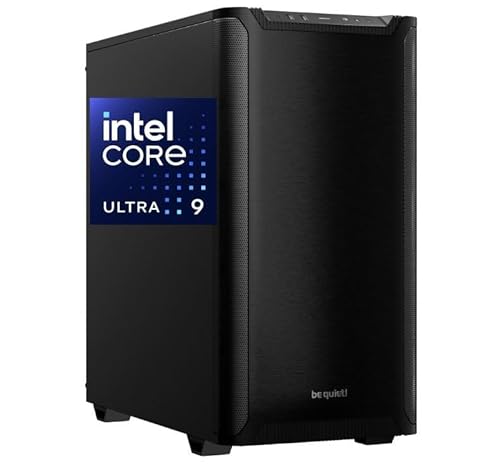
Engineered for serious content creators, the CPU Solutions VidCore Pro Core Ultra 9 Video Editing PC delivers exceptional performance with its Intel Core Ultra 9 processor, boasting 24 cores that can reach speeds up to 5.7GHz. With 128GB of DDR5 RAM and a 2000GB NVMe SSD, it’s ready for demanding HD 4K and 8K tasks. The Nvidia Quadro RTX 4000 graphics card, featuring 20GB GDDR6 RAM, guarantees stunning visuals. You’ll appreciate its connectivity options, including multiple USB ports and support for up to four 8K monitors. This powerhouse is ideal for any creative project you tackle.
Best For: Content creators and professionals who require high-performance computing for HD 4K and 8K video editing, as well as 3D modeling.
Pros:
- Exceptional Processing Power: Equipped with an Intel Core Ultra 9 processor with 24 cores, providing outstanding performance for demanding tasks.
- High-Quality Graphics: Features an Nvidia Quadro RTX 4000 graphics card with 20GB GDDR6 RAM, ensuring stunning visuals and efficient rendering.
- Ample Connectivity Options: Multiple USB ports and support for up to four 8K monitors enhance versatility for various workflows.
Cons:
- Weighty Build: At 45 pounds, this PC may be cumbersome for users seeking portability.
- Premium Price Point: The high performance may come at a significant cost, making it less accessible for casual users or hobbyists.
- Limited Availability: As a specialized machine, it may not be widely available in all regions or retailers.
CPU Solutions VidCore 8K Video Editing PC

The CPU Solutions VidCore 8K Video Editing PC stands out as an exceptional choice for professional videographers and content creators who demand top-tier performance. Featuring an Intel Core Ultra 9 processor and 128GB DDR5 RAM, you’ll handle 8K video editing with ease. The 2000GB NVMe SSD provides quick access to your files, while the Nvidia Quadro RTX 4000 ADA graphics card delivers stunning visuals. With support for up to four monitors and extensive USB connectivity, this powerhouse weighs 35 pounds and measures 18.11 x 8.07 x 13.78 inches, making it a robust yet portable option for creative professionals.
Best For: Professional videographers and content creators seeking high-performance computing for 8K video editing.
Pros:
- High performance with Intel Core Ultra 9 processor and 128GB DDR5 RAM for efficient multitasking.
- Large storage capacity of 2000GB NVMe SSD for quick file access and ample space for large video projects.
- Extensive connectivity options including multiple USB ports and support for up to four monitors for enhanced productivity.
Cons:
- Heavy weight of 35 pounds may limit portability for on-the-go professionals.
- Higher price point may be a barrier for amateur creators or hobbyists.
- Limited customer reviews with only one rating, which may not fully represent the product’s performance and reliability.
HP Pavilion Tower Desktop Computer (Intel i7-10700F, 32GB RAM, 1TB SSD)

If you’re a creative professional or an aspiring content creator looking for a reliable workstation, the HP Pavilion Tower Desktop Computer is a solid choice for 8K video editing in 2025. Its Intel i7-10700F processor delivers exceptional performance with a Turbo Boost of up to 4.8 GHz and 32GB of RAM guarantees smooth multitasking. The 1TB PCIe SSD provides rapid data access and quiet operation. With GeForce GT 610 graphics, you can expect stunning visuals. Connectivity options like Wi-Fi 6 and multiple USB ports enhance productivity, while Windows 11 Professional optimizes your creative tasks seamlessly.
Best For: Creative professionals and aspiring content creators seeking a reliable workstation for 8K video editing and multitasking.
Pros:
- High performance with Intel i7-10700F processor and 32GB RAM for seamless multitasking and editing.
- Fast data access and quiet operation thanks to 1TB PCIe SSD.
- Enhanced connectivity options including Wi-Fi 6 and multiple USB ports for improved productivity.
Cons:
- GeForce GT 610 graphics may not be sufficient for high-end gaming or advanced graphic design tasks.
- Limited upgrade options for future-proofing as newer components may not be compatible.
- White color may show dirt and fingerprints more easily than darker finishes.
GEEKOM Mini PC AX8 Max with AMD Ryzen 7 8745HS

For video editors seeking high-quality performance without sacrificing space, the GEEKOM Mini PC AX8 Max with its AMD Ryzen 7 8745HS is an outstanding choice. This compact powerhouse boasts an impressive 8 cores and 16 threads, reaching speeds up to 4.9GHz. With 32GB of expandable DDR5 RAM and a 1TB PCIe Gen4 NVMe SSD, it handles demanding tasks effortlessly. The IceBlast 2.0 Cooling System keeps it running smoothly, while dual 2.5G LAN and USB4 Type-C ports enhance connectivity. Plus, GEEKOM’s 3-year warranty and 24/7 support guarantee reliability, making it perfect for your 8K video editing needs.
Best For: Video editors and creative professionals looking for a compact, high-performance mini PC for demanding tasks.
Pros:
- Powerful Performance: Equipped with AMD Ryzen 7 8745HS, 8 cores, and 16 threads, ideal for multitasking and video editing.
- Expandable Storage and Memory: Comes with 32GB DDR5 RAM and a 1TB PCIe Gen4 NVMe SSD, expandable up to 96GB RAM and 4TB SSD.
- Excellent Cooling System: The IceBlast 2.0 Cooling System ensures efficient heat management, allowing for optimal performance even under heavy workloads.
Cons:
- Limited Upgrade Options: While RAM and storage are expandable, the CPU and GPU are not user-replaceable.
- Compact Size: The mini PC design may limit port availability compared to larger desktops.
- Potential Noise Levels: Although designed for quiet operation, under heavy loads, fan noise may still be noticeable.
GEEKOM A8 Mini PC with AMD Ryzen 7 8745HS
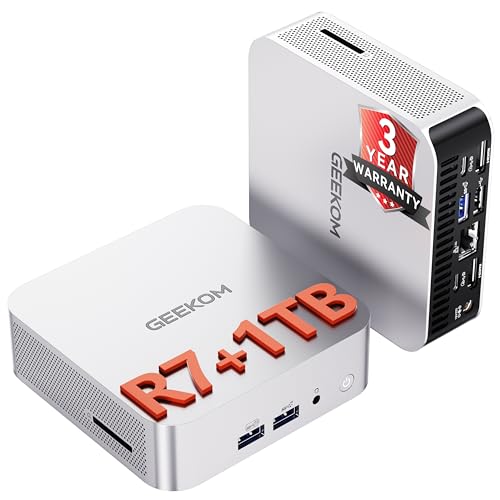
Designed for serious content creators, the GEEKOM A8 Mini PC with the AMD Ryzen 7 8745HS delivers exceptional performance that can handle the demanding requirements of 8K video editing. With 8 cores and 16 threads, it boasts a boost clock of up to 4.9 GHz, ensuring smooth multitasking. You’ll appreciate the 32GB DDR5 RAM, expandable to 128GB, and the speedy 1TB NVMe SSD for quick data access. Connectivity options include high-speed USB4 and support for quad displays. Plus, the efficient cooling system keeps everything running smoothly, making it a reliable choice for your editing workflow.
Best For: Content creators and professionals seeking a powerful mini PC for demanding tasks such as 8K video editing and multitasking.
Pros:
- Exceptional performance with an AMD Ryzen 7 8745HS processor, featuring 8 cores and 16 threads for seamless multitasking.
- High-speed connectivity options, including USB4 and support for quad displays, enhancing productivity and versatility.
- Efficient cooling system that ensures stable performance during intense workloads, preventing overheating.
Cons:
- Limited built-in storage with only 1TB NVMe SSD, which may require external storage solutions for large projects.
- Higher price point compared to entry-level mini PCs, making it less accessible for casual users.
- Potential overkill for users with basic computing needs, as the advanced specs may not be fully utilized.
GMKtec Gaming Mini PC K8 Plus

The GMKtec Gaming Mini PC K8 Plus stands out as an exceptional choice for content creators and gamers alike, thanks to its powerful AMD Ryzen 7 8845HS processor. With three performance modes, you can easily optimize your workload management based on your needs. The 64GB DDR5 RAM and 1TB PCIe 4.0 M.2 SSD guarantee lightning-fast performance, while the AMD Radeon 780M GPU lets you enjoy demanding games smoothly. Plus, with support for up to four displays in stunning 8K resolution, multitasking becomes a breeze. Its connectivity features, including WiFi 6, make it a top contender for any creative professional.
Best For: The GMKtec Gaming Mini PC K8 Plus is best for content creators and gamers who require high performance and multitasking capabilities.
Pros:
- Powerful AMD Ryzen 7 8845HS processor with three performance modes for optimized workload management.
- Ample 64GB DDR5 RAM and 1TB PCIe 4.0 M.2 SSD ensure lightning-fast performance and storage options.
- Supports up to four 8K displays, making it ideal for multitasking in creative and gaming environments.
Cons:
- Limited to integrated graphics, which may not satisfy the needs of hardcore gamers or high-end graphic applications.
- Price may be on the higher side for casual users or those with less demanding requirements.
- Expandability options for RAM and storage may require additional investment in components.
Factors to Consider When Choosing 8k Video Editing PCs
When you’re picking an 8K video editing PC, you need to focus on several key factors. Think about processor power, RAM capacity, and graphics card performance to guarantee smooth editing. Don’t forget to contemplate storage options and effective cooling solutions, as these will greatly impact your workflow.
Processor Power and Cores
Choosing the right processor is essential for 8K video editing, and you’ll want to prioritize models with multiple cores for peak performance. High-end processors typically range from 20 to 24 cores, enabling efficient multitasking and faster rendering times. Look for options that boast high turbo boost speeds—up to 5.7 GHz—to enhance performance during intensive editing tasks. Confirm the processor supports advanced technologies like Turbo Boost and Hyper-Threading; these features greatly improve responsiveness and overall efficiency in handling complex projects. Don’t overlook the generation of the processor; newer models, such as the 15th Gen Intel Core Ultra series, often provide enhanced performance and energy efficiency. Finally, a larger L3 cache, like 16 MB, can further boost data access speeds during demanding editing processes.
RAM Capacity and Speed
RAM capacity and speed are essential elements in achieving ideal performance for 8K video editing. For seamless multitasking and efficient handling of large video files, you should aim for at least 128GB of RAM. High-frequency RAM, like DDR5 at 4800 MHz or faster, boosts data processing speeds and responsiveness during intensive tasks. Additionally, consider dual-channel memory configurations, which enhance memory bandwidth, critical for rapid access to large datasets. Compatibility with your motherboard and CPU is also important to maximize RAM performance. If you frequently use multiple applications or work with high-resolution content, upgrading to 192GB can provide significant benefits, ensuring your editing workflow remains smooth and efficient.
Graphics Card Performance
As you plunge into 8K video editing, the graphics card you select plays a pivotal role in your overall experience. Look for GPUs with at least 20GB GDDR6 memory to guarantee smooth playback and rendering of high-resolution footage. A high number of CUDA cores enhances parallel processing, drastically speeding up rendering times in GPU-optimized software. You’ll also want a card that supports multiple high-resolution displays (up to 7680 x 4320) to view timelines and effects without lag. Advanced features like real-time ray tracing and AI capabilities can elevate your visual effects and editing efficiency. Finally, make certain your graphics card has a robust cooling system to prevent thermal throttling during those intensive editing sessions, maintaining peak performance.
Storage Type and Size
When it comes to 8K video editing, the type and size of your storage can make a world of difference in your workflow. Opt for NVMe SSDs instead of traditional HDDs, as they provide considerably faster read and write speeds, essential for handling large files. Aim for a minimum of 2TB to guarantee you have enough space for high-resolution footage and project files. Look for SSDs with at least 5.0GB/s read and 4.2GB/s write speeds to ensure smooth playback. Combining SSDs for active projects with larger HDDs for archiving offers a balanced approach between speed and cost. Finally, make sure your storage solution supports high IOPS to manage multiple video streams effectively during editing.
Cooling Solutions Efficiency
Selecting the right storage is only part of the equation for a powerful 8K video editing PC; efficient cooling solutions play a significant role in maintaining performance. High workloads generate considerable heat, which can throttle your CPU and GPU if not managed properly. All-in-one liquid cooling systems excel in thermal management, offering superior heat dissipation over traditional air cooling. Additionally, systems with mesh designs improve airflow, keeping components cool during long editing sessions. Pairing your setup with a high-efficiency power supply, like a Bronze or Gold certified unit, can further reduce excess heat. Finally, consider multiple fans or advanced technologies, like heat pipes, to guarantee sustained performance during intensive tasks. Prioritize cooling efficiency for peak editing experiences.
Connectivity Options Available
Connectivity options are fundamental for an efficient 8K video editing PC, guaranteeing you can easily interface with various devices and peripherals. Look for multiple USB ports, ideally including USB 3.2 Gen 2 and Type-C, to assure fast data transfer speeds and compatibility with your gear. Support for multiple display outputs like HDMI and DisplayPort is critical, letting you connect up to four high-resolution monitors for enhanced productivity. Also, consider systems with dual Ethernet ports and Wi-Fi 6 capabilities for faster, more reliable network connectivity, essential for cloud storage and collaboration. Check for wireless adapters to reduce cable clutter and guarantee high-definition audio outputs for immersive sound experiences, fundamental for accurate audio editing in video production.
Operating System Compatibility
Choosing the right operating system is crucial for maximizing your 8K video editing experience, as it directly impacts performance and compatibility with essential software. Opt for Windows 11 Pro, which is optimized for creative workflows and supports advanced multimedia applications. Make certain the OS provides driver support for high-performance graphics cards like the NVIDIA Quadro RTX series, so you can fully exploit their rendering capabilities. It’s also important to check that your chosen system can run popular editing software, such as Adobe Premiere Pro or DaVinci Resolve, which may have specific OS requirements. Additionally, verify the operating system facilitates seamless multitasking and resource management, essential for handling the demands of 8K editing while keeping your workflow secure with the latest updates and features.
Warranty and Support Services
When you’re investing in an 8K video editing PC, having a solid warranty and reliable support services can make all the difference. Most warranties cover parts and labor for one to three years, protecting your investment. Look for manufacturers that offer a return policy, allowing you to get a full refund within 30 days if the product’s defective or damaged. If you want extra peace of mind, consider purchasing an extended warranty for additional coverage. Customer support is essential; many companies provide 24/7 assistance to help troubleshoot issues quickly. Thorough warranties often include coverage for labor costs, reducing your expenses if technical problems arise. Ultimately, strong warranty and support services can enhance your editing experience greatly.