If you’re looking to upgrade your workspace, Dell’s UltraSharp ultrawide monitors give you the screen space and color fidelity professionals need. You’ll get options from compact 34-inch curved displays to massive 52-inch 6K hubs, all designed for multitasking, color-critical work, and streamlined connectivity. I’ll walk you through the top models and what makes each one a strong pick—so you can match the right monitor to your workflow.
Dell UltraSharp U4025QW 40″ 5K2K WUHD Curved Monitor

If you need a single screen that replaces a multi-monitor setup, the Dell UltraSharp U4025QW’s 40″ 5K2K curved panel is the best choice — its 5120×2160 resolution and 21:9 aspect ratio give you wide, high-detail workspace for spreadsheets, video timelines, and side-by-side windows, while USB-C lets you power and connect your laptop with one cable. You’ll get a 39.7″ viewable curved display with 600 nits brightness and 5 ms response, ideal in well-lit rooms. Multiple inputs boost flexibility for creative workflows, and the immersive, lively image suits action content, sports, and gaming too.
Best For: Professionals and power users who need a single wide, high-resolution curved display for multitasking, content creation, and media consumption in well-lit environments.
Pros:
- 5K2K (5120×2160) 21:9 curved panel provides expansive, high-detail workspace for spreadsheets, timelines, and side-by-side windows.
- USB-C connectivity enables single-cable data, video, and power delivery for compatible laptops.
- 600 nits brightness and 39.7″ viewable size deliver vivid, immersive visuals suitable for action content, sports, and gaming.
Cons:
- Large 40″ curved form factor may be too big for small desks or limited workspace.
- 5 ms response time may not match the fastest gaming monitors for competitive play.
- Premium features and size can come with a higher price and greater power/desk requirements.
Dell UltraSharp U4924DW 49″ Curved Dual QHD (32:9) Monitor

For power users who juggle multiple apps and large spreadsheets, the Dell UltraSharp U4924DW’s 49″ 32:9 curved Dual QHD panel gives you the equivalent of two 27″ QHD monitors without the bezel gap, so you can work across wide timelines, compare documents side-by-side, and run virtual desktops more efficiently. You’ll get 5120 x 1440 resolution, IPS Black contrast and near-professional color (100% sRGB, 98% DCI-P3), and a 178° viewing angle. The monitor includes USB-C with 90W power, 11 total USB ports, KVM, built-in speakers, ComfortView Plus, ergonomic adjustments, and MST split functionality for streamlined productivity.
Best For: Power users and professionals who need the screen real estate of two 27″ QHD monitors without a bezel gap for heavy multitasking, large spreadsheets, and content-accurate work.
Pros:
- Massive 49″ 32:9 DQHD curved IPS Black panel (5120 x 1440) delivers seamless dual-27″ workspace with wide color coverage (100% sRGB, 98% DCI-P3).
- Extensive connectivity including USB-C with up to 90W power, 11 total USB ports, DisplayPort/HDMI, RJ45, and built-in KVM for switching between two PCs.
- Productivity and comfort features like MST split (2×27″ QHD), ComfortView Plus, adjustable stand, and built-in 9W speakers.
Cons:
- Large size and 60.2 lb weight require significant desk space and sturdy mounting; not suitable for small setups.
- 60 Hz refresh rate and 5 ms response time may not satisfy fast-paced competitive gamers.
- Limited warranty details provided and potential restocking fee (15%) for certain returns.
Dell 34-inch USB-C Curved Monitor (S3425DW)

Professionals who juggle multiple apps and need wide, color-accurate workspace will appreciate the Dell 34-inch USB-C Curved Monitor (S3425DW), which pairs a 34″ 21:9 3440×1440 VA panel with 99% sRGB/95% DCI-P3 coverage and a 120 Hz refresh rate for smooth, accurate multitasking. You’ll get deep 3000:1 contrast, 300 nits brightness, and a 178° viewing angle for consistent color. Connectivity includes HDMI, four USB ports, and USB-C with up to 65W power delivery. Eye Comfort Tech and ComfortView Plus cut blue light. Built-in speakers, FreeSync Premium, 0.03 ms response, and one-year advanced exchange round out a productive, versatile package.
Best For: Professionals and creative multitaskers who need a wide, color-accurate workspace with strong connectivity and smooth performance.
Pros:
- 34″ 21:9 3440×1440 VA panel with 99% sRGB / 95% DCI-P3 for accurate, immersive color and multitasking.
- USB-C with up to 65W power delivery plus multiple HDMI and USB ports simplifies connectivity and docking.
- 120 Hz refresh rate, AMD FreeSync Premium, and 0.03 ms response for smooth motion and reduced tearing.
Cons:
- 300 nits brightness may be limiting in very bright rooms or near windows.
- VA panel can exhibit slower pixel transition/ghosting compared with top-tier IPS for some fast-paced gaming.
- Built-in speakers are convenient but may not match the fidelity of dedicated external speakers or studio monitors.
Dell UltraSharp U3425WE 34-Inch Curved Thunderbolt Hub Monitor (Renewed)

You’ll appreciate the U3425WE’s 34-inch 21:9 WQHD curved IPS Black panel and Thunderbolt 4 hub if you juggle multiple apps, large spreadsheets, or creative timelines and want a single display that boosts workflow and reduces cable clutter. You’ll get 3440 x 1440 resolution, 1900R curvature, 120Hz refresh, and Adaptive Sync for smooth motion. The IPS Black panel delivers 1.07 billion colors and 2000:1 contrast, while ComfortView Plus and an ambient light sensor protect your eyes. Connectivity includes Thunderbolt 4 upstream/downstream, DisplayPort 1.4, HDMI, multiple USB-A/C, RJ45 2.5GbE, and audio out. The ergonomic stand and built-in speakers enhance usability.
Best For: professionals and multitaskers who need a wide, color-accurate 34″ curved Thunderbolt 4 hub display to boost productivity, reduce cable clutter, and handle creative or spreadsheet-heavy workflows.
Pros:
- 34″ 21:9 WQHD (3440×1440) curved IPS Black panel with 1.07 billion colors and 2000:1 contrast for excellent color and depth.
- Thunderbolt 4 hub plus DisplayPort, HDMI, multiple USB-A/C ports and 2.5GbE simplify connectivity and docking with one cable.
- Eye comfort features (ComfortView Plus, ambient light sensor) and an ergonomic height/tilt/swivel stand improve long sessions.
Cons:
- Renewed condition may mean variable wear or shorter warranty compared with new units.
- 8ms (Normal) / 5ms (Fast) response time and 120Hz refresh are modest for competitive gaming.
- Built-in 2x5W speakers and edgelight are convenient but won’t match quality of dedicated audio solutions.
Dell UltraSharp U3824DW 38″ Curved IPS Monitor (3840×1600, 60Hz) Bundle with 2-Year CPS Protection
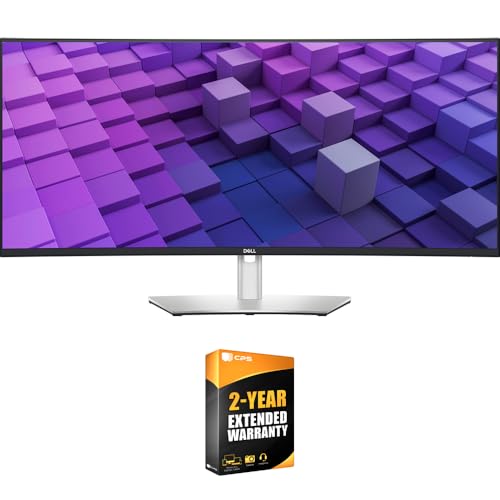
If your work demands widescreen real estate and color accuracy—like video editors, designers, or data analysts—the Dell UltraSharp U3824DW is built to keep you focused and efficient. You get a 38″ curved 3840×1600 IPS panel with 2300R curvature, 2000:1 contrast, ComfortView Plus, and near-full professional color coverage (100% sRGB/Rec.709, 98% DCI-P3). The USB-C hub supplies 90W PD, plus USB-A, HDMI, DisplayPort, dual 9W speakers, and 2.5GbE with PXE and Wake on LAN. Auto KVM and Dell Display Manager streamline multitasking. It’s ergonomic, sustainably built from recycled materials, and ships with cables, stand, and extended protection.
Best For: Professionals who need widescreen workspace and accurate color — video editors, designers, and data analysts who value color fidelity, multitasking, and connectivity.
Pros:
- 38″ curved 3840×1600 IPS panel with 98% DCI-P3 and 100% sRGB/Rec.709 for excellent color accuracy and immersive workspace.
- Built-in USB-C hub with 90W PD, multiple ports, integrated 2.5GbE, dual speakers, and Auto KVM for streamlined multi-device workflows.
- Ergonomic adjustability, ComfortView Plus for reduced blue light, and sustainable construction using recycled materials.
Cons:
- 60Hz refresh rate may be limiting for fast-paced gaming compared with higher-refresh monitors.
- Large 38″ curved form factor requires significant desk space and may not suit small setups.
- Premium feature set and materials typically come with a higher price compared to basic ultrawide displays.
Alienware 34-inch Curved Gaming Monitor (AW3425DWM)

For creators and multitaskers who want immersive visuals without sacrificing color accuracy, the Alienware 34-inch AW3425DWM delivers a 34-inch WQHD curved panel with 95% DCI-P3 and VESA DisplayHDR 400 to keep details and hues true across wide scenes. You get a 1500R ultrawide that draws you into landscapes and timelines, while 180Hz refresh and 1ms GtG response keep motion crisp. AMD FreeSync Premium and VESA Adaptive Sync eliminate tearing for smooth playback and gameplay. A dedicated console mode and hardware low-blue-light reduce eye strain during long sessions, making this a versatile, performance-focused choice.
Best For: creators, multitaskers, and gamers who want immersive ultrawide visuals with strong color accuracy and high-performance motion handling.
Pros:
- 34″ WQHD 1500R curved panel with 95% DCI-P3 and VESA DisplayHDR 400 delivers detailed, vibrant visuals.
- 180Hz refresh rate and 1ms GtG response plus AMD FreeSync Premium/VESA Adaptive Sync ensure smooth, low-latency motion.
- Hardware low-blue-light and dedicated console mode improve comfort for long sessions and versatile use.
Cons:
- VESA DisplayHDR 400 is entry-level HDR, so peak brightness and contrast are limited compared with higher-tier HDR monitors.
- Ultrawide 34″ size and 1500R curvature may not suit all desk setups or productivity workflows that prefer flat, larger panels.
- No mention of built-in KVM or extensive port selection in the provided info, which may limit connectivity for creators with multiple devices.
Dell 34″ UltraWide Curved Monitor (VA, 120Hz, 1ms)

The Dell 34″ UltraWide Curved Monitor is ideal for multitaskers who want a single screen that blends smooth motion with color accuracy—its 34-inch WQHD curved VA panel, 120Hz refresh rate and 1ms response deliver fluid visuals, while 99% sRGB/95% DCI-P3 coverage shows your work faithfully. You’ll appreciate deep 3000:1 contrast and 1.07 billion colors for rich images, plus integrated dual 5W speakers that remove the need for external audio. Connect with a single USB-C for video and up to 65W power, expand via two USB-C and two USB-A ports, and tile apps with Easy Arrange. ComfortView Plus and an adjustable stand keep you comfortable.
Best For: Multitaskers and creative professionals who want a single immersive screen that combines smooth motion for gaming with accurate colors and strong contrast for work.
Pros:
- 34″ WQHD curved VA panel with 120Hz and 1ms delivers fluid visuals and reduced motion blur.
- Wide color coverage (99% sRGB, 95% DCI-P3) and 1.07 billion colors for accurate, rich images.
- Single USB-C supports video plus up to 65W power, plus extra USB-C/USB-A ports and Easy Arrange for multitasking.
Cons:
- VA panel may have slower pixel response/black smearing compared with high-end IPS or OLED in some scenes.
- 65W USB-C power may be insufficient to fully charge some high-power laptops under heavy load.
- Integrated 5W speakers may not match the fidelity or volume of dedicated external speakers.
Dell UltraSharp U3421WE 34.14″ Curved Ultrawide Monitor (WQHD)
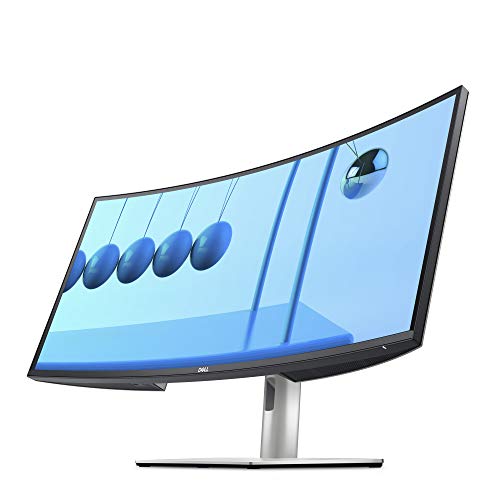
Professionals who juggle multiple documents, spreadsheets, and creative apps will appreciate the U3421WE’s 34.14″ 21:9 WQHD curved display, which gives you wide, uninterrupted screen real estate for side-by-side work without constantly alt‑tabbing. You get 3440 x 1440 at 60Hz, 1.07 billion colors, 1000:1 contrast and 300 cd/m² brightness for accurate, consistent visuals. The anti‑glare coating, 178° viewing and 8 ms response time suit mixed workflows. Connectivity includes DisplayPort, two HDMI, USB‑C and five USB ports. The stand is height, tilt, swivel and slant adjustable; VESA support simplifies mounting. Power use is 90W; warranty is limited.
Best For: Professionals and multitaskers who need wide, uninterrupted screen real estate for side-by-side documents, spreadsheets, and creative apps.
Pros:
- Large 34.14″ 21:9 WQHD curved display (3440 x 1440) provides expansive workspace for multitasking.
- Accurate visuals with 1.07 billion colors, 1000:1 contrast, 300 cd/m² brightness and 178° viewing angles.
- Versatile connectivity (USB-C, DisplayPort, 2x HDMI, 5x USB) and an adjustable stand plus VESA mounting.
Cons:
- 60Hz refresh rate and 8 ms response time may not satisfy competitive gamers.
- 90W power consumption is relatively high for a monitor.
- Limited warranty and mixed customer review count (4.3/5 from 45 reviews) may concern some buyers.
Dell 52-Inch UltraSharp 6K 120Hz Thunderbolt Hub IPS Curved Monitor

If you juggle multiple high-resolution workflows and need expansive screen real estate, this 52-inch 6K curved UltraSharp is built to keep you focused. You’ll get a 6144 x 2560 21:9 IPS Black panel with 129 PPI, 2000:1 contrast, 99% DCI-P3, and a 120 Hz refresh rate for smooth motion. Hardware low blue light, an ambient light sensor, and TÜV five-star certification protect your eyes during long sessions. The Thunderbolt 4 hub delivers up to 140W, plus USB-A, Ethernet, PbP and KVM support so you can power devices and switch between PCs seamlessly. Limited warranty included.
Best For: Professionals and power users who need expansive, color-accurate, high-resolution screen real estate for multitasking, creative work, and multi-PC setups.
Pros:
- 52″ 6K (6144 x 2560) 21:9 IPS Black curved panel with 99% DCI-P3 and 129 PPI for detailed, color-accurate visuals.
- Thunderbolt 4 hub supplying up to 140W, plus USB-A and Ethernet, with PbP and KVM support for powering and switching between multiple PCs.
- Eye-care features including hardware low blue light, ambient light sensor, and TÜV five-star certification for reduced eye strain.
Cons:
- Large 52″ size and ultrawide 21:9 aspect ratio may not fit all workspaces or suit users who prefer dual-monitor setups.
- 5 ms response time and IPS panel may be less ideal than faster VA or OLED options for competitive gaming.
- Premium features and limited warranty likely come with a high price and potentially limited availability (lower bestseller rank).
Dell UltraSharp U3821DW 37.52-inch Curved USB-C Hub Monitor

For multitaskers who need a single screen to replace a multi-monitor setup, the Dell U3821DW delivers a 37.52-inch 21:9 curved WQHD panel that gives you expansive workspace, accurate color (100% sRGB, 95% DCI‑P3), and up to 90W USB-C power delivery to keep your laptop charged while you work. You’ll get a 3840×1600 IPS display with 2300R curvature, 1.07 billion colors, dual 9W speakers, and ComfortView flicker-free tech. Ports include USB-C, DP1.4, HDMI2.0, RJ-45 and USB3.2. Auto KVM, PBP/PIP, and ergonomic adjustments streamline productivity, while tidy cable management keeps your desk clean.
Best For: Multitasking professionals and creative users who want a single ultrawide curved monitor to replace a multi-monitor setup for expansive workspace, accurate color, and laptop charging via USB-C.
Pros:
- Large 37.52″ 21:9 WQHD curved IPS panel (3840×1600) with excellent color coverage (100% sRGB, 95% DCI‑P3) for productivity and content work
- USB-C with up to 90W power delivery plus Auto KVM, PBP/PIP, and multiple ports (DP1.4, HDMI2.0, RJ‑45, USB3.2) for streamlined connectivity
- Built-in features for comfort and convenience: 2300R curvature, ComfortView flicker-free tech, dual 9W speakers, ergonomic stand, and cable management
Cons:
- 60Hz refresh rate and 8ms response time may not satisfy fast-paced competitive gamers
- Relatively heavy (13.6 kg) and large footprint may be challenging for smaller desks or frequent relocations
- Premium features and size come with a higher price and potential limited warranty/support specifics depending on vendor
Factors to Consider When Choosing Dell Ultrasharp Ultrawide Monitors
When choosing a Dell UltraSharp ultrawide, you’ll want to weigh screen resolution and size against how you use the space. Check color accuracy and gamut for creative work, verify connectivity and hub features for your peripherals, and test ergonomics and adjustability for comfortable long sessions. Finally, consider refresh rate and response if you mix productivity with motion-heavy tasks.
Screen Resolution & Size
Screen size and resolution are the foundation of any Ultrasharp ultrawide setup, since they determine how much you can see and how sharply you’ll see it; choose based on tasks: higher resolutions like 5K2K (5120 x 2160) deliver crisper detail than 3440 x 1440, improving readability and image clarity. Bigger panels — 49-inch examples — expand workspace for side-by-side apps and immersive viewing. Aspect ratios (32:9, 21:9) dictate horizontal real estate, so pick wider formats for multitasking or cinematic media. Consider pixel density (PPI): higher PPI yields finer detail, important if you sit close or edit fine elements. Match resolution, size, and viewing distance to balance sharpness and usable workspace for maximum productivity.
Color Accuracy & Gamut
Color accuracy and gamut determine whether what you see on a Dell UltraSharp ultrawide will match the final output, so prioritize panels that hit wide gamuts like 100% sRGB, 100% Rec.709 or ~98% DCI-P3 for creative work. You’ll want a display that reproduces colors faithfully for graphic design and video editing, minimizing guesswork and rework. Look for IPS Black panels if you need improved contrast and richer blacks without sacrificing accuracy. Monitors capable of showing over 1 billion colors deliver smoother gradients and finer detail in high-resolution content. Also consider certifications such as TÜV 5-star for eye comfort, which indicate reduced blue light while maintaining color fidelity. Calibratable panels and factory color reports add extra assurance for professional workflows.
Connectivity & Hub Features
Accurate color is only part of the picture; you’ll also want a monitor that connects cleanly to your workflow. Look for multiple inputs—HDMI and DisplayPort—for flexible video sources, plus USB-A and plenty of USB ports for accessories and external drives. Prefer models with USB-C hub functionality so a single cable can carry video, data and power delivery to a laptop, reducing clutter and charging simultaneously. If you switch between systems, KVM support lets you control two PCs with one keyboard and mouse without extra hardware. For stable networked work, an integrated Ethernet port is invaluable, especially in business environments. Evaluate port count and layout to guarantee the monitor serves as a true productivity hub.
Ergonomics & Adjustability
When you spend long hours at your desk, an ultrawide’s ergonomic adjustments matter as much as its image quality — height, tilt, swivel and pivot let you position the panel for comfort and a neutral posture, reducing neck and back strain. Choose a model with a broad range of height and tilt so you can align the screen to eye level and avoid craning. A curved panel (1800R or 2300R) further eases eye movement and cuts glare, making long sessions less fatiguing. Look for ComfortView to lower blue light by up to 35% when needed. Integrated cable management keeps the desk tidy, and robust swivel/pivot options let you share the screen or switch to portrait workflows without losing stability.
Refresh Rate & Response
Although refresh rate and response time might seem like niche specs, they directly shape how smooth and responsive your Dell UltraSharp ultrawide will feel—especially for gaming, video editing, and fast-paced work. The refresh rate tells you how often the image updates per second: 60Hz is fine for productivity, while 120Hz or 180Hz gives noticeably smoother motion for dynamic content. Response time, measured in milliseconds, is how quickly pixels change color; lower values (1–5ms) reduce motion blur and ghosting. For gaming and multimedia, aim for 120Hz+ panels with 1–5ms response to maximize fluidity. If you mainly do spreadsheets or writing, a standard 60Hz panel with higher response times will usually be adequate.
Eye Comfort Technologies
A good ultrawide does more than just show crisp images — it protects your eyes during long workdays, and Dell’s UltraSharp line packs several technologies to make that possible. You’ll find ComfortView Plus on many models, cutting harmful blue light to ≤35% while preserving color accuracy so your edits stay true. Flicker-free panels reduce strain during extended sessions by eliminating subtle screen flicker. Ambient light sensors adjust brightness and color temperature automatically, matching room conditions without manual fiddling. Ergonomic stands with height, tilt, and swivel let you set comfortable viewing angles to reduce neck and eye fatigue. Look for TÜV Rheinland 5-star eye comfort certification when you want independent assurance that a monitor meets strict standards for prolonged use.