If you juggle documents, tabs, and video calls, an LG UltraWide can give you the screen real estate and clarity to work faster and with less strain. You’ll find models that balance color accuracy, refresh rate, and ergonomic features so multitasking feels natural rather than cramped. Keep going — the right pick depends on how you work, what ports you need, and which features actually boost your daily flow.
LG 34-inch UltraWide WQHD Curved IPS Monitor (34U650A-B)

If you juggle spreadsheets, multiple documents, or creative timelines, the LG 34U650A-B’s 34-inch UltraWide WQHD curved IPS panel gives you the screen real estate and color accuracy to work faster and with fewer window switches. You’ll appreciate 3440 x 1440 resolution, 99% sRGB coverage, HDR10, and a 3800R curve that reduces eye strain. The adjustable stand and slim bezels keep your desk tidy, while USB-C delivers display, data, and up to 96W charging. Built-in speakers, Reader Mode, and Switch App let you split the screen into six layouts. With 100Hz and 5ms response, productivity feels responsive.
Best For: Professionals and creatives who need wide multitasking space and accurate color for spreadsheets, timelines, and content work without sacrificing desk ergonomics.
Pros:
- 34″ UltraWide WQHD (3440×1440) curved IPS panel with 99% sRGB and HDR10 delivers expansive, color-accurate workspace.
- USB-C handles display, data, and up to 96W laptop charging for simplified single-cable setup.
- Ergonomic stand (tilt/swivel/height), Reader Mode, built-in speakers, and Switch App with up to 6-way split improve comfort and productivity.
Cons:
- 300 cd/m² brightness and HDR10 support are modest compared with higher-end HDR monitors.
- 100Hz refresh and 5ms response are decent for productivity but not top-tier for competitive gaming.
- Limited port variety (single USB‑C, 2× HDMI, 1× DisplayPort, 1× USB 3.0) may require adapters for more complex setups.
LG 34-inch UltraWide WQHD Curved Computer Monitor (34WR55QK-B)

The LG 34WR55QK-B is ideal for multitaskers and creative professionals who need expansive screen real estate and crisp detail; its 34-inch UltraWide WQHD curved panel (3440 x 1440) and 100Hz refresh rate give you smooth, immersive workspace that keeps multiple windows visible without constant alt-tabbing. You’ll get vibrant visuals with up to 99% sRGB and HDR10 for deeper contrast, while 5ms response time handles casual motion. OnScreen Control and Picture-by-Picture let you customize layouts and view two sources at once. USB-C with 65W charging, dual HDMI, DisplayPort, ergonomic adjustments, and Reader Mode round out a practical productivity monitor.
Best For: The LG 34WR55QK-B is best for multitaskers and creative professionals who want expansive ultrawide screen space for productivity and immersive content with solid color accuracy.
Pros:
- Large 34″ UltraWide WQHD (3440 x 1440) curved panel provides ample workspace for multiple windows and immersive viewing.
- Up to 99% sRGB and HDR10 deliver vibrant colors and improved contrast for creative work and media.
- USB-C with up to 65W power delivery, dual HDMI, DisplayPort, PbP, and ergonomic stand offer flexible connectivity and comfortable long-term use.
Cons:
- 5ms response time and 100Hz refresh rate are adequate for casual gaming but may not satisfy competitive gamers seeking ultralow latency.
- HDR10 support on this panel may be limited by peak brightness and local dimming absence, reducing HDR impact.
- No built-in speakers mentioned (or limited audio), so external audio solutions may be necessary.
LG 34-inch Curved QHD UltraWide Smart Monitor (34SR60QC-W)

For professionals who juggle spreadsheets, multiple browser tabs, and cloud apps, the 34-inch Curved QHD UltraWide Smart Monitor (34SR60QC-W) gives you a 21:9, 3440×1440 canvas with a 1800R curve that boosts immersion and productivity by showing about 34% more horizontal workspace than a 16:9 screen. You’ll get 99% sRGB and HDR10 for accurate, vivid visuals, plus webOS23 so you can run Netflix, Prime, Apple TV, Disney+, HBO Max and cloud PC services without a PC. Two HDMI and three USB ports, AirPlay 2/HomeKit support, built-in speakers and Magic Remote compatibility make this monitor a tidy, capable hub for work and streaming.
Best For: Professionals and content consumers who need an ultra-wide, multitasking display that combines productivity features with built-in smart streaming and cloud access.
Pros:
- 34″ 21:9 QHD (3440×1440) curved 1800R panel provides significantly more horizontal workspace (≈34% wider than 16:9) for spreadsheets, multitasking, and immersive viewing.
- 99% sRGB + HDR10 for accurate, vivid visuals and built-in webOS23 for direct access to Netflix, Prime Video, Apple TV, Disney+, HBO Max, and cloud PC services without a PC.
- Good connectivity (2× HDMI, 3× USB), AirPlay 2/HomeKit support, built-in speakers, and Magic Remote compatibility for easy control and device integration.
Cons:
- Not a dedicated professional color-grading display (covers 99% sRGB but may lack wider color spaces like Adobe RGB/Display P3 for high-end color work).
- Built-in speakers may be insufficient for users wanting high-quality audio—external speakers or headphones likely needed.
- Limited to standard refresh rates (not a high-refresh gaming monitor), so gamers seeking ultra-high frame rates may prefer a different model.
LG 38 inch Curved UltraWide WQHD Nano IPS Monitor (38WR85QC-W)

Professionals who need expansive screen real estate and color accuracy will find the LG 38WR85QC-W ideal, thanks to its 38-inch 3840×1600 Nano IPS panel with 98% DCI-P3 coverage and a 2300R curve that keeps you immersed across wide timelines, spreadsheets, and design canvases. You’ll get VESA DisplayHDR 600, 144Hz with 1ms GtG, 1000:1 contrast and 450 cd/m² brightness for crisp visuals. Connectivity includes USB-C with 90W PD, RJ45, two HDMI, DisplayPort and five USB 3.0 ports. Ergonomic tilt/height/swivel and PiP/PbP boost multitasking, Waves MaxxAudio speakers aid calls, and a one-year warranty covers parts and labor.
Best For: Professionals and power users who need expansive, color-accurate ultrawide screen real estate for design, video editing, multitasking, and immersive productivity/gaming.
Pros:
- 38″ 3840×1600 Nano IPS panel with 98% DCI-P3 and VESA DisplayHDR 600 delivers excellent color accuracy and dynamic range.
- High-performance specs—144Hz refresh rate, 1ms (GtG), G-SYNC Compatible and FreeSync Premium Pro—support both smooth gaming and responsive workflows.
- Versatile connectivity including USB-C with 90W PD, RJ45, DisplayPort, dual HDMI and five USB 3.0 ports plus PiP/PbP for multitasking.
Cons:
- 1000:1 contrast ratio may limit deep blacks compared with VA panels, affecting HDR shadow detail.
- Large curved form factor and white finish may not fit all desk setups or aesthetic preferences.
- 1-year manufacturer warranty may be shorter than some competitors’ extended coverage.
LG 34-inch UltraWide WFHD IPS Computer Monitor (34U530A-W)

If you juggle spreadsheets, video calls, and creative apps at once, the LG 34-inch UltraWide WFHD (34U530A-W) is built to keep your workflow visible and smooth. Its 34-inch 21:9 2560×1080 IPS panel gives wide, consistent viewing with up to 99% sRGB and VESA DisplayHDR 400 for better brightness and contrast. A 100Hz refresh rate keeps motion crisp for calls and streaming. USB-C, DisplayPort, and HDMI simplify connections—USB-C handles display and data to cut cable clutter. Built-in Waves MaxxAudio speakers, Split Screen (up to six sections), Reader Mode, and an adjustable slim stand round out a practical, space-saving ultrawide.
Best For: Professionals and multitaskers who need wide, uninterrupted screen space for spreadsheets, video calls, and creative apps while keeping cable clutter minimal.
Pros:
- 34″ 21:9 IPS panel (2560×1080) with up to 99% sRGB and VESA DisplayHDR 400 for accurate color and improved contrast.
- 100Hz refresh rate plus USB-C (display + data) reduces cable clutter and supports smoother motion.
- Built-in Waves MaxxAudio speakers, Split Screen (up to 6 sections), and adjustable slim stand for space-saving ergonomics and efficient workflows.
Cons:
- WFHD (2560×1080) resolution on a 34″ ultrawide may be less sharp than higher-resolution alternatives.
- Not a high-end color-critical monitor despite good sRGB coverage (limited for professional print/photo work requiring wider color gamuts).
- Built-in speakers are convenient but likely not a substitute for dedicated external speakers or headphones.
LG 34″ Curved UltraWide WQHD Smart Monitor (3440×1440) with HDR10, 100Hz, Magic Remote, AirPlay 2
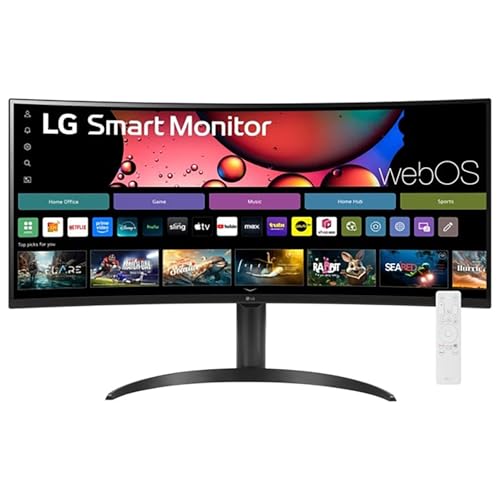
Power users who juggle multitasking, spreadsheets, and creative apps will find the LG 34″ Curved UltraWide WQHD Smart Monitor ideal, thanks to its 21:9 3440×1440 curved VA panel that gives you more horizontal workspace and immersive viewing. You get crisp detail from HDR10, up to 99% sRGB color, and a 100Hz refresh rate with 5 ms response for smooth scrolling and light gaming. webOS23 and the Magic Remote let you stream apps, control voice commands, and use AirPlay 2/HomeKit. The 1800R curve, height/tilt adjustments, FreeSync, multiple HDMI/USB ports, and 300 cd/m² brightness support efficient multitasking.
Best For: Power users and multitaskers who need wide horizontal workspace for spreadsheets, creative apps, and light gaming, while also wanting smart TV features and AirPlay/HomeKit integration.
Pros:
- 34″ 21:9 3440×1440 curved VA panel provides expansive horizontal workspace and immersive viewing with a 1800R curve.
- webOS23, Magic Remote, built-in streaming apps and AirPlay 2/HomeKit let you stream and control content without a PC.
- 100Hz refresh rate, FreeSync, HDR10 and up to 99% sRGB deliver smooth motion and accurate colors for productivity and casual gaming.
Cons:
- 300 cd/m² brightness and VA panel may be less ideal for very bright rooms or professional HDR grading.
- 5 ms response time and VA technology can exhibit more motion blur and black-level smearing than fast IPS/Gaming panels.
- Limited ergonomic adjustments (height and tilt only) and a modest port selection may not suit all workstation setups.
LG Ultragear 34-Inch Curved WQHD Gaming Monitor (34G630A-B)
Competitive gamers and multitaskers who need ultra-smooth visuals and extra screen real estate will appreciate the LG Ultragear 34G630A-B: its 21:9 WQHD curved display gives you a wider workspace for overlays and guides, while the 240Hz refresh rate and 1ms response time keep fast action crisp and responsive. You’ll get VESA DisplayHDR 400 and up to 95% DCI-P3 for vivid color, plus FreeSync Premium, Dynamic Action Sync, Black Stabilizer, FPS counter and crosshair for competitive play. The slim, virtually borderless design with height/tilt/swivel, USB-C with 15W PD, DisplayPort and HDMI frees desk space and reduces clutter.
Best For: Competitive gamers and multitaskers who want an ultra-smooth, immersive 21:9 WQHD curved display with high refresh rate and extra horizontal workspace.
Pros:
- 240Hz refresh rate and 1ms (GtG) response time for extremely smooth, low-latency gaming.
- 21:9 WQHD curved screen with up to 95% DCI-P3 and VESA DisplayHDR 400 for vivid colors and wider workspace.
- Useful gaming features (FreeSync Premium, Dynamic Action Sync, Black Stabilizer, FPS counter, crosshair) plus USB-C with 15W PD to reduce cable clutter.
Cons:
- HDR capability is limited to DisplayHDR 400, which offers modest HDR impact compared with higher-tier HDR standards.
- Built-in speakers are convenient but typically not a substitute for a dedicated audio setup.
- Ultrawide 21:9 aspect ratio may cause compatibility or scaling issues with some games and applications.
LG Ultragear 39” OLED Curved WQHD Gaming Monitor (39GX900A-B)

The LG Ultragear 39” OLED Curved WQHD (39GX900A-B) is a top pick for gamers and creators who need ultra-fast performance and deep contrast, thanks to its 240Hz refresh rate, 0.03ms response time, and OLED’s 1.5M:1 contrast. You get a 3440 x 1440 21:9 panel with 98.5% DCI-P3 color, DisplayHDR True Black 400, and up to 1300-nit peak brightness for highlights. The 800R curve and anti-glare surface boost immersion and focus. It’s G-SYNC compatible with FreeSync Premium Pro, offers HDMI 2.1, DP1.4 and USB-C (65W), and ships with a two-year warranty and OLED care tools.
Best For: Competitive gamers and content creators who want an ultra-wide, high-refresh OLED with instant pixel response and deep contrast for fast-paced play and vivid HDR visuals.
Pros:
- Exceptionally fast 240Hz refresh rate and 0.03ms (GtG) response time for minimal motion blur and input lag.
- OLED contrast (1.5M:1) and 98.5% DCI-P3 with DisplayHDR True Black 400 deliver deep blacks and vibrant colors; up to 1300-nit peak highlights.
- Wide 21:9 3440×1440 curved 800R panel with HDMI 2.1, DP1.4 and USB-C (65W) for flexible high-bandwidth connectivity and single-cable setups.
Cons:
- OLED panel may carry burn-in risk over long-term static content despite care tools and requires mindful use.
- Larger 39″ ultrawide footprint and 11.5 kg weight may need significant desk space and sturdy mounting.
- High-end specs and features come with a premium price compared with conventional IPS gaming monitors.
LG UltraWide 34″ WQHD Curved Monitor (34U62TB-B, 3440×1440, 120Hz, Renewed)
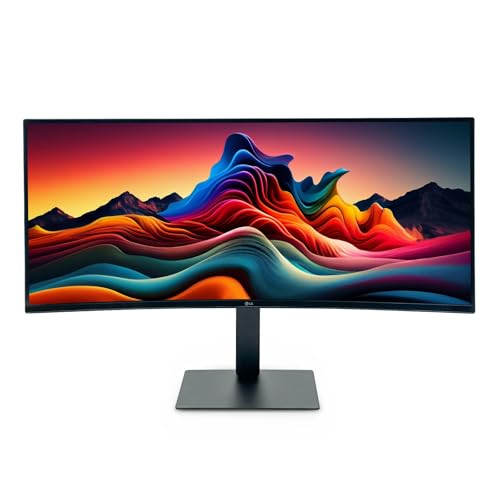
If you juggle spreadsheets, multiple apps, or long timelines, the LG UltraWide 34″ WQHD Curved Monitor (34U62TB-B) gives you the screen real estate and 21:9 aspect to keep more windows visible at once, so you’ll work with fewer context switches. The renewed 2025 model pairs a 3440×1440 curved matte panel with 120Hz and 5ms response for smooth scrolling and fluid window management. HDR10 boosts contrast and color, while a 170° viewing angle preserves clarity across the curve. The adjustable stand (height/tilt/swivel), HDMI and DisplayPort ports, and a sleek black finish make it a practical, ergonomically friendly setup.
Best For: Professionals and multitaskers who need extra horizontal workspace for spreadsheets, timelines, and multiple apps, plus gamers wanting a wide immersive display with smooth 120Hz performance.
Pros:
- Wide 34″ 21:9 WQHD (3440×1440) curved matte panel provides more usable screen real estate and reduces glare.
- 120Hz refresh rate with 5ms response and HDR10 support offers smoother motion and improved contrast/color for work and casual gaming.
- Adjustable stand (height/tilt/swivel) and multiple inputs (HDMI, DisplayPort) deliver ergonomic flexibility and easy connectivity.
Cons:
- Renewed unit—potential buyers may prefer a new model for full manufacturer warranty and pristine condition.
- No mention of USB-C or built-in KVM, limiting convenience for single-cable laptop setups and multi-device switching.
- 21:9 ultrawide can cause compatibility or scaling issues with some games and older software that expect 16:9 displays.
LG 34″ Curved UltraWide WQHD Monitor (34WR55QC-B)

Gamers and multitasking professionals who need extra horizontal screen real estate will appreciate the 34″ Curved UltraWide WQHD (34WR55QC-B), which pairs a 3440 x 1440 VA panel and 100Hz refresh rate for smooth, immersive workflows and casual gaming. You get strong contrast (3000:1), 99% sRGB, HDR10 support, and 5 ms response for crisp productivity and media. Connectivity covers DisplayPort, two HDMI, USB-C with 65W power delivery, plus USB 3.0 ports for peripherals. At 300 cd/m² brightness and 178° viewing, it suits shared setups. It’s wall-mountable, draws 48W, and carries a one-year warranty.
Best For: Gamers and multitasking professionals who want extra horizontal screen space for immersive casual gaming and efficient productivity workflows.
Pros:
- 34″ 3440×1440 curved VA panel with 100Hz and 3000:1 contrast delivers immersive visuals and deep blacks.
- USB-C with 65W power delivery plus multiple HDMI, DisplayPort, and USB 3.0 ports simplify connectivity and docking.
- 99% sRGB, HDR10 support, and features like Black Stabilizer and Dynamic Action Sync enhance media and gaming quality.
Cons:
- 5 ms response time and VA panel may show more motion blur/ghosting than faster IPS or TN gaming panels.
- 300 cd/m² brightness may be limiting for very bright rooms or HDR highlights compared with higher-end HDR displays.
- Only a 1-year manufacturer warranty and a relatively modest customer-review sample size for long-term reliability assurances.
Factors to Consider When Choosing Lg Ultrawide Monitors for Productivity
When choosing an LG ultrawide for productivity, you’ll want to weigh screen size and resolution against the 21:9 aspect ratio to make sure you get the workspace you need. Check color accuracy and gamut if your work involves photo or video, and confirm the stand offers the ergonomics and adjustability for long sessions. Finally, verify the connectivity and ports so your laptop and peripherals plug in without adapters.
Screen Size & Resolution
A 34-inch UltraWide gives you a noticeably bigger workspace, making it easy to run multiple apps side by side without constantly switching windows. You’ll benefit from 3440 x 1440 resolution, which delivers sharp detail for spreadsheets, design work, and video timelines. Pairing that resolution with a wide color gamut — up to 99% sRGB — guarantees colors stay accurate and vibrant for creative tasks. If you choose a curved UltraWide, it can improve viewing angles and reduce edge distortion, helping you focus longer without eye strain. Overall, prioritize screen size and resolution that match your workflow: larger, high‑res panels give you more usable desktop and clearer visuals, speeding multitasking and precision work.
Aspect Ratio Benefits
If you already value a larger, high‑resolution panel, consider how a 21:9 aspect ratio further expands your workspace: it gives you about 34% more horizontal screen real estate than 16:9, so you can run multiple apps side by side without constant window juggling. That extra width lets you tile documents, spreadsheets, and reference material for smoother workflows and fewer context switches. You’ll find PbP handy when you need two source windows visible for comparison or research. For long sessions, the wider field reduces neck rotation and encourages a more natural viewing posture, which can cut eye and muscle strain. Plus, the immersive feel improves video and game perspectives, making work breaks feel more engaging.
Color Accuracy & Gamut
Color fidelity matters when you rely on your monitor for design or photo work, so pick an LG ultrawide that delivers accurate hues and a wide gamut. You’ll want panels that cover at least 99% sRGB for vibrant, predictable color reproduction—critical for tasks where exact tones matter. HDR support boosts color depth and contrast, letting you see finer detail in highlights and shadows, which improves editing decisions. Look for a 178-degree viewing angle so colors stay consistent across the screen and when colleagues glance at your work. Finally, plan regular calibration with a hardware calibrator or built-in software tools to maintain accuracy over time. These factors guarantee your output matches intent, reducing rework and client revisions.
Ergonomics & Adjustability
When you’ll be spending long hours in front of your screen, ergonomics and adjustability become as important as resolution—LG’s UltraWide stands let you fine-tune height, tilt, and swivel to keep your eyes and neck aligned with the center of the display. You’ll reduce neck strain and sit more comfortably by matching monitor height to your chair and desk; adjustable stands also help you find the ideal posture for longer focused sessions. Curved panels (3800R or 1800R) keep focal distance consistent across the width, making content easier to scan without awkward head turns. Reader Mode reduces blue light for less eye fatigue during long stretches. A virtually borderless design cuts visual clutter, giving you a cleaner workspace and maximizing useful screen area.
Connectivity & Ports
Ergonomic setup only gets you so far if the monitor can’t connect cleanly to the devices you use every day, so it’s worth checking the ports and connectivity options before you buy. Prioritize USB-C so a single cable can carry display, data, and power—perfect for docking laptops and decluttering your desk. Make sure the model also offers multiple HDMI and DisplayPort inputs so you can switch between a desktop, laptop, or console without swapping adapters. Built-in USB 3.0 hubs let you attach external drives, webcams, and other peripherals directly to the monitor. If you work within the Apple ecosystem, AirPlay and HomeKit support simplifies wireless mirroring and control. Finally, look for Adaptive Sync (like FreeSync) to reduce tearing when sources vary.
Multitasking & Software
Because ultrawide screens give you far more horizontal space, they make true multitasking easier—letting you run multiple apps side by side without adding a second monitor. You’ll want models with built-in screen-splitting and customizable layouts so you can snap apps into dedicated zones quickly. Look for Picture-by-Picture (PbP) if you need simultaneous inputs from two sources, and favor monitors that include OnScreen Control or similar software to save and recall workspace configurations. Quick-access features for video calls and app presets speed changes between tasks and reduce friction. Prioritize intuitive, reliable software that minimizes setup time and avoids clutter. Good multitasking tools turn wide pixels into actual productivity rather than just extra display space.
HDR & Brightness Levels
HDR and brightness are what let an ultrawide monitor show true detail and accurate color, so you’ll want to weigh both when choosing an LG model for productivity. HDR expands contrast and color range, making images more lifelike—vital if you do graphic design, video editing, or any color-critical work. Standard productivity monitors sit around 300 cd/m², which handles typical office lighting, but effective HDR usually needs at least 400 cd/m² to shine. HDR10-capable panels can reach peak brightnesses up to 1000 nits, improving visibility in bright scenes and under direct light. If you run multi-monitor setups or work near windows, choose higher brightness to maintain clarity across displays. Prioritize HDR support plus sustained brightness over marketing buzz for reliable results.