Choosing the right mini PC can make or break a digital signage setup. You need stable video playback, flexible display outputs, and hardware that can stay reliable in tight spaces.
This roundup of the best Beelink mini PCs for digital signage in 2026 focuses on practical buying factors like 4K support, multi-display options, networking, and long-term value.
Best 10 Beelink Mini PCs for Digital Signage Picks for 2026
Best for Low-Power 4K Signage
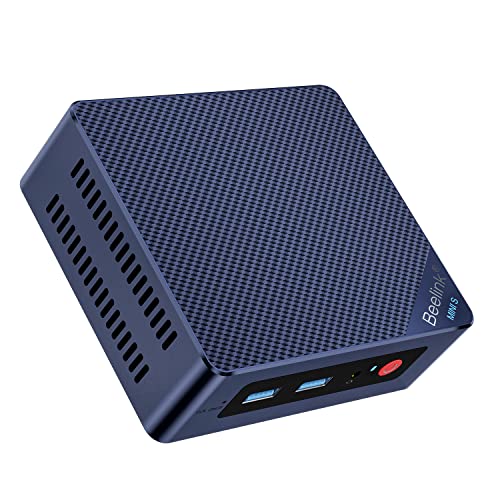
- Low-power Intel N95 for always-on playback
- Dual-display support for flexible signage layouts
- 2.5G LAN for steadier network installs
Best For: Small businesses and kiosk owners needing an affordable compact signage player.
Best for 4K Dual-Display Signage

- Ryzen 7 7735HS handles signage workloads smoothly
- Dual HDMI supports two-display installs
- 24GB RAM and 1TB SSD provide strong headroom
Best For: Retail displays, lobby screens, and dual-display signage setups that need reliable 4K performance.
Best for Compact Digital Signage

- Dual HDMI with 4K@60Hz output
- Compact VESA-mountable design
- 480GB SSD and 8GB RAM for quick loading
Best For: Single- or dual-display signage setups, meeting rooms, and reception areas.
Best for Dual 2.5G Networking

- Ryzen 7 7735HS with Radeon 680M graphics
- Dual 2.5G LAN and WiFi 6 connectivity
- Dual HDMI, 24GB LPDDR5, 500GB PCIe 4.0 SSD
Best For: Digital signage buyers who want fast wired networking and dual-display support.
Best for Triple Displays
Beelink SER5 Ryzen 5 5500U Mini PC

- Triple display output via HDMI, DP, and USB-C
- Ryzen 5 5500U with 16GB RAM for smooth playback
- 2.5G LAN plus WiFi 6 for flexible installs
Best For: Small signage installs that need multiple screens and dependable everyday performance.
Best for Dual Displays
Beelink EQR5 Ryzen 5 5625U Mini PC

- Dual HDMI for two-screen signage setups
- Ryzen 5 5625U with 16GB/500GB included
- Built-in PSU and dual LAN simplify installs
Best For: Small business signage, kiosks, and compact dual-display setups.
Best Value Dual-Display Pick
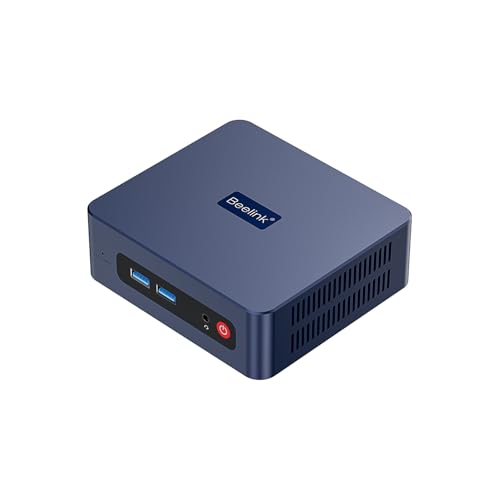
- Dual HDMI for two-screen signage setups
- 16GB RAM + 500GB NVMe SSD included
- Compact, easy-to-hide design with wired and wireless networking
Best For: Small businesses and signage installs that need a compact dual-display PC.
Best with Extra Features
Beelink SER5 PRO Ryzen 5 Mini PC

- Triple-display output for multi-screen signage setups
- Ryzen 5 5625U, 16GB RAM, and NVMe SSD for smooth playback
- 2.5G LAN and WiFi 6 for reliable connectivity
Best For: Businesses needing a compact mini PC for multi-display digital signage and 4K playback.
Best for Dual 4K Signage
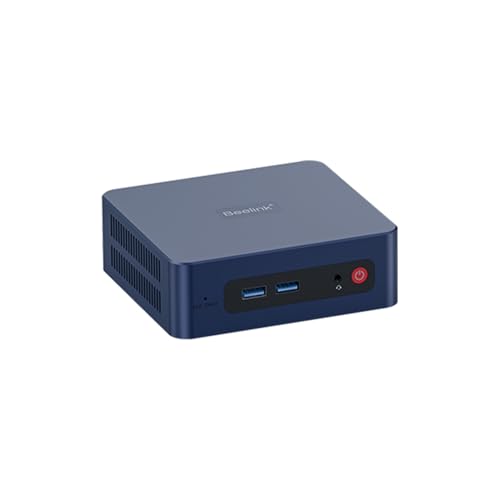
- Dual HDMI with 4K@60Hz support
- Compact design for behind-display mounting
- 480GB NVMe SSD with 8GB RAM for smooth playback
Best For: Small businesses and kiosks needing dependable dual-screen signage on a budget.
Best Simple Pick
Beelink SER5 Pro 5625U Mini PC
- Ryzen 5 5625U handles signage playback and light multitasking
- Triple-display support via DP, HDMI, and USB-C
- 16GB RAM, 500GB SSD, WiFi 6, and 2.5G LAN
Best For: Small businesses and multi-screen signage setups that need compact, dependable performance.
Best for Low-Power 4K Signage – Mini S12 N95 Mini PC
If you’re comparing beelink mini pcs for digital signage, the Mini S12 is a practical pick for simple 4K playback, dual-display layouts, and always-on installs where low power matters. Its Intel N95 chip, 8GB of RAM, and SSD storage are enough for menus, slideshows, dashboards, and other lightweight signage tasks without taking up much space.
Best For: Small businesses, reception desks, and kiosk setups that need an affordable, compact player for basic digital signage.
Pros:
- Low-power Intel N95 is a good fit for continuous signage use
- Dual-display support makes it useful for multi-screen setups
- 2.5G LAN helps with reliable network-based content delivery
- Compact design is easy to hide behind a monitor or inside a cabinet
Cons:
- 8GB RAM is fine for basic playback, but not heavy multitasking
- WiFi 5 and Bluetooth 4.2 are functional, but not the newest standards
- Best suited to light signage rather than demanding media workloads
Overall, this model makes sense if you want beelink mini pcs for digital signage that prioritize efficiency, small size, and straightforward 4K output over extra performance headroom.
Best for 4K Dual-Display Signage – Beelink EQR7 Ryzen 7 Mini PC
If you need one of the more capable beelink mini pcs for digital signage, the Beelink EQR7 stands out for smooth 4K playback, dual HDMI output, and a fast Ryzen 7 7735HS processor. It has enough memory and storage to handle dashboards, menus, promos, and other always-on display content without feeling underpowered.
Best For: Retail displays, lobby screens, and other signage setups that need reliable 4K output with room for multitasking.
Pros:
- Ryzen 7 7735HS and 24GB LPDDR5 offer plenty of headroom for signage apps and light multitasking
- Dual HDMI output makes it easy to drive two displays from a single compact box
- 1TB PCIe 4.0 SSD provides fast boot times and generous local storage
- WiFi 6, Bluetooth 5.2, and dual LAN add flexible network options for installs
Cons:
- More power than basic signage players may need, so it may be overkill for simple slideshow loops
- Not the smallest or lowest-cost option in the mini PC category
For beelink mini pcs for digital signage, the EQR7 is a strong choice when you want a compact system that can stay responsive, push dual displays, and leave some performance margin for future software needs.
Best for Compact Digital Signage – Beelink SER3 Ryzen 3 Mini PC
If you want a small, affordable option for beelink mini pcs for digital signage, the Beelink SER3 gives you the basics you need: dual HDMI outputs, 4K playback support, and a compact VESA-mountable design that fits neatly behind a display. It is a practical choice for lightweight signage, menus, dashboards, and lobby screens where space-saving matters more than heavy computing power.
Best For: Single- or dual-display signage setups, meeting rooms, reception areas, and light office playback.
Pros:
- Dual HDMI and 4K@60Hz support for flexible display setups
- Compact size with VESA mount keeps installation clean and hidden
- 480GB SSD and 8GB RAM provide quick boot and app loading
- WiFi 5, Bluetooth 5.0, and gigabit LAN cover common connectivity needs
Cons:
- Ryzen 3 3200U is fine for signage, but not ideal for demanding workloads
- 8GB RAM may feel limiting if you run heavier multitasking or apps
- No dedicated GPU, so it is better for playback than intensive graphics work
For straightforward beelink mini pcs for digital signage, this SER3 is a sensible pick if you need reliable 4K output, easy mounting, and enough storage to keep local content ready to go without taking up desk space.
Best for Dual 2.5G Networking – Beelink EQR7 Ryzen 7 Mini PC
If you need a compact system that can drive screens, stream content, and stay connected reliably, this Beelink is a strong fit for beelink mini pcs for digital signage. Its Ryzen 7 7735HS, 24GB of LPDDR5 memory, and dual HDMI output give it plenty of headroom for smooth playback and everyday multitasking.
Best For: Digital signage setups that benefit from fast wired networking, dual-display output, and a little extra performance for mixed content workloads.
Pros:
- Ryzen 7 7735HS and Radeon 680M handle 4K playback and light creative tasks well
- Dual 2.5G LAN plus WiFi 6 make it a solid choice for stable signage networking
- Dual HDMI output supports two displays from a single compact box
- 24GB LPDDR5 and a 500GB PCIe 4.0 SSD provide fast, responsive operation
Cons:
- More power than many simple signage-only deployments need
- Storage is expandable, but the base configuration may still require planning for larger media libraries
For beelink mini pcs for digital signage, this model stands out when you want dependable wired networking, dual-screen support, and enough processing power to handle richer layouts or occasional general-purpose use.
Best for Triple Displays – Beelink SER5 Ryzen 5 5500U Mini PC
If you need beelink mini pcs for digital signage, the Beelink SER5 is a practical pick thanks to its Ryzen 5 5500U processor, triple-display output, and compact chassis. It has enough performance for looping 4K media, dashboards, and light multitasking while staying small enough to mount behind a screen.
Best For: Small digital signage setups that need multiple display outputs, solid everyday performance, and easy hidden mounting.
Pros:
- HDMI, DisplayPort, and USB-C triple display support for multi-screen signage
- Ryzen 5 5500U with 16GB RAM handles smooth playback and office-style workloads
- 2.5G LAN, WiFi 6, and Bluetooth 5.2 offer flexible connectivity
- Compact size with VESA-style back-of-monitor mounting support
Cons:
- Not ideal for heavy 3D rendering or advanced content creation
- Storage and RAM are upgradable, but setup may be unnecessary for simple deployments
- Cooling is good, though sustained loads may still be louder than fanless signage boxes
Overall, this is a strong midrange option for beelink mini pcs for digital signage when you want a balance of display flexibility, reliable networking, and enough power for everyday content playback. It makes the most sense for businesses that want a compact, mounted player rather than a bare-minimum signage box.
Best for Dual Displays – Beelink EQR5 Ryzen 5 5625U Mini PC
If you need one of the more practical beelink mini pcs for digital signage, the Beelink EQR5 is a solid fit thanks to its Ryzen 5 5625U processor, dual HDMI output, and included 16GB RAM/500GB NVMe SSD. It has enough headroom for kiosk-style dashboards, menu boards, lobby screens, and other always-on display tasks without taking up much space.
Best For: Small business signage, dual-screen presentations, and compact office setups that need reliable 4K playback and simple connectivity.
Pros:
- Dual HDMI makes it easy to drive two displays from one compact PC
- Ryzen 5 5625U and 16GB RAM handle everyday signage workloads smoothly
- 500GB NVMe SSD provides fast boot times and plenty of local storage
- Built-in PSU, WiFi 6, and dual Ethernet support cleaner installs
Cons:
- Not a dedicated graphics system for heavy creative or 3D workloads
- Storage is good, but larger multi-screen media libraries may need expansion
Overall, this EQR5 is a strong practical pick for beelink mini pcs for digital signage when you want dependable performance, simple mounting, and flexible dual-display output rather than a flashy high-end build.
Best Value Dual-Display Pick – Beelink SER3 Ryzen 3 Mini PC
If you need beelink mini pcs for digital signage that can drive two displays without taking up much space, the Beelink SER3 is a practical budget-friendly option. Its Ryzen 3 3200U, 16GB of RAM, and 500GB NVMe SSD are enough for everyday signage playlists, dashboards, and light office media, while the compact body keeps installs clean behind a monitor or inside a kiosk.
Best For: Small businesses, lobby displays, and dual-screen signage setups that need simple, reliable 4K output.
Pros:
- Dual HDMI output makes it easy to run two screens from one compact box.
- 16GB RAM and a 500GB NVMe SSD provide a solid baseline for signage apps and local files.
- WiFi 5, Bluetooth 5.0, and Gigabit Ethernet give flexible network connectivity.
- Small chassis is easy to hide behind displays or mount in tight spaces.
Cons:
- Ryzen 3 3200U is fine for signage, but not ideal for heavy multitasking or demanding content creation.
- Best suited to light-to-moderate workloads rather than complex interactive kiosks.
For straightforward installations, this SER3 hits a useful balance of price, size, and dual-screen output. It stands out among beelink mini pcs for digital signage when you want dependable 4K playback and easy setup without paying for more power than you need.
Best with Extra Features – Beelink SER5 PRO Ryzen 5 Mini PC
If you need a compact, ready-to-run option for beelink mini pcs for digital signage, the Beelink SER5 PRO is a practical pick thanks to its Ryzen 5 5625U processor, triple 4K display support, and fast NVMe storage. It’s also easy to deploy in tight spaces where you want stable wired networking and minimal clutter.
Best For: Digital signage setups that need multiple displays, smooth 4K playback, and a small footprint for behind-screen mounting.
Pros:
- Triple-display output makes it useful for multi-screen signage layouts.
- Ryzen 5 5625U and 16GB RAM handle 4K playback and everyday kiosk workloads well.
- 2.5G LAN plus WiFi 6 offers flexible, stable connectivity options.
- Compact chassis fits easily behind displays or inside media cabinets.
Cons:
- Not a dedicated commercial signage player, so it may be more than you need for simple single-screen loops.
- Storage is solid out of the box, but larger deployments may still want more than the included 480GB SSD.
Overall, this is a strong value option for beelink mini pcs for digital signage when you want a small PC that can support more than one display without sacrificing everyday responsiveness. It’s especially appealing for businesses that want a general-purpose mini PC rather than a locked-down signage appliance.
Best for Dual 4K Signage – Beelink SER3 Ryzen 3 Mini PC
If you need one of the more affordable beelink mini pcs for digital signage, the Beelink SER3 is a practical pick for driving a pair of displays, handling looping media, and staying tucked behind a screen. Its Ryzen 3 3200U, NVMe SSD, and HDMI 4K@60Hz output make it a simple fit for lightweight commercial playback and office-style kiosk use.
Best For: Small businesses, lobby screens, and kiosk setups that need dual-display 4K playback without a bulky desktop.
Pros:
- Dual HDMI output with 4K@60Hz support for multi-screen signage
- Compact build with VESA-style mounting potential for clean installs
- 480GB NVMe SSD and 8GB RAM give it responsive everyday performance
- WiFi 5, Bluetooth 5.0, and Gigabit Ethernet cover flexible connectivity
Cons:
- Ryzen 3 3200U is fine for playback, but not ideal for heavier workloads
- Only 8GB of RAM out of the box may be limiting for more demanding multitasking
- Not the strongest choice if you need advanced content creation or 4K editing
For beelink mini pcs for digital signage, this model stands out as a straightforward, budget-conscious option when your priority is reliable dual-display output and easy deployment rather than raw performance.
Best Simple Pick – Beelink SER5 Pro 5625U Mini PC
If you want one of the more capable beelink mini pcs for digital signage, the Beelink SER5 Pro is a practical pick thanks to its Ryzen 5 5625U CPU, 16GB RAM, and triple-display output. It has enough headroom for looping 4K content, browser-based dashboards, and light multitasking, while staying compact enough to hide behind a kiosk screen or mounted display.
Best For: Small businesses, lobby displays, and multi-screen signage setups that need dependable 4K playback and flexible display connections.
Pros:
- Ryzen 5 5625U delivers strong everyday performance for signage tasks and content playback
- DP, HDMI, and USB-C video support make triple-display setups easier
- 16GB DDR4 and 500GB NVMe SSD provide a solid starting point for most deployments
- 2.5G LAN plus WiFi 6 offer flexible network options for connected signage
Cons:
- Not designed for heavy creative workloads or demanding 3D apps
- Storage is expandable, but the included drive may be modest for larger media libraries
- Fans and thermals may matter if it runs 24/7 in a hot enclosure
Overall, the SER5 Pro hits a smart middle ground for beelink mini pcs for digital signage: it has the ports, performance, and networking you need without moving into overkill territory. For businesses that want a compact Windows box that can drive multiple screens reliably, it is an easy model to shortlist.
How We Picked the Best Beelink Mini PCs for Digital Signage
We prioritized Beelink systems that make sense for signage environments: efficient processors, solid-state storage, at least dual-display support, and network options that help with remote content delivery. We also looked at configurations that balance cost and capability, since many signage projects do not need overpowered hardware.
Quick Comparison
For simple single-screen loops, entry-level Intel N95 or Ryzen 3 models are often enough. For brighter retail walls, menu boards, and multitasking content, Ryzen 5 systems offer a better mix of smooth playback and connectivity. If you need heavier local workloads, multiple displays, or more headroom for future apps, Ryzen 7 configurations are the strongest choice among Beelink Mini PCs for Digital Signage.
Key Buying Factors for Beelink Mini PCs for Digital Signage
Display Output
Check whether the mini PC supports the number of screens you need and the resolutions you plan to run. Dual display is usually the minimum for signage; triple display is useful for more advanced layouts or control screens.
Playback Performance
Look for enough CPU and graphics headroom for 4K video, browser-based dashboards, or dynamic signage software. Faster processors help reduce stutter when multiple media elements run at once.
Storage and Memory
SSD capacity matters if you store videos or offline assets locally. More RAM improves responsiveness when switching playlists, running web apps, or managing a content player alongside other tools.
Network and Reliability
Strong wired networking is a major plus for signage. Dual LAN or 2.5G LAN can improve stability, while Wi-Fi is helpful as a backup or for lighter deployments.
Power and Install Needs
Built-in power supplies can simplify installation. Compact systems with efficient chips are also easier to mount behind displays and may be better suited for continuous operation.
Who Should Buy Which Beelink Mini PCs for Digital Signage?
If you want the lowest-cost option for a basic single-screen setup, choose an entry-level model with Intel N95 or Ryzen 3 hardware. If your signage needs include 4K playback, dual outputs, and more dependable multitasking, a Ryzen 5 model is the safest middle ground. For complex installations, richer content, or future expansion, a Ryzen 7 Beelink mini PC is the best fit.
In short, pick based on your content load, number of displays, and networking needs rather than raw specs alone. That approach will help you choose a Beelink system that stays stable and practical for everyday signage use.