GMKtec mini PCs can make excellent home servers thanks to their compact size, strong efficiency, and useful networking options.
Whether you want a Proxmox box, Plex host, light NAS, or a small lab machine, the right model depends on CPU class, NICs, memory, and storage expandability.
Best 10 Gmktec Mini PCs for Home Server Picks for 2026
Best for 2.5GbE Value
GMKtec Nucbox G10 Ryzen 5 Mini PC

- 2.5GbE LAN for faster home-server networking
- 16GB DDR4 + 1TB NVMe included
- Triple-display support and strong port variety
Best For: Home server buyers who want fast wired networking and a ready-to-use mini PC.
Best for Networking
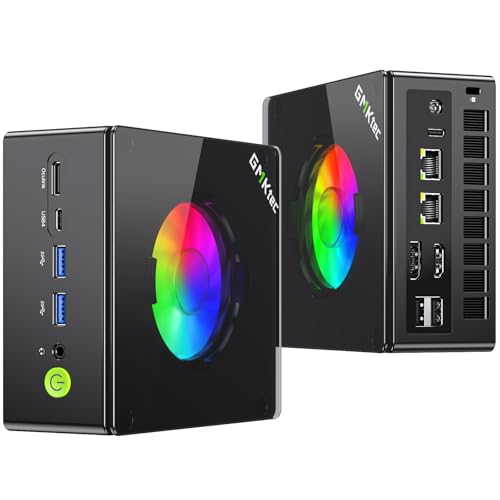
- Dual 2.5GbE LAN for server and networking setups
- Ryzen 9 8945HS brings strong 8-core performance
- Expandable DDR5 and dual Gen4 SSD support
Best For: Home users who need a compact mini PC with strong wired networking and upgrade headroom.
Best Entry-Level Home Server Starter

- Intel N95 suits light home server and Proxmox use
- Gigabit Ethernet supports reliable wired networking
- Compact VESA-mount design saves desk and shelf space
Best For: Budget buyers who want a small, low-power mini PC for light home server tasks.
Best for Home Server Networking

- Dual 2.5GbE LAN for NAS, router, and VPN use
- Ryzen Embedded R2514 supports 24/7 operation
- Compact, quiet-friendly build for homelabs and office setups
Best For: Home server builders who want dual-ethernet networking in a compact mini PC.
Best for 5GbE Home Networking

- 5GbE LAN for fast home-server transfers
- Dual USB4 and two M.2 expansion slots
- Intel Core Ultra 7 with Arc graphics
Best For: Home server buyers who want fast wired networking and flexible expansion in a compact mini PC.
Best for Triple-Display Home Labs

- Ryzen 5 3500U handles light multitasking and home server basics
- 2.5GbE LAN helps with faster local network transfers
- Triple 4K display support is handy for monitoring or desk use
Best For: Light home server builds, triple-monitor desks, and general productivity in a compact footprint.
Best with Extra Features
GMKtec M7 Ultra Ryzen 7 PRO Mini PC

- Dual 2.5GbE LAN is great for server, firewall, and NAS setups
- Ryzen 7 PRO 6850U handles virtualization and multitasking well
- OCuLink and dual USB4 add uncommon expansion flexibility
Best For: Home lab users and small-server buyers who want fast networking and upgrade headroom.
Best for Dual 2.5GbE
GMKtec M6 Ultra Ryzen 7640HS Mini PC

- Dual 2.5GbE LAN for server and firewall use
- Ryzen 5 7640HS with 32GB DDR5 included
- USB4 and triple-display support for flexible setups
Best For: Home lab users and small-server buyers who want fast wired networking in a compact mini PC.
Best Dual-LAN Pick
GMKtec M6 Ultra Ryzen 7640HS Mini PC
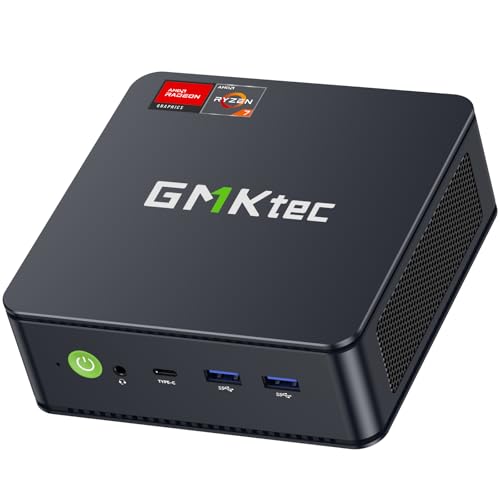
- Dual 2.5GbE LAN suits NAS, firewall, and homelab networking
- Ryzen 5 7640HS provides modern 6-core/12-thread performance
- Upgradeable DDR5 memory and SSD add long-term flexibility
Best For: Home server builders who need fast wired networking and compact Ryzen performance.
Best for 2.5GbE Value – GMKtec Nucbox G10 Ryzen 5 Mini PC
If you’re comparing gmktec mini pcs for home server use, the Nucbox G10 stands out for its 2.5GbE LAN, Ryzen 5 3500U chip, and included 1TB SSD with 16GB of dual-channel RAM. It’s a practical pick for light virtualization, NAS-style tasks, media serving, or a compact office PC without paying for higher-end hardware you may not need.
Best For: Home server buyers who want fast wired networking, decent multitasking, and a ready-to-use storage setup.
Pros:
- 2.5GbE port is a big plus for file transfers, router/firewall roles, and home server networking
- 16GB dual-channel RAM and 1TB NVMe SSD included, with room to expand further
- Triple-display support and a versatile port selection make it useful beyond server duty
- Low-power Ryzen 5 platform is a sensible fit for always-on home use
Cons:
- Ryzen 5 3500U is older silicon, so it’s not the fastest option for heavy VM loads
- WiFi 5 is fine, but not as future-proof as newer WiFi 6/6E models
- Best suited to light-to-moderate server workloads rather than demanding compute tasks
This is a solid middle-ground choice if you want gmktec mini pcs for home server builds with better wired networking than most budget boxes. It gives you the essentials upfront, plus enough expandability to grow into basic NAS, Proxmox, or firewall duties.
Best for Networking – GMKtec K11 Ryzen 9 Mini PC
If you want gmktec mini pcs for home server duties, the K11 stands out for its dual 2.5GbE Intel NICs, fast Ryzen 9 8945HS CPU, and flexible storage expansion. It has enough headroom for containers, NAS-style workloads, lightweight virtualization, and a desktop-friendly footprint.
Best For: Home users who want a compact server PC with strong wired networking, fast storage, and enough CPU power for multitasking.
Pros:
- Dual 2.5GbE LAN is ideal for routing, server, and link-aggregation setups
- Ryzen 9 8945HS offers strong 8-core performance for mixed workloads
- Dual PCIe Gen4 SSD support and DDR5 memory make upgrades straightforward
- USB4, Oculink, and quad-display support add unusual flexibility for a mini PC
Cons:
- More expensive than basic home-server mini PCs
- Gaming-focused features may be unnecessary for pure server use
- Storage and RAM upgrades are not included
For buyers comparing gmktec mini pcs for home server use, the K11 is a strong pick when networking matters as much as raw compute. It is especially appealing if you want a compact system that can handle server tasks now and still double as a capable everyday PC later.
Best Entry-Level Home Server Starter – GMKtec Mini PC N95 8GB/256GB
If you want a compact, low-power option for gmktec mini pcs for home server use, this GMKtec G3 S is a practical starting point. Its Intel N95 chip, 8GB of RAM, and 256GB SSD are enough for lightweight Docker containers, basic file sharing, media playback, or a small Proxmox lab without taking up much space.
Best For: Budget-minded buyers who want a small, quiet mini PC for light home server tasks, HTPC use, or a simple virtualization setup.
Pros:
- Intel N95 is a solid step up from older low-end chips for basic home server workloads
- Gigabit Ethernet plus WiFi 5 gives flexible network options for a compact server
- Dual HDMI 2.0 outputs support two 4K displays for dashboard or desktop management
- Small footprint with VESA mount makes it easy to hide behind a monitor or shelf
Cons:
- 8GB RAM may feel tight for heavier virtualization or multiple always-on services
- 256GB storage is limited if you plan to store lots of containers, VMs, or media
- Not ideal for demanding server workloads or expansion-heavy builds
For gmktec mini pcs for home server buyers, this model works best as an affordable entry point rather than a powerhouse. It is a sensible pick if your priority is compact size, low power draw, and enough everyday performance for modest self-hosted tasks.
Best for High-Speed Networking – GMKtec K16 Ryzen 7 Mini PC
If you want gmktec mini pcs for home server duties, the GMKtec K16 stands out for its dual 2.5GbE ports, Ryzen 7 7735HS performance, and room for fast storage upgrades. It’s a practical fit for file serving, light virtualization, media hosting, and other always-on workloads where networking matters as much as CPU speed.
Best For: Home server builds that need dual Ethernet, strong multitasking performance, and flexible expansion in a compact chassis.
Pros:
- Dual 2.5GbE LAN is ideal for file servers, firewall use, and link aggregation.
- Ryzen 7 7735HS with 8 cores and 16 threads handles multitasking well.
- 32GB LPDDR5 RAM and 1TB SSD provide a solid out-of-the-box base.
- OCuLink, USB4, and triple-display support add unusual flexibility for a mini PC.
Cons:
- Soldered memory limits RAM upgrade options.
- OCuLink is not hot-swappable, so shutdown is required before connecting or removing it.
- Overkill if you only need a very basic NAS or low-power home server.
For buyers comparing gmktec mini pcs for home server use, the K16 is especially appealing when wired networking and expansion options matter more than raw efficiency. It’s a strong choice if you want a compact machine that can double as a server, lab box, or general-purpose workstation.
Best for Home Server Networking – GMKtec G11 Ryzen Mini PC
If you want one of the more practical gmktec mini pcs for home server use, the GMKtec G11 stands out for its dual 2.5GbE ports, 24/7-ready design, and efficient AMD Ryzen Embedded R2514 chip. It is a sensible pick for a small NAS, firewall, Proxmox box, or always-on home lab without taking much space.
Best For: Home server users who need dual 2.5GbE networking, solid efficiency, and a compact PC for NAS, firewall, or virtualization tasks.
Pros:
- Dual 2.5GbE LAN makes it a strong fit for NAS, router, and VPN/server duties
- Ryzen Embedded R2514 is built for 24/7 operation and steady multi-core workloads
- 16GB dual-channel DDR4 helps with smoother multitasking and light virtualization
- Triple-display support adds flexibility for admin dashboards or desktop use
Cons:
- 256GB SSD is modest if you plan to store lots of media or VM images locally
- Not as expandable as larger mini PCs with more drive and memory headroom
- Performance is practical for server tasks, but not aimed at heavy workstation use
For buyers comparing gmktec mini pcs for home server projects, the G11 is appealing because it focuses on networking, stability, and low-footprint deployment rather than flashy specs. That makes it a more specialized pick for homelabs and small-business-style setups.
Best for 5GbE Home Networking – GMKtec K13 Ultra 7 Mini PC
If you want a compact box that can double as a capable home server, the GMKtec K13 stands out among gmktec mini pcs for home server builds thanks to its 5GbE LAN, dual USB4 ports, and modern Intel Core Ultra 7 platform. It’s a strong fit for light virtualization, media serving, and fast file transfers in a small footprint.
Best For: Users who want a compact, high-connectivity mini PC for a home server, NAS-adjacent setup, or always-on networked workload.
Pros:
- 5GbE LAN is a big plus for fast local transfers and server-style use
- Dual USB4 and two M.2 slots add flexibility for expansion and storage
- Intel Core Ultra 7 and Arc graphics handle multitasking and light AI workloads well
- Triple 4K display support makes it versatile beyond server duty
Cons:
- 16GB RAM is onboard, so memory upgrades are not as flexible as on SO-DIMM models
- Storage starts at 512GB, which may be small for a dedicated server setup
- More premium features mean it’s not the cheapest option in the category
For buyers comparing gmktec mini pcs for home server use, the K13 is a compelling pick if networking speed and expansion matter more than absolute value. It’s especially appealing if you want a compact system that can handle server tasks now and still serve as a workstation later.
Best for Triple-Display Home Labs – GMKtec G10 Ryzen 5 Mini PC
If you want one of the more capable gmktec mini pcs for home server duty without jumping to a full desktop, the GMKtec G10 is worth a close look. Its Ryzen 5 3500U, dual-channel memory support, 2.5GbE LAN, and compact Windows 11-ready design make it a practical pick for light home lab work, office tasks, or always-on media and file-sharing setups.
Best For: Buyers who want a compact, affordable mini PC for a light home server, triple-monitor desk setup, or general productivity use.
Pros:
- Ryzen 5 3500U offers solid everyday multitasking for a small server or office PC
- 2.5GbE LAN is a useful upgrade for faster local network transfers
- Triple 4K display support adds flexibility for monitoring or workstation use
- Expandable memory and storage give it more room to grow
Cons:
- Wi-Fi 5 is older than what many newer mini PCs offer
- 256GB SSD is modest if you plan to store lots of media or backups locally
- Not the strongest choice for heavy virtualization or demanding server workloads
For shoppers comparing gmktec mini pcs for home server use, this model stands out for balancing low-cost practicality with useful networking and display options. It is a smart fit if you need a small, efficient machine for light always-on duties rather than maximum compute power.
Best with Extra Features – GMKtec M7 Ultra Ryzen 7 PRO Mini PC
If you want one of the more capable gmktec mini pcs for home server use, the M7 Ultra stands out for its Ryzen 7 PRO 6850U, dual 2.5GbE ports, and OCuLink expansion. It has enough CPU headroom for virtualization, media services, and light workstation duties while still staying compact and efficient.
Best For: Home lab users, small-office servers, and buyers who want fast wired networking plus flexible expandability in a compact mini PC.
Pros:
- Ryzen 7 PRO 6850U delivers strong 8-core/16-thread performance for server and multitasking workloads
- Dual Intel 2.5GbE LAN ports are ideal for firewall, NAS, and link-aggregation setups
- OCuLink, dual USB4, and quad-display support make it unusually flexible for a mini PC
- Upgradeable RAM and SSD capacity give it room to grow with your setup
Cons:
- 16GB RAM and 512GB SSD are usable, but serious home server builds will likely need upgrades
- OCuLink and advanced display options add value, but they may be more than casual users need
For buyers comparing gmktec mini pcs for home server duties, this model is a strong fit if networking and expandability matter more than raw gaming focus. It’s a practical choice for a compact lab box, small services host, or all-purpose mini desktop with server-friendly hardware.
Best for Dual 2.5GbE – GMKtec M6 Ultra Ryzen 7640HS Mini PC
If you want gmktec mini pcs for home server use with strong networking, the GMKtec M6 Ultra is a practical pick thanks to its dual 2.5GbE ports, Ryzen 5 7640HS processor, and included 32GB DDR5 RAM. It has enough headroom for light virtualization, media serving, firewall duties, and general desktop tasks without taking up much space.
Best For: Home lab users, small-server setups, and buyers who want fast wired networking in a compact mini PC.
Pros:
- Dual 2.5GbE LAN makes it especially useful for server, router, or NAS-adjacent roles
- Ryzen 5 7640HS and 32GB DDR5 give it solid all-around performance
- USB4, HDMI, and DisplayPort support flexible multi-monitor setups
- WiFi 6 and Bluetooth 5.2 add modern wireless connectivity
Cons:
- 1TB SSD is a good start, but heavy storage users may want an upgrade
- Integrated graphics are fine for light gaming, not demanding workloads
- Higher power draw than ultra-low-power mini PCs
For gmktec mini pcs for home server builds, this model stands out more for networking and balanced performance than raw efficiency. It is a strong fit if you want a compact machine that can handle everyday server tasks and still double as a capable office PC.
Best Dual-LAN Pick – GMKtec M6 Ultra Ryzen 7640HS Mini PC
If you want gmktec mini pcs for home server use with strong networking and enough CPU muscle for light virtualization, the GMKtec M6 Ultra is a smart compact option. Its Ryzen 5 7640HS, dual 2.5GbE ports, and upgrade-friendly storage make it a practical fit for file sharing, router duties, media tasks, and always-on home lab workloads.
Best For: Home server builders who want fast dual-LAN networking, modern Ryzen performance, and a compact box for mixed server and desktop tasks.
Pros:
- Ryzen 5 7640HS offers solid 6-core/12-thread performance for everyday server workloads
- Dual 2.5GbE LAN is ideal for NAS, firewall, and network-heavy home server setups
- Includes 16GB DDR5 and 1TB SSD, with room to expand memory and storage
- USB4, HDMI, and DisplayPort support flexible display and peripheral connections
Cons:
- Only 16GB RAM out of the box may feel limiting for heavier virtualization
- Single 1TB SSD is fine for starters, but larger media or backup libraries will need upgrades
- More gaming-oriented than true server-first minis with ECC or enterprise features
For shoppers comparing gmktec mini pcs for home server use, this model stands out most for its dual 2.5GbE ports and newer Ryzen platform. It is a good balance of speed, connectivity, and size for a compact homelab or always-on office server.
How We Picked the Best Gmktec Mini PCs for Home Server Use
For Gmktec Mini PCs for Home Server setups, we prioritized models with reliable multi-core performance, dual or faster Ethernet, efficient cooling, and practical storage support. We also looked for CPU families that are a good fit for 24/7 workloads, including virtualization, container hosting, file sharing, and media services.
Extra value came from features like dual 2.5GbE or 5GbE networking, DDR5 memory, PCIe 4.0 SSD support, and display outputs that make initial setup easier. Not every home server needs a high-end chip; the best choice is the one that matches your workload without wasting power or budget.
Quick Comparison: Which Class of Mini PC Fits Your Setup?
Lower-power Intel N-series and older Ryzen 5 systems are best for simple duties such as Home Assistant, Pi-hole, small Docker stacks, or light file serving. Midrange Ryzen and Ryzen PRO models are a stronger fit for Proxmox, multiple containers, and modest transcoding. Higher-end Ryzen HS and Intel Core Ultra options are better if you want room for virtualization, heavier multitasking, or future expansion.
If networking matters most, prioritize dual LAN or 5GbE. If storage matters most, look closely at SSD capacity and whether the system leaves room for a second drive. For media use, iGPU capability and codec support can matter as much as raw CPU speed.
Key Buying Factors for Gmktec Mini PCs for Home Server
Processor and Power Efficiency
Choose a CPU based on workload, not just peak speed. Efficient chips are ideal for always-on tasks, while faster HS-class processors make sense for virtualization or heavier services.
Memory and Storage
For most home server use, 16GB is a comfortable starting point, while 32GB is safer for Proxmox, ZFS, and more container headroom. A larger NVMe SSD helps with VM images, logs, and cache-heavy workloads.
Networking
Dual 2.5GbE is one of the most useful features in Gmktec Mini PCs for Home Server builds, especially for routing, storage sharing, or separating LAN segments. 5GbE is even better if your switch and cabling support it.
Thermals and Noise
Home servers often run nonstop, so stable cooling and sensible fan behavior matter. A quieter system is more pleasant in a living room or office, but never trade away thermal stability for silence alone.
Who Should Buy Which Gmktec Mini PCs for Home Server?
If you want the best budget-friendly server node, look at lower-power models with enough RAM and fast Ethernet. If you plan to run Proxmox, multiple VMs, or a media stack, choose a Ryzen 7, Ryzen PRO, or Core Ultra model with dual LAN and 32GB memory where possible.
If your goal is a compact but capable network appliance or lab machine, pick a model with strong I/O and efficient sustained performance. If you expect your needs to grow, buy the most expandable system you can reasonably afford now, especially one with better networking and storage headroom.