The best drawing display tablets make digital art feel more direct by letting you draw on the screen with a pressure-sensitive pen. The right model depends on your preferred workspace, software, connection setup, and budget.
We compared 10 popular pen displays across screen size, resolution, color coverage, pen performance, shortcut controls, portability, and overall value to help you choose with confidence.
Best 10 Drawing Display Tablets Picks for 2026
Workflow Powerhouse

- 21.5-inch FHD display with up to 120% sRGB
- 20 keys and dual red dials for fast control
- Battery-free, tilt-supporting stylus
Best For: Desktop artists and designers needing maximum workspace and shortcuts
Portable Precision
- 13.3-inch full-laminated Canvas Glass surface
- 16,384-pressure PenTech 4.0 stylus
- Factory-calibrated color and dual dials
Best For: Mobile creators and artists wanting precise, tactile drawing
Compact Starter Display

- 11.6-inch FHD display with 100% sRGB
- Battery-free stylus with digital eraser
- Six shortcut keys and programmable touch bar
Best For: Beginners, students, teachers, and compact workspaces
Color-Focused Classic

- 15.6-inch display with 120% sRGB coverage
- Six keys plus touch bar for workflow control
- Includes adjustable 20°–60° stand
Best For: Desktop artists wanting vivid color and a mid-size workspace
Best Budget Pen Display
GAOMON PD1161 11.6-Inch Drawing Display
- 11.6-inch Full HD matte display for direct drawing
- Battery-free pen with 8,192 pressure levels and tilt
- Eight programmable keys for customizable shortcuts
Best For: Beginners, students, and budget-minded digital artists
Best Feature-Rich Mid-Size Display

- 16K pressure sensitivity with built-in pen eraser
- Fully laminated FHD screen with wide color coverage
- Red dial, eight keys, stand, and dual operating modes
Best For: Creators wanting precise control and flexible connectivity
Best Large-Screen Option
XP-Pen Artist 22 2nd 21.5-Inch Display

- Spacious 21.5-inch Full HD drawing surface
- Battery-free pen with 8,192 levels and tilt support
- Adjustable stand with vibrant 122% sRGB coverage
Best For: Artists, teachers, and remote workers needing more workspace
Balanced Full-Laminated Pick
- 15.6-inch Full HD laminated anti-glare display
- 8,192-pressure battery-free pen with tilt
- Six keys plus touch bar for shortcuts
Best For: Artists and students seeking a balanced computer-connected display tablet
Color-Focused Value Option

- 143% sRGB gamut with four color modes
- 16K-pressure battery-free stylus with eraser
- Eight keys and a multifunction scroll wheel
Best For: Creators prioritizing color flexibility and broad device compatibility
High-Resolution Pro Choice

- 16-inch 2.5K QHD full-laminated display
- 16K-pressure X3 Pro battery-free stylus
- Includes stand, remote, and wrist rest
Best For: Artists and 3D creators wanting a detailed, accessory-rich display tablet
Workflow Powerhouse – XP-Pen Artist 22R Pro
For artists who want a spacious workspace, the XP-Pen Artist 22R Pro is one of the most capable drawing display tablets in this roundup. Its large FHD screen, extensive shortcut controls, tilt support, and broad color coverage make it suited to detailed creative work.
Best For: Graphic designers, illustrators, animators, photographers, and video editors who want a large, productivity-focused display.
Pros:
- Large 21.5-inch FHD screen with up to 120% sRGB coverage.
- 20 customizable shortcut keys and two red dial wheels support efficient workflows.
- Battery-free stylus offers 8192 pressure levels, 60° tilt, and a 220 RPS report rate.
- Adjustable 16°–90° stand and left- or right-handed usability improve comfort.
Cons:
- Its large desktop-oriented design is less portable than smaller pen displays.
- It must be connected to a compatible computer to function.
- FHD resolution may provide less screen detail than higher-resolution displays.
The Artist 22R Pro stands out when workspace and shortcut access matter more than portability. Type-C and HDMI connectivity, VESA support, and compatibility with major creative software add flexibility for established desktop setups.
Portable Precision – HUION Kamvas 13 Gen 3
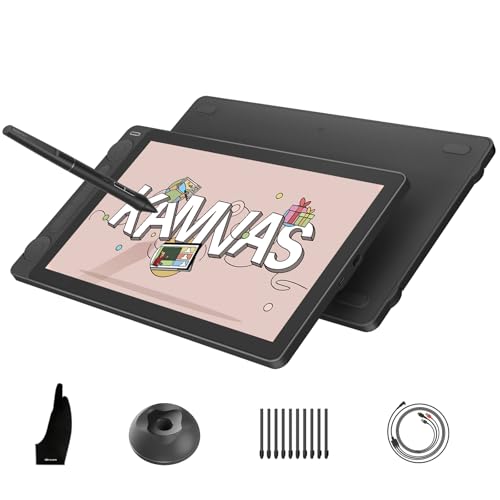
The HUION Kamvas 13 Gen 3 is a compact drawing display tablet for creators who want a more natural, paper-like surface without giving up professional control. Its full-laminated Canvas Glass, factory-calibrated color, and high-pressure stylus make it a strong option for mobile or space-conscious setups.
Best For: Artists, designers, editors, students, and creators who need portable, precise drawing with advanced color performance.
Pros:
- Full-laminated Canvas Glass 2.0 reduces glare and adds a paper-textured feel.
- PenTech 4.0 provides 16,384 pressure levels, low initial activation force, and tilt alignment.
- Factory-calibrated color covers 99% sRGB/Rec.709 and 90% Adobe RGB.
- Two dials and five press keys provide customizable workflow controls.
Cons:
- It is not standalone and requires connection to a computer or compatible Android device.
- The 13.3-inch screen offers less drawing space than larger desktop models.
- Compatibility with Android depends on USB 3.1 Gen 1 and DisplayPort support.
With an 11.7mm profile and 865g weight, the Kamvas 13 Gen 3 balances portability with serious drawing features. Its calibrated color and tactile surface are especially appealing for creators who value accuracy and immersion in a smaller format.
Compact Starter Display – XP-Pen Artist12
The XP-Pen Artist12 is a compact drawing display tablet that keeps the essential pen-display experience accessible. Its 11.6-inch FHD screen, customizable keys, battery-free stylus, and compatibility with common art and video-conferencing software make it practical for learning, sketching, and remote work.
Best For: Students, teachers, beginners, and artists who need an affordable-size display for drawing, annotation, or online instruction.
Pros:
- 11.6-inch 1920×1080 display offers 100% sRGB coverage and vivid visuals.
- Battery-free stylus includes 8192 pressure levels and a digital eraser.
- Six customizable shortcut keys and a programmable touch bar streamline common actions.
- Works with Windows, macOS, Linux, major art software, and online teaching platforms.
Cons:
- It must be connected to a computer and requires available HDMI and USB-A ports or an adapter.
- The smaller active area may feel limiting for complex compositions.
- It lacks the larger shortcut array and dial controls found on some advanced models.
The Artist12 is a sensible entry point for drawing display tablets, particularly when desk space and budget are priorities. Its included pen holder, replacement nibs, glove, and remote-work support add practical value for everyday use.
Color-Focused Classic – HUION Kamvas Pro 16
The HUION Kamvas Pro 16 is a balanced drawing display tablet for creators who want a mid-size screen, vivid color, and convenient physical controls. Its full-laminated anti-glare display, touch bar, shortcut keys, and included adjustable stand support comfortable desktop drawing.
Best For: Digital artists, designers, painters, and photo editors seeking a color-rich 15.6-inch pen display.
Pros:
- 15.6-inch full-laminated display provides 120% sRGB coverage and a 1000:1 contrast ratio.
- Six customizable keys and a touch bar provide quick access to shortcuts and adjustments.
- Battery-free stylus supports 8192 pressure levels, 60° tilt, and programmable side buttons.
- Included ST200 stand adjusts from 20° to 60° for more comfortable positioning.
Cons:
- It is not standalone and must connect to a computer or laptop.
- Its 1920×1080 resolution is standard rather than high resolution for a 15.6-inch display.
- Connection uses a 3-in-1 cable, which may be less convenient than a single USB-C setup.
The Kamvas Pro 16 offers a strong middle ground between compact and oversized drawing display tablets. Its color coverage and included stand make it appealing for artists who want an immersive desktop workspace without moving to a 21.5-inch model.
Best Budget Pen Display – GAOMON PD1161 11.6-Inch Drawing Display
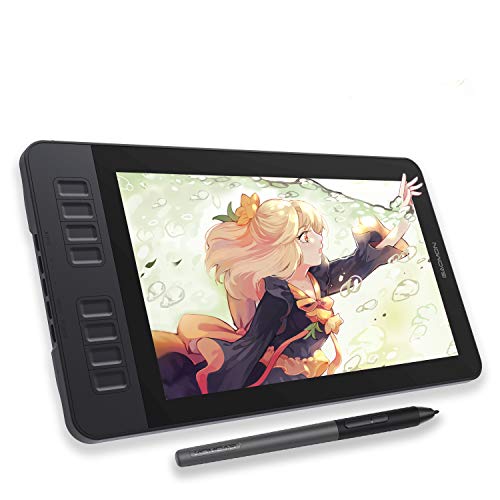
The GAOMON PD1161 is a practical entry point for anyone comparing drawing display tablets. Its 11.6-inch Full HD screen lets you draw directly on the display, while the matte film helps provide a paper-like feel and reduce glare. Remember that it must be connected to a Windows or Mac computer; it is not a standalone tablet.
Best For: Beginners, students, and artists who want an affordable on-screen drawing workflow with customizable controls.
Pros:
- Full HD IPS display with 72% NTSC/100% sRGB color coverage and 16.7 million colors.
- Battery-free AP50 stylus offers 8,192 pressure levels and tilt support.
- Eight programmable shortcut keys plus two programmable pen buttons.
- Includes a stand-free starter kit with replacement nibs, glove, pen holder, cables, and AC adapter.
Cons:
- Requires a compatible computer with HDMI and USB connectivity, or an appropriate converter.
- The 11.6-inch screen provides less workspace than larger pen displays.
- May require the included power adapter if the computer cannot supply enough power.
For shoppers seeking straightforward drawing display tablets without stepping into a premium price tier, the PD1161 combines direct-on-screen drawing, useful shortcut controls, and broad creative-software compatibility. Check your computer ports before buying.
Best Feature-Rich Mid-Size Display – XP-PEN Artist 13.3 Pro V2
The XP-PEN Artist 13.3 Pro V2 stands out among drawing display tablets for its fully laminated 13.3-inch screen, high-resolution pressure-sensitive pen, and flexible USB-C connectivity. It is designed for computer-connected use, with support for compatible Mac, Windows, Chromebook, and Android devices.
Best For: Digital art students, illustrators, animators, and creators who want precise pen input with modern connectivity and strong color coverage.
Pros:
- 16,384 pressure levels, low initial activation force, tilt support, and a built-in pen eraser.
- Fully laminated 1920×1080 display helps reduce parallax, with 99% sRGB, 89% Adobe RGB, and 95% P3 coverage.
- Red dial roller and eight customizable shortcut keys support efficient editing workflows.
- Can operate in pen-display or traditional pen-tablet mode and includes a foldable stand.
Cons:
- It is not standalone and must be used with a compatible computer or device.
- Single-cable USB-C use requires a compatible full-featured USB-C port with USB 3.1 DP 1.2 support.
- The traditional HDMI connection requires a separately sold 3-in-1 cable.
The Artist 13.3 Pro V2 is a strong choice when pen precision, color performance, and workflow controls matter more than the lowest price. Its included stand and dual operating modes also make it adaptable for extended creative sessions.
Best Large-Screen Option – XP-Pen Artist 22 2nd 21.5-Inch Display
The XP-Pen Artist 22 2nd is one of the larger drawing display tablets in this roundup, offering a 21.5-inch Full HD workspace for drawing, photo editing, teaching, and remote work. Its adjustable stand supports viewing angles from 16 to 90 degrees, while the battery-free stylus provides pressure and tilt control.
Best For: Artists, educators, and remote workers who prefer a spacious on-screen canvas for detailed work and presentations.
Pros:
- Large 21.5-inch 1920×1080 display offers ample room for drawing and multitasking.
- Battery-free stylus supports 8,192 pressure levels and up to 60 degrees of tilt.
- Vivid color performance includes 122% sRGB and at least 90% Adobe RGB coverage.
- Adjustable 16-to-90-degree stand and organized cable slot support comfortable setup.
Cons:
- Its larger footprint may be less convenient for compact desks or frequent travel.
- USB-C to USB-C connection is supported, but that cable is sold separately.
- Requires connection to a compatible Windows, Mac, or Linux computer.
If workspace is the priority, the Artist 22 2nd provides a considerably roomier canvas than smaller drawing display tablets. It is especially suitable for detailed illustration and visually presenting handwritten notes, signatures, or lessons.
Balanced Full-Laminated Pick – HUION KAMVAS Pro 16
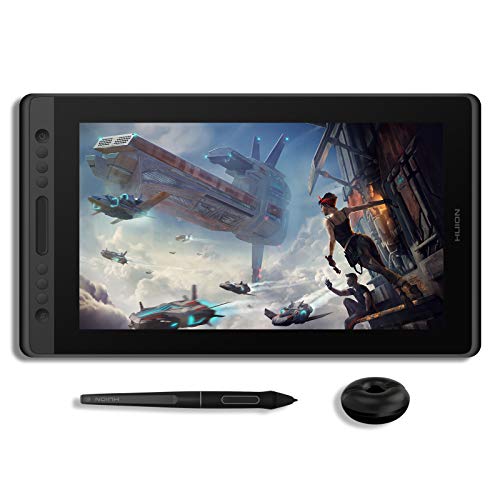
The HUION KAMVAS Pro 16 is a practical choice among drawing display tablets for artists who want a 15.6-inch Full HD screen, reduced parallax, and customizable controls. It connects to a Windows, Mac, or Linux computer rather than working as a standalone tablet.
Best For: Students, beginners, designers, and artists who want a full-laminated display with dedicated shortcut controls.
Pros:
- Full-laminated, anti-glare 1920×1080 display with 120% sRGB color gamut.
- Battery-free stylus offers 8,192 pressure levels and 60-degree tilt support.
- Six express keys and a touch bar support common workflow shortcuts.
- Works with Windows, macOS, Linux Ubuntu, and mainstream drawing software.
Cons:
- Requires connection to a computer and is not standalone.
- Its display resolution is Full HD rather than QHD.
The KAMVAS Pro 16 combines a comfortable screen size with useful built-in controls and broad compatibility. It is a sensible all-around option when accurate pen positioning and a straightforward computer-connected setup matter more than higher-resolution output.
Color-Focused Value Option – UGEE UE16
The UGEE UE16 stands out among drawing display tablets for its broad color-gamut claims, multiple color-space modes, and 16K pressure-sensitive pen. Its 15.4-inch Full HD screen connects to compatible computers, Android devices, or tablets for drawing and design work.
Best For: Creators who want flexible color modes, strong pen sensitivity, and compatibility across several operating systems and devices.
Pros:
- 143% sRGB color gamut with sRGB, Adobe RGB, DCI-P3, and black-and-white modes.
- Battery-free stylus provides 16,384 pressure levels, tilt support, two hotkeys, and a pressure-sensitive eraser.
- Eight shortcut keys and a switchable scroll wheel provide tactile controls.
- Supports Windows, macOS, Linux, Chrome OS, and Android 9.0 or later.
Cons:
- The 1920×1080 resolution may offer less workspace detail than QHD alternatives.
- The 3-in-1 cable is packed separately and needs to be located in the parcel.
With four color-space choices and unusually high stated pen sensitivity, the UE16 is appealing for creators who move between illustration, design, and reading modes. Its Full HD panel and computer-dependent setup are worth considering when prioritizing color flexibility and compatibility.
High-Resolution Pro Choice – XPPen Artist Pro 16 Gen2
The XPPen Artist Pro 16 Gen2 is a premium-minded option among drawing display tablets, pairing a 16-inch 2.5K QHD display with a 16K-pressure stylus and color-focused specifications. It must be connected to a computer or compatible device, and the included foldable stand and wireless shortcut remote support longer creative sessions.
Best For: Digital artists and 3D creators who want higher screen resolution, precise pen input, and ergonomic workflow accessories.
Pros:
- 2560×1600 QHD full-laminated display with etched anti-glare glass.
- X3 Pro battery-free stylus provides 16,384 pressure levels and 60-degree tilt support.
- Offers 99% sRGB coverage, 159% sRGB area ratio, and stated color accuracy of ΔE less than 2.2.
- Includes a foldable stand, wireless shortcut remote, and ergonomic wrist rest.
Cons:
- Requires a computer or compatible connected device; it is not standalone.
- Its listed weight of 3.88 kg may be less convenient for frequent portability.
The Artist Pro 16 Gen2 is the strongest fit here for users who value a sharper 16:10 canvas and detailed color work. Its QHD resolution, high-sensitivity pen, and included workflow accessories make it especially suited to demanding illustration, editing, and 3D applications.
How We Picked the Best Drawing Display Tablets
We focused on the features that most affect day-to-day drawing: display size and resolution, color gamut, laminated-screen design, pen pressure sensitivity, tilt support, shortcut controls, compatibility, and connectivity. We also considered whether each tablet suits a fixed studio setup, a portable workstation, or a flexible home-and-office workflow.
Specifications can vary by model and generation, so confirm the included cables, operating-system support, stand requirements, and accessory bundle before buying.
Quick Comparison
| Best For | What to Look For |
|---|---|
| Large studio workspace | 21.5-inch display, high color coverage, and a stable stand |
| Portable drawing | 11.6- to 13.3-inch screen, USB-C connectivity, and compact dimensions |
| Detailed illustration | 2.5K resolution, strong color coverage, and low-lag pen tracking |
| Shortcut-heavy workflows | Programmable keys, touch bars, or a multi-function pen holder |
| Budget-conscious buyers | FHD resolution, battery-free pen, and compatibility with your existing devices |
Key Buying Factors for Drawing Display Tablets
Screen Size and Resolution
A larger display provides more room for broad strokes, timelines, and reference images, but it takes up more desk space. FHD is generally adequate on smaller 11.6- to 13.3-inch tablets. On 15.6-inch and larger models, QHD or higher can make fine linework and interface text appear sharper.
Color and Viewing Experience
Color coverage matters for illustration, photo work, and design intended for print or professional screens. Look for a wide-gamut display when accurate, vivid color is important. Full lamination can reduce the visible gap between the pen tip and cursor, while an anti-glare surface helps in brightly lit rooms.
Pen Performance and Controls
Battery-free pens are convenient because they do not require charging. Higher pressure-resolution figures can be useful, but real-world tracking, calibration, tilt recognition, and driver stability matter just as much. Built-in shortcut keys or touch controls can speed up zooming, undoing, brush-size changes, and canvas rotation.
Compatibility and Setup
Check support for Windows, macOS, ChromeOS, Android, and your preferred creative applications. Many displays require both video and power connections, and some USB-C setups need a compatible full-function port or additional power source.
Who Should Buy Which Drawing Display Tablets?
Choose a large 21.5-inch model if you want a spacious, monitor-like studio canvas. A 15.6- or 16-inch tablet is a strong middle ground for illustrators who want comfortable drawing space without an oversized desk footprint. Smaller 11.6- to 13.3-inch displays are better for students, traveling artists, and compact workstations.
For demanding illustration and design, prioritize the highest-resolution, wide-gamut option that fits your budget. For beginners and casual creators, a reliable FHD tablet with a battery-free pen may deliver better value than paying for premium specifications you may not use.