The right workstation depends on what you do all day: drafting in AutoCAD, navigating complex Revit models, or rendering detailed scenes. A fast processor helps with responsive modeling, while enough memory and a suitable GPU keep larger projects workable.
These 10 picks span compact desktops, current-generation towers, and older refurbished systems. The buying guide below helps you match their specs to your workload without paying for capacity you will not use.
Best 10 Workstation PCs for Architects Picks for 2026
Best for GPU-Heavy Visualization
- RTX 4000 Ada with 20GB GDDR6
- 64GB DDR5; 128GB listed maximum
- 1TB PCIe Gen4 SSD
Best For: Detailed 3D models and GPU-intensive visualization
Best Compact Workstation

- One-liter chassis
- Core i9-14900 vPro and 32GB DDR5
- 2TB SSD; T400 4GB graphics
Best For: Space-constrained CAD desks and multi-monitor setups
Best for Security-Focused Offices
- Core Ultra 9 285K
- RTX A1000 with 8GB GDDR6
- Windows 11 Pro with Wolf Pro Security Edition
Best For: Architecture offices prioritizing business security features
Best High-RAM Renewed Option

- 128GB DDR4 installed
- Quadro P4000 8GB; four DisplayPorts
- Renewed with a 90-day warranty
Best For: Memory-heavy work on a renewed workstation
Compact CAD Pick
Lenovo ThinkStation P3 Ultra SFF G2
- Compact chassis with 20-core Intel CPU
- 64GB DDR5 RAM and 2TB SSD
- Listed AutoCAD ISV certification
Best For: Space-conscious architectural CAD desks
Expandable Tower Pick
- Six-core Xeon W processor
- NVIDIA T1000 with 4GB graphics memory
- Eight RAM slots; 512GB stated maximum
Best For: Architects planning RAM upgrades in a tower workstation
Dual-Monitor Bundle

- Two new 24-inch 1080p monitors included
- 32GB RAM plus 500GB and 2TB SSDs
- Renewed PC with 30-day listed warranty
Best For: Dual-screen drafting and lighter design work
High-Memory Pick
Lenovo ThinkStation P520 with 256GB RAM
- 256GB DDR4 installed
- Quadro P4000 with four DisplayPort outputs
- 1TB NVMe SSD; two open drive bays
Best For: Large project files and memory-heavy workflows
Modern Graphics Pick
Lenovo ThinkStation P3 Tower Gen 2

- RTX 4000 SFF Ada with 20GB VRAM
- Core Ultra 9 and 32GB DDR5
- 1TB Gen 5 SSD; dual 2.5Gbps Ethernet
Best For: Modern 3D modeling and BIM work
32GB Renewed Pick
- 32GB DDR4 installed
- Quadro P4000 with four DisplayPort outputs
- 1TB NVMe SSD; two open drive bays
Best For: A 32GB renewed workstation with dedicated graphics
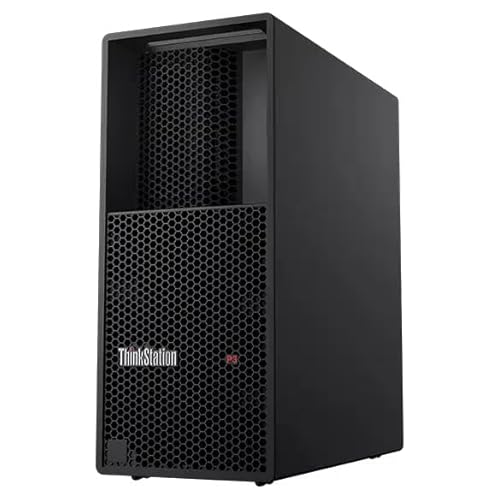
Best for GPU-Heavy Visualization – Lenovo ThinkStation P3 Tower
Among workstation pcs for architects, the ThinkStation P3 Tower stands out when dedicated graphics memory matters. It pairs an Intel Core Ultra 9 285 vPro processor and 64GB of DDR5 with an NVIDIA RTX 4000 Ada GPU with 20GB of GDDR6 memory.
Best For: Architects working with detailed 3D models and GPU-intensive visualization who want a tower workstation.
Pros:
- RTX 4000 Ada graphics with 20GB of dedicated memory.
- 64GB DDR5 installed, with a listed maximum of 128GB.
- 1TB PCIe Gen4 SSD and Windows 11 Pro.
Cons:
- One-year Lenovo warranty.
- At approximately 30 pounds, it is less convenient to move between work locations.
The generous GPU memory is its clearest advantage over the other listed systems. Check whether the 1TB drive meets your project-storage needs.
Best Compact Workstation – Lenovo ThinkStation P3 Tiny
If desk space is a priority, the P3 Tiny is one of the more compact workstation pcs for architects in this roundup. Its one-liter chassis houses an Intel Core i9-14900 vPro, 32GB DDR5, a 2TB PCIe NVMe SSD, and dedicated NVIDIA T400 4GB graphics.
Best For: Architects who need a small desktop for CAD work and multi-monitor setups at a space-constrained desk.
Pros:
- One-liter chassis can fit behind a monitor or under a desk.
- 2TB SSD provides more included storage than the other listed configurations.
- Listed support for up to four monitors through DisplayPort and Mini DisplayPort outputs.
Cons:
- The T400 has 4GB of graphics memory, less than the dedicated GPUs in the other listed systems.
- RAM and SSD upgrades were performed after the original seal was opened; warranty coverage differs between those parts and the remaining hardware.
Choose it for its footprint and connectivity rather than for maximum GPU capacity. Confirm the seller’s split warranty terms before ordering.
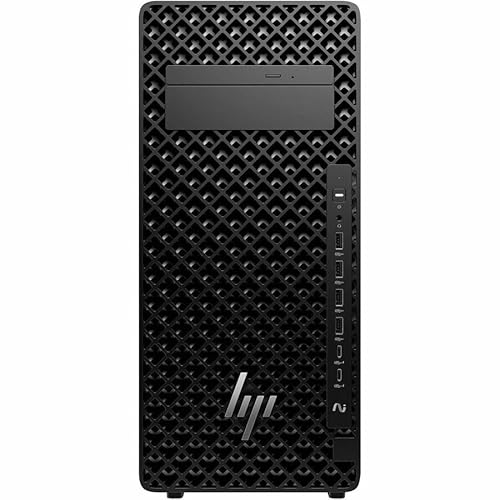
Best for Security-Focused Offices – HP Z2 G1i Tower
The HP Z2 G1i is a tower option among workstation pcs for architects who also need business-oriented security features. Its listed configuration combines a Core Ultra 9 285K, 32GB DDR5, a 1TB PCIe 4.0 SSD, and NVIDIA RTX A1000 graphics with 8GB of GDDR6.
Best For: Architecture offices seeking a current-generation tower with dedicated graphics and Windows 11 Pro with Wolf Pro Security Edition.
Pros:
- 24-core Core Ultra 9 285K processor.
- RTX A1000 dedicated graphics with 8GB GDDR6.
- Windows 11 Pro with Wolf Pro Security Edition; wired keyboard and mouse included.
Cons:
- 32GB of installed RAM is less than the P3 Tower and the listed P520 configuration.
- Supplied notes do not specify a warranty term.
This is a balanced option for an office standardizing on HP’s stated security package. Verify the warranty and memory-upgrade details with the seller before purchase.
Best High-RAM Renewed Option – ThinkStation P520
This renewed ThinkStation P520 offers a different trade-off from newer workstation pcs for architects: a listed 128GB of DDR4 RAM alongside an Intel Xeon W-2135 six-core CPU, a 1TB NVMe SSD, and a Quadro P4000 with 8GB of graphics memory.
Best For: Architects whose memory-heavy workflows benefit from 128GB installed RAM and who are comfortable buying a renewed workstation.
Pros:
- 128GB DDR4 installed in this listed configuration.
- Quadro P4000 has 8GB of graphics memory and four DisplayPort outputs.
- Two available 3.5-inch drive bays for additional storage.
Cons:
- Renewed unit with a listed 90-day warranty.
- Xeon W-2135 and DDR4 platform are older than the processors and DDR5 memory in the other listed systems.
- Keyboard and mouse are not included.
The P520 makes the most sense when installed RAM is the deciding factor. Weigh its older platform and shorter warranty against that memory capacity.
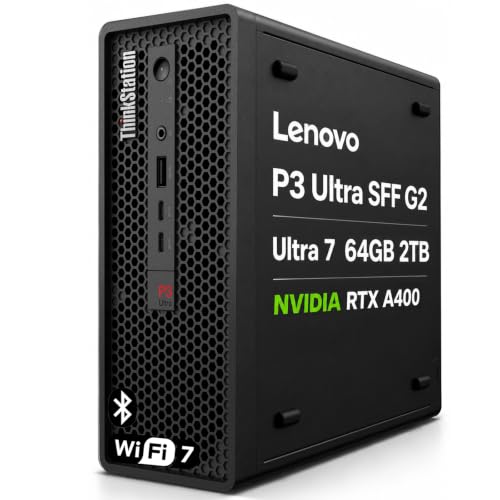
Compact CAD Pick – Lenovo ThinkStation P3 Ultra SFF G2
Among workstation pcs for architects, this compact ThinkStation is a strong fit for CAD desks where space is limited. It pairs a 20-core Intel Core Ultra 7 265 with 64GB of DDR5 memory, a 2TB SSD, and an NVIDIA RTX A400 with 4GB of graphics memory.
Best For: Architects who want a compact CAD workstation with substantial memory and storage for multitasking.
Pros:
- Listed ISV certifications include AutoCAD, along with other design and engineering applications.
- 64GB RAM and a 2TB SSD provide room for multiple applications and project files.
- Compact 8.78 × 7.95 × 3.43-inch chassis supports space-conscious setups.
- Multiple DisplayPort outputs, Wi-Fi 7, and Windows 11 Pro support a flexible workspace.
Cons:
- The RTX A400 has 4GB of dedicated graphics memory, which may be limiting for especially graphics-heavy projects.
- The computer is resealed for memory and SSD upgrades; those parts have a separate three-year warranty from the remaining Lenovo components.
This is the most space-efficient choice here for architects prioritizing CAD compatibility, memory, and a tidy desk. Check the graphics requirements of your most demanding applications before buying.
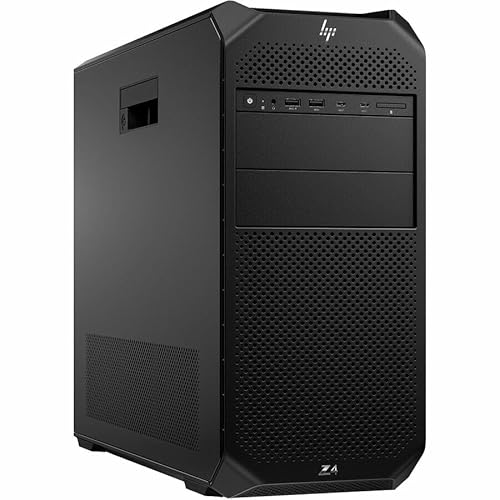
For buyers comparing workstation pcs for architects, the HP Z4 G5 offers a tower platform with a six-core Intel Xeon W w3-2425 and NVIDIA T1000 graphics with 4GB of memory. Its included 16GB DDR5 RAM and 512GB SSD make the starting configuration worth checking against your project sizes.
Best For: Architects seeking a Xeon-based tower with memory expansion potential for a desk-based setup.
Pros:
- Eight memory slots and a listed 512GB maximum provide a clear RAM upgrade path.
- Dedicated NVIDIA T1000 4GB graphics and Mini DisplayPort output support an external-display workflow.
- Windows 11 Pro, keyboard, and mouse are included.
Cons:
- The installed 16GB RAM and 512GB SSD may require upgrades for larger project libraries or heavier multitasking.
- The tower weighs 23.2 pounds and takes more space than a small-form-factor system.
Choose this model for its tower format and substantial stated memory ceiling, rather than expecting the base configuration to cover every demanding design workload without upgrades.
This renewed Dell Precision bundle takes a different approach to workstation pcs for architects: it includes two new 24-inch 1080p monitors along with the PC and desk accessories. Inside are a ninth-generation six-core Intel Core i5-9500, 32GB DDR4 RAM, a 500GB NVMe SSD plus a 2TB SSD, and a Quadro P620 with 2GB of graphics memory.
Best For: Architects setting up a dual-screen desk for drafting, documents, and lighter design tasks.
Pros:
- Includes two new 24-inch monitors, a wireless keyboard and mouse, speakers, and a webcam.
- 32GB RAM and two SSDs give the system useful multitasking capacity and file storage.
- Windows 11 Pro and Wi-Fi 6 are listed.
Cons:
- The ninth-generation CPU and Quadro P620 with 2GB graphics memory are older components; check your software requirements for demanding 3D work.
- The included monitors are 1920 × 1080 rather than higher-resolution displays.
- The listing describes the PC as renewed and specifies a 30-day warranty.
This package is compelling when a ready-made two-screen setup matters more than current-generation hardware. Its short listed warranty and modest GPU make careful workload matching especially important.
High-Memory Pick – Lenovo ThinkStation P520 with 256GB RAM
Among workstation pcs for architects, this renewed ThinkStation P520 stands out for its 256GB of DDR4 memory. Its six-core Xeon W-2135, Quadro P4000 8GB graphics, and 1TB NVMe SSD make it a practical choice for offices that need substantial memory alongside dedicated graphics.
Best For: Architects working with large project files who prioritize installed RAM and multiple DisplayPort connections.
Pros:
- 256GB of installed DDR4 RAM.
- Quadro P4000 8GB graphics with four DisplayPort outputs.
- 1TB NVMe SSD and two available 3.5-inch drive bays.
Cons:
- Renewed system with a listed 90-day warranty.
- Keyboard and mouse are not included.
Choose this configuration when memory capacity matters more than having the latest platform; budget separately for peripherals and consider the shorter warranty.
Modern Graphics Pick – Lenovo ThinkStation P3 Tower Gen 2
For buyers comparing workstation pcs for architects, the ThinkStation P3 Tower Gen 2 pairs a Core Ultra 9 285 vPro processor with NVIDIA RTX 4000 SFF Ada graphics and 20GB of video memory. The supplied configuration also includes 32GB DDR5 RAM and a 1TB PCIe Gen 5 SSD for a current-generation workstation setup.
Best For: Architecture teams seeking a newer tower for 3D modeling, BIM software, and graphics-intensive work.
Pros:
- RTX 4000 SFF Ada graphics with 20GB GDDR6 memory.
- 32GB DDR5-5600 RAM and a 1TB PCIe Gen 5 SSD.
- Dual 2.5Gbps Ethernet, Wi-Fi 7, and tool-less expandability.
Cons:
- 32GB of installed RAM may require an upgrade for buyers who need more memory.
- The factory seal was opened to install the advertised hardware.
This is the strongest fit of the three for buyers prioritizing newer graphics and platform features. Eluktronics lists one year of support for the complete upgraded system.
32GB Renewed Pick – PCSP ThinkStation P520
For shoppers considering renewed workstation pcs for architects, this PCSP ThinkStation P520 offers a six-core Xeon W-2135, 32GB DDR4 RAM, Quadro P4000 8GB graphics, and a 1TB NVMe SSD. It provides the same listed processor and graphics model as the higher-memory P520 above, but with less installed RAM.
Best For: Architects who want a 32GB P520 configuration with dedicated graphics and room to add storage.
Pros:
- Quadro P4000 8GB graphics with four DisplayPort outputs.
- 1TB NVMe SSD and two available 3.5-inch drive bays.
- 900W, 80 PLUS Platinum-certified power supply.
Cons:
- 32GB installed RAM is substantially less than the 256GB P520 configuration.
- Renewed system with a listed 90-day warranty.
This configuration makes sense if 32GB meets your current needs. Confirm peripheral requirements before buying: the supplied listing information is inconsistent about whether a keyboard is included.
How We Picked the Best Workstation PCs for Architects
We compared the listed processors, GPUs, memory, storage, size, and stated operating systems against common architecture workloads: 2D CAD, BIM, 3D modeling, and visualization. We also considered upgrade potential and value for lighter tasks. This is a specification-based selection, not a claim of hands-on testing; confirm the exact configuration, condition, warranty, and software compatibility before ordering.
Quick Comparison
For demanding BIM models and GPU-assisted visualization, the ThinkStation P3 Tower configurations with RTX 4000 Ada graphics offer the strongest listed GPU options. The HP Z2 G1i pairs a current Core Ultra 9 processor with an 8 GB NVIDIA GPU, though the exact GPU model should be verified. For smaller desks, compare the P3 Tiny with the P3 Ultra SFF G2: the Ultra lists dedicated RTX A400 graphics and 64 GB of RAM, while the Tiny listing does not specify a GPU.
The HP Z4 G5 is a tower option to consider for expandability, but its listed 16 GB of RAM and T1000 4 GB GPU are modest starting points. The P520 listings and the Dell Precision offer older hardware that may suit lower-cost CAD work. The three P520 entries share closely similar core specifications; check their seller details rather than treating them as three distinct performance tiers.
Key Buying Factors for Workstation PCs for Architects
Match the Processor to Your Tasks
Responsive drawing and modeling benefit from strong per-core performance. If you frequently render on the CPU or run several demanding applications at once, look beyond clock speed to core count and sustained cooling. A newer processor is not automatically faster for every application than an older workstation chip, so check benchmarks for your actual software.
Budget for Memory and Graphics
Consider 32 GB of RAM a practical starting point for professional BIM work; 64 GB gives more headroom for large models, linked files, and multitasking. Dedicated graphics matter more for complex 3D views and GPU rendering than for basic 2D drafting. Check the GPU model, VRAM, and your application’s certification or support guidance—“NVIDIA 8 GB graphics” alone does not establish suitability.
Check Storage, Space, and Support
A 1 TB SSD provides useful room for applications and active projects; keep backups separate. Towers generally offer more room for future upgrades, while Tiny and SFF systems save desk space but may limit GPU or storage choices. With older or refurbished machines, confirm component condition, Windows 11 support, seller warranty, and available replacement parts.
Who Should Buy Which Workstation PCs for Architects?
Choose a P3 Tower with RTX 4000 Ada if GPU capacity and larger 3D projects are priorities. Consider the P3 Ultra SFF G2 when desk space is tight but you want the listed 64 GB of RAM and dedicated graphics. The P3 Tiny may fit CPU-focused CAD work if its unspecified graphics meet your needs. Compare the HP Z2 G1i for a current tower configuration, and the Z4 G5 if you plan to upgrade its starting memory or GPU. For lighter workloads on a tighter budget, evaluate the P520 or Dell Precision listings carefully against current software requirements and seller support.