When you’re looking for reliable rackmount servers for your PC storage needs, it’s crucial to evaluate a variety of options that can handle your data demands. Different models offer unique features, from compact designs to enhanced cooling systems. Each choice brings something to the table, whether it’s scalability or performance. By understanding what each server offers, you’ll find a solution that truly meets your requirements. Let’s explore some top contenders for your setup.
Rosewill 4U Server Chassis Rackmount Case (RSV-R4100U)
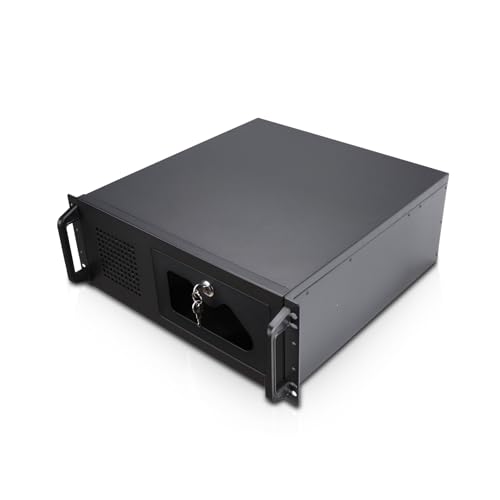
If you’re looking for a reliable and spacious solution for your server needs, the Rosewill 4U Server Chassis Rackmount Case (RSV-R4100U) is a solid choice. With dimensions of 25 x 21 x 11.7 inches and a weight of 15.43 pounds, it supports ATX and CEB motherboards. You’ll appreciate the seven internal 3.5” HDD bays and two additional 5.25” device bays. The cooling system features three pre-installed fans, ensuring excellent airflow. Security’s covered too, with a front panel lock and key. Plus, the front panel’s LED indicators and USB 3.0 ports add practical utility to your setup.
Best For: Users seeking a sturdy and spacious rackmount case for their server setups that require ample storage and basic security features.
Pros:
- Sturdy steel construction provides durability and stability.
- Ample space for multiple HDDs and SSDs, catering to extensive storage needs.
- Excellent airflow and cooling capabilities with multiple fan slots.
Cons:
- Included fans are of low quality and may require replacement for better performance.
- The front panel lock is considered inadequate for higher security needs.
- Drive cage removal can be awkward and cumbersome.
Quiet Rackmount Computer (3.8-4.6GHz AMD Ryzen 7 5700G, 32GB RAM, 1TB SSD, W11 Pro)

Designed for professionals who need a powerful yet quiet computing solution, the Quiet Rackmount Computer with an AMD Ryzen 7 5700G processor delivers exceptional performance without the noise typically associated with high-performance servers. With 8 cores and 16 threads, it operates at a base speed of 3.8 GHz and can boost up to 4.6 GHz, ensuring you tackle demanding tasks effortlessly. It comes equipped with 32GB of DDR4 RAM and a lightning-fast 1TB PCIe NVMe SSD. Plus, it runs on Windows 11 Pro, providing an efficient and user-friendly experience. Enjoy lifetime technical support and a 3-year warranty for peace of mind.
Best For: Professionals seeking a high-performance, quiet computing solution for server or workstation tasks.
Pros:
- Powerful Performance: Equipped with an AMD Ryzen 7 5700G processor with 8 cores and 16 threads, ensuring efficient multitasking and processing speed.
- Fast Storage: Features a 1TB PCIe NVMe SSD, providing up to 30 times faster data access than traditional hard drives.
- Comprehensive Support: Comes with lifetime technical support and a 3-year limited hardware warranty for added peace of mind.
Cons:
- Limited Graphics Capability: Integrated AMD Radeon Graphics may not meet the demands of high-end gaming or graphic-intensive applications.
- Weight: At 18 pounds, it may be heavier than some users prefer for a rackmount solution.
- Max Screen Resolution Limitation: The maximum screen resolution is capped at 1920 x 1080, which may not be suitable for users requiring higher display resolutions.
Rosewill 4U Server Chassis (RSV-R4000U)
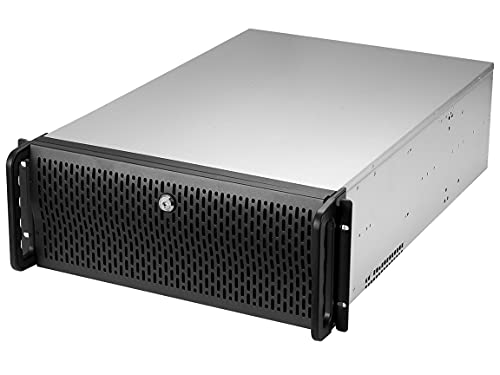
For those seeking a robust and spacious solution for their server needs, the Rosewill 4U Server Chassis (RSV-R4000U) stands out with its impressive capacity to house up to eight internal 3.5” HDDs. With dimensions of 21 x 16.8 x 7 inches and a weight of 33.4 pounds, this sturdy metal chassis supports ATX and CEB motherboards and includes seven PCI expansion slots. Although it features four pre-installed fans for excellent airflow, consider upgrading to higher-quality fans for peak performance. The front panel offers convenient USB 3.0 ports and LED indicators, enhancing your user experience while ensuring a reliable setup.
Best For: Users looking for a sturdy and spacious server chassis that can accommodate multiple hard drives and provide good airflow for their server setups.
Pros:
- Sturdy steel construction ensures durability and longevity.
- Ample space for up to eight internal 3.5” HDDs along with additional 5.25” device bays.
- Excellent airflow with four pre-installed fans, enhancing heat protection.
Cons:
- Included fans are of low quality, necessitating an upgrade for optimal performance.
- Some users report difficulties with drive cage removal and front panel USB cable interference.
- Effectiveness of the front panel lock has been questioned by some users.
Quiet Rackmount Computer – 2U Rack Mount Server or Workstation PC
When you need a powerful yet quiet solution for your computing tasks, the 2U Rack Mount Server or Workstation PC stands out as an ideal choice. Equipped with an Intel Core Ultra 7 265 processor boasting 20 cores and a max boost clock of 5.5 GHz, it delivers exceptional performance. The 96GB DDR5 RAM paired with a 2TB PCIe NVMe M.2 SSD guarantees you experience speeds up to 30 times faster than traditional hard drives. With integrated Intel UHD Graphics, seamless multitasking becomes a breeze. Plus, you’ll enjoy lifetime support and a 3-year limited hardware warranty, assuring peace of mind.
Best For: Professionals and businesses seeking a powerful, quiet, and reliable computing solution for multitasking and demanding applications.
Pros:
- High-performance Intel Core Ultra 7 265 processor with 20 cores for exceptional processing power.
- Fast 96GB DDR5 RAM and 2TB PCIe NVMe SSD for significantly enhanced speed and storage capacity.
- Lifetime technical support and a 3-year limited hardware warranty for peace of mind.
Cons:
- May be overkill for casual users or basic computing tasks due to its high specifications.
- Integrated graphics may not meet the needs of users requiring advanced gaming or graphic design capabilities.
- The 2U form factor may require specific rack space, limiting placement options for some users.
4U Rackmount Server Cabinet Case with 7 PCI Slots
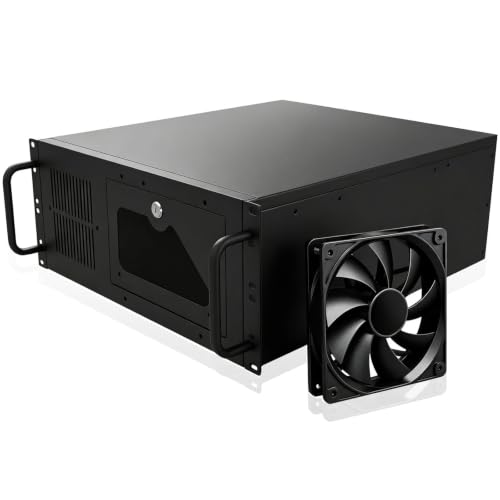
The 4U Rackmount Server Cabinet Case with 7 PCI slots is perfect for tech enthusiasts and professionals who need a robust storage solution for their hardware. With dimensions of 17.72 x 6.97 x 16.93 inches and a lockable design, it keeps your components secure while providing ample space. This case fits standard 19-inch racks and supports various motherboard sizes. Its internal architecture allows for efficient hardware arrangement, while the dust-filtering front door prolongs the lifespan of your equipment. Although it requires some assembly and may need extra cooling, its lightweight structure and functionality make it a solid choice for your needs.
Best For: Tech enthusiasts and professionals seeking a secure and efficient storage solution for their hardware in a rackmount configuration.
Pros:
- Lightweight design makes it easy to handle and install.
- Good value for the price with decent build quality and functionality.
- Fits standard 19-inch racks and accommodates a variety of motherboard sizes.
Cons:
- Plastic handles may be prone to breaking under stress.
- Limited airflow without additional fans, which can affect cooling.
- Some assembly challenges and inconvenient screw locations may hinder maintenance.
4U Rackmount Server Case Chassis with 24 Hot-Swappable SATA/SAS Drive Bays

Designed for professionals managing extensive data storage needs, the 4U rackmount server case chassis boasts 24 hot-swappable SATA/SAS drive bays. With dimensions of 26.6 x 16.9 x 7 inches and a weight of 39.3 pounds, it accommodates various motherboard sizes, including EEB and ATX. The cooling system features three 120mm and two 80mm fans, ensuring ideal airflow. Users appreciate the build quality and airflow but note some issues with standoffs and screws. For seamless operation, remember to get a SAS controller and consider additional parts like OS drive mounting brackets. This chassis is a solid choice for your data management needs.
Best For: Professionals managing extensive data storage needs who require efficient and reliable server chassis options.
Pros:
- Supports up to 24 hot-swappable SATA/SAS drives, enhancing storage flexibility.
- Excellent airflow due to the combination of three 120mm and two 80mm cooling fans.
- Compatible with multiple motherboard sizes, making it versatile for various setups.
Cons:
- Some users have reported issues with standoffs and overtightened screws during assembly.
- Occasional backplane failures have been noted, which could affect drive performance.
- Requires a SAS controller for full operation, adding to the overall setup cost.
GeeekPi 8U Server Cabinet (10 inch Server Rack)
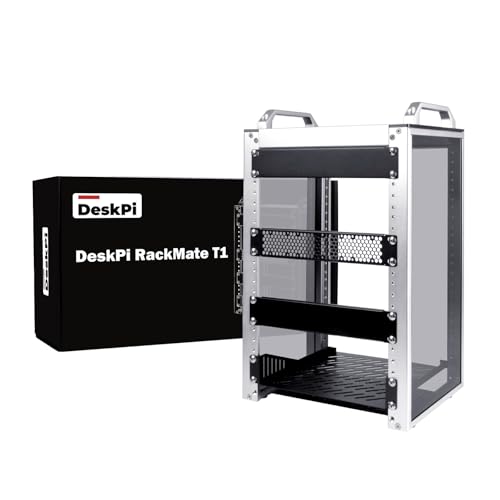
If you’re looking for a compact solution to house your network, server, or audio and video equipment, the GeeekPi 8U Server Cabinet is an excellent choice. With dimensions of 11×7.8×16 inches and a height of 8U, it fits easily in small offices or home environments. Its aluminum alloy and acrylic frame provide durability, while the open design allows for easy access and maintenance. The translucent sides help keep dust out while showcasing your equipment. Plus, it arrives flat-packed with all necessary hardware for quick assembly. If you need more space, consider its 4U and 12U variants for greater flexibility.
Best For: Those seeking a compact and efficient solution for organizing network, server, or audio and video equipment in small spaces.
Pros:
- Durable construction with aluminum alloy and acrylic frame.
- Open design allows for easy access and maintenance of equipment.
- Translucent sides provide dust resistance while showcasing the interior.
Cons:
- Limited height (8U) may not accommodate larger equipment.
- Flat-packed arrival requires assembly, which may be inconvenient for some users.
- Narrow width (10 inches) might restrict compatibility with certain devices or accessories.
2U Micro ATX Compact Rackmount Chassis for HDD and SSD

For those seeking a compact solution to house their storage needs within a server environment, the 2U Micro ATX Compact Rackmount Chassis stands out with its ability to support both MicroATX and mini-ITX motherboards. Measuring 13.77 x 16.9 x 3.5 inches and weighing 8.38 pounds, it’s built for durability in server setups. You’ll find three 3.5-inch HDD bays and one 2.5-inch SSD slot, plus room for GPUs up to 29cm. While it offers good airflow management, be prepared to tweak settings for ideal cooling. Overall, this chassis is a solid choice for NAS and media server builds.
Best For: Users looking for a compact and sturdy rackmount chassis suitable for NAS and media server builds.
Pros:
- Excellent build quality and durable construction designed for server environments.
- Supports both MicroATX and mini-ITX motherboards, offering flexibility for various setups.
- Adequate storage options with three 3.5-inch HDD bays and one 2.5-inch SSD slot.
Cons:
- Limited USB 2.0 ports may be insufficient for some users’ needs.
- Challenges with thermal management and airflow might require additional tweaking.
- Limited support for high-performance GPUs due to space constraints.
Rackchoice 4U Rackmount Server Chassis

The Rackchoice 4U Rackmount Server Chassis is an excellent choice for those seeking a robust storage solution that supports a variety of motherboard sizes, including EATX and ATX. With internal bays for up to 11 drives, it offers flexibility for your storage needs. However, keep in mind that the airflow can be limited, so you might want to contemplate replacing the stock fans for quieter operation. The minimalist design is appealing, but assembly can be challenging, especially for beginners. Overall, it’s a solid option for homelabs or short-depth rack servers, despite some airflow and assembly drawbacks.
Best For: Those looking for a versatile and robust rackmount server chassis suitable for homelabs or short-depth rack servers.
Pros:
- Well-built for price and rack mountable.
- Supports various motherboard sizes with good drive bay flexibility.
- Aesthetically pleasing minimalist design.
Cons:
- Limited airflow and cooling capabilities.
- Not tool-free, making hardware changes inconvenient.
- Potential difficulty in swapping drives if fully populated.
Tupavco 3U Server Chassis – Compact Rackmount ATX Computer Case

Ideal for professionals seeking efficient use of space, the Tupavco 3U Server Chassis offers a compact design without sacrificing functionality. With a depth of just 11.8 inches, it fits perfectly into limited spaces while supporting full-size ATX, microATX, and miniATX motherboards. You’ll appreciate its versatile 3-way setup: front panel access, side wall mount, or easy access to rear I/O components. It includes four bays and can accommodate up to seven 60mm fans for maximum cooling. Made from heavy-duty steel and aluminum, its rugged construction guarantees durability, while no assembly is required, making your setup quick and hassle-free.
Best For: Professionals and organizations looking for a compact server chassis that maximizes space efficiency while supporting various motherboard sizes.
Pros:
- Supports full-size ATX, microATX, and miniATX motherboards, providing versatile compatibility.
- Compact design (11.8 inches deep) ideal for tight spaces without compromising functionality.
- Durable construction from heavy-duty steel and aluminum, ensuring long-lasting performance.
Cons:
- ATX power supply is not included, requiring an additional purchase.
- Limited to 4 bays, which may not be sufficient for users needing extensive storage options.
- Only accommodates 60mm fans, which may not provide optimal cooling for high-performance components.
Factors to Consider When Choosing a Rackmount Server for PC Storage
When choosing a rackmount server for PC storage, you’ll want to contemplate several key factors to guarantee it meets your needs. Think about your storage capacity requirements, the efficiency of the cooling system, and motherboard compatibility options. Also, don’t overlook build quality, durability, and the availability of expansion slots for future upgrades.
Storage Capacity Requirements
How do you determine the right storage capacity for a rackmount server? Start by considering the number of drive bays your server offers. Models can range from 7 internal 3.5” HDD bays to 24 hot-swappable bays, giving you flexibility in your storage options. Next, assess your total storage needs by calculating the data volume you plan to store, ensuring you account for growth. Don’t forget to look at storage interface speeds; PCIe NVMe options provide faster data transfers than traditional SATA drives. Compatibility is vital too—check if the server supports various storage types like SATA or SAS drives and allows mixing different sizes. Finally, hot-swappable capabilities can save you time during maintenance and upgrades.
Cooling System Efficiency
While evaluating a rackmount server for PC storage, prioritizing an efficient cooling system is essential to prevent overheating and hardware failure. The effectiveness of your cooling system often hinges on the number and size of fans; larger fans can move more air at lower RPMs, reducing noise while enhancing airflow. Look for a combination of front intake and rear exhaust fans to create balanced airflow, ensuring cool air enters the chassis while hot air is expelled efficiently. Don’t forget about dust filters—they’re crucial for preventing dust buildup that can obstruct airflow and degrade cooling performance. Regular maintenance, like cleaning fan filters and checking fan functionality, will help sustain cooling efficiency and prolong your server’s lifespan.
Motherboard Compatibility Options
Choosing the right motherboard for your rackmount server is essential, as it directly affects compatibility with other components and overall system performance. Rackmount servers typically support various motherboard sizes like ATX, Micro ATX, Mini-ITX, and EEB, giving you flexibility in your hardware choices. Make certain the physical dimensions of the chassis match the motherboard specifications—standard ATX boards are 12 x 9.6 inches, while Micro ATX boards are 9.6 x 9.6 inches. Check that your rackmount chassis has the necessary mounting points for your chosen motherboard type. Also, confirm compatibility with standard ATX PS2 power supplies and verify the chassis clearance for GPUs and cooling solutions to avoid obstructions during installation.
Build Quality and Durability
When evaluating rackmount servers for PC storage, build quality and durability play a pivotal role in guaranteeing long-term reliability. Look for servers made from robust materials like steel or aluminum, which offer enhanced resistance to wear and tear in demanding environments. A well-constructed chassis often features a clean powder coat finish that protects against scratches and corrosion, extending its lifespan. Additionally, thoughtful designs allow easy access to internal components for upgrades and maintenance, making your life easier. Sturdy construction, including reinforced edges and secure mounting options, helps maintain structural integrity during transport and installation. Finally, high-quality manufacturing processes involve stress testing to guarantee reliability under various operating conditions, minimizing the risk of failure.
Expansion Slot Availability
As you explore rackmount servers for PC storage, one essential factor to take into account is the availability of expansion slots. These slots are important for adding components like graphics cards, sound cards, or network cards, which can greatly enhance your server’s performance. You’ll find that the number of available expansion slots varies between models, usually ranging from 4 to 7. The motherboard size also plays a role; larger boards like ATX generally offer more slots. Some designs even include dedicated slots for specific functions, such as RAID controllers or GPU support, critical for high-performance tasks. Always consider the future upgrade potential based on the number of slots and the types of components you might want to add later.
Security Features and Locks
After considering expansion slot availability, the next critical aspect of rackmount servers for PC storage is security features and locks. You’ll want a server with built-in front panel locks to prevent unauthorized access to hardware components. Some models even offer key locks for added security against tampering or theft. Look for LED indicators that monitor power and HDD status; these can enhance security by providing real-time operational insights. A lockable design is essential, especially in environments with sensitive data, ensuring only authorized personnel can access the server. Additionally, dust filters and sealed enclosures protect internal components from environmental hazards and unauthorized interventions, further securing your valuable data. Prioritize these features to keep your server safe.
Noise Level Considerations
Choosing the right rackmount server for PC storage involves not just looking at performance and security, but also considering noise levels. Rackmount servers can produce varying noise depending on the quality and number of fans; lower quality fans tend to be louder. The chassis size and design impact acoustics, with larger cases often being quieter. Keep in mind that heavy workloads can ramp up fan speeds, increasing noise. You can enhance your server’s quietness by selecting quieter fans or using fan speed controllers. Additionally, consider the server’s placement; positioning it in a dedicated server room or using soundproofing measures can greatly reduce disruptions in your workspace. Balancing these factors will help create a more pleasant working environment.