If you’re looking to enhance your workspace with an ultrawide display, choosing the right gas spring monitor arm can make all the difference. These arms not only provide ergonomic adjustability for a more comfortable viewing experience but also help keep your desk organized. With various options available, it’s crucial to evaluate factors like weight capacity and range of motion. Let’s explore the top contenders that can transform your setup and elevate your daily tasks.
WALI Ultrawide Monitor Arm (GSM001XL)

If you’re looking for a robust solution for your ultrawide display, the WALI Ultrawide Monitor Arm (GSM001XL) is an excellent choice for anyone managing heavy-duty curved screens between 13 to 49 inches. It supports up to 33 lbs and fits both 75x75mm and 100x100mm VESA patterns. With +45°/-45° tilt, +90°/-90° swivel, and 180° rotation, you can easily switch between landscape and portrait modes. Designed to alleviate neck strain and eye fatigue, it’s perfect for students and remote workers. Plus, its durable construction guarantees stability, while easy installation and cable management keep your workspace tidy.
Best For: The WALI Ultrawide Monitor Arm is best for students, remote workers, and professionals seeking to improve ergonomics and workspace organization.
Pros:
- Supports ultrawide monitors up to 49 inches and heavy-duty curved screens, accommodating a variety of setups.
- Features adjustable tilt, swivel, and rotation for customizable viewing angles, enhancing comfort and reducing neck strain.
- Durable construction ensures long-lasting stability, surviving over 20,000 fatigue tests for reliable daily use.
Cons:
- Installation may be challenging for those unfamiliar with mounting hardware or desk setups.
- Limited to desks with thicknesses between 0.39-1.77 inches, which may not fit all desk types.
- Weight capacity of 33 lbs may not accommodate some larger or heavier monitors.
HUANUO Single Monitor Arm for 13-49 Inch Screens
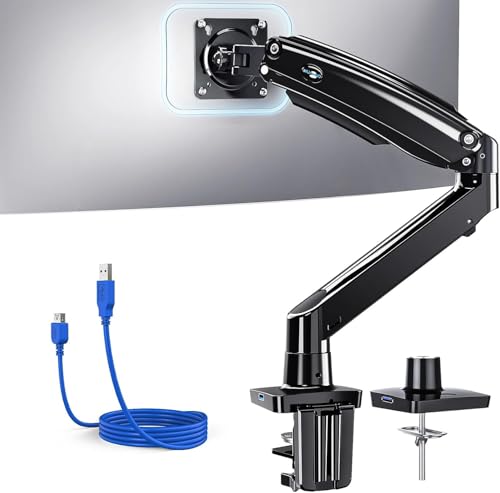
The HUANUO Single Monitor Arm is an excellent choice for anyone with a 13 to 49-inch screen who values flexibility and ergonomic design. It supports monitors up to 26.48 lbs and is compatible with 95% of displays. With its tilt, swivel, and rotation features, you can easily adjust your screen for ideal viewing. The height can be adjusted up to 21.1 inches, making it perfect for standing desks and gaming setups. Plus, the built-in USB 3.0 port and integrated cable management help you reclaim desk space. Constructed from durable aluminum alloy, it promises stability for years to come.
Best For: Those seeking an ergonomic and space-saving solution for their 13 to 49-inch monitors in home or office settings.
Pros:
- Flexible adjustments for optimal viewing angles with tilt, swivel, and rotation features.
- Built-in USB 3.0 port for quick data transfer and charging capabilities.
- Durable construction ensures stability and longevity, surviving extensive usage.
Cons:
- May require solid wood desks without crossbars for optimal stability.
- Installation might be challenging for beginners despite included tools.
- Limited to holding monitors up to 26.48 lbs, which may not accommodate heavier models.
WALI Heavy Duty Single Monitor Arm for 17-49 Inch Screens (GSM001XLN)

For gamers and home office enthusiasts seeking versatility, the WALI Heavy Duty Single Monitor Arm (GSM001XLN) stands out with its impressive compatibility for screens ranging from 17 to 49 inches. This sturdy arm supports up to 33 lbs and features a gas spring for Zero-Drift stability, ensuring your monitor stays in place. With ±75° tilt, ±90° swivel, and 360° rotation, you’ll enjoy ideal viewing angles while reducing neck strain. Plus, it frees up over 80% of your desk space and includes integrated cable management. Constructed from high-strength materials, it’s easy to install and backed by a 3-Year Warranty for peace of mind.
Best For: Gamers and home office users looking for a sturdy, adjustable monitor arm that optimizes desk space and enhances ergonomics.
Pros:
- Supports a wide range of monitor sizes (17-49 inches) and weights (up to 33 lbs) for versatile use.
- Features a gas spring for Zero-Drift stability, allowing for smooth adjustments without sagging.
- Frees up over 80% of desk space and includes integrated cable management for a clean workspace.
Cons:
- Not compatible with Samsung Odyssey G9 models due to non-standard VESA mounting.
- Requires a solid wood or composite desktop for optimal installation; may not work with desks with crossbeams.
- Installation may be challenging for users unfamiliar with mounting hardware or setups.
ARES WING Ultrawide Monitor Arm (17 to 49 Inch, Heavy Duty)

Designed specifically for ultrawide displays, the ARES WING Ultrawide Monitor Arm supports monitors ranging from 17 to 49 inches and can handle up to 44 lbs. You’ll appreciate the versatility with +50° to -20° tilt, 180° swivel, and 360° rotation, all while adjusting heights from 8.7 to 18.7 inches. Its durable steel and aluminum construction guarantees stability, and the easy installation process means you won’t struggle under your desk. Plus, with built-in cable management, your workspace stays neat. ARES Wing also offers personalized installation support, so you can set up your monitor without a hitch!
Best For: Gamers and professionals who need an ergonomic and flexible setup for ultrawide monitors ranging from 17 to 49 inches.
Pros:
- Versatile Adjustability: Offers a wide range of motion with tilt, swivel, and rotation capabilities for optimal viewing angles.
- Durable Construction: Made from high-quality steel and aluminum, ensuring stability and longevity for heavy monitors.
- Space-Saving Design: Frees up desktop space and includes built-in cable management for a tidy workspace.
Cons:
- Requires VESA Adapter for Non-VESA Monitors: Users with non-VESA compatible monitors will need an additional adapter.
- Limited Mounting Options for Some Desks: The C-clamp and grommet mount may not be suitable for all desk thicknesses.
- Potential for Complexity in Installation: While designed for easy installation, some users may still find it challenging to set up.
MOUNTUP Ultrawide Monitor Arm for Max 40 Inch Screen
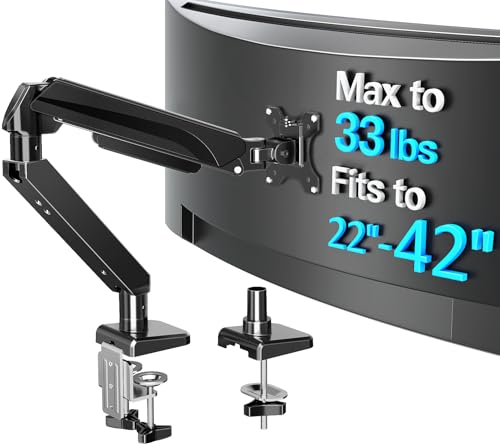
With the ability to support ultrawide screens up to 40 inches, the MOUNTUP Ultrawide Monitor Arm is perfect for gamers, designers, and multitaskers alike. It holds monitors weighing between 6.6 and 30.9 lbs, compatible with various brands like ASUS and LG. You’ll enjoy a full range of motion—tilting, swiveling, and rotating for your ideal viewing angle. Installation is a breeze with c-clamp and grommet options, taking under 15 minutes. Plus, integrated cable management keeps your workspace tidy, while the durable gas spring guarantees smooth movement. Backed by a 3-year warranty, it’s a reliable choice for your setup.
Best For: The MOUNTUP Ultrawide Monitor Arm is best for gamers, designers, and multitaskers who need adjustable and ergonomic monitor support for ultrawide screens.
Pros:
- Supports ultrawide monitors up to 40 inches with a wide weight range.
- Offers a full range of motion for optimal viewing angles and ergonomic posture.
- Easy installation with versatile mounting options and integrated cable management.
Cons:
- May require a sturdy desk to support the weight of heavier monitors.
- Limited to VESA-compatible monitors (75x75mm or 100x100mm).
- The gas spring mechanism may require occasional adjustments for optimal performance.
WALI Single Monitor Mount, Gas Spring Arm for 17-34 inch Screens

The WALI Single Monitor Mount is an excellent choice for anyone using ultrawide displays between 17 to 34 inches. It supports flat screens up to 26.4 lbs and curved ones up to 19.8 lbs, ensuring stability and flexibility. With full adjustability, you can swivel, tilt, and rotate your screen for the perfect viewing angle while extending it 19.3 inches and raising it 17.3 inches above your desk. This mount promotes ergonomic comfort, reducing strain on your neck and back. Plus, installation is a breeze with clamp and grommet options, complete with clear instructions and reliable customer support.
Best For: Users seeking an adjustable and ergonomic monitor mount for 17-34 inch screens to enhance their workspace comfort and organization.
Pros:
- Full adjustability allows for optimal screen positioning with swivel, tilt, and rotation capabilities.
- Supports a wide range of screen weights and sizes, ensuring compatibility with both flat and curved monitors.
- Easy installation options (clamp and grommet) with clear instructions and reliable customer support.
Cons:
- The gas spring mechanism may require occasional adjustments for optimal performance.
- Limited weight capacity for heavier ultrawide monitors may restrict some users.
- Installation might be challenging for those unfamiliar with mounting hardware.
ARES WING Dual Monitor Stand for Ultrawide Monitors

For gamers and professionals who need to maximize their workspace, the ARES WING Dual Monitor Stand excels with its ability to support ultrawide curved monitors ranging from 17 to 49 inches. Each arm can hold up to 44 lbs, making it compatible with popular models like the Samsung Odyssey G9. You’ll appreciate the adjustable height, arm extension, and tilt features, allowing for a customized setup. With built-in USB charging ports, you can conveniently power devices while you work or play. Installation is straightforward, and ARES offers one-on-one support to guarantee your setup goes smoothly. Elevate your experience with this robust stand!
Best For: Gamers and professionals looking to maximize their workspace with adjustable support for ultrawide monitors.
Pros:
- Supports a wide range of ultrawide curved monitors, including popular models like Samsung Odyssey G9.
- Offers extensive adjustability features for height, tilt, and rotation, enhancing user comfort.
- Integrated USB charging ports allow for convenient powering of multiple devices simultaneously.
Cons:
- Requires VESA mount adapters for monitors without VESA holes, which may be an additional cost.
- Limited to desk thickness specifications for installation, which may not fit all setups.
- Some users may find the installation process complex despite the provided instructions.
MOUNTUP Heavy Duty Single Monitor Arm for 27-42 Inch Screens
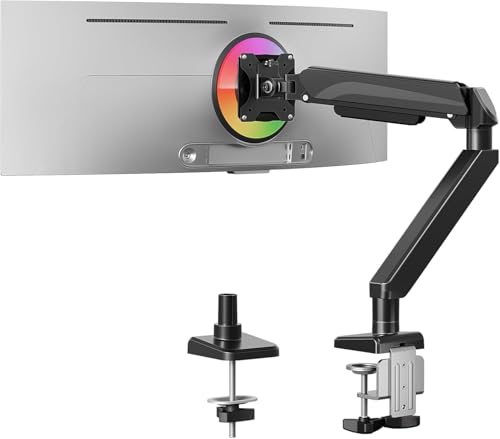
Engineered for those who demand versatility and stability, the MOUNTUP Heavy Duty Single Monitor Arm is an excellent choice for ultrawide displays ranging from 24 to 42 inches. It supports weights from 4.4 to 33 lbs, ensuring your monitor stays secure. With a wider C-clamp for a solid attachment to tabletops up to 2.76 inches thick, you won’t experience any wobbling during intense work or gaming sessions. The arm allows smooth tilt, swivel, and rotation adjustments, promoting ergonomic comfort. Plus, it frees up 80% of your desktop space, making it a fantastic addition to any home office or small desk setup.
Best For: Those seeking a versatile and stable monitor solution for ultrawide displays in home offices or small workspaces.
Pros:
- Supports a wide range of monitor sizes (24 to 42 inches) and weights (4.4 to 33 lbs).
- Offers smooth adjustments for tilt, swivel, and rotation, enhancing ergonomic comfort.
- Frees up 80% of desktop space, promoting a more organized and efficient workspace.
Cons:
- May require some assembly, which could be challenging for non-DIY individuals.
- The wider C-clamp may not fit very thick or unique tabletop designs.
- Limited to single monitor use, which may not suit multi-monitor setups.
monTEK Heavy-Duty Monitor Arm for Ultrawide Curved Screens

Designed specifically for ultrawide curved screens, the monTEK Heavy-Duty Monitor Arm is perfect for anyone looking to enhance their workspace without sacrificing stability or comfort. It supports monitors from 17 to 57 inches, weighing up to 59.4 lbs, including popular models like the Samsung Odyssey G9. With full motion adjustments, you’ll enjoy a +75° to -75° tilt, 180° swivel, and ±90° rotation for ideal viewing angles. Its durable construction minimizes wobbling, while integrated cable management keeps your setup tidy. Installation is a breeze with a quick-release VESA plate, allowing you to set up and enjoy your enhanced workspace in no time.
Best For: Those seeking a stable and ergonomic solution for ultrawide curved screens in workspaces or gaming setups.
Pros:
- Full motion adjustments allow for optimal viewing angles with +75° to -75° tilt, 180° swivel, and ±90° rotation.
- Durable construction made from high-quality steel and aluminum minimizes wobbling and ensures long-lasting use.
- Integrated cable management keeps your workspace organized and clutter-free.
Cons:
- May require a sturdy desk for proper installation due to the weight capacity.
- Installation could be challenging for users unfamiliar with monitor mounts.
- Limited compatibility with monitors outside the specified size range (17 to 57 inches).
ErGear Single Monitor Mount for Ultrawide Screens

If you’re looking to maximize your workspace with an ultrawide display, the ErGear Single Monitor Mount stands out as an excellent choice. Designed for screens up to 49 inches and 26.5 lbs, it features durable aircraft-grade aluminum for stability. With fluid full-motion control, you can easily tilt, swivel, and rotate your monitor for the perfect angle. Its adjustable arm extends 26.5 inches and height adjusts by 21 inches, making it ideal for standing desks. Plus, a built-in USB hub and integrated cable management keep your setup tidy. Installation is quick and tool-free, fitting desks 0.39-3.54 inches thick.
Best For: Those looking to optimize their workspace with an ultrawide display while maintaining ergonomic comfort and organization.
Pros:
- Fluid full-motion control allows for easy adjustments in tilt, swivel, and rotation for a customizable viewing angle.
- Built-in USB 3.0 hub provides high-speed charging for devices, enhancing convenience.
- Quick and tool-free installation makes it easy to set up on various desk thicknesses.
Cons:
- Limited to monitors weighing up to 26.5 lbs, which may restrict compatibility with heavier models.
- The maximum extension of 26.5 inches may not be sufficient for all desk setups.
- Some users may find the height adjustment range inadequate for very tall or short individuals.
Factors to Consider When Choosing Gas Spring Monitor Arms for Ultrawide Displays
When you’re choosing gas spring monitor arms for your ultrawide display, there are several key factors to keep in mind. You’ll want to take into account monitor size compatibility, weight capacity, and the range of motion to secure ideal use. Additionally, think about the installation methods and build quality to assure a sturdy setup.
Monitor Size Compatibility
Choosing the right gas spring monitor arm for your ultrawide display requires careful consideration of several factors, especially monitor size compatibility. Gas spring monitor arms typically accommodate monitors ranging from 13 to 49 inches. It’s essential to check if the arm supports your monitor’s size, as some are specifically designed for larger ultrawide displays, while others may only handle monitors up to 35 inches. Additionally, verify that the monitor arm is compatible with standard VESA mounting patterns, like 75x75mm and 100x100mm, for secure attachment. Proper sizing helps avoid instability; confirming your monitor’s dimensions and weight will guarantee a suitable match with the gas spring monitor arm you choose, ultimately enhancing your viewing experience.
Weight Capacity Requirements
Understanding weight capacity requirements is essential for selecting the right gas spring monitor arm for your ultrawide display. Make sure the arm’s weight capacity meets or exceeds the combined weight of your monitor and any additional accessories, typically ranging from 26 lbs to 44 lbs. Most gas spring monitor arms support weights between 33 lbs and 59.4 lbs, so always check these specifications for safety. The materials used, such as high-grade steel and aluminum, greatly affect stability and support for heavier models. Additionally, some arms are tailored for ultrawide screens, offering secure weight limits that prevent sagging. Finally, consider how dynamic weight distribution changes when fully extending the arm, as it impacts the overall stability of your setup.
Range of Motion
While selecting a gas spring monitor arm for your ultrawide display, the range of motion is an essential factor that can greatly enhance your viewing experience. Look for arms that offer tilt adjustments from +45° to -45° and swivel capabilities of 180°, enabling versatile screen positioning. Full 360° rotation is a bonus, allowing for easy shifts between landscape and portrait orientations. Height adjustments of up to 27 inches can cater to various user preferences and desk setups, while an extension range of up to 26 inches guarantees ideal ergonomic positioning. Adjustable tilt angles, ranging from +85° to -30°, also support different viewing angles, reducing neck and eye strain during long hours of use.
Installation Methods Available
When it comes to installing gas spring monitor arms for your ultrawide display, you typically have two main options: C-clamp mounts and grommet mounts. C-clamp mounts are great for desks ranging from 0.39 to 3.54 inches thick, providing a stable option without drilling. If you prefer a cleaner look, grommet mounts require a pre-drilled hole and can support desk thicknesses between 0.5 and 2 inches. Many gas spring monitor arms come with a detachable VESA plate, simplifying the monitor attachment process and allowing for quick adjustments. Installation usually requires minimal tools and can often be completed in under 15 minutes, making it perfect even for those with limited DIY experience. Choose the method that best suits your setup!
Build Quality Materials
Choosing the right gas spring monitor arm for your ultrawide display hinges on the build quality and materials used in its construction. Look for monitor arms made from high-grade materials like aerospace-grade aluminum alloy or steel, which provide enhanced strength and stability. Industrial-grade components are often tested for over 20,000 fatigue cycles, ensuring they withstand daily adjustments without losing performance. High-quality gas spring mechanisms guarantee smooth movements and prevent sagging, keeping your monitor securely in place. Additionally, heavy-duty parts allow the arm to support larger ultrawide displays, often handling weights up to 44 lbs or more. Finally, consider integrated cable management systems made from durable materials to protect your cables and maintain a tidy workspace.
Ergonomic Adjustability Features
The build quality of a gas spring monitor arm sets the foundation for its ergonomic adjustability features, which play an essential role in enhancing your workspace comfort. With a wide range of motion, you can tilt your monitor up to +90°/-45°, swivel it ±90°, and rotate it 360° to find the perfect viewing angle. Height adjustments from 8 to 27 inches let you position your screen at eye level, reducing neck strain and improving your posture. The extension range can reach up to 26.5 inches from the mounting point, providing flexibility for your ultrawide monitor. Full motion capabilities also allow you to switch between sitting and standing positions effortlessly, contributing to overall comfort during long hours of use.
Cable Management Solutions
A clean and organized workspace not only boosts productivity but also enhances your overall experience while using ultrawide displays. When choosing gas spring monitor arms, effective cable management solutions are essential. Look for models with integrated cable channels or clips that neatly organize wires, helping you reclaim up to 30% more desk space. Built-in USB ports can simplify charging and data transfer, reducing visible clutter. High-quality arms often come with detachable cable covers, making installation easier and allowing for adjustments as needed. A well-designed cable management system securely holds cables in place, minimizing wear and tear, which ultimately extends the lifespan of your electronic devices. Prioritize these features to create a tidy, efficient workspace.
Price and Warranty Options
When investing in gas spring monitor arms for your ultrawide display, understanding price and warranty options is essential. Prices typically range from $50 to $200, influenced by features, materials, and weight capacity. A longer warranty, often extending up to 3 years or more, signals greater confidence in durability and performance. Look for models that have undergone rigorous fatigue testing, as this often correlates with extended warranties and reliable use. Additionally, consider brands that offer extra customer support, like installation guidance or replacement parts, which can enhance your purchase value. Be sure to compare warranty terms carefully, as some may cover only specific parts while others provide extensive coverage for the entire unit.