In 2025, mini PCs have transformed the way creatives approach photo editing, merging power with portability like never before. You’ll find impressive models equipped with top-tier processors and ample RAM, ready to handle demanding tasks. Whether you’re a professional or an enthusiast, these compact machines offer seamless performance. Curious about which models stand out in this evolving landscape? Let’s explore the top contenders that can elevate your editing experience.
GEEKOM A6 Mini PC with AMD Ryzen 7 6800H
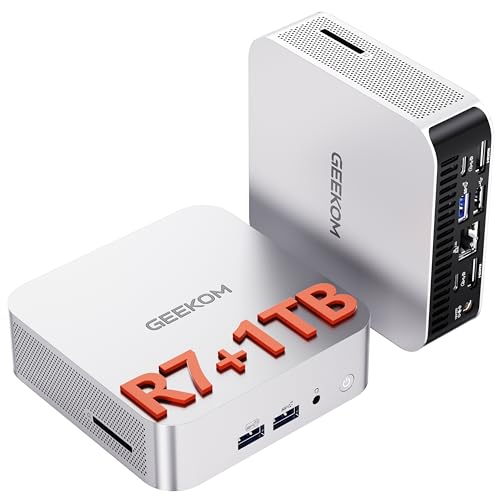
If you’re a photo editor seeking a powerful, compact solution, the GEEKOM A6 Mini PC with AMD Ryzen 7 6800H is an excellent choice. Measuring just 4×4×1.4 inches, its sleek aluminum-alloy chassis offers both style and durability. With an AMD Ryzen 7 6800H processor and Radeon 680M GPU, you’ll enjoy seamless performance for editing tasks. The 32GB DDR5 RAM and 1TB PCIe Gen4 NVMe SSD guarantee swift file access and storage. Plus, it supports quad 4K displays, making it perfect for high-resolution work. With Windows 11 Pro and extensive connectivity options, this mini PC is a photo editor’s dream.
Best For: Professionals in photo editing, video editing, coding, and light gaming who need a powerful and compact computing solution.
Pros:
- Compact design allows for easy placement in any workspace.
- Powerful AMD Ryzen 7 6800H processor and Radeon 680M GPU ensure high performance for demanding tasks.
- Quad 4K display support enhances the visual experience for editing and multitasking.
Cons:
- Limited upgrade options for the internal components due to its compact size.
- No dedicated graphics card, which may affect performance in more intense gaming or 3D rendering tasks.
- May require additional peripherals for optimal use, such as monitors and storage devices.
ACEMAGIC M1 Mini PC (Intel Core i9-11900H, 32GB DDR4, 1TB SSD)

For photographers and content creators seeking a powerhouse in a compact form, the ACEMAGIC M1 Mini PC is an exceptional choice. With its Intel Core i9-11900H processor, it outperforms many competitors, making it perfect for intensive tasks like photo editing and 3D modeling. You’ll appreciate the 32GB DDR4 RAM and 1TB SSD, providing ample memory and storage, expandable up to 4TB. Connectivity options include fast Ethernet and multiple USB ports, while support for triple displays enhances your workflow. Plus, its efficient cooling system and robust design guarantee reliable performance, backed by a 3-year warranty and responsive customer support.
Best For: Photographers, content creators, and professionals needing high-performance computing in a compact design.
Pros:
- High-performance Intel Core i9-11900H processor outperforms many competitors, making it ideal for resource-intensive tasks.
- Ample memory and storage with 32GB DDR4 RAM and 1TB SSD, expandable up to 4TB for large projects and files.
- Versatile connectivity options including multiple USB ports and support for triple displays, enhancing productivity and workflow.
Cons:
- Compact design may limit upgrade options for certain components beyond RAM and storage.
- Potentially higher price point compared to entry-level mini PCs, which may not be suitable for budget-conscious users.
- Limited graphics capabilities compared to dedicated graphics cards, which may affect performance in heavy gaming or advanced graphic design tasks.
KAMRUI Essenx E2 Mini PC (16GB RAM, 512GB SSD)
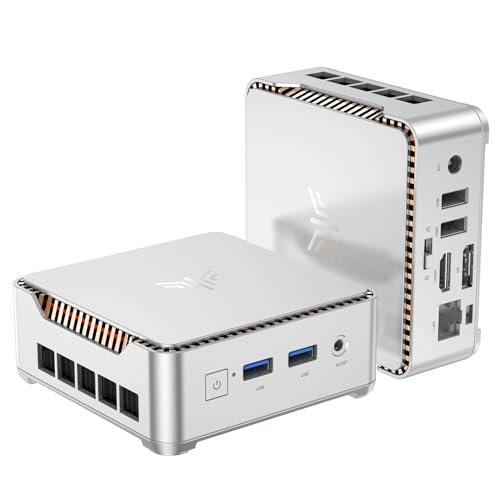
The KAMRUI Essenx E2 Mini PC stands out as an excellent choice for photo editors seeking a compact yet powerful solution. With a 12th Alder Lake N95 processor, it delivers a remarkable 35% performance boost and 78% enhanced GPU performance over previous models. The 16GB DDR4 RAM and 512GB SSD provide ample power for multitasking and handling large graphic files. You can easily expand storage up to 2TB, ensuring you’ll never run out of space. Plus, dual 4K UHD display support enhances your editing experience. Its compact design fits perfectly in any workspace, making it a stylish and efficient choice.
Best For: The KAMRUI Essenx E2 Mini PC is best for photo editors and professionals seeking a compact, high-performance computing solution.
Pros:
- High performance: Features a 12th Alder Lake N95 processor that offers significant performance and GPU enhancements.
- Expandable storage: Comes with a 512GB SSD and the ability to expand storage up to 2TB for handling large files.
- Dual 4K support: Supports dual 4K UHD displays, enhancing the visual experience for editing and multimedia tasks.
Cons:
- Limited pre-installed software: May require additional software installations for specific professional photo editing applications.
- Potential noise: Built-in fan cooling may produce noise during intensive multitasking.
- Size limitations for upgrades: While expandable, the compact design may limit the upgradeability of certain components compared to larger PCs.
Reatan Mini PC Gaming (AMD Ryzen 9 7940HS)

Designed for both gamers and photo editors, the Reatan Mini PC Gaming powered by the AMD Ryzen 9 7940HS stands out with its impressive processing capabilities. With 8 cores and 16 threads, it reaches speeds up to 5.2GHz, making multitasking a breeze. Paired with 64GB of DDR5 RAM and a 2TB NVMe SSD, you’ll experience lightning-fast load times. The AMD Radeon 780M graphics deliver a significant boost in gaming performance, effortlessly handling popular titles like GTA V and Elden Ring. Plus, its compact design features superior cooling, ensuring peak performance without overheating, all supported by lifetime technical assistance.
Best For: Gamers and photo editors seeking high-performance computing in a compact design.
Pros:
- Superior performance with AMD Ryzen 9 7940HS and 64GB DDR5 RAM for seamless multitasking and gaming.
- Impressive graphics capabilities with AMD Radeon 780M, outperforming GTX 1050 Ti and supporting demanding games.
- Efficient cooling system that maintains optimal performance without overheating, even during intense usage.
Cons:
- Limited upgrade options due to compact design, which may restrict future hardware enhancements.
- Potentially noisy under heavy load as the cooling system works to manage heat.
- Higher price point compared to entry-level gaming PCs, which may not fit all budgets.
Apple 2024 Mac mini Desktop Computer with M4 Chip

If you’re a photo editing enthusiast looking for a powerful yet compact solution, the Apple 2024 Mac mini with the M4 chip is a standout choice. With its 10-core CPU and GPU, this mini PC guarantees smooth operation, making your editing experience seamless. It comes with 16GB of unified memory and 256GB SSD storage, perfect for handling large files. Its compact design fits easily in any workspace, while the variety of ports, including Thunderbolt and HDMI, offers convenient connectivity. Plus, its carbon-neutral design aligns with Apple’s commitment to sustainability, making it an environmentally friendly option for creatives.
Best For: Photo editing enthusiasts and creatives seeking a powerful yet compact desktop solution.
Pros:
- Powerful performance with the M4 chip’s 10-core CPU and GPU for seamless editing.
- Compact design fits easily in various workspaces without sacrificing performance.
- Environmentally friendly with a carbon-neutral design, supporting sustainable practices.
Cons:
- Limited storage with only 256GB SSD, which may require external solutions for large files.
- Price point may be higher compared to other mini PCs in the market.
- No upgrade options for memory or storage after purchase, which could limit future adaptability.
GEEKOM A5 Mini PC with AMD Ryzen 7 5825U

With its powerful AMD Ryzen 7 5825U processor, the GEEKOM A5 Mini PC stands out as an exceptional choice for photo editing enthusiasts and professionals alike. You’ll enjoy 35% faster performance compared to previous Ryzen models, paired with 16GB dual-channel RAM and a 512GB SSD, expandable for all your storage needs. The AMD Radeon Vega 8 graphics support up to four 4K displays, perfect for detailed editing. Plus, its sturdy design and tool-free upgrades guarantee durability. With WiFi 6 and Bluetooth 5.2, connectivity’s a breeze, making it ideal for multitasking across creative applications or streaming your favorite content.
Best For: Photo editing enthusiasts and professionals seeking high-performance multitasking capabilities in a compact design.
Pros:
- Fast Performance: AMD Ryzen 7 5825U processor offers 35% faster performance than previous models, enhancing productivity.
- Expandable Storage: Comes with ample storage options, including expandable RAM and SSD, catering to diverse needs.
- Robust Connectivity: Features WiFi 6 and Bluetooth 5.2 for seamless connections and improved internet experience.
Cons:
- Limited Graphics for Gaming: While it supports casual gaming, it may not meet the needs of hardcore gamers due to integrated graphics.
- Price Point: May be higher than other mini PCs with less powerful specifications.
- Cooling System: Compact design might lead to thermal throttling under heavy workloads without adequate cooling solutions.
KAMRUI Essenx E2 N150 Mini PC (16GB DDR4, 512GB SSD)
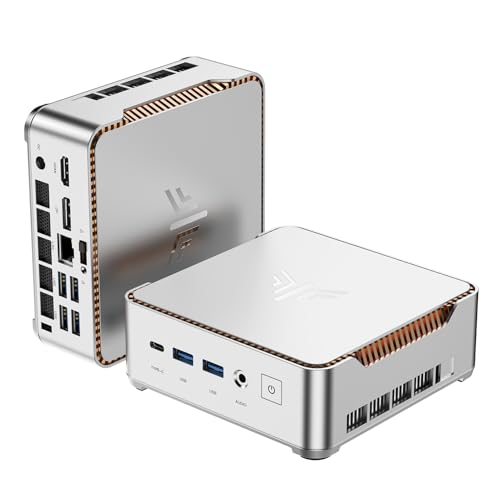
The KAMRUI Essenx E2 N150 Mini PC is an excellent choice for photo editors seeking a powerful yet compact solution. With its Twin Lake-N N150 CPU, you’ll enjoy a remarkable performance boost for your editing tasks, while the 16GB DDR4 RAM and 512GB SSD guarantee smooth multitasking and quick access to files. Its UHD Graphics support 4K resolution, perfect for reviewing your photos on dual screens. The compact design makes it easy to fit into any workspace, and versatile connectivity options keep you connected to all your peripherals. Plus, with a 2-year warranty, you can edit with peace of mind.
Best For: Photo editors and professionals looking for a powerful yet compact PC for editing tasks and multitasking.
Pros:
- High performance with Twin Lake-N N150 CPU, providing a 30% performance boost over previous models.
- 4K UHD Graphics support for vibrant visuals, ideal for photo editing and media playback.
- Compact design allows for easy placement in small spaces and versatile connectivity options for various peripherals.
Cons:
- Limited to 512GB SSD storage, which may require expansion for users with extensive file collections.
- The 15W power consumption, while efficient, may not suit users looking for high-performance gaming or resource-intensive applications.
- Potential overheating in sustained high-performance tasks due to compact size and limited cooling solutions.
GMKtec Gaming Mini PC M7 with AMD Ryzen 7 PRO 6850H

For photo editors seeking a powerful yet compact solution, the GMKtec Gaming Mini PC M7 stands out with its AMD Ryzen 7 PRO 6850H processor. This mini PC features an integrated AMD Radeon 680M graphics card, delivering performance comparable to the NVIDIA GTX 1050 Ti. With 32GB of DDR5 RAM and a 2TB PCIe SSD, you’ll handle large files effortlessly. Quad display support allows for stunning visuals, while its upgraded cooling system guarantees quiet operation. Enjoy fast connectivity with WiFi 6 and Bluetooth 5.2. Plus, the 1-year warranty provides peace of mind for your creative endeavors.
Best For: Creative professionals and gamers looking for a high-performance mini PC in a compact form factor.
Pros:
- Powerful Performance: Equipped with AMD Ryzen 7 PRO 6850H and integrated AMD Radeon 680M graphics, suitable for demanding tasks.
- Ample Storage and Memory: Comes with 32GB DDR5 RAM and 2TB PCIe SSD, expandable for large projects and applications.
- Quiet Operation: Features an upgraded cooling system with a noise level of only 35dB in Quiet mode, ideal for a distraction-free environment.
Cons:
- Limited GPU Performance for High-End Gaming: While comparable to NVIDIA GTX 1050 Ti, it may not meet the needs of advanced gamers requiring top-tier graphics performance.
- Compact Size May Limit Upgrade Options: The mini form factor may restrict certain hardware upgrades or expansions.
- Warranty Period: The 1-year limited warranty may be shorter compared to some competitors offering extended coverage.
ACEMAGIC Vista Mini V1 Mini PC (12th Gen Alder Lake-N N97)
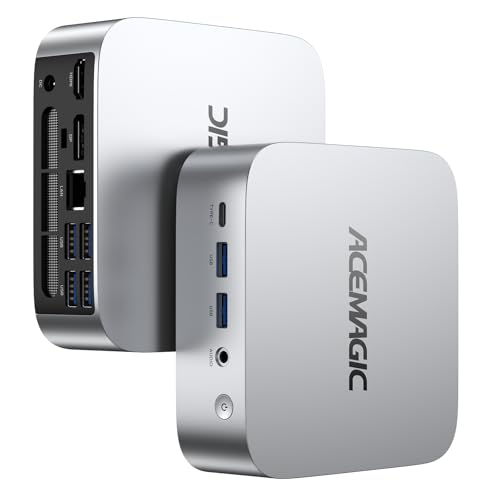
Ideal for photographers and creatives on the go, the ACEMAGIC Vista Mini V1 Mini PC packs a powerful punch with its Intel 12th Gen Alder Lake-N97 processor. With 4 cores and 16GB DDR4 RAM, it handles demanding tasks effortlessly. Its compact design (3.9×3.9×1.3 inches) makes it easy to transport, while the silent cooling fan guarantees a quiet workspace. Enjoy 4K UHD video playback and connect multiple devices with built-in WiFi, Bluetooth, and various ports. Pre-installed with Windows 11 Pro, it comes with lifetime support and a 2-year quality assurance, making it a reliable choice for your photo editing needs.
Best For: Photographers and creatives who need a portable, powerful mini PC for demanding tasks.
Pros:
- Compact design makes it easy to transport and ideal for small spaces.
- Powerful performance with Intel 12th Gen Alder Lake-N97 processor and 16GB DDR4 RAM.
- Supports 4K UHD video playback and multiple device connections for enhanced productivity.
Cons:
- Limited to 512GB internal storage, which may require additional expansion for heavy users.
- The performance may not match high-end desktop PCs for extremely demanding applications.
- Cooling system may not be sufficient for prolonged heavy workloads, despite being designed for silent operation.
BOSGAME P2 Plus Mini PC – Intel i7-12700H

With its powerful Intel Core i7-12700H processor, the BOSGAME P2 Plus Mini PC stands out as an excellent choice for professionals tackling demanding photo editing tasks. This mini PC delivers desktop-grade performance, easily handling 4K video editing and heavy multitasking. You’ll appreciate the 32GB DDR5 RAM, expandable to 64GB, and the speedy 512GB PCIe Gen3 NVMe SSD. Plus, it supports triple 4K displays, perfect for intricate workflows. With dual 2.5G Ethernet, WiFi 6, and Bluetooth 5.2, connectivity is seamless. With a one-year warranty and lifetime tech support, it’s a reliable option for your editing needs.
Best For: Professionals in need of high-performance computing for 4K video editing, 3D rendering, and heavy multitasking.
Pros:
- Desktop-grade performance with Intel Core i7-12700H, ideal for demanding tasks.
- Expandable memory up to 64GB and fast 512GB PCIe Gen3 NVMe SSD for enhanced speed and storage.
- Triple 4K display support and advanced connectivity options, including dual 2.5G Ethernet and WiFi 6.
Cons:
- Compact design may limit upgradeability beyond the specified memory and storage options.
- Higher initial investment compared to entry-level PCs, which may not be suitable for casual users.
- Limited warranty period of one year may be a concern for long-term reliability.
Factors to Consider When Choosing Mini PCs for Photo Editing
When you’re choosing a mini PC for photo editing, several key factors come into play. You’ll want to pay attention to processor performance, RAM capacity, and storage speed to guarantee smooth editing. Don’t forget to take into account graphics capabilities and display resolution support to fully enjoy your creative work.
Processor Performance Importance
Choosing the right processor is vital for achieving ideal performance in photo editing, especially when you need to handle high-resolution images and complex edits efficiently. Look for processors with a high core and thread count, as these allow for better multitasking and faster image rendering. A higher clock speed, particularly those reaching up to 5.2GHz, can greatly speed up tasks like applying filters and exporting files. Opt for advanced architectures, such as Intel’s 12th Gen or AMD Ryzen, which enhance efficiency and performance. Additionally, integrated graphics like AMD Radeon or Intel Iris Xe are essential for smooth playback and real-time editing without lag. Ultimately, a powerful processor directly boosts your workflow efficiency and productivity in photo editing.
RAM Capacity Considerations
For photo editing, having at least 16GB of RAM is essential to guarantee your workflow remains smooth and efficient, especially when dealing with large image files. Upgrading to 32GB can notably enhance performance, particularly when you’re working with high-resolution images or running multiple applications at once. More RAM allows for better caching and faster access to frequently used files, improving your overall editing experience. It’s wise to choose systems that support RAM expansion, ensuring your mini PC can adapt to future software demands and larger projects. Additionally, consider dual-channel RAM configurations, as they offer better performance by increasing memory bandwidth, which is especially beneficial for graphics-intensive tasks.
Storage Speed and Size
While selecting a mini PC for photo editing, prioritizing storage speed and size is essential to ensuring a seamless workflow. Opt for SSD storage options, as they deliver notably faster read and write speeds than traditional HDDs, which means quicker file access and improved efficiency. Look for PCIe Gen 4 NVMe SSDs, offering transfer speeds up to 7000 MB/s, perfect for handling large image files. Aim for at least 1TB of storage capacity to accommodate extensive photo libraries without relying on external drives. In addition, consider mini PCs with additional SSD slots for future storage expansion as your editing needs grow. Finally, evaluate the data transfer speed between storage and RAM to minimize lag during intensive editing sessions.
Graphics Capability Requirements
Having the right storage setup paves the way for a powerful performance, but graphics capability plays a vital role in your photo editing experience. You’ll want a mini PC with a dedicated graphics card or a capable integrated GPU that can handle high-resolution images and complex effects, ideally supporting 4K outputs. Aim for at least 16GB of RAM to guarantee smooth multitasking with large files and multiple applications. A multi-core processor, like an Intel Core i7 or AMD Ryzen 7, provides the robust power needed for rendering and applying filters without lag. Additionally, make certain your mini PC supports advanced color profiles and high bit-depth capabilities to accurately display and edit images, essential for professional-grade work.
Display Resolution Support
When choosing a mini PC for photo editing, high display resolution support is essential. Aim for 4K UHD (3840×2160) to capture every detail and enhance clarity in your high-resolution images. Look for mini PCs that offer multi-display capabilities, allowing you to connect additional monitors for a more efficient workflow and larger editing workspace. Support for HDR (High Dynamic Range) is also vital, as it improves color accuracy and contrast, ensuring your images look true-to-life. Additionally, having a mini PC that supports high refresh rates, such as 60Hz or more, will provide smoother visuals when zooming in and out. Finally, check that the mini PC has the necessary ports like HDMI or DisplayPort to connect to these high-resolution displays.
Connectivity Options Available
As you select a mini PC for photo editing, connectivity options play an important role in enhancing your workflow. Look for multiple USB ports, including USB-C, to guarantee fast data transfers from external drives and peripherals. HDMI and DisplayPort outputs are essential for setting up dual or triple 4K displays, which improve your workspace management. You’ll also want Gigabit Ethernet and Wi-Fi 6 capabilities for stable, fast internet connections—critical for downloading large files and utilizing cloud services. Don’t forget to check for card reader slots for easy photo transfers from your camera. Finally, consider mini PCs with VESA mount compatibility, offering flexible installation options that save desk space while keeping your ports easily accessible.
Cooling System Efficiency
An efficient cooling system is essential for your mini PC, especially during demanding photo editing tasks that generate heat. Intensive editing can lead to thermal throttling, which slows down performance. Look for mini PCs with advanced cooling systems, like dual-layer structures and upgraded fans, that effectively manage heat dissipation. This allows the processor to maintain higher clock speeds even under load. A well-designed cooling system can also keep noise levels down, creating a quieter workspace for your creative processes. Systems featuring silent cooling fans or optimized airflow designs help prevent overheating while operating at lower temperatures. Utilizing monitoring tools to track internal temperatures can further assist you in adjusting settings, maximizing efficiency, and extending your hardware’s lifespan.
Operating System Compatibility
Choosing a mini PC for photo editing requires careful consideration of operating system compatibility, since it directly impacts software performance and availability. Confirm the mini PC supports your preferred OS—whether it’s Windows, macOS, or a Linux distribution—because specific photo editing applications, like Adobe Photoshop and Lightroom, are optimized for certain systems. This compatibility is vital for a smooth editing experience. Additionally, check for driver support for graphics cards and peripherals, as this can enhance performance during resource-heavy tasks. Don’t forget to review the system requirements of your editing software to guarantee the hardware meets those needs. If you’re in a mixed environment, ensure your mini PC integrates smoothly with other devices for easy collaboration and file sharing.