If you’re in the market for a reliable plastic card printer for membership cards, you’ll want to evaluate several key factors. From printing quality to speed, the right printer can make a significant difference for your organization. In this guide, we’ll explore the top 10 options for 2025, highlighting their features and benefits. Get ready to discover which printer might just be the perfect fit for your needs.
Badgy100 Plastic Card Printer with ID Design Software for Custom ID Badges
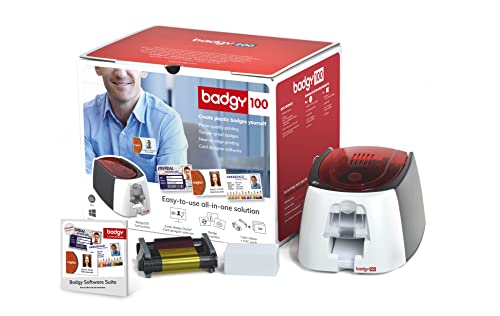
The Badgy100 Plastic Card Printer is perfect for organizations looking to create custom ID badges in-house, thanks to its user-friendly Badge Studio ID Design Software. You can easily design and print full-color, tamper-proof ID badges that reflect your brand. With the ability to print on demand, you won’t have to wait for replacements for lost or stolen cards. The high-resolution printing guarantees your badges look professional while utilizing an online template library for quick design options. This streamlined process eliminates subcontractor deadlines, making ID badge creation efficient and manageable for your team.
Best For: Organizations and businesses that need to create custom ID badges quickly and efficiently in-house.
Pros:
- User-friendly software allows for easy design and printing of ID badges.
- Print on demand capability ensures immediate replacements for lost or stolen cards.
- Access to an online template library provides a variety of professional designs to choose from.
Cons:
- Limited to single printing needs, which may not suit larger-scale operations.
- Initial setup and learning curve for the software may take time for some users.
- Potentially higher cost per badge compared to bulk printing services.
Bodno Magicard 400X Dual Sided ID Card Printer & Supplies Package

For organizations looking to create high-quality membership cards, the Bodno Magicard 400X Dual Sided ID Card Printer & Supplies Package stands out with its dual-sided printing capability. This all-inclusive package includes a 300-print YMCKO ribbon, ensuring vibrant, full-color card production. You’ll appreciate the user-friendly Bodno Bronze Edition software, featuring pre-made templates and intuitive drag-and-drop design tools. It’s compatible with both Windows and Mac, making it versatile for any setup. Plus, with a 4-year warranty and lifetime software support, you’ll have peace of mind as you produce professional membership cards effortlessly.
Best For: Organizations seeking to create professional-quality membership cards with ease and efficiency.
Pros:
- Supports dual-sided printing for comprehensive card designs.
- Includes user-friendly software with pre-made templates for easy customization.
- Comes with a 4-year warranty and lifetime software support for added reassurance.
Cons:
- The initial cost may be higher compared to basic ID card printers.
- Limited to the 300-print YMCKO ribbon, which may require frequent replacements for high-volume printing.
- Some users may find the software’s features limited compared to more advanced graphic design programs.
Badgy200 Plastic Card Printer with Badge Studio+ ID Design Software
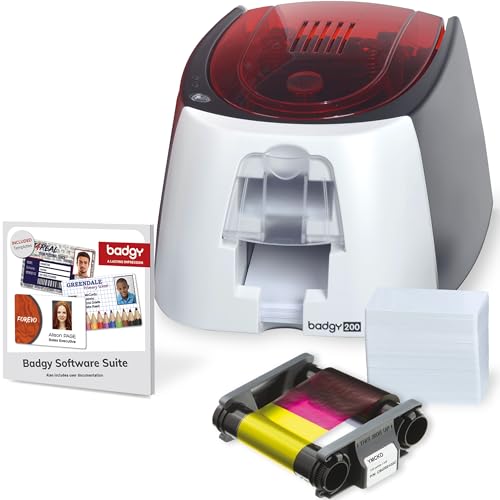
Designed with versatility in mind, the Badgy200 Plastic Card Printer is perfect for organizations wanting to create professional, tamper-proof ID badges quickly and easily. This all-in-one printer offers full-color printing and includes the upgraded Badge Studio+ software, complete with database import functionality and free design templates. You’ll appreciate the custom badge creation options, allowing you to design cards for students, employees, and loyalty programs. With the printer, you’ll receive 100 color ribbons and 100 blank cards to get started. Plus, you have a 1-year warranty and accessible technical support for any questions that arise.
Best For: Organizations looking to create professional, tamper-proof ID badges for students, employees, and loyalty programs.
Pros:
- Full-color printing capability allows for vibrant and professional-looking ID cards.
- Included Badge Studio+ software offers design flexibility with templates and database import functionality.
- Comes with 100 color ribbons and 100 blank cards, providing a complete package to get started immediately.
Cons:
- Limited to plastic card printing, which may not suit all ID or membership needs.
- 1-year warranty may be considered short for some users who want longer-term coverage.
- Technical support only via email, which may not be ideal for users preferring immediate assistance.
IDP SMART-21S ID Card Printer Kit

Looking for an efficient and affordable solution to print membership cards? The IDP SMART-21S ID Card Printer Kit is your answer. This compact printer offers professional-quality, high-resolution full-color printing, producing over 150 color cards or 600 monochromatic cards per hour. It’s compatible with Windows 10 and 11, making it user-friendly with an easy-to-use LED button. The kit includes everything you need: the printer, IDesigner software, a 100-print YMCKO ribbon, and 100 PVC cards. Perfect for small businesses or larger corporations, it enhances security and identification processes effectively. Upgrade your card printing game with the IDP SMART-21S!
Best For: Small businesses and larger corporations looking for an efficient and affordable solution for ID card printing.
Pros:
- High-speed printing capabilities of over 150 color cards and 600 monochromatic cards per hour.
- User-friendly design with compatibility for Windows 10 and 11, featuring an easy-to-use LED button.
- Complete kit includes printer, software, ribbon, and PVC cards, providing everything needed to start printing immediately.
Cons:
- Limited to PC-only software, which may not cater to users with other operating systems.
- Compact size may limit the number of cards that can be loaded or processed at once.
- Performance may vary based on the complexity of card designs, potentially affecting speed and print quality.
500 Pack Blank White PVC ID Cards – CR80 30 Mil Plastic Cards

If you need a reliable solution for creating membership cards, the 500 Pack Blank White PVC ID Cards offer an ideal choice. These CR80 30 mil cards measure 85.6 x 53.98 mm and are compatible with most photo ID badge printers, making them versatile for various applications. With a smooth surface for double-sided printing, they’re perfect for office badges, student IDs, and more. Each pack contains 500 cards, neatly packaged in two boxes of 250. Rated 4.3 out of 5 stars, they come with a 30-day return policy, ensuring you’re satisfied with your purchase.
Best For: This product is best for businesses and organizations looking to create custom ID cards, membership cards, and other identification solutions.
Pros:
- High Compatibility: Works with most photo ID badge printers, making it versatile for various printing needs.
- Double-Sided Printing: Smooth surface allows for printing on both sides, enhancing design flexibility.
- Large Quantity: Comes in a pack of 500, ensuring you have plenty of cards for multiple uses.
Cons:
- Not Compatible with Inkjet Printers: These cards cannot be printed using inkjet printers, limiting some users’ options.
- No Special Features: Lacks chips, magnetic stripes, or pre-punched slots, which may be needed for certain applications.
- Limited Warranty: The 30-day return policy may not be sufficient for customers looking for longer warranty options.
Bodno Seaory S25 Single Sided ID Card Printer & Supplies Package

The Bodno Seaory S25 Single Sided ID Card Printer is an excellent choice for small businesses or organizations that require low-volume printing of membership cards. Its manual feed system allows you to print one card at a time, ensuring precision with each output. With a print speed of 5 ppm and a maximum resolution of 300 x 300 dpi, you’ll achieve quality results every time. The included Bodno Bronze Edition software is user-friendly and compatible with Windows, Mac, and Linux. Plus, with a 2-year warranty and lifetime software support, you can trust this printer to meet your needs effectively.
Best For: Small businesses or organizations that require low-volume printing of membership cards.
Pros:
- User-friendly software with pre-made templates and drag-and-drop capabilities.
- Compact design makes it easy to fit in small office spaces.
- Lifetime software support ensures ongoing assistance for users.
Cons:
- Manual feed system limits efficiency for high-volume printing needs.
- Single-sided printing capability may not meet all users’ requirements.
- Lower print speed compared to other ID card printers on the market.
Bodno Magicard Pronto ID Card Printer & Supplies Package
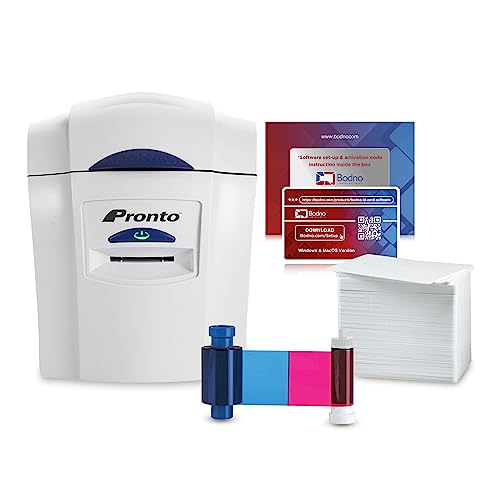
For organizations seeking a reliable solution to produce professional-grade membership cards, the Bodno Magicard Pronto ID Card Printer & Supplies Package stands out as an excellent choice. This package includes everything you need, like the printer, MA100YMCKO color ribbon, and 100 high-quality PVC cards. With the user-friendly Bodno Bronze Software, you can design cards effortlessly using pre-made templates. It supports card stock and offers impressive printing resolutions, ensuring vibrant colors. With a solid 4.1-star rating and a 2-year warranty, you can count on its reliability. Plus, enjoy a 30-day return guarantee for peace of mind.
Best For: Organizations looking for a complete and user-friendly solution to produce professional-grade ID and membership cards.
Pros:
- Easy-to-use Bodno Bronze Software with drag & drop functionality and pre-made templates.
- High-quality printing with vibrant colors and a maximum resolution of 300×300 dpi for color prints.
- Includes all necessary components, such as the printer, color ribbon, and PVC cards, for a seamless setup.
Cons:
- Limited to dual-sided printing capabilities, which may not meet all user needs.
- Maximum copies per run is restricted to 100, which could be a limitation for larger production needs.
- The printer is compatible only with PC devices, excluding Mac users.
Easy Badges Solid 210 ID Badge Printer for Employee & Student ID Cards

Designed specifically for small organizations, the Easy Badges Solid 210 ID Badge Printer excels in creating employee and student ID cards with ease. This hand-fed, single-sided printer delivers sharp 300 dpi resolution and can print up to 300 full-color cards per hour. You’ll appreciate the user-friendly Cardholdir ID software, which allows you to design cards intuitively without graphic design skills. Plus, its compact design fits perfectly on any desk. With a one-time software purchase and included supplies, this printer offers a cost-effective solution for your ID card needs, making it a smart choice for budget-conscious institutions.
Best For: Small organizations and budget-conscious institutions looking for an efficient and user-friendly ID badge printing solution.
Pros:
- Easy-to-use Cardholdir ID software allows for quick design and printing without graphic design expertise.
- Compact and lightweight design fits easily on any desk or office space.
- High printing speed of 300 full-color cards per hour enhances efficiency for various ID card needs.
Cons:
- Limited to single-sided printing, which may not meet the needs of all users.
- Manual feeding may be less convenient for high-volume printing compared to automatic feeding options.
- The one-time software purchase may still be a barrier for very small organizations with limited budgets.
200 Pack Premium Blank PVC Cards for ID Badge Printers

When you need high-quality cards for your ID badge printers, the 200 Pack of Premium Blank PVC Cards stands out as a top choice. These 30 mil cards, measuring 3 ⅜” x 2 ⅛”, are perfect for crisp, vibrant printing on both sides. They’re compatible with popular card printers like Evolis and Zebra, ensuring versatility for your needs. Manufactured in the USA, they meet high professional standards, making them ideal for office badges, membership cards, and more. Plus, they come shrink-wrapped for cleanliness, so you’ll always have ready-to-use cards at hand. Enjoy endless possibilities with these premium blank cards!
Best For: This product is best for businesses and organizations that require high-quality ID cards for badges, membership cards, and various other applications.
Pros:
- High-quality printing: The cards provide crisp and vibrant printing on both sides.
- Versatile compatibility: Compatible with major card printers like Evolis, Zebra, and Fargo, ensuring flexibility.
- Clean and ready-to-use: Shrink-wrapped packaging guarantees cleanliness and readiness for immediate use.
Cons:
- Not suitable for inkjet printers: These cards are specifically designed for ID badge printers and cannot be used with inkjet technology.
- No additional features: The cards do not come with a magnetic stripe, adhesive, or pre-punched slots, which may limit certain uses.
- Limited to specific dimensions: The size may not fit all applications, especially if custom dimensions are needed.
Magicard 300 Dual Sided ID Card Printer & Supplies Bundle
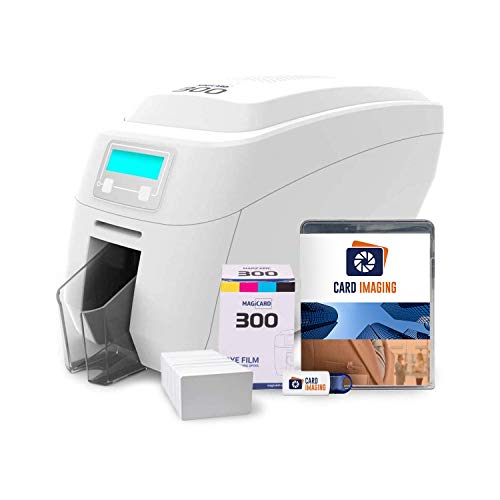
The Magicard 300 Dual Sided ID Card Printer & Supplies Bundle is the perfect choice for organizations looking to create professional-quality membership cards efficiently. With dual-sided printing, you’ll enjoy a print resolution of 300 dpi, ensuring crisp visuals every time. This compact printer measures 16 x 8 x 10 inches and weighs 16.42 pounds, making it a great fit for your workspace. It comes with 100 PVC cards, a color ribbon, and user-friendly card design software. Plus, you’ll benefit from free tech support and a three-year warranty, so you can create stunning cards with confidence.
Best For: Organizations and businesses seeking an efficient solution for creating professional-quality ID and membership cards.
Pros:
- Dual-sided printing capability for more comprehensive card designs.
- Includes essential supplies like color ribbon and 100 PVC cards for immediate use.
- Comes with free tech support and a three-year warranty for peace of mind.
Cons:
- Customer rating of 3.9 out of 5 stars suggests mixed feedback from users.
- Weighs 16.42 pounds, which may be heavier than some portable options.
- Best Sellers Rank of #138,346 indicates competition from other printers in the market.
Factors to Consider When Choosing Plastic Card Printers for Membership Cards
When you’re choosing a plastic card printer for membership cards, consider key factors that can impact your decision. Printing quality and speed, card compatibility, and software features play vital roles in ensuring efficiency and effectiveness. Also, think about dual-sided printing capabilities and the warranty or support services offered to protect your investment.
Printing Quality and Speed
Choosing a plastic card printer for membership cards hinges on two vital factors: printing quality and speed. You’ll want a printer that offers high-resolution printing, typically around 300 dpi, ensuring sharp, clear images that enhance the professional look of your cards. Speed matters too; many printers can churn out over 150 color cards per hour, perfect for busy environments. Opt for full-color printing to create vibrant designs that include logos and graphics. Dual-sided printing features are essential, allowing you to display information on both sides without sacrificing quality. Finally, a smooth surface finish is vital for double-sided printing, preventing smudging and maintaining legibility of all printed details.
Card Compatibility Options
Confirming your plastic card printer is compatible with your chosen card types is essential for achieving the best results for your membership cards. Start by confirming that the printer supports standard CR80 30 Mil PVC cards, commonly used for ID badges. If you need designs on both sides, check for double-sided printing capabilities, as some models only offer simplex printing. Additionally, verify that the printer can handle the specific thickness and material of your cards. Consider the input capacity for card stock; a higher capacity means fewer reloads during printing. Finally, confirm the printer’s software can import database information, which simplifies the process of printing unique membership card details efficiently.
Software Features and Usability
While selecting a plastic card printer for your membership cards, the software features and usability play an essential role in streamlining your design process. Look for software that offers pre-made templates and drag-and-drop design capabilities, making it easier for you to create cards without graphic design experience. Confirm it includes database import functionality to seamlessly integrate your existing membership information into the design. A user-friendly interface with intuitive navigation will enhance your efficiency during the card creation process. Verify that the software provides lifetime licenses and support, helping you avoid recurring costs while guaranteeing ongoing assistance. Finally, consider compatibility with various operating systems like Windows, Mac, and Linux to accommodate different user environments effectively.
Dual-Sided Printing Capability
When it comes to creating membership cards, having dual-sided printing capability can greatly enhance your design options and overall functionality. This feature allows you to maximize space by including more information and design elements on both sides of the card. With full-color printing available on each side, your cards will have a professional appearance that catches the eye.
Additionally, dual-sided printers streamline the production process, saving you time and resources by eliminating the need for separate runs for each side. You can use the backside for important details like terms and conditions, membership numbers, or extra branding. Plus, many dual-sided printers support high-resolution printing, ensuring that your text and images are clear and legible on both sides.
Warranty and Support Services
Choosing a plastic card printer for your membership cards involves more than just considering printing capabilities; warranty and support services are equally vital. Many printers offer warranties ranging from one to four years, giving you peace of mind against hardware failures. You might also find extended warranty options to protect your investment even further. Additionally, lifetime support services are often included with ID card printer software, ensuring you can get assistance with design and printing issues as needed. Technical support covers troubleshooting and setup, which is essential if you’re not familiar with printer operations. Finally, check the availability of customer support channels like email, phone, or online resources, so you can get timely help whenever you need it.
Cost and Budget Considerations
Understanding the costs associated with plastic card printers for membership cards is essential for making an informed decision. The initial price can range from a few hundred to several thousand dollars, depending on features like dual-sided printing and speed. Don’t forget to budget for ongoing supplies, such as ribbons and blank PVC cards, since these costs can add up quickly. Consider the warranty; a longer warranty can save you money on repairs down the line. Also, evaluate your card volume needs—low-volume printers might be cheaper upfront but can result in higher costs per card. Finally, factor in design software costs, as some printers include it while others require separate purchases, impacting your total investment.