Choosing the right HBA matters because ZFS works best with direct, predictable access to your drives. The right card can improve compatibility, simplify cabling, and keep your storage pool stable as it grows.
Below, we focus on SAS HBA cards for ZFS storage that are well-suited for FreeNAS, TrueNAS, unRAID, and DIY NAS systems, with options for small builds, external shelves, and higher-density arrays.
Best 10 Sas Hba Cards for Zfs Storage Picks for 2026
Best for ZFS + TrueNAS
LSI 9300-8i 8-Port IT Mode HBA

- IT mode is a strong fit for ZFS storage pools
- PCIe 3.0 x8 with SAS3008 controller
- Includes SATA breakout cables for 8 drives
Best For: ZFS, TrueNAS, and unRAID builders needing a simple IT-mode HBA for SATA arrays.
Best for External Disk Shelves
LSI SAS 9300-8e 12Gb/s External HBA

- IT mode firmware is pre-flashed for ZFS-friendly use
- Dual SFF-8644 ports support 8 external SAS connections
- Includes both regular-height and low-profile brackets
Best For: People connecting external JBOD shelves or disk enclosures to a ZFS server.
Best for ZFS Builds

- IT mode firmware suits ZFS and TrueNAS setups
- 8-port SAS3008 controller with PCIe 3.0 x8
- Includes 2 SATA breakout cables for quick hookup
Best For: Home-lab and NAS builders needing a straightforward HBA for ZFS storage.
Best for ZFS and TrueNAS
LSI 9207-8i IT Mode 8-Port HBA

- IT mode firmware for clean ZFS passthrough
- 8 SATA/SAS lanes via two SFF-8087 ports
- Includes 2 SATA breakout cables
Best For: ZFS and TrueNAS builders needing an affordable, straightforward 8-port HBA for SATA arrays.
Best for Direct-Attach ZFS Arrays

- IT mode passthrough for clean ZFS/JBOD setups
- 4 internal SFF-8643 ports for up to 16 drives
- 12Gbps SAS and 6Gbps SATA support
Best For: Home-lab and NAS users building scalable ZFS storage with multiple SAS or SATA drives.
Best IT-Mode Pick
LSI 9211-4i SAS HBA with SFF-8087

- LSI SAS2008 controller in IT mode for direct drive passthrough
- One SFF-8087 port supports 4 SATA drives at 6Gb/s
- Includes breakout cable for faster NAS or ZFS setup
Best For: ZFS, TrueNAS, and unRAID builders who want a simple, proven non-RAID HBA.
Best for Dense Drive Arrays
LSI 9300-16i 16-Port IT Mode HBA
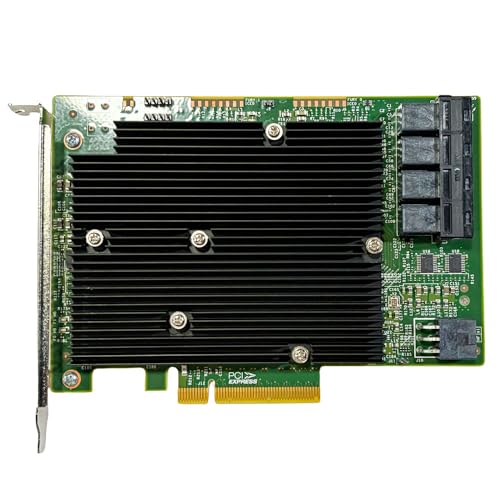
- 16-port design with 4× SFF-8643 internal connectors
- IT-mode firmware for ZFS, TrueNAS, and unRAID
- 12Gb/s SAS plus SATA backward compatibility
Best For: Large ZFS and NAS builds that need lots of direct-attached drives or expander support.
Best for 16-Drive ZFS Builds

- 16-port SAS3 HBA with 12Gb/s lanes
- IT mode works well for ZFS and TrueNAS
- Includes 4x SFF-8643 to 8482 SAS cables
Best For: Large ZFS, TrueNAS, or unRAID arrays that need a 16-port IT-mode HBA with expansion headroom.
Best for TrueNAS/ZFS Builds
SAS HBA Card for TrueNAS and ZFS
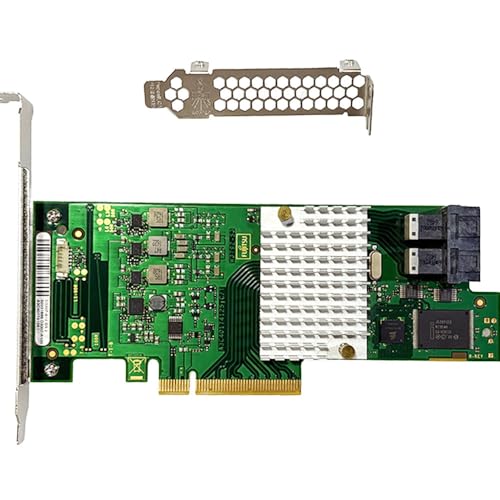
- IT mode non-RAID passthrough for ZFS-friendly storage
- 2× SFF-8643 ports support up to 8 direct drives
- 12Gb/s SAS with PCIe 3.0 x8 and expander support
Best For: TrueNAS, unRAID, and ZFS NAS builders who want a straightforward IT-mode HBA.
Best for IT Mode ZFS Builds
- IT mode HBA with LSI/Broadcom SAS3008-class controller
- 8-port 12Gb/s SAS, SATA 6Gb/s backward-compatible
- Dual SFF-8643 ports with SAS expander support
Best For: ZFS and TrueNAS builders who want a simple non-RAID HBA for direct drive passthrough.
Best for ZFS + TrueNAS – LSI 9300-8i 8-Port IT Mode HBA
If you’re comparing sas hba cards for zfs storage, this LSI 9300-8i IT mode card is a straightforward choice for direct-attach NAS builds. It uses a Broadcom SAS3008 controller, supports 12Gbps SAS and 6Gbps SATA, and includes two SFF-8643 ports plus SATA breakout cables for up to 8 drives.
Best For: ZFS, TrueNAS, unRAID, and home-lab builders who want a simple IT-mode HBA for SATA drive arrays.
Pros:
- IT mode firmware avoids RAID behavior, which is ideal for ZFS-style storage pools
- PCIe 3.0 x8 and SAS3008 support give it solid bandwidth for multi-drive arrays
- Includes 2x SFF-8643 to 4x SATA cables, so you can wire up 8 SATA drives out of the box
- Can expand through a SAS expander for larger storage builds
Cons:
- Included cables are for SATA drives only, not native SAS drive hookup
- Bulkier than a simple SATA controller if you only need a few drives
- Best suited to direct-attach storage; SAS cabling may need to be purchased separately
For buyers focused on sas hba cards for zfs storage, this card hits the practical basics: IT mode, proven LSI hardware, and enough ports to build a clean 8-drive NAS without overcomplicating the setup.
Best for External Disk Shelves – LSI SAS 9300-8e 12Gb/s External HBA
If you need one of the more capable sas hba cards for zfs storage, this LSI 9300-8e is aimed at external disk shelves and other multi-bay expansion setups. It comes flashed to IT mode with P16 firmware, which is the right behavior for ZFS, FreeNAS, unRAID, and similar software-defined storage builds.
Best For: Users connecting external JBOD enclosures or disk shelves to a ZFS server who want a ready-to-use 12Gb/s SAS 3.0 HBA.
Pros:
- Flashed to IT mode with LSI/Avago 9300-8e P16 firmware
- 8 external SAS ports via dual SFF-8644 connectors
- Works well for FreeNAS, unRAID, Proxmox VE, and other ZFS setups
- Includes regular-height bracket plus extra low-profile bracket
Cons:
- External-only design is not ideal for direct internal drive wiring
- Not the cheapest choice if you only need a basic HBA
- May be more card than small single-shelf builds require
For buyers building around external storage shelves, this card is a practical fit among sas hba cards for zfs storage because it pairs IT-mode firmware with 12Gb/s SAS 3.0 connectivity and broad compatibility. The main tradeoff is that it is specialized for external expansion, so it makes the most sense when your ZFS pool depends on an enclosure rather than direct-attached drives.
Best for ZFS Builds – LSI 9300-8i IT Mode SAS HBA
If you’re shopping for sas hba cards for zfs storage, this IT-mode Broadcom/LSI SAS3008 card is a strong fit for direct-attached SATA arrays in TrueNAS, FreeNAS, unRAID, Proxmox, and similar NAS builds. It offers 8 ports over PCIe 3.0 x8, 12Gbps SAS support, and includes two SFF-8643 to 4x SATA breakout cables to get you started.
Best For: Home-lab and NAS builders who want a straightforward HBA for ZFS with included SATA breakout cables.
Pros:
- IT mode firmware is ideal for ZFS and other software-defined storage setups.
- 8-port SAS3 controller with up to 12Gbps SAS and 6Gbps SATA support.
- Includes two SFF-8643 to 4x SATA cables for connecting SATA drives out of the box.
- Compatible with popular platforms like TrueNAS, unRAID, Proxmox, and ESXi.
Cons:
- The included cables are for SATA drives only, not SAS drives.
- Large SAS arrays may require a separate expander or additional cabling.
- It’s a basic HBA, so it lacks RAID features by design.
For buyers comparing sas hba cards for zfs storage, this model stands out for its proven chipset, IT-mode simplicity, and bundled cables, making it a practical choice for a clean first NAS build.
Best for ZFS and TrueNAS – LSI 9207-8i IT Mode 8-Port HBA
If you want one of the more practical sas hba cards for zfs storage, this LSI 9207-8i IT mode card is built for direct-attached drive arrays, not RAID abstraction. It gives you 8 x 6Gbps SATA/SAS lanes over two SFF-8087 ports, making it a straightforward fit for TrueNAS, unRAID, Proxmox, and other storage builds where clean passthrough matters.
Best For: ZFS and TrueNAS users who want a reliable IT-mode HBA for an 8-drive SATA array with room to expand through an SAS expander.
Pros:
- IT mode firmware keeps drives visible to ZFS and other storage stacks
- Two SFF-8087 ports support up to 8 direct-attached drives
- Includes 2 SATA breakout cables for a ready-to-build setup
- Compatible with popular NAS and virtualization platforms
Cons:
- Included cables are for SATA drives only, not SAS drives
- 6Gbps per port is solid for HDD arrays, but not a modern high-speed tier
- May need separate SAS cabling if you plan to attach SAS drives
As a no-frills storage adapter, this card hits the key requirements most buyers look for in sas hba cards for zfs storage: IT mode, broad platform support, and simple direct-attach wiring. It is a strong pick if your priority is dependable capacity rather than premium extras.
Best for Direct-Attach ZFS Arrays – LSI 9400-16i IT Mode SAS HBA
If you want one of the more capable sas hba cards for zfs storage, this LSI 9400-16i compatible IT-mode card is built for clean JBOD passthrough, high-density NAS layouts, and straightforward drive expansion. Its Broadcom SAS3416 controller, 12Gbps SAS support, and four internal SFF-8643 ports make it a practical choice for direct-attached storage with TrueNAS, unRAID, Proxmox, or ESXi.
Best For: Home-lab and NAS builders who need a reliable IT-mode HBA for ZFS, especially when connecting multiple SAS or SATA drives through breakout cables or an expander.
Pros:
- IT mode firmware supports true non-RAID passthrough for ZFS and NAS use.
- 4x SFF-8643 internal ports can directly handle up to 16 drives with breakout cables.
- 12Gbps SAS / 6Gbps SATA support fits modern backplanes and mixed-drive arrays.
Cons:
- Cables are not included, so you may need to buy SFF-8643 breakout leads separately.
- May be more card than needed for small, low-drive-count storage builds.
For builders comparing sas hba cards for zfs storage, this model stands out for its direct-attach flexibility and enterprise-style storage compatibility. It is a strong fit if you want a non-RAID controller that scales well with larger NAS arrays without sacrificing simplicity.
Best IT-Mode Pick – LSI 9211-4i SAS HBA with SFF-8087
If you want a straightforward, no-RAID adapter for a home server or NAS, this is a practical option among sas hba cards for zfs storage. It uses LSI SAS2008 hardware in IT mode, gives you 4 internal SATA connections through a single SFF-8087 port, and supports easy expansion through a SAS expander.
Best For: ZFS, TrueNAS, unRAID, and home lab builders who want direct-drive passthrough without RAID features.
Pros:
- LSI SAS2008 chipset with IT mode for clean drive passthrough
- Four 6Gb/s ports from one internal SFF-8087 connector
- Includes SFF-8087 to 4×SATA cable for quick installation
- Works well with ZFS, JBOD, and NAS storage builds
Cons:
- PCIe 2.0 x4 is older compared with newer HBA cards
- Not a RAID card, so it is only suitable for passthrough-style setups
- Single-port design may need an expander for larger arrays
This is a solid pick if you need dependable sas hba cards for zfs storage and prefer a proven LSI-based controller with simple cabling. It is especially attractive for users building a budget-conscious NAS or TrueNAS system that values compatibility over extra features.
Best for Dense Drive Arrays – LSI 9300-16i 16-Port IT Mode HBA
If you need sas hba cards for zfs storage in a high-drive-count NAS, this 16-port IT-mode HBA is built for exactly that job. With dual LSI SAS3008 controllers, 12Gb/s SAS support, and four internal SFF-8643 ports, it gives ZFS, TrueNAS, and unRAID direct drive access for clean JBOD-style passthrough.
Best For: Homelab and NAS builders who want a 16-port HBA for ZFS pools, expanders, and mixed SAS/SATA drive setups.
Pros:
- 16 ports with four internal Mini-SAS HD connectors for dense storage builds
- IT-mode firmware exposes drives cleanly to ZFS, TrueNAS, and unRAID
- 12Gb/s SAS with SATA backward compatibility for flexible drive support
- SAS expander support makes it easier to scale larger arrays later
Cons:
- May be more card than needed for small NAS builds
- Requires Mini-SAS HD cabling and compatible backplane or breakout cables
- Cooling and case airflow matter in packed storage systems
This is a strong fit if you want sas hba cards for zfs storage and expect to grow beyond a few drives. The combination of IT mode, 16-port capacity, and expander support makes it especially useful for larger DIY storage servers.
Best for 16-Drive ZFS Builds – LSI 9305-16i 16-Port HBA
If you need one of the more capable sas hba cards for zfs storage, this LSI 9305-16i-compatible card is built for direct-attach arrays, IT mode passthrough, and expandability. With 16 SAS3 lanes at 12Gbps, PCIe 3.0 x8, and Broadcom/LSI SAS3216 silicon, it fits well in TrueNAS, unRAID, FreeNAS, and Proxmox storage servers where reliability matters more than RAID features.
Best For: Builders who want a 16-port IT-mode HBA for ZFS, JBOD, or homelab NAS setups with room to grow through an external SAS expander.
Pros:
- 16-port SAS3 design with 12Gb/s lanes and PCIe 3.0 x8 support
- IT mode firmware is ideal for ZFS, TrueNAS, and unRAID passthrough
- Includes 4x SFF-8643 to 8482 cables for native SAS drive hookups
- Expandable path for larger arrays with a compatible SAS expander
Cons:
- Included cables are for SAS drives, not SATA drives
- To attach SATA disks, you’ll need separate breakout cables
- Overkill for small storage builds that only need a few bays
For buyers comparing sas hba cards for zfs storage, this model stands out for its port count, modern SAS3 throughput, and straightforward IT-mode setup. It’s a practical choice if you want to start with direct-connect drives now and scale into a larger array later.
Best for TrueNAS/ZFS Builds – SAS HBA Card for TrueNAS and ZFS
If you want one of the more practical sas hba cards for zfs storage, this LSI 9300-8i class IT-mode card is built for clean, direct-attached storage in NAS and DIY server builds. It supports 12Gb/s SAS, backward-compatible SATA drives, and gives you a straightforward path to expand into larger arrays with an external SAS expander.
Best For: TrueNAS, FreeNAS, unRAID, and Proxmox users who need a simple IT-mode HBA for ZFS storage and up to 8 direct-attached drives.
Pros:
- LSI/Broadcom SAS3008-class controller with IT mode for non-RAID passthrough
- 2× SFF-8643 ports support up to 8 drives directly
- PCIe 3.0 x8 and 12Gb/s SAS offer solid headroom for modern NAS builds
- Compatible with D3307/LSI 9300-8i-style setups and SAS expander expansion
Cons:
- Not a RAID card, so it is aimed at passthrough and software-defined storage
- Mini-SAS HD cabling and breakout cables may be required
- Overkill for very small, low-drive-count storage builds
For buyers comparing sas hba cards for zfs storage, this model stands out because it focuses on the essentials: IT mode, broad NAS compatibility, and room to scale with an expander.
Best for IT Mode ZFS Builds – LSI 9300-8i 8-Port SAS HBA
If you’re comparing sas hba cards for zfs storage, this LSI 9300-8i-class card is a practical choice because it runs in IT mode, supports 12Gb/s SAS, and gives you direct drive access without RAID features getting in the way. It’s aimed at NAS and homelab builders who want straightforward passthrough, broad OS support, and room to grow with an expander later.
Best For: ZFS, TrueNAS, unRAID, and Proxmox builds that need a simple non-RAID HBA with 8-drive direct attach support.
Pros:
- LSI/Broadcom SAS3008-class controller in IT mode for clean ZFS use
- 8-port 12Gb/s SAS performance with SATA 6Gb/s backward compatibility
- PCIe 3.0 x8 and dual SFF-8643 connectors for flexible NAS cabling
- Supports external SAS expanders for larger arrays
Cons:
- Not a RAID card, so setup is more manual for beginners
- Mini-SAS HD cabling may add extra cost if you don’t already have it
- Best suited to server/NAS cases with the right airflow and space
For builders shopping sas hba cards for zfs storage, this model hits the core requirements without unnecessary RAID features. It’s a solid fit if you want reliable passthrough, expandability, and a familiar LSI-based platform for a storage server.
How We Picked Sas Hba Cards for Zfs Storage
We prioritized IT mode operation, strong chipset compatibility, and proven use in storage servers. For ZFS, the best cards are simple host bus adapters that expose drives directly rather than hiding them behind RAID logic. We also considered port count, PCIe generation, external versus internal connectivity, and whether a card fits a compact or expansion-focused build.
Quick Comparison
If you want a straightforward internal card for a small or mid-size NAS, an 8-port 12Gb/s HBA is usually the sweet spot. If you are attaching disk shelves or external enclosures, choose an external model such as an 8e card. For larger pools, 16-port cards reduce the need for extra expanders and can make cabling simpler.
Key Buying Factors for Sas Hba Cards for Zfs Storage
IT Mode Vs RAID Mode
ZFS generally performs best when the HBA passes each drive through directly. Look for IT mode, which avoids unnecessary RAID abstraction and keeps drive reporting clean for ZFS monitoring and recovery.
Port Count and Cabling
Match the card to your current drive count plus a little room to grow. Eight internal ports suit most home NAS builds, while 16-port cards make sense for larger arrays or future expansion. Also check whether the card uses SFF-8087, SFF-8643, or external mini-SAS connectors so your cables and backplanes are compatible.
PCIe Bandwidth
PCIe 3.0 x8 is a strong baseline for modern storage builds. Older PCIe 2.0 cards can still work well for a few drives, but higher-density arrays benefit from more bandwidth, especially if you expect multiple SSDs or sustained transfers.
Drive and Backplane Compatibility
Make sure the card supports your drive type, enclosure, and SAS expander setup. Some builds need internal ports only, while others require external connectivity for a disk shelf or JBOD chassis.
Who Should Buy Which Sas Hba Cards for Zfs Storage?
For a budget-minded ZFS server with a handful of drives, a 6Gb/s 8-port or even 4-port card can be enough. For most enthusiasts, an 8-port 12Gb/s IT mode card offers the best balance of cost, performance, and flexibility. If you are building a larger NAS, an add-in storage server, or a multi-shelf setup, go with a 16-port model or an external HBA that matches your enclosure plan. In short, choose the simplest card that gives you the right port count, clean ZFS compatibility, and room to expand later.