Choosing the right SAS HBA card matters when you want stable performance, clean drive visibility, and fewer compatibility headaches with 12Gb SAS storage.
This roundup focuses on practical options for home labs, NAS builds, and server upgrades, with attention to port count, connector type, and firmware mode.
Best 10 Sas Hba Cards for 12gb Sas Drives Picks for 2026
Best IT-Mode HBA
LSI 9300-8i SAS3008 8-Port HBA

- IT mode is ideal for ZFS and other passthrough storage setups
- 8-port SAS3 controller supports up to 12Gbps SAS speeds
- Includes 2 SATA breakout cables for quick installation
Best For: TrueNAS and home-lab builders who want a straightforward non-RAID HBA.
Best for External Storage Arrays
Dell SAS 12Gbps HBA External Controller Card

- Four external SFF-8644 ports
- 12Gbps SAS for fast expansion
- Enterprise Dell build for rack setups
Best For: IT buyers and power users connecting external SAS storage shelves.
Best for 12Gb IT-Mode ZFS Builds
9300-8i LSI3008 8-Port 12Gb HBA
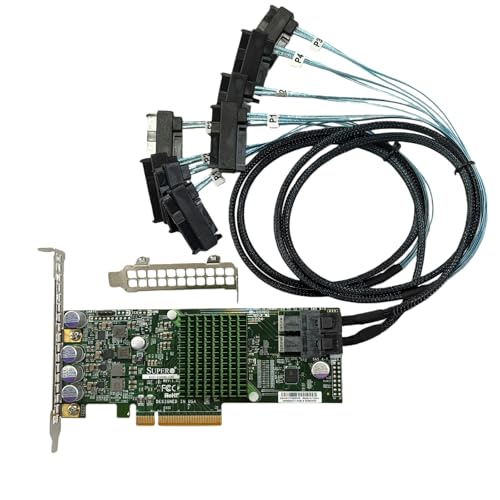
- 12Gb/s LSI 3008 controller
- IT mode for ZFS, FreeNAS, and unRAID
- Includes 2 SAS cables and both brackets
Best For: DIY NAS builders needing an 8-port 12Gb HBA with IT mode and bundled cabling.
Best High-Port Density
LSI 9305-24I 24-Port 12Gb SAS HBA

- 24 internal ports for dense drive arrays
- 12Gb/s SAS with PCIe 3.0 connectivity
- Low-profile card for server-friendly installs
Best For: Large direct-attach SAS/SATA storage builds that need maximum drive connectivity.
Best for Multi-Drive Fan-Out
Adaptec AEC-82885T 12Gb/s SAS Expander

- Adds 12Gb/s SAS-3 expansion with 6Gb/s backward compatibility
- 7 internal + 2 external mini-SAS HD ports for flexible scaling
- SES-2/SGPIO support for enterprise backplanes and status LEDs
Best For: Existing HBA/RAID owners who want to expand drive count in NAS, virtualization, or JBOD builds.
Best for 12Gb SAS Expansion

- 12Gb/s SAS support for modern drive arrays
- IT mode for direct drive passthrough
- Broad OS support across server and virtualization platforms
Best For: NAS and homelab users who want a simple 8-port HBA for SAS or SATA drives.
Best for IT-Mode ZFS Builds

- IT mode on LSI SAS2008 for passthrough and ZFS
- Includes SFF-8087 to 4x SATA cable
- Expandable through a SAS expander for larger arrays
Best For: ZFS, TrueNAS, unRAID, and home servers that need an affordable IT-mode HBA.
Best IT-Mode NAS HBA
LSI 9300-8i Compatible 8-Port 12G SAS Card
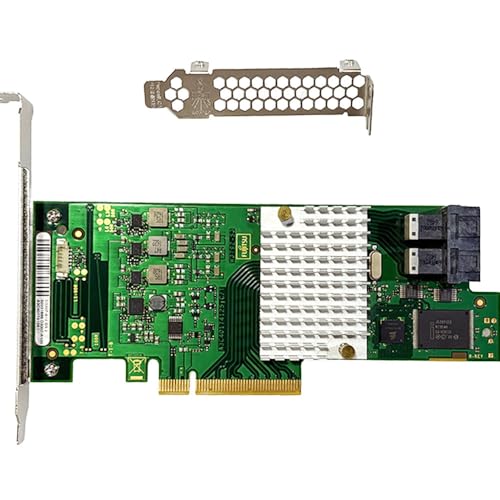
- 12Gb/s SAS with SATA 6Gb/s backward compatibility
- IT mode firmware for ZFS, TrueNAS, and unRAID
- 2× SFF-8643 ports for up to 8 direct-attached drives
Best For: ZFS and NAS builders who want a simple, non-RAID HBA for 12Gb/s SAS drives.
Best for High-Density NAS
LSI 9300-16i 16-Port 12Gb/s HBA
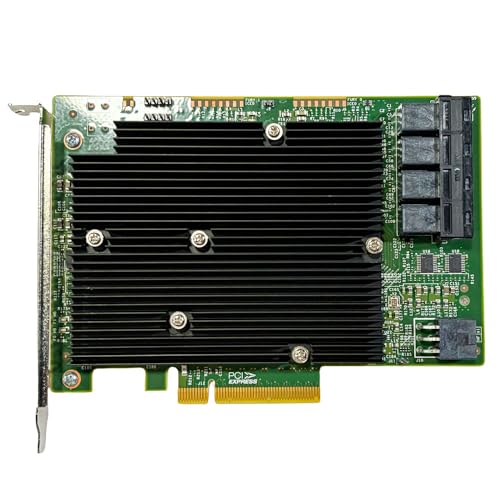
- Dual LSI SAS3008 controllers in IT mode
- Four SFF-8643 ports for up to 16 drives
- 12Gb/s SAS with SATA backward compatibility
Best For: NAS and homelab builders who want a dense, ZFS-friendly HBA for SAS or SATA drives.
Best for 12Gb/SAS Expansions
- IT mode for direct-drive NAS and ZFS use
- 12Gb/s SAS with SATA 6Gb/s backward compatibility
- Two SFF-8643 ports for up to 8 drives
Best For: ZFS, TrueNAS, unRAID, and other DIY NAS builds needing a non-RAID 12Gb SAS HBA.
Best IT-Mode HBA – LSI 9300-8i SAS3008 8-Port HBA
If you want one of the more practical sas hba cards for 12gb sas drives, this IT-mode LSI 9300-8i-class card is built for direct-attach storage and simple expansion. It uses a Broadcom/LSI SAS3008 controller, supports up to 12Gbps SAS and 6Gbps SATA, and works well for ZFS-friendly setups where you want a non-RAID HBA instead of a hardware array card.
Best For: TrueNAS, FreeNAS, unRAID, Proxmox, ESXi, and home-lab users who need an IT-mode HBA with room to grow.
Pros:
- IT mode firmware keeps the card focused on pass-through storage, which is ideal for ZFS
- Supports 8 drives directly through dual SFF-8643 ports, with SAS expander expansion options
- Includes 2 breakout cables for SATA drives, so you can get started right away
- PCIe 3.0 x8 and SAS3 12Gbps support make it a solid fit for modern storage builds
Cons:
- Included cables are for SATA drives only, not SAS drives
- Users connecting SAS drives need separate SFF-8643 to SFF-8482 cables
- Not the best choice if you want RAID features instead of HBA passthrough
For buyers comparing sas hba cards for 12gb sas drives, this model stands out more for its ZFS-friendly IT mode and straightforward 8-port layout than for bundled SAS-drive cabling. It is a good value if you need a dependable expansion card for a storage server and can match the right cables to your drive type.
Best for External Storage Arrays – Dell SAS 12Gbps HBA External Controller Card
If you need sas hba cards for 12gb sas drives in an external storage setup, this Dell 12Gbps HBA is built for the job. With four SFF-8644 ports, it’s aimed at connecting external SAS enclosures and expanding storage capacity with a straightforward, enterprise-style controller.
Best For: IT buyers and power users building or upgrading external SAS storage shelves that need a reliable 12Gbps HBA connection.
Pros:
- Four external SFF-8644 ports for flexible enclosure connections
- 12Gbps SAS support for high-speed storage expansion
- Dell enterprise hardware suited to server and rack environments
Cons:
- External-only design is not ideal for internal drive hookups
- May be overkill for simple home NAS or light storage needs
This card makes the most sense when your sas hba cards for 12gb sas drives search is really about external expansion, not a basic internal controller. It’s a practical fit for users who already have SAS shelves or want a dependable Dell-branded path to scaling storage.
Best for 12Gb IT-Mode ZFS Builds – 9300-8i LSI3008 8-Port 12Gb HBA
If you want one of the more straightforward sas hba cards for 12gb sas drives, this 9300-8i / LSI3008 HBA is aimed at storage builds that need true IT mode, 12Gb/s connectivity, and broad compatibility with ZFS, FreeNAS, and unRAID. It also includes two SFF-8643-to-8482 cables, which helps if you’re wiring an existing SAS backplane or drive cage.
Best For: DIY NAS builders who need an 8-port 12Gb HBA for ZFS, FreeNAS, or unRAID with included breakout cables.
Pros:
- LSI 3008-based controller with 12Gb/s SAS support
- IT mode is well-suited for direct-drive NAS and ZFS use
- Includes both high and low brackets plus 2 SAS cables
- PCIe 3.0 x8 interface for solid throughput
Cons:
- More of a specialist storage card than a general-purpose upgrade
- Bundle quality can vary on marketplace listings
- Requires compatible SAS/SATA backplane or breakout cabling
For builders comparing sas hba cards for 12gb sas drives, this card stands out most for its IT-mode setup and included cabling rather than flashy extras. It’s a practical pick when you care more about clean drive passthrough and compatibility than RAID features.
Best High-Port Density – LSI 9305-24I 24-Port 12Gb SAS HBA
LSI LOGIC CONTROLLER CARD 05-25699-00 9305-24I 24-PORT SAS 12GB/S PCI-EXPRESS 3.
Check Price On AmazonIf you need sas hba cards for 12gb sas drives in a setup that prioritizes port count and direct attach storage, the LSI 9305-24i is built for exactly that job. Its 24 internal ports, 12Gb/s SAS connectivity, and PCIe 3.0 interface make it a strong fit for dense storage arrays, especially when you want to connect many drives without relying on a RAID layer.
Best For: IT buyers, server builders, and storage enthusiasts who need a high-port-count HBA for expanding SAS or SATA drive bays.
Pros:
- 24 internal SAS/SATA ports for large direct-attach setups
- 12Gb/s SAS and PCIe 3.0 support for strong throughput
- Low-profile design suits rack servers and compact builds
- Single-chip architecture helps keep latency low
Cons:
- Overkill if you only need a few drives
- Designed for HBA use, not RAID management
- May require careful cabling and expander planning in large systems
For buyers comparing sas hba cards for 12gb sas drives, this model stands out when port density matters more than extras. It is a practical pick for scaling storage with many drives and keeping the path between controller and disks straightforward.
Best for Multi-Drive Fan-Out – Adaptec AEC-82885T 12Gb/s SAS Expander
If you need to connect more drives without replacing your existing controller, this expander is a practical fit for sas hba cards for 12gb sas drives. It adds 12Gb/s SAS-3 fan-out, stays backward compatible with 6Gb/s gear, and is built to work in enterprise-style DAS and JBOD setups.
Best For: Users who already have an LSI HBA/RAID card and want to expand drive count in TrueNAS, unRAID, Proxmox, or ESXi systems.
Pros:
- 7 internal SFF-8643 and 2 external SFF-8644 ports for flexible high-drive-count builds
- Supports SAS natively and SATA via STP, with RAID/JBOD handled by the upstream controller
- SES-2/SGPIO support helps with LEDs, status, and enclosure management on compatible backplanes
- PCIe slot power only for deployment, so data cabling stays simple with mini-SAS HD
Cons:
- It is an expander, not a standalone HBA, so you still need a compatible upstream controller
- Not ideal if you want the simplest possible single-card setup
For builders comparing sas hba cards for 12gb sas drives, this is less about raw host connectivity and more about scaling out an existing SAS fabric cleanly. It is a strong choice when you need more bays, better enclosure integration, and 12Gb/s SAS-3 support in one compact part.
Best for 12Gb SAS Expansion – 10Gtek 8-Port SAS HBA Card
If you’re comparing sas hba cards for 12gb sas drives, this 10Gtek card is a straightforward IT-mode option built around Broadcom’s SAS 3008 controller. It uses two SFF-8643 connectors, supports 12Gb/s SAS and 6Gb/s SATA, and is aimed at storage builds where you want reliable passthrough rather than RAID features.
Best For: NAS, server, or homelab builds that need a simple 8-port HBA for SAS or SATA drives and broad OS support.
Pros:
- 12Gb/s SAS support fits modern high-speed drive arrays
- IT mode design avoids RAID complexity for direct drive access
- Wide compatibility across Windows, Linux, VMware, FreeBSD, and more
- Dual SFF-8643 connectors make dense cabling easier
Cons:
- Does not support hot swapping
- No RAID mode for users who want hardware array management
- Requires the right breakout cables for 8-drive deployments
For buyers focused on sas hba cards for 12gb sas drives, this card is a practical value pick: it offers the right speed class, simple operation, and broad OS support, but it is best suited to users who already know they want a pure HBA rather than a feature-rich RAID controller.
Best for IT-Mode ZFS Builds – LSI 9211-4i 4-Port HBA
If you’re comparing sas hba cards for 12gb sas drives, this card is worth a look for basic host-bus-adapter duties, but it is limited to 6Gb/s per port rather than native 12Gb/s throughput. It’s a practical choice for NAS and homelab users who need a simple IT-mode HBA for direct drive passthrough, especially when pairing SATA or older SAS drives through its included SFF-8087 breakout cable.
Best For: ZFS, TrueNAS, unRAID, and home servers that need a low-cost 4-port IT-mode HBA for direct attach and expandable JBOD storage.
Pros:
- IT mode on LSI SAS2008 is ideal for ZFS and passthrough setups
- Includes an SFF-8087 to 4x SATA cable for quick deployment
- Supports direct attach to 4 drives and expansion via SAS expander
Cons:
- Only 6Gb/s per port, so it’s not a native 12Gb SAS solution
- Single internal SFF-8087 connector limits direct drive count without an expander
- PCIe 2.0 platform is older than newer HBA options
For buyers focused specifically on sas hba cards for 12gb sas drives, this is better seen as a budget-friendly compatibility pick than a high-speed upgrade. It makes sense when you want reliable IT-mode support and don’t mind the 6Gb/s ceiling.
Best IT-Mode NAS HBA – LSI 9300-8i Compatible 8-Port 12G SAS Card
If you’re comparing sas hba cards for 12gb sas drives, this LSI 9300-8i-compatible card is a straightforward pick for direct-attach storage builds. It uses the SAS3008 controller in IT mode, gives you 8 ports over PCIe 3.0 x8, and keeps things simple for NAS, ZFS, and passthrough setups.
Best For: ZFS, TrueNAS, unRAID, and Proxmox or ESXi users who want a no-RAID HBA for 12Gb/s SAS or SATA drives.
Pros:
- 12Gb/s SAS support with backward compatibility for SATA 6Gb/s drives
- IT mode firmware is ideal for ZFS, JBOD, and software-defined storage
- Two SFF-8643 internal ports support up to 8 drives directly
- Can expand with a SAS expander for larger arrays
Cons:
- Not a RAID card, so it won’t suit hardware RAID buyers
- May need breakout cables and proper case airflow for clean installs
For builders focused on reliability over extras, this card covers the essentials well. It’s a practical option among sas hba cards for 12gb sas drives when you want IT mode, broad OS compatibility, and room to scale.
Best for High-Density NAS – LSI 9300-16i 16-Port 12Gb/s HBA
If you’re shopping for sas hba cards for 12gb sas drives, this 16-port LSI 9300-16i-style card is aimed at NAS builders who want direct-drive access, IT-mode passthrough, and enough lanes to grow without moving to a full server RAID setup.
Best For: ZFS, TrueNAS/FreeNAS, and unRAID users building a high-density JBOD NAS with SAS or SATA drives.
Pros:
- Dual LSI SAS3008 controllers with IT-mode firmware for clean drive passthrough
- Four internal SFF-8643 ports support up to 16 direct-attached drives
- 12Gb/s SAS support with backward compatibility for SATA 6Gb/s and 3Gb/s
- PCIe 3.0 x8 interface fits performance-focused storage builds
Cons:
- Requires Mini-SAS HD cabling and compatible drive breakout setup
- Overkill if you only need a few drives or a simple desktop expansion card
As a practical pick among sas hba cards for 12gb sas drives, this model makes the most sense when you need lots of internal bays, ZFS-friendly passthrough, and room to scale with an expander later.
Best for 12Gb/SAS Expansions – LSI 9300-8i IT Mode HBA Card
If you’re comparing sas hba cards for 12gb sas drives, this LSI 9300-8i-class IT-mode card is a practical pick for direct-drive NAS builds. It uses the Broadcom SAS3008 controller, supports 12Gb/s SAS with SATA backward compatibility, and gives you two internal SFF-8643 ports for up to 8 drives without RAID overhead.
Best For: ZFS, TrueNAS, unRAID, and other storage servers that need a straightforward, non-RAID HBA for SAS or SATA drives.
Pros:
- IT mode firmware keeps drives visible directly to the OS for ZFS and passthrough use
- 12Gb/s SAS support is a strong match for modern 12Gb SAS drives
- Two SFF-8643 internal ports support up to 8 direct-attached drives
- Can be paired with an external SAS expander for larger arrays
Cons:
- Not a RAID card, so hardware volume management is not included
- May require breakout cables or an expander depending on your chassis
- Best suited to DIY storage builders who are comfortable with HBA setup
For builders shopping sas hba cards for 12gb sas drives, this card hits the right balance of compatibility, simple IT-mode operation, and expandability for NAS-focused systems. It’s a sensible choice when you want reliable direct-drive access without paying for features you won’t use.
How We Picked the Best Sas Hba Cards for 12gb Sas Drives
For Sas Hba Cards for 12gb Sas Drives, the best choices balance controller generation, lane speed, connector layout, and real-world storage compatibility. We prioritized cards that support 12Gb/s SAS, work well in IT mode or HBA mode, and offer enough internal or external ports for common upgrade paths.
We also looked at whether a card fits a direct-attach build, a backplane-based server, or a larger JBOD setup. Cable availability, PCIe interface bandwidth, and support for SAS expanders were important too.
Quick Comparison
In simple terms, 8-port cards are usually the sweet spot for most NAS and homelab users. 16-port models make sense when you are consolidating many drives on one controller, while 24-port and external cards are better for larger arrays or chassis-to-chassis expansion. If you only need a small legacy upgrade, an older 6Gb/s card can still work, but it is not the best match for full 12Gb SAS drive performance.
Key Buying Factors for Sas Hba Cards for 12gb Sas Drives
Connector Type
Check whether you need SFF-8643, SFF-8644, or older SFF-8087 connectors. Internal and external connectors are not interchangeable, and the wrong choice can mean extra adapters or incompatible cables.
Port Count and Expansion
Match the card to your current drive count plus future growth. A card with fewer ports may still work if your chassis uses an expander, but direct-attach builds usually benefit from enough native ports to avoid bottlenecks.
Firmware Mode
IT mode is generally preferred for ZFS, TrueNAS, unRAID, and similar software-defined storage platforms because it presents drives directly to the operating system. RAID-oriented modes are better only if you actually want hardware-managed arrays.
PCIe Bandwidth
A fast SAS controller still needs enough PCIe lanes to avoid congestion. PCIe 3.0 x8 is a common target for 12Gb/s cards and is usually a better long-term choice than older PCIe 2.0 options.
Compatibility with Drives and Backplanes
Make sure the card is known to work with your SAS backplane, expander, or SATA mix. Many 12Gb SAS HBAs can also handle SATA drives, but the exact behavior depends on the controller and firmware.
Who Should Buy Which Sas Hba Cards for 12gb Sas Drives?
If you are building a small NAS or homelab server, an 8-port IT mode card is usually the most flexible choice. If you have a larger chassis, a 16-port model may simplify wiring and reduce the need for extra expansion hardware. For external shelves or JBOD use, choose a card with SFF-8644 external connectors. If you are upgrading an older system, confirm the PCIe generation, cable type, and driver support before buying so the card fits your platform cleanly.