If you need fast external storage that can handle editing, backups, or portable scratch work, the right enclosure matters as much as the SSDs inside it.
This roundup focuses on the best NVMe RAID enclosures with hardware RAID for 2026, with picks that balance speed, thermal control, and practical features like cloning and mode switching.
Best 10 Nvme Raid Enclosures with Hardware Raid Picks for 2026
Best for RAID Modes
Dual Bay M.2 NVMe SSD Enclosure

- RAID 0, RAID 1, JBOD, and clone mode
- Tool-free tray access for easy SSD swaps
- 20Gbps support with external power input
Best For: Buyers who want a versatile dual-bay NVMe enclosure with RAID 1 and cloning support.
Best for Fast, Cool Runs
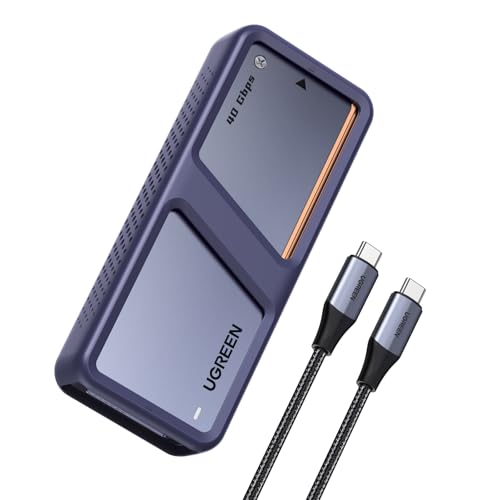
- Up to 3600MB/s on Thunderbolt 4/USB4
- Dual-chip controller design for stable transfers
- Auto fan and aluminum body help manage heat
Best For: Creators and power users who want a fast, well-cooled single-drive NVMe enclosure.
Best for Thunderbolt RAID
JEYI 4-Bay NVMe RAID Enclosure

- 40Gbps USB4/Thunderbolt 3/4 support
- RAID 0/1/JBOD on Mac; RAID 0/1/5/JBOD on Windows
- Turbo fan cooling with adjustable speeds
Best For: Mac or Windows users who want a fast 4-bay Thunderbolt RAID enclosure for large NVMe storage.
Best for Easy Offline Cloning
UGREEN 40Gbps Dual-Bay NVMe Cloner
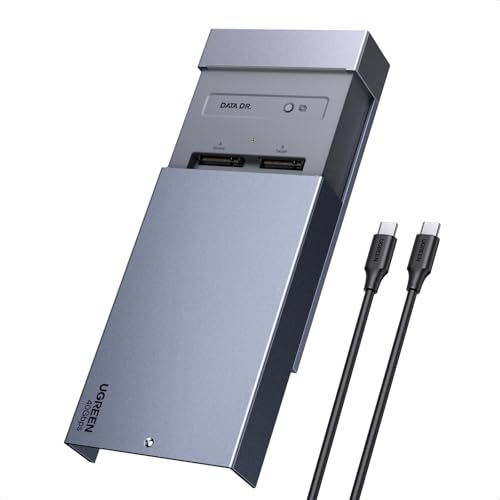
- One-click offline cloning without a PC
- Software RAID 0, 1, PM, and Union modes
- 40Gbps enclosure with fan-assisted cooling
Best For: Creators and Mac users who want simple drive cloning and dual-bay NVMe flexibility.
Best for Offline Cloning
MAIWO Dual Bay NVMe/SATA RAID Enclosure
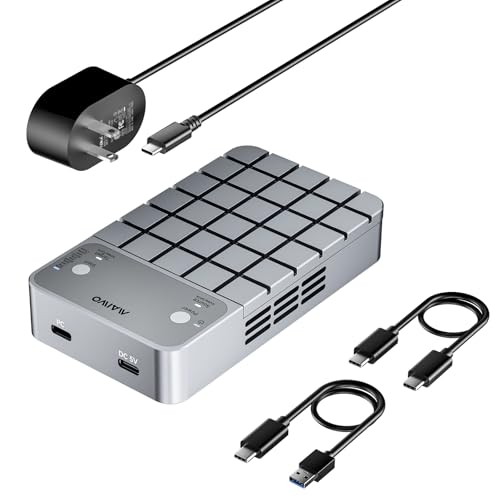
- RAID 0, RAID 1, and PM modes
- Offline and online cloning support
- 20Gbps USB 3.2 Gen 2x2 with active cooling
Best For: Users who want a dual-bay enclosure for fast RAID performance and simple SSD cloning.
Best Hardware RAID Flexibility
OWC Express 4M2 4-Slot USB4 RAID Enclosure

- Four NVMe slots for high-capacity RAID setups
- USB4/Thunderbolt compatible for Mac and PC
- Quiet, cooled aluminum design for sustained speed
Best For: Creators and power users who need flexible RAID options in a fast four-bay NVMe enclosure.
Best High-Speed Thunderbolt
UGREEN 80Gbps NVMe SSD Enclosure

- 80Gbps support with Thunderbolt 5
- Fan-cooled aluminum design
- Up to 8TB NVMe 2280 support
Best For: Users who want a fast, cooled single-drive enclosure for large transfers.
Best Hybrid 4-Bay
ACASIS 4-Bay Hybrid RAID Enclosure

- Hybrid 2x HDD + 2x NVMe design
- Hardware RAID 1 for HDDs, RAID 0 for NVMe
- USB4 40Gbps with Thunderbolt compatibility
Best For: Users who want one enclosure for both high-capacity storage and fast NVMe workflows.
Best High-Speed Single-Drive Pick
UGREEN 80Gbps NVMe SSD Enclosure

- Very fast Thunderbolt/USB4-class performance
- Strong aluminum fin cooling for sustained transfers
- Compact, silent, and widely compatible
Best For: Mac and USB4/Thunderbolt users who want a fast portable NVMe enclosure without hardware RAID.
Best for RAID Modes – Dual Bay M.2 NVMe SSD Enclosure
This dual-bay enclosure is a practical pick for buyers comparing nvme raid enclosures with hardware raid because it combines RAID 0, RAID 1, JBOD, and offline clone mode in one compact box. It also adds 20Gbps transfer support, tool-free drive swapping, and external power for larger SSDs, making it a flexible option for backups, duplication, and everyday high-speed storage.
Best For: Users who want a dual-bay NVMe enclosure with RAID 1 redundancy, fast cloning, and easy drive changes.
Pros:
- RAID 0, RAID 1, JBOD, and clone mode cover multiple storage workflows
- Tool-free design makes SSD installation and swapping quick
- 20Gbps support is well-suited for large transfers and backups
- External power input helps run higher-capacity SSD setups
Cons:
- Designed for 2280 M.2 NVMe drives only
- Top speed depends on host port and system compatibility
For shoppers evaluating nvme raid enclosures with hardware raid, this model stands out for versatility rather than raw performance alone. It is especially appealing if you want RAID 1 protection and simple offline cloning in a single enclosure.
Best for Fast, Cool Runs – UGREEN 40Gbps NVMe Enclosure
If you want one of the more practical nvme raid enclosures with hardware raid-style performance priorities, this UGREEN enclosure is built around speed and thermal control rather than true multi-drive RAID. Its dual-chip design pairs a JHL7440 40G controller with a 10G chip, and the aluminum body plus auto-start fan help keep long transfers stable.
Best For: Creators, backup users, and power users who want a fast single-drive NVMe enclosure with strong cooling for Thunderbolt 4/USB4 systems.
Pros:
- Up to 3600MB/s performance on compatible Thunderbolt 4 hardware
- Dual-chip design helps balance speed and heat
- Built-in fan and aluminum shell improve sustained transfer stability
- Supports large 8TB M.2 NVMe drives for backups and media
Cons:
- Not a true hardware RAID enclosure for multiple SSDs
- Top speeds require compatible Thunderbolt 4 cables and devices
- Does not support SATA SSDs or PCIe 5.0 drives
For buyers comparing nvme raid enclosures with hardware raid, this model stands out as a high-speed single-bay option with excellent thermal management, but it is not the right pick if you need actual RAID redundancy or striping across multiple drives.
Best for Thunderbolt RAID – JEYI 4-Bay NVMe RAID Enclosure
If you need one of the more capable nvme raid enclosures with hardware raid for a Thunderbolt or USB4 setup, the JEYI 4-bay enclosure is built around speed, flexible RAID modes, and active cooling. It supports 40Gbps connections, lets Mac and Windows users configure different RAID levels, and is sized for high-capacity NVMe storage without a lot of fuss.
Best For: Mac or Windows users who want a 4-bay Thunderbolt NVMe enclosure for fast RAID storage, large media libraries, or portable workspace expansion.
Pros:
- 40Gbps USB4/Thunderbolt 3/4 support with a high-performance controller
- RAID 0, RAID 1, JBOD, and RAID 5 support on Windows; RAID 0, RAID 1, and JBOD on Mac
- Active cooling with an aluminum shell, turbo fan, thermal pads, and adjustable fan speeds
- Up to 32TB total capacity with four 8TB NVMe drives
Cons:
- RAID configuration requires a USB4 or Thunderbolt connection
- Some AMD systems may have compatibility issues on USB4/Thunderbolt ports
- Not every use case benefits from hardware RAID over individual-drive mode
Overall, this JEYI model stands out among nvme raid enclosures with hardware raid because it pairs real multi-drive RAID options with serious thermal management and broad Mac/Windows support. It is a strong fit if you want a compact 4-bay enclosure for fast editing, backup redundancy, or high-speed shared storage.
Best for Easy Offline Cloning – UGREEN 40Gbps Dual-Bay NVMe Cloner
If you want one of the most convenient nvme raid enclosures with hardware raid-style flexibility for drive management, this UGREEN dual-bay enclosure stands out for its one-click offline cloning and software RAID modes. It’s built for users who need fast SSD swaps, simple duplication, and solid thermal control without setting up a desktop workflow.
Best For: Creators, IT users, and Mac owners who want a dual-bay NVMe enclosure for quick cloning, RAID-style setups, and portable high-capacity storage.
Pros:
- One-click offline cloning works without a PC.
- Supports software RAID 0, 1, PM, and Union modes.
- 40Gbps design with a fan and aluminum shell helps keep drives cool.
- Wide compatibility with macOS, Windows, Linux, and ChromeOS.
Cons:
- Uses software RAID rather than true hardware RAID.
- Target drive must be larger than the source data disk for cloning.
- Best performance depends on compatible host hardware and NVMe SSDs.
This is a strong choice if your priority is easy cloning and flexible dual-drive management, especially on a Mac mini or MacBook setup. It may not satisfy buyers who specifically want true hardware RAID, but for many shoppers comparing nvme raid enclosures with hardware raid, it delivers a very practical mix of speed, cooling, and convenience.
Best for Offline Cloning – MAIWO Dual Bay NVMe/SATA RAID Enclosure
If you want one of the more versatile nvme raid enclosures with hardware raid support for both storage and duplication, this MAIWO dual-bay model is built for practical day-to-day use. It handles NVMe and SATA M.2 drives, offers RAID 0, RAID 1, and PM modes, and includes offline/online clone support for same-protocol drives.
Best For: Users who want a dual-bay enclosure for fast RAID performance, simple drive cloning, and mixed Windows, macOS, or Linux compatibility.
Pros:
- Supports RAID 0, RAID 1, and individual drive mode for flexible setups
- Includes offline and online cloning for NVMe-to-NVMe or SATA-to-SATA
- USB 3.2 Gen 2×2 interface with up to 20Gbps transfer speeds
- Cooling fan, thermal pads, and aluminum body help control heat
Cons:
- Cannot clone across NVMe and SATA protocols
- Mixed NVMe/SATA use only recognizes the source SSD
- Needs external power, so it is less portable than bus-powered enclosures
This is a strong fit if you want one of the more feature-packed nvme raid enclosures with hardware raid-style functionality and built-in cloning, especially for backups, duplicators, or dual-drive workflows rather than just a simple single-bay adapter.
Best Hardware RAID Flexibility – OWC Express 4M2 4-Slot USB4 RAID Enclosure
If you want one of the most capable nvme raid enclosures with hardware raid-style flexibility, the OWC Express 4M2 is a strong pick for fast USB4 and Thunderbolt workflows. It supports user-installed NVMe M.2 drives, offers up to 3200MB/s real-world performance, and is built to stay cool and quiet during creative work.
Best For: Creators and power users who want a four-bay NVMe enclosure with broad RAID support and strong cross-platform compatibility.
Pros:
- Up to four NVMe M.2 SSDs with support for 2230, 2242, and 2280 sizes
- Works with USB4, Thunderbolt, and USB-C Macs and PCs
- Supports OWC SoftRAID on certain models plus Apple, Windows, and Storage Spaces RAID options
- Aircraft-grade aluminum and adaptive fans help maintain steady performance
Cons:
- Enclosure only, so you must supply your own SSDs
- Top-tier RAID features may depend on the model and software setup
For buyers comparing nvme raid enclosures with hardware raid, this model stands out for its four-slot capacity, flexible RAID support, and workstation-friendly design rather than being a simple plug-and-play box. It is especially appealing if you value speed, cooling, and compatibility across Mac and Windows systems.
Best High-Speed Thunderbolt – UGREEN 80Gbps NVMe SSD Enclosure
If you want one of the fastest portable options in the nvme raid enclosures with hardware raid conversation, this UGREEN enclosure is aimed at users who care more about raw transfer speed and cooling than multi-bay RAID features. It supports up to 80Gbps on Thunderbolt 5, works with older Thunderbolt and USB4 systems, and adds an aluminum shell plus a fan to help keep thermals under control during heavy transfers.
Best For: Power users, editors, and SSD owners who want a very fast single-drive enclosure for large file transfers and workstation-style use.
Pros:
- Up to 80Gbps with Thunderbolt 5 for top-tier single-drive performance
- Built-in fan and aluminum body help manage heat under sustained loads
- Supports up to 8TB M.2 NVMe 2280 drives
- Backward compatible with Thunderbolt 4/3 and USB4/3.x
Cons:
- Not a true multi-bay RAID enclosure and does not provide hardware RAID
- Needs Thunderbolt 5 gear to reach the advertised top speed
- Compatibility is limited to NVMe M-Key/(M&B) key drives, not SATA SSDs
As a roundup pick, this is a strong performance-first enclosure, but buyers specifically shopping for nvme raid enclosures with hardware raid should note that it is a single-drive adapter rather than a RAID solution. It makes the most sense if you want maximum speed, solid cooling, and broad host compatibility in a compact enclosure.
Best Hybrid 4-Bay – ACASIS 4-Bay Hybrid RAID Enclosure
For buyers comparing nvme raid enclosures with hardware raid, this ACASIS model stands out by combining two SATA HDD bays and two NVMe bays in one enclosure. It’s a practical pick if you want one box for backups, archival storage, and faster scratch-space workflows without juggling separate docks.
Best For: Users who want a single enclosure for mixed HDD storage and NVMe performance, especially for video work, backups, and large-capacity setups.
Pros:
- Hybrid design combines 3.5/2.5" SATA bays with dual NVMe slots
- Hardware RAID 1 on HDDs and RAID 0 options for NVMe speed
- USB4 40Gbps support with Thunderbolt 3/4/5 compatibility
- Active cooling and 96W power help keep multi-drive setups stable
Cons:
- Full 40Gbps performance depends on RAID mode and compatible ports
- Not the simplest choice if you only need a basic single-purpose enclosure
- Best capacity and speed depend heavily on the drives you install
This is a strong fit if you want flexibility more than a single-drive speed champion. Among nvme raid enclosures with hardware raid, it’s especially appealing for users who need both mirrored HDD storage and high-speed NVMe handling in one compact system.
Best High-Speed Single-Drive Pick – UGREEN 80Gbps NVMe SSD Enclosure
If you’re comparing nvme raid enclosures with hardware raid, this UGREEN enclosure is more about raw single-drive speed than multi-bay RAID management. Its Thunderbolt 5-class controller design and strong thermal build make it a practical choice for users who want a fast, compact external NVMe solution for editing, backups, and portable work.
Best For: Mac and USB4/Thunderbolt users who want an ultra-fast, portable NVMe enclosure without the complexity of hardware RAID.
Pros:
- Up to 80Gbps-class connectivity and very fast real-world transfer potential
- Dual-sided aluminum fins help control heat during sustained use
- Broad compatibility with M.2 2230 to 2280 drives and major OS platforms
- Compact, silent, and easy to travel with
Cons:
- Not an actual RAID enclosure, so it won’t meet true hardware RAID needs
- Does not support SATA or mSATA SSDs
- Some thicker SSDs or pre-installed heatsinks may not fit
For buyers scanning nvme raid enclosures with hardware raid, this is the wrong tool if you need mirrored or striped multi-drive storage. But if your real priority is top-end external NVMe speed in a small, well-cooled enclosure, it’s a strong, polished pick.
Best All-in-One Dock – ACASIS 40Gbps Dual-Bay NVMe Enclosure
If you want one desktop device that combines storage expansion with display and port expansion, this ACASIS dock is a strong fit for buyers comparing nvme raid enclosures with hardware raid. It supports dual M.2 NVMe drives, RAID 0 software RAID modes, two 40Gbps USB-C ports, HDMI, USB-A, and 100W power delivery, but it only works with a true 40Gbps host.
Best For: Mac mini, laptop, and creator setups that need fast dual-drive storage plus extra display and USB connectivity in one enclosure.
Pros:
- Dual-bay NVMe design with support for RAID 0 software RAID and up to 8TB per drive
- Built-in fan and aluminum housing help manage heat during sustained transfers
- Dock-style layout adds HDMI, USB-A, dual USB-C, and 100W PD in one unit
- Compatible with Thunderbolt 4/3 and USB4 at the proper 40Gbps host speed
Cons:
- Not compatible with non-40Gbps host devices
- Relies on software RAID rather than true hardware RAID
- Bulkier than a simple standalone NVMe enclosure
For shoppers weighing nvme raid enclosures with hardware raid, this model stands out more as an all-in-one dock than a pure storage box, so it makes the most sense when you want expansion ports and dual-drive performance together.
How We Picked the Best Nvme Raid Enclosures with Hardware Raid
We looked for enclosures that offer genuine multi-drive support, clear RAID mode options, modern high-speed interfaces, and cooling designed for sustained use. Because Nvme Raid Enclosures with Hardware Raid are often bought for demanding workflows, we also favored models with strong compatibility across Mac and Windows, plus useful extras like fan cooling, tool-free access, and clone support.
Quick Comparison
At a high level, the best choice depends on how many SSDs you need to run at once and what you want the enclosure to do. Dual-bay models are usually the sweet spot for portable RAID 0, RAID 1, and cloning. Four-bay units are better for larger arrays, higher capacity, and more flexible storage planning. If you want maximum throughput, prioritize Thunderbolt 4, USB4, or Thunderbolt 5 support over older 10Gbps designs.
Key Buying Factors for Nvme Raid Enclosures with Hardware Raid
RAID Modes and Control
Check whether the enclosure supports RAID 0, RAID 1, JBOD, and cloning, and confirm whether the RAID is hardware-managed or software-managed. Hardware RAID is more consistent for plug-and-play use, while software RAID may offer more flexibility but relies on the host system.
Interface and Real-World Speed
Connection bandwidth sets the ceiling for performance. A Thunderbolt 4 or USB4 enclosure can better serve fast NVMe drives than a 20Gbps USB 3.2 Gen 2×2 model, especially in multi-drive setups. Keep in mind that actual transfer speeds depend on both the enclosure and the SSDs you install.
Thermals and Noise
Multi-SSD enclosures can run hot under sustained writes. Look for aluminum construction, active cooling, or fin-based passive designs if you want stable performance. For quiet environments, passive cooling may be appealing, but active cooling often wins for long transfers and RAID workloads.
Drive Compatibility and Capacity
Make sure the enclosure supports the M.2 length you own, commonly 2280, and verify whether it works with single- or double-sided SSDs. Some designs also support SATA M.2 drives, while others are NVMe only.
Who Should Buy Which Nvme Raid Enclosures with Hardware Raid?
Choose a dual-bay enclosure if you want a portable RAID 0 speed boost, mirrored backup, or easy cloning. Pick a four-bay model if you need more usable capacity, better expansion, or a stronger workstation-style setup. If you move large files often, buy for thermal design and interface speed first; if your priority is redundancy, choose RAID 1 and reliable cooling over peak benchmark numbers.