The right USB video adapter can turn a camera, webcam, game console, or legacy video source into a reliable part of your content workflow. The best choice depends on whether you need HDMI capture, multi-monitor output, UVC webcam compatibility, or analog video conversion.
We selected 10 options for different creator setups, from plug-and-play streaming to professional production and portable recording. Use the guide below to match resolution, frame rate, connectivity, power, and software support to the way you create.
Best 10 USB Video Adapters for Content Creators Picks for 2026
Best Camera Capture Pick

- 1080p60 and 4K capture support
- Ultra-low latency HDMI-to-USB workflow
- Works with PC, Mac, iPad, OBS, and Zoom
Best For: Camera-based livestreaming and recording
Best Multi-Monitor Adapter

- Mirror or extend a computer display
- Supports up to six extra PC monitors
- Works with Windows, Mac, ChromeOS, and Ubuntu
Best For: Expanding a creator workstation
Best Professional Video Converter

- Converts HDMI or SDI to USB webcam video
- Accepts sources up to 2160p60
- Includes HDMI and 12G-SDI loop outputs
Best For: Studio and broadcast-style streaming setups
Best Portable Budget Capture Card

- Accepts 4K30 HDMI input
- Records up to 2K30 or 1080p60
- Plug-and-play support for cameras and consoles
Best For: Portable streaming and gaming capture
Best Webcam Workflow Adapter
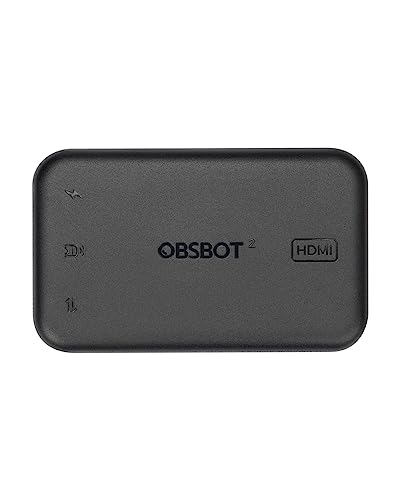
- Converts compatible UVC output to HDMI
- Supports 4K@30fps and 1080p@60fps
- Works with PCs, Macs, displays, and ATEM devices
Best For: OBSBOT webcam-based HDMI workflows
Best Analog Archive Converter

- Captures VHS, VCR, Hi8, and DV sources
- Supports RCA and S-Video inputs
- Outputs up to 720p with audio capture
Best For: Digitizing legacy analog video collections
Best HDMI Capture Card for Streaming
Guermok 4K USB 3.0 Capture Card

- Accepts 4K@30Hz HDMI input
- Outputs up to 1080p@60Hz over USB
- Includes 100W USB-C charging passthrough
Best For: HDMI streaming, gaming, and mobile capture setups
Best Compact HDMI Capture Adapter
RØDE 1080p60 HDMI to USB-C Converter

- 1080p60 video support
- UVC-compatible with PCs, tablets, and smartphones
- Compact, plug-and-play design
Best For: Portable livestreaming, presentations, and meetings
Best for NDI Streaming Workflows
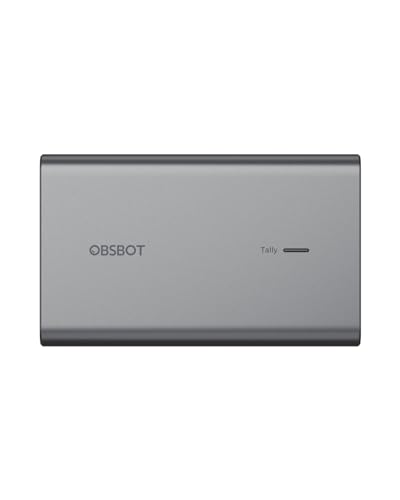
- Converts compatible UVC cameras to NDI
- Supports PoE and remote camera control
- Records simultaneously to Micro SD
Best For: NDI streaming and networked camera production
Best Durable 4K-Input Capture Card
KONDOR BLUE USB-C to HDMI Capture Card

- 4K30 HDMI input with 1080p60 output
- Broad streaming and video-call software support
- No external power and lifetime warranty
Best For: Camera livestreaming and video calls
Best Camera Capture Pick – Elgato Cam Link 4K
For creators seeking USB video adapters for content creators, the Elgato Cam Link 4K is a focused choice for converting an HDMI-equipped DSLR, mirrorless camera, camcorder, action camera, or compatible iPhone into a computer video source. It supports 1080p60 and up to 4K capture, with ultra-low latency for synced video and audio.
Best For: Camera-based livestreaming, recording, online meetings, and iPad field monitoring.
Pros:
- Supports 1080p60 and 4K capture modes with a compatible camera and current model.
- Works with PCs, Macs, iPads, OBS, Zoom, and Discord.
- Compact design and ultra-low latency help simplify portable setups.
Cons:
- Requires an HDMI-output device and compatible computer or tablet.
- 4K capabilities depend on the camera and the specific supported mode.
The Cam Link 4K is best suited to creators who already own a quality camera and want a straightforward HDMI-to-USB workflow. Its compact size and broad software compatibility make it practical for streaming and remote production.
Best Multi-Monitor Adapter – WAVLINK USB 3.0 to HDMI
The WAVLINK USB 3.0/USB-C to HDMI adapter is aimed at creators who need more desktop space rather than a camera capture connection. As one of the USB video adapters for content creators, it can mirror or extend displays, support up to six additional monitors on PCs, and handle resolutions up to 2048×1152 at 60Hz or 2560×1440 at 50Hz.
Best For: Multitasking, editing workflows, and expanding a compatible laptop or desktop workspace.
Pros:
- Supports mirror and extended-display modes.
- Can support up to six additional monitors on PCs, with one adapter per monitor.
- Works across Windows, macOS, ChromeOS, Ubuntu, and select Android OTG devices.
- Includes microphone input and earphone output.
Cons:
- DisplayLink driver installation is required.
- Resolution and monitor-count support vary by operating system and computer.
This adapter is a practical productivity upgrade for creators who edit, research, monitor chats, or manage multiple applications at once. Confirm operating-system support and available USB bandwidth before building a multi-display setup.
Best Professional Video Converter – Blackmagic Web Presenter
The Blackmagic Design Web Presenter converts SDI or HDMI sources into USB webcam video, making it a strong option among USB video adapters for content creators working with professional cameras and broadcast-style connections. It accepts SD, HD, and Ultra HD input sources up to 2160p60 while outputting 720p HD webcam video for compatible streaming software.
Best For: Studio, event, and broadcast setups using HDMI or SDI cameras with streaming platforms.
Pros:
- Accepts both HDMI and 12G-SDI input sources.
- Provides SDI and HDMI loop outputs for monitoring or signal pass-through.
- Works with OBS, XSplit, YouTube Live, Facebook Live, Twitch, and other listed software.
- No drivers are required.
Cons:
- USB webcam output is limited to 720p HD.
- At 620 g, it is less portable than compact capture adapters.
- Its professional I/O may be more than basic webcam users need.
The Web Presenter makes the most sense when reliable HDMI or SDI connectivity and loop-through outputs matter more than maximum USB webcam resolution. It is a capable choice for fixed or semi-permanent streaming rigs.
Best Portable Budget Capture Card – VIXLW 4K HDMI Capture Card
The VIXLW 4K HDMI capture card is a compact option for creators who need to bring cameras, consoles, or other HDMI devices into a Windows, macOS, Linux, or Android workflow. It is one of the USB video adapters for content creators that accepts up to 4K at 30Hz and records at up to 2K30 or 1080p60 through USB 3.0 or USB-C.
Best For: Portable streaming, gaming capture, online meetings, and flexible multi-device recording.
Pros:
- Supports 4K30 HDMI input and recording up to 1080p60 or 2K30.
- Works with cameras, PS4, PS5, Xbox, Switch, tablets, and other HDMI sources.
- Plug-and-play design requires no driver or external power.
- Compatible with OBS, Zoom, VLC, Twitch Studio, and multiple operating systems.
Cons:
- Recording resolution is lower than the maximum 4K input resolution.
- Tablet use requires USB OTG support to be enabled.
- Connected HDMI equipment should be tested with a monitor first, according to the supplied guidance.
This model offers useful flexibility for creators who move between gaming, camera, and mobile setups. Its capture limits should be considered carefully if your workflow requires native 4K recording rather than 4K input.
Best Webcam Workflow Adapter – OBSBOT UVC to HDMI Adapter
OBSBOT UVC to HDMI Adapter 2.0, for Tiny 2, Tiny 4K/1080P, Meet 4K/1080P, UVC Webcams
Check Price On AmazonFor content creators comparing USB video adapters, the OBSBOT UVC to HDMI Adapter is designed to turn compatible OBSBOT UVC webcam output into an HDMI feed. It supports up to 4K at 30 fps or 1080p at 60 fps, with plug-and-play connectivity for PCs, Macs, smart TVs, and compatible ATEM devices.
Best For: OBSBOT webcam users who need HDMI output for streaming, video calls, displays, or ATEM workflows.
Pros:
- Supports up to 4K@30fps and 1080p@60fps conversion.
- Driver-free setup with USB-C and HDMI connectivity.
- Low-latency output and support for OBSBOT remote controllers.
- Firmware updates are supported through software.
Cons:
- Its compatibility is focused on OBSBOT UVC webcam devices.
- It requires external power through USB-C.
This is a specialized choice rather than a general-purpose capture card. If your setup centers on an OBSBOT webcam and needs HDMI integration, its resolution support, low latency, and ATEM compatibility make it a practical addition.
Best Analog Archive Converter – RCA to USB Video Capture Card
For content creators digitizing older media, this USB video adapter captures composite RCA or S-Video sources from VHS players, VCRs, Hi8 devices, DV equipment, camcorders, and DVD players. It outputs up to 720p over USB and captures audio without requiring a separate sound card.
Best For: Creators converting VHS, VCR, Hi8, DV, and other analog recordings into digital files on Windows or Mac computers.
Pros:
- Converts RCA composite and S-Video inputs to USB video.
- Supports up to 720p output and audio capture.
- Plug-and-play setup with no external power required.
- Supports NTSC and PAL formats with image adjustment controls.
Cons:
- It is limited to analog source capture rather than HDMI input.
- Capture software is required, such as OBS Studio, PotPlayer, or QuickTime Player.
- Its 720p output is less suitable for modern high-resolution HDMI workflows.
This adapter is a sensible archival tool for creators working with legacy footage. It prioritizes broad analog-device compatibility and simple operation, but users seeking 1080p or 4K HDMI capture should consider a different type of adapter.
Best HDMI Capture Card for Streaming – Guermok 4K USB 3.0 Capture Card
For content creators who need HDMI capture over USB, the Guermok 4K USB 3.0 adapter accepts up to 4K at 30 Hz and outputs up to 2K at 30 Hz or 1080p at 60 Hz. Its USB-C and USB-A connectivity, broad software support, and 100W USB-C power passthrough suit streaming, recording, gaming, and mobile capture setups.
Best For: Streamers, gamers, and creators capturing cameras, consoles, or other HDMI sources into computers or compatible USB-C devices.
Pros:
- Accepts 4K@30Hz HDMI input and outputs up to 1080p@60Hz.
- Supports low-latency YUY2 and MJPEG video formats.
- Offers PD 3.0 100W charging passthrough for compatible USB-C host devices.
- Works with Windows, Mac, Android, Linux, and software including OBS Studio and VLC.
Cons:
- It requires capture software and cannot directly cast to a monitor or TV.
- PD charging does not work through the USB-A adapter.
- It captures in one direction only: HDMI to USB-C.
This is the most flexible option here for HDMI-based production, especially when a USB-C tablet or laptop must stay powered during a broadcast. Verify your host port and software setup first, since charging and capture features depend on compatible connections.
Best Compact HDMI Capture Adapter – RØDE 1080p60 HDMI to USB-C Converter
For creators seeking USB video adapters for content creators, the RØDE HDMI-to-USB-C Converter offers a compact way to connect an HDMI source to a UVC-compatible computer, tablet, or smartphone. It supports up to 1080p60 video and uses plug-and-play operation without an external power plug.
Best For: Livestreaming, presentations, meetings, and mobile content workflows that need a small HDMI-to-USB-C capture solution.
Pros:
- Supports up to 1080p60 high-definition video.
- Works with devices that support UVC input, including PCs, tablets, and smartphones.
- Compact 5 g form factor with plug-and-play controls.
- Backed by a one-year warranty.
Cons:
- Designed for HDMI-to-USB-C conversion rather than broader connectivity.
- Its 1080p60 maximum may not suit workflows requiring higher-resolution output.
This is a straightforward pick when portability and UVC compatibility matter most. Its focused feature set makes it easy to add HDMI video to a compact creator setup.
Best for NDI Streaming Workflows – OBSBOT UVC to NDI Adapter
Among USB video adapters for content creators, the OBSBOT UVC-to-NDI Adapter stands out for network-based production. It connects compatible UVC webcams or USB-C cameras to NDI networks, with PoE support, remote-control connectivity, Micro SD recording, and a tally light for broadcast-style workflows.
Best For: Streamers and small production teams using NDI networks, remote camera control, and simultaneous local recording.
Pros:
- Provides plug-and-play UVC-to-NDI connectivity with low-latency network streaming.
- Supports PoE, reducing the need for a separate power supply.
- Can record livestream video simultaneously to a Micro SD card.
- Includes remote-control support and a dedicated tally light.
Cons:
- Its NDI-focused design is more specialized than a basic HDMI capture adapter.
- Requires compatible UVC equipment and an NDI network workflow.
- The supplied notes list a 48-volt DC input, so power and network requirements should be checked before purchase.
This adapter is best suited to creators who already use NDI or want to build a networked streaming setup. Its recording and production-control features add flexibility beyond simple camera connectivity.
Best Durable 4K-Input Capture Card – KONDOR BLUE USB-C to HDMI Capture Card
For creators comparing USB video adapters for content creators, the KONDOR BLUE capture card is a practical camera-to-computer option. It accepts HDMI input up to 4K at 30 Hz and outputs 1080p at 60 Hz over USB-C, with support for major streaming and video-call software.
Best For: Camera-based livestreaming, video calls, and recording on Mac, Windows, Linux, or Android devices.
Pros:
- Accepts 4K 30 Hz HDMI input and provides 1080p60 output.
- Works with OBS, Ecamm, VLC, YouTube, Facebook, Restream, Zoom, Skype, and Google Meet.
- Requires no external power.
- Uses nylon-braided reinforced connectors and includes a lifetime warranty.
Cons:
- Output is limited to 1080p60 even with a 4K input source.
- Its single-port design offers less connectivity than a multiport hub.
This is a strong fit for creators who want broad software compatibility and a rugged, simple connection between an HDMI camera and a USB-C device. The lifetime warranty is an added advantage for a frequently transported setup.
How We Picked the Best USB Video Adapters for Content Creators
We compared these adapters by looking at their intended use, input and output connections, supported resolutions and frame rates, compatibility with common creator software, power requirements, and portability. We also considered whether each model is designed for HDMI capture, display expansion, webcam conversion, NDI networking, or analog video digitization.
Because “USB video adapter” can describe several different device types, the list includes both capture hardware and output adapters. Check the connection direction carefully before buying: a capture card sends video into a computer, while a display adapter sends a computer’s video to an external screen.
Quick Comparison
| Best For | What to Look For | Notable Options |
|---|---|---|
| Camera streaming | HDMI input, UVC support, low-latency capture | Elgato Cam Link 4K, RØDE Converter |
| Professional production | Broadcast connections, reliable signal handling | Blackmagic Design Web Presenter |
| Webcam conversion | UVC compatibility and the required output format | OBSBOT UVC adapters |
| Multi-monitor setups | DisplayLink software and operating-system support | WAVLINK USB video adapter |
| Legacy media | RCA or composite input and bundled capture software | USB analog capture device |
Key Buying Factors for USB Video Adapters for Content Creators
Capture Resolution and Frame Rate
Match the adapter to your source and publishing needs. 1080p at 60 frames per second is usually sufficient for live streams, interviews, and gameplay. Choose a 4K-capable model if you record high-resolution footage or want additional flexibility for cropping, but verify whether 4K applies to pass-through, capture, or both.
Connection Type and Compatibility
Check whether your source uses full-size HDMI, micro-HDMI, USB-C, UVC, RCA, or another connector. Confirm that your computer supports the adapter’s USB standard and that your operating system recognizes it. UVC models generally work with software such as OBS, Zoom, VLC, and similar applications without proprietary drivers.
Power, Latency, and Audio
Some cameras and high-performance capture devices need extra power, while pass-through models may require separate connections for charging. Look for low-latency operation when monitoring live video, and confirm how audio enters the computer. Features such as HDMI pass-through, USB-C power delivery, or embedded audio can simplify a streaming setup.
Software and Network Features
DisplayLink adapters depend on software and may have limitations for protected content or demanding graphics. NDI models send video over a network and can be useful in multi-camera studios, but they require suitable network bandwidth and configuration.
Who Should Buy Which USB Video Adapters for Content Creators?
Choose a compact HDMI-to-USB capture card if you stream from a DSLR, mirrorless camera, console, or camcorder. A UVC-to-HDMI adapter makes sense when you need to route a compatible webcam into a monitor, switcher, or other HDMI workflow. Choose an NDI adapter for network-based production and remote camera placement.
For six-monitor productivity, a DisplayLink adapter is the more appropriate category. If your goal is to preserve VHS, MiniDV, Hi8, or other analog footage, buy an RCA-to-USB converter instead of an HDMI capture card. Professional broadcasters should prioritize dependable signal handling and workflow integration over the lowest price.