A 10Gb Ethernet card can speed up large file transfers to a NAS, shared storage, or another PC—but only if the rest of your network can keep up. The right card also needs to fit your available PCIe slot and work with your operating system.
These 10 options span single- and dual-port RJ45 cards, different controllers, and a range of PCIe requirements. Use the buying guide below to narrow the field before you choose.
Best 10 10gb Ethernet Cards for PC Picks for 2026
Best for Compact PCs
BrosTrend 10Gb PCIe 4.0 x1 Card

- PCIe 4.0 x1 supports full 10GbE bandwidth
- Negotiates 10G down to 10M
- Includes extra low-profile bracket
Best For: Compact desktops with a PCIe 4.0 slot
Best for Server Storage

- Two 10Gb RJ45 ports
- Lists iSCSI, FCoE, and NFS support
- Requires PCIe x8 or x16
Best For: Dual-port server and storage connections
Best Cable-Included Pick

- Includes a 1.5 m Cat6a cable
- Negotiates 10G through 100M
- Standard and low-profile brackets
Best For: Single-port desktop upgrades with an included cable
Best for Dual 10Gb Links

- Two 10Gbps RJ45 ports
- Fits PCIe x8 or x16 slots
- No 2.5G or 5G support
Best For: Two 10GbE links on an x8/x16-equipped system
Compact Build Pick
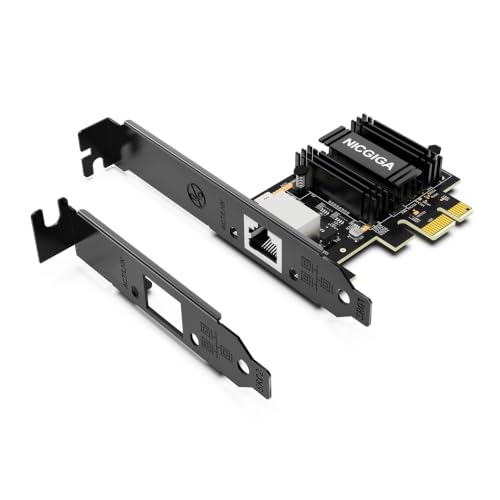
- PCIe 4.0 x1 interface
- 10G/5G/2.5G/1G RJ45
- Full-height and low-profile brackets
Best For: Compact desktops with a PCIe 4.0 x1 slot
Windows Network Pick

- PCIe 3.0 x4 interface
- 10G/5G/2.5G/1G RJ45
- Three-year limited protection
Best For: Windows desktops and servers with an x4 slot
Marvell Controller Pick
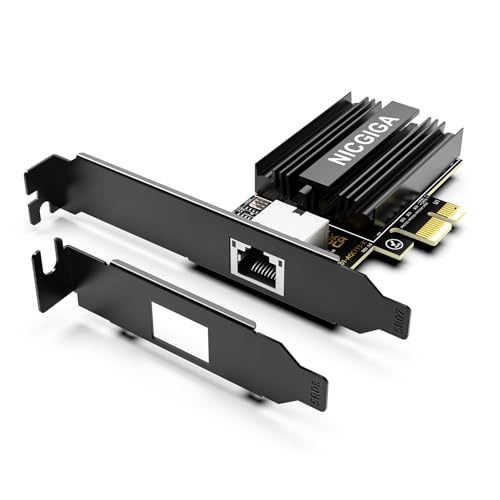
- Marvell AQC113 controller
- PCIe 4.0 x1 interface
- 10G/5G/2.5G/1G RJ45
Best For: PC upgrades prioritizing a Marvell controller
Compact-Slot Pick

- PCIe 4.0 x1 interface
- 10G-to-100M auto-negotiation
- Two mounting brackets included
Best For: Space-conscious desktop and home-lab builds
Wake-on-LAN Pick
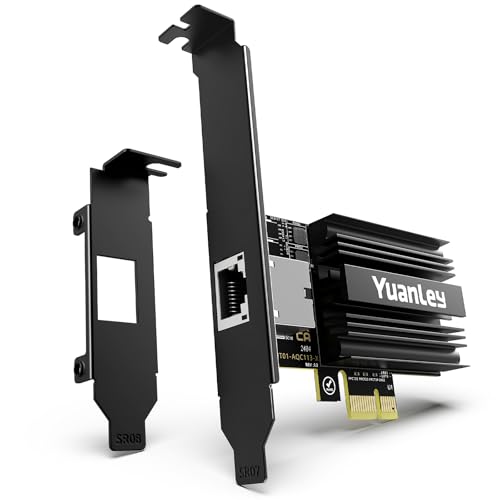
- Marvell AQC113 controller
- PCIe 4.0 x1 interface
- Wake-on-LAN and dual brackets
Best For: Windows or Linux PCs needing remote wake-up
Cross-Platform Pick

- 10M-to-10G auto-negotiation
- Windows, Linux, macOS driver support
- Wake-on-LAN; two brackets
Best For: Desktops needing flexible OS and link-speed support
Best for Compact PCs – BrosTrend 10Gb PCIe 4.0 x1 Card
Among 10gb ethernet cards for pc, this BrosTrend adapter is a practical choice when your desktop has a PCIe 4.0 x1 slot and you want a single 10GbE connection. It also fits x4, x8, and x16 slots and includes an extra low-profile bracket.
Best For: Compact desktops with a PCIe 4.0 slot connecting to a 10GbE switch or NAS.
Pros:
- Auto-negotiates across 10G, 5G, 2.5G, 1G, 100M, and 10M networks.
- Includes an aluminum heatsink, Jumbo Frame support, and Wake-on-LAN.
- Supports Windows 10/11, Windows Server 2022, and Linux; kernel 6.16+ uses an in-kernel driver.
Cons:
- A PCIe 3.0 x1 slot may limit throughput to approximately 6–7 Gbps.
- Older Linux distributions may need driver or kernel assistance.
The x1 design gives smaller systems useful slot flexibility, but check your slot’s PCIe generation before counting on full 10GbE speed.
Best for Server Storage – 10Gtek Dual-Port X540 Card
For buyers comparing 10gb ethernet cards for pc and server use, the 10Gtek X540 card provides two 10Gb RJ45 ports instead of one. Its Intel X540 controller and listed iSCSI, FCoE, and NFS support make it especially relevant to storage-oriented setups.
Best For: Servers or workstations that need two copper 10GbE connections for storage networking.
Pros:
- Two RJ45 ports provide separate 10GbE connections.
- Supports Cat6a runs up to 100 m and Cat6 runs up to 55 m.
- Includes standard and low-profile brackets for different case heights.
Cons:
- Requires a PCIe x8 or x16 slot.
- Windows 11 requires manual setup; the seller advises requesting an installation guide.
Choose this card when dual ports and X540-based server compatibility matter more than fitting a short PCIe slot. It does not support hot swapping.
Best Cable-Included Pick – TP-Link TX401 10Gb Adapter
The TP-Link TX401 stands out among 10gb ethernet cards for pc by including a 1.5 m Cat6a cable, so one short 10GbE connection is covered in the box. Its single RJ45 port auto-negotiates from 100 Mbps to 10 Gbps.
Best For: Desktop owners who want a single-port 10GbE upgrade with a Cat6a cable included.
Pros:
- Includes a 1.5 m Cat6a cable and both standard and low-profile brackets.
- Supports 10G, 5G, 2.5G, 1G, and 100M connections.
- Offers QoS traffic prioritization and a two-year manufacturer warranty.
Cons:
- Needs a PCIe x4 slot rather than an x1 slot.
- Provides only one Ethernet port.
This is a straightforward choice if its included cable is long enough and your desktop has an available x4-compatible slot. Check the driver requirements for your particular operating system before installation.
Best for Dual 10Gb Links – VIMIN X540-T2 Network Card
The VIMIN card is an option among 10gb ethernet cards for pc when you need two RJ45 connections and have a PCIe x8 or x16 slot. It uses an Intel X540-T2 controller and includes standard and slim brackets.
Best For: Desktops or servers connecting to two 10GbE links without needing 2.5GbE or 5GbE speeds.
Pros:
- Offers two 10Gbps RJ45 ports.
- Lists support for Windows, Windows Server, Linux, and VMware.
- Includes a heatsink and brackets for standard- and slim-height installations.
Cons:
- Does not support 2.5Gbps or 5Gbps negotiation; with those devices, it operates at 1Gbps.
- Requires a PCIe x8 or x16 slot.
The dual ports are useful if both links can run at 10GbE, but the lack of 2.5G and 5G support makes this a poor match for networks built around those intermediate speeds.
Compact Build Pick – NICGIGA RTL8127 PCIe 4.0 x1
Among 10gb ethernet cards for pc builds with limited expansion space, this NICGIGA adapter stands out for its PCIe 4.0 x1 interface. Its single RJ45 port supports 10Gbps and negotiates down to 5Gbps, 2.5Gbps, 1Gbps, or 100Mbps to match your network.
Best For: Compact desktops with an available PCIe 4.0 x1 slot and a 10GBASE-T network.
Pros:
- Fits PCIe x1, x4, x8, and x16 slots; full-height and low-profile brackets are included.
- Supports Windows 10/11 and Windows Server 2019/2022.
- Supports Wake-on-LAN and modern Linux distributions with kernel 6.x.
Cons:
- Older Linux 5.x kernels may require installation from Realtek source code.
- Requires a PCIe slot; it will not fit a legacy PCI slot.
Check your slot generation and Linux kernel before buying. For a small PC with the right PCIe slot, this is a space-conscious route to a multigig RJ45 connection.
Windows Network Pick – TRENDnet TEG-10GECTX
If your search for 10gb ethernet cards for pc use centers on Windows, the TRENDnet TEG-10GECTX offers one 10Gbps RJ45 port through a PCIe 3.0 x4 slot. It also supports 5Gbps, 2.5Gbps, 1Gbps, and 100Mbps connections.
Best For: Windows desktops or Windows Server systems with an available PCIe 3.0 x4 slot.
Pros:
- Supports Windows 11, 10, 8.1 and listed Windows Server versions from 2012 R2 through 2022.
- Includes standard and low-profile brackets.
- Comes with three years of limited manufacturer protection.
Cons:
- Requires a PCIe 3.0 x4 slot rather than an x1 slot.
- Linux compatibility is not listed in the supplied specifications.
This is the more straightforward choice here for a Windows-based setup where an x4 slot is free. Check the operating-system list if you plan to move the card between machines.
Marvell Controller Pick – NICGIGA AQC113 PCIe 4.0 x1
For buyers comparing 10gb ethernet cards for pc upgrades by controller, this NICGIGA model uses the Marvell AQtion AQC113 and a PCIe 4.0 x1 interface. Its RJ45 port auto-negotiates among 10Gbps, 5Gbps, 2.5Gbps, 1Gbps, and 100Mbps.
Best For: Desktops or workstations where a PCIe x1 card with a Marvell controller is preferred.
Pros:
- Fits PCIe x1, x4, x8, and x16 slots.
- Lists support for Windows 10/11, Windows Server, and Linux.
- Includes standard and slim brackets and supports Wake-on-LAN.
Cons:
- Will not fit a legacy PCI slot.
- The supplied notes do not specify supported Linux kernel versions.
The AQC113 makes this a useful alternative if controller choice matters to you. Confirm driver support for your particular Linux installation before ordering.
Compact-Slot Pick – VunLink RTL8127 10GbE Card
Among 10gb ethernet cards for pc builds with limited expansion space, this VunLink card stands out for its PCIe 4.0 x1 interface. Its RJ45 port negotiates from 100Mbps through 10Gbps, so it can connect to slower equipment while you upgrade the rest of your network.
Best For: Desktop and home-lab builds that need a 10GbE upgrade without occupying a wider PCIe slot.
Pros:
- PCIe 4.0 x1 card fits x1, x4, x8, and x16 slots.
- Supports 10G, 5G, 2.5G, 1G, and 100M links.
- Includes standard and low-profile brackets.
Cons:
- Drivers may need installation; NAS and Linux compatibility depends on platform and kernel support.
- A compatible 10G device and suitable cabling are needed to reach a 10G link.
The small slot footprint is the main reason to choose it. Check your operating system and network hardware before buying, rather than assuming the card alone will deliver 10Gbps.
Wake-on-LAN Pick – YuanLey AQC113 10G Card
If remote wake-up matters when comparing 10gb ethernet cards for pc use, the YuanLey AQC113 card is worth a look. It pairs Wake-on-LAN with a PCIe 4.0 x1 interface and an RJ45 connection that supports 1G, 2.5G, 5G, and 10G speeds.
Best For: Windows or Linux desktops that need 10GBASE-T connectivity and Wake-on-LAN.
Pros:
- Marvell AQC113 controller supports 10GBASE-T and multigigabit links.
- PCIe x1 card also fits x4, x8, and x16 slots.
- Includes full-height and low-profile brackets.
- Wake-on-LAN supports remote PC wake-up.
Cons:
- Requires a suitable PCIe slot and a compatible network connection to use its 10G capability.
- Operating-system support is specified for Windows 10/11 and Linux, not macOS.
This is a practical choice when Wake-on-LAN is part of your setup. Its dual brackets also make it easier to move between standard and compact desktop cases.
Cross-Platform Pick – Cudy PE10G Ethernet Card
The Cudy PE10G is one of the 10gb ethernet cards for pc shoppers to consider if operating-system flexibility is a priority. Its listed driver support covers Windows, Linux, and macOS, while its RJ45 port auto-negotiates from 10Mbps up to 10Gbps.
Best For: Desktop users who want multigigabit Ethernet, Wake-on-LAN, and listed driver support across Windows, Linux, and macOS.
Pros:
- Supports 10M, 100M, 1G, 2.5G, 5G, and 10G links.
- Wake-on-LAN enables remote wake-up.
- Includes standard and low-profile brackets.
- No external power connection is required.
Cons:
- Designed as an internal desktop PCIe card, not a USB or laptop adapter.
- The supplied specifications do not identify a controller chipset.
Its broad listed driver support and range of link speeds are useful when a desktop may move between different networks. Confirm driver availability for your specific OS version before installation.
How We Picked These 10gb Ethernet Cards for PC
We focused on practical differences visible in the listed specifications: RJ45 port count, stated link speeds, PCIe interface, controller family, and advertised operating-system support. Those details help distinguish a straightforward desktop upgrade from a card better suited to a NAS or server. Specifications are not performance test results, so confirm the current revision and driver availability before ordering.
Quick Comparison: Which Type Fits Your Setup?
For one PC connecting to a 10Gb switch or NAS, start with a single-port card such as the TP-Link TX401, TRENDnet TEG-10GECTX, Cudy PE10G, or one of the other single-port options listed. If you need two physical network connections, compare the dual-RJ45 10Gtek and VIMIN cards; two ports do not automatically double the speed of one transfer. If your motherboard has limited expansion space, the NICGIGA or VunLink RTL8127-based cards advertised with PCIe 4.0 x1 interfaces may be worth a closer look—provided your slot and system support them.
Key Buying Factors for 10gb Ethernet Cards for PC
PCIe Slot and Bandwidth
Check the card’s required PCIe generation and lane width, not just whether its connector physically fits. A card advertised as PCIe 4.0 x1 needs an appropriate platform to make full use of that interface. Other models may require a wider slot. Also check clearance around the card and whether your case can accommodate its bracket.
Switch, Cabling, and Link Speeds
These picks use RJ45 copper connections, but a 10Gb card alone will not make a 1Gb switch faster. For 10Gb links, check the speed of the switch port and the device at the other end. Cat6a is a sensible choice for longer 10GBASE-T runs; shorter runs may work with existing suitable cabling, depending on installation quality. If your network also uses 2.5Gb or 5Gb ports, verify the card explicitly supports those intermediate speeds rather than assuming it does.
Drivers, Heat, and Extra Features
Confirm driver support for your exact Windows or Linux version, or your NAS or hypervisor platform. Controller names—such as Intel X540, Marvell AQC113, and Realtek RTL8127—can help you research compatibility, but the card maker’s implementation and drivers still matter. Check Wake-on-LAN support if you need remote startup. Finally, allow airflow around the adapter: 10GBASE-T cards can run warm, especially in compact systems.
Who Should Buy Which 10gb Ethernet Cards for PC?
For a conventional desktop with a suitable PCIe slot, choose a single-port card with clearly documented drivers and the speeds your switch supports. Choose a dual-port model only if you have a specific need for separate links or network configurations. For a compact build with an available PCIe 4.0 x1 slot, compare the x1 options carefully against your motherboard’s specifications. For a NAS or server, prioritize confirmed OS or hypervisor compatibility over a familiar controller name or a long feature list.