If you’re building a serious streaming setup, the right computer matters as much as the camera and microphone. Commercial-grade live streaming computers need to handle encoding, scene switching, chat, overlays, and background tasks without stuttering.
This roundup focuses on systems that balance CPU power, graphics support, connectivity, and upgrade potential so you can stream confidently in 2026.
Best 10 Commercial-Grade Live Streaming Computers Picks for 2026
Enterprise Core
Intel Core Ultra 9 285HX Workstation Mini PC
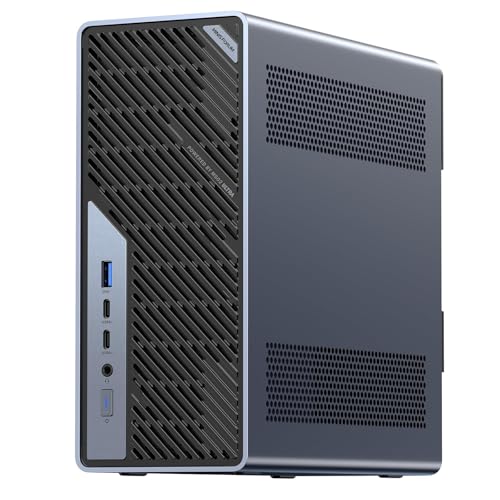
- 24-core Intel Core Ultra 9 285HX processor
- Dual 25GbE plus 10GbE and 2.5GbE networking
- PCIe 5.0 x16, USB4 v2, and ECC support
Best For: Compact pro streaming and managed workstation setups
Network Ready
Ryzen 9 9955HX Mini Workstation

- Ryzen 9 9955HX with 16 cores and 32 threads
- Dual 10G SFP+ plus dual 2.5G RJ45 networking
- Triple 8K output and U.2/M.2 storage support
Best For: Multi-display streaming with fast wired networking
Performance Amp

- Ryzen 9 8945HX with 16 cores and 32 threads
- Full-power RTX 5060 8GB GDDR7 graphics
- Up to five display outputs with quad 4K support
Best For: GPU-heavy streaming and creative production
Enterprise Tower Workstation
Lenovo ThinkStation P3 Tower Gen 2

- Core Ultra 7 265 vPro with NVIDIA RTX 2000 ADA
- 32GB DDR5 and 1TB SSD for smooth multitasking
- vPro, ThinkShield, and onsite warranty support
Best For: Studio teams and IT-managed creators who want a secure workstation tower
Compact Creator Mini PC
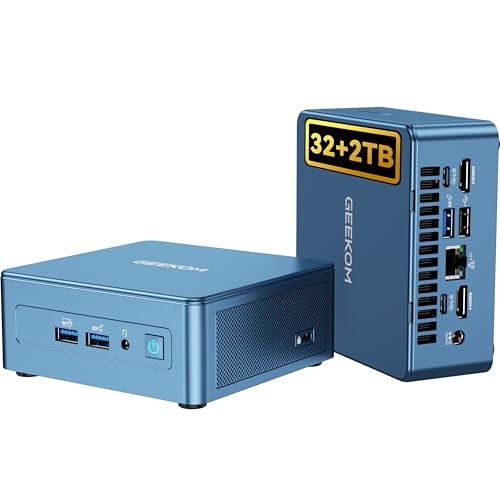
- Core i9-13900H with 32GB RAM and 2TB SSD
- Metal chassis with 3-year warranty for durability
- Dual USB4, dual HDMI, WiFi 6E, and 2.5G Ethernet
Best For: Small studios and creators needing a quiet, compact, upgradeable mini PC
High-Output Mini PC
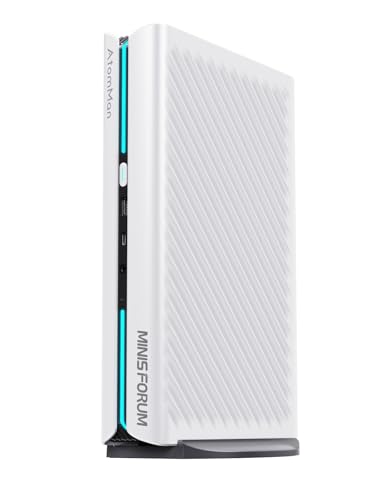
- Ryzen 9 8945HX with RTX 5060 8GB graphics
- Supports four displays across five video outputs
- WiFi 7, BT 5.4, and 5G LAN for fast networking
Best For: Power users who want compact performance with discrete graphics and multi-display support
Flagship AI-Ready Tower
Dell Tower Desktop, Intel Core Ultra 9 285

- Core Ultra 9 285 with RTX 5070 graphics
- 32GB DDR5, 1TB SSD, and upgrade-friendly tower
- AI engines and onsite service support
Best For: Power users and streamers who want a high-end, expandable tower
Compact Triple-Display Mini PC
GMKtec M6 Ultra Gaming Mini PC

- Ryzen 5 7640HS with 32GB DDR5 and 1TB SSD
- Triple-display support plus USB4, HDMI, and DisplayPort
- Dual 2.5G LAN for fast, stable networking
Best For: Small streaming setups that need multiple displays and strong wired networking
Pro Creator Desktop
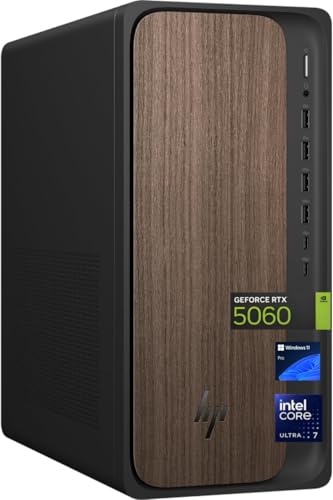
- Core Ultra 7 265 with RTX 5060 graphics
- 32GB DDR5 and roomy 2TB SSD
- Windows 11 Pro with Wi-Fi 6 and Bluetooth 5.4
Best For: Creators who want a well-balanced desktop with lots of storage
Enterprise Core – Intel Core Ultra 9 285HX Workstation Mini PC
If you’re shopping for commercial-grade live streaming computers, the MINISFORUM MS-02 Ultra stands out as a compact workstation built around a high-core-count Intel Core Ultra 9 285HX, fast PCIe 5.0 expansion, and serious networking. It’s better suited to demanding production setups than a typical mini PC, especially when your workflow includes streaming, media work, remote management, and fast file transfers.
Best For: Teams and creators who need a compact workstation with strong expansion, high-speed networking, and enterprise-style remote management.
Pros:
- Intel Core Ultra 9 285HX with 24 cores and up to 5.5GHz for heavy parallel workloads.
- PCIe x16 slot and USB4 v2 80Gbps support for expansion and high-bandwidth peripherals.
- Dual 25GbE plus 10GbE and 2.5GbE ports for fast wired networking and transfers.
- ECC memory support, RAID-capable storage, and vPro/BIOS-level KVM for managed environments.
Cons:
- Sold with integrated graphics unless you add a discrete GPU.
- Best value comes from buyers who will actually use the networking and expansion headroom.
- Memory compatibility matters, especially on barebone configurations.
This is a strong fit when your live streaming computer needs to behave more like a small workstation than a consumer mini PC. The networking, cooling, and expansion options make it especially appealing for professional teams that want room to grow.
Network Ready – Ryzen 9 9955HX Mini Workstation
The MINISFORUM MS-A2 is a practical choice for commercial-grade live streaming computers if you want strong CPU performance, flexible storage, and very fast wired networking in a small chassis. With Ryzen 9 9955HX power, triple 8K display support, and dual 10G SFP+ ports, it’s aimed at users who care about throughput and multitasking more than flashy extras.
Best For: Streamers and production users who need high-speed networking, multi-display output, and expandable storage.
Pros:
- Ryzen 9 9955HX with 16 cores and 32 threads for multitasking and compute-heavy work.
- Dual 10G SFP+ ports plus dual 2.5G RJ45 ports for fast wired connectivity.
- Triple 8K output via HDMI and USB-C for multi-monitor streaming or control-room use.
- Expandable storage with M.2 2280, 22110, and U.2 SSD support.
Cons:
- Uses integrated Radeon 610M graphics, so it is not a GPU-heavy streaming powerhouse by itself.
- Thermals are handled by a dual-fan, four-heat-pipe design rather than a large desktop cooler.
- To get the most from it, you’ll want to take advantage of its network and storage features.
For buyers who prioritize network throughput and storage flexibility, this mini workstation checks a lot of boxes. It makes the most sense in streaming setups where the computer also serves as a fast hub for media, data, or multi-screen control.
Balanced Tower – Dell ECT1250 Intel Core Ultra 7 Desktop
The Dell ECT1250 Tower is a straightforward option for commercial-grade live streaming computers when you want a full-size desktop with Windows 11 Pro, plenty of RAM, and a dedicated GPU. It combines an Intel Core Ultra 7 265, 64GB of DDR5 memory, and Wi-Fi 6, making it a sensible all-around pick for business streaming, conferencing, and day-to-day production work.
Best For: Buyers who want a conventional tower with strong memory capacity, a discrete GPU, and business-friendly Windows support.
Pros:
- Intel Core Ultra 7 265 with up to 5.3GHz boost for responsive everyday performance.
- 64GB DDR5 RAM and a 1TB NVMe SSD for multitasking and fast storage access.
- GeForce RTX 3050 6GB gives you a dedicated graphics option for visual workloads.
- Three PCIe expansion slots, eight USB ports, and Wi-Fi 6 add flexibility.
Cons:
- Less compact than the mini workstations in this roundup.
- The RTX 3050 is useful, but it is not a high-end streaming GPU.
- Compared with the others here, networking is more standard than specialized.
This Dell tower is the most conventional pick in the group, which can be a plus if you want a familiar desktop format. It offers a balanced set of features for streaming, conferencing, and office production without forcing you into a mini-PC workflow.
Performance Amp – Ryzen 9 RTX 5060 Mini PC
If you want commercial-grade live streaming computers with more graphics muscle, the MINISFORUM G1 Pro brings a Ryzen 9 8945HX together with a full-power GeForce RTX 5060. That combination makes it the most graphics-forward option here, with support for demanding creative workloads, multi-display output, and high-output thermal design in a compact 3.8L chassis.
Best For: Streamers and creators who want desktop-class graphics performance in a compact mini PC.
Pros:
- Ryzen 9 8945HX with 16 cores and 32 threads for heavy multitasking.
- GeForce RTX 5060 8GB GDDR7 with 145W power and 3840 CUDA cores.
- Up to five display outputs, including quad 4K support for multi-monitor setups.
- 5GbE, Wi-Fi 7, and a 350W built-in PSU support a high-performance setup.
Cons:
- Focused more on graphics and creation than on enterprise networking depth.
- Only 32GB of memory is included out of the box, even though it supports more.
- The compact vertical design may not suit every desk or rack setup.
This is the most compelling choice if your streaming workflow also leans heavily into editing, rendering, or other GPU-accelerated tasks. It delivers strong desktop-class graphics in a compact machine that still leaves room for multi-display productivity.
Enterprise Tower Workstation – Lenovo ThinkStation P3 Tower Gen 2
If you need a commercial-grade live streaming computer with workstation-class reliability, the Lenovo ThinkStation P3 Tower Gen 2 is built around a Core Ultra 7 vPro platform, NVIDIA RTX 2000 ADA graphics, and 32GB of DDR5 memory. It leans toward demanding production workflows where stability, manageability, and fast multitasking matter more than compact size.
Best For: Studio teams, IT-managed offices, and creators who want a tower workstation with vPro, discrete graphics, and onsite warranty support.
Pros:
- Intel Core Ultra 7 265 vPro and NVIDIA RTX 2000 ADA for heavy workflows
- 32GB DDR5-5600 memory and 1TB SSD for responsive multitasking and fast loading
- Includes Ethernet, DisplayPort, HDMI 2.1, and multiple USB ports for production gear
- ThinkShield, TPM, and vPro management features support security and remote IT control
Cons:
- Large 30-pound tower is less portable than mini PC options
- Only one HDMI output, so multi-display setups may rely mainly on DisplayPort
- More machine than needed for basic streaming or casual home use
For buyers prioritizing commercial-grade live streaming computers, this Lenovo makes sense when uptime, support, and workstation features matter as much as raw performance. Its tower design and enterprise tools fit well in controlled studio or office environments.
Compact Creator Mini PC – GEEKOM IT13 Mini PC
The GEEKOM IT13 is a strong fit if you’re shopping for commercial-grade live streaming computers in a compact form factor. With a 13th Gen Intel Core i9-13900H, 32GB of RAM, and a 2TB NVMe SSD, it’s aimed at stable 24/7 productivity, editing, and multitasking without taking up much desk space.
Best For: Small studios, creators, and office setups that want a quiet, upgradeable mini PC with lots of storage and strong connectivity.
Pros:
- Intel Core i9-13900H with 32GB RAM and 2TB PCIe Gen4 SSD
- Metal mid-frame and baseplate for added durability and heat dissipation
- Dual USB4 and dual HDMI support multi-display workflows
- Tri-Band WiFi 6E plus 2.5G Ethernet for fast wired and wireless networking
Cons:
- Integrated Intel Iris Xe graphics are not a discrete GPU
- Mini PC design may limit expandability compared with a tower workstation
- Best suited to creator and productivity loads rather than graphics-heavy production
This GEEKOM model is a practical option when you want a small, quiet system that can stay on for long sessions and handle everyday studio work. It offers a balanced mix of speed, storage, and connectivity for compact streaming setups.
High-Output Mini PC – MINISFORUM G1 Pro Mini PC
The MINISFORUM G1 Pro is one of the more aggressive commercial-grade live streaming computers in this group, combining a Ryzen 9 8945HX with an RTX 5060 graphics card. It is built for demanding workloads where multi-monitor output, strong networking, and dedicated graphics support matter for production, editing, and live content delivery.
Best For: Power users, content creators, and professional setups that need a compact machine with discrete graphics and multi-display support.
Pros:
- Ryzen 9 8945HX with 16 cores and 32 threads for heavy multitasking
- Dedicated GeForce RTX 5060 8GB graphics for real-time ray tracing and DLSS support
- Five video outputs with support for four displays at once
- WiFi 7, Bluetooth 5.4, and 5G LAN for fast connectivity
Cons:
- Mini PC design may be less flexible to service than a full tower
- Preinstalled storage is 1TB, so larger libraries may need expansion
- Operating system is listed generically as OS, so buyers may want to confirm setup details
For buyers who want a compact but high-output system, this MINISFORUM stands out for graphics power and broad display support. It is especially appealing when a streaming or production desk needs serious performance without a large chassis.
Flagship AI-Ready Tower – Dell Tower Desktop, Intel Core Ultra 9 285
If you’re shopping for commercial-grade live streaming computers, this Dell Tower Desktop is built more like a workstation than a basic home PC. The Intel Core Ultra 9 285, RTX 5070 graphics, and dedicated AI engines give it the headroom for streaming, editing, and other demanding creative workloads, while the tower design leaves room for future upgrades.
Best For: Streamers and creators who want a powerful tower with upgrade potential and onsite support.
Pros:
- Intel Core Ultra 9 285 and NVIDIA GeForce RTX 5070 deliver high-end performance for streaming and creation.
- Three AI engines across CPU, GPU, and NPU add support for AI-capable apps.
- Tower chassis is designed for improved airflow and easier internal upgrades.
- Includes 32GB DDR5 RAM and 1TB SSD for a strong out-of-box setup.
Cons:
- Uses standard air cooling for 65W CPUs, so it’s not a liquid-cooled system.
- Windows 11 Home is less business-focused than Pro for some workflows.
- Memory is listed at 32GB max, which limits future RAM expansion.
Overall, this is the most capable full-size option in the group if you want a desktop that can handle live streaming and creative work with some room to grow. The tradeoff is that it’s a large tower, but that form factor is also what makes it practical for long-term use.
Compact Triple-Display Mini PC – GMKtec M6 Ultra Gaming Mini PC
For commercial-grade live streaming computers in a compact form factor, the GMKtec M6 Ultra stands out with a Ryzen 5 7640HS, 32GB of DDR5 RAM, and a 1TB SSD. It also supports triple-display setups, fast 2.5G dual LAN, and hardware encoding/decoding for common codecs, making it a practical choice when desk space is limited.
Best For: Creators who need a small streaming PC with strong networking and multi-monitor support.
Pros:
- Ryzen 5 7640HS offers efficient performance for everyday workloads and streaming tasks.
- Supports three displays, including 8K@60Hz via USB4 and 4K outputs over HDMI and DisplayPort.
- Dual 2.5G LAN is useful for stable network connections and server-style use.
- 32GB DDR5 RAM and 1TB SSD provide a solid starting configuration.
Cons:
- Integrated Radeon 760M graphics are more limited than a discrete GPU for heavier production work.
- Base RAM is listed at 32GB max in the details, which may limit memory expansion depending on configuration.
- The mini PC design prioritizes size and efficiency over internal upgradability.
This is a smart pick if you want streaming-capable hardware in a small chassis and don’t need a big graphics card. Its strongest appeal is the mix of compact design, multiple display support, and networking features.
Pro Creator Desktop – HP OmniDesk M03-0060
The HP OmniDesk is aimed at buyers who want commercial-grade live streaming computers with more room for demanding production work. Its Intel Core Ultra 7 265 processor, RTX 5060 graphics, 32GB of DDR5 RAM, and 2TB SSD make it a well-rounded desktop for streaming, multitasking, and storing larger media libraries.
Best For: Streamers and creators who want a balanced Pro desktop with strong storage and discrete graphics.
Pros:
- Intel Core Ultra 7 265 and NVIDIA GeForce RTX 5060 offer strong performance for streaming and creative apps.
- 2TB SSD gives you generous built-in storage for recordings and project files.
- 32GB DDR5 RAM supports multitasking and smoother day-to-day production workflows.
- Windows 11 Pro, Wi-Fi 6, and Bluetooth 5.4 suit a modern connected workstation.
Cons:
- 400W power supply is smaller than the higher-wattage desktops in this group.
- Specific cooling and upgrade details aren’t provided in the supplied notes.
- It’s a conventional desktop tower, so it won’t fit the tight spaces a mini PC can.
If you want a practical streaming desktop with a strong mix of CPU, GPU, memory, and storage, this HP model is easy to justify. It’s especially appealing for creators who keep lots of local footage and prefer Windows 11 Pro out of the box.
How We Picked These Commercial-Grade Live Streaming Computers
We prioritized machines that are well suited to sustained streaming workloads, not just short bursts of speed. That means strong multicore CPUs, enough RAM for multitasking, fast SSD storage, and networking or I/O that supports capture cards, USB audio interfaces, multiple displays, and high-bitrate broadcasts.
We also looked for practical workstation features such as stable thermals, modern port selection, and configurations that make sense for creators who may stream, record, edit, and manage content on the same machine.
Quick Comparison
Mini PCs are the most space-efficient options and can work well for compact streaming desks, travel setups, or dedicated encoding rigs. Towers usually offer better cooling, more upgrade room, and stronger long-term flexibility. If you plan to run 4K overlays, multiple monitors, game capture, or heavy production tools, a higher-end desktop tower is often the safer choice.
Key Buying Factors for Commercial-Grade Live Streaming Computers
CPU and Multitasking Headroom
Look for a modern high-core-count processor if you run OBS, browser tabs, chat tools, audio processing, and editing software at the same time. For Commercial-Grade Live Streaming Computers, sustained performance matters more than peak benchmark numbers.
GPU Support and Encoder Options
A discrete GPU can help with game capture, effects, and accelerated editing. If your workflow depends on visual overlays, 3D assets, or heavier production, prioritize systems with a capable NVIDIA card and current encoder support.
RAM and Storage
32GB RAM is a strong baseline for most streamers, while 64GB or more is better for advanced production or multi-app workflows. Fast NVMe SSDs help with quick boot times, responsive app loading, and local recording.
Connectivity and Display Support
Multiple USB ports, fast Ethernet, Wi-Fi, and support for several displays are important when you connect cameras, capture cards, audio gear, and control surfaces. If you stream professionally, stable wired networking should be a top priority.
Who Should Buy Which Commercial-Grade Live Streaming Computers?
Choose a compact mini PC if you want a quiet, space-saving streaming station or a dedicated chat and control system. Go with a tower desktop if you need better cooling, more expansion, or a machine that can also handle editing and graphics-heavy work. For teams, agencies, and creators who treat streaming like a business, higher-end Commercial-Grade Live Streaming Computers offer the best mix of reliability, performance, and future-proofing.