If you’re looking to simplify your storage management, exploring the best PC hot swap drive bays can make a significant difference. These enclosures not only enhance efficiency but also guarantee easy access to your drives. With options tailored to various needs, you can find the right solution for your setup. Curious about which models stand out and what features to contemplate? Let’s take a closer look at the top contenders.
Kingwin Universal Hot Swap Mobile Rack for 2.5” or 3.5” SSD/HDD

If you’re looking for a reliable solution to manage your storage needs seamlessly, the Kingwin Universal Hot Swap Mobile Rack is the perfect choice for you. This innovative device supports both 2.5” and 3.5” SSDs/HDDs, allowing you to swap drives effortlessly using just one 5.25” bay. Its tray-less design simplifies installation, while the internal SATA backplane guarantees excellent performance with data transfer speeds up to 6Gbps. Made from high-quality ABS material, it promotes ventilation and enhances drive longevity. Ideal for servers and desktops, this mobile rack is a top choice for anyone needing efficient and flexible storage solutions.
Best For: The Kingwin Universal Hot Swap Mobile Rack is best for individuals and businesses needing efficient storage solutions for server computers, cloud storage, and media backup.
Pros:
- Supports hot swapping of both 2.5” and 3.5” drives, enhancing flexibility and convenience.
- High-quality construction from ABS material ensures optimal heat dissipation and drive longevity.
- Fast data transfer speeds of up to 6Gbps, making it ideal for performance-sensitive applications.
Cons:
- Requires a 5.25” bay for installation, which may limit compatibility with certain case designs.
- No physical tray may lead to potential issues with drive stability during transport or movement.
- Limited warranty information provided, which may raise concerns for some users regarding long-term reliability.
Rosewill Internal Hard Drive Enclosure (RSV-SATA-Cage-34)

The Rosewill Internal Hard Drive Enclosure (RSV-SATA-Cage-34) stands out as the ideal choice for tech enthusiasts who need efficient storage solutions. This enclosure converts 3 x 5.25 CD-ROM spaces into four hot-swap bays for 3.5 or 2.5 SATA I/II/III and SAS HDDs, offering versatility. Weighing just one pound, it’s compact and constructed from durable steel and ABS for long-lasting use. With a rear 120mm exhaust fan, it guarantees peak cooling. Compatible with various Rosewill models, it’s rated 4.3 out of 5 stars based on over 600 reviews, making it a reliable option for effortless storage management.
Best For: Tech enthusiasts looking for efficient and versatile storage solutions in a compact enclosure.
Pros:
- Hot-Swap Support: Allows for easy swapping of drives without powering down the system.
- Effective Cooling: Equipped with a rear 120mm exhaust fan to maintain optimal temperature and performance.
- Durable Construction: Made from steel and ABS, ensuring long-lasting durability and reliability.
Cons:
- Limited Compatibility: Primarily designed for specific Rosewill models, which may limit usage with other brands.
- Weight: While lightweight, some users may prefer a more robust design for added stability.
- No advanced features: Lacks additional features such as built-in RAID configurations for advanced users.
ICY DOCK 6 Bay 2.5” SATA HDD/SSD Hot Swap Backplane Enclosure (MB326SP-B)
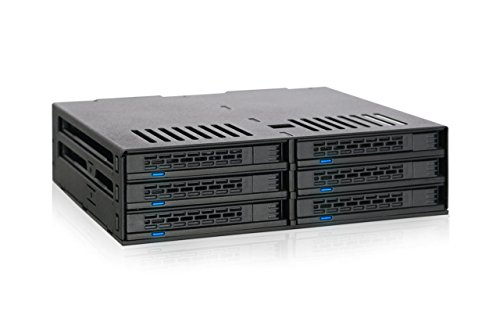
Designed for power users and system builders, the ICY DOCK 6 Bay 2.5” SATA HDD/SSD Hot Swap Backplane Enclosure (MB326SP-B) stands out with its tool-less installation and hot-swap functionality. You can effortlessly install up to six 2.5” SATA drives, accommodating various heights of 5mm, 7mm, and 9.5mm. The hot-swappable bays let you replace drives without shutting down your system, enhancing convenience. Plus, dual 40mm fans guarantee effective cooling, with adjustable speeds for peak performance. With two 15-pin SATA power connections, it powers all six drives seamlessly, making it a perfect choice for efficient storage management.
Best For: Power users and system builders seeking an efficient and space-saving solution for managing multiple 2.5” SATA drives.
Pros:
- Tool-less drive installation allows for quick setup and easy drive replacement.
- Hot-swappable bays enable seamless drive changes without the need to power down the system.
- Effective cooling system with dual 40mm fans and adjustable speeds ensures optimal drive performance.
Cons:
- Limited to 2.5” drives, which may not accommodate larger 3.5” HDDs.
- Requires adequate airflow in the case to maximize the cooling efficiency of the fans.
- The need for specific SATA power connections may limit compatibility with certain power supplies.
Kingwin Hard Drive Enclosure for 3.5” HDD SSD

For those who demand seamless storage management, the Kingwin Hard Drive Enclosure for 3.5” HDDs and SSDs stands out with its 5-bay hot swap design. You’ll appreciate the trayless mobile rack, allowing you to slide drives in without any tools. Compatible with SATA and SAS drives, it supports impressive speeds up to 12 Gbps, perfect for both gaming and professional applications. The durable aluminum construction guarantees efficient heat dissipation, keeping your drives cool during extended use. With reliable power management features, this enclosure minimizes data loss risks, making it an ideal choice for data management and backups.
Best For: Professionals and enthusiasts seeking efficient storage management with quick access to multiple drives.
Pros:
- Tool-free installation with a trayless mobile rack design allows for easy drive swaps.
- High-speed transfer capabilities support SATA and SAS drives up to 12 Gbps, enhancing performance for demanding applications.
- Durable aluminum construction ensures effective heat dissipation, prolonging drive life during extended use.
Cons:
- Limited to 3.5” drives, which may not accommodate users needing 2.5” drive support.
- Requires a 3 x 5.25 bay space, potentially limiting compatibility with smaller cases.
- May not include additional cooling features, which could be a concern for high-performance setups.
StarTech.com 3-Bay Hot Swap Backplane for 3.5in SAS II/SATA III

If you’re looking to maximize efficiency in an enterprise system, the StarTech.com 3-Bay Hot Swap Backplane is your perfect solution. This sleek, aluminum backplane converts two 5.25in bays into a hot-swappable interface for up to three 3.5in SATA or SAS hard drives. With individual ejection levers, installation and removal are quick and secure. Its vented design and built-in fan guarantee excellent heat dissipation, maintaining ideal drive temperatures. Plus, the key-lock security feature adds an extra layer of protection. Backed by a two-year warranty and lifetime technical support, this backplane is a top choice for seamless storage management.
Best For: This product is best for enterprise systems that require efficient, hot-swappable storage solutions for multiple hard drives.
Pros:
- Quick and secure installation/removal with individual ejection levers for each bay.
- Excellent heat dissipation with a vented aluminum enclosure and built-in fan.
- Enhanced security features with a key-lock design and two included keys.
Cons:
- Limited to three drives, which may not be sufficient for larger storage needs.
- Requires two 5.25in bays, potentially limiting compatibility with some cases.
- Heavier than some alternatives, which may affect overall system weight.
ORICO 5.25 Trayless Hot Swap Mobile Rack for SATA Hard Drive/SSD
The ORICO 5.25 Trayless Hot Swap Mobile Rack is an excellent choice for tech enthusiasts who need a reliable way to access and swap SATA hard drives or SSDs on the fly. It fits any 3.5-inch SATA drive in a front-accessible 5.25-inch bay, allowing tool-free mounting. With support for SATA III, you can enjoy data transfer rates up to 6 Gbps. Its hot-swapping capability means you can plug and play without worrying about file corruption. Plus, the durable stainless steel construction guarantees peak heat dissipation. With a compact design and an on/off button, this rack truly simplifies your storage management.
Best For: Tech enthusiasts and professionals who require efficient and reliable access to SATA hard drives or SSDs for quick data swapping.
Pros:
- Tool-free mounting allows for easy installation and removal of hard drives.
- Hot swapping capability enables users to replace drives without shutting down the PC, preventing file corruption.
- Durable stainless steel construction ensures excellent heat dissipation and longevity of the device.
Cons:
- Limited to one supported device, which may not meet the needs of users requiring multiple drives.
- Only compatible with 3.5-inch SATA drives, limiting options for users with different drive sizes.
- May require additional power supply connections for high-capacity drives, complicating setup.
StarTech.com 5.25in Trayless Hot Swap Mobile Rack for 3.5in Hard Drive
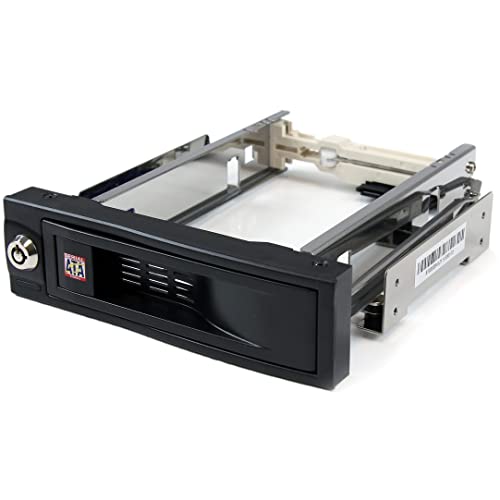
Designed for users who frequently swap out hard drives, the StarTech.com 5.25in Trayless Hot Swap Mobile Rack offers an efficient solution with its innovative trayless design. You’ll appreciate the front-accessible 5.25 bay that accommodates a 3.5 SATA drive, allowing for quick installations and removals without the hassle of separate trays. Built from solid aluminum, it provides durability and longevity, enhanced by internal rubber shock absorbers to protect your drives. With a lockable drive bay, your data stays secure. Rated for over 50,000 insertions, this mobile rack guarantees reliable performance, making it a smart addition to your storage management toolkit.
Best For: Users who frequently swap out hard drives and require a convenient, durable solution for storage management.
Pros:
- Trayless design allows for quick and easy installation and removal of drives without the need for separate trays.
- Lockable drive bay provides enhanced security for stored drives, protecting sensitive data.
- Durable aluminum construction and internal rubber shock absorbers ensure longevity and protection for hard drives during operation.
Cons:
- Compatibility is limited to 3.5 SATA drives, which may not suit users with different drive types.
- Requires a front-accessible 5.25 bay, which may not be available in all systems.
- The initial setup might be challenging for users who are not familiar with hot swap mobile racks.
Syba 5.25″ Bay Tray Less Mobile Rack for SATA HDDs
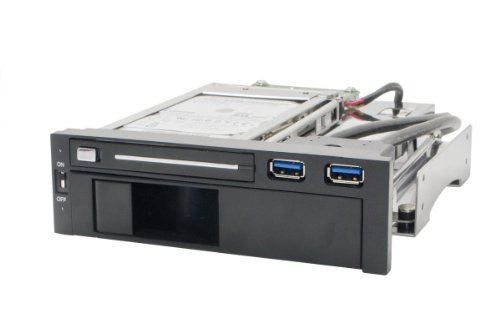
For those who frequently swap out hard drives, the Syba 5.25″ Bay Tray Less Mobile Rack for SATA HDDs offers an exceptional solution. This mobile rack accommodates both 2.5″ and 3.5″ SATA III HDDs, providing file transfer speeds up to 6Gbps. With its tool-free design, you can easily insert and eject drives without any hassle. The anti-shock feature protects your data during swaps, while the built-in USB 3.0 ports enhance connectivity. Plus, the power switch allows you to control both HDDs effortlessly. It’s a reliable choice for efficient storage management in your PC setup.
Best For: Individuals who frequently swap hard drives and need a reliable, tool-free solution for managing their SATA HDDs.
Pros:
- Tool-free design allows for easy insertion and ejection of HDDs without additional tools.
- High file transfer speeds of up to 6Gbps, making data transfers quick and efficient.
- Anti-shock feature helps protect data during drive swaps, enhancing durability.
Cons:
- Limited to SATA HDDs, which may not cater to users with other types of drives.
- Requires a 5.25″ bay, which may not be available in all PC cases.
- USB 3.0 ports may not be as effective if the motherboard lacks adequate support for USB 3.0 speeds.
Rosewill 4U Rackmount Server Chassis (RSV-H424)
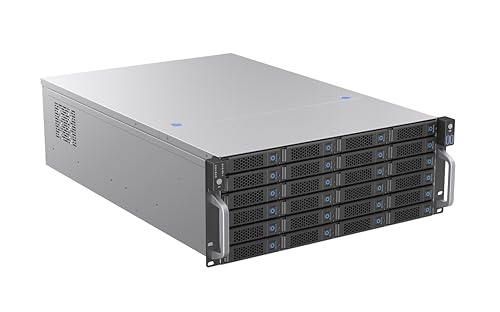
Looking to maximize your data storage capabilities? The Rosewill 4U Rackmount Server Chassis (RSV-H424) is your answer. It supports up to 24 hot-swappable 3.5″ drives, perfect for data-intensive environments. With dimensions of 25.59 x 16.96 x 6.97 inches and a weight of 34.2 pounds, it’s designed for E-ATX motherboards, offering extensive PCIe expansion and high CPU core counts. Its enterprise-grade cooling system features three hot-swap 120mm fans to guarantee effective heat management. Rated 4.1 out of 5 stars, this chassis is a reliable choice for efficient storage management. Plus, enjoy a 30-day return policy for peace of mind.
Best For: Data-intensive environments that require efficient storage management and extensive expansion capabilities.
Pros:
- Supports up to 24 hot-swappable 3.5″ drives, allowing for easy maintenance and increased storage capacity.
- Enterprise-grade cooling system with hot-swap fans ensures effective heat management, enhancing system reliability.
- Compatible with E-ATX motherboards, providing vast RAM capacity and extensive PCIe expansion options.
Cons:
- Heavy design at 34.2 pounds may require additional effort for installation in a rack.
- Limited to 3.5″ drives, which may not suit users needing 2.5″ drive compatibility.
- Potential restocking fees for returns on items that are not “dead on arrival” or damaged, which can be a drawback for some buyers.
RackChoice Internal Hard Drive Enclosure for 2.5”/3.5” SATA/SAS Hard Drives

The RackChoice Internal Hard Drive Enclosure is an ideal solution for tech enthusiasts and professionals who need efficient storage management. This enclosure transforms three 5.25″ bays into a hot-swappable interface for five 2.5” or 3.5” SATA/SAS hard drives. With support for SATA 3.0 speeds up to 6 Gbps and compatibility with various RAID configurations, it guarantees maximum performance. The full metal body and 80mm cooling fan enhance heat dissipation, keeping your drives safe. Plus, it includes five SATA cables for easy connectivity. Just remember, you’ll need two MOLEX connectors for power, as the power supply isn’t included.
Best For: Tech enthusiasts and professionals seeking efficient storage management for multiple hard drives.
Pros:
- Hot-swappable interface allows for easy drive management without system downtime.
- Supports various RAID configurations (0, 1, 5, 6, and 10) for enhanced data protection and performance.
- Includes five SATA cables for straightforward connectivity and setup.
Cons:
- Power supply not included, requiring additional purchase of two MOLEX connectors.
- Limited to 5.25″ bay conversion, which may not fit all setups.
- Requires RAID card for full functionality with RAID configurations, adding to overall cost.
Factors to Consider When Choosing a PC Hot Swap Drive Bay
When you’re choosing a PC hot swap drive bay, you should consider several key factors. Drive compatibility options, installation ease, and the importance of cooling mechanisms all play a vital role in your decision. Additionally, don’t overlook build quality, durability, and data transfer speeds to guarantee you get the best performance.
Drive Compatibility Options
Choosing a hot swap drive bay involves ensuring compatibility with the specific types of drives you plan to use, whether they’re SATA I, II, III, or SAS. Many enclosures support both 2.5” and 3.5” drives, offering you versatility. It’s vital to check the maximum data transfer rates; some models can reach speeds up to 6Gbps, which can greatly affect performance. You should also consider the number of drives the bay can accommodate, as some models allow multiple drives simultaneously, enhancing your storage capacity. Finally, look for tool-less installation features, which can simplify drive swaps and minimize the risk of damage. By keeping these factors in mind, you’ll make an informed choice for your storage needs.
Installation Ease
After ensuring your drives are compatible, it’s time to think about how easy it is to install and use your hot swap drive bay. Look for designs with trayless installation, as they allow for quick, tool-free drive insertion and removal. Consider how many drive bays you need, ensuring the installation process suits your specific requirements for 2.5” or 3.5” drives. Check that the hot swap capabilities let you replace drives without powering down your system, enhancing efficiency. Additionally, assess the product’s compatibility with various SATA or SAS interfaces for seamless integration into your setup. Finally, don’t forget to read user reviews and ratings to get insights on real-world installation experiences and ease of use.
Cooling Mechanism Importance
While you might focus on the convenience of hot swap drive bays, the importance of effective cooling mechanisms shouldn’t be overlooked. Built-in fans are essential for maintaining ideal temperatures, preventing overheating, and prolonging hard drive lifespan. Look for hot-swap drive bays featuring dual 40mm fans, as they actively manage airflow and keep drives within safe thermal limits. In server environments, high-static pressure fans enhance cooling efficiency, especially for data-intensive applications. Well-ventilated enclosures lead to lower failure rates, as proper cooling considerably reduces heat-related damage. A robust cooling system also boosts data transfer rates by preventing thermal throttling, ensuring your drives perform at their best without slowing down. Prioritize cooling when choosing your drive bay for ideal performance.
Build Quality and Durability
Effective cooling mechanisms contribute greatly to the overall performance of hot swap drive bays, but don’t underestimate the importance of build quality and durability. The materials used, like durable steel or aluminum, play a significant role in how well the bay can withstand wear and dissipate heat. Look for robust designs that include anti-shock mechanisms, which protect your drives during insertion and removal. Pay attention to the rated lifespan, often measured by the number of insertions it can handle—50,000 or more is ideal. Effective thermal management, such as built-in cooling fans or vented designs, is essential for preventing overheating. Finally, consider the enclosure’s weight; heavier units usually indicate sturdier materials that enhance durability and stability.
Data Transfer Speeds
When choosing a PC hot swap drive bay, data transfer speeds are an essential factor that can greatly impact your workflow. Look for bays that support SATA III connections, as they can reach up to 6 Gbps, ensuring rapid file transfers. Remember that the type of drives you use also matters; SSDs typically outperform traditional HDDs, delivering faster transfer rates. Compatibility with SATA I, II, and III standards lets you achieve varying speeds based on your hardware. If you’re considering enterprise applications, some enclosures support SAS drives, which also reach 6 Gbps. Finally, effective cooling mechanisms in these bays help prevent thermal throttling, maintaining peak performance and enhancing your data management experience.
Hot-Swap Functionality
Hot-swap functionality is essential for anyone looking to enhance their workflow and minimize downtime, as it allows you to replace or add drives without shutting down your computer. When choosing a hot swap drive bay, consider the types of drives it supports—many accommodate SATA I/II/III and SAS, giving you flexibility for various storage needs. Look for tool-less insertion features that simplify drive swapping, making your workflow even smoother. High-quality enclosures often come with built-in cooling mechanisms, like fans, to keep your drives at peak temperatures during operation. Additionally, verify that the data transfer rates meet your requirements, as hot-swapped drives can reach speeds of up to 6 Gbps, allowing for fast data access and transfer.
Security Features
Ensuring the security of your data is essential, especially when using hot swap drive bays that can be easily accessed. Look for a hot swap drive bay with a lockable design to prevent unauthorized access to your drives. Individual ejection levers for each bay allow for quick and secure installation, minimizing the risk of accidental disconnection. Check if the enclosure is made from materials with a high flammability rating to enhance safety and durability in case of overheating. A built-in cooling mechanism, like fans with speed control, is vital for maintaining ideal temperatures and preventing data loss. Finally, consider the warranty and customer support, as strong backing reflects the manufacturer’s commitment to your security and product performance.
Price and Warranty
Choosing the right hot swap drive bay involves more than just looking at security features; price and warranty are significant factors too. You’ll find a wide price range, from budget-friendly options to premium units that reflect their features and build quality. Always check warranty offerings—many products provide at least a one-year warranty, while some manufacturers extend coverage to two years or more. A longer warranty often indicates the manufacturer’s confidence in their product’s durability. Additionally, consider customer feedback and ratings; higher-rated products typically signal better reliability and performance. Don’t forget to factor in potential extra costs for accessories or cables, which may not be included in the initial purchase price.