A portable screen can turn a Raspberry Pi into a compact workstation, touchscreen controller, or self-contained project. But similar-looking displays may use different video connections, power setups, and touch interfaces.
These 10 options span 7- to 10.1-inch screens, from basic HDMI displays to higher-resolution touch models. Start with your Pi model and intended setup, then weigh portability against readability.
Best 10 Raspberry Pi Portable Screens Picks for 2026
Versatile HDMI Pick
ELECROW 7-Inch IPS Touchscreen
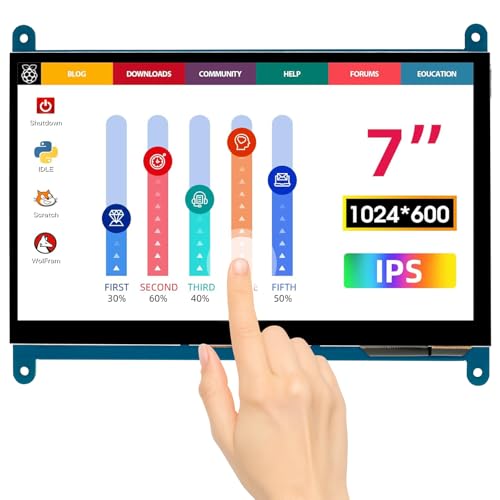
- 7-inch, 1024×600 IPS panel
- Five-point, driver-free capacitive touch
- HDMI and USB connections; adapter included
Best For: Pi projects that also use other HDMI devices
High-Resolution Workstation Pick
10.1-Inch 1920×1200 Touchscreen

- 10.1-inch, 1920×1200 IPS display
- Rear compartment holds a Pi board
- Ten-point touch; 12V power required
Best For: Portable Pi workstations with room for code and dashboards
Direct DSI Pick

- 7-inch, 800×480 IPS touchscreen
- Direct MIPI DSI connection
- Pi-only; no HDMI input
Best For: Dedicated Raspberry Pi projects using DSI
Bright Dashboard Pick

- 7-inch, 1024×600 IPS display
- 420-nit brightness and five-point touch
- Pi 5/4 adapter and bracket included
Best For: Pi dashboards and compact PC sensor panels
Best Larger Touch Display
8-Inch 1280×800 Raspberry Pi Touchscreen

- 8-inch 1280×800 IPS display
- Five-point touch requires USB
- Stand and wall-mount options
Best For: Larger touch-based Pi projects
Best Compact Pi Integration

- 7-inch 1024×600 IPS panel
- Rear Pi mounting holes and stand
- Single-touch on Raspberry Pi
Best For: Compact board-mounted Pi interfaces
Best Basic HDMI Display

- 7-inch 1024×600 IPS LCD
- HDMI and listed Pi compatibility
- Touch capability not clearly specified
Best For: Compact HDMI-only Pi display setups
Best Touchscreen

- 10.1-inch 1280×800 IPS panel
- Single-point touch on Raspberry Pi OS
- Case and mounting hardware included
Best For: Larger interactive Raspberry Pi projects
Best Open-Back DIY Display

- 7-inch 800×480 IPS display
- HDMI video and USB power
- Bracket and rear mounting holes
Best For: Compact DIY builds with an open-back screen
Best Compact Pi 5 Option
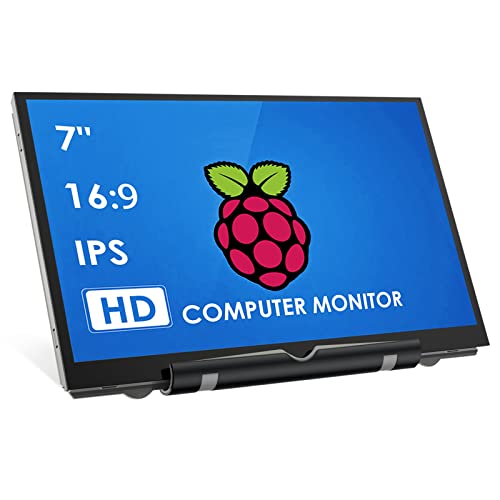
- 7-inch 800×480 IPS panel
- Bracket included; no case or touch
- Pi 4/5 cable sold separately
Best For: Compact non-touch Raspberry Pi 5 setups
Versatile HDMI Pick – ELECROW 7-Inch IPS Touchscreen
Among raspberry pi portable screens, this ELECROW model is a flexible choice if you also want to connect other HDMI devices. Its 7-inch IPS panel has a 1024×600 native resolution, a 170° viewing angle, and five-point capacitive touch.
Best For: Pi projects that may also need a small display for a computer, TV box, or game console.
Pros:
- Supports Raspberry Pi 5, 4, and 3, plus several other single-board computers.
- Driver-free touch connects through Micro USB, with HDMI carrying video.
- Includes an HDMI cable, USB cable, Micro-HDMI adapter, and mounting screws.
Cons:
- Requires wired video and USB connections.
- 1024×600 native resolution leaves less workspace than higher-resolution options.
Choose it for broad device compatibility and straightforward touch setup rather than maximum screen space.
High-Resolution Workstation Pick – 10.1-Inch 1920×1200 Touchscreen
If you need more room for code or dashboards, this 10.1-inch model offers a higher-resolution option among raspberry pi portable screens. Its 1920×1200 IPS display pairs with ten-point capacitive touch and a rear compartment designed to hold a Raspberry Pi board.
Best For: Portable Pi workstations, dashboards, and development setups that benefit from extra screen space.
Pros:
- 1920×1200, 16:10 display provides more room for documents and monitoring data.
- Detachable back cover gives the Pi board a built-in mounting compartment.
- Supports ten-point touch and includes dual speakers.
Cons:
- Requires the included 12V DC power supply in every connection mode.
- Touch functionality is disabled on iOS systems.
This is the strongest fit here when display detail and an integrated Pi layout matter more than a minimal cable setup.
Direct DSI Pick – Hosyond 7-Inch Pi Touchscreen
For raspberry pi portable screens built around a dedicated Pi connection, the Hosyond uses the board’s MIPI DSI interface instead of HDMI. Its 7-inch IPS touchscreen has an 800×480 resolution and adjustable backlight brightness.
Best For: Raspberry Pi-only projects where a direct DSI display connection is preferable.
Pros:
- Connects through the Pi’s MIPI DSI interface without additional connections.
- Supports Raspberry Pi 5, 4B, 3-series models, and 2B.
- Offers capacitive touch and backlight brightness adjustment.
Cons:
- Has no HDMI port and is not compatible with other devices.
- 800×480 resolution provides limited space for dense interfaces.
- Ubuntu, Kali, and Windows 10 IoT support single-touch only.
Its appeal is the direct Pi connection; pick a different screen if you need to switch between a Pi and other HDMI sources.
Bright Dashboard Pick – Eyoyo 7-Inch HDMI Touchscreen
The Eyoyo is a practical choice among raspberry pi portable screens for dashboards, hardware monitoring, and other compact interfaces. It combines a 7-inch 1024×600 IPS display rated at 420 nits with five-point capacitive touch.
Best For: Pi dashboards or compact PC sensor panels that need a bright, touch-enabled display.
Pros:
- 420-nit brightness and a 170° viewing angle suit glanceable displays.
- Includes a Micro-HDMI to HDMI adapter for connecting a Raspberry Pi 5 or 4.
- Comes with a detachable bracket, cables, and mounting screws.
Cons:
- Needs separate HDMI and USB power connections.
- Touch is not supported on iOS.
Its included adapter and mounting accessories make it easy to plan a Pi dashboard, while the HDMI input also lets it serve other compatible devices.
Best Larger Touch Display – 8-Inch 1280×800 Raspberry Pi Touchscreen
Among raspberry pi portable screens, this 8-inch model offers more room to work with its 1280×800 IPS display. HDMI carries the picture, while USB powers the screen and enables touch, so plan for both connections.
Best For: Pi projects that benefit from a larger touch interface and flexible mounting.
Pros:
- 1280×800 resolution and wide 178° viewing angle.
- Five-point touch for supported setups.
- Detachable stand supports horizontal or vertical positioning; the removable back cover accommodates standard 100/75/50 wall mounts.
- Built-in dual speakers and a power switch.
Cons:
- Touch requires a USB connection in addition to HDMI.
- Touch functionality is disabled on iOS systems.
Choose this one when the extra inch and higher resolution matter more than minimizing your setup. Check your available USB port before buying if you intend to use touch.
Best Compact Pi Integration – ELECROW 7-Inch Touchscreen
For builders comparing raspberry pi portable screens, this ELECROW 7-inch display pairs a 1024×600 IPS panel with mounting holes for attaching a Pi board behind it. The included stand also makes it practical for desktop use.
Best For: Compact Pi builds that need a touchscreen and a choice of board-mounted or desktop placement.
Pros:
- Rear mounting holes and included Pi mounting hardware support an all-in-one build.
- Included acrylic stand provides a desktop option.
- Plug-and-play operation, with HDMI and USB cables plus a Pi 4B/5 micro-HDMI adapter included.
- Wide 178° viewing angle.
Cons:
- Native resolution is 1024×600, even though it accepts and scales up to 1080p input.
- Five-point touch is specified for Windows; Raspberry Pi and Jetson Nano operation is single-touch.
Its mounting hardware is the main reason to pick it over a basic small monitor. If your Pi interface depends on multi-touch gestures, note the stated single-touch limitation on Raspberry Pi.
Best Basic HDMI Display – GeeekPi 7-Inch IPS Screen
If you are shopping for raspberry pi portable screens primarily to display an HDMI picture, this GeeekPi model offers a 7-inch, 1024×600 IPS LCD in a slim listed 0.32-inch-deep format. Its notes list compatibility with Raspberry Pi and other small computers, but provide fewer setup details than the touchscreen options above.
Best For: Small Pi setups that need a compact HDMI display without a documented touch requirement.
Pros:
- 7-inch 1024×600 display with a listed 178° viewing angle.
- HDMI connectivity and listed Raspberry Pi compatibility.
- Wall-mount form factor listed in the specifications.
Cons:
- Touch capability is not clearly specified in the supplied details.
- No included cables or mounting accessories are identified in the supplied notes.
This is the straightforward display choice if HDMI output is your priority. Verify the connection and accessory requirements for your particular Pi before ordering, especially if you need touch input.
Best Touchscreen – ELECROW 10.1-Inch IPS Monitor
Among raspberry pi portable screens, the ELECROW is the larger, touch-enabled option here. Its 10.1-inch 1280×800 IPS panel gives you more room for controls and status displays than a 7-inch screen.
Best For: Raspberry Pi projects that benefit from a larger interactive display and mounting flexibility.
Pros:
- 1280×800 IPS display with wide viewing angles.
- Single-point touch on Raspberry Pi OS and several Linux systems; five-point touch on supported Windows versions.
- Includes a protective acrylic case, brackets, cables, and rear mounting holes.
Cons:
- Touch support on Raspberry Pi OS is limited to a single point.
- At 10.1 inches, it takes more space than the 7-inch options.
HDMI handles video and USB handles power, making this a practical choice when touch matters more than keeping the display as small as possible.
Best Open-Back DIY Display – HAMTYSAN 7-Inch IPS Screen
If you want raspberry pi portable screens for a compact build, this HAMTYSAN offers a 7-inch, 800×480 IPS display without a surrounding case. It connects over HDMI and draws power through USB, with no driver installation specified.
Best For: Makers who want a small, non-touch screen to mount or adapt for a DIY project.
Pros:
- IPS panel with a stated 178-degree viewing angle.
- Tempered glass and full lamination are intended to improve clarity and limit dust intrusion.
- Adjustable desktop bracket and four rear mounting holes.
Cons:
- No touch input.
- No cover on the back, so the exposed design may need protection in a finished build.
- 800×480 resolution leaves limited room for dense interfaces.
This is a straightforward choice for a Pi status screen or compact secondary display when an open-back form factor suits the enclosure you have in mind.
Best Compact Pi 5 Option – HMTECH 7-Inch IPS Monitor
The HMTECH is one of the raspberry pi portable screens to consider if you need a compact, non-touch display with stated Raspberry Pi 5 compatibility. Its 7-inch IPS panel has an 800×480 native resolution and connects through HDMI for video and USB for power.
Best For: Small Raspberry Pi 5 or earlier Pi setups where touch input is unnecessary.
Pros:
- 7-inch IPS panel with a stated 178-degree viewing angle.
- No driver installation required for the described HDMI-and-USB setup.
- Includes a bracket and also supports use as a laptop display in duplicate, extend, or second-screen mode.
Cons:
- No touch input or case.
- Raspberry Pi 5 and 4 users need to buy a micro-HDMI-to-HDMI cable separately.
- 800×480 native resolution limits on-screen workspace.
Check your Pi’s HDMI connector before ordering: the included HDMI-to-HDMI cable is described for Raspberry Pi 3, not Pi 4 or 5.
How We Picked These Raspberry Pi Portable Screens
We focused on practical differences in the listed specifications: screen size, resolution, touch support, display interface, and included setup features such as stands or speakers. The selection covers compact non-touch HDMI screens, HDMI touchscreens, a DSI-connected option, and larger displays for users who need more room. Product listings do not establish real-world brightness, power draw, or durability, so check current specifications and buyer feedback before purchasing.
Quick Comparison by Use
For the smallest setups, the 7-inch 800×480 displays prioritize a compact footprint over workspace. A 7-inch 1024×600 screen offers more room for menus and terminal windows; choose a touch model if you want on-screen controls. The listed 8-inch 1280×800 touchscreen splits the difference between compact size and readability. At 10.1 inches, the 1280×800 and 1920×1200 touchscreens offer more space, but take up more room in a bag or enclosure. The Hosyond 7-inch model uses a DSI connection rather than the HDMI connection used by most other options here.
Key Buying Factors for Raspberry Pi Portable Screens
Connection and Compatibility
Check your exact Raspberry Pi model and its video output before ordering. HDMI displays may need a full-size-to-micro-HDMI cable for newer Pi boards. A DSI screen requires a compatible ribbon-cable connection; confirm connector and cable requirements for your Pi model. For touchscreens, verify how touch data reaches the Pi—often through a separate USB connection—and whether your operating system supports it.
Power and Portability
Portable does not necessarily mean battery-powered. Confirm whether the screen needs its own USB power source, can share your Pi’s supply, or includes an adapter. Consider cable placement, stand stability, and whether the display will fit your case or enclosure. If you plan to use a power bank, check the requirements of the complete Pi-and-screen setup.
Resolution and Controls
Higher resolution can make text and desktop layouts more useful, especially on the larger screens, but small text may need scaling. Touch is worthwhile for kiosks and control panels; it adds little if you mainly use a keyboard and mouse. Speakers may be convenient, but check audio-input support if sound matters to your project.
Who Should Buy Which Raspberry Pi Portable Screens?
Choose a basic 7-inch HDMI screen for status dashboards, terminal access, or a budget-minded travel setup. Pick a 7-inch touchscreen for compact, hands-on controls; consider the DSI model if that connection suits your Pi and build. The 8-inch 1280×800 option is a middle ground for touch projects needing more readable space. Choose a 10.1-inch model for desktop-style use, with the listed 1920×1200 screen offering the most pixels in this group. Whatever the size, verify the cables and power accessories before checkout.