Choosing the right controller can make PC lighting simpler, cleaner, and far more reliable. The best options for case builds balance easy installation, broad compatibility, and smooth control.
Below, we focus on practical picks for builders who want better RGB synchronization, fewer headaches, and a setup that fits their case and lighting hardware.
Best 10 USB RGB Controllers for PC Case Lighting Picks for 2026
High-Channel Software Hub
Airgoo 16-Port SignalRGB/OpenRGB Hub
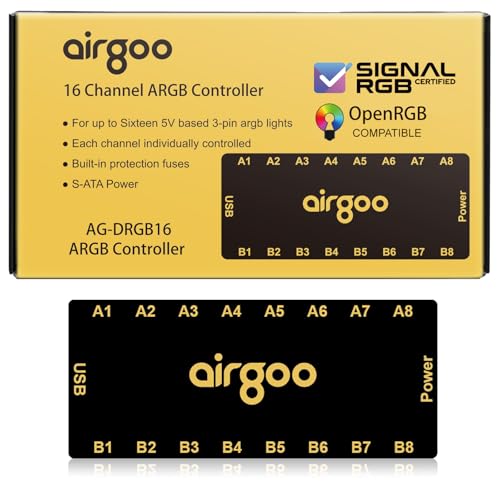
- 16 ARGB ports for larger lighting builds
- Supports SignalRGB and OpenRGB software
- SATA-powered with magnetic internal mounting
Best For: Large case lighting setups that need many ARGB connections
Combined Fan + RGB Controller
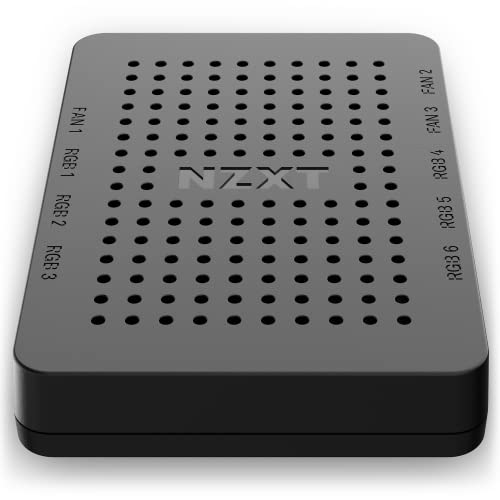
- Six lighting channels plus three fan channels
- Controls up to nine PWM fans in CAM
- Flexible mounting with magnets or screws
Best For: Users who want one controller for both RGB and fan management
Compact 8-Port ARGB Hub
Iesooy 8-Port Nollie ARGB Controller

- Eight 5V 3-pin ARGB ports
- Dual SATA power for stable lighting
- Supports SignalRGB and OpenRGB
Best For: Small to medium cases needing dependable ARGB expansion
Remote-Control ARGB Kit
GSCOLER 21-Key ARGB Controller Kit

- 21-key remote for instant lighting changes
- SATA-powered and software-free
- Supports 5V 3-pin ARGB devices
Best For: Anyone who wants easy remote control for case lighting
Magnetic 8-Port Hub
airgoo 8-Port ARGB Controller for SignalRGB/OpenRGB

- 8 ARGB ports for fans, strips, and AIO lighting
- Supports SignalRGB and OpenRGB after software setup
- SATA power, USB 2.0, and magnetic mounting
Best For: Builders who want app-based ARGB control with lots of expansion
Manual USB Duo
XMSJSIY USB ARGB Controller 2-Pack
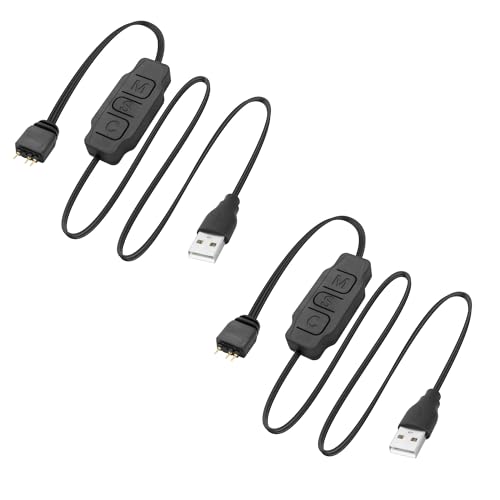
- USB-A powered manual control for 5V 3-pin ARGB
- Buttons adjust mode, speed, and color
- 2-pack with extension wire for easier routing
Best For: Users who want simple hands-on lighting control
SATA Standalone Controller
Thermalrlght 5V A-RGB Lighting Controller

- SATA-powered and does not connect to the motherboard
- Controls brightness and effect frequency with buttons
- Supports 5V 3-pin A-RGB fan lighting
Best For: Builders who need a simple header-free ARGB controller
Remote-Control ARGB Hub
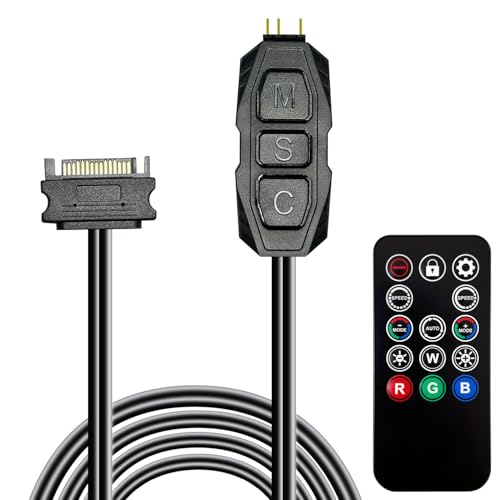
- 215 dynamic modes and 4 static colors
- 14-key remote for fast effect changes
- SATA power and 5V 3-pin ARGB support
Best For: Standalone ARGB lighting control with a remote
8-Port Cable Manager

- Supports up to 8 ARGB fan groups
- SATA-powered for stable output
- Adhesive and magnetic mounting options
Best For: Neat ARGB fan expansion and cable management
Mini Standalone Controller

- Tiny inline controller for tight builds
- SATA power with no motherboard support needed
- Buttons control mode, speed, direction, and brightness
Best For: Small cases needing a compact manual ARGB controller
High-Channel Software Hub – Airgoo 16-Port SignalRGB/OpenRGB Hub
If you want usb rgb controllers for pc case lighting that can scale beyond a basic build, this Airgoo hub is built for bigger ARGB setups. It supports up to 16 devices, uses SATA power for stability, and relies on USB 2.0 for low-lag software control through SignalRGB or OpenRGB.
Best For: Builders who want a compact, high-port ARGB hub for multi-device case lighting with software control.
Pros:
- 16 ARGB ports let you expand fans, strips, and AIO lighting in one place.
- SignalRGB and OpenRGB support gives you flexible software control options.
- SATA power helps reduce flickering under heavier lighting loads.
- Built-in magnets make internal mounting quick on steel surfaces.
Cons:
- Requires correct software installation before controller configuration works.
- Designed for internal chassis use, so it is not a simple external add-on.
This is a strong pick if you need a dense ARGB hub and want unified control across multiple brands and components. It favors scalability and software-driven customization over simple standalone operation.
Combined Fan + RGB Controller – NZXT RGB & Fan Controller
For usb rgb controllers for pc case lighting that also handle cooling, the NZXT controller combines RGB expansion with fan management in one unit. It offers six lighting channels and three fan channels, with control through NZXT CAM for users who want a tidy, software-based setup.
Best For: NZXT-based builds that want both RGB lighting control and fan-speed management in one controller.
Pros:
- Six RGB lighting channels support a broad accessory setup.
- Three fan channels can manage up to nine PWM fans.
- NZXT CAM software provides centralized control for lighting and fan profiles.
- Built-in magnets, adhesive strips, and screw holes offer flexible mounting.
Cons:
- RGB customization is tied to NZXT CAM software.
- Bulkier than simple ARGB-only hubs.
This is the most practical option here if you want one controller to organize both fan curves and lighting. It is especially useful for systems already built around NZXT software and accessories.
Compact 8-Port ARGB Hub – Iesooy 8-Port Nollie ARGB Controller
If you need usb rgb controllers for pc case lighting and prefer a compact 8-port layout, this Iesooy hub is built for straightforward ARGB expansion. It supports 5V 3-pin devices, works with SignalRGB and OpenRGB, and uses dual SATA power to keep larger lighting arrays stable.
Best For: Compact builds that need reliable 8-port ARGB expansion with dual power input.
Pros:
- Eight ARGB ports cover fans, strips, coolers, and case lighting.
- Dual SATA power helps reduce voltage drop in larger setups.
- SignalRGB certification and OpenRGB support broaden software compatibility.
- Small FR4+PETG body fits tight PC spaces easily.
Cons:
- Only works with 5V 3-pin ARGB devices.
- Requires USB 9-pin motherboard connection for signal transmission.
This hub makes sense if you want a neat, compact controller without sacrificing expansion or software options. Its dual-power design is a plus for setups that push several ARGB devices at once.
Remote-Control ARGB Kit – GSCOLER 21-Key ARGB Controller Kit
For usb rgb controllers for pc case lighting without software setup, this GSCOLER kit leans into simple remote-based control. It runs from SATA power, supports 5V 3-pin ARGB devices, and includes a 21-key remote for switching modes, colors, and brightness.
Best For: Users who want quick, software-free ARGB control with a handheld remote.
Pros:
- 21-key remote makes lighting changes fast and easy.
- Multiple dynamic effects plus 12 static colors add variety.
- SATA-powered operation keeps the controller independent of motherboard ARGB support.
- Compatible with case fans, coolers, LED light bars, and other 5V 3-pin devices.
Cons:
- No software customization is included.
- Limited to basic remote-driven mode and color changes.
This is the simplest pick in the group if you want immediate control and do not want to install lighting software. It is best suited to users who value convenience over advanced syncing features.
Magnetic 8-Port Hub – airgoo 8-Port ARGB Controller for SignalRGB/OpenRGB
If you’re comparing usb rgb controllers for pc case lighting, this airgoo hub is aimed at builders who want app-based control and more expansion than a motherboard header usually allows. It supports 8 ARGB ports, uses SATA power for stable output, and works with SignalRGB or OpenRGB once the correct software is installed.
Best For: PC builders who want a compact, software-controlled ARGB hub with broad compatibility and easy magnetic mounting.
Pros:
- 8-port expansion for fans, strips, AIO lighting, and other 5V 3-pin ARGB devices
- SignalRGB and OpenRGB support for unified lighting control across multiple devices
- SATA power and USB 2.0 connection help reduce flicker and keep commands responsive
- Built-in magnets make chassis mounting quick on steel surfaces
Cons:
- Requires downloading the correct software before configuration will work
- Designed for internal case use, so it’s not a simple external controller
- Windows support is needed for SignalRGB usage
This is a strong pick if you want a tidy, high-capacity ARGB controller that consolidates multiple lighting runs into one software ecosystem. The magnetic design and safety fuse are practical extras for clean, dependable case installs.
Manual USB Duo – XMSJSIY USB ARGB Controller 2-Pack
For buyers who want usb rgb controllers for pc case lighting without software setup, this XMSJSIY 2-pack keeps things simple. It powers 5V 3-pin ARGB devices from a USB-A connection and uses built-in buttons to change lighting mode, speed, and color, making it easy to hide inside a chassis.
Best For: Users who want a straightforward manual ARGB controller for fans, strips, and water-cooling lighting.
Pros:
- Manual button control for mode, speed, and color changes
- USB-A powered for plug-and-play style setup
- Works with 5V 3-pin ARGB fans, strips, lamp boards, and radiators
- Extension wire design helps solve short-cable routing issues
Cons:
- No software sync or motherboard-based lighting control
- Best suited to basic manual lighting changes rather than advanced effects
- USB-powered design may not suit every internal cable layout
This controller is a practical choice if you just want reliable lighting control without extra apps or ecosystem lock-in. The included 2-pack also makes it useful for simple multi-zone builds or spare use.
SATA Standalone Controller – Thermalrlght 5V A-RGB Lighting Controller
If you need usb rgb controllers for pc case lighting alternatives that don’t depend on a motherboard header, this Thermalright controller focuses on standalone 5V ARGB control. It runs from SATA power and gives you direct button control over brightness and lighting frequency for 3-pin devices.
Best For: PC builders who want a motherboard-independent ARGB controller for basic fan lighting control.
Pros:
- SATA-powered design does not require connection to the motherboard
- Supports 5V 3-pin A-RGB fan lighting devices
- Button controls adjust brightness and effect frequency in steps
- Helpful when the motherboard lacks enough 5V lighting headers
Cons:
- Limited to a maximum of 6 A-RGB fans in series per the supplied notes
- Maximum output current is 2A, so it is not meant for oversized loads
- Does not offer software-based syncing or advanced customization
This is a sensible pick for straightforward internal lighting setups where stability and header independence matter more than fancy effects. It keeps the control path simple while covering the basics for compatible ARGB fans.
Remote-Control ARGB Hub – 215-Mode SATA ARGB Controller
If you want usb rgb controllers for pc case lighting behavior without relying on motherboard sync, this SATA-powered ARGB controller is built for simple plug-and-play use. It supports 5V 3-pin ARGB devices, offers a large built-in mode selection, and includes a 14-key remote for quick color and effect changes inside the case.
Best For: Builders who want an easy remote-controlled ARGB hub for fans, strips, and other 5V 3-pin lighting.
Pros:
- 215 dynamic lighting modes plus 4 static colors
- Remote control makes switching effects quick and convenient
- SATA-powered design works without motherboard ARGB support
- Compact housing is easy to hide in the case
Cons:
- Supports only 5V 3-pin ARGB devices, not 12V 4-pin RGB
- Does not provide motherboard software synchronization
This is a practical pick if you mainly want standalone lighting control and broad compatibility with common ARGB case accessories. The included remote and built-in effects make it a straightforward upgrade for systems that need simple control more than advanced syncing.
8-Port Cable Manager – Thermalright ARGB Fan HUB
For usb rgb controllers for pc case lighting setups that need cleaner wiring rather than a feature-heavy controller, this Thermalright hub focuses on expansion and organization. It supports up to 8 groups of ARGB fans, uses SATA power for stable output, and is designed to keep multiple fan and light connections tidy inside the chassis.
Best For: Users who need an 8-port ARGB fan hub for wiring expansion and neat cable management.
Pros:
- Supports up to 8 groups of ARGB fans
- SATA power helps maintain stable output under load
- Built-in adhesive and magnetic mounting make installation easier
- Supports PWM fan regulation and speed reading for a single fan on the red port
Cons:
- Does not control lighting effects by itself
- Not compatible with 12V 4-pin RGB devices
- PWM speed reading is limited to one fan in the red interface
This hub makes the most sense when your priority is expanding connections and simplifying cabling, not adding extra lighting controls. It is a good fit for larger builds that already have ARGB-compatible devices and need an efficient way to distribute power and signals.
Mini Standalone Controller – Compact ARGB Lighting Switch
If you need usb rgb controllers for pc case lighting but want the smallest possible inline solution, this mini ARGB splitter/controller is designed to run 5V 3-pin lighting directly from SATA power. It includes built-in lighting modes, simple button control, and an extended cable layout that helps when your fan or strip leads are short.
Best For: Compact builds that need a tiny standalone ARGB controller with basic manual controls.
Pros:
- Very small controller body fits easily in tight cases
- SATA power lets it work without motherboard ARGB support
- Built-in modes include monochrome, running light, and rainbow effects
- Button controls adjust mode, speed, direction, and brightness
Cons:
- Does not support motherboard software synchronization
- Limited to 5V 3-pin ARGB devices
This is a strong choice for users who want simple lighting control in a compact package rather than a full hub. Its small size and onboard controls make it especially useful for builds where space is tight and the lighting setup is straightforward.
How We Picked USB RGB Controllers for PC Case Lighting
We focused on controllers that suit modern case builds, especially models with SATA power, multiple ARGB ports, and support for common 5V 3-pin lighting. We also looked for options that make installation easier with magnetic mounting, compact layouts, or hub-style expansion.
For USB RGB Controllers for PC Case Lighting, the most important factor is compatibility. A controller should match your lighting standard and give you enough channels for fans, strips, and other case accessories without forcing awkward daisy chains.
Quick Comparison
In general, hub-style controllers are best for larger builds that need several devices on one controller. Smaller splitter-style kits work well for minimal setups or budget systems. If you want software control, look for support for ecosystems such as SignalRGB or OpenRGB. If you prefer simple onboard control, a remote-based kit may be the better fit.
Key Buying Factors for USB RGB Controllers for PC Case Lighting
Lighting Type and Pin Layout
Make sure the controller matches your parts: 5V 3-pin ARGB is common for addressable effects, while 4-pin RGB is a different standard. Mixing them up can cause compatibility problems or even damage.
Power and Expansion
SATA-powered controllers usually handle more devices more reliably than USB-powered or passively powered options. Check both port count and total load, especially if you plan to connect multiple fans and LED strips.
Software or Manual Control
If you want full sync with your motherboard or lighting software, choose a controller that supports your platform. If you only need easy preset effects, a remote or inline controller may be enough.
Mounting and Cable Management
Compact hubs, magnetic backs, and slim frames can make installation easier inside tight cases. A tidy controller placement also helps airflow and keeps cable runs short.
Who Should Buy Which USB RGB Controllers for PC Case Lighting?
Choose a multi-port ARGB hub if you are building a fully lit system with several fans and accessories. Choose a compact splitter or mini controller if your goal is simply to add a few lighting devices without overcomplicating the build. Choose a software-compatible controller if you want synchronized effects across your whole setup. For budget-minded builders, a basic remote kit can still provide plenty of visual control with minimal setup.
Overall, the best choice depends on how many lighting devices you need to manage, whether you want app or software control, and how much room you have for installation.