If you need a workstation PC for SketchUp, the goal is simple: smooth modeling, fast file handling, and enough headroom for heavier scenes and rendering.
Our picks focus on dependable performance for design workflows, from affordable CAD-friendly systems to high-end workstations built for larger SketchUp projects.
Best 5 Workstation PC for Sketchup Picks for 2026
Best Value for Design Work
Dell OptiPlex 5070 i5 Workstation PC

- Quadro P620 graphics for design-oriented SketchUp work
- 32GB RAM and 1TB NVMe SSD for smooth multitasking
- Windows 11 Pro with Wi-Fi, Bluetooth, and peripherals included
Best For: SketchUp users who want a dependable, ready-to-use desktop for light to moderate design work.
Business-Friendly Value

- Separates business and personal spending
- Helps organize recurring purchases
- Useful for teams and freelancers
Best For: Teams and freelancers who want a simple purchasing tool for SketchUp workstation buys.
Best for Heavy SketchUp Scenes
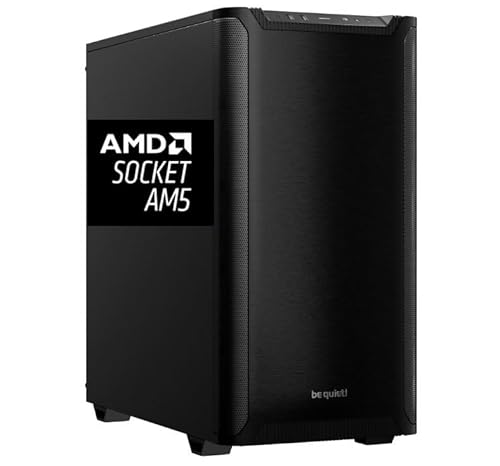
- 16-core Ryzen 9 9950X for high-end modeling performance
- 64GB DDR5 RAM and 2TB NVMe SSD for fast multitasking
- Quadro RTX 2000 Ada 16GB suits pro creative workloads
Best For: Architects and designers handling large SketchUp files and pro-grade multitasking.
Best for Heavy SketchUp Rendering
CPU Solutions Express 4K to 8K Editing Workstation
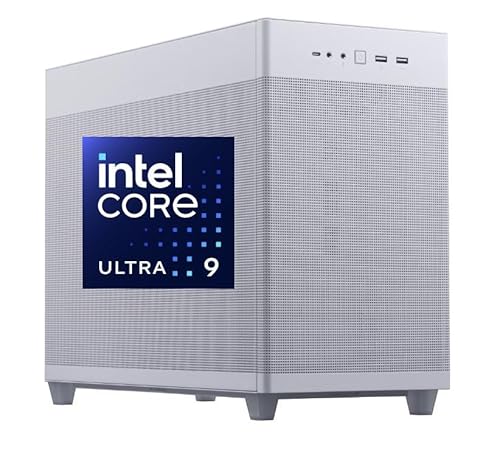
- Core Ultra 9 CPU with 64GB RAM for demanding models
- Quadro RTX 2000 Ada for pro graphics stability
- 2TB NVMe SSD for fast loading and storage
Best For: SketchUp users who need a powerful desktop for large models, rendering, and multitasking.
Best for Heavy SketchUp Work
Ryzen 9 9900X SketchUp Workstation

- Ryzen 9 9900X with 12 cores and 24 threads
- 64GB DDR5 RAM plus 2TB NVMe SSD
- Quadro RTX 2000 ADA for pro graphics work
Best For: Architects and designers running demanding SketchUp projects and other professional 3D apps.
Best Value for Design Work – Dell OptiPlex 5070 i5 Workstation PC
If you want a workstation pc for sketchup that stays responsive without jumping to a pricey tower, this renewed Dell OptiPlex 5070 is a practical middle-ground. The i5-9500, Quadro P620, 32GB RAM, and 1TB NVMe SSD give you a capable setup for 3D modeling, multitasking, and everyday creative work.
Best For: SketchUp users who want a dependable, ready-to-use desktop for light to moderate design work, office tasks, and dual-monitor setups.
Pros:
- Quadro P620 graphics are well-suited to design-focused workloads and viewport stability.
- 32GB RAM and a 1TB NVMe SSD help with smooth multitasking and fast project loading.
- Windows 11 Pro, Wi-Fi, Bluetooth, and included keyboard/mouse make setup simple.
Cons:
- Not ideal for heavy rendering or very large SketchUp scenes.
- Renewed configuration may vary slightly from a brand-new retail system.
Overall, this Dell is a smart workstation pc for sketchup if your priority is dependable performance, strong multitasking, and business-friendly features rather than top-tier graphics horsepower. It’s a sensible pick for students, small studios, and anyone who needs a solid CAD-ready desktop on a tighter budget.
Business-Friendly Value – Amazon Business Card
If you want a straightforward way to buy a workstation pc for sketchup through a business account, this Amazon Business Card section is really about convenience and centralized purchasing. It is less about raw hardware specs and more about making recurring office buys easier to track, approve, and manage.
Best For: Teams, freelancers, and small firms that need a simple purchasing option for SketchUp-ready workstation upgrades and office expenses.
Pros:
- Helps separate business purchases from personal spending
- Useful for recurring equipment and software-related buys
- Can simplify bookkeeping and expense tracking
- Fits teams that want a practical procurement tool
Cons:
- Not a workstation PC itself
- Doesn’t add performance for SketchUp workloads
- Value depends on how often you make business purchases
As a roundup entry, this is a utility-first pick rather than a performance pick, so it only makes sense if your workstation pc for sketchup buying process matters as much as the machine you end up choosing. For buyers managing multiple purchases, it can still be a smart admin shortcut.
Best for Heavy SketchUp Scenes – Ryzen 9 9950X Workstation PC
If you want a workstation pc for sketchup that can handle large models, multitasking, and long rendering sessions, this CPU Solutions tower is built for serious throughput. The Ryzen 9 9950X, 64GB of DDR5 RAM, and 2TB NVMe SSD give it the kind of fast responsiveness that helps keep complex design work moving smoothly.
Best For: Architects, designers, and power users who need strong CPU performance, plenty of memory, and pro-grade graphics for demanding SketchUp projects.
Pros:
- 16-core Ryzen 9 9950X delivers excellent CPU power for modeling and multitasking
- 64GB DDR5 RAM and 2TB NVMe SSD support large files and fast project loading
- Quadro RTX 2000 Ada 16GB is a strong fit for professional creative apps
- Good connectivity with multiple video outputs and plenty of USB ports
Cons:
- More workstation than casual SketchUp users need
- Focused on performance, so it may be overkill for simple 3D work
This is a strong workstation pc for sketchup if your workflow includes large scenes, heavy multitasking, or other pro applications alongside modeling. It leans toward power and stability rather than entry-level value, which makes sense for users who need dependable headroom.
Best for Heavy SketchUp Rendering – CPU Solutions Express 4K to 8K Editing Workstation
If you need a workstation pc for sketchup that can handle large models, viewport work, and GPU-accelerated rendering, this CPU Solutions tower is built for high-output creative use. The Core Ultra 9 processor, 64GB of RAM, and 2TB NVMe SSD give it the memory, storage, and speed needed for demanding design files and fast project loading.
Best For: SketchUp users who also render frequently, work with complex scenes, or need a pro-grade desktop with strong multitasking headroom.
Pros:
- Core Ultra 9 CPU and 64GB RAM are well suited to heavy multitasking and large SketchUp projects
- Quadro RTX 2000 Ada offers pro graphics stability for compatible creative workloads
- 2TB NVMe SSD helps speed up file access, loading, and general workflow responsiveness
- Multiple display outputs and 8 USB ports make it easy to build a productive desk setup
Cons:
- More power than casual SketchUp users need, so it may be overkill for simpler models
- Positioned as a workstation, it is likely pricier than mainstream desktops
- Graphics performance is solid for pro use, but not aimed at top-tier gaming value
This is a strong workstation pc for sketchup if your workflow leans toward serious modeling, fast iteration, and occasional rendering. It makes the most sense for users who want workstation-class responsiveness rather than a basic office desktop.
Best for Heavy SketchUp Work – Ryzen 9 9900X SketchUp Workstation
If you need a workstation pc for sketchup that can handle large models, multitasking, and GPU-accelerated workflows, this CPU Solutions Express mini tower is built for serious creative work. The Ryzen 9 9900X, 64GB of DDR5 memory, and Quadro RTX 2000 ADA graphics give it the kind of headroom that matters when projects get complex.
Best For: Architects, designers, and 3D artists who want a fast, stable workstation for demanding SketchUp scenes and other pro apps.
Pros:
- Ryzen 9 9900X offers strong single-thread and multi-thread performance
- 64GB DDR5 RAM and 2TB NVMe SSD support large files and smooth multitasking
- Quadro RTX 2000 ADA is well-suited to professional graphics workflows
- Mini tower design includes solid cooling and Windows 11 Pro
Cons:
- Overkill if you only use SketchUp for light modeling
- Not a budget-friendly choice
- Single-GPU workstation focus may be more than casual users need
This is a strong workstation pc for sketchup if your priority is dependable performance on bigger models and a setup that can grow with your workflow. It leans toward professional use rather than entry-level value, but the specs are a good match for demanding design work.
How We Picked the Best Workstation PC for Sketchup
We prioritized components that matter most for SketchUp performance: strong single-core CPU speed, sufficient RAM, fast NVMe storage, and professional-grade graphics where available. We also looked for configurations that make sense for workstation use, including Windows 11 Pro, stable thermals, and upgrade-friendly hardware.
Quick Comparison
The lineup covers a range of needs. The Dell system is the most accessible option for lighter design work. The Ryzen 9 and Core Ultra systems step up for larger models, multitasking, and rendering-heavy workflows. The Quadro-equipped Ryzen 9 build is the best fit when viewport stability and pro graphics support matter more than raw consumer-gaming specs.
Key Buying Factors for a Workstation PC for Sketchup
CPU Speed Matters Most
SketchUp benefits heavily from fast single-thread performance, so prioritize modern high-clock CPUs. More cores help with rendering and background tasks, but clock speed still drives much of the day-to-day modeling experience.
RAM and Storage
At 32GB of RAM, you have a solid baseline for most projects. For complex files, texture-heavy scenes, or running other design apps at the same time, 64GB is a better choice. A fast NVMe SSD also improves launch times, project loading, and overall responsiveness.
GPU Choice
SketchUp does not rely on the GPU as heavily as some creative apps, but a capable graphics card still improves viewport performance and can help with rendering workflows. Professional cards may be worth it if you want reliability and driver stability over gaming-focused features.
Windows and Connectivity
Windows 11 Pro is useful for business and workstation environments, while WiFi and included peripherals can make setup easier. These extras do not boost performance directly, but they can improve convenience and deployment.
Who Should Buy Which Workstation PC for Sketchup?
If you work on smaller models or want a budget-conscious Workstation PC for Sketchup, the Dell build is the most practical starting point. If you handle larger scenes, frequent multitasking, or rendering, the Ryzen 9 and Core Ultra options offer much more breathing room. For professionals who want a balanced high-end setup with workstation graphics, the Quadro-based Ryzen 9 configuration is the strongest fit.
In short, choose based on file size, rendering demands, and how long you want the system to stay relevant as your projects grow.