A Mac Studio can handle demanding projects, but its built-in storage may fill up quickly with video, photo libraries, samples, and backups. An external SSD adds space without committing you to a new computer.
The right choice depends on more than capacity. These 10 options span compact USB-C drives, an SSD-ready desktop hub, and faster USB4 and Thunderbolt storage for heavier workflows.
Best 10 Mac Studio External SSD Solutions Picks for 2026
Best Mac Studio Hub
Satechi Hub & Stand with SSD Enclosure

- Add your own M.2 NVMe or SATA SSD
- Front-facing USB, card readers, and audio
- Up to 10Gbps storage connection
Best For: Mac Studio owners seeking storage expansion and easier port access
Best Rugged Portable Pick
SanDisk Extreme Portable SSD 2TB

- 2TB ready-to-use USB-C storage
- Up to 1050MB/s read speed
- IP65 rating and up to 3-meter drop protection
Best For: Portable file storage with added protection against dust, water, and drops
Best USB4 Performance Pick

- 1TB portable NVMe storage
- Up to 3836MB/s cited performance
- USB4, Thunderbolt, and USB-C support
Best For: Fast transfers of large media files
Best High-Capacity Thunderbolt Pick
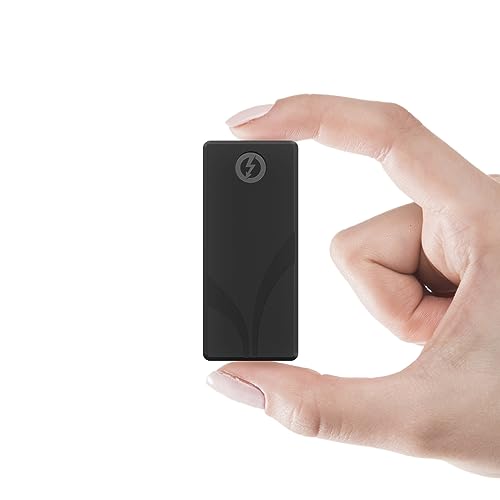
- 4TB in a compact, bus-powered drive
- Thunderbolt 3 speeds up to 2700MB/s
- Includes protective sleeve and two cables
Best For: Portable storage for large video and RAW-file projects
Rugged Field Pick
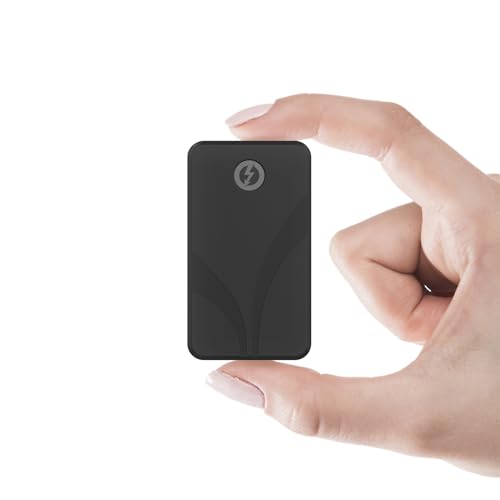
- Up to 2,700MB/s peak Thunderbolt 3 reads
- IP67-rated, shock-resistant enclosure
- Pocket-size and bus-powered
Best For: Creators working between a Mac Studio and field locations
High-Capacity Speed Pick

- 8TB ready-to-run storage
- Over 6,000MB/s advertised peak speed
- Bus-powered with upgradeable NVMe storage
Best For: Large Mac Studio creative libraries and fast project storage
Everyday USB Pick

- Up to 1,050MB/s advertised reads
- Compact, fall-resistant aluminum design
- 256-bit AES hardware encryption
Best For: Routine Mac Studio backups and portable project files
Fastest Thunderbolt Pick

- Thunderbolt 5; advertised speeds over 6,000MB/s
- 4TB capacity with bus power and built-in cable
- Fanless, rugged, weatherproof design
Best For: High-capacity creative projects on a Thunderbolt 5 setup
Portable Creator Pick

- Up to 2,100MB/s read and 2,000MB/s write
- IP55-rated; drop resistant up to 2 meters
- Password protection and broad compatibility
Best For: Creators moving active projects between devices
Simple Storage Pick

- Up to 1,000MB/s advertised read speed
- Pocket-sized with 2-meter drop protection
- USB-C plug-and-play connection
Best For: Everyday files and compact portable storage
Best Mac Studio Hub – Satechi Hub & Stand with SSD Enclosure
Among mac studio external ssd solutions, the Satechi Hub & Stand is a workspace upgrade: it adds an M.2 NVMe or SATA SSD enclosure beneath your Mac Studio while bringing everyday ports to the front. The SSD is sold separately.
Best For: Mac Studio owners who want accessible ports and room to add their own SSD in one stand.
Pros:
- Supports 2242, 2260, and 2280 M.2 NVMe or SATA SSDs at up to 10Gbps.
- Adds USB-C, three USB-A ports, SD and microSD readers, and a headphone jack.
- Aluminum construction and built-in vents help manage heat.
Cons:
- SSD is not included; SSDs with pre-installed heatsinks are not compatible.
- USB-A ports have device and charging restrictions, and only one bus-powered device should be connected at a time.
Choose this for a tidier, more accessible Mac Studio setup rather than a ready-to-use external drive. Check the SSD fit and USB-A limitations before buying.
Best Rugged Portable Pick – SanDisk Extreme Portable SSD 2TB
For mac studio external ssd solutions that can also travel, the 2TB SanDisk Extreme Portable SSD offers ready-to-use USB-C storage in a compact drive. Its advertised speeds reach up to 1050MB/s read and 1000MB/s write, depending on the host and other factors.
Best For: Buyers who want a portable 2TB drive for moving files between their Mac Studio and other devices.
Pros:
- IP65 dust and water resistance and up to 3-meter drop protection.
- Carabiner loop makes the drive easy to secure while traveling.
- Includes password protection with 256-bit AES hardware encryption.
Cons:
- Actual transfer speeds can be lower than the advertised maximums.
- USB 3.2 Gen 2 limits it to lower advertised speeds than the faster USB4 and Thunderbolt options here.
This is the practical choice when portability and protection matter more than maximum transfer speed. The 2TB capacity also avoids the separate SSD purchase required by an empty enclosure.
Best USB4 Performance Pick – OWC Express 1M2 1TB
If transfer speed is the priority among mac studio external ssd solutions, the 1TB OWC Express 1M2 pairs portable NVMe storage with a 40Gb/s USB4 connection. OWC cites up to 3836MB/s real-world performance, though the connected device and setup affect what you see.
Best For: Mac Studio users handling large media files who want a fast, bus-powered 1TB drive.
Pros:
- Supports USB4, Thunderbolt, and USB-C connections.
- Heat-dissipating metal design is intended to keep the SSD cool during sustained work.
- Includes a 40Gb/s USB-C cable.
Cons:
- The listed configuration provides 1TB, less capacity than the 2TB SanDisk and 4TB Sabrent drives here.
- Reaching its top advertised speed depends on a suitable connection and system.
The Express 1M2 makes the strongest case here for speed-focused desktop work while remaining portable. Pick it when fast transfers outweigh the need for more included capacity.
Best High-Capacity Thunderbolt Pick – Sabrent Rocket Nano XTRM 4TB
The 4TB Sabrent Rocket Nano XTRM is a compact option among mac studio external ssd solutions for buyers who need substantial portable storage. It supports Thunderbolt 3 speeds up to 2700MB/s and falls back to USB 3.2 Gen 2 at up to 900MB/s.
Best For: Creators moving large video projects or RAW files who need 4TB in a bus-powered drive.
Pros:
- Combines 4TB capacity with a small aluminum body.
- Includes a silicone sleeve plus Thunderbolt/USB-C and USB-C-to-USB-A cables.
- Works with compatible Mac, PC, and Linux devices without a separate power adapter.
Cons:
- USB 3.2 Gen 2 fallback is rated much slower than its Thunderbolt 3 connection.
- The five-year warranty requires registration within 90 days; standard coverage is three years.
Choose the Rocket Nano XTRM when capacity and portable Thunderbolt speed matter together. To benefit from its highest advertised speeds, connect it through a compatible Thunderbolt port.
Rugged Field Pick – SABRENT Rocket Nano XTRM 1TB
For mac studio external ssd solutions that also travel to shoots, the SABRENT Rocket Nano XTRM pairs a Thunderbolt 3 connection with an IP67-rated, pocket-size enclosure. Its advertised peak read speed is 2,700MB/s over Thunderbolt 3, with USB 3.2 Gen 2 fallback when Thunderbolt is unavailable.
Best For: Creators who move project files between a Mac Studio and demanding field locations.
Pros:
- Thunderbolt 3-certified, with up to 2,700MB/s advertised peak reads.
- IP67 water and dust protection plus a shock-resistant casing.
- Bus-powered; USB-C–to–USB-C and USB-A–to–USB-C cables are included.
Cons:
- Limited to 1TB in this configuration.
- USB fallback is rated at 900MB/s, below its Thunderbolt peak.
Choose this one when portability and environmental protection matter as much as speed. For a drive that stays on a desk, its rugged build may be less important than capacity.
High-Capacity Speed Pick – OWC Express 1M2 80G 8TB
Among mac studio external ssd solutions, the OWC Express 1M2 80G stands out for its supplied 8TB capacity and advertised peak real-world speed of over 6,000MB/s. Its USB4 80Gb/s connection and bus-powered design make it a compelling option for large creative projects, provided your setup supports the connection needed for its top speeds.
Best For: Mac Studio users with large working libraries who want high-capacity, high-speed external storage.
Pros:
- 8TB capacity in the listed ready-to-run configuration.
- Advertised peak real-world speeds over 6,000MB/s.
- Heat-dissipating design operates silently and supports future NVMe SSD upgrades.
Cons:
- Top-speed expectations depend on the host connection.
- SSD upgrades require attention to bus-power limits, especially with PCIe Gen 5 drives.
This is the capacity-and-throughput choice of the three, with upgrade flexibility as an added benefit. Check your Mac Studio’s available ports before buying if the advertised peak speed is central to your decision.
Everyday USB Pick – Samsung T7 Portable SSD 1TB
If you want straightforward mac studio external ssd solutions for backups and everyday project files, the Samsung T7 offers 1TB of portable USB 3.2 Gen 2 storage. Samsung rates it for up to 1,050MB/s reads and 1,000MB/s writes, making it a practical USB option rather than a Thunderbolt-speed drive.
Best For: Mac Studio users who want a compact drive for routine transfers, backups, and portable project files.
Pros:
- Advertised speeds up to 1,050MB/s read and 1,000MB/s write.
- Compact aluminum body with stated fall protection up to 6 feet.
- 256-bit AES hardware encryption and a three-year limited warranty.
Cons:
- 1TB may fill quickly with large video projects.
- Its USB 3.2 Gen 2 speed ceiling is lower than the advertised peaks of the Thunderbolt and USB4 options here.
The T7 makes sense when you value compact size and broad device compatibility over maximum throughput. For especially large or speed-sensitive workloads, consider a higher-capacity, faster-connected option.
Fastest Thunderbolt Pick – OWC Envoy Ultra 4TB
For mac studio external ssd solutions built around high-speed creative work, the OWC Envoy Ultra pairs 4TB of storage with Thunderbolt 5 and advertised speeds over 6,000MB/s. It also works with Thunderbolt 3, Thunderbolt 4, and USB4 machines.
Best For: Mac Studio users who want a high-capacity Thunderbolt drive for demanding project files.
Pros:
- Advertised speeds over 6,000MB/s on a suitable Thunderbolt 5 connection.
- Bus-powered with a built-in Thunderbolt cable.
- Fanless aluminum design; rugged, weatherproof construction.
Cons:
- Older Thunderbolt and USB4 connections cannot deliver its full Thunderbolt 5 speed.
- The built-in cable offers less flexibility than a detachable one.
This is the performance-focused choice if your connection can take advantage of Thunderbolt 5; on older ports, its backward compatibility matters more than its peak-speed claim.
Portable Creator Pick – Crucial X10 Pro 1TB
Among mac studio external ssd solutions that can also travel to a shoot, the Crucial X10 Pro offers 1TB of USB-C storage with advertised reads up to 2,100MB/s and writes up to 2,000MB/s. Its compact, durable build suits files that move between a desk and the field.
Best For: Creators who need a portable project drive for both Mac and other USB-connected devices.
Pros:
- Advertised read and write speeds up to 2,100MB/s and 2,000MB/s.
- IP55 water and dust resistance, plus stated drop resistance up to 2 meters.
- Password protection and broad device compatibility.
Cons:
- 1TB capacity may be limiting for large video libraries.
- Peak speeds require a compatible USB 20Gbps connection; check your Mac Studio port before buying for speed alone.
Choose this for a balance of portable durability and fast rated transfers, while treating its headline speeds as dependent on the host connection.
Simple Storage Pick – SanDisk Portable SSD 1TB
If you are comparing mac studio external ssd solutions for everyday file storage rather than maximum transfer speed, this SanDisk Portable SSD keeps things straightforward. It provides 1TB, USB-C connectivity, and advertised read speeds up to 1,000MB/s in a pocket-sized design.
Best For: Users who want a compact drive for photos, videos, and routine file transfers.
Pros:
- Up to 1,000MB/s advertised read speeds.
- Slim, lightweight design with stated drop protection up to 2 meters.
- USB-C plug-and-play setup with no drivers required.
Cons:
- Lower stated peak read speed than the other two drives in this roundup.
- No specific write-speed figure is supplied.
It is the uncomplicated portable option here: suitable when small size and easy USB-C use matter more than the highest advertised throughput.
How We Picked These Mac Studio External SSD Solutions
We focused on connection type, stated transfer speeds, capacity, portability, and how each design fits a Mac Studio setup. The selection includes ready-to-use drives and a hub with an NVMe enclosure, so you can choose between a simple plug-in purchase and a more customizable desktop arrangement. Advertised speeds are useful for comparing classes of drives, but real transfers depend on the Mac Studio port, cable, file sizes, drive temperature, and available space.
Quick Comparison by Use Case
For everyday files and backups, USB 3.2 Gen 2 drives such as the Samsung T7 and SanDisk portable models offer a straightforward starting point, with stated speeds around 1,000MB/s. The SanDisk Extreme adds IP65 resistance for use away from the desk. The Crucial X10 Pro targets higher advertised USB speeds, though reaching them requires a compatible connection.
For large working files, the OWC Express 1M2 USB4 and SABRENT Rocket Nano XTRM Thunderbolt 3 options move into a faster class. The OWC Express 1M2 80G and Envoy Ultra target newer, higher-bandwidth connections; check your particular Mac Studio before paying extra for those capabilities. The Satechi hub suits buyers who value a tidy desktop footprint and want to install a separate NVMe SSD.
Key Buying Factors for Mac Studio External SSD Solutions
Match the Drive to Your Ports
Mac Studio port capabilities vary by model and by port location. Check your exact machine and the drive’s interface before buying: USB-C describes the connector, not the transfer speed. Thunderbolt, USB4, and USB 3.2 drives can have different maximum speeds and fallback behavior. Use a cable rated for the connection you intend to use.
Choose Capacity for the Job
One terabyte can work for a focused project library or secondary storage; 2TB to 4TB gives more room for growing media collections. An 8TB drive makes more sense when consolidating large active projects is worth the cost. Leave free space for incoming work, and keep a separate backup—one external SSD is not a backup strategy.
Consider Where It Will Live
A hub or desk-bound drive can keep a workstation organized, while a small portable SSD is easier to move between computers. If the drive travels regularly, look at its stated water, dust, and shock protection rather than speed alone. Sustained transfers can also heat compact SSDs, so peak speed figures may not reflect a long export or copy.
Who Should Buy Which Mac Studio External SSD Solutions?
Choose a USB 3.2 Gen 2 portable SSD for affordable, uncomplicated file storage. Pick a rugged portable model if the drive regularly leaves your desk. Consider USB4 or Thunderbolt storage for large active media files when your Mac Studio supports the connection. Choose the Satechi hub if desktop organization and supplying your own NVMe drive matter most. Before checkout, confirm whether an SSD is included, verify capacity and cable requirements, and plan where your backup copy will live.