If you want a quieter desktop without sacrificing airflow or upgrade potential, a sound dampening PC case can make a big difference. The best options reduce panel resonance, manage fan noise, and still leave room for modern hardware.
This roundup includes full cases and acoustic materials that help you build a calmer system for gaming, content creation, and everyday work.
Best 10 Sound Dampening PC Case Picks for 2026
Best for Silent Versatility
be quiet! Silent Base 802 Black

- Swappable panels for quiet or airflow modes
- Thick insulation mats reduce noise well
- 3 included fans and fan controller add value
Best For: PC builders who want a quieter case with flexible cooling options.
Best Adhesive Foam Kit
SilverStone EPDM Sound Dampening Foam Pads
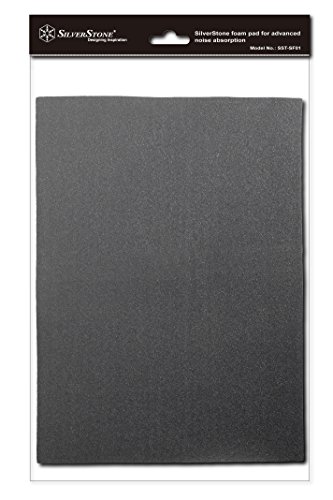
- High-density EPDM foam for noise absorption
- High-heat adhesive helps it stay in place
- Easy to cut for custom chassis fit
Best For: PC builders who want a simple, trim-to-fit noise absorption upgrade for an existing case.
Best for Quiet Versatility
be quiet! Pure Base 600 ATX Midi Tower

- Two pre-installed Pure Wings 2 fans for quiet airflow
- Flexible internal layout with removable ODD cage
- Ready for up to 360mm radiators and water cooling
Best For: Quiet PC builders who want flexibility for drives and cooling upgrades.
Best for Small Spaces
SilverStone EPDM Sound Dampening Foam (2 Pack)
- EPDM foam absorbs vibration and panel resonance
- High-temp adhesive backing for secure installation
- Easy to cut and fit inside most PC cases
Best For: Builders who want an easy adhesive foam add-on for targeted case noise reduction.
Best for Balanced Airflow
FOIFKIN F300 (2025) Panoramic ATX Case

- Tempered glass panel adds some sound insulation
- 4 pre-installed non-RGB fans included
- Supports ATX builds, 360mm radiators, and large GPUs
Best For: Builders who want a roomy, modern-looking mid-tower with decent noise control potential and strong cooling support.
Best Budget Sound Deadener
uxcell 6mm Acoustic Noise Absorbing Mat
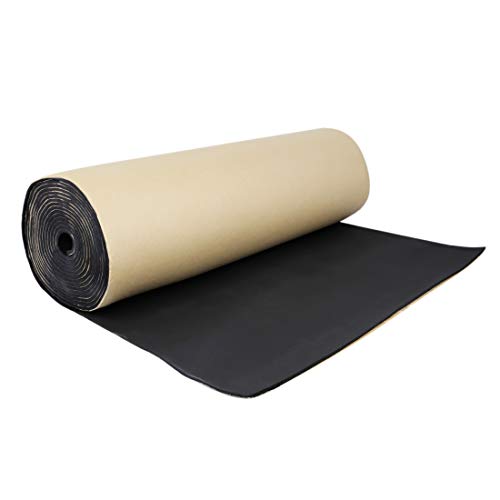
- 6mm foam-style damping material
- Self-adhesive and easy to cut
- Waterproof, moistureproof, and oil resistant
Best For: Budget DIY builders who want a cut-to-fit damping liner for a PC case or similar enclosure.
Best for Quiet Airflow
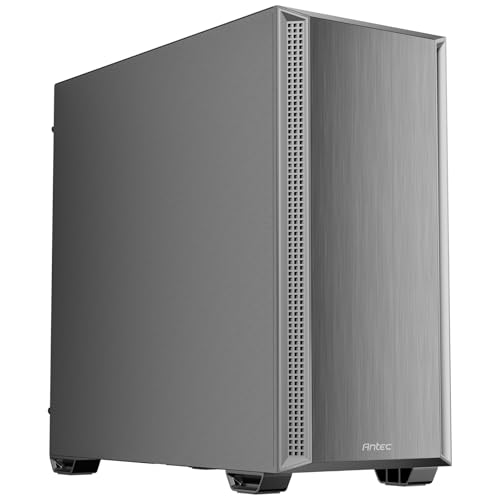
- Foam-lined side panels help cut case noise.
- Includes 4 PWM fans for immediate airflow.
- Supports 360 mm top radiators and strong intake.
Best For: Builders who want a quieter mid-tower case with strong cooling potential.
Best for DIY Case Lining
Silverstone SF01 Acoustic Foam Pads
- 4mm EP0M foam helps absorb case noise
- Heat-tolerant adhesive backing
- Easy to cut for custom chassis fit
Best For: DIY builders who want foam inserts to line and quiet an existing PC case.
Best Keyboard Foam Insert
HONKID Keyboard Foam, 3mm LE-20 Poron

- LE-20 Poron helps reduce echo and cavity noise.
- Marked for easy trimming on common layouts.
- 3mm thickness suits many popular mechanical keyboards.
Best For: Mechanical keyboard users who want a simple foam mod to quiet hollow case noise.
Best for Fast Setup
Pyle Acoustic Isolation Shield with Stand

- Quick setup is ideal for fast workspace changes
- Tripod stand adds stability during recording
- Wedge foam helps absorb reflections and resonance
Best For: Home recordists and podcasters who want a portable acoustic shield with easy setup.
Best for Silent Versatility – be quiet! Silent Base 802 Black
If you want a sound dampening pc case that can shift between quiet operation and high-airflow tuning, the be quiet! Silent Base 802 is an easy pick. It ships with three Pure Wings 2 fans and thick insulation mats, so it starts from a strong noise-control baseline without locking you into one setup.
Best For: Builders who want a quiet case with flexible airflow options, a clean internal layout, and modern front-panel connectivity.
Pros:
- Interchangeable top and front panels let you choose silence or airflow
- Extra-thick insulation helps reduce fan and component noise
- Includes 3 pre-installed fans plus a built-in fan controller
- USB 3.2 Gen. 2 Type-C adds modern front I/O convenience
Cons:
- Heavier and bulkier than simpler mid-tower cases
- Sound-focused panels can limit airflow if not swapped for mesh
Overall, the Silent Base 802 stands out as a flexible sound dampening pc case for buyers who want a quieter build today but still value upgrade-friendly airflow later. It’s a smart middle ground between acoustic treatment and practical performance.
Best Adhesive Foam Kit – SilverStone EPDM Sound Dampening Foam Pads
If you want a simple, add-on way to improve a sound dampening pc case, the SilverStone SF01 foam pads are designed to absorb noise without taking up much space. The 4mm EPDM material is meant to be easy to trim and fit into different chassis layouts, while the high-heat adhesive helps it stay put in warmer builds.
Best For: Builders who want an easy-to-install noise absorption upgrade for an existing PC case.
Pros:
- High-density EPDM foam helps reduce case noise
- Strong adhesive is rated for high-heat environments
- Easy to cut and adapt to different chassis shapes
- Includes two foam pads for flexible placement
Cons:
- It’s an add-on material, not a full case solution
- Coverage depends on how much space your case has
- Noise reduction will vary by fan and component setup
For modders and quiet-PC builders, this is a practical way to improve a sound dampening pc case without overcomplicating the build. It’s best when you already have good airflow and just need targeted noise absorption inside the chassis.
Best for Quiet Versatility – be quiet! Pure Base 600 ATX Midi Tower
If you want a sound dampening pc case that still gives you room to build and upgrade, the be quiet! Pure Base 600 is a strong fit. It pairs low-noise Pure Wings 2 fans with a flexible interior layout, making it a practical choice for quiet mainstream systems that may need better cooling later.
Best For: Builders who want a quieter ATX case with flexible drive mounting and water-cooling support.
Pros:
- Two pre-installed Pure Wings 2 fans help keep noise levels down
- Repositionable HDD slots and a removable ODD cage improve build flexibility
- Supports large radiators up to 360mm for future cooling upgrades
Cons:
- Not the most compact option for smaller desks or tight setups
- Acoustic performance depends more on fans and layout than heavy damping materials
Overall, the Pure Base 600 is a smart pick if you want a sound dampening pc case feel without giving up expandability. It is especially appealing for users who value quiet operation today but still want a case that can adapt to more demanding cooling needs later.
Best for Small Spaces – SilverStone EPDM Sound Dampening Foam (2 Pack)
If you want a straightforward way to improve a sound dampening pc case, this SilverStone EPDM foam kit is made for adding absorption material to panels, doors, or other flat interior surfaces. The high-heat adhesive backing and cut-to-fit design make it easy to install without special tools.
Best For: Builders who want a simple adhesive foam solution for reducing case resonance and tightening up noise control.
Pros:
- EPDM foam helps absorb vibration and reduce panel noise
- Adhesive backing is designed for strong hold in high temperatures
- Easy to trim and fit inside most computer chassis
- Includes two pads for broader coverage or multiple applications
Cons:
- Not a full case solution on its own; coverage depends on layout
- May need careful measuring for clean placement
This is a practical add-on rather than a complete sound dampening pc case upgrade, but it can be a smart choice if you want targeted noise absorption without replacing your chassis. It works best for users who are comfortable cutting material to size and applying it where resonance is most noticeable.
Best for Balanced Airflow – FOIFKIN F300 (2025) Panoramic ATX Case
If you want a stylish ATX tower that still works well in a sound dampening pc case setup, the FOIFKIN F300 (2025) is worth a look. Its tempered glass side panel is marketed as offering some sound insulation, while the pre-installed 4-fan layout helps keep airflow moving without requiring an immediate cooling upgrade.
Best For: Builders who want a roomy, modern-looking mid-tower with decent noise control potential and strong cooling support.
Pros:
- Tempered glass panel adds a bit of sound insulation while showcasing hardware.
- Includes 4 pre-installed non-RGB fans for out-of-the-box airflow.
- Large compatibility: ATX, 360mm radiator support, and up to 400mm GPUs.
- Type-C front I/O is a nice extra at this price tier.
Cons:
- Glass-heavy design is not as quiet as a fully insulated case.
- No built-in RGB may disappoint buyers who want lighting effects.
- Not the best choice if maximum acoustic damping is the top priority.
Overall, the F300 (2025) is more of a balanced airflow-and-aesthetics pick than a pure sound dampening pc case, but it still offers a quieter feel than many fully open-looking glass cases. If you want a clean display build with solid cooling headroom and a touch of noise reduction, it fits that niche well.
Best Budget Sound Deadener – uxcell 6mm Acoustic Noise Absorbing Mat
uxcell 236mil 6mm Audio Stereo Sound Acoustic Noise Absorbing Mat Dampening Mat 19.7"x31.5"
Check Price On AmazonIf you need an affordable way to tame resonance in a sound dampening pc case, this uxcell acoustic mat is a flexible DIY option. It’s designed as a waterproof, moisture-resistant, self-adhesive liner that can be cut to size and applied where panels vibrate the most.
Best For: Budget-conscious builders who want a cut-to-fit damping layer for a custom PC case or other small enclosure projects.
Pros:
- 6mm foam-style material helps reduce panel vibration and noise
- Self-adhesive backing makes installation simple
- Waterproof and moistureproof, with oil and petrol resistance
- Easy to cut for case walls, doors, and other DIY surfaces
Cons:
- Not purpose-built specifically for PC cases
- Bulkier than thin computer-focused damping sheets
- Requires careful cutting and placement for a clean fit
For a sound dampening pc case on a tight budget, this mat makes sense if you value versatility over a precision PC-only product. It’s a practical choice for reducing echoed vibration in custom builds, but measure carefully so you don’t interfere with airflow or clearances.
Best for Quiet Airflow – Antec P7 S Mid-Tower ATX Case
If you want a sound dampening pc case that still feels airflow-focused, the Antec P7 S is a solid middle ground. It combines foam-lined side panels with a dual-side mesh front, four included PWM fans, and top radiator support, making it easier to build a quiet system without giving up cooling headroom.
Best For: Builders who want a quieter mid-tower case with strong out-of-the-box airflow and room for high-end cooling.
Pros:
- Sound-dampening foam on both side panels helps reduce everyday noise.
- Comes with 4 pre-installed PWM fans for a ready-to-build setup.
- Dual-side mesh intake and bottom airflow support improve cooling performance.
- 360 mm top radiator support adds flexibility for liquid cooling builds.
Cons:
- Noise reduction is good, but not as sealed as a fully closed quiet case.
- Included fans may be enough for many builds, but enthusiasts may still upgrade.
The Antec P7 S is a practical pick if you want a sound dampening pc case that doesn’t over-prioritize silence at the expense of thermals. It’s especially appealing for users who want a balanced, cooling-friendly chassis with basic noise control built in.
Best for DIY Case Lining – Silverstone SF01 Acoustic Foam Pads
If you want an easy way to quiet a build, this sound dampening pc case foam gives you a simple cut-to-fit liner that can help absorb internal noise from fans and drives. The 4mm EP0M material is made for high-temperature use and is sized to work across many chassis layouts.
Best For: Modders and builders who want a straightforward foam insert for lining a PC case without complicated installation.
Pros:
- EP0M foam helps absorb and soften internal noise
- Adhesive backing is designed to hold up in high temperatures
- Easy to cut and fit into different chassis shapes
- Two included pads offer enough material for targeted coverage
Cons:
- Only provides foam panels, not a full case solution
- Effectiveness depends on how much of the case you line
- May take trimming and careful placement for a clean fit
As a sound dampening pc case upgrade, this is a practical choice if you mainly need material for DIY noise reduction rather than a purpose-built silent chassis. It is best suited to users who are comfortable measuring, cutting, and applying foam for a more customized result.
Best Keyboard Foam Insert – HONKID Keyboard Foam, 3mm LE-20 Poron
If you’re shopping for a sound dampening pc case-style fix for keyboard noise, this HONKID foam is a simple way to reduce hollow resonance between the PCB and bottom shell. It’s cut from LE-20 Poron and comes with layout markings, making it easier to trim for common mechanical keyboard sizes.
Best For: Mechanical keyboard users who want a straightforward foam mod to reduce echo and cavity noise.
Pros:
- LE-20 Poron material helps absorb echo and case resonance.
- Pre-marked for easier cutting across common layouts.
- Thin 3mm profile fits many 60% to full-size boards.
Cons:
- May require trimming for less common keyboard layouts.
- Only addresses internal keyboard cavity noise, not switch sound alone.
For builders focused on a quieter typing experience, this foam is a practical mod rather than a full sound dampening pc case solution, but it can make a noticeable difference in reducing ping and hollow tone.
Best for Fast Setup – Pyle Acoustic Isolation Shield with Stand
If you want a simple way to tame reflections around a recording area, this Pyle isolation panel is a practical add-on to consider. It’s not a full sound dampening pc case solution, but it can help reduce nearby noise bounce, improve vocal clarity, and make a compact studio setup feel more controlled.
Best For: Home recordists, podcasters, and beginners who want a quick, portable acoustic shield with stable stand support.
Pros:
- Quick setup makes it easy to add to a workspace without much hassle
- Tripod-mounted stand helps keep the panel stable during recording
- Wedge-style foam is designed to absorb reflections and reduce resonance
- Lightweight, portable design works well for flexible studio layouts
Cons:
- It’s an acoustic panel, not a true enclosure for total noise blocking
- Better for voice isolation than heavy-duty PC noise reduction
- Bulky compared with smaller desktop accessories
Overall, this is a solid choice if you need a fast, movable acoustic aid rather than a permanent build. For anyone comparing options alongside a sound dampening pc case, it makes more sense as a reflection-control accessory for recording than as a direct replacement for case-focused noise control.
How We Picked the Best Sound Dampening PC Case
We focused on noise control, airflow balance, build quality, and real-world compatibility. For a Sound Dampening PC Case, the goal is not total silence at any cost; it is controlled acoustics with enough cooling headroom for your CPU, GPU, and storage.
We also considered fan support, radiator clearance, panel construction, cable management, and whether a product is a full case or an add-on material that improves an existing chassis.
Quick Comparison
Full tower and mid-tower cases are the easiest way to get built-in noise reduction, especially if they include insulated side panels, solid front sections, or tuned airflow paths. Acoustic foams and mats are better for users who already own a case and want to improve damping without replacing the whole chassis.
Best for New Quiet Builds
Choose a purpose-built Sound Dampening PC Case if you want the simplest path to lower noise and cleaner cable management.
Best for Upgrading an Existing Case
Choose acoustic foam, mats, or isolation materials if your current case is structurally sound but too loud.
Key Buying Factors for Sound Dampening PC Case
Airflow design: Noise reduction should not trap heat. Look for filtered intakes, well-placed fans, and support for larger radiators or additional case fans.
Panel construction: Dense side panels, insulated doors, and thicker materials usually absorb more vibration and reduce high-frequency fan noise.
Component fit: Check GPU length, CPU cooler height, PSU length, and radiator clearance before buying. A quiet case is only useful if it fits your hardware comfortably.
Fan quality: Pre-installed fans matter. Better bearings and lower-RPM curves can cut noise more effectively than basic insulation alone.
Upgrade path: Some buyers want a silence-first chassis; others need a flexible case that can be made quieter over time with foam or fan tuning.
Who Should Buy Which Sound Dampening PC Case?
If you are building a high-performance PC and want a quieter starting point, choose a full Sound Dampening PC Case with strong thermals and factory-installed fans. If you already own a case, acoustic foam panels or dampening mats are the most cost-effective upgrade.
Gamers who run powerful GPUs should prioritize airflow and fan placement over maximum insulation. Office users, streamers, and creators often benefit most from a balanced silent case with low-noise cooling. If your main goal is to tame desk or room noise, pairing a quiet case with better fan curves and a tidy internal layout will usually deliver the best result.