If you want cleaner cable management, better lighting control, and more reliable fan power, the right controller makes a big difference.
This roundup of the best ARGB fan controllers for gaming PC builds focuses on practical features like port count, SATA power, PWM support, and software compatibility.
Best 10 Argb Fan Controllers for Gaming PC Picks for 2026
Six-Fan Sync Hub
ASUS TUF Gaming ARGB PWM Fan Hub

- Connects six PWM fans with RGB sync
- Dual SATA power for stable input
- Magnetic mount with status indicators
Best For: gaming builds that need simple six-fan ARGB and PWM control
Software-Ready Lighting Hub
Airgoo 16-Port ARGB Controller
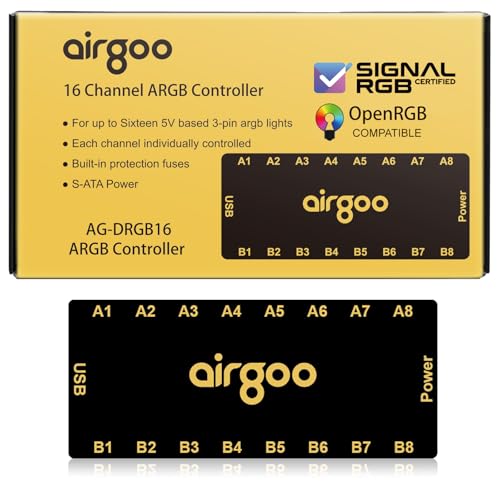
- Supports SignalRGB and OpenRGB software
- Controls up to 16 ARGB devices
- SATA power and magnetic mounting
Best For: large ARGB builds that need software-driven lighting control
Dual-Control Fan Hub
Thermalright ARGB and Fan HUB X12 IR Black

- Supports 12 PWM fans and 5V ARGB
- SATA direct power with compact design
- Includes remote for lighting control
Best For: builders who want one compact hub for fan and ARGB synchronization
Eight-Port Lighting Splitter
Iesooy Nollie 8 ARGB Controller Fan Hub

- 8-port ARGB expansion for lighting devices
- Supports SignalRGB and OpenRGB
- Compact body with dual SATA power
Best For: small cases needing extra ARGB ports and software control
Standalone ARGB Pick
Mini SATA ARGB Controller with Built-In Modes

- Runs from SATA power without motherboard support
- Offers dozens of built-in lighting modes
- Uses physical buttons for speed, brightness, and color
Best For: Simple gaming PC lighting upgrades without ARGB headers
Software-Control Hub
Airgoo 8-CH ARGB and PWM Hub for SignalRGB/OpenRGB
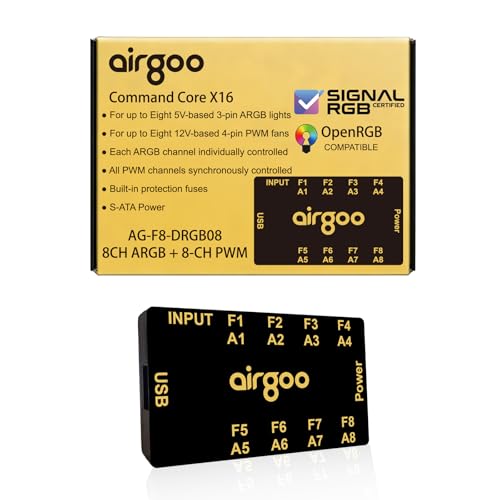
- 8 ARGB channels plus 8 PWM fan channels
- Works with SignalRGB and OpenRGB after setup
- Magnetic mount and SATA power simplify installation
Best For: Advanced gaming PC builds that need software sync and fan expansion
Expansion Hub
Thermalright 8-Port ARGB Fan Hub with SATA Power

- Expands to 8 fan and ARGB connection groups
- SATA power supports stable output under load
- Includes magnetic and adhesive mounting options
Best For: Basic ARGB and fan expansion without software control
Clean cable-management hub
Thermalright X8 ARGB/PWM Controller

- 8 ARGB + 8 PWM support
- SATA-powered for stable output
- Double-sided sticker mounting
Best For: Cable-conscious builders needing a simple expansion hub
Magnetic 9-port hub
ShakingTank 9-Port ARGB PWM Hub

- Magnetic mounting for metal cases
- Supports up to 9 fans
- SATA power for steadier output
Best For: Users who want a repositionable hub with minimal install hassle
Simple expansion hub
Thermalright X8 ARGB Fan Controller
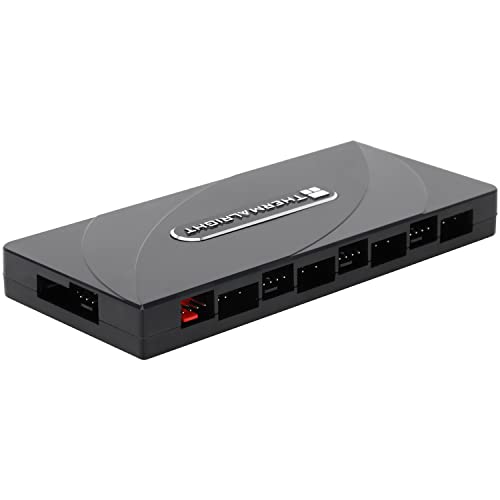
- Expands up to 8 fan groups
- SATA power for stable output
- No onboard speed or lighting control
Best For: Users who want a basic hub for motherboard-managed lighting and fans
Six-Fan Sync Hub – ASUS TUF Gaming ARGB PWM Fan Hub
If you want one of the more straightforward argb fan controllers for gaming pc setups, this ASUS TUF hub is built for handling both fan power and RGB syncing in a simple package. It supports up to six case fans, includes PWM and RGB connections, and uses dual SATA power input for more stable operation under load.
Best For: Builders who want a compact, easy-to-mount hub for syncing six PWM fans and ARGB lighting from one spot.
Pros:
- Connects up to six case fans with PWM and RGB support
- Dual SATA power helps keep input stable under full load
- Clear power and operation indicators make status checking easy
- Magnetic mounting simplifies installation on a metal case surface
Cons:
- Limited to six fan connections, so larger builds may need more capacity
- Focused on hub functionality rather than advanced software features
This is a practical pick if you want a clean, dependable hub for a mainstream gaming rig. Its strength is simple fan and lighting coordination with stable power delivery and easy physical installation.
Software-Ready Lighting Hub – Airgoo 16-Port ARGB Controller
The Airgoo magnetic 16-port hub is aimed at builders who want argb fan controllers for gaming pc lighting setups that lean heavily on software control. It supports SignalRGB and OpenRGB, runs on SATA power, and expands ARGB control across up to 16 devices without depending on motherboard header count.
Best For: Users who want large-scale ARGB control with SignalRGB or OpenRGB in a mid- or full-tower case.
Pros:
- Controls up to 16 RGB devices with independent channel support
- Supports SignalRGB and OpenRGB for software-based lighting control
- USB 2.0 connection enables low-lag command execution
- Magnetic mounting makes case installation quick and flexible
Cons:
- Requires correct software setup before configuration
- ARGB-only design, so it is not a PWM fan hub
This is a strong option if you want to unify a large lighting ecosystem and manage it through PC software. The combination of 16 ports, SATA power, and built-in safety features makes it a capable expansion hub for complex ARGB builds.
Dual-Control Fan Hub – Thermalright ARGB and Fan HUB X12 IR Black
For builders looking at argb fan controllers for gaming pc cable cleanup, this Thermalright hub combines ARGB lighting sync and PWM fan support in one compact unit. It connects up to 12 fan groups, uses SATA direct power, and includes a light remote for easier color control.
Best For: PC builds that need a compact hub for 12 PWM fans and 5V 3-pin ARGB devices.
Pros:
- Supports both 3-pin 5V ARGB and 4-pin PWM fan interfaces
- Handles up to 12 groups of CPU fans for broader expansion
- Compact black design helps with cable management
- Includes a light remote for convenient lighting control
Cons:
- Does not support 12V 4-pin RGB devices
- Only the red PWM interface reports fan speed recognition
This hub makes sense if you want one controller for both airflow and lighting in a tidy layout. Its mix of 12-port capacity, dual-function support, and remote-controlled lighting is well suited to mainstream gaming cases.
Eight-Port Lighting Splitter – Iesooy Nollie 8 ARGB Controller Fan Hub
The Iesooy Nollie 8 is a compact choice among argb fan controllers for gaming pc upgrades when you need to expand 5V 3-pin lighting support without taking much space. It offers 8 ARGB ports, dual SATA power, and compatibility with SignalRGB and OpenRGB for software-managed effects.
Best For: Builders who want an 8-port ARGB hub with software support and a very small footprint.
Pros:
- 8-way ARGB splitter supports fans, coolers, strips, and cases
- Compatible with SignalRGB and OpenRGB
- Dual SATA power helps avoid voltage drops in larger setups
- Compact FR4+PETG design fits tight PC spaces
Cons:
- ARGB only, with no PWM fan control listed
- Depends on USB 9-pin connection for signal transmission
This controller is a practical space-saver for lighting-focused builds that need more ARGB headers. It stands out for its small size, software compatibility, and stable dual-SATA power delivery.
Standalone ARGB Pick – Mini SATA ARGB Controller with Built-In Modes
If you need argb fan controllers for gaming pc setups that work without motherboard RGB support, this compact SATA-powered controller is a simple fix. It converts 5V 3-pin ARGB devices to direct SATA power and gives you built-in lighting effects, so you can add color to a case that lacks ARGB headers.
Best For: Older or budget gaming PCs that need basic standalone ARGB lighting control without relying on motherboard sync software.
Pros:
- SATA-powered, so it does not need motherboard ARGB support
- Built-in lighting modes include monochrome, rainbow, and chasing effects
- Compact controller with extended cable lengths for easier placement
- Physical M, S, and C buttons make mode, speed, brightness, and color changes easy
Cons:
- Does not support motherboard software lighting synchronization
- Designed only for 5V 3-pin ARGB devices, not 12V RGB
For a standalone lighting solution, this controller is practical and easy to power, especially when you just want ARGB effects without software setup. It is best suited to simple visual upgrades rather than advanced synced ecosystem builds.
Software-Control Hub – Airgoo 8-CH ARGB and PWM Hub for SignalRGB/OpenRGB
For argb fan controllers for gaming pc builds that need both lighting and fan management, this Airgoo hub is the most feature-rich option here. It combines 8-channel 5V ARGB control with 8-channel PWM fan support, and it is designed to work with SignalRGB or OpenRGB after the correct software is installed.
Best For: Builders who want centralized RGB software control and PWM fan expansion in a mid-tower or full-tower case.
Pros:
- 8 ARGB channels and 8 PWM channels for larger setups
- Supports SignalRGB and OpenRGB for app-based lighting control
- Magnetic mounting makes installation easier in steel cases
- Includes SATA power, USB 2.0, and fan extension cable
Cons:
- Must install the correct software before configuration is available
- Fan speed monitoring is only supported for a single fan on port F1
This is the strongest choice if you want a more advanced hub that can unify multiple fans and ARGB devices under software control. The built-in safety fuse and broad OS support add extra appeal for a long-term build.
Expansion Hub – Thermalright 8-Port ARGB Fan Hub with SATA Power
This Thermalright hub is a straightforward choice for argb fan controllers for gaming pc cases that mainly need more fan and lighting connections. It expands to 8 groups of fans and supports 5V 3-pin ARGB devices, while SATA power helps keep output stable under load.
Best For: Users who want a simple expansion hub for multiple ARGB fans and light bars without software-based lighting control.
Pros:
- Supports up to 8 groups of fans for easier cable management
- SATA power connection helps maintain stable output under higher load
- Supports PWM fan regulation and fan speed reading on one recognized fan
- Strong paste and magnetic suction mounting options
Cons:
- Does not control lighting or fan speed itself, only expands connections
- Does not support 12V 4-pin RGB devices
If you already have a motherboard or controller handling the actual lighting behavior, this hub is a clean way to add more ports. It is best viewed as a practical wiring expansion piece rather than a full-featured control unit.
Clean cable-management hub – Thermalright X8 ARGB/PWM Controller
If you’re building a gaming PC and need one of the more practical argb fan controllers for gaming pc setups, this Thermalright hub is designed to simplify both lighting and fan wiring in one compact unit. It supports up to 8 ARGB fans and 8 PWM fans, with SATA power for stable output and a layout aimed at cleaner cable management inside the case.
Best For: Builders who want a compact SATA-powered hub to tidy ARGB and PWM fan connections in a busy gaming case.
Pros:
- Supports 8 ARGB fans and 8 PWM fans at the same time.
- SATA-powered output helps maintain stable performance under load.
- Double-sided stickers make chassis mounting simple.
- Helps keep fan and lighting cables organized in the case.
Cons:
- Does not support 12V 4-pin RGB devices.
- It expands connections, but does not control fan speed or lighting effects itself.
This is a straightforward hub if your priority is expansion and cable cleanup rather than advanced control. For ARGB setups that need both lighting and PWM fan connections in one place, it covers the essentials well.
Magnetic 9-port hub – ShakingTank 9-Port ARGB PWM Hub
For builders comparing argb fan controllers for gaming pc cooling and lighting, this ShakingTank hub stands out with a magnetic mount and support for up to 9 fans. It combines PWM fan control support with synchronized ARGB lighting, and the SATA power connection is meant to avoid voltage loss and keep operation steady.
Best For: PC cases with metal surfaces where a magnetic, easy-to-reposition hub is more convenient than adhesive mounting.
Pros:
- Supports up to 9 fans with synchronized ARGB lighting.
- Magnetic backing makes installation quick and repositioning easy.
- SATA power helps provide stable operation without overloading the motherboard.
- Compact design helps reduce cable clutter.
Cons:
- Lighting support is for 5V 3-pin RGB devices only.
- PWM control still depends on the motherboard connection.
This is a strong fit if you want a tidy, flexible hub and prefer magnetic mounting over tape. It’s best treated as an expansion and organization solution for RGB/PWM setups, not a standalone controller with advanced tuning.
Simple expansion hub – Thermalright X8 ARGB Fan Controller
If your goal is simply to add more headers to a gaming PC, this Thermalright hub is a basic option among argb fan controllers for gaming pc builds. It supports 8 groups of fans, uses SATA power for stable output, and is meant to expand both ARGB lighting and PWM fan connections without adding extra control features.
Best For: Builders who need a simple interface-expansion hub and already plan to handle control through the motherboard.
Pros:
- Supports up to 8 fan groups for expansion.
- SATA-powered design is intended for stable output under load.
- Supports 3-pin 5V ARGB and PWM fan connections.
- Includes double-sided stickers for mounting inside the case.
Cons:
- Does not adjust fan speed or lighting color itself.
- SATA cable is not included.
- 12V 4-pin RGB is not supported.
This hub makes sense when you want a reliable splitter-style expansion point and don’t need onboard control. Just be sure your motherboard has the right PWM and 5V ARGB headers, since this unit is built to pass connections through rather than manage them.
How We Picked the Best Argb Fan Controllers for Gaming PC
We prioritized controllers that are easy to install, widely compatible, and strong enough for real gaming PC cooling setups. That means looking at port count, SATA-powered stability, PWM fan support, 5V 3-pin ARGB support, and whether the hub works well with popular control software.
For Argb Fan Controllers for Gaming PC, the best choices are usually the ones that balance expansion and simplicity instead of adding unnecessary complexity.
Quick Comparison
More ports are useful if you are running multiple case fans, but a larger hub is not always better. Compact 8-port models are often ideal for mid-tower systems, while 12- or 16-port options make more sense for heavily customized or high-airflow builds. If you want one hub for both lighting and speed control, a 2-in-1 ARGB and PWM design can simplify the layout.
Key Buying Factors for Argb Fan Controllers for Gaming PC
Port Count and Expansion
Check how many fans and lighting channels you need today, then add a little headroom for future upgrades. A controller with too few ports can create splitters and clutter, while one with too many ports may be overkill for smaller builds.
Power Delivery
SATA-powered hubs are generally more stable than motherboard headers alone, especially when several fans or LEDs are connected. This helps reduce the risk of overload and keeps performance more consistent.
PWM and ARGB Support
If you want synchronized fan speeds, look for PWM support. For lighting, make sure the controller supports standard 5V 3-pin ARGB rather than older 12V RGB, since mixing them up can damage components.
Software Compatibility
Many buyers prefer controllers that work with SignalRGB or OpenRGB because they make multi-brand lighting easier to manage. If you already use a motherboard ecosystem, confirm that the hub fits your current control method.
Who Should Buy Which Argb Fan Controllers for Gaming PC?
Choose a compact 8-port controller if you want a tidy mid-range build with a few case fans and RGB strips. Go for a 12- or 16-port option if you are building a showcase PC or need room for future expansion. If your main goal is simple, reliable cooling with basic lighting control, a combined fan-and-ARGB hub is usually the most practical choice.
For most gamers, the best pick is the controller that matches your fan count, supports your software, and gives you stable SATA-powered performance without adding setup headaches.